1
LCD Flat Television Users Guide
For Model:
LT-37X987
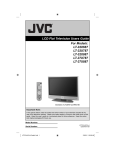
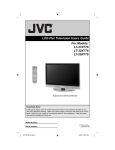
Illustration of LT-37X987 and RM-C18G
Important Note:
In the spaces below, enter the model and serial number of your television (located at the
rear of the television cabinet). Staple your sales receipt or invoice to the inside cover of this
guide. Keep this user’s guide in a convenient place for future reference. Keep the carton
and original packaging for future use.
Model Number:
Serial Number:
LCT2158-001A-A English.indd 1
LCT2158-001A-A
0606TNH-II-IM
6/28/06 9:08:08 AM
Important Safety Precautions
CAUTION
RISK OF ELECTRIC SHOCK
DO NOT OPEN
CAUTION: To reduce the risk of electric shock. Do not
remove cover (or back). No user serviceable
parts inside. Refer servicing to qualified service
personnel.
The lightning flash with arrowhead symbol, within an
equilateral triangle is intended to alert the user to the
presence of uninsulated “dangerous voltage” within
the product’s enclosure that may be of sufficient
magnitude to constitute a risk of electric shock to
persons.
The exclamation point within an equilateral triangle is
intended to alert the user to the presence of important
operating and maintenance (servicing) instructions in
the literature accompanying the appliance.
WARNING:
TO PREVENT FIRE OR SHOCK HAZARDS, DO NOT EXPOSE THIS
APPARATUS TO RAIN OR MOISTURE.
CAUTION:
TO INSURE PERSONAL SAFETY, OBSERVE THE FOLLOWING RULES
REGARDING THE USE OF THIS UNIT.
1. Operate only from the power source specified on the unit.
2. Avoid damaging the AC plug and power cord.
3. Avoid Improper installation and never position the unit where good ventilation is unattainable.
4. Do not allow objects or liquid into the cabinet openings.
5. In the event of trouble, unplug the unit and call a service technician. Do not attempt to repair
it yourself or remove the rear cover.
Changes or modifications not approved by JVC could void the warranty.
* When you don’t use this TV set for a long period of time, be sure to disconnect both the
power plug from the AC outlet and antenna for your safety.
* To prevent electric shock do not use this polarized plug with an extension cord, receptacle or
other outlet unless the blades can be fully inserted to prevent blade exposure.
IMPORTANT RECYCLING INFORMATION
This product has a fluorescent lamp that contains a small amount of mercury. It also
contains lead in some components. Disposal of the materials may be regulated in your
community due to environmental considerations. For disposal or recycling information,
please contact your local authorities, or the Electronic Industries Alliance:
http://www.eiae.org
2
LCT2158-001A-A English.indd 2
6/28/06 9:08:15 AM
• As an “ENERGY STAR®” partner,
JVC has determined that this
product or product model meets the
“ENERGY STAR®” guidelines for energy
efficiency.
IMPORTANT SAFETY INSTRUCTIONS
1)
2)
3)
4)
5)
6)
7)
Read these instructions.
Keep these instructions.
Heed all warnings.
Follow all instructions.
Do not use this apparatus near water.
Clean only with dry cloth.
Do not block any ventilation openings. Install in accordance with the manufacturer's
instructions.
8) Do not install near any heat sources such as radiators, heat registers, stoves, or other
apparatus (including amplifiers) that produce heat.
9) Do not defeat the safety purpose of the polarized or grounding-type plug. A polarized plug
has two blades with one wider than the other. A grounding type plug has two blades and
a third grounding prong. The wide blade or the third prong are provided for your safety. If
the provided plug does not fit into your outlet, consult an electrician for replacement of the
obsolete outlet.
10) Protect the power cord from being walked on or pinched particularly at plugs, convenience
receptacles, and the point where they exit from the apparatus.
11) Only use attachments/accessories specified by the manufacturer.
12) Use only with a cart, stand, tripod, bracket, or table specified by the manufacturer, or sold
with the apparatus. When a cart is used, use caution when moving the cart/apparatus
combination to avoid injury from tip-over.
3
LCT2158-001A-A English.indd 3
6/28/06 9:08:16 AM
13) Unplug this apparatus during lightning storms or when unused for long periods of time.
14) Refer all servicing to qualified service personnel. Servicing is required when the apparatus has
been damaged in any way, such as power-supply cord or plug is damaged, liquid has been
spilled or objects have fallen into the apparatus, the apparatus has been exposed to rain or
moisture, does not operate normally, or has been dropped.
15) Apparatus shall not be exposed to dripping or splashing and no objects filled with liquids, such as
vases, shall be placed on the apparatus.
16) Avoid improper installation and never position the unit where good ventilation is impossible. When
installing this TV, distance recommendations must be maintained between the set and the wall,
as well as inside a tightly enclosed area or piece of furniture. Keep to the minimum distance
guidelines shown for safe operation.
200 mm
150 mm
150 mm
200 mm
50 mm
POWER
17) Cautions for installation
— Do not tilt the TV towards the left or right, or towards the back.
— Install the TV in a corner on the floor so as to keep cords out of the way.
— The TV will generate a slight amount of heat during operation. Ensure that sufficient space is
available around the TV to allow satisfactory cooling.
18) Make enough room for inserting and removing the power plug. Place the TV as close to the
outlet as possible. The main power supply for this TV is controlled by inserting or removing the
power plug.
FCC Notice:
Note: This equipment has been tested and found to comply with the limits for a Class B
digital device, pursuant to Part 15 of the FCC Rules. These limits are designed to provide
reasonable protection against harmful interference in a residential installation. This
equipment generates, uses and can radiate radio frequency energy and, if not installed
and used in accordance with the instructions, may cause harmful interference to radio
communications. However, there is no guarantee that interference will not occur in a
particular installation. If this equipment does cause harmful interference to radio or television
reception, which can be determined by turning the equipment off and on, the user is
encouraged to try to correct the interference by one or more of the following measures:
– Reorient or relocate the receiving antenna.
– Increase the separation between the equipment and receiver.
– Connect the equipment into an outlet on a circuit different from that to which the receiver is
connected.
– Consult the dealer or an experienced radio/TV technician for help.
4
LCT2158-001A-A English.indd 4
6/28/06 9:08:16 AM
Warnings
We have an important note for customers who subscribe to basic cable services (do not have
a separate cable box) and plan to use their JVC TV remote control to select channels.
Once you run the Auto Tuner Setup (which detects and programs all the channels your TV is
receiving through the RF input), every channel number available from your cable company
will appear in your television’s Channel Summary and they will all be marked as available for
scanning. Even though every channel is detected and appears as available, you will only be
able to view those that you specifically subscribe to from your cable company. This will likely
mean there are blank channels between those channels you wish to scan or “surf”.
We apologize for any inconvenience this may cause but it is important to note that this is
not a malfunction of your television. If you want to sequentially scan those channels you
subscribe to without blank ones in between, you can contact your cable company for their
cable box and remote.
Avoiding Ghost Images
Displaying fixed images for extended periods of time can leave a subtle but temporary ghost
image on your screen. To avoid this, mix your viewing pattern.
Examples include, but are not limited to the following:
• Stock-market report bars
• Shopping channel logos and pricing
displays
• Video game patterns or scoreboards
• Bright station logos
• Internet web sites or other computer-style
images.
• DVD discs, video tapes, laser discs
• Broadcast, cable, satellite channels or
digital television tuners/converters.
For example...
TV on
TV off
XYZ
XYZ
5
LCT2158-001A-A English.indd 5
6/28/06 9:08:16 AM
Warnings (Continued...)
Caring for the Cabinet
Normally, light dusting with a soft, non-scratching duster will keep your TV clean.
If you wish to wipe down the television, first unplug it. Then wipe gently with a soft cloth, slightly
moistened with water. You can add a few drops of mild liquid detergent to the water to help
remove spots of oily dirt.
•
•
•
•
DO NOT allow liquid to enter the TV through the ventilation slots.
DO NOT use strong or abrasive cleaners on the TV.
DO NOT spray liquids or cleaners directly on the TV’s surface.
DO NOT rub or scrub the TV harshly. Wipe the set gently with a soft cloth.
Caring for the Screen
The screen is treated with an electrostatic-proof coating. When it gets dirty, wipe it gently with a
soft cloth. If the screen is very dirty, wipe it down with a cloth dipped in a diluted kitchen cleaner
and thoroughly wrung-out. Then wipe immediately after with a clean, dry cloth.
Do not apply alcohol, organic solvents (like acetone), acidic or alkaline cleansers to the screen.
These will remove the coating layer and cause discolorations.
Do not push or hit the screen. This could cause scratches on the screen surface and image
distortions.
6
LCT2158-001A-A English.indd 6
6/28/06 9:08:16 AM
Table of Contents
Important Safety Precautions . . 2
Warnings . . . . . . . . . . . . . . . 5
Quick Setup . . . . . . . . . . . . . . 8
Unpacking your TV . . . . . . . . . . . . 8
Using the stand . . . . . . . . . . . . . . . 8
TV Models . . . . . . . . . . . . . . . . 9
TV Remote Control . . . . . . . . . . . 10
Getting Started . . . . . . . . . . . . . 11
The Remote Control . . . . . . . . . . 11
Connecting Your Devices . . . . . . . 12
Interactive Plug In Menu . . . . . . . . 24
Programming your remote . . . . . . . 27
Onscreen Menus . . . . . . . . . 31
Using the Guide . . . . . . . . . . . . .
Onscreen Menu System . . . . . . . . .
Initial Setup . . . . . . . . . . . . .
Auto Tuner Setup . . . . . . . . . . . .
Channel Summary . . . . . . . . . . . .
Channel Label . . . . . . . . . . . . .
V-Chip . . . . . . . . . . . . . . . . . .
Set Lock Code . . . . . . . . . . . . .
Auto Demo . . . . . . . . . . . . . . . .
Language . . . . . . . . . . . . . . . .
Closed Caption . . . . . . . . . . . . .
Auto Shut Off . . . . . . . . . . . . . .
XDS ID . . . . . . . . . . . . . . . . .
Noise Muting . . . . . . . . . . . . . .
Front Panel Lock . . . . . . . . . . . .
V1 Smart Input . . . . . . . . . . . .
Video Input Label . . . . . . . . . .
Position Adjustment . . . . . . . . . . .
Power Indicator . . . . . . . . . . . . .
Digital-In . . . . . . . . . . . . . . .
Digital-In1 Audio . . . . . . . . . . .
Digital Setup . . . . . . . . . . . . .
Picture Adjust . . . . . . . . . . . . .
Picture Settings . . . . . . . . . . . . .
Color Temperature . . . . . . . . . . . .
Color Management . . . . . . . . . . . .
Dynamic Gamma . . . . . . . . . . . . .
Smart Picture . . . . . . . . . . . . . . .
Digital VNR . . . . . . . . . . . . . . . .
MPEG NR . . . . . . . . . . . . . . .
Smart Sensor . . . . . . . . . . . . . . .
Sensor Effect . . . . . . . . . . . . . . .
Reset . . . . . . . . . . . . . . . . . .
Sound Adjust . . . . . . . . . . . . .
Sound Settings . . . . . . . . . . . . .
Turn On Volume . . . . . . . . . . . . .
Volume Limit . . . . . . . . . . . . . .
Reset . . . . . . . . . . . . . . . . . .
Clock/Timers . . . . . . . . . . . . . . . .
Set Clock . . . . . . . . . . . . . . . .
On/Off Timer . . . . . . . . . . . . . . .
LCT2158-001A-A English.indd 7
31
32
34
34
35
36
37
43
44
44
45
47
47
48
48
49
50
51
51
52
52
53
55
55
55
56
56
56
57
57
57
58
58
59
59
59
59
59
60
60
61
Button Functions . . . . . . . . . . 62
Multi Screen Function . . . . . . . . . .
Split . . . . . . . . . . . . . . . . . .
Index . . . . . . . . . . . . . . . . .
Freeze . . . . . . . . . . . . . . . . . .
Swap . . . . . . . . . . . . . . . . .
Select . . . . . . . . . . . . . . . . . .
Menu . . . . . . . . . . . . . . . . . .
OK . . . . . . . . . . . . . . . . . . .
Back . . . . . . . . . . . . . . . . . . .
Power . . . . . . . . . . . . . . . . . .
Number Buttons . . . . . . . . . . . . .
Tune . . . . . . . . . . . . . . .
Input . . . . . . . . . . . . . . . . . . .
TheaterPro . . . . . . . . . . . . . . .
Return+/TV . . . . . . . . . . . . . . .
Sound . . . . . . . . . . . . . . . . . .
Video Status . . . . . . . . . . . . . . .
Natural Cinema . . . . . . . . . . . . .
Sleep Timer . . . . . . . . . . . . . . .
ML/MTS . . . . . . . . . . . . . . . . .
Muting . . . . . . . . . . . . . . . . . .
Display . . . . . . . . . . . . . . . . .
C.C. . . . . . . . . . . . . . . . . . . .
Channel +/- . . . . . . . . . . . . .
Volume +/- . . . . . . . . . . . . .
Favorite . . . . . . . . . . . . . . . .
Aspect . . . . . . . . . . . . . . . . .
Aspect Ratios . . . . . . . . . . . . .
TV/CATV Slide Switch . . . . . . . . . .
VCR/DVD Slide Switch . . . . . . . . .
VCR Buttons . . . . . . . . . . . . . . .
DVD Buttons . . . . . . . . . . . . . . .
Light . . . . . . . . . . . . . . . . . .
D/A (Digital/Analog) . . . . . . . . .
Sub Channel . . . . . . . . . . . . .
Guide . . . . . . . . . . . . . . .
62
62
63
63
63
63
63
63
63
64
64
64
64
64
65
65
66
66
67
67
67
68
68
68
68
69
70
70
72
72
72
72
72
73
73
73
OSD Information . . . . . . . . . . 74
Weak Signal . . . . . . . . . . . . . 74
No Program . . . . . . . . . . . . . 74
Invalid Signal . . . . . . . . . . . . . 74
Troubleshooting . . . . . . . . . .
Specifications . . . . . . . . . .
Warranty . . . . . . . . . . . . .
Authorized Service Center . . .
75
77
78
79
7
6/28/06 9:08:16 AM
Quick Setup
Unpacking your TV
Thank you for your purchase of a JVC LCD Flat Television. Before you begin setting up your
new television, please check to make sure you have all of the following items. In addition to
this guide, your television box should include:
1 Television
1 Remote Control
POWER
D/A
1
2
4
5
7
8
3
6
9
SLEEP
TUNE
FAVORITE
THEATER
PRO
VIDEO
STATUS
SUB
CHANNEL
C.C.
SOUND
NATURAL
CINEMA
LIGHT
0 RETURN+/TV
MUTING
GUIDE
CH
VOL
OK
MENU
VOL
BACK
CH
VCR CHANNEL
PREV NEXT
REW
REC
VCR DVD
POWER TV VCR
PLAY
STOP
FF
PAUSE
POWER
OPEN CLOSE
STILL PAUSE
RM-C18G
–
INPUT
ML/MTS
–
DISPLAY
AA Alkaline
SELECT
SWAP
AA Alkaline
INDEX
+
ASPECT
MULTI SCREEN
SPLIT
+
TV CATV VCR DVD
FREEZE
Two AA
Batteries
Note: Your television
and/or remote
control may differ
from the examples
illustrated here.
8
LCT2158-001A-A English.indd 8
6/28/06 9:08:17 AM
Quick Setup
TV Models
Before you connect your television to another device, please refer to the proper diagrams for
your specific TV and remote. These will help assist you in understanding how to connect your
television to another device, as well as use the remote to set up your television.
Rear Panel Diagram
PC IN
(D-SUB)
Y
PC IN
(D-SUB)
Y
Pr
Pr
Pb
INPUT 3
Pb
VIDEO
L
INPUT 3
R - AUDIO -
INPUT 2
S-VIDEO
VIDEO
OVER
R - AUDIO -
L
Y
VIDEO
Pb
VIDEO
INPUT 1
Pr
S-VIDEO
-
L
AUDIO
OUTOUT
AUDIO
R - AUDI
O
R
AUDIO INPUT
L
L
T
FOR HDMI 1
OVER
R - AUDIO -
R - AUDIO -
L
S-VIDEO
INPUT 2
VIDEO
OVER
R - AUDI
O
-
L
Y
Pr
INPUT 1
Pb
S-VIDEO
VIDEO
AUDIOAUDIO
OUT OUT
FOR HDMI 1
OVER
R - AUDI
O
R
-
AUDIO
INPUT
R - AUDI
O
-
L
L
L
Side Panel Diagram
INPUT
MENU
+
CHANNEL
-
+
VOLUME
-
POWER
POWER
9
LCT2158-001A-A English.indd 9
6/28/06 9:08:17 AM
Quick Setup
Remote Control
TV CATV VCR DVD
ASPECT
POWER
MULTI SCREEN
SPLIT
INDEX
SELECT
FREEZE
SWAP
DISPLAY
INPUT
1
2
3
D/A
4
5
6
7
8
9
ML/MTS
SLEEP
TUNE
FAVORITE
THEATER
PRO
VIDEO
STATUS
SUB
CHANNEL
C.C.
SOUND
NATURAL
CINEMA
LIGHT
0 RETURN+/TV
MUTING
GUIDE
CH
VOL
OK
VOL
MENU
BACK
CH
VCR CHANNEL
PREV NEXT
REW
REC
VCR DVD
POWER TV VCR
PLAY
STOP
OPEN CLOSE
FF
PAUSE
STILL PAUSE
RM-C18G
RM-C18G
Notes:
• For information on remote control buttons, see pages 62 - 73.
• SUB CHANNEL and GUIDE buttons are for digital channels. If your TV is connected to an
ATSC antenna or Digital Cable, you can use these buttons.
10
LCT2158-001A-A English.indd 10
6/28/06 9:08:17 AM
Quick Setup
Getting Started
These quick setup pages will provide you, in three easy steps, with the basic information you
need to begin using your new television right away. If you have questions, or for more detailed
information on any of these steps, please consult other sections of this manual.
Step 1 – The Remote Control
Before you can operate your remote control, you
first need to install the batteries (included).
Slide the cover on the back of the remote down
towards the bottom of the remote control. Insert
two batteries (included) carefully noting the “+”
and “–” markings, placing the “–” end in the unit
first. Slide the cover back into place.
When you change the batteries, try to complete the task within three minutes. If you take
longer than three minutes, the remote control codes for your VCR, DVD, and/or cable
box/satellite receiver may have to be reset. See pages 27 - 30.
Key Feature Buttons
The four key feature buttons at the center of the remote can be
used for basic operation of the television. The top and bottom
buttons will scan forward and back through the available
channels. To move rapidly through the channels using
JVC’s Hyperscan feature, press and hold CH+ or CH–. The
channels will zip by at a rate of five channels per second. The
right and left buttons will turn the volume up or down. These
buttons are also marked with four arrows and are used with
JVC’s onscreen menu system. To use the onscreen menus,
press the MENU button.
MUTING
GUIDE
CH
VOL
OK
VOL
MENU
BACK
CH
VCR CHANNEL
VCR DVD
Basic Operation
Turn the television on and off by pressing the POWER button at the top right corner
of the remote. If this is the first time you are turning on the TV, the interactive
plug-in menu appears.
T
POWER
TV CATV
• Make sure the TV/CATV switch is set to TV. Move the switch to CATV only if
you need to operate a cable box.
• Slide the VCR/DVD selector switch to VCR to control a VCR. Slide to
DVD to control a DVD player. Please see pages 27 to 30 for instructions on
programming your remote control to operate a cable box, VCR or DVD player.
MUL
VCR DVD
A
LTI SCREEN
11
LCT2158-001A-A English.indd 11
6/28/06 9:08:18 AM
Quick Setup
Step 2 - Connecting your devices
To make these connections, you will use plugs like the ones illustrated below.
Coaxial Cables
Used to connect an external
antenna or cable TV system to your
TV.
S-Video Cable
Component Cables
Composite Cables
Audio Cables
Used to connect audio/video
devices like VCRs, DVD players,
stereo amplifiers, game consoles,
etc.
Used to make video connections
with S-Video VCRs, Camcorders
and DVD players.
Notes:
• These connections are examples.
• After you are finished connecting your devices, plug the power cord into the nearest power
outlet and turn on the TV.
• If you follow these diagrams and the television does not work properly, contact your local
cable operator.
• To connect a DVD player, see VCR Connection. A DVD player is optional
• If you have a satellite television system, refer to the satellite TV manual.
12
LCT2158-001A-A English.indd 12
6/28/06 9:08:18 AM
Quick Setup
Cable Holder
A cable holder which keeps your connection cables tidy is attached on
the back of the stand. To open, loosen the screws with you fingers.
After putting the cables in the cable holder, attach it to the back of the
stand again by tightening the screws with your fingers.
Remove the terminal cover
There are connection terminals behind the cover on the left in the back
of the TV. Remove the cover before connecting an antenna or other
devices. The cover can be removed by removing the hooks. When
replacing the cover, place the side of the cover against the TV and
insert the hooks.
Note:
• Leave the terminal cover off if they do not fit properly. Do not force
to replace the cover. Doing so may damage the connection cables
and cover.
No VCR Connection
TV Rear Panel
Cable or Antenna
Output
Coaxial Cable
(Attachment)
13
LCT2158-001A-A English.indd 13
6/28/06 9:08:18 AM
Quick Setup
VCR Connection
Notes:
• Green, blue and red are the most common colors for DVD cables. Some models may vary
colors. Please consult the user’s manual for your DVD player for more information.
• Be careful not to confuse the red DVD cable with the red audio cable. It is best to complete
one set of connections (DVD or audio output) before starting the other to avoid accidentally
switching the cables.
• You may also connect the DVD player to Input 1.
Diagram #1
VCR
Cable or Antenna
Output
IN
IN
OUT
V
L
R
OUT
OR
Coaxial Cable
(Attachment)
Y
Pr
INPUT 3
Pb
VIDEO
R - AUD
IO
-
L
S-VIDEO
INPUT 2
VIDEO
OVER
R - AUD
IO
-
L
TV Rear Panel
Y
Pr
INPUT 1
Pb
S-VIDEO
VIDEO
DIO
OVER
R - AUD
IO
Green
Y
Blue
PB
Red
PR
-
L
INPUT
R
AUDIO OUT
OUT
R
L
DVD Player (OPTIONAL)
Note:
• If this connection setup does not work for you, try the connection setup on page 15.
14
LCT2158-001A-A English.indd 14
6/28/06 9:08:19 AM
Quick Setup
Diagram #2
Cable or Antenna
Output
VCR
IN
IN
OUT OUT
IN
Two-Way Splitter
OUT
V
L
R
OUT
OR
Coaxial Cable
(Attachment)
Y
Pr
INPUT 3
Pb
VIDEO
R - AUD
IO
INPUT 2
S-VIDEO
-
L
VIDEO
OVER
R - AUD
IO
-
L
Y
Pr
INPUT 1
S-VIDEO
VIDEO
DIO
OVER
R - AUD
IO
Green
Y
Blue
PB
Red
PR
TV Rear Panel
Pb
-
L
INPUT
R
AUDIO OUT
OUT
R
L
DVD Player (OPTIONAL)
15
LCT2158-001A-A English.indd 15
6/28/06 9:08:19 AM
Quick Setup
Connecting to a Camcorder
You can connect a camcorder to you televison by using the input jacks located on the back of
the television.
TV Rear Panel
CAMCORDER
INPUT 2
S-VIDEO
OR
OVER
R - AU
DIO
VIDEO
-
L
1) Connect a yellow composite cable from the camcorder VIDEO OUT, into the VIDEO IN on
the back of the TV, OR connect an S-Video cable from the camcorder to the back of the TV.
2) Connect a white cable from the camcorder LEFT AUDIO OUT, into the LEFT AUDIO IN on
the back of the TV.
3) Connect a red cable from the camcorder RIGHT AUDIO OUT, into the RIGHT AUDIO IN on
the back of the TV.
Note:
• If your camcorder is a mono sound model it will have only one AUDIO OUT. Connect it to the
LEFT AUDIO IN on the back of the TV.
Headphone Connection
You can connect a pair of headphones to the television
using the headphone jack located on the side of the
television.
POWER
1) Plug a headphone jack into the headphone jack on
the television’s side panel.
TV Side Panel
16
LCT2158-001A-A English.indd 16
6/28/06 9:08:19 AM
Quick Setup
Connecting to an External Amplifier
AUDIOAUDIO
OUT OUT
TV Rear Panel
R - AUD
IO
Speaker
Speaker
Amplifier
-
L
1) Connect a white cable from the LEFT AUDIO OUTPUT on the back of the TV to the
LEFT AUDIO INPUT on the amplifier.
2) Connect a red cable from the RIGHT AUDIO OUTPUT on the back of the TV to the
RIGHT AUDIO INPUT on the amplifier.
Notes:
• Refer to your amplifier’s manual for more information.
• You can use AUDIO OUTPUT for your home theater system.
• You can not output audio using the AUDIO OUTPUT under the following conditions:
1) When you have digital sound from an HDMI device connected to the HDMI 1 or HDMI 2
connection on the back of your TV. (See page 20).
2) When you have analog sound from a DVI device connected to the AUDIO IN "FOR
HDMI 1" connection. (See page 19).
17
LCT2158-001A-A English.indd 17
6/28/06 9:08:19 AM
Quick Setup
Connecting to an AV Receiver using your television's
V1 Smart Input
By connecting your AV Receiver to your television's V1 Smart Input, you can watch picture
sources from many different devices, without having to change or use the other input
connections on your TV. This allows you to free up the other input connections so you can
connect more devices to your television.
TV Rear Panel
Y
Pr
INPUT 3
Pb
VIDEO
R - AUD
IO
-
L
S-VIDEO
INPUT 2
VIDEO
OVER
R - AUD
IO
-
AV Receiver
L
Y
Pr
Y
PB
INPUT 1
Pb
MONITOR
OUT
S-VIDEO
VIDEO
DIO
OVER
R - AUD
IO
R
-
PR
MONITOR OUT
L
INPUT
1) Connect an S-Video Cable from the AV Receiver's MONITOR OUT, to the S-Video INPUT-1
on the back of your television.
2) Connect a Yellow Composite Cable from the AV Receiver's MONITOR OUT, into the VIDEO
INPUT-1 on the back of your television.
3) Connect a Green Component Cable from the AV Receiver's Y MONITOR OUT, into the Y
VIDEO INPUT-1 on the back of your television.
4) Connect a Blue Component Cable from the AV Receiver's PB MONITOR OUT, into the Pb
VIDEO INPUT-1 on the back of your television.
5) Connect a Red Component Cable from the AV Receiver's PR MONITOR OUT, into the Pr
VIDEO INPUT-1 on the back of your television.
Notes:
• Please refer to your AV Receiver instruction manual for more information on connecting your
speakers and other devices like a DVD player.
• Use your AV Receiver's remote to switch to the different devices you have connected.
• Some AV Receivers may not respond when the V1 Smart Input function is turned on.
• If you have video connections for each input device connected to your AV Receiver, you
should not connect them using both S-Video and Composite connection at the same time
when you are using V1 Input as the V1 Smart Input. In this case we recommend using the
S-Video connection.
18
LCT2158-001A-A English.indd 18
6/28/06 9:08:19 AM
Quick Setup
Connecting to a Digital TV Receiver
By connecting a Digital TV Receiver, high definition pictures can be displayed on your TV in
their digital form.
DTV Decoder
DIGITAL OUT
TV Rear Panel
AUDIO OUT
R
FOR HDMI 1
L
REC OUT
TV Rear Panel
R
AUDIO
INPU
T
L
S-VIDEO
VIDEO
HDMI to DVI Cable
After the connections have been made,
tighten the screw to secure the cables.
1) Connect the HDMI to DVI Cable from the DIGITAL OUT on the back of your DTV decoder, to
the DIGITAL-IN on the back of your television.
2) Connect a red cable from the DTV decoder RIGHT AUDIO OUT, to the RIGHT AUDIO INPUT
"FOR HDMI 1" on the back of your television.
3) Connect a white cable from the DTV decoder LEFT AUDIO OUT, to the LEFT AUDIO INPUT
"FOR HDMI 1" on the back of your television.
• The digital-in terminal is not compatible with the picture signal of a personal computer.
• Use a HDMI to DVI cable (commercially available) in order to digitally connect the television
with a DTV decoder.
Notes:
• If 480p signals (640x480 or 720x480) are displayed on the screen, the horizontal balance
may be slightly shifted. Access the “DIGITAL-IN” in the initial setup menu to adjust it. (Refer
to page 52.)
• When you do the above connection, set DIGITAL-IN1 AUDIO in the Initial Setup menu to
ANALOG. See "DIGITAL-IN1 AUDIO", page 52.
• The Analog Audio input can only be used with the HDMI 1 input.
• When setting the “DIGITAL AUDIO – ANALOG / DIGITAL” menu setting on the TV, please note
that this setting only effects the HDMI 1 jack and that if you use a DVI to HDMI adapter this
connection must be made to the HDMI 1 along with analog audio cables.
19
LCT2158-001A-A English.indd 19
6/28/06 9:08:20 AM
Quick Setup
Connecting to a HDMI Compatible Device
By connecting a HDMI compatible device, high definition pictures can be displayed on your
TV in their digital form. Some HDMI devices can include DVD players, D-VHS or any HDMI
compatible device.
HDMI (High Definition Multimedia Interface) is the first industry supported, uncompressed, all
digital audio/video interface. HDMI provides and interface between any audio/video source,
such as a set-top box, DVD player, A/V receiver or an audio and/or video monitor, such as a
digital television (DTV).
HDMI Compatible Device
TV Rear Panel
DIGITAL OUT
AUDIO OUT
L
R
HDMI Cable
1) Connect the HDMI Cable from the DIGITAL OUT on the back of your DTV or HDMI device, to
the DIGITAL-IN on the back of your television.
Notes:
• When you do the above connection, set DIGITAL-IN1 AUDIO in the Initial Setup menu to
DIGITAL. See "DIGITAL-IN1 AUDIO", page 52.
• Some decoders may not respond depending on the equipment that you have connected
when it is connected to the HDMI.
• If the HDMI output device signal is changed (for example, 480i/60Hz is changed to
480p/60Hz), the screen may turn green and there may be some distortion for a short time
until the signal becomes stable.
• When you have an HDMI device connected to the HDMI 1 connection on the back of your TV,
your TV detects it, and blocks the analog audio signal coming into the "FOR HDMI 1" jacks.
Therefore, you can not hear any analog sound from the other device conected to the "FOR
HDMI 1" jacks, while you are viewing the images from the HDMI device.
20
LCT2158-001A-A English.indd 20
6/28/06 9:08:20 AM
Quick Setup
Connecting to an amplifier using your optical output
You can connect an amplifier that has an optical digital input terminal by using an optical digital
cable from the optical output. The signal that is output can be PCM or Dolby Digital.
Television Rear Panel
Amplifier
1) Connect the optical cable from underneath the television to the back of the amplifier.
Notes:
• This terminal can only output digital audio.
• In order to use the optical output connection, select PCM or Dolby Digital on Digital Sound in
the Digital Setup Menu. See page 54.
• Refer to your owners manual on using your amplifier.
21
LCT2158-001A-A English.indd 21
6/28/06 9:08:20 AM
Quick Setup
Connecting to the computer
This TV can be used as a computer screen. Use a commercially available D-SUB cable to
connect the TV's PC INPUT terminal to the computer's analog RGB output terminal. If you
want to listen to the sound from the computer, use a commercially available RCA cable to
connect the INPUT-3 audio input terminal to the computer's audio output terminal.
TV Rear Panel
PC IN
(D-SUB)
Y
Pr
INPUT 3
Pb
VIDEO
R - AU
DIO
-
L
S-VIDEO
Notes:
• Refer to your computer manual for a detailed explanation of the connections concerning your
computer.
• Make sure that the connectors are facing the correct way when connecting.
• After connecting, tighten the two screws to fix the connectors in place.
Looking at the images from a computer
After starting the computer, press the INPUT button to choose INPUT-3. You can listen to the
sound when the sound from the computer is connected to the INPUT-3 AUDIO input terminal.
Notes:
• When the sound from the computer is connected to INPUT-3 by choosing external input
INPUT-3, the sound from the computer can be listened to, but the images from the computer
cannot be seen.
22
LCT2158-001A-A English.indd 22
6/28/06 9:08:20 AM
Quick Setup
Table of signals for each type of computer
Resolution
Vertical
Frequency
(Hz)
Horizontal
Frequency
(kHz)
640 x 480
(VGA)
60.0
31.5
1024 x 768
(XGA)
60.0
48.4
• Only the above formats are supported.
• Even with the above formats at 60 Hz, some problems may be experienced depending on
the quality of the synchronous signal. (Depending on the quality, some pictures may not be
displayed correctly).
• Apple Macintosh* computers are not supported.
When a picture is not displayed
With some computers, some problems can be solved by changing the settings. Check the
computer's refresh rate and set it to 60Hz. Computers that cannot set the refresh rate to 60
Hz, can not be used with this TV. Refer to the computer's instruction manual.
*Apple Macintosh is a registered trademark of Apple Computer, Inc.
Note:
• If you are inputting a PC signal that is invalid, "Invalid Signal" will appear on the TV screen.
It appears when the input is PC and it is a single screen.
23
LCT2158-001A-A English.indd 23
6/28/06 9:08:21 AM
Quick Setup
Step 3 – The Interactive Plug In Menu
When you turn your television on for the first time the interactive plug-in menu will appear. The
plug-in menu helps you to get your TV ready to use by letting you set your preferences for:
• The language in which you want the onscreen menus to appear.
• Setting the TV’s clock to the correct time so your timer functions will work properly. You can
choose “AUTO” or “MANUAL” for setting the clock.
• The auto tuner setup of which channels you wish to receive.
We recommend you complete the interactive plug-in items before you start using your
television.
Notes:
• The interactive plug-in menu setting does not appear if your TV has been turned on before.
In this case use the onscreen menus to perform these settings. See pages 44, 60 and 34.
• If you press the Menu button while setting up the interactive plug-in menu, it will skip over it.
Language
After the “JVC INTERACTIVE PLUG IN MENU” has been displayed, the TV automatically
switches to the LANGUAGE settings. You can choose to view your onscreen menus in three
languages: English, French (Français) or Spanish (Español).
LANGUAGE/LANGUE/IDIOMA
è
To choose a language:
(English, Français or Español)
†
To NEXT (To set clock)
ENGLISH
NEXT
SELECT
OPERATE
MENU
EXIT
(To be continued...)
24
LCT2158-001A-A English.indd 24
6/28/06 9:08:21 AM
Quick Setup
Auto Clock Set
Before you use any of your TV’s timer functions, you must first set the clock. You may
precisely set your clock using the XDS time signal broadcast by most public analog
broadcasting stations. If you do not have this in your area, you will have to set the clock
manually. See manual clock set below. To set the clock using the XDS signal:
è
SET CLOCK
†
MODE
TIME
TIME ZONE
D.S.T.
AUTO
-- : -- -ATLANTIC
ON
SELECT
è
To select your time zone: (Atlantic, Eastern,
Central, Mountain, Pacific, Alaska or
Hawaii)
†
To move to D.S.T. (Daylight Savings Time)
To turn D.S.T. ON or OFF
To NEXT (To Auto Tuner Setup)
è
†
NEXT
OPERATE
MENU
To choose AUTO
To TIME ZONE
EXIT
Notes:
• D.S.T. can be used when it is set to ON in the SET CLOCK menu.
• Only when the MODE is set to AUTO, the Daylight Savings Time feature automatically
adjusts your TV’s clock for Daylight Savings. The clock will move forward one hour at 2:00
am on the first Sunday in April. The clock will move back one hour at 2:00 am on the last
Sunday in October.
• You will have to reset the clock after a power interruption. You must set the clock before
operating any timer functions.
Manual Clock Set
To set your clock manually (without using the XDS signal), choose MANUAL. If you choose
AUTO, see auto clock set above.
è
SET CLOCK
†
è
MANUAL
-- : -- -ATLANTIC
ON
MODE
TIME
TIME ZONE
D.S.T.
†
è
†
è
START CLOCK
SELECT
OPERATE
MENU
EXIT
†
è
†
To choose MANUAL
To TIME
To set the hour
To minute
To set the minute
To TIME ZONE
To select your time zone: (Atlantic, Eastern,
Central, Mountain, Pacific, Alaska or
Hawaii)
To move to D.S.T. (Daylight Savings Time)
To turn D.S.T. ON or OFF
To START CLOCK
Note:
• You will have to reset the clock after a power interruption. You must set the clock before
operating any timer functions.
(To be continued...)
25
LCT2158-001A-A English.indd 25
6/28/06 9:08:21 AM
Quick Setup
Auto Tuner Setup
In auto tuner setup, the TV automatically scans through all available channels, memorizing the
active ones and skipping over blank ones or channels with weak signals. This means when you
scan (using the CHANNEL +/– buttons) you will receive only clear, active channels.
AUTO TUNER SETUP
TUNER MODE
AIR
è
To choose CABLE or AIR (or SKIP when
you skip Analog Auto Tuner Setup)
†
To START
After Analog Auto Tuner Setup is finished, Digital Auto
Tuner Setup starts.
START
OPERATE
MENU
EXIT
Now Programming...
NOW
PROGRAMMING !
20
48
When the setup is finished, "THANK YOU ! SETUP IS NOW COMPLETE" is displayed. Your
quick setup is now complete. You can now begin watching your television, or you can continue
on in this guide for more information on programming your remote control, or using the
JVC onscreen menu system to customize your television viewing experience.
Notes:
• If you want to cancel the Auto Tuner Setup, press the MENU button.
• Noise muting will not work during Auto Tuner Setup.
• If you choose SKIP, it finished without doing the Auto Tuner Setup.
Cable Box and Satellite Users: After your auto tuner setup is complete, you may, (depending
on the type of hookup), have only 1 channel, usually 3 or 4 in the auto tuner memory. This is
normal.
26
LCT2158-001A-A English.indd 26
6/28/06 9:08:21 AM
Quick Setup
Programming your remote control
You can program your remote to operate your cable box, satellite receiver, VCR or DVD
player by using the instructions and codes listed below. If the equipment does not respond to
any of the codes listed below or to the code search function, use the remote control supplied
by the manufacturer.
Cable Box or Satellite Codes
The remote control is programmed with cable box and satellite codes for power on/off,
channel up/down, and 10 key operation.
1) Find the cable box or satellite brand from the list of codes shown below.
2) Slide the 2-way selector switch to “CATV”.
3) Press and hold down the DISPLAY button, then enter the first code number listed with the 10
key pad.
4) Release the DISPLAY button, and confirm the operation of the cable box/satellite receiver.
• If your cable or satellite box does not respond to the first code, try the others listed. If it does
not respond to any code, try the search codes function, on page 30.
Cable Box
Codes
ABC
Archer
024
032, 025
Cableview
051, 032
Citizen
Curtis
Diamond
022, 051
058, 059
024, 032, 025
Eagle
Eastern
GC Brand
029
034
032, 051
Gemini
General
Instrument/Jerrold
022, 043
065, 024, 025,
026, 027, 020,
021, 022, 057,
023, 072, 074
040, 041, 042,
045, 058, 064
049, 024
Hamlin
Hitachi
Macom
049, 050, 051,
054
Magnavox
033
Memorex
Movietime
030
032, 051
Oak
039, 037, 048
Panasonic
055, 056, 060,
071, 073
063
Paragon
Philips
028, 029, 030,
052, 053, 031,
069
Pioneer
047, 062
Pulsar
051, 032
Cable Box
Codes
Puser
032
RCA
Realistic
061, 070
032
058, 064, 040,
041, 042, 045,
068
034
Regal
Regency
Rembrandt
Samsung
037, 032, 051,
038
051
Scientific Atlanta 057, 058, 059
Digital
Satellite
Systems
Codes
100, 113, 114,
Echostar
(Dish Network) 115
Express VU
100, 113
G.E.
106
G.I.
108, 120, 121,
122
Gradiente
112
Hitachi
104, 111
SLMark
051, 047
HNS (Hughes) 104
Sprucer
051, 056
Magnavox
102, 103
Stargate
032, 051
Panasonic
105
Telecaption
067
Philips
102, 103, 116
Teleview
047, 051
Primestar
108
Texscan
044
Proscan
106, 109, 110
Tocom
035, 036, 066,
074
RCA
106, 109, 110
Sony
107
Star Choice
104, 108
Toshiba
101, 104, 117,
118, 119
Uniden
102, 103
Toshiba
050, 048
Unika
032, 025
Universal
022, 032
Videoway
052
Viewstar
029, 030
Zenith
063, 046
Zenith/Drake
Satellite
046
27
LCT2158-001A-A English.indd 27
6/28/06 9:08:22 AM
Quick Setup
VCR Codes
The remote control is programmed with VCR codes for power on/off, play, stop, fast-forward,
rewind, pause, record, channel up/down operation.
1) Find the VCR brand from the list of codes shown below.
2) Slide the first 2-way selector switch to “TV” and the other 2-way selector switch to “VCR”.
3) Press and hold down the DISPLAY button, then enter the first code number listed with the 10
key pad.
4) Release the DISPLAY button, and confirm the operation of the VCR.
• If your VCR does not respond to the first code, try the others listed. If it does not respond to
any of the codes, try the search codes function on page 30.
• After you program your remote, some VCR buttons may not work properly. If so, use the
VCR’s remote.
• To record, hold down the REC button on the remote and press PLAY.
VCR
Admiral
Aiwa
Codes
035
027, 032, 095
029, 072, 073,
074
Audio Dynamic 003, 005
063, 071
Bell & Howell
020, 026, 094
Broksonic
Akai
Canon
CCE
Citizen
023, 025
043
064
Craig
Curtis Mathes
063, 029, 064
045, 024, 027,
093
043, 059, 024,
092
003, 004, 005
045, 093
Daewoo
DBX
Dimensia
Emerson
Fisher
Funai
G.E.
Go Video
043, 026, 077,
061, 025, 042,
020, 076
063, 066, 067,
065, 071, 091
027, 026, 020,
000
033, 045, 024
037, 051, 049,
050, 089
VCR
003, 004, 005
Marta
Memorex
064
024, 067
038, 040, 047,
048, 041, 042
058, 045, 093
MGA
Minolta
Mitsubishi
Multitech
NEC
Olympic
Optimus
Orion
Panasonic
Penney
Pentax
Philco
Philips
Goldstar
064
Pioneer
Gradiente
083, 084, 081,
000, 001
Proscan
Hitachi
023, 045, 058,
093, 027, 081
Instant Replay
024, 023
Jensen
003
JVC
003, 004, 005,
000, 001, 002,
006, 007
Kenwood
LG
064
027, 064, 058,
065, 066, 063,
067
Magnavox
031, 023, 024,
086
28
LCT2158-001A-A English.indd 28
Quasar
Radio Shack
RCA
003, 004, 064,
005
LXI
Codes
Marantz
Realistic
038, 040, 047,
048, 041, 042,
078, 090
047, 027, 062
003, 004, 005,
000
024, 023
028, 021, 035,
064
026, 020
023, 024, 021,
022
024, 058, 045,
063, 003, 004,
005, 093
058, 005, 045,
093
031, 024, 027,
023, 026, 020,
043
031, 023, 024,
086
023
045, 058, 023,
024, 031, 046,
059, 060, 093,
033, 087
021, 022, 023,
024
033, 024, 063,
036, 067, 040,
027
033, 045, 058,
023, 024, 031,
046, 059, 060,
083, 084, 085,
087, 093, 096
VCR
Samsung
Samtron
Sansui
Sanyo
Scott
Sears
Sharp
Shintom
Codes
037, 060, 062,
033, 089
089
003, 026, 020,
052
063, 067, 091,
071
059, 060, 062,
067, 038, 040,
047, 048, 026,
020
063, 064, 065,
066, 058
035, 036, 080,
088
075
Signature 2000 027, 035
Singer
Sony
SV 2000
Sylvania
Symphonic
075
028, 029, 030,
053, 054, 055
027
031, 023, 024,
027
027, 081
Tashiro
Tatung
Teac
064
003, 004, 005
003, 004, 027,
005
Technics
021, 022, 023,
024
Teknika
024, 027, 070
Thomson
033, 096
Toshiba
059, 046, 079
Vector Research 005
Wards
Yamaha
Zenith
035, 036, 067,
044, 064
063, 003, 004,
005
044, 082, 064,
094
024, 063, 036,
067, 040, 027
6/28/06 9:08:22 AM
Quick Setup
DVD Codes
The remote control is programmed with DVD codes for power on/off, play, stop, fast-forward,
rewind, previous/next chapter, tray open/close, and still/pause operation.
1) Find the DVD player brand from the list of codes shown below.
2) Slide the first 2-way selector switch to “TV” and the other 2-way selector switch to “DVD”.
3) Press and hold down the DISPLAY button, then enter the first code number listed with the 10
key pad.
4) Release the DISPLAY button, and confirm the operation of the DVD player.
• If your DVD player does not respond to the first code, try the others listed. If it does not
respond to any of the codes, try the search codes function on page 30.
• After you program your remote, some DVD buttons may not work properly. If so, use the
DVD player’s remote.
DVD Player
Codes
DVD Player
Codes
DVD Player
Codes
Aiwa
043
Mintek
057
Sharp
028
Apex
040, 054,
055
Mitsubishi
025
Silvania
038
Bose
058
Next Base
056
SMC
048
Denon
020, 037
Onkyo
041, 052
Sony
024, 045,
046, 047
Funai
038
Oritron
044
Technics
020
Go–Video
032
Panasonic
020
Thomson
021
Harman
Kardon
053
Philips
023, 036
Toshiba
023
Hitachi
031
Pioneer
022
Venturer
051
JVC
000
Polk Audio
036
Vialta
050
Kenwood
035, 020
Raite
033
Wave
042
KLH
051
021, 026
034
030
020, 049
039
050
RCA
Sampo
Samsung
Yamaha
Konka
Koss
Zenith
027, 032
29
LCT2158-001A-A English.indd 29
6/28/06 9:08:22 AM
Quick Setup
Search Codes
Cable/Satellite Search Codes Function
1)
2)
3)
4)
Slide the first 2-Way Mode Selector switch to CATV.
Press the POWER and RETURN+/TV buttons. Hold for at least three seconds and release.
Press the POWER button on the remote, and see if the cable or satellite box responds.
If there was a response, press RETURN+/TV. The codes are now set. If there was no
response, repeat Step 3. If you repeat Step 3 a total of 80 times without a response, use
the remote control that came with your equipment.
5) Press RETURN+/TV to exit.
VCR/DVD Search Codes Function
1) Slide the first 2-way selector switch to “TV” and the other 2-way selector switch to “VCR” or
“DVD”.
2) Press the VCR or DVD POWER and RETURN+/TV buttons. Hold for at least three seconds
and release.
3) Press the VCR or DVD POWER button, and see if the VCR or DVD responds.
4) If there was a response, press RETURN+/TV. The codes are now set. If there was no
response, repeat Step 3. If you repeat Step 3 a total of 80 times for the VCR (40 times for
the DVD player), and there is no response, use the remote control that came with your
equipment.
5) Press RETURN+/TV to exit.
30
LCT2158-001A-A English.indd 30
6/28/06 9:08:22 AM
Onscreen Menus
Using the Guide
Certain symbols are used throughout this guide to help you learn about the features of your
new television. The ones you will see most frequently are:
π† Up and Down arrows mean press the CH+ or CH– buttons. Pressing the CH+ or CH–
buttons let you:
• Move vertically in a main menu screen
• Move through a submenu screen
• Move to the next letter, number, or other choice in a submenu
• Back up to correct an error
• Scan through TV channels (when not in a menu screen)
è
Left and right arrows mean press the VOLUME+ or VOLUME- buttons to move left or right
to:
• Select a highlighted menu item
• Select an item in a submenu
• Select numbers in certain menu options
• Turn the volume up or down (when not in a menu screen)
The “press button” icon means you should press the button named on your remote
control. (Button names appear in SMALL CAPITAL LETTERS.)
The “helping arrow” icon points to the highlighted or selected item in a menu.
To bring up the onscreen menu, press the MENU button on the remote control. The item that
appears in green is the one currently selected. If you use the Menu button on the TV’s side
panel instead of the remote, an additional menu screen showing VIDEO STATUS and ASPECT
will appear between INITIAL SETUP and PICTURE ADJUST. The “interactive plug-in menu” will
appear the first time the TV is plugged in.
INITIAL SETUP
PREVIOUS
AUTO TUNER SETUP
CHANNEL SUMMARY
V-CHIP
SET LOCK CODE
AUTO DEMO
ON
NEXT PAGE
SELECT
OPERATE
(4/5)
MENU
EXIT
Note:
• Menus shown in this book are illustrations, not exact replications of the television’s onscreen
displays.
31
LCT2158-001A-A English.indd 31
6/28/06 9:08:22 AM
Onscreen Menus
The Onscreen Menu System
Your television comes with JVC’s onscreen menu system. The onscreen menus let you make
adjustments to your television’s operation simply and quickly. Examples of the onscreen
menus are shown on the next page. Detailed explanations on using each menu follow later in
this guide. For information about the interactive plug-in Menu, see pages 24 - 26.
The Onscreen Menu System
To open the onscreen menu system, press the MENU button on the remote control. You
navigate within the onscreen menus by using the four directional arrow buttons on the remote
control. (These buttons are also the CH +/– and VOL +/– buttons. Channel and volume functions
will not operate when the onscreen menu is active).
The selected feature and option on a menu screen are highlighted in a different color.
Selected Option
(Green)
LANGUAGE
CLOSED CAPTION
ENG. FRAN. ESP.
Selected Option
(Blue)
To move to a different feature use the π† arrows to move up or down the list. When you
press the up arrow at the top of the list or the down arrow at the bottom, the next menu screen
will appear. Use the arrows √ ® to select an option from the highlighted feature. Pressing
MENU on the remote control will close the onscreen menu system and return you to normal
television viewing.
Each menu and its features will be discussed in the following pages of this guide.
Notes:
• If you do not press any buttons for about a minute, the onscreen menu will automatically
shut off.
• Button names in this guide are shown in SMALL CAPITAL LETTERS.
• Menus may appear in different sizes onscreen depending on the aspect ratio selected.
• Some menu items may not appear in menu screens when certain aspect ratios or inputs
are selected.
32
LCT2158-001A-A English.indd 32
6/28/06 9:08:23 AM
Onscreen Menus
Press the MENU button
INITIAL SETUP
PREVIOUS
DIGITAL SETUP
INITIAL SETUP
PREVIOUS
AUTO TUNER SETUP
CHANNEL SUMMARY
V-CHIP
SET LOCK CODE
AUTO DEMO
NEXT PAGE
SELECT
OPERATE
MENU
(5/5)
NEXT PAGE
EXIT
SELECT
INITIAL SETUP 05
(4/5)
OPERATE
EXIT
MENU
INITIAL SETUP 04
INITIAL SETUP
PREVIOUS
ENG. FRAN. ESP.
LANGUAGE
CLOSED CAPTION
OFF
AUTO SHUT OFF
ON
XDS ID
PICTURE ADJUST
PREVIOUS
ON
STANDARD
TINT
00
COLOR
00
PICTURE
00
BRIGHT
00
DETAIL
00
ENERGY SAVER MODE
NEXT PAGE
NEXT PAGE
SELECT OPERATE
(1/3)
MENU
SELECT
(3/5)
OPERATE
MENU
EXIT
EXIT
INITIAL SETUP 03
PICTURE ADJUST 01
INITIAL SETUP
PREVIOUS
NOISE MUTING
FRONT PANEL LOCK
V1 SMART INPUT
VIDEO INPUT LABEL
POSITION ADJUSTMENT
POWER INDICATOR
PICTURE ADJUST
PREVIOUS
STANDARD
LOW
ON
ON
ON
COLOR TEMPERATURE
COLOR MANAGEMENT
DYNAMIC GAMMA
SMART PICTURE
ON
OFF
ON
LOW
NEXT PAGE
NEXT PAGE
SELECT
(2/3)
OPERATE
SELECT
(2/5)
OPERATE
MENU
EXIT
EXIT
MENU
INITIAL SETUP 02
PICTURE ADJUST 02
INITIAL SETUP
PICTURE ADJUST
PREVIOUS
DIGITAL VNR
MPEG NR
SMART SENSOR
SENSOR EFFECT
PREVIOUS
DIGITAL-IN
DIGITAL-IN1 AUDIO
STANDARD
AUTO
ON
OFF
OFF
SIZE1
DIGITAL
RESET
(3/3)
NEXT PAGE
EXIT
SELECT
NEXT PAGE
SELECT
OPERATE
MENU
PREVIOUS
PREVIOUS
TURN ON VOLUME
00
00
00
EXIT
CLOCK / TIMERS
SOUND ADJUST
SOUND ADJUST
PREVIOUS
MENU
INITIAL SETUP 01
PICTURE ADJUST 03
BASS
TREBLE
BALANCE
(1/5)
OPERATE
10
40
VOLUME LIMIT
SET CLOCK
ON / OFF TIMER
RESET
NEXT PAGE
SELECT
OPERATE
MENU
(1/2)
NEXT PAGE
EXIT
SELECT
SOUND ADJUST 01
OPERATE
MENU
(2/2)
NEXT PAGE
EXIT
SELECT
SOUND ADJUST 02
OPERATE
MENU
EXIT
CLOCK/TIMERS
• The DIGITAL-IN menu can only be displayed when a 480p picture signal is input to the
digital-in terminal and the picture is being displayed on the screen.
• When the MENU button on the TV side panel is pressed, the FRONT PANEL CONTROL menu
between INITIAL SETUP 05 and PICTURE ADJUST 01 will appear.
33
LCT2158-001A-A English.indd 33
6/28/06 9:08:23 AM
Onscreen Menus
Auto Tuner Setup
The auto tuner setup function is described on page 26 as the interactive plug-in menu. If you
need to run the auto tuner setup again, follow the steps below.
Press the MENU button
π†
è
è
To AUTO TUNER SETUP
To operate
To choose CABLE or AIR
Press the OK button to start
AUTO TUNER SETUP
TUNER MODE
AIR
PRESS OK TO START
OPERATE
MENU
EXIT
The auto tuner is finished when the message PROGRAMMING OVER! appears onscreen.
Note:
• Auto Tuner Setup in Digital Cable will take approximately 14 minutes.
34
LCT2158-001A-A English.indd 34
6/28/06 9:08:24 AM
Onscreen Menus
Channel Summary
Channel summary allows you to customize the line-up of channels received by your TV.
Regarding analog channels, you can add or delete channels from the line-up or prevent any
unauthorized viewers from watching any or all 181 channels. Regarding digital channels, the
only channels that will appear are the ones that are broadcasting.
Press the MENU button
π†
To CHANNEL SUMMARY
è
To operate
The Channel summary screen will now be displayed with
the channels set to scan marked with an “√”. Regarding
analog channels, you can delete channels from the scan
by removing the “√”. If any channels were missed during
auto tuner setup and you wish to add them, you may by
placing an “√” next to the channel number.
• Digital channels can not be added to the channel
summary if the auto tuner setup did not find them.
π
†√® To the SCAN column
Press the OK button to include or delete from
scan
Analog Channels
CHANNEL SUMMARY
CHNO. SCAN ID
01
02
MTV
03
04
A&E
05
E!
SELECT
OK
CHNO. SCAN ID
06
HBO
07
L
08
09
10
OPERATE
MENU
EXIT
Digital Channels
Channel Summary Digital
CH No.
Scan
Station Name
D3-1
CH-1
D3-2
CH-2
D3-3
CH-3
D22-1
CH-1
Press the MENU button when finished
Select
OK
BACK
Operate
MENU
Back
Exit
Note:
• The number of a digital channel may change, depending on the time of some broadcastings.
If this channel existed and now had disappeared, the lock channel or scanned channel by the
channel summary for that channel will be cancelled.
35
LCT2158-001A-A English.indd 35
6/28/06 9:08:24 AM
Onscreen Menus
How to set the channel label. (This is only for analog broadcasting.)
Press the MENU button
π†
è
π†
To CHANNEL SUMMARY
To operate
To the ID column
ID
CHANNEL 09
RESET
Press the OK button to enter
è
π†
To select the character you want
To move to the next space
PRESS
SELECT
OK
TO FINISH
OPERATE
MENU
EXIT
...continue to follow these directions for all four
spaces
Press the OK button to finish
Your characters are now set
Press the MENU button when finished
If you want to reset the characters you set:
Press the MENU button
π†
è
π†
To CHANNEL SUMMARY
To operate
To the ID column
Press the OK button to enter
π†
To select RESET
Press the OK button to finish
Your characters are now reset
Notes:
• You can use characters for: Alphabet, numbers, marks and spaces.
• It is possible to set the maximum of 40 channel labels.
• If you try to set more than the 40 maximum, the message "MEMORY OVERFLOW" will
appear.
You can block access to a channel by activating the channel lock.
Press the MENU button
π†
To CHANNEL SUMMARY
è
π
†√®
To operate
To the Lock Column (
)
Press the ZERO button to lock or unlock that channel
Press the MENU button when finished
36
LCT2158-001A-A English.indd 36
6/28/06 9:08:25 AM
Onscreen Menus
Channel Guard Message
When a viewer attempts to watch a guarded channel, the following message appears:
To watch a channel that you have locked, enter the
Lock Code using the 10 key pad.
If the wrong code is entered, the message
“INVALID LOCK CODE!” will flash on the screen.
THIS CHANNEL IS LOCKED BY
CHANNEL GUARD.
PLEASE ENTER LOCK CODE BY
10 KEY PAD TO UNLOCK IT.
The channel cannot be accessed until the correct code
is entered.
NO. - - - -
Notes:
• Once a channel has been unlocked, it will remain unlocked until the television is turned off.
• See also “Set Lock Code”, page 43.
V-Chip
Your TV is equipped with V-Chip technology which enables you to block channels or content
that you feel to be inappropriate for children, based on US and Canada rating guidelines.
V-Chip has no effect on video signals from DVD discs or Camcorder connection.
Note: Some programs, and movies are broadcast without a ratings signal. Even if you set
up V-CHIP ratings limits, these programs will not be blocked. See page 38 for information on
how to block unrated programs.
Note (for Canadian viewers): The V-Chip function is based on specifications designed for
the United States and therefore may not work properly in Canada.
You can customize the V-Chip settings of your television to match your personal tastes. The
V-Chip menu below is the starting point for your V-Chip settings
You can use US V-Chip settings (for programming broadcast from the United States), Canadian
V-Chip settings (for programming broadcast from Canada), and movie ratings. You may use
any or all of the settings (US V-Chip, Canada V-Chip, Movie ratings). Descriptions for setting
each of the three V-Chip formats appear in the next six pages along with descriptions of the
rating categories.
To access the rating categories:
Press the MENU button
π†
è
To V-CHIP
To operate (Lock icon
V-CHIP
will appear)
Press ZERO to access the V-Chip menu
è
π†
To turn V-Chip ON or OFF (V-Chip must be
turned ON for rating settings to operate)
To move to SET US TV RATINGS,
SET MOVIE RATINGS, or
SET CANADIAN RATINGS (see following
pages for descriptions of each item)
V-CHIP
SET US TV RATINGS
SET MOVIE RATINGS
SET CANADIAN RATINGS ENG
SET CANADIAN RATINGS FRE
UNRATED
SELECT
OPERATE
OFF
VIEW
MENU
EXIT
37
LCT2158-001A-A English.indd 37
6/28/06 9:08:25 AM
Onscreen Menus
Unrated Programs
Unrated programming refers to any programming which does not contain a rating signal.
Programming on television stations which do not broadcast rating signals will be placed in the
“Unrated Programming” category.
Examples of Unrated programs:
•
•
•
•
•
Emergency Bulletins
News
Public Service Announcements
Sports
Some Commercials
•
•
•
•
Locally Originated Programming
Political Programs
Religious Programs
Weather
Note:
• TV programs or movies that do not have rating signals will be blocked if the unrated category
is set to BLOCK.
Directions to Block Unrated Programs
You can block programs that are not rated.
Press the MENU button
π†
è
To V-CHIP
To operate (The lock icon
V-CHIP
appears)
Press ZERO to access V-Chip setup options
π†
è
To UNRATED
To VIEW or BLOCK
V-CHIP
SET US TV RATINGS
OFF
SET MOVIE RATINGS
SET CANADIAN RATINGS ENG
SET CANADIAN RATINGS FRE
UNRATED
SELECT
VIEW
OPERATE
MENU
EXIT
Press MENU when done
38
LCT2158-001A-A English.indd 38
6/28/06 9:08:26 AM
Onscreen Menus
US V-Chip Ratings
U.S. PARENTAL RATING SYSTEMS
Programs with the following ratings are appropriate for children.
❒ TV Y is Appropriate for All Children
Programs are created for very young viewers and should be suitable for all ages, including
children ages 2 - 6.
❒ TV Y7 is for Older Children
Most parents would find such programs suitable for children 7 and above. These programs
may contain some mild fantasy violence or comedic violence, which children should be able
to discern from reality.
Programs with the following ratings are designed for the entire audience.
❒ TV G stands for General Audience
Most parents would find these programs suitable for all age groups. They contain little or no
violence, no strong language, and little or no sexual dialog or situations.
❒ TV PG Parental Guidance Suggested
May contain some, but not much, strong language, limited violence, and some suggestive
sexual dialog or situations. It is recommended that parents watch these programs first, or
with their children.
❒ TV 14 Parents Strongly Cautioned
Programs contain some material that may be unsuitable for children under the age of 14
including possible intense violence, sexual situations, strong coarse language, or intensely
suggestive dialog. Parents are cautioned against unattended viewing by children under 14.
❒ TV MA Mature Audiences Only
These programs are specifically for adults and may be unsuitable for anyone under 17
years of age. TV MA programs may have extensive V, S, L, or D.
Viewing Guidelines
In addition to the ratings categories explained above, information on specific kinds of content
are also supplied with the V-Chip rating. These types of content may also be blocked. The
content types are:
•
•
•
•
V/FV is for VIOLENCE/FANTASY VIOLENCE
S stands for SEXUAL CONTENT
L stands for strong LANGUAGE
D stands for suggestive DIALOG
39
LCT2158-001A-A English.indd 39
6/28/06 9:08:26 AM
Onscreen Menus
Setting US V-Chip Ratings
Press the MENU button
π†
è
To V-CHIP
To operate (lock icon
V-CHIP
V-CHIP
appears)
Press ZERO to access the V-Chip menu
è
π†
è
To turn V-Chip ON or OFF
To move to SET US TV RATINGS
To operate
OFF
SET US TV RATINGS
SET MOVIE RATINGS
SET CANADIAN RATINGS ENG
SET CANADIAN RATINGS FRE
UNRATED
SELECT
VIEW
OPERATE
MENU
EXIT
Directions to set US V-Chip Ratings
Line up the cursor in the column (TV PG, TV G, etc.) with the content row (V/FV, S, etc.) and
press the π
† or √® to move the cursor to the correct location. Press OK to turn the locking
feature on or off. An item is locked if the
icon appears instead of a “—”.
For example. To block viewing of all TV 14 shows, move the cursor to the top row of that
column and add a lock icon. Once you’ve put a lock on the top row, everything in that column
is automatically locked.
π
†√® To the TV 14 Column
SET US TV RATINGS
Press the OK button to lock
TV
MA
TV
14
TV
PG
TV
G
TV
Y7
TV
Y
Press the MENU button when finished
V/FV
S
Note:
• If you want to change the setup, move the cursor to
the top column and change the lock icon to “—” by
pressing OK again. You may then select individual
categories to block.
L
D
SELECT
OK
OPERATE
MENU
EXIT
40
LCT2158-001A-A English.indd 40
6/28/06 9:08:26 AM
Onscreen Menus
Movies Ratings
❒ NR – Not Rated
This is a film which has no rating. In many cases these films were imported from countries
which do not use the MPAA ratings system. Other NR films may be from amateur producers
who didn’t intend to have their film widely released.
NR (Not Rated) Programming may contain all types of programming including children’s
programming, foreign programs, or adult material.
❒ G – General Audience
In the opinion of the review board, these films contain nothing in the way of sexual content,
violence, or language that would be unsuitable for audiences of any age.
❒ PG – Parental Guidance
Parental Guidance means the movie may contain some contents such as mild violence,
some brief nudity, and strong language. The contents are not deemed intense.
❒ PG-13 – Parents Strongly Cautioned
Parents with children under 13 are cautioned that the content of movies with this rating may
include more explicit sexual, language, and violence content than movies rated PG.
❒ R – Restricted
These films contain material that is explicit in nature and is not recommended for
unsupervised children under the age of 17.
❒ NC-17 – No One Under 17
These movies contain content which most parents would feel is too adult for their children
to view. Content can consist of strong language, nudity, violence, and suggestive or explicit
subject matter.
❒ X – No One under 18
Inappropriate material for anyone under 18.
Directions to set Movie (MPAA) Ratings
Press the MENU button
π†
è
To V-CHIP
To operate (Lock icon
appears)
Press ZERO to access V-Chip setup options
π†
è
To SET MOVIE RATINGS
To enter movies menu
For example: To block viewing of programming rated
NC-17 shows, move the cursor to the NC-17 column and
add a lock icon. Once you've put a lock on the NC-17
column, X column is automatically locked.
SET MOVIE RATINGS
X
NC17
R PG13 PG
G
π
†√® To the NC-17 Column
NR
Press the OK button to lock
Press the MENU button to finish
SELECT
OK
OPERATE
MENU
EXIT
• If you want to change the setup, move the cursor to the
column and change the lock icon to “—” by pressing OK again.
41
LCT2158-001A-A English.indd 41
6/28/06 9:08:26 AM
Onscreen Menus
Canadian V-Chip Ratings
❒ E – Exempt
Exempt programming includes: news, sports, documentaries and other information
programming, talk shows, music videos, and variety programming.
❒ C – Programming Intended for Children
Violence Guidelines: There will be no realistic scenes of violence. Depictions of aggressive
behavior will be infrequent and limited to portrayals that are clearly imaginary, comedic or
unrealistic in nature.
❒ C8+ – Programming Intended for Children 8 and Over
Violence
Guidelines: Any realistic depictions of violence will be infrequent, discreet, of low intensity
and will show the consequences of the acts. There will be no offensive language, nudity or
sexual content.
❒ G – General Audience
Programming will contain little violence and will be sensitive to themes which could affect
younger children.
❒ PG – Parental Guidance
Programming intended for a general audience, but which may not be suitable for younger
children. Parents may consider some content not appropriate for children aged 8-13.
❒ 14+ – 14 Years and Older
Parents are strongly cautioned to exercise discretion in permitting viewing by pre-teens and
early teens. Programming may contain mature themes and scenes of intense violence.
❒ 18+ – Adult
Material intended for mature audiences only.
Directions to set Canadian V-Chip Ratings
Press the MENU button
π†
è
To V-CHIP
To operate (lock icon
appears)
Press ZERO to access V-Chip setup options
π†
è
To SET CANADIAN RATINGS ENG (for English)
To enter ratings menu
For example: To block viewing of programming rated
14+ shows, move the cursor to the 14+ column and
add a lock icon. Once you've put a lock on the 14+
column, 18+ column is automatically locked.
è
SET CANADIAN RATINGS ENG
14+
18+
PG
G
C8
C
To the 14+ Column
Press the OK button to lock
Press the MENU button to finish
SELECT
OK
OPERATE
MENU
EXIT
Notes:
• If you want to change the setup, move the cursor to the column and change the lock icon to
“—” by pressing OK again.
• For instructions on “SET CANADIAN RATINGS FRE (in French)”, please see page 42 in the
French side of this user’s guide.
42
LCT2158-001A-A English.indd 42
6/28/06 9:08:27 AM
Onscreen Menus
Set Lock Code
Channel guard and V-Chip settings are protected by a four-digit lock code. Your TV comes
preset with a lock code of “0000”. You may change the code to any four-digit number you wish.
To change the lock code, follow the steps below.
Press the MENU button
π†
è
To SET LOCK CODE
To operate (lock icon
SET LOCK CODE
LOCK CODE
0000
appears)
Press ZERO to access the lock code
The first digit will be highlighted
è
π†
To select the number
To move to the next digit
PRESS
SELECT
OK
TO FINISH
OPERATE
MENU
EXIT
Continue to follow these directions for all four numbers
Press the OK button to finish (your lock code is now set)
Press the MENU button when finished
When a viewer attempts to watch a blocked channel, this message appears:
THIS PROGRAMMING EXCEEDS
YOUR RATING LIMITS.
PLEASE ENTER LOCK CODE BY
10 KEY PAD TO UNLOCK IT.
NO. - - - -
The channel will remain blocked until the correct lock code is entered (see above for
information on setting your lock code).
Notes:
• After a power interruption you must reset the lock code.
• Write your lock code number down and keep it hidden from potential viewers.
• If you forget the lock code, a new code may be set using the steps listed above.
43
LCT2158-001A-A English.indd 43
6/28/06 9:08:27 AM
Onscreen Menus
Auto Demo
Auto Demo allows you to start the High Speed response Demonstration automatically or not.
Press the MENU button
π†
è
To AUTO DEMO
To turn the mode ON or OFF
Press the MENU button when finished
Note:
INITIAL SETUP
PREVIOUS
AUTO TUNER SETUP
CHANNEL SUMMARY
V-CHIP
SET LOCK CODE
AUTO DEMO
ON
NEXT PAGE
• This demo is set to ON by default until you turn it OFF
in the main menu system.
SELECT
OPERATE
(4/5)
MENU
EXIT
Language
The language function is described on page 24 as the interactive plug-in menu. If you need to
choose the language again, follow the steps below.
Press the MENU button
π†
è
To LANGUAGE
To choose a language: ENG. (English),
FRAN. (French) or ESP. (Spanish)
Press the MENU button when finished
INITIAL SETUP
PREVIOUS
ENG. FRAN. ESP.
LANGUAGE
CLOSED CAPTION
OFF
AUTO SHUT OFF
ON
XDS ID
NEXT PAGE
SELECT
OPERATE
(3/5)
MENU
EXIT
44
LCT2158-001A-A English.indd 44
6/28/06 9:08:28 AM
Onscreen Menus
Closed Caption
Many broadcasts now include an onscreen display of dialog called closed captions. Some
broadcasts may also include displays of additional information in text form. Your television can
access and display this information using the closed caption feature. To activate the closed
caption feature, follow the steps below. There are three methods. When you are watching
analog channels, you can perform Analog Setting of closed caption. When you are watching
digital channels, you can perform Digital Auto Setting or Digital Manual Setting.
Analog Setting
Press the MENU button
π†
è
π†
è
π†
è
To CLOSED CAPTION
To enter
To MODE
To select CAPTION or TEXT in MODE
To CAPTION or TEXT
To select a caption (CC1 to CC4) or text
channel (T1 to T4)
Press the OK button to save
CLOSED CAPTION
MODE
CAPTION
TEXT
CC1
TEXT
T1
PRESS
SELECT
OK
TO FINISH
OPERATE
EXIT
MENU
Press the MENU button when finished
Digital Auto Setting
Press the MENU button
π†
è
π†
è
π†
è
π†
è
è
π†
To CLOSED CAPTION
To enter
To Type
To select Auto, Advanced or Basic
Auto: Shows closed caption a priority for
digital channels over analog channels. It is
set automatically.
Advanced: Shows only the digital closed
caption.
Basic: Shows only the analog closed
caption.
To Service
To select 1, 2, 3, 4, 5 or 6
To Appearance
To enter
To select Auto
To Set
Digital Closed Caption
Preview
Closed Caption Sample
Type
AUTO
Service
1
Appearance
Cancel
Set
BACK
Select
Operate
MENU
Back
Exit
Digital Closed Caption > Appearance
Preview
Closed Caption Sample
Appearance Mode
Auto
Font
Colors
Opacities
Cancel
Select
Set
Operate
BACK
MENU
Back
Exit
Press the OK button to save
The font/type and color are set automatically.
Press the MENU button when finished
Note:
• If you want to cancel the settings, select cancel.
45
LCT2158-001A-A English.indd 45
6/28/06 9:08:28 AM
Onscreen Menus
Digital Manual Setting
Press the MENU button
To CLOSED CAPTION
è
To enter
π†
To Type
è
To select Auto, Advanced or Basic
π†
To Service
è
To select 1, 2, 3, 4, 5 or 6
π†
To Appearance
è
To enter
è
To select Manual
π†
To Font
è
To enter
π†
To select Font Size or Font Style
è
To select the setting you like
Font Size: Auto, Standard, Large or Small
Font Style: Auto, Serif Mono, Serif, Sanserif mono,
Sanserif, Casual, Cursive or Small Capital
π†
To Set
Press the OK button to save
π†
π†
è
π†
è
π†
π†
è
π†
è
π†
To
To
To
To
Colors
enter
select Text, Edge or Background
select the setting you like
Auto, White, Black, Red, Green, Blue,
Yellow, Magenta or Cyan
To Set
Press the OK button to save
To Opacities
To enter
To select Text/Edge or Background
To select Auto, Transparent, Translucent, Solid
or Flashing
To Set
Press the OK button to save
Digital Closed Caption > Appearance
Preview
Closed Caption Sample
Appearance Mode
Manual
Font
Colors
Opacities
Cancel
Select
Set
Operate
BACK
MENU
Back
Exit
Digital Closed Caption > Appearance
Preview
Closed Caption Sample
Appearance ModeFont Size
ManualStandard
Font Style
Font
Auto
Colors
Cancel
Opacities
Set
Cancel
Select
Set
Operate
BACK
MENU
Back
Exit
Digital Closed Caption > Appearance
Preview
Closed Caption Sample
Appearance ModeText
Manual White
Font
Edge
Colors
Background
Opacities
White
Black
Cancel
Set
Cancel
Select
Set
Operate
BACK
MENU
Back
Exit
All fonts used for digital closed
caption and digital menus are
licensed from Monotype Imaging
Inc.
Press the MENU button when finished
Notes:
• Closed caption subtitles are usually found on closed caption channel CC1. Some programs
may include additional text information which is usually found on text channel T1. The other
channels are available for future use.
• Closed captioning may not work correctly if the signal being received is weak or if you are
playing a video tape.
• Most broadcasts containing closed captioning will display a notice at the start of the program.
• To select the mode, press the C.C. button. See page 68.
• When ZOOM aspects like PANORAMA or CINEMA are selected, Digital Closed Captions
may be cut off or distorted.
46
LCT2158-001A-A English.indd 46
6/28/06 9:08:29 AM
Onscreen Menus
Auto Shut Off
This function automatically shuts off your TV when there is no signal from the channel the
TV is on.
Press the MENU button
π†
è
To AUTO SHUT OFF
To turn ON or OFF
Press the MENU button when finished
• If the channel that you have on does not receive a
signal for more than one minute, the blinking text
“NOT RECEIVING A SIGNAL AUTO SHUT OFF
IN 9 MIN.” appears on the screen, and starts the
countdown. If no signal is being received within 10
minutes, the TV shuts itself off.
INITIAL SETUP
PREVIOUS
ENG. FRAN. ESP.
LANGUAGE
CLOSED CAPTION
OFF
AUTO SHUT OFF
ON
XDS ID
NEXT PAGE
SELECT
OPERATE
(3/5)
MENU
EXIT
XDS ID
XDS ID Display provides a channel’s call letters, the network’s name, and even a program
name. The XDS ID information is provided by the broadcaster.
Press the MENU button
π†
è
To XDS ID
To turn ON or OFF
Press the MENU button when finished
INITIAL SETUP
PREVIOUS
ENG. FRAN. ESP.
LANGUAGE
CLOSED CAPTION
OFF
AUTO SHUT OFF
ON
XDS ID
NEXT PAGE
SELECT
OPERATE
(3/5)
MENU
EXIT
47
LCT2158-001A-A English.indd 47
6/28/06 9:08:29 AM
Onscreen Menu
Noise Muting
This feature inserts a blank gray screen over channels which are not broadcasting or are too
weak to be received clearly.
Press the MENU button
π†
è
To NOISE MUTING
To turn noise muting ON or OFF
Press the MENU button when finished
INITIAL SETUP
PREVIOUS
NOISE MUTING
FRONT PANEL LOCK
V1 SMART INPUT
ON
OFF
ON
VIDEO INPUT LABEL
POSITION ADJUSTMENT
POWER INDICATOR
LOW
NEXT PAGE
Notes:
SELECT
• Noise muting will not work during auto tuner setup or
when you operate channel summary.
• Noise muting will not work when the digital TV is displayed.
(2/5)
OPERATE
MENU
EXIT
Front Panel Lock
This allows you to lock the keys on the side of the TV, so that a child may not accidentally
change your viewing preferences.
Press the MENU button
π†
è
INITIAL SETUP
To FRONT PANEL LOCK
To turn ON or OFF
PREVIOUS
NOISE MUTING
FRONT PANEL LOCK
Press the MENU button when finished
V1 SMART INPUT
VIDEO INPUT LABEL
You can turn off this feature in the following ways:
• Unplug the power cord, and plug it back in. Do this if
your batteries die, or you lose your remote control.
POSITION ADJUSTMENT
POWER INDICATOR
ON
OFF
ON
LOW
NEXT PAGE
SELECT
OPERATE
(2/5)
MENU
EXIT
• Use the remote control.
• Press the MENU button on the side of the TV for more than 3 seconds. In this case, the OSD
for FRONT PANEL LOCK will appear.
Note:
• To turn ON/OFF the TV, press the power button for more than 3 seconds. This feature will
remain ON.
48
LCT2158-001A-A English.indd 48
6/28/06 9:08:30 AM
Onscreen Menus
V1 Smart Input
This feature is used if you have connected an AV Receiver to your television. By turning this
feature on, your television can automatically detect the signal source from your components
that are connected to your AV Receiver.
Press the MENU button
π†
è
To V1 SMART INPUT
To turn ON or OFF
Press the MENU button when finished
Notes:
• If you do not have an AV Receiver connected to your
television, turn this feature OFF.
• Some AV Receivers may not work with this function.
INITIAL SETUP
PREVIOUS
NOISE MUTING
FRONT PANEL LOCK
V1 SMART INPUT
ON
OFF
ON
VIDEO INPUT LABEL
POSITION ADJUSTMENT
POWER INDICATOR
LOW
NEXT PAGE
SELECT
OPERATE
(2/5)
MENU
EXIT
49
LCT2158-001A-A English.indd 49
6/28/06 9:08:30 AM
Onscreen Menus
Video Input Label
This function is used to label video input connections for the onscreen displays.
Press the MENU button
π†
To VIDEO INPUT LABEL
è
To enter
π†
To select the desired video input
è
To select the desired preset input label (see
chart below)
INITIAL SETUP
PREVIOUS
NOISE MUTING
FRONT PANEL LOCK
V1 SMART INPUT
VIDEO INPUT LABEL
POSITION ADJUSTMENT
ON
OFF
ON
LOW
POWER INDICATOR
NEXT PAGE
SELECT
(2/5)
OPERATE
MENU
EXIT
Press the OK button to save
VIDEO INPUT LABEL
Press the MENU button when finished
VCR
DVD
SAT
STB
STB
VIDEO-1
VIDEO-2
VIDEO-3
DIGITAL-IN1
DIGITAL-IN2
PRESS
SELECT
Preset
Labels
OK
OPERATE
TO FINISH
MENU
EXIT
Select when...
VCR
You have a VCR connected to the video input
DVD
You have a DVD connected to the video input
PVR
You have a Personal Video recorder connected to the video input
DVHS
You have a Digital VCR connected to the video input
STB
You have a Set-top Box connected to the video input
SAT
You have a Satellite Receiver connected to the video input
AMP
You have an Amplifier connected to the video input
GAME
You have a Video Game connected to the video input
CAM
You have a Video Camera connected to the video input
DISC
You have a Video Disc player connected to the video input
50
LCT2158-001A-A English.indd 50
6/28/06 9:08:30 AM
Onscreen Menus
Position Adjustment
Position adjustment allows you to adjust the position of the picture on the screen vertically
when the aspect is set to panorama or cinema.
Press the MENU button
π†
è
π
†
To POSITION ADJUSTMENT
To enter
To adjust the position
Press the MENU button to finish
Notes:
OPERATE
OK
RESET
MENU
EXIT
• To reset the adjustment to the center, press the
OK button.
• When the arrow disappears, while you are adjusting the position, the position is at its
maximum limit.
• If you select Regular size, Slim size and Full size with aspect or Multi Screen, position
adjustment option is not seen.
• When you change the screen size, perform the position adjustment again.
• Position adjustment allows you to adjust the screen position vertically and horizontally when
the aspect is set Panorama Zoom or Cinema Zoom for 1080i and 720p signals, or when PC
mode is set.
• It is also possible to use Position Adjustment when you are in PC Mode
Power Indicator
Power indicator allows you to adjust the brightness of the power indicator
Press the MENU button
π†
è
To POWER INDICATOR
To adjust POWER INDICATOR LOW, HIGH
or OFF
Notes :
• When OFF is selected :
The LED disappears if you have a TV signal.
The LED is lit as “LOW” when there is no TV signal.
INITIAL SETUP
PREVIOUS
NOISE MUTING
FRONT PANEL LOCK
ON
OFF
ON
V1 SMART INPUT
VIDEO INPUT LABEL
POSITION ADJUSTMENT
POWER INDICATOR
LOW
NEXT PAGE
SELECT
(2/5)
OPERATE
MENU
EXIT
• When the On Timer turns ON, the LED is lit as
"LOW" when you turn the power off.
• If you set a timer on the TV, the power indicator will light even if the TV is on stand by.
51
LCT2158-001A-A English.indd 51
6/28/06 9:08:30 AM
Onscreen Menus
Digital-In
The DIGITAL-IN option can only be displayed in the INITIAL SETUP menu when an HDMI480p
picture signal is being input to the DIGITAL-IN terminal. This option adjusts the position when
an HDMI or DVI 480p picture signal is being displayed on the screen. There are two types of
HDMI480p picture signals: 640x480 and 720x480. If the displayed picture is slightly shifted, the
position can be adjusted by selecting either SIZE1 or SIZE2.
Press the MENU button
π†
è
π†
To DIGITAL-IN
To enter
To select AUTO, SIZE1 or SIZE2
INITIAL SETUP
PREVIOUS
DIGITAL-IN
DIGITAL-IN1 AUDIO
SIZE1
DIGITAL
Press the MENU button to finish
NEXT PAGE
SELECT
(1/5)
OPERATE
MENU
EXIT
Notes:
• The DIGITAL-IN menu can only be displayed when a HDMI or DVI 480p picture signal is
input to the Digital-In terminal and the picture is being displayed on the screen.
• You can select AUTO only when the signal is 480p for HDMI. When you select AUTO, the
televison will select "SIZE1" or "SIZE2" automatically.
Digital-in1 Audio
This feature is used if you have a DTV or HDMI compatible component connected to your TV.
Press the MENU button
π†
è
To DIGITAL-IN1 AUDIO
To select ANALOG, DIGITAL or AUTO
INITIAL SETUP
PREVIOUS
DIGITAL-IN
DIGITAL-IN1 AUDIO
SIZE1
DIGITAL
Press the MENU button when finished
Notes:
NEXT PAGE
• If you connect the HDMI device to the HDMI 1, choose
SELECT OPERATE
DIGITAL. If you connect the DVI device to the HDMI 1,
choose ANALOG.
• Refer to your DTV or HDMI component’s instruction manual for more information.
• When you select AUTO, the television will select "ANALOG" or "DIGITAL" automatically,
depending on the audio input from the HDMI.
• When you select DIGITAL, select PCM on Digital Sound menu. See page 54.
MENU
(1/5)
EXIT
52
LCT2158-001A-A English.indd 52
6/28/06 9:08:31 AM
Onscreen Menus
Digital Setup
Use this function when you are receiving a digital broadcast.
Press the MENU button
π†
è
Digital Setup
To DIGITAL SETUP
To enter
Antenna Level
Digital Sound
PCM
Software Version
The onscreen will appear
Notes:
Software Update
• Software Update will only appear when the SD Card
is inserted.
Select
BACK
Operate
MENU
Back
Exit
• If you are watching an analog channel, you can still
access the digital setup menu at anytime, while you are doing this, the background screen
will turn blank. In this case, the tuner will switch to digital, since you are accessing the digital
setup menu.
Antenna Level
Confirms the present antenna level.
Antenna Level
Press the MENU button
π†
è
π†
è
To DIGITAL SETUP
To enter
To Antenna Level
To enter
75
BACK
MENU
Back
Exit
53
LCT2158-001A-A English.indd 53
6/28/06 9:08:31 AM
Onscreen Menus
Digital Sound
You can select the optical digital sound output, either PCM or Dolby Digital when your TV is
connected to an amplifier that has Dolby Digital decoder. If you select Dolby Digital, you can
enjoy listening in 5.1ch sound when watching digital broadcasts.
Press the MENU button
π†
è
To DIGITAL SETUP
To enter
π†
To Digital Sound
è
To select PCM or DOLBY DIGITAL
Press the MENU button when finished
Notes:
• If your amplifier does not have Dolby Digital decoder, select PCM. If you don't select PCM, it
cannot output the sound from the speakers.
• For connecting an amplifier using the optical output, see page 21.
Manufactured under license from Dolby Laboratories. "Dolby", and
the double-D symbol are trademarks of Dolby Laboratories.
Software Version
You can confirm the Software Version.
Press the MENU button
π†
è
To DIGITAL SETUP
To enter
π†
To Software Version
è
è
To enter
Select close when you are finished confirming your software version
Press the MENU button when finished
Software Update
At first, insert the SD(Multi-media) card into the memory card slot. This function will appear
only when you insert an SD Card.
Press the MENU button
π†
è
π†
è
π†
To DIGITAL SETUP
To enter
To Software Update
To enter
Checks the card if it needs an update or not
Press the MENU button when finished
54
LCT2158-001A-A English.indd 54
6/28/06 9:08:32 AM
Onscreen Menus
Picture Settings
These settings allow you to change and adjust the way the picture appears on your television.
TINT
Tint allows you to adjust the levels of red and green in your TV picture.
COLOR
The color function lets you make all the colors in the TV picture appear either more vivid or
subtle.
PICTURE
Picture allows you to adjust the levels of black and white on the TV screen, giving you a darker
or brighter picture overall.
BRIGHT
You can adjust the overall brightness of the TV picture with the Bright control.
DETAIL
The Detail feature adjusts the level of fine detail displayed in the picture.
ENERGY SAVER MODE
The energy saver mode adjusts the level of brightness on the TV screen.
Adjust the Picture Settings
Press the MENU button
π†
è
To TINT, COLOR, PICTURE, BRIGHT, DETAIL
or ENERGY SAVER MODE
To enter
TINT
è
π†
+02
To adjust the setting
To move to the next setting
PICTURE ADJUST
STANDARD
PREVIOUS
TINT
COLOR
00
00
00
PICTURE
BRIGHT
DETAIL
00
00
ENERGY SAVER MODE
NEXT PAGE
SELECT
OPERATE
(1/3)
MENU
EXIT
Press the MENU button when finished
Color Temperature
You can decide how strong or dull the colors appear on the TV screen.
Press the MENU button
π†
è
π†
To COLOR TEMPERATURE
To enter
To set LOW or HIGH
COLOR TEMPERATURE
LOW
HIGH
Press the MENU button when finished
55
LCT2158-001A-A English.indd 55
6/28/06 9:08:32 AM
Onscreen Menus
Color Management
This TV supports the COLOR MANAGEMENT function to ensure dull colors are compensated
to produce natural hues.
Press the MENU button
π†
è
π†
To COLOR MANAGEMENT
To enter
To select the mode “ON" or "OFF"
COLOR MANAGEMENT
ON
OFF
Press the MENU button when finished
Dynamic Gamma
JVC's Dynamic Gamma Circuitry (DGC) makes it easier to see dark areas when a picture
has many dark areas, and makes it easier to see the bright areas when a picture has many
bright areas. DGC is turned on, DGC analyzes and adjusts the total level of picture brightness
balance, especially in dark areas where the level of grayscale is often lost, turning completely
to black DGC automatically enhances the detail in these dark areas providing a more dynamic
image with finer detail, so the optimum picture settings are automatically set for each picture.
Normally use with DGC on.
Press the MENU button
π†
è
π†
To DYNAMIC GAMMA
To enter
To turn ON or OFF
DYNAMIC GAMMA
ON
OFF
Press the MENU button when finished
Smart Picture
Smart Picture detects the APL (Average Picture Level) and adjusts the contrast suitable for
what you are watching.
Press the MENU button
π†
è
π†
To SMART PICTURE
To enter
To select the mode "ON" or "OFF"
Press the MENU button when finished
SMART PICTURE
ON
OFF
Note:
• When you have "DYNAMIC" selected in the "VIDEO STATUS", Smart Picture is not selected.
56
LCT2158-001A-A English.indd 56
6/28/06 9:08:32 AM
Onscreen Menus
Digital VNR
This function can be selected to change the effect of Digital VNR (Video Noise Reduction).
Press the MENU button
π†
è
π†
To DIGITAL VNR
To enter
To select the effect you like
DIGITAL VNR
AUTO
MIN
MAX
OFF
AUTO: adjusts the effect of VNR automatically
MIN: adjusts the effect of VNR to minimum
MAX: adjusts the effect of VNR to Maximum
OFF: turns the effect of VNR off
Press the MENU button when finished
Note:
• If it is in PC, Digital VNR will not be displayed.
MPEG NR
This function effects the block noise removal and mosquito NR (Noise Reduction)
simultaneously.
Press the MENU button
π†
è
π†
MPEG NR
ON
To MPEG NR
To enter
To select ON or OFF
OFF
Press the MENU button when finished
Note:
• When you are receiving digital channels, block noise removal will have no effect.
Smart Sensor
This function automatically adjusts the brightness on your TV according to the amount of light
in the room.
Press the MENU button
π†
è
π†
To SMART SENSOR
To enter
To select ON or OFF
SMART SENSOR
ON
OFF
Press the MENU button when finished
57
LCT2158-001A-A English.indd 57
6/28/06 9:08:33 AM
Onscreen Menus
Sensor Effect
With Sensor Effect ON, a "leaf" icon will appear on your TV screen when Smart Sensor
brightness adjustment occurs.
PICTURE ADJUST
Press the MENU button
π†
è
To SENSOR EFFECT
To select ON or OFF
PREVIOUS
DIGITAL VNR
MPEG NR
SMART SENSOR
STANDARD
AUTO
ON
OFF
SENSOR EFFECT
OFF
Press the MENU button when finished
RESET
NEXT PAGE
SELECT
(3/3)
OPERATE
MENU
EXIT
Reset
Reset resets all picture adjustments (tint, color, picture, bright, detail, color temperature, dig.
noise clear, Color Management, Dynamic Gamma, Smart Picture Digital VNR, MPEG NR,
Smart Sensor and Sensor Effect) at once to the default settings.
Press the MENU button
π†
è
To RESET
To enter
The onscreen menu disappears for a moment,
and then the settings are reset to the default
setting for all the picture adjustments.
Press the MENU button when finished
PICTURE ADJUST
PREVIOUS
DIGITAL VNR
MPEG NR
SMART SENSOR
SENSOR EFFECT
STANDARD
AUTO
ON
OFF
OFF
RESET
NEXT PAGE
SELECT
OPERATE
(3/3)
MENU
EXIT
58
LCT2158-001A-A English.indd 58
6/28/06 9:08:33 AM
Onscreen Menus
Sound Settings
These settings allow you to change and adjust the sound on your television.
BASS – You can increase or decrease the level of low-frequency sound in the TV’s audio with
the bass adjustment.
TREBLE – Use treble to adjust the level of high-frequency sound in your TV’s audio.
BALANCE – Adjust the level of sound between the TV’s left and right speakers with the
balance setting.
Adjust the Sound Settings
Press the MENU button
π†
è
π†
SOUND ADJUST
PREVIOUS
To BASS, TREBLE or BALANCE
To adjust the setting
To move to the next setting
BASS
TREBLE
00
00
BALANCE
00
Press the MENU button when finished
NEXT PAGE
(1/2)
Note:
SELECT OPERATE
EXIT
• You can reset the sound adjustments (BASS, TREBLE
and BALANCE) you set at once as the default setting when you select reset. See page 58.
• You can adjust BALANCE only when A.H.S.+ is off. See page 65.
MENU
Turn On Volume
Turn On Volume allows you to set the volume level when you turn the TV on.
Press the MENU button
π†
è
To TURN ON VOLUME
To set
Current
00
01
02
03
48
49
50
Press the MENU button to finish
Volume Limit
Volume Limit allows you to set the maximum volume level.
Press the MENU button
π†
è
To VOLUME LIMIT
To set the maximum volume level
00
01
02
03
48
49
50
Press the MENU button to finish
Reset
Reset resets all Sound Adjustments (Bass, Treble, Balance, Turn On Volume and Volume Limit)
at once to the default settings. See page 58 on how to use reset.
59
LCT2158-001A-A English.indd 59
6/28/06 9:08:34 AM
Onscreen Menus
Set Clock
The set clock function is described on page 25 as the interactive plug-in menu. You can choose
to set the clock automatically or manually. If you need to set the clock again, follow the steps
below.
Press the MENU button
π†
è
To SET CLOCK
To enter
When you set the clock automatically, choose AUTO by pressing the
π†
è
To TIME ZONE
To select your time zone
ATLANTIC
EASTERN
HAWAII
π†
è
SET CLOCK
CENTRAL
ALASKA
MOUNTAIN
PACIFIC
To D.S.T. (daylight savings time)
To turn D.S.T. ON or OFF
MODE
TIME
TIME ZONE
D.S.T.
AUTO
-- : -- -ATLANTIC
ON
Press OK to finish
Press the MENU button when finished
PRESS
SELECT
è
π†
è
π†
è
π†
è
To move to the hours
To set the hours
To move to minutes
To set the minutes
To TIME ZONE
To select your time zone:
(Atlantic, Eastern, Central, Mountain, Pacific,
Alaska or Hawaii)
To D.S.T. (daylight savings time)
To turn D.S.T. ON or OFF
Press OK to start clock
OK
TO FINISH
OPERATE
When you set the clock manually, choose MANUAL by pressing the
π†
√ or ® arrows.
MENU
EXIT
√ or ® arrows.
SET CLOCK
MODE
TIME
TIME ZONE
D.S.T.
MANUAL
-- : -- -ATLANTIC
ON
PRESS
SELECT
OK
TO START CLOCK
OPERATE
MENU
EXIT
THANK YOU !!
Press the MENU button when finished
Notes:
• D.S.T. can be used when it is set to ON in the SET CLOCK menu.
• Only when the MODE set to AUTO, the Daylight Savings Time feature automatically adjusts
your TV’s clock for Daylight Savings. The clock will move forward one hour at 2:00 am on
the first Sunday in April. The clock will move back one hour at 2:00 am on the last Sunday in
October.
• You will have to reset the clock after a power interruption. You must set the clock before
operating any timer functions.
60
LCT2158-001A-A English.indd 60
6/28/06 9:08:34 AM
Onscreen Menus
On/Off Timer
The on/off timer lets you program your television to turn itself on or off. You can use it as an
alarm to wake up, to help you remember important programs, or as a decoy when you’re not
home.
Press the MENU button
π†
To ON/OFF TIMER
è
è
To enter (begins with ON TIME)
To set the hour (AM/PM) you want the TV to
turn on
†
To move to minutes
è
To set the minutes
ON/OFF TIMER
7:00 PM
ON TIME
10:00 PM
OFF TIME
CHANNEL
03
CURRENT
EVERYDAY
ON VOLUME
MODE
NO
ON/OFF TIMER
PRESS
SELECT
OK
TO FINISH
OPERATE
MENU
EXIT
†
To accept ON TIME and move to OFF TIME (the time the TV will turn off). Set the
OFF TIME the same way as ON TIME
†
To accept OFF TIME and move to CHANNEL
è
To select channel
†
To ON VOLUME
è
†
è
†
è
To set the volume level
To move to MODE
Choose ONCE or EVERYDAY
To ON/OFF TIMER
Choose YES to accept the timer setting, choose NO if you don’t wish to accept
Press the OK button to finish
Press the MENU button to exit the menu
Notes:
• The on/off time cannot be set to locked or guarded channels.
• In order for the on/off timer to work, the clock must be set.
• After a power interruption, the timer settings must be reset.
• The digital channel is set only set to the marked channel in channel summary.
• The blocked channel cannot be set.
61
LCT2158-001A-A English.indd 61
6/28/06 9:08:35 AM
Button Functions
Multi Screen Function
Your television has two kinds of screen: SPLIT (2 channels) and INDEX (12 channels).
Note: After you press any multiscreen buttons, if you press the menu button, only the picture
adjust screen will appear.
Split
Activate the split-screen option by pressing SPLIT on
the remote control. The channel (or input) you were
watching before pressing SPLIT will appear on the
left, the new channel will appear on the right. The
sound will continue to come from the main screen
channel (or input). To turn split-screen off and return
to normal television viewing, press SPLIT again or
press the BACK button.
07
MAIN SCREEN
PICTURE
V-1
SPLIT SCREEN
PICTURE
Notes:
• If the signal that you are watching is coming from the HDMI input, you cannot enter the
SWAP or INDEX mode.
• Main Screen and Split Screen will not display the same channel or input at the same time.
• Split screen will not display digital channel.
• You can enter the SPLIT mode when the screen is in NORMAL or INDEX mode.
• Split-screen functions will not work with locked channels or channels blocked by V-Chip
ratings limits. A gray screen will display instead.
• With split screen, the picture from the component terminal and DIGITAL-IN terminal will
not be displayed.
• The aspect of MAIN CHANNEL PICTURE becomes 16:9 when you input the picture of
480p, 720p and 1080i from the component terminal and DIGITAL-IN terminal.
• After you press the SELECT button, and select SPLIT SCREEN when you press the
OK button, select normal screen. If you don’t operate, the MAIN CHANNEL SCREEN will
be automatically selected about 8 seconds later.
• Aspect does not work in SPLIT mode.
• When it is PC output, Main and Split screen will not be displayed.
• When you are in PC mode, SPLIT, INDEX or FREEZE can not be used.
• When you press the Menu button in SPLIT mode, it appears only as Picture Adjust menu.
62
LCT2158-001A-A English.indd 62
6/28/06 9:08:35 AM
Button Functions
Index
This allows you to quickly look at up to 12 channels at a time so that you can decide which one
to watch.
1
2
3
4
5
6
7
8
9
10
11
12
Notes:
• Only analog channel input signal will be displayed.
• You can watch the channel added in channel summary. See page 35.
Freeze
Pressing the FREEZE button causes the screen to change to the split-screen display with the still
picture displayed on the right. In order to return to the normal display, press the FREEZE button
once again.
Swap
You can exchange the channel (or input) displayed in the split screen window for the main
screen image by pressing the SWAP button.
Note:
• It will only work in SPLIT mode.
Select
With SELECT, you can select the picture (channel) while viewing SPLIT screen. When you
press SELECT button, the channel number on the top will be highlighted. Each press of SELECT
will shift the channel.
Menu
The MENU button allows you to access JVC’s onscreen menu system. Press MENU to activate
the onscreen menu system.
• See individual topics like “Sound Adjust” for specific information on using menus.
OK
This button confirms your selection when you are in one of the onscreen menus.
Back
This button allows you to go back in the menu to change a selection or correct a mistake.
63
LCT2158-001A-A English.indd 63
6/28/06 9:08:36 AM
Button Functions
Power
Turns the TV on or off.
Press the POWER button
Note:
• After turning the power on, you can not turn the power off for about one minute.
Number Buttons - 10Key Pad
Use the number buttons on the remote control to move directly to a specific channel. For
example, to move to channel 12:
0 (Zero)
1 (One)
2 (Two)
Tune
Lets you decide the input channel and select it. After you press the number buttons on the
remote, press the TUNE button. For example, to move to channel 12:
1 (One)
2 (Two)
Press the TUNE button
Input
Selects the signal input source for the television: VIDEO-1, 2, 3, DIGITAL-IN1 or DIGITAL-IN2
for video devices like VCRs, DVD players or camcorders.
Press the INPUT button
By every press of the INPUT button, you can change the input mode.
Notes:
• When you return to TV mode, press the RETURN +/TV button or direct 10 key pad or CHANNEL
+/– button.
• You can also access by pressing the INPUT button on the side of the TV instead of the remote
control.
• If you have a PC connected to the TV, select VIDEO-3.
TheaterPro D6500K
The TheaterPro D6500K color temperature technology function makes sure that the video you
watch is set to the standard color temperature, so that what you see is as true to what the film
to video editors intended it to be.
Press the THEATERPRO button
64
LCT2158-001A-A English.indd 64
6/28/06 9:08:36 AM
Button Functions
Return +/TV
The RETURN+/TV button has three functions:
Return - Returns to the channel viewed just before the channel currently onscreen.
Return+ - Lets you program a specific channel to return to while scanning through the
channels using the CH+ and CH– buttons.
TV - Returns to the TV mode.
Press the RETURN+/TV and hold for three seconds
RETURN CHANNEL
PROGRAMMED!
The channel currently active has been programmed as your return+ channel. Now scan
through the channels using the CHANNEL+/– buttons.
Press the RETURN+/TV
You will return to your programmed channel.
• To cancel your return+ channel, press and hold the RETURN+ button for three seconds. The
message “RETURN CHANNEL CANCELLED!” will appear.
• Return+ works only with the Channel+/– buttons. Pressing any number key will cancel
return+.
Sound
By pressing the SOUND button, you can change the A.H.S.+ (Advanced Hyper Surround plus)
mode, VOICE ENHANCEMENT, SMART SOUND or MaxxBass on or off.
A.H.S.+ - Adds a more spacious surround sound. Music gives basic effect and movie for more
effect.
VOICE ENHANCEMENT - Gives a clearer sound quality of the voices in what you are
watching.
SMART SOUND - Decreases high sound levels, giving a regulated sound level.
MaxxBass - Emphasizes the bass sound
Press the SOUND button
π†
è
To select A.H.S.+, VOICE ENHANCEMENT,
SMART SOUND or MaxxBass
To choose the setting
Press the MENU when finished
SOUND EFFECT
A.H.S.+
MOVIE MUSIC OFF
VOICE ENHANCEMENT
SMART SOUND
MaxxBass
SELECT
ON OFF
ON OFF
HIGH LOW OFF
OPERATE
MENU
EXIT
MaxxBass is a registered trademark of Waves Audio Ltd. in the USA, Japan and other
countries.
Notes:
• Smart Sound may become an unnatural effect, depending on the signal source.
• You can adjust BALANCE only when A.H.S.+ is off.
• When headphones are being used, MaxxBass can not be selected.
65
LCT2158-001A-A English.indd 65
6/28/06 9:08:36 AM
Button Functions
Video Status
The VIDEO STATUS button gives you a choice of four TV picture display settings, including a
display of your own preferences.
Standard - Resets the picture display to the factory settings.
Dynamic - Gives a vivid picture with better contrast when
viewing in a brightly lit room.
Theater - Gives a rich, film-like look to video when viewing in
a dimly lit room.
VIDEO STATUS
STANDARD
DYNAMIC
THEATER
GAME
Game - Used for when you are playing video games
connected to your TV.
Press the VIDEO STATUS button
By every press of the VIDEO STATUS button, you change the mode.
Note:
• You can also change the mode by pressing the π† buttons.
• Each mode is memorized for each input connected to the TV.
• You can also access the FRONT CONTROL PANEL screen by using the MENU button on
the side of the TV instead of the remote control. It appears between INITIAL SETUP and
PICTURE ADJUST screen, and it has VIDEO STATUS and ASPECT menus. Choose VIDEO
STATUS by pressing MENU† on the side panel and choose a mode by using the CHANNEL
+/- buttons ( √ OPERATE ® ).
• There are four video status settings: Dynamic, Standard, Theater and Game. Each video
status setting has a separate memory for HD (1080i/720p) and SD (480p/480i) video signal.
Each video status can be chosen along with your favorite picture settings (Tint, Color,
Picture, Bright, Detail, etc.)
– When an HD signal is displayed: Your HD settings are recalled for the video status you
are using.
– When an SD signal is displayed: Your SD settings are recalled for the video status you
are using.
– This function considers PC input as an HD signal and PIP and SPLIT screens as an SD
signal.
Natural Cinema
Natural cinema corrects the problem of blurred edges which may occur when viewing a program
originally shot on film (such as motion pictures) or animation. If you notice blurring at the edges
of these programs, press NATURAL CINEMA and set it to AUTO. Natural Cinema helps correct
conversion errors that occur when film, which is shot at 24 frames-per-second, is broadcast at the
television rate of 30 frames-per-second.
Press the NATURAL CINEMA button
Notes:
• The natural cinema mode is automatically set to “AUTO” in
the following cases:
- Turning on or off
- Changing the channel or input mode
- Using multi-screen functions
- If you are in PC mode, Natural Cinema can not be used.
NATURAL CINEMA
AUTO
ON
OFF
66
LCT2158-001A-A English.indd 66
6/28/06 9:08:37 AM
Button Functions
Sleep Timer
The Sleep Timer can turn the TV off for you after you fall asleep. Program it to work in intervals
of 15 minutes, for a total time of up to 180 minutes.
Press the SLEEP button
0 15 30 45 60 90 120 180
Sleep Timer Message
60 seconds before the automatic shutoff, this message will appear:
GOOD NIGHT!!
PUSH SLEEP TIMER BUTTON
TO EXTEND
You then have 60 seconds to press the SLEEP button to
delay the shut off for another 15 minutes.
ML/MTS
MTS technology allows several audio signals to be broadcast in analog at once, giving you a
choice in what you wish to hear with a TV program. In addition to mono or stereo sound, an
MTS broadcast may also include a second audio program (SAP).
Press the ML/MTS button
By every press of the ML/MTS button, you change the
mode
ON AIR
ON AIR
MTS
STEREO
SAP
MONO
Notes:
• When you are receiving a digital broadcast, if there are other languages, you can change the
language by pressing the ML/MTS button.
• Keep the TV in stereo mode to get the best sound quality. The sound will work in stereo
mode even if a certain broadcast is in mono sound only.
• Choose the mono setting to reduce excessive noise on a certain channel or broadcast.
• Selecting SAP will allow you to hear an alternative soundtrack, if one is available.
• MTS unavailable if your television’s Input source is in input 1, 2 or 3 mode, as described on
page 64.
• ML/MTS will not work when you are using the Digital-In.
• You can also change the mode by pressing the π† buttons.
Muting
The MUTING button instantly turns the volume down completely when you press it. Press
MUTING and the volume level will instantly go to zero. To restore the volume to its previous
level, press MUTING again.
67
LCT2158-001A-A English.indd 67
6/28/06 9:08:37 AM
Button Functions
Display
The display screen shows the current status of timers, inputs and XDS ID.
Press the DISPLAY button
The screen to the right shows the following
information:
• The current channel or AV input (Channel 05)
• The current time (12:20 pm)
• Sleep timer status/minutes remaining (The Sleep
Timer is off)
• On/off timer status (Set to turn on everyday at
7:00 PM, off at 10:00 PM)
• Each Press of the DISPLAY button changes the
display mode:
Display
Time
05 KLVX PBS
JAZZ FESTIVAL
NOW
SLEEP TIMER
ON/OFF TIMER
ON TIME
OFF TIME
Channel
12:20 PM
OFF
EVERYDAY
7:00 PM
10:00 PM
Off
Display - Full screen shown above
Time - Shows the current time only
Channel - Shows the current channel
Off - Turns display off
Notes:
• You may also turn off the display at any step by pressing MENU.
• If the clock, sleep timer or on/off timer are not set, the display screen will show:
“CLOCK NOT SET”, “SLEEP TIMER OFF”, and “ON/OFF TIMER OFF” respectively.
C.C. (Closed Caption)
Use the C.C. (Closed Caption) button to select the mode of closed caption.
Press the C.C. button
Notes:
• SMART CAPTION will appear when you press the MUTING
button, only on channels where the broadcast contains
closed captioning.
• When you select ON, it will be the mode selected in the
Closed Caption Menu.
• See page 45 when you set the caption/text mode.
• You can also change the mode by pressing the π† buttons.
• If you are in PC mode, C.C. can not be used.
CLOSED CAPTION
OFF
SMART CAPTION
ON
Channel +/–
Use these buttons to move up or down all the available channels your TV is able to receive.
Volume +/–
Use these buttons to raise or lower the TV’s volume level. The maximum is the level you set in
Volume Limit. See page 59.
68
LCT2158-001A-A English.indd 68
6/28/06 9:08:38 AM
Button Functions
Favorite
The Favorite button allows you to select your favorite channels easily. First, you must register
the channels that you like. See how to register below.
Press the FAVORITE button
The favorite channel list will appear.
π†
To select the channel you want to watch
Press the OK button
It will change to the channel you have selected.
Register the favorite channel
Press the channel number you want to register
The channel program will change.
FAVORITE
PREVIOUS
101
102
CBS
FOX
D103
<
D107
PBS2
>
HBO
8
ABC
NEXT
Press the FAVORITE button for three seconds
The channel will be registered in the favorite channel list.
Notes:
• Both analog and digital channels can be registered. The digital channels have a "D" in front
of the channel number.
• The maximum number of channels you can register is 24.
• If you have registered the maximum number of channels, and try to register more channels,
the oldest channel you registered will be deleted.
• Sub channels can not be registered.
• The newest channel you registered will appear at the top of the list.
Delete the favorite channel
Press the FAVORITE button
The favorite channel list will appear.
π†
è
To select the channel you want to delete
To enter
Press the OK button
The channel was deleted.
Press the FAVORITE button when finished
Note:
• Before pressing the FAVORITE button when you are finished, press the
you can return to the deleted channel.
è button again, and
69
LCT2158-001A-A English.indd 69
6/28/06 9:08:38 AM
Button Functions
Aspect
This feature will help you adjust the picture you are watching to give you the best possible
picture quality.
Aspect Ratios
PANORAMA - With this ratio a normal
4:3 aspect picture is stretched to fit the
dimensions of the 16:9 aspect screen.
CINEMA - This ratio “zooms in” on the
center part of a 4:3 aspect picture, blowing
it up to fill the 16:9 screen.
FULL - This is the ratio to use when
watching 16:9 High-Definition broadcasts.
PANORAMA ZOOM - This ratio stretches
the High-Definition 16:9 aspect image to
eliminate the black side bars.
REGULAR - The regular ratio is used
when you want to watch a 4:3 broadcast
or recorded program without modifying the
original picture to fit the dimensions of your
16:9 screen. The 4:3 picture will fill the
screen from top to bottom, while black bars
will appear to fill up the remaining space
along the picture’s sides. The 4:3 picture
will be centered within the boundaries of the
16:9 screen.
SLIM - This aspect mode shrinks the
screen of 16:9 to 4:3. There are some
programming that is already stretched by
mistake at broadcasting companies, so
this mode corrects it. Black side bars will
appear.
Aspect Ratios in PC Mode
REGULAR - This is the original aspect
mode.
CINEMA ZOOM - This ratio stretches
the High-Definition 16:9 aspect image to
eliminate the black surrounding bars.
FULL - This aspect mode stretches the
image to fit the dimensions of the 16:9
aspect screen.
70
LCT2158-001A-A English.indd 70
6/28/06 9:08:38 AM
Button Functions
Aspect Ratios (Continued)
Press the ASPECT button
• By pressing the ASPECT button, you can change the size.
When you change the aspect ratios, it is different from their broadcast or recorded program.
SD (480i, 480p)
NTSC, 480i, 480p
ASPECT
PANORAMA
CINEMA
FULL
REGULAR
HD (1080i, 720p)
ATSC (1080i, 720p)
ATSC (480i, 480p)
PC
ASPECT
PANORAMA ZOOM
CINEMA ZOOM
FULL
ASPECT
PANORAMA ZOOM
CINEMA ZOOM
FULL
SLIM
ASPECT
FULL
REGULAR
Notes:
• You can also choose the size by pressing the π† buttons.
• When you change the aspect ratio or signal, reset the picture position to center.
• You can also access the FRONT PANEL CONTROL screen by using the MENU button
on the side of the TV instead of the remote control. It appears between INITIAL SETUP
and PICTURE ADJUST screen, and it has VIDEO STATUS and ASPECT menus. Choose
ASPECT by pressing Menu† on the side panel and choose a mode by using the CHANNEL
+/- buttons ( √ OPERATE ® ).
• "SLIM" can only be dispalyed when the signal is ATSC (480i or 480p).
• If the televison receives a 16:9 signal from your HDMI device, the aspect mode will turn to
FULL automatically. If the television receives a 4:3 signal from your HDMI device when you
are in FULL aspect mode, it will return to REGULAR aspect mode. If you change the aspect
mode after the televison changed it to FULL automatically, the televison will change to the
aspect mode you choosed.
71
LCT2158-001A-A English.indd 71
6/28/06 9:08:39 AM
Button Functions
TV/CATV Slide Switch
Use either the television’s own tuner or a cable box to select channels. Set this switch to TV to
operate the television’s built-in tuner. Move the switch to CATV to operate a cable box.
Note:
• See page 27 for information on programming your remote for cable box operation.
VCR/DVD Slide Switch
You can control a VCR or DVD player with the buttons on the lower part of the remote control.
Move the slide switch to VCR or DVD to operate.
Notes:
• The remote is preset with the code 000 to control JVC-brand VCR’s. For any other
manufacturer’s brand VCR, please see the code chart and instructions on page 28.
• The remote is preset with the code 000 to control JVC-brand DVD players. For any other
manufacturer’s brand DVD player, please see the code chart and instructions on page 29.
VCR Buttons
You can use this remote control to operate the basic functions of your VCR. These functions
include: play, record, rewind, fast-forward, stop, pause, channel scan, TV/VCR, power on and
power off.
Move the selector switch to VCR to operate.
• The remote is preset with the code 000 to control JVC-brand VCR’s. For any other
manufacturer’s brand VCR, please see the code chart and instructions on page 28.
DVD Buttons
You can also use this remote control to operate the basic functions of your DVD player. These
functions include: play, rewind, fast-forward, stop, still/pause, previous/next, tray open/close,
power on and power off.
Move the selector switch to DVD to operate.
• The remote is preset with the code 000 to control JVC-brand DVD players. For any other
manufacturer’s brand DVD player, please see the code chart and instructions on page 29.
Light
Your remote control includes illuminated buttons for key features like CHANNEL +/- and
VOLUME +/-. Press the LIGHT button to turn the illumination on for 5 seconds.
72
LCT2158-001A-A English.indd 72
6/28/06 9:08:39 AM
Button Functions
D/A (Digital/Analog)
The D/A button changes the analog and digital channel. Each time you press the D/A button,
you can switch back and forth the analog and digital channels. Digital channels have a "D" in
front of the channel number.
Press the D/A button
To watch digital channels
For example, to move to channel D23:
Press 2 (Two)
Press 3 (Three)
Press the TUNE button
Sub Channel
The main channel sometimes has minor channels (Sub Channels). By using the SUB CHANNEL
button, you can select a sub channel easily.
For example, to move to sub channel 123-45:
Press 1, 2 and 3 in order
Press the SUB CHANNEL button
Press 4 and 5 in order
Press the TUNE button
Note:
• If there are more than 2 major channels, select the digital channel by using the π† buttons
and then press the OK button.
Guide
You can view the program from the GUIDE.
Notes:
• The GUIDE function will only work when you are receiving digital programming only.
• The GUIDE will not show the correct time and date if you have not performed the set clock
function on your television. See page 60.
73
LCT2158-001A-A English.indd 73
6/28/06 9:08:40 AM
OSD Information
Weak Signal
This OSD warning appears when the digital channel that you have selected is too weak to
receive or no signal is being detected for that channel.
Weak Signal
15
No Program
If the external input terminal you selected, or were watching is not receiving a signal, "NO
PROGRAM" appears on the television screen. It appears when that external input terminal
is not receiving a signal and you have the Noise Muting function OFF and you have a single
screen. It moves automatically every two seconds to prevent the screen from burn-in.
Note:
• Even if "NO PROGRAM" appears on the screen, your timer functions and auto shut off
functions that you set, are still active.
Invalid Signal
If you are inputting a PC signal that is invalid, "Invalid Signal" will appear on the TV screen. It
appears when the input is PC and it is a single screen.
74
LCT2158-001A-A English.indd 74
6/28/06 9:08:40 AM
Troubleshooting
Refer to the table below to check the condition. If you think that there is a problem, contact the
JVC Service Center where you purchased the television.
PROBLEMS
There is no power
There is no picture
or sound
CHECK
• See if the power cord became unplugged.
• Check for a blown fuse or circuit breaker or a power outage.
• The antenna could be disconnected.
• The input mode could be set improperly. See page 64.
• The tuner (Auto Tuner Setup) could be set improperly. See page 34.
• The TV station may be having difficulties. Check to see if other stations are working.
• Use the HDMI cable with HDMI logo
. See page 20.
• You can not output audio using the AUDIO OUTPUT under the following conditions:
1) When you have digital sound from an HDMI device connected to the HDMI 1 or
HDMI 2 connection on the back of your TV. (See page 20).
2) When you have analog sound from a DVI device connected to the
AUDIO IN "FOR HDMI 1" connection. (See page 19).
• When you have an HDMI device connected to the HDMI 1 connection on the back of your
TV, your TV detects it, and blocks the analog audio signal coming into the "FOR HDMI 1”
jacks. Therefore, you can not hear any analog sound from the other device conected to the
"FOR HDMI 1" jacks, while you are viewing the images from the HDMI device.
(See page 20).
Remote control is not
operating properly or
at all
• Check to see that the batteries are still working and properly installed.
• Make sure the remote has a clear sight path to the TV.
• Check that the TV/CATV switch is in the proper position.
• You may be too far from the TV. You must be within 23 feet (7 meters).
You cannot select a
certain channel
• Make sure the channels have been programmed. See "Channel Summary", page 35.
• Check to see if the channel is locked. See "Channel Summary - Lock" page 36.
The power turns off
by itself
• Make sure the set did not become unplugged.
• Perhaps the On/Off Timer is set. See page 61.
• Check to see if the Sleep Timer was set. See page 67.
It does not operate
correctly
• This television is operated by a microprocessor. It is possible that external noise or
interference is causing the problem. If the television does not function correctly, remove the
electrical plug from the wall outlet and wait a while before inserting it into the wall outlet
again and operating the television.
The clock is wrong
• The power was interrupted and the clock was not reset. See page 60.
The color quality
is poor
• Tint and Color may be improperly adjusted. See page 55.
• The Video Status mode may be turned to the wrong setting. See page 66.
There are lines
across the picture
• There could be interference from another electrical appliance, such as a computer,
another TV or VCR. Move any such appliances further away from the TV.
The picture is spotted
• There could be interference from a high-wattage appliance, like a hairdryer or vacuum,
operating nearby. Move the antenna away from the appliance or change to a coaxial
cable connection which is less prone to interference.
There are double
pictures (ghosts)
• A building or passing airplane can reflect the original signal and produce a second,
slightly delayed one. Adjust your antenna position.
Picture is snowy
(image noise)
• Your antenna may be damaged, disconnected or turned. Check the antenna
connection. If the antenna is damaged, replace it.
Screen is 80% black
• The Closed Caption Text mode is on. Turn it off in the Closed Caption Menu, page 45.
Stereo or bilingual
programs can't be
heard
• Make sure the MTS settings are correct. See page 67.
75
LCT2158-001A-A English.indd 75
6/28/06 9:08:40 AM
Troubleshooting
PROBLEMS
CHECK
Static electricity
• It is normal to feel static electricity if you brush or touch the screen.
You hear occasional
crackling sounds
• It is normal for the TV to make crackling sounds when first turned on or off. Unless
the sound or picture become abnormal, this is fine.
It does not operate
correctly
• Press the CHANNEL- and VOLUME- buttons on the side panel of the TV simultaneously
for a few seconds. The Digital Tuner will be reset. If this does not reset it correctly, unplug
the power cord and plug it back in.
Voice Enhancement
feature is not
noticable or less
noticable
• The SMART SOUND feature makes the effect of VOICE ENHANCEMENT less noticable.
Please turn SMART SOUND to “OFF” to hear the full effect of the VOICE ENHANCEMENT
feature. See page 65.
The following are not malfunctions.
• The television may make a creaking sound if the temperature of the room or the
temperature of the inside of the television changes. If there is no problem with the screen or
sound, then there is no need to worry.
• Although the picture may be temporarily disturbed and noise may be seen on the screen if
the power is turned on immediately after it has been turned off, this is not a malfunction.
76
LCT2158-001A-A English.indd 76
6/28/06 9:08:40 AM
Specifications
Model
LT-37X987
Type
LCD Flat Television
Reception Format
NTSC, BTSC System (Multi-Channel Sound) ATSC Terrestrial, Digital Cable
Reception Range
VHF 2 to 13, UHF 14 to 69 at ATSC,
CATV 135 Sub, Mid, Super, Hyper and Ultra bands at Digital Cable
VHF 2 to 13, UHF 14 to 69 CATV 125 Sub, Mid, Super, Hyper
and Ultra bands (191 channel frequency synthesizer system) at Analog
• Reception of channel A-5 ("95" of the TV set's on-screen cable channel
numbers) is not recommended for your TV set.
Power Source
AC 120V, 60 Hz
Power Consumption
185W
Screen Size
37 inch / 94.0 cm
measured diagonally,
16:9 ratio
Audio Output
10W + 10W
Speakers
4cm x 16cm twin oblique x 2
Antenna Terminal
(VHF/UHF,
ATSC/DIGITAL
CABLE IN)
75 ohms (VHF/UHF)(F-type connector)
Input 1, 2, 3
Terminal
S (Input 1, 3)
Y: 1 Vp-p positive, 75 ohms (negative sync provided)
C: 0.286 Vp-p (burst signal), 75 ohms
Video: 1 Vp-p, 75 ohms
Audio: 500 mVrms (-4dBs) high impedance
Input 1, 3 Terminal
(component terminal)
1080i / 720p / 480p / 480i
Y: 1 Vp-p positive, 75 ohms (negative sync provided)
Pb/Pr: 0.7 Vp-p 75 ohms
DIGITAL-IN
(HDMI input terminal)
HDMI Jack x 2
• The HDMI terminal is not compatible with picture signals of a personal computer.
Video: 1080i / 720p / 480p / 480i / VGA
Audio: 2ch PCM, 32 / 44.1 / 48 KHz 16 / 20 / 24 bit
Audio Output Jacks
(FIX)
Optical Output
Digital Audio
PC Input Jack
Dimensions (inch/cm)
WXHXD
FIX : 500mVrms (-4dBs), Low Impedance
Digital Out (optical) x 1
Analog RGB D-SUB (15 pin) x 1
• PC signal is available. Refer to page 23 for details on the signals which can be input.
36 1/4 x 25 5/8 x 12 1/4
(with stand)
91.9 x 65.2 x 31.2
(with stand)
36 1/4 x 23 7/8 x 5 3/4
(without stand)
91.9 x 60.4 x 12.1
(without stand)
Weight (lbs / kg)
47.5 / 21.6 (with stand)
41.6 / 18.9 (without stand)
Accessories
Refer to "unpacking your TV", page 8
Specifications subject to change without notice.
• The open source software is embedded in this product. For more information, please go to:
http://software.jvc.com/opensource/lnx/DP/05_AtscQam/download.html
77
LCT2158-001A-A English.indd 77
6/28/06 9:08:41 AM
78
LCT2158-001A-A English.indd 78
6/28/06 9:08:41 AM
79
LCT2158-001A-A English.indd 79
6/28/06 9:08:41 AM
JVC COMPANY OF AMERICA
Division of JVC Americas Corp.
1700 Valley Road
Wayne, New Jersey, 07470
LCT2158-001A-A English.indd 80
JVC CANADA, INC.
21 Finchdene Square
Scarborough, Ontario
Canada, M1X 1A7
6/28/06 9:08:41 AM