1
9.CYMBAL
10.AUTOMATIC SHUT-OFF
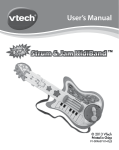
To preserve battery life, the VTech® Strum & Jam KidiBandTM
will automatically power-down after approximately 60 seconds
without input.
ACTIVITIES
ROCK, HIP-HOP & JAZZ PLAY-ALONG
Press the ROCK, HIP-HOP or JAZZ MUSIC STYLE BUTTONS to
play a song or melody in its corresponding style. To skip to the next
song, simply press the same STYLE BUTTON again.
While the music is playing, strum the guitar to add in a guitar track.
Strum faster to speed up the song. Or play with the keyboard or drums
to add in your own musical stylings to the music. Use the WHAMMY
BAR, APPLAUSE BUTTON or SOUND EFFECT BUTTON to add in
cool sounds.
FREESTYLE
Press the FREESTYLE BUTTON to play the guitar, drums, or
keyboard in your own style without a backing melody or song.When
you strum the GUITAR STRINGS, you will hear a guitar solo piece.
Strum faster to speed up the melody. Please note if no MUSICAL
STYLE BUTTON is pressed, the toy will automatically default to
FREESTYLE.
PRODUCT FEATURES / ACTIVITIES
Tap the CYMBAL to add cymbal
sounds to the music as you drum.
8