1
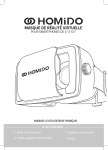
Virtual Reality Headset
Made for 4” to 5.5” Smartphones
User manual
English
GET STARTED
1, Download an application (APP)
Iphone / Android : Download “Homido Center” on
Google Play or on the App Store.
Once you have installed Homido Center, you will have
all the Homido compatible apps listed in one place.
2, Set the Lenses
- Choose the right lens holder (silicon cup):
Small: shortsightedness setting
Medium: normal setting
Big: farsightedness setting
- Insert the lenses in the lens holders.
- Clip the lens holders in the headset.
3, Launch the Smartphone
On your Smartphone : Launch a movie, or an APP
4, Insert the smartphone into the headset
- open the clip with one hand
- insert the smartphone with the other hand
- position your smartphone exactly in the middle. Not
too high, not too low, not leaning on one side.
5, Adjust the mask on your head
- Eye-to-lens Distance (ELD) : if you feel too close to the
lenses, you can adjust the distance with the two side
wheels. Turn both wheels at the same time.
- InterPupillary Distance (IPD) : use the top wheel to
adjust IPD and get the image “in focus”.
- Use the Extra strap if to make sure the weight is
distributed all over you head.
HOW TO ENJOY HOMIDO ?
1, Watch Movies
- watch a 3D movie.
It must be in Side-By-Side (SBS) format. You can
download 3D SBS movies on the internet, and watch
them with your favorite smartphone video player.
Or you can watch streamed videos, ie: on Youtube,
search “side by side 3D”
- watch any movie :
Android : with “Side-By-Side Video Player”. Available on
Google Play.
Iphone : with Homido Player. Available on the App
store.
- watch 360° videos :
Iphone : with Homido Player.
Android : with “Kolor Eyes – 360° video player”, or “VR
player”.
You can watch your own 360° videos on your
smartphone, or download 360° videos from the
internet.
2, Play Games
Android/Iphone : download Homido Center. Available
on Google Play / App Store.
You will find a selection of compatible games in the
Homido Center app. You will be able to install the
games and then to keep them all stored in one place on
your smartphone.
3, Augmented reality and much more…
Find more Info & Tutorials on :
www.homido.com/tutorials
This set contains:
- 3 lens holders
- 1 extra strap
- 1 cleaning cloth
- 1 soft carrying case
WARNINGS
This device is not a toy. Children under 12 should only
use it under adult supervision.
Prolonged use can be tiring. Use with moderation.
The device may cause epileptic seizures.
Make sure the smartphone is securely inserted in the
device.
Use the device in a safe place. You may lose balance,
please check the environment is safe and secured
before you put the headset on.
Do not use while driving.
Do not use during sport activities.
Do not expose the device to high temperatures.
Direct sun exposure of the lenses should be avoided.
HOMIDO © 2014
Manufacturer : Ningbo Zhengtu Industrial Company Limited, Dong jin
huayuan, no.10 rm101, Ninghai, Ningbo 315600, Zhejiang, China
Distributed by : Eccodis, 33 rue Victor Tilmant, 59000 Lille - France