1
Display and Features
STYLE 1
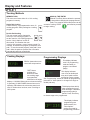
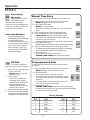
Cooking Methods
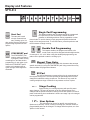
Memory Pads
This oven can of store either 10 or 100 cooking
programs in memory.
Manual Time Entry
Manual Time Entry feature allows the operator
to heat without changing the preprogrammed
pads. Time must be entered and power can be
Single Pad Cooking
From the factory, it is programmed to store 10
cooking programs. Each pad begins a cooking
program.
set before cooking. START
to begin cooking.
pad must be pressed
Double Pad Cooking
The oven control can be changed to
store up to 100 cooking programs. To
set the control to 100 cooking programs,
see the “User’s Options” section of
this manual. To heat when the oven
is set for 100 programs , press 2 memory pads. For
example, to start the first program, press pad 0, then
pad 1. To use the second program, press pad 0, then
pad 2. After the pads are pressed, the oven starts
automatically and time counts down.
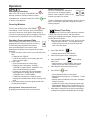
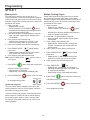
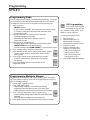
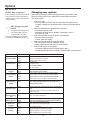
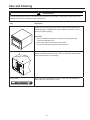
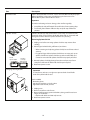
Cooking Displays
Programming Displays
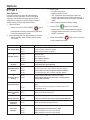
This display indicates
oven is in programming
mode and ready to
program a numbered
pad(s).
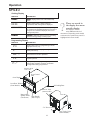
READY shows when oven
control will accept entries.
14:37 shows
cooking time.
When more than
one cooking stage
is programmed,
total time for all stages
displays. COOKING Shows when microwave energy
is generated. % MW POWER shows when oven is
operating. 50 indicates the microwave power level
used. If number does not show, oven is cooking at
100% power.
PI --
This display indicates
oven is set to double pad
entry and 2 pads must be
pressed to enter a program.
See “Programming” section of manual for programming
procedure or “User Options” to change from single or
double pad entry.
This display shows briefly
when programming more
than one stage. It indicates
programming mode for
pad 02. Press Time Entry
to choose stage to be programmed.
P02
This display indicates
programming user
options mode. See
“User Options”
section of manual for
programming procedure.
8