1
NOTE 2:
3. KEYBOARD LAYOUT AND DESCRIPTION
When under OIML mode, for Multi range or interval, change
e to e1. When under non-OIML mode, the default setting
is full tare range.
NOTE 3:
For Multi range or interval, change e to e1.
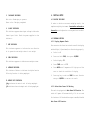
(MODEL SHOWN: AFW)
1. OFF KEY
Press this key to turn indicator off.
2. ON/ZERO KEY
Press this key to turn on scale or to set weight displayed
to zero.
3. TARE KEY
Press this key to tare off the weight of a container.
4. MODE KEY
Press this key to shift among metric/ avoirdupois weight
unit and turn on/off backlight (optional).