1
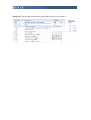
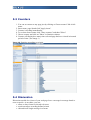
4. Choose document and click "Insert" in left column.
5. Confirm link on document by clicking on "Insert".
Links on images
Similar as creating link on document you can create link on image - just click on
"create/edit link on image" and you will be offered with a "Image directory" instead
"Document directory".
Anchor
Anchors are links that doesn't take you to another page just scroll same page on
connected text.
1. At first, you have to insert anchors into text where you wish to point by link.
Click somewhere in text, for example at the beggining of last paragraph.
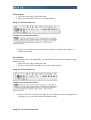
2. Click on "Anchor" icon.
3. Type name for anchor (for example "see this") and click "Insert"
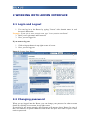
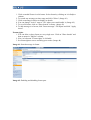
4. As shown bellow, yellow mark before text cursor will appear.
Image 27: Anchor at the begining of paragraph.
5. Now scroll at the top of page and select text you wish to make link from.
6. Click on "External link" icon.
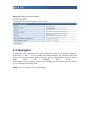
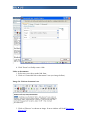
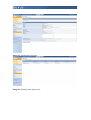
7. In new window expand row with Anchors. You can see there all created anchors
on current page.
Image 28: Creating the link on anchor.