1
5.3.1
Password Entry
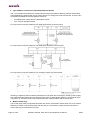
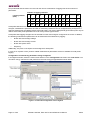
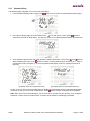
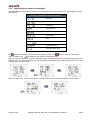
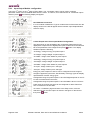
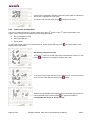
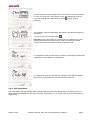
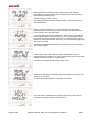
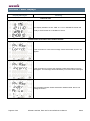
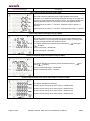
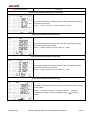
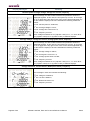
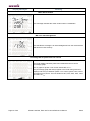
The following steps will guide you to access the Setup Menu:
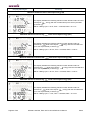
1. From the default display mode, simply press
button once to access the following Setup Mode page.
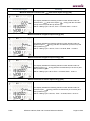
’ is on the ‘Set Up’ option, press
button to
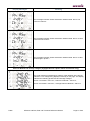
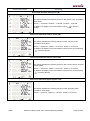
2. In the above display page, when the selection bar ‘
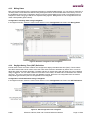
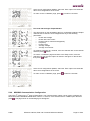
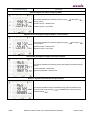
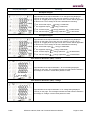
confirm the selection of Setup Menu. This will give access to the following password entry prompt screen:
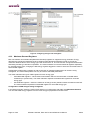
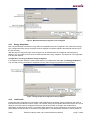
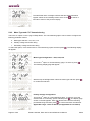
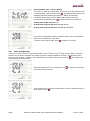
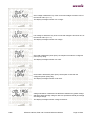
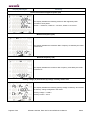
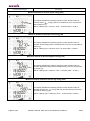
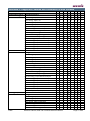
3. At the password prompt enter the 4-digit password (default password is ‘1234’) using
and
buttons.
st
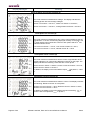
After completing the entry, press
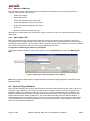
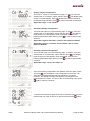
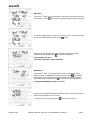
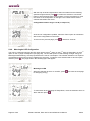
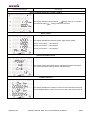
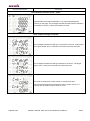
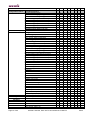
button to confirm. Correct password gives access to the 1 page of
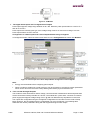
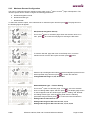
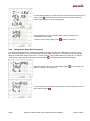
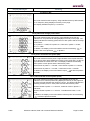
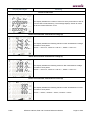
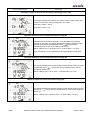
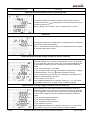
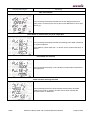
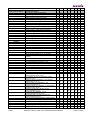
configuration mode, see figure (i). An incorrect password will display ‘Incorrect’ message as shown in
figure (ii).
(i) Display after correct password entry
(ii) Display after incorrect password entry
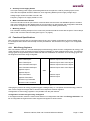
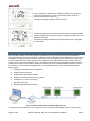
In case you have entered incorrect password, the display will automatically return to the Setup Mode page
(as shown in step 1) in 5 seconds or alternatively, press
button to return to Setup Mode immediately.
Note: After seven unsuccessful attempts, you won’t be able to try again until the next day. If you forget the
password, contact concerned sales person or Secure technical team for resetting the password.
Public
BGX501-728-R04, Elite 440 Technical Reference Manual
Page 21 of 80