1
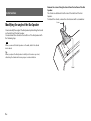
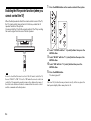
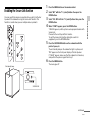
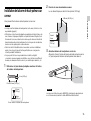
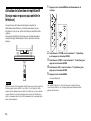
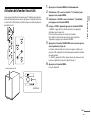
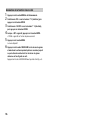
1 Press the MENU button on the remote control of the system. Enabling the IR repeater function (when you cannot control the TV) When the Bar Speaker obstructs the remote control sensor of the TV, the TV remote control may not work. In that case, enable the IR repeater function of the system. You can control the TV with the remote control of the TV by sending the remote signal from the rear of the Bar Speaker. Note Be sure to check that the remote control of the TV cannot control the TV, then set “IR REP.” to “ON.” If it is set to “ON” when the remote control can control the TV, appropriate operation may not be obtained, because of the interference between the direct command from the remote control and the command via the Bar Speaker. 8US 2 Select “SYSTEM” with the (select) buttons then press the ENTER button. 3 Select “IR REP.” with the (select) buttons then press the ENTER button. 4 Select “ON” with the (select) buttons then press the ENTER button. 5 Press the MENU button. The menu goes off. Note On some TVs, this function may not work correctly. In this case, place the Bar Speaker slightly further away from the TV.