1
Use
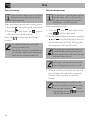
This function is used to program the
automatic switch-off of each
cooking zone at the end of a
period of time (from 1 to 99
minutes).
1. If the cooking zone is not selected, press
keys
and
at the same time,
will appear on the display.
2. Press keys
and
again; if at least
one cooking zone is active, one flashing
dot will light up to indicate that the zone
is being timed.
3. Select the automatic switch-off time using
the
and
keys (hold the keys
down to set the time more quickly), or
select an additional zone using keys
and
.
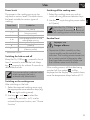
Control lock
After activating the hob:
1. Press keys
and
at the same time.
2. Press the
EN
Cooking zone automatic switch-off timer
button after the beep.
The controls are now locked and
appear on the display.
will
In case of a power failure the
control lock will be deactivated.
To unlock the controls:
1. Press keys
and
2. Press the
at the same time.
button after the beep.
If the timer is activated without an
active cooking zone it behaves like
an ordinary minute minder.
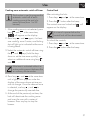
4. Press keys
and
at the same time
until a lighted dot appears under the
display of the zone whose set time you
wish to change. Once the relevant zone
is selected, use keys
and
to
change the previously selected time.
5. At the end of the previously set time, the
hob will deactivate the cooking zone
and warn the user with a series of
buzzers. Press any key to stop the
buzzer.
37