1
35
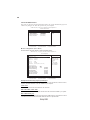
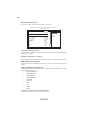
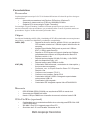
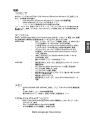
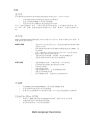
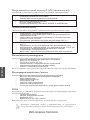
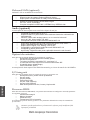
Voltage Adjustment
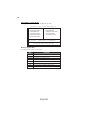
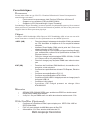
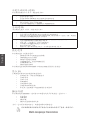
Scroll to this item and press <Enter> to view the following screen:
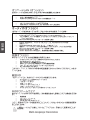
CMOS Setup Utility - Copyright (c) 1985-2004, American Megatrends, Inc.
Voltage Adjustment
CPU Vcore Voltage
DIMM Voltage
NB Vcore Voltage
Help Item
[NORMAL]
[NORMAL]
[NORMAL]
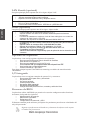
Options
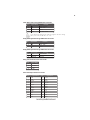
Auto
1.6000V
1.5875V
1.5750V
1.5625V
1.5375V
1.5250V
1.5125V
1.5000V
1.4875V
1.4750V
1.4625V
1.4500V
1.4375V
1.4250V
: Move Enter : Select +/-/: Value F10: Save ESC: Exit F1: General Help
F7:Previous Values
F8:Fail-Safe Defaults F9: Optimized Defaults
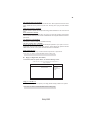
CPU Vcore Voltage (NORMAL)
This item allows you to adjust the processor’s core voltage to give it a small boost.
DIMM Voltage (NORMAL)
This item is used to adjust the voltage of the DIMM.
NB Vcore Voltage (NORMAL)
This item is used to adjust the voltage of the Northbridge.
Press <Esc> to return to Advanced BIOS Features setting
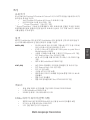
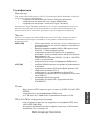
Advanced Chipset Features
This option displays basic information about your system.
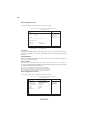
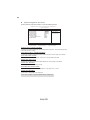
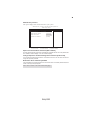
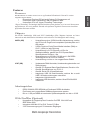
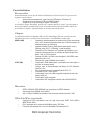
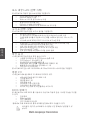
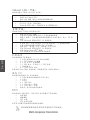
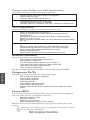
CMOS Setup Utility - Copyright (c) 1985-2004, American Megatrends, Inc.
Advanced Chipset Features
Help Item
Advanced Chipset Settings
DRAM Frequency
Configure DRAM Timing by SPD
[Auto]
[Enabled]
Boots Graphic Adapter Priori
Auto Detect PCI Clk
Spread Spectrum
[PEG/PCI]
[Enabled]
[Enabled]
Options
Auto
400 MHz
533 MHz
667 MHz
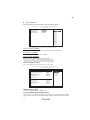
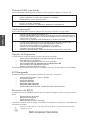
Onboard Device
Legacy USB Support
Audio Controller
Onboard LAN Device
Onboard LAN Boot ROM
1394 Device
[Enabled]
[Enabled]
[Enabled]
[Enabled]
[Enabled]
: Move Enter : Select +/-/: Value F10: Save ESC: Exit F1: General Help
F8:Fail-Safe Defaults
F9: Optimized Defaults
F7:Previous Values
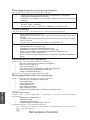
DRAM Frequency (Auto)
This item determines frequency of DRAM memory.
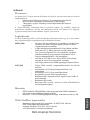
Configure DRAM Timing by SPD (Enabled)
When this item is set to enable, the DDR timing is configured using SPD. SPD (Serial Presence
Detect) is located on the memory modules, BIOS reads information coded in SPD during system boot
up.
Using BIOS