1
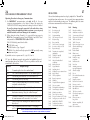
INSTALLATION
INSTALLATION
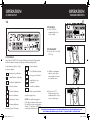
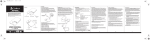
CONNECTOR BOX
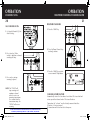
MICROPHONE HANGER
8
9
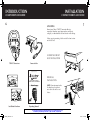
MOUNTING CONNECTOR BOX
INSTALLING
MICROPHONE
HANGER
1. Hold Cobra 75WXST Connector Box in
exact location desired for mounting.
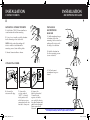
1. Hold microphone hanger
in location desired for
mounting. Make certain that
nothing will interfere with
the hanger’s installation.
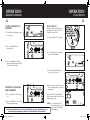
2. Using it as a template, mark the location
for the mounting screws (included).
NOTE: Make certain that nothing will
interfere with the installation of the
mounting screws, before drilling holes.
2. Mark the location for
the three mounting screws
(screws included).
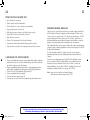
3. Mount Connector Box as shown.
CONNECTING WIRES
3. Drill and mount
microphone hanger as
shown.
4. Connect the
antenna cable plug.
75WXST_MANL.indd 9-10
5. Connect the
red wire marked
“BATT” (+) directly
to the positive side
of the battery or to a
connection on the fuse
box that is always on.
6. Connect the
black leader marked
“Ground” to the
negative side of the
car, usually the chassis.
Any other location with
good electrical contact
(paint removed) will
also work.
For Sales Information Please Contact RoadTrucker Inc (www.RoadTrucker.com)
8312 Sidbury Rd.; Wilmington, NC 28411 - (800) 507-0482 / (910) 686-4281
9/24/12 10:38 AM