1
User’s Manual for Biometric Safe
Read all instructions before using this safe.
WARNING
- New Safe is in Factory Default mode, ANY fingerprint
can open the safe. Only successful registered
fingerprint can terminate Factory Default mode.
- Register at least two different fingerprints and test a
few times before closing the safe door.
- Test with a non-registered fingerprint. If the safe
opens, the safe remains in Factory Default mode.
- Avoid leaving safe door open and unattended; it will
allow unauthorized individuals to add their fingerprints
and/or reprogram the safe, gaining full access to the
safe and the contents.
- Test the Emergency Keys and store them in a secure
place, NOT inside of the safe.
- To maximize the security and performance of the
safe, test registered fingerprints every 6 months.
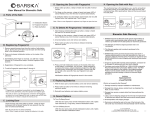
4. TEST A REGISTERED FINGERPRINT
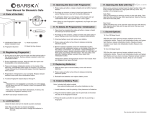
1. To Expose the Emergency Key Access, remove silver Logo
Plate (G) screws with provided allen wrench.
1. With safe door open, press and release Wake-Up Button (F)
- Bolts (C) will extend
2. Insert Emergency Key into key access, and turn clockwise
to open
2. Press and release Wake-Up Button (F)
- Place a non-registered finger on the Fingerprint Scanner (D)
- Bolts will stay extended
NOTE: Store Emergency Keys in a secure place, NOT inside
of the safe
2. INSTALL BATTERIES
1. Remove Battery Compartment (B) cover
2. Insert 4 AA batteries and restore battery cover
3. Bolts (C) automatically extend when batteries are inserted
To retract bolts:
- Press and release Wake-Up Button (F)
- Place any finger on the Fingerprint Scanner (D)
- Bolts will retract
3. FINGERPRINT REGISTRATION
IMPORTANT:
The safe is in Factory Default mode, ANY fingerprint can
open the safe. Only successful registered fingerprint can
terminate Factory Default mode
During registration the door must remain open and the Bolts (C)
must be in the retracted position. Otherwise, the fingerprint will
not be saved
To retract bolts:
- Press and release Wake-Up Button (F)
- Place any finger on Fingerprint Scanner (D)
- Bolts will retract
A
C
B
1. OPEN SAFE WITH EMERGENCY KEY
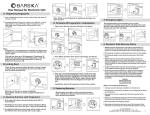
1. Press and release Initialization Button (A)
E
D
F
G
H
Successful Registration
Registration is successful when a total of 3 beeps are heard
* Actual model may vary
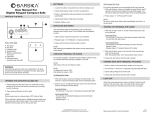
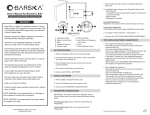
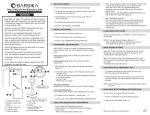
A. Initialization Button
B. Battery Compartment
C. Bolts
D. Fingerprint Scanner
E. Indicator Lights
2. Immediately place a finger on the Fingerprint Scanner (D)
- Hold finger still
- 1 beep will be heard recognizing the fingerprint; followed by
2 consecutive beeps
- Remove finger
- Registration is complete
F. Wake-Up Button
G. Logo Plate and Emergency
Key Access
H. External Battery Access
(optional)
Unsuccessful Registration
2 short beeps will be heard; repeat registration process again
3. To register another fingerprint – repeat steps 1 - 2
3. If the bolts retract with a non-registered fingerprint,
registration was unsuccessful; and safe remains in Factory
Default mode
- Repeat steps under FINGERPRINT REGISTRATION
4. Press and release Wake-Up Button (F)
- Place a registered finger on the Fingerprint Scanner (D)
- Bolts will retract
5. CLOSE/OPEN SAFE DOOR
CLOSE: Close door, press and release Wake-Up Button (F)
- Bolts will extend
OPEN: Press and release Wake-Up Button (F)
- Place a registered finger on Fingerprint Scanner (D)
- Bolts will retract
6. BEEP SOUND OPTIONS
Beep OFF: Press and HOLD the Initialization Button (A) until
the Indicator Lights (E) are flashing green – RELEASE the
Initialization Button
Beep ON: Press and HOLD the Initialization Button (A) until
the Indicator Lights (E) are flashing green followed by 1 beep
– RELEASE the Initialization Button
7. DOOR OPEN ALARM
Regardless of the beep sound option chosen (either On or Off)
the door alarm is fixed to beep
The alarm is activated when the safe door is open and Bolts
(C) are retracted
Within 5 seconds, the Indicator Lights (E) will start to
flash green
More than 5 minutes, the safe will start beeping every
10-20 seconds
Close safe door, press and release Wake-Up Button (F) to
extend the Bolts (C) to cease the alarm
With the safe door open and the Bolts (C) extended, no lights
or beeping will be heard
See reverse side for more information
4/13
BC339
8. DELETE ALL STORED FINGERPRINTS /
RESET TO FACTORY DEFAULT MODE
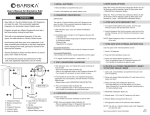
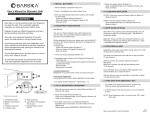
Mounting Holes
1. Open safe, remove Battery Compartment (B) cover and
all 4 AA batteries
1 YEAR LIMITED WARRANTY
2. Press and release Wake-Up Button (F) a few times until no
beeps are heard
Biometric Safe
3. Press and HOLD the Initialization Button (A)
- Re-insert batteries, on the 4th battery you will hear 1
beep, followed by 2 consecutive beeps indicating safe is
in Factory Default mode
* Actual model may vary
4. RELEASE Initialization Button (A)
11. MOUNTING INSTRUCTIONS
5. Repeat steps 1-3 if a total of 3 beeps are not heard
The safe may be mounted to a wall or floor. Be aware of the
load bearing. Failure to do so can result in personal injury
and/or damage to property. Use appropriate tools when
performing work and always use eye protection
6. Restore Battery Compartment (B) cover
7. All fingerprints stored in the safe have been deleted
NOTE: The safe is in Factory Default mode, ANY fingerprint
can open the safe
9. LOW BATTERY WARNING
1. When the door is closed and 3 repetitive beeps are heard,
it indicates the batteries are low
Wall Mounting
Do not mount the safe without anchoring to the wall
- Find the studs in the wall, at your desired location. Most studs
are 16 inches or 24 inches apart
- Measure the location of the pre-set drill holes; mark their exact
position onto the wall ensuring that the studs or anything else
behind will not interfere
NOTE: All registered fingerprints remain stored
- Carefully press the anchor into the holes at this time
10. CARE AND MAINTENANCE
- Mount the safe by running screws from inside of the safe and
securing to anchors; ensure the safe is mounted securely
- Test registered fingerprints every 6 months
- Keep liquids away from the control panel. Spills on the
control panel will cause damage and possibly electric shock
This warranty is limited to original purchaser and is not transferable.
This warranty applies only to products purchased in the United States.
Please email [email protected] or call 1.888.666.6769 for Return
Merchandise Number (RMA#) before any returns. The RMA number
must appear on the outside of the shipping package. Product must be
packed carefully and sturdily in its original packaging to prevent
damage in transit and returned freight pre-paid to:
BARSKA OPTICS
Repair Department
855 Towne Center Drive
Pomona, CA 91767
- Check the wall for concealed wires or pipes
2. Replace batteries immediately
- Open safe, remove Battery Compartment (B) cover and
all 4 AA batteries
- Insert 4 new AA batteries and restore Battery
Compartment (B) cover
- To maximize the security and performance of the safe, keep
Fingerprint Scanner (D) clean; use a dry cloth to remove
any smudges or prints off the Fingerprint Scanner after
each use
BARSKA warrants this new safe to be free of original defects in
material and/or workmanship under normal use for a period of twelve
(12) months from the date product is received by purchaser. This
warranty does not include damage caused by improper installation or
maintenance. Damage from misuse, abuse, accident (such as
dropping), normal wear and tear, fire, flood, or acts of nature. Damage
from service or repairs other than those performed by BARSKA.
Labor, cost and shipping charges for the removal and replacement of
defective parts beyond the initial twelve-month warranty period. All
transportation and shipping charges. Removing or altering the seal
under any circumstances will automatically void the warranty.
- Drill the appropriate size holes for the anchors you are using
Floor Mounting
- Use proper drill tools depending on the type of floor you are
mounting the safe (wood, tile, or concrete)
- Measure the location of the pre-set drill holes; mark their exact
position onto the floor
- Drill the appropriate size holes for the anchors you are using
- Secure safe in a proper area to prevent from falling and
causing damage or injury
- Carefully press the anchor into the holes at this time
- DO NOT disassemble the product. For all repairs, contact
BARSKA Customer Service
- Mount the safe by running screws from inside of the safe and
securing to anchors; ensure the safe is mounted securely
Please include all of the following when returning BARSKA products
for service and/or replacement:
1. Please write your complete details (Name, Address, Telephone #,
E-mail address, RMA#, etc.)
2. Purchase receipt or Proof of Purchase. (Original/Copy)
3. A brief explanation of the defect.
4. A Check/Money Order of $40.00 to cover inspection, shipping and
handling.
*Please allow 6-8 weeks for delivery.
BARSKA will examine and test returned product and repair or replace
defective part(s) or units with new part(s) or a new unit if necessary
within the warranty period. Purchaser is required to remit $40.00 to
BARSKA for return shipping and handling at time product is returned.
If repair is required after warranty period expiration, purchaser will be
charged for replacement parts and return shipping.
BARSKA® Optics shall not be liable for any consequential, incidental
and/or contingent damages whatsoever. We will not pay shipping,
insurance or transportation charges from you to us, or any import
fees, duties and or taxes. This warranty supersedes all previous
BARSKA® Optics warranties.
BC323
4/13
- DO NOT use chemicals or cleaning agents to clean the safe
© 2013 BARSKA®
855 Towne Center Drive | Pomona, CA 91767
(t) 888.666.6769 | (f) 909.445.8169 | www.barska.com