1
 6- USER INTERFACE SELECTION
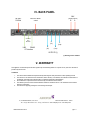
The DSP 24 can be programmed by a computer. There is an USB port (cable supplied) and a RS485 port (XLR). The USB
port enables the connection between one PC computer and one single DSP24.
The RS485 enables the communication between one PC computer and a network including several DSP24.
Selection of the interface:
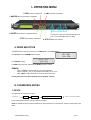
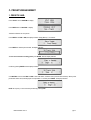
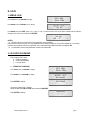
• Press UTILITY and use NAV/PM1 to display «System Utilities»
• Press ENTER and use NAV/PM1 to display «Interface Setup»
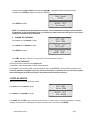
• Press ENTER and use PM2 or PM3 to select «Source: USB» or «Source: RS485. The current status is indicated with
an asterisk on the right corner of the screen.
• Press ENTER
7- RESET PROCEDURE
If the DSP 24 has been locked with a password and the password is lost or forgotten the device cannot be unlocked with the
programmed parameters anymore.
The device needs to be reset to the factory parameters status. In this case all parameters and presets will be definitively
deleted and lost.
Reset of the device:
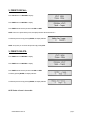
• Switch off the DSP 24.
• Press ENTER, ESC and UTILITY simultaneously by switching the power on.
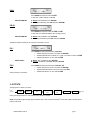
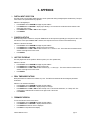
• The display indicates :
•
Release the button and wait for the end of the procedure.
III- TECHNICAL SPECIFICATIONS
Analog inputs:
Maximum input level:
Analog outputs:
Maximum output level:
DSP:
A/D converters:
D/A converters:
Sampling frequency:
Stereo digital input S-PDIF:
S/N ratio:
THD + N:
Frequency response (bypass):
Power supply:
Interface:
USER’S MANUAL DSP 24
channel A, B, balanced XLR
+20 dBu
channel 1-4, balanced XLR
+20 dBu
SAM3716, 24 bits
AKM5392, 24 bits
AKM4396, 24 bits
48k Hz
compatible with 32 kHz, 44.1 kHz and 48 kHz sampling rate
110 dBA
0.005%
20 Hz-20 kHz (+/-1dB)
Switching
USB - RS485
page 10