1
PostgreSQL User’s Guide
The PostgreSQL Development Team
Edited by
Thomas Lockhart
PostgreSQL User’s Guide
by The PostgreSQL Development Team
Edited by Thomas Lockhart
PostgreSQL
is Copyright © 1996-2000 by PostgreSQL Inc.
Table of Contents
Table of Contents . . . . . . . . . . . . . . . . . . . . . . . . . . . . . . . . . . . . . . . . . . . . . . . . . . . . . . . . . . . . . i
List of Tables . . . . . . . . . . . . . . . . . . . . . . . . . . . . . . . . . . . . . . . . . . . . . . . . . . . . . . . . . . . . . . xiv
List of Examples . . . . . . . . . . . . . . . . . . . . . . . . . . . . . . . . . . . . . . . . . . . . . . . . . . . . . . . . . . . . xvi
Summary . . . . . . . . . . . . . . . . . . . . . . . . . . . . . . . . . . . . . . . . . . . . . . . . . . . . . . . . . . . . . . . . . . . . i
Chapter 1. Introduction . . . . . . . . . . . . . . . . . . . . . . . . . . . . . . . . . . . . . . . . . . . . . . . . . . . . . . . 1
What is Postgres? . . . . . . . . . . . . . . . . . . . . . . . . . . . . . . . . . . . . . . . . . . . . . . . . . . . . . . 1
A Short History of Postgres . . . . . . . . . . . . . . . . . . . . . . . . . . . . . . . . . . . . . . . . . . . . . . 1
The Berkeley Postgres Project . . . . . . . . . . . . . . . . . . . . . . . . . . . . . . . . . . . . . . 2
Postgres95. . . . . . . . . . . . . . . . . . . . . . . . . . . . . . . . . . . . . . . . . . . . . . . . . . . . . . . 2
PostgreSQL . . . . . . . . . . . . . . . . . . . . . . . . . . . . . . . . . . . . . . . . . . . . . . . . . . . . . 3
About This Release . . . . . . . . . . . . . . . . . . . . . . . . . . . . . . . . . . . . . . . . . . . . . . . . . . . . . 4
Resources . . . . . . . . . . . . . . . . . . . . . . . . . . . . . . . . . . . . . . . . . . . . . . . . . . . . . . . . . . . . . 4
Terminology . . . . . . . . . . . . . . . . . . . . . . . . . . . . . . . . . . . . . . . . . . . . . . . . . . . . . . . . . . 5
Notation . . . . . . . . . . . . . . . . . . . . . . . . . . . . . . . . . . . . . . . . . . . . . . . . . . . . . . . . . . . . . . 6
Problem Reporting Guidelines . . . . . . . . . . . . . . . . . . . . . . . . . . . . . . . . . . . . . . . . . . . 6
Identifying Bugs. . . . . . . . . . . . . . . . . . . . . . . . . . . . . . . . . . . . . . . . . . . . . . . . . . 6
What to report . . . . . . . . . . . . . . . . . . . . . . . . . . . . . . . . . . . . . . . . . . . . . . . . . . . 7
Where to report bugs . . . . . . . . . . . . . . . . . . . . . . . . . . . . . . . . . . . . . . . . . . . . . 9
Y2K Statement . . . . . . . . . . . . . . . . . . . . . . . . . . . . . . . . . . . . . . . . . . . . . . . . . . . . . . . . 9
Copyrights and Trademarks . . . . . . . . . . . . . . . . . . . . . . . . . . . . . . . . . . . . . . . . . . . . 10
Chapter 2. SQL Syntax . . . . . . . . . . . . . . . . . . . . . . . . . . . . . . . . . . . . . . . . . . . . . . . . . . . . . . 11
Key Words . . . . . . . . . . . . . . . . . . . . . . . . . . . . . . . . . . . . . . . . . . . . . . . . . . . . . . . . . . . 11
Reserved Key Words. . . . . . . . . . . . . . . . . . . . . . . . . . . . . . . . . . . . . . . . . . . . . 11
Non-reserved Keywords . . . . . . . . . . . . . . . . . . . . . . . . . . . . . . . . . . . . . . . . . . 14
Comments . . . . . . . . . . . . . . . . . . . . . . . . . . . . . . . . . . . . . . . . . . . . . . . . . . . . . . . . . . . 15
Names. . . . . . . . . . . . . . . . . . . . . . . . . . . . . . . . . . . . . . . . . . . . . . . . . . . . . . . . . . . . . . . 16
Constants . . . . . . . . . . . . . . . . . . . . . . . . . . . . . . . . . . . . . . . . . . . . . . . . . . . . . . . . . . . . 16
String Constants . . . . . . . . . . . . . . . . . . . . . . . . . . . . . . . . . . . . . . . . . . . . . . . . 16
Integer Constants. . . . . . . . . . . . . . . . . . . . . . . . . . . . . . . . . . . . . . . . . . . . . . . . 17
Floating Point Constants. . . . . . . . . . . . . . . . . . . . . . . . . . . . . . . . . . . . . . . . . . 17
Constants of Postgres User-Defined Types . . . . . . . . . . . . . . . . . . . . . . . . . . . 17
Array constants . . . . . . . . . . . . . . . . . . . . . . . . . . . . . . . . . . . . . . . . . . . . . . . . . 18
Fields and Columns . . . . . . . . . . . . . . . . . . . . . . . . . . . . . . . . . . . . . . . . . . . . . . . . . . . 18
Fields. . . . . . . . . . . . . . . . . . . . . . . . . . . . . . . . . . . . . . . . . . . . . . . . . . . . . . . . . . 18
Columns . . . . . . . . . . . . . . . . . . . . . . . . . . . . . . . . . . . . . . . . . . . . . . . . . . . . . . . 19
Operators. . . . . . . . . . . . . . . . . . . . . . . . . . . . . . . . . . . . . . . . . . . . . . . . . . . . . . . . . . . . 19
Expressions . . . . . . . . . . . . . . . . . . . . . . . . . . . . . . . . . . . . . . . . . . . . . . . . . . . . . . . . . . 19
Parameters . . . . . . . . . . . . . . . . . . . . . . . . . . . . . . . . . . . . . . . . . . . . . . . . . . . . . 20
Functional Expressions . . . . . . . . . . . . . . . . . . . . . . . . . . . . . . . . . . . . . . . . . . . 20
Aggregate Expressions . . . . . . . . . . . . . . . . . . . . . . . . . . . . . . . . . . . . . . . . . . . 20
Target List . . . . . . . . . . . . . . . . . . . . . . . . . . . . . . . . . . . . . . . . . . . . . . . . . . . . . 21
Qualification. . . . . . . . . . . . . . . . . . . . . . . . . . . . . . . . . . . . . . . . . . . . . . . . . . . . 21
From List . . . . . . . . . . . . . . . . . . . . . . . . . . . . . . . . . . . . . . . . . . . . . . . . . . . . . . 21
Chapter 3. Data Types . . . . . . . . . . . . . . . . . . . . . . . . . . . . . . . . . . . . . . . . . . . . . . . . . . . . . . . 23
Numeric Types . . . . . . . . . . . . . . . . . . . . . . . . . . . . . . . . . . . . . . . . . . . . . . . . . . . . . . . 25
The Serial Type . . . . . . . . . . . . . . . . . . . . . . . . . . . . . . . . . . . . . . . . . . . . . . . . . 26
Monetary Type . . . . . . . . . . . . . . . . . . . . . . . . . . . . . . . . . . . . . . . . . . . . . . . . . . . . . . . 26
Character Types . . . . . . . . . . . . . . . . . . . . . . . . . . . . . . . . . . . . . . . . . . . . . . . . . . . . . . 27
Date/Time Types . . . . . . . . . . . . . . . . . . . . . . . . . . . . . . . . . . . . . . . . . . . . . . . . . . . . . . 28
i
Date/Time Input . . . . . . . . . . . . . . . . . . . . . . . . . . . . . . . . . . . . . . . . . . . . . . . .
Date/Time Output . . . . . . . . . . . . . . . . . . . . . . . . . . . . . . . . . . . . . . . . . . . . . . .
Time Zones. . . . . . . . . . . . . . . . . . . . . . . . . . . . . . . . . . . . . . . . . . . . . . . . . . . . .
Internals . . . . . . . . . . . . . . . . . . . . . . . . . . . . . . . . . . . . . . . . . . . . . . . . . . . . . . .
Boolean Type . . . . . . . . . . . . . . . . . . . . . . . . . . . . . . . . . . . . . . . . . . . . . . . . . . . . . . . . .
Geometric Types . . . . . . . . . . . . . . . . . . . . . . . . . . . . . . . . . . . . . . . . . . . . . . . . . . . . . .
Point . . . . . . . . . . . . . . . . . . . . . . . . . . . . . . . . . . . . . . . . . . . . . . . . . . . . . . . . . .
Line Segment . . . . . . . . . . . . . . . . . . . . . . . . . . . . . . . . . . . . . . . . . . . . . . . . . . .
Box . . . . . . . . . . . . . . . . . . . . . . . . . . . . . . . . . . . . . . . . . . . . . . . . . . . . . . . . . . .
Path. . . . . . . . . . . . . . . . . . . . . . . . . . . . . . . . . . . . . . . . . . . . . . . . . . . . . . . . . . .
Polygon . . . . . . . . . . . . . . . . . . . . . . . . . . . . . . . . . . . . . . . . . . . . . . . . . . . . . . . .
Circle . . . . . . . . . . . . . . . . . . . . . . . . . . . . . . . . . . . . . . . . . . . . . . . . . . . . . . . . .
IP Version 4 Networks and Host Addresses . . . . . . . . . . . . . . . . . . . . . . . . . . . . . . . .
CIDR. . . . . . . . . . . . . . . . . . . . . . . . . . . . . . . . . . . . . . . . . . . . . . . . . . . . . . . . . .
inet . . . . . . . . . . . . . . . . . . . . . . . . . . . . . . . . . . . . . . . . . . . . . . . . . . . . . . . . . . .
Chapter 4. Operators . . . . . . . . . . . . . . . . . . . . . . . . . . . . . . . . . . . . . . . . . . . . . . . . . . . . . . . .
Lexical Precedence . . . . . . . . . . . . . . . . . . . . . . . . . . . . . . . . . . . . . . . . . . . . . . . . . . . .
General Operators . . . . . . . . . . . . . . . . . . . . . . . . . . . . . . . . . . . . . . . . . . . . . . . . . . . .
Numerical Operators . . . . . . . . . . . . . . . . . . . . . . . . . . . . . . . . . . . . . . . . . . . . . . . . . .
Geometric Operators . . . . . . . . . . . . . . . . . . . . . . . . . . . . . . . . . . . . . . . . . . . . . . . . . .
Time Interval Operators . . . . . . . . . . . . . . . . . . . . . . . . . . . . . . . . . . . . . . . . . . . . . . .
IP V4 CIDR Operators . . . . . . . . . . . . . . . . . . . . . . . . . . . . . . . . . . . . . . . . . . . . . . . . .
IP V4 INET Operators . . . . . . . . . . . . . . . . . . . . . . . . . . . . . . . . . . . . . . . . . . . . . . . . .
Chapter 5. Functions . . . . . . . . . . . . . . . . . . . . . . . . . . . . . . . . . . . . . . . . . . . . . . . . . . . . . . . .
SQL Functions. . . . . . . . . . . . . . . . . . . . . . . . . . . . . . . . . . . . . . . . . . . . . . . . . . . . . . . .
Mathematical Functions . . . . . . . . . . . . . . . . . . . . . . . . . . . . . . . . . . . . . . . . . . . . . . . .
String Functions . . . . . . . . . . . . . . . . . . . . . . . . . . . . . . . . . . . . . . . . . . . . . . . . . . . . . .
Date/Time Functions. . . . . . . . . . . . . . . . . . . . . . . . . . . . . . . . . . . . . . . . . . . . . . . . . . .
Formatting Functions . . . . . . . . . . . . . . . . . . . . . . . . . . . . . . . . . . . . . . . . . . . . . . . . . .
Geometric Functions. . . . . . . . . . . . . . . . . . . . . . . . . . . . . . . . . . . . . . . . . . . . . . . . . . .
IP V4 Functions. . . . . . . . . . . . . . . . . . . . . . . . . . . . . . . . . . . . . . . . . . . . . . . . . . . . . . .
Chapter 6. Type Conversion . . . . . . . . . . . . . . . . . . . . . . . . . . . . . . . . . . . . . . . . . . . . . . . . . .
Overview . . . . . . . . . . . . . . . . . . . . . . . . . . . . . . . . . . . . . . . . . . . . . . . . . . . . . . . . . . . .
Guidelines. . . . . . . . . . . . . . . . . . . . . . . . . . . . . . . . . . . . . . . . . . . . . . . . . . . . . .
Operators. . . . . . . . . . . . . . . . . . . . . . . . . . . . . . . . . . . . . . . . . . . . . . . . . . . . . . . . . . . .
Conversion Procedure. . . . . . . . . . . . . . . . . . . . . . . . . . . . . . . . . . . . . . . . . . . .
Examples . . . . . . . . . . . . . . . . . . . . . . . . . . . . . . . . . . . . . . . . . . . . . . . . . . . . . .
Functions . . . . . . . . . . . . . . . . . . . . . . . . . . . . . . . . . . . . . . . . . . . . . . . . . . . . . . . . . . . .
Examples . . . . . . . . . . . . . . . . . . . . . . . . . . . . . . . . . . . . . . . . . . . . . . . . . . . . . .
Query Targets . . . . . . . . . . . . . . . . . . . . . . . . . . . . . . . . . . . . . . . . . . . . . . . . . . . . . . . .
Examples . . . . . . . . . . . . . . . . . . . . . . . . . . . . . . . . . . . . . . . . . . . . . . . . . . . . . .
UNION Queries. . . . . . . . . . . . . . . . . . . . . . . . . . . . . . . . . . . . . . . . . . . . . . . . . . . . . . .
Examples . . . . . . . . . . . . . . . . . . . . . . . . . . . . . . . . . . . . . . . . . . . . . . . . . . . . . .
Chapter 7. Indices and Keys . . . . . . . . . . . . . . . . . . . . . . . . . . . . . . . . . . . . . . . . . . . . . . . . . .
Keys . . . . . . . . . . . . . . . . . . . . . . . . . . . . . . . . . . . . . . . . . . . . . . . . . . . . . . . . . . . . . . . .
Partial Indices . . . . . . . . . . . . . . . . . . . . . . . . . . . . . . . . . . . . . . . . . . . . . . . . . . . . . . . .
Chapter 8. Arrays. . . . . . . . . . . . . . . . . . . . . . . . . . . . . . . . . . . . . . . . . . . . . . . . . . . . . . . . . . .
Chapter 9. Inheritance . . . . . . . . . . . . . . . . . . . . . . . . . . . . . . . . . . . . . . . . . . . . . . . . . . . . . . .
Chapter 10. PL/pgSQL Procedural Language. . . . . . . . . . . . . . . . . . . . . . . . . . . . . . . . . . . .
Overview . . . . . . . . . . . . . . . . . . . . . . . . . . . . . . . . . . . . . . . . . . . . . . . . . . . . . . . . . . . .
Description. . . . . . . . . . . . . . . . . . . . . . . . . . . . . . . . . . . . . . . . . . . . . . . . . . . . . . . . . . .
Structure of PL/pgSQL. . . . . . . . . . . . . . . . . . . . . . . . . . . . . . . . . . . . . . . . . . .
Comments. . . . . . . . . . . . . . . . . . . . . . . . . . . . . . . . . . . . . . . . . . . . . . . . . . . . . .
Declarations . . . . . . . . . . . . . . . . . . . . . . . . . . . . . . . . . . . . . . . . . . . . . . . . . . . .
28
33
34
34
35
35
36
36
36
37
37
38
38
39
39
40
40
42
43
44
45
46
46
47
47
48
49
51
52
57
59
60
60
61
62
62
62
64
65
66
66
67
67
69
70
72
73
75
77
77
77
77
78
78
ii
Data Types . . . . . . . . . . . . . . . . . . . . . . . . . . . . . . . . . . . . . . . . . . . . . . . . . . . . . 79
Expressions. . . . . . . . . . . . . . . . . . . . . . . . . . . . . . . . . . . . . . . . . . . . . . . . . . . . . 80
Statements . . . . . . . . . . . . . . . . . . . . . . . . . . . . . . . . . . . . . . . . . . . . . . . . . . . . . 81
Trigger Procedures . . . . . . . . . . . . . . . . . . . . . . . . . . . . . . . . . . . . . . . . . . . . . . 84
Exceptions . . . . . . . . . . . . . . . . . . . . . . . . . . . . . . . . . . . . . . . . . . . . . . . . . . . . . 85
Examples . . . . . . . . . . . . . . . . . . . . . . . . . . . . . . . . . . . . . . . . . . . . . . . . . . . . . . . . . . . . 85
Some Simple PL/pgSQL Functions . . . . . . . . . . . . . . . . . . . . . . . . . . . . . . . . . 86
PL/pgSQL Function on Composite Type . . . . . . . . . . . . . . . . . . . . . . . . . . . . 86
PL/pgSQL Trigger Procedure . . . . . . . . . . . . . . . . . . . . . . . . . . . . . . . . . . . . . 87
Chapter 11. PL/Tcl Procedural Language . . . . . . . . . . . . . . . . . . . . . . . . . . . . . . . . . . . . . . . 88
Overview . . . . . . . . . . . . . . . . . . . . . . . . . . . . . . . . . . . . . . . . . . . . . . . . . . . . . . . . . . . . 88
Description. . . . . . . . . . . . . . . . . . . . . . . . . . . . . . . . . . . . . . . . . . . . . . . . . . . . . . . . . . . 88
Postgres Functions and Tcl Procedure Names . . . . . . . . . . . . . . . . . . . . . . . . 88
Defining Functions in PL/Tcl . . . . . . . . . . . . . . . . . . . . . . . . . . . . . . . . . . . . . . 88
Global Data in PL/Tcl . . . . . . . . . . . . . . . . . . . . . . . . . . . . . . . . . . . . . . . . . . . . 89
Trigger Procedures in PL/Tcl. . . . . . . . . . . . . . . . . . . . . . . . . . . . . . . . . . . . . . 89
Database Access from PL/Tcl. . . . . . . . . . . . . . . . . . . . . . . . . . . . . . . . . . . . . . 91
Chapter 12. PL/perl Procedural Language . . . . . . . . . . . . . . . . . . . . . . . . . . . . . . . . . . . . . . 94
Overview . . . . . . . . . . . . . . . . . . . . . . . . . . . . . . . . . . . . . . . . . . . . . . . . . . . . . . . . . . . . 94
Building and Installing . . . . . . . . . . . . . . . . . . . . . . . . . . . . . . . . . . . . . . . . . . . . . . . . . 94
Using PL/Perl . . . . . . . . . . . . . . . . . . . . . . . . . . . . . . . . . . . . . . . . . . . . . . . . . . . . . . . . 94
Chapter 13. Multi-Version Concurrency Control . . . . . . . . . . . . . . . . . . . . . . . . . . . . . . . . . 96
Introduction. . . . . . . . . . . . . . . . . . . . . . . . . . . . . . . . . . . . . . . . . . . . . . . . . . . . . . . . . . 96
Transaction Isolation . . . . . . . . . . . . . . . . . . . . . . . . . . . . . . . . . . . . . . . . . . . . . . . . . . 96
Read Committed Isolation Level . . . . . . . . . . . . . . . . . . . . . . . . . . . . . . . . . . . . . . . . . 97
Serializable Isolation Level . . . . . . . . . . . . . . . . . . . . . . . . . . . . . . . . . . . . . . . . . . . . . 97
Locking and Tables. . . . . . . . . . . . . . . . . . . . . . . . . . . . . . . . . . . . . . . . . . . . . . . . . . . . 98
Table-level locks . . . . . . . . . . . . . . . . . . . . . . . . . . . . . . . . . . . . . . . . . . . . . . . . 98
Row-level locks . . . . . . . . . . . . . . . . . . . . . . . . . . . . . . . . . . . . . . . . . . . . . . . . . 99
Locking and Indices . . . . . . . . . . . . . . . . . . . . . . . . . . . . . . . . . . . . . . . . . . . . . . . . . . . 99
Data consistency checks at the application level . . . . . . . . . . . . . . . . . . . . . . . . . . . 100
Chapter 14. Setting Up Your Environment . . . . . . . . . . . . . . . . . . . . . . . . . . . . . . . . . . . . . 101
Chapter 15. Managing a Database . . . . . . . . . . . . . . . . . . . . . . . . . . . . . . . . . . . . . . . . . . . . 102
Database Creation. . . . . . . . . . . . . . . . . . . . . . . . . . . . . . . . . . . . . . . . . . . . . . . . . . . . 102
Alternate Database Locations . . . . . . . . . . . . . . . . . . . . . . . . . . . . . . . . . . . . . . . . . . 102
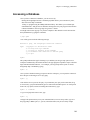
Accessing a Database . . . . . . . . . . . . . . . . . . . . . . . . . . . . . . . . . . . . . . . . . . . . . . . . . 104
Database Privileges . . . . . . . . . . . . . . . . . . . . . . . . . . . . . . . . . . . . . . . . . . . . . 105
Table Privileges . . . . . . . . . . . . . . . . . . . . . . . . . . . . . . . . . . . . . . . . . . . . . . . . 105
Destroying a Database . . . . . . . . . . . . . . . . . . . . . . . . . . . . . . . . . . . . . . . . . . . . . . . . 105
Chapter 16. Disk Storage . . . . . . . . . . . . . . . . . . . . . . . . . . . . . . . . . . . . . . . . . . . . . . . . . . . . 106
Chapter 17. Understanding Performance . . . . . . . . . . . . . . . . . . . . . . . . . . . . . . . . . . . . . . 107
Using EXPLAIN . . . . . . . . . . . . . . . . . . . . . . . . . . . . . . . . . . . . . . . . . . . . . . . . . . . . . 107
Chapter 18. Populating a Database. . . . . . . . . . . . . . . . . . . . . . . . . . . . . . . . . . . . . . . . . . . . 111
Disable Auto-commit . . . . . . . . . . . . . . . . . . . . . . . . . . . . . . . . . . . . . . . . . . . . . . . . . 111
Use COPY FROM. . . . . . . . . . . . . . . . . . . . . . . . . . . . . . . . . . . . . . . . . . . . . . . . . . . . 111
Remove Indices . . . . . . . . . . . . . . . . . . . . . . . . . . . . . . . . . . . . . . . . . . . . . . . . . . . . . . 111
Chapter 19. SQL Commands . . . . . . . . . . . . . . . . . . . . . . . . . . . . . . . . . . . . . . . . . . . . . . . . 112
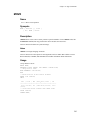
ABORT . . . . . . . . . . . . . . . . . . . . . . . . . . . . . . . . . . . . . . . . . . . . . . . . . . . . . . . . . . . 112
Name. . . . . . . . . . . . . . . . . . . . . . . . . . . . . . . . . . . . . . . . . . . . . . . . . . . . . . . . . 112
Synopsis . . . . . . . . . . . . . . . . . . . . . . . . . . . . . . . . . . . . . . . . . . . . . . . . . . . . . . 112
Description . . . . . . . . . . . . . . . . . . . . . . . . . . . . . . . . . . . . . . . . . . . . . . . . . . . . 112
Usage. . . . . . . . . . . . . . . . . . . . . . . . . . . . . . . . . . . . . . . . . . . . . . . . . . . . . . . . . 112
Compatibility . . . . . . . . . . . . . . . . . . . . . . . . . . . . . . . . . . . . . . . . . . . . . . . . . . 113
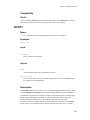
ALTER GROUP . . . . . . . . . . . . . . . . . . . . . . . . . . . . . . . . . . . . . . . . . . . . . . . . . . . 113
iii
Name. . . . . . . . . . . . . . . . . . . . . . . . . . . . . . . . . . . . . . . . . . . . . . . . . . . . . . . . .
Synopsis . . . . . . . . . . . . . . . . . . . . . . . . . . . . . . . . . . . . . . . . . . . . . . . . . . . . . .
Description . . . . . . . . . . . . . . . . . . . . . . . . . . . . . . . . . . . . . . . . . . . . . . . . . . . .
Usage. . . . . . . . . . . . . . . . . . . . . . . . . . . . . . . . . . . . . . . . . . . . . . . . . . . . . . . . .
Compatibility . . . . . . . . . . . . . . . . . . . . . . . . . . . . . . . . . . . . . . . . . . . . . . . . . .
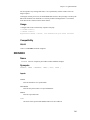
ALTER TABLE . . . . . . . . . . . . . . . . . . . . . . . . . . . . . . . . . . . . . . . . . . . . . . . . . . . .
Name. . . . . . . . . . . . . . . . . . . . . . . . . . . . . . . . . . . . . . . . . . . . . . . . . . . . . . . . .
Synopsis . . . . . . . . . . . . . . . . . . . . . . . . . . . . . . . . . . . . . . . . . . . . . . . . . . . . . .
Description . . . . . . . . . . . . . . . . . . . . . . . . . . . . . . . . . . . . . . . . . . . . . . . . . . . .
Usage. . . . . . . . . . . . . . . . . . . . . . . . . . . . . . . . . . . . . . . . . . . . . . . . . . . . . . . . .
Compatibility . . . . . . . . . . . . . . . . . . . . . . . . . . . . . . . . . . . . . . . . . . . . . . . . . .
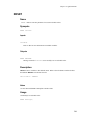
ALTER USER . . . . . . . . . . . . . . . . . . . . . . . . . . . . . . . . . . . . . . . . . . . . . . . . . . . . . .
Name. . . . . . . . . . . . . . . . . . . . . . . . . . . . . . . . . . . . . . . . . . . . . . . . . . . . . . . . .
Synopsis . . . . . . . . . . . . . . . . . . . . . . . . . . . . . . . . . . . . . . . . . . . . . . . . . . . . . .
Description . . . . . . . . . . . . . . . . . . . . . . . . . . . . . . . . . . . . . . . . . . . . . . . . . . . .
Usage. . . . . . . . . . . . . . . . . . . . . . . . . . . . . . . . . . . . . . . . . . . . . . . . . . . . . . . . .
Compatibility . . . . . . . . . . . . . . . . . . . . . . . . . . . . . . . . . . . . . . . . . . . . . . . . . .
BEGIN . . . . . . . . . . . . . . . . . . . . . . . . . . . . . . . . . . . . . . . . . . . . . . . . . . . . . . . . . . . .
Name. . . . . . . . . . . . . . . . . . . . . . . . . . . . . . . . . . . . . . . . . . . . . . . . . . . . . . . . .
Synopsis . . . . . . . . . . . . . . . . . . . . . . . . . . . . . . . . . . . . . . . . . . . . . . . . . . . . . .
Description . . . . . . . . . . . . . . . . . . . . . . . . . . . . . . . . . . . . . . . . . . . . . . . . . . . .
Usage. . . . . . . . . . . . . . . . . . . . . . . . . . . . . . . . . . . . . . . . . . . . . . . . . . . . . . . . .
Compatibility . . . . . . . . . . . . . . . . . . . . . . . . . . . . . . . . . . . . . . . . . . . . . . . . . .
CLOSE . . . . . . . . . . . . . . . . . . . . . . . . . . . . . . . . . . . . . . . . . . . . . . . . . . . . . . . . . . . .
Name. . . . . . . . . . . . . . . . . . . . . . . . . . . . . . . . . . . . . . . . . . . . . . . . . . . . . . . . .
Synopsis . . . . . . . . . . . . . . . . . . . . . . . . . . . . . . . . . . . . . . . . . . . . . . . . . . . . . .
Description . . . . . . . . . . . . . . . . . . . . . . . . . . . . . . . . . . . . . . . . . . . . . . . . . . . .
Usage. . . . . . . . . . . . . . . . . . . . . . . . . . . . . . . . . . . . . . . . . . . . . . . . . . . . . . . . .
Compatibility . . . . . . . . . . . . . . . . . . . . . . . . . . . . . . . . . . . . . . . . . . . . . . . . . .
CLUSTER . . . . . . . . . . . . . . . . . . . . . . . . . . . . . . . . . . . . . . . . . . . . . . . . . . . . . . . . .
Name. . . . . . . . . . . . . . . . . . . . . . . . . . . . . . . . . . . . . . . . . . . . . . . . . . . . . . . . .
Synopsis . . . . . . . . . . . . . . . . . . . . . . . . . . . . . . . . . . . . . . . . . . . . . . . . . . . . . .
Description . . . . . . . . . . . . . . . . . . . . . . . . . . . . . . . . . . . . . . . . . . . . . . . . . . . .
Usage. . . . . . . . . . . . . . . . . . . . . . . . . . . . . . . . . . . . . . . . . . . . . . . . . . . . . . . . .
Compatibility . . . . . . . . . . . . . . . . . . . . . . . . . . . . . . . . . . . . . . . . . . . . . . . . . .
COMMENT . . . . . . . . . . . . . . . . . . . . . . . . . . . . . . . . . . . . . . . . . . . . . . . . . . . . . . . .
Name. . . . . . . . . . . . . . . . . . . . . . . . . . . . . . . . . . . . . . . . . . . . . . . . . . . . . . . . .
Synopsis . . . . . . . . . . . . . . . . . . . . . . . . . . . . . . . . . . . . . . . . . . . . . . . . . . . . . .
Description . . . . . . . . . . . . . . . . . . . . . . . . . . . . . . . . . . . . . . . . . . . . . . . . . . . .
Usage. . . . . . . . . . . . . . . . . . . . . . . . . . . . . . . . . . . . . . . . . . . . . . . . . . . . . . . . .
Compatibility . . . . . . . . . . . . . . . . . . . . . . . . . . . . . . . . . . . . . . . . . . . . . . . . . .
COMMIT . . . . . . . . . . . . . . . . . . . . . . . . . . . . . . . . . . . . . . . . . . . . . . . . . . . . . . . . . .
Name. . . . . . . . . . . . . . . . . . . . . . . . . . . . . . . . . . . . . . . . . . . . . . . . . . . . . . . . .
Synopsis . . . . . . . . . . . . . . . . . . . . . . . . . . . . . . . . . . . . . . . . . . . . . . . . . . . . . .
Description . . . . . . . . . . . . . . . . . . . . . . . . . . . . . . . . . . . . . . . . . . . . . . . . . . . .
Usage. . . . . . . . . . . . . . . . . . . . . . . . . . . . . . . . . . . . . . . . . . . . . . . . . . . . . . . . .
Compatibility . . . . . . . . . . . . . . . . . . . . . . . . . . . . . . . . . . . . . . . . . . . . . . . . . .
COPY . . . . . . . . . . . . . . . . . . . . . . . . . . . . . . . . . . . . . . . . . . . . . . . . . . . . . . . . . . . . .
Name. . . . . . . . . . . . . . . . . . . . . . . . . . . . . . . . . . . . . . . . . . . . . . . . . . . . . . . . .
Synopsis . . . . . . . . . . . . . . . . . . . . . . . . . . . . . . . . . . . . . . . . . . . . . . . . . . . . . .
Description . . . . . . . . . . . . . . . . . . . . . . . . . . . . . . . . . . . . . . . . . . . . . . . . . . . .
File Formats . . . . . . . . . . . . . . . . . . . . . . . . . . . . . . . . . . . . . . . . . . . . . . . . . . .
Usage. . . . . . . . . . . . . . . . . . . . . . . . . . . . . . . . . . . . . . . . . . . . . . . . . . . . . . . . .
Compatibility . . . . . . . . . . . . . . . . . . . . . . . . . . . . . . . . . . . . . . . . . . . . . . . . . .
113
113
113
114
114
114
114
114
115
116
116
118
118
118
119
119
119
120
120
120
120
121
121
122
122
122
122
122
123
123
123
123
124
124
125
125
125
125
126
126
126
127
127
127
127
127
128
128
128
128
129
130
131
132
iv
CREATE AGGREGATE . . . . . . . . . . . . . . . . . . . . . . . . . . . . . . . . . . . . . . . . . . . . .
Name. . . . . . . . . . . . . . . . . . . . . . . . . . . . . . . . . . . . . . . . . . . . . . . . . . . . . . . . .
Synopsis . . . . . . . . . . . . . . . . . . . . . . . . . . . . . . . . . . . . . . . . . . . . . . . . . . . . . .
Description . . . . . . . . . . . . . . . . . . . . . . . . . . . . . . . . . . . . . . . . . . . . . . . . . . . .
Usage. . . . . . . . . . . . . . . . . . . . . . . . . . . . . . . . . . . . . . . . . . . . . . . . . . . . . . . . .
Compatibility . . . . . . . . . . . . . . . . . . . . . . . . . . . . . . . . . . . . . . . . . . . . . . . . . .
CREATE CONSTRAINT TRIGGER . . . . . . . . . . . . . . . . . . . . . . . . . . . . . . . . . . .
Name. . . . . . . . . . . . . . . . . . . . . . . . . . . . . . . . . . . . . . . . . . . . . . . . . . . . . . . . .
Synopsis . . . . . . . . . . . . . . . . . . . . . . . . . . . . . . . . . . . . . . . . . . . . . . . . . . . . . .
Description . . . . . . . . . . . . . . . . . . . . . . . . . . . . . . . . . . . . . . . . . . . . . . . . . . . .
CREATE DATABASE . . . . . . . . . . . . . . . . . . . . . . . . . . . . . . . . . . . . . . . . . . . . . . .
Name. . . . . . . . . . . . . . . . . . . . . . . . . . . . . . . . . . . . . . . . . . . . . . . . . . . . . . . . .
Synopsis . . . . . . . . . . . . . . . . . . . . . . . . . . . . . . . . . . . . . . . . . . . . . . . . . . . . . .
Description . . . . . . . . . . . . . . . . . . . . . . . . . . . . . . . . . . . . . . . . . . . . . . . . . . . .
Usage. . . . . . . . . . . . . . . . . . . . . . . . . . . . . . . . . . . . . . . . . . . . . . . . . . . . . . . . .
Compatibility . . . . . . . . . . . . . . . . . . . . . . . . . . . . . . . . . . . . . . . . . . . . . . . . . .
CREATE FUNCTION . . . . . . . . . . . . . . . . . . . . . . . . . . . . . . . . . . . . . . . . . . . . . . .
Name. . . . . . . . . . . . . . . . . . . . . . . . . . . . . . . . . . . . . . . . . . . . . . . . . . . . . . . . .
Synopsis . . . . . . . . . . . . . . . . . . . . . . . . . . . . . . . . . . . . . . . . . . . . . . . . . . . . . .
Description . . . . . . . . . . . . . . . . . . . . . . . . . . . . . . . . . . . . . . . . . . . . . . . . . . . .
Usage. . . . . . . . . . . . . . . . . . . . . . . . . . . . . . . . . . . . . . . . . . . . . . . . . . . . . . . . .
Compatibility . . . . . . . . . . . . . . . . . . . . . . . . . . . . . . . . . . . . . . . . . . . . . . . . . .
CREATE GROUP . . . . . . . . . . . . . . . . . . . . . . . . . . . . . . . . . . . . . . . . . . . . . . . . . .
Name. . . . . . . . . . . . . . . . . . . . . . . . . . . . . . . . . . . . . . . . . . . . . . . . . . . . . . . . .
Synopsis . . . . . . . . . . . . . . . . . . . . . . . . . . . . . . . . . . . . . . . . . . . . . . . . . . . . . .
Description . . . . . . . . . . . . . . . . . . . . . . . . . . . . . . . . . . . . . . . . . . . . . . . . . . . .
Usage. . . . . . . . . . . . . . . . . . . . . . . . . . . . . . . . . . . . . . . . . . . . . . . . . . . . . . . . .
Compatibility . . . . . . . . . . . . . . . . . . . . . . . . . . . . . . . . . . . . . . . . . . . . . . . . . .
CREATE INDEX . . . . . . . . . . . . . . . . . . . . . . . . . . . . . . . . . . . . . . . . . . . . . . . . . . .
Name. . . . . . . . . . . . . . . . . . . . . . . . . . . . . . . . . . . . . . . . . . . . . . . . . . . . . . . . .
Synopsis . . . . . . . . . . . . . . . . . . . . . . . . . . . . . . . . . . . . . . . . . . . . . . . . . . . . . .
Description . . . . . . . . . . . . . . . . . . . . . . . . . . . . . . . . . . . . . . . . . . . . . . . . . . . .
Usage. . . . . . . . . . . . . . . . . . . . . . . . . . . . . . . . . . . . . . . . . . . . . . . . . . . . . . . . .
Compatibility . . . . . . . . . . . . . . . . . . . . . . . . . . . . . . . . . . . . . . . . . . . . . . . . . .
CREATE LANGUAGE . . . . . . . . . . . . . . . . . . . . . . . . . . . . . . . . . . . . . . . . . . . . . .
Name. . . . . . . . . . . . . . . . . . . . . . . . . . . . . . . . . . . . . . . . . . . . . . . . . . . . . . . . .
Synopsis . . . . . . . . . . . . . . . . . . . . . . . . . . . . . . . . . . . . . . . . . . . . . . . . . . . . . .
Description . . . . . . . . . . . . . . . . . . . . . . . . . . . . . . . . . . . . . . . . . . . . . . . . . . . .
Usage. . . . . . . . . . . . . . . . . . . . . . . . . . . . . . . . . . . . . . . . . . . . . . . . . . . . . . . . .
Compatibility . . . . . . . . . . . . . . . . . . . . . . . . . . . . . . . . . . . . . . . . . . . . . . . . . .
CREATE OPERATOR . . . . . . . . . . . . . . . . . . . . . . . . . . . . . . . . . . . . . . . . . . . . . .
Name. . . . . . . . . . . . . . . . . . . . . . . . . . . . . . . . . . . . . . . . . . . . . . . . . . . . . . . . .
Synopsis . . . . . . . . . . . . . . . . . . . . . . . . . . . . . . . . . . . . . . . . . . . . . . . . . . . . . .
Description . . . . . . . . . . . . . . . . . . . . . . . . . . . . . . . . . . . . . . . . . . . . . . . . . . . .
Usage. . . . . . . . . . . . . . . . . . . . . . . . . . . . . . . . . . . . . . . . . . . . . . . . . . . . . . . . .
Compatibility . . . . . . . . . . . . . . . . . . . . . . . . . . . . . . . . . . . . . . . . . . . . . . . . . .
CREATE RULE . . . . . . . . . . . . . . . . . . . . . . . . . . . . . . . . . . . . . . . . . . . . . . . . . . . .
Name. . . . . . . . . . . . . . . . . . . . . . . . . . . . . . . . . . . . . . . . . . . . . . . . . . . . . . . . .
Synopsis . . . . . . . . . . . . . . . . . . . . . . . . . . . . . . . . . . . . . . . . . . . . . . . . . . . . . .
Description . . . . . . . . . . . . . . . . . . . . . . . . . . . . . . . . . . . . . . . . . . . . . . . . . . . .
Usage. . . . . . . . . . . . . . . . . . . . . . . . . . . . . . . . . . . . . . . . . . . . . . . . . . . . . . . . .
Compatibility . . . . . . . . . . . . . . . . . . . . . . . . . . . . . . . . . . . . . . . . . . . . . . . . . .
CREATE SEQUENCE . . . . . . . . . . . . . . . . . . . . . . . . . . . . . . . . . . . . . . . . . . . . . . .
Name. . . . . . . . . . . . . . . . . . . . . . . . . . . . . . . . . . . . . . . . . . . . . . . . . . . . . . . . .
133
133
133
134
135
135
136
136
136
137
137
137
137
138
138
139
140
140
140
141
142
143
144
144
144
144
145
145
145
145
145
146
148
148
148
148
148
149
150
151
152
152
152
153
156
156
156
156
156
157
158
160
160
160
v
Synopsis . . . . . . . . . . . . . . . . . . . . . . . . . . . . . . . . . . . . . . . . . . . . . . . . . . . . . .
Description . . . . . . . . . . . . . . . . . . . . . . . . . . . . . . . . . . . . . . . . . . . . . . . . . . . .
Usage. . . . . . . . . . . . . . . . . . . . . . . . . . . . . . . . . . . . . . . . . . . . . . . . . . . . . . . . .
Compatibility . . . . . . . . . . . . . . . . . . . . . . . . . . . . . . . . . . . . . . . . . . . . . . . . . .
CREATE TABLE . . . . . . . . . . . . . . . . . . . . . . . . . . . . . . . . . . . . . . . . . . . . . . . . . . .
Name. . . . . . . . . . . . . . . . . . . . . . . . . . . . . . . . . . . . . . . . . . . . . . . . . . . . . . . . .
Synopsis . . . . . . . . . . . . . . . . . . . . . . . . . . . . . . . . . . . . . . . . . . . . . . . . . . . . . .
Description . . . . . . . . . . . . . . . . . . . . . . . . . . . . . . . . . . . . . . . . . . . . . . . . . . . .
DEFAULT Clause . . . . . . . . . . . . . . . . . . . . . . . . . . . . . . . . . . . . . . . . . . . . . .
Column CONSTRAINT Clause . . . . . . . . . . . . . . . . . . . . . . . . . . . . . . . . . . .
Table CONSTRAINT Clause . . . . . . . . . . . . . . . . . . . . . . . . . . . . . . . . . . . . .
Usage. . . . . . . . . . . . . . . . . . . . . . . . . . . . . . . . . . . . . . . . . . . . . . . . . . . . . . . . .
Compatibility . . . . . . . . . . . . . . . . . . . . . . . . . . . . . . . . . . . . . . . . . . . . . . . . . .
CREATE TABLE AS . . . . . . . . . . . . . . . . . . . . . . . . . . . . . . . . . . . . . . . . . . . . . . .
Name. . . . . . . . . . . . . . . . . . . . . . . . . . . . . . . . . . . . . . . . . . . . . . . . . . . . . . . . .
Synopsis . . . . . . . . . . . . . . . . . . . . . . . . . . . . . . . . . . . . . . . . . . . . . . . . . . . . . .
Description . . . . . . . . . . . . . . . . . . . . . . . . . . . . . . . . . . . . . . . . . . . . . . . . . . . .
CREATE TRIGGER . . . . . . . . . . . . . . . . . . . . . . . . . . . . . . . . . . . . . . . . . . . . . . . .
Name. . . . . . . . . . . . . . . . . . . . . . . . . . . . . . . . . . . . . . . . . . . . . . . . . . . . . . . . .
Synopsis . . . . . . . . . . . . . . . . . . . . . . . . . . . . . . . . . . . . . . . . . . . . . . . . . . . . . .
Description . . . . . . . . . . . . . . . . . . . . . . . . . . . . . . . . . . . . . . . . . . . . . . . . . . . .
Usage. . . . . . . . . . . . . . . . . . . . . . . . . . . . . . . . . . . . . . . . . . . . . . . . . . . . . . . . .
Compatibility . . . . . . . . . . . . . . . . . . . . . . . . . . . . . . . . . . . . . . . . . . . . . . . . . .
CREATE TYPE . . . . . . . . . . . . . . . . . . . . . . . . . . . . . . . . . . . . . . . . . . . . . . . . . . . .
Name. . . . . . . . . . . . . . . . . . . . . . . . . . . . . . . . . . . . . . . . . . . . . . . . . . . . . . . . .
Synopsis . . . . . . . . . . . . . . . . . . . . . . . . . . . . . . . . . . . . . . . . . . . . . . . . . . . . . .
Description . . . . . . . . . . . . . . . . . . . . . . . . . . . . . . . . . . . . . . . . . . . . . . . . . . . .
Examples . . . . . . . . . . . . . . . . . . . . . . . . . . . . . . . . . . . . . . . . . . . . . . . . . . . . .
Compatibility . . . . . . . . . . . . . . . . . . . . . . . . . . . . . . . . . . . . . . . . . . . . . . . . . .
CREATE USER . . . . . . . . . . . . . . . . . . . . . . . . . . . . . . . . . . . . . . . . . . . . . . . . . . . .
Name. . . . . . . . . . . . . . . . . . . . . . . . . . . . . . . . . . . . . . . . . . . . . . . . . . . . . . . . .
Synopsis . . . . . . . . . . . . . . . . . . . . . . . . . . . . . . . . . . . . . . . . . . . . . . . . . . . . . .
Description . . . . . . . . . . . . . . . . . . . . . . . . . . . . . . . . . . . . . . . . . . . . . . . . . . . .
Usage. . . . . . . . . . . . . . . . . . . . . . . . . . . . . . . . . . . . . . . . . . . . . . . . . . . . . . . . .
Compatibility . . . . . . . . . . . . . . . . . . . . . . . . . . . . . . . . . . . . . . . . . . . . . . . . . .
CREATE VIEW . . . . . . . . . . . . . . . . . . . . . . . . . . . . . . . . . . . . . . . . . . . . . . . . . . . .
Name. . . . . . . . . . . . . . . . . . . . . . . . . . . . . . . . . . . . . . . . . . . . . . . . . . . . . . . . .
Synopsis . . . . . . . . . . . . . . . . . . . . . . . . . . . . . . . . . . . . . . . . . . . . . . . . . . . . . .
Description . . . . . . . . . . . . . . . . . . . . . . . . . . . . . . . . . . . . . . . . . . . . . . . . . . . .
Usage. . . . . . . . . . . . . . . . . . . . . . . . . . . . . . . . . . . . . . . . . . . . . . . . . . . . . . . . .
Compatibility . . . . . . . . . . . . . . . . . . . . . . . . . . . . . . . . . . . . . . . . . . . . . . . . . .
DECLARE . . . . . . . . . . . . . . . . . . . . . . . . . . . . . . . . . . . . . . . . . . . . . . . . . . . . . . . .
Name. . . . . . . . . . . . . . . . . . . . . . . . . . . . . . . . . . . . . . . . . . . . . . . . . . . . . . . . .
Synopsis . . . . . . . . . . . . . . . . . . . . . . . . . . . . . . . . . . . . . . . . . . . . . . . . . . . . . .
Description . . . . . . . . . . . . . . . . . . . . . . . . . . . . . . . . . . . . . . . . . . . . . . . . . . . .
Usage. . . . . . . . . . . . . . . . . . . . . . . . . . . . . . . . . . . . . . . . . . . . . . . . . . . . . . . . .
Compatibility . . . . . . . . . . . . . . . . . . . . . . . . . . . . . . . . . . . . . . . . . . . . . . . . . .
DELETE . . . . . . . . . . . . . . . . . . . . . . . . . . . . . . . . . . . . . . . . . . . . . . . . . . . . . . . . . .
Name. . . . . . . . . . . . . . . . . . . . . . . . . . . . . . . . . . . . . . . . . . . . . . . . . . . . . . . . .
Synopsis . . . . . . . . . . . . . . . . . . . . . . . . . . . . . . . . . . . . . . . . . . . . . . . . . . . . . .
Description . . . . . . . . . . . . . . . . . . . . . . . . . . . . . . . . . . . . . . . . . . . . . . . . . . . .
Usage. . . . . . . . . . . . . . . . . . . . . . . . . . . . . . . . . . . . . . . . . . . . . . . . . . . . . . . . .
Compatibility . . . . . . . . . . . . . . . . . . . . . . . . . . . . . . . . . . . . . . . . . . . . . . . . . .
DROP AGGREGATE . . . . . . . . . . . . . . . . . . . . . . . . . . . . . . . . . . . . . . . . . . . . . . .
160
161
162
163
164
164
164
165
166
168
175
181
183
187
187
187
187
188
188
188
188
189
189
190
190
190
191
192
193
193
193
193
194
195
195
196
196
196
197
197
197
198
198
198
199
200
200
201
201
201
201
202
202
203
vi
Name. . . . . . . . . . . . . . . . . . . . . . . . . . . . . . . . . . . . . . . . . . . . . . . . . . . . . . . . .
Synopsis . . . . . . . . . . . . . . . . . . . . . . . . . . . . . . . . . . . . . . . . . . . . . . . . . . . . . .
Description . . . . . . . . . . . . . . . . . . . . . . . . . . . . . . . . . . . . . . . . . . . . . . . . . . . .
Usage. . . . . . . . . . . . . . . . . . . . . . . . . . . . . . . . . . . . . . . . . . . . . . . . . . . . . . . . .
Compatibility . . . . . . . . . . . . . . . . . . . . . . . . . . . . . . . . . . . . . . . . . . . . . . . . . .
DROP DATABASE . . . . . . . . . . . . . . . . . . . . . . . . . . . . . . . . . . . . . . . . . . . . . . . . .
Name. . . . . . . . . . . . . . . . . . . . . . . . . . . . . . . . . . . . . . . . . . . . . . . . . . . . . . . . .
Synopsis . . . . . . . . . . . . . . . . . . . . . . . . . . . . . . . . . . . . . . . . . . . . . . . . . . . . . .
Description . . . . . . . . . . . . . . . . . . . . . . . . . . . . . . . . . . . . . . . . . . . . . . . . . . . .
Compatibility . . . . . . . . . . . . . . . . . . . . . . . . . . . . . . . . . . . . . . . . . . . . . . . . . .
DROP FUNCTION . . . . . . . . . . . . . . . . . . . . . . . . . . . . . . . . . . . . . . . . . . . . . . . . . .
Name. . . . . . . . . . . . . . . . . . . . . . . . . . . . . . . . . . . . . . . . . . . . . . . . . . . . . . . . .
Synopsis . . . . . . . . . . . . . . . . . . . . . . . . . . . . . . . . . . . . . . . . . . . . . . . . . . . . . .
Description . . . . . . . . . . . . . . . . . . . . . . . . . . . . . . . . . . . . . . . . . . . . . . . . . . . .
Usage. . . . . . . . . . . . . . . . . . . . . . . . . . . . . . . . . . . . . . . . . . . . . . . . . . . . . . . . .
Compatibility . . . . . . . . . . . . . . . . . . . . . . . . . . . . . . . . . . . . . . . . . . . . . . . . . .
DROP GROUP . . . . . . . . . . . . . . . . . . . . . . . . . . . . . . . . . . . . . . . . . . . . . . . . . . . . .
Name. . . . . . . . . . . . . . . . . . . . . . . . . . . . . . . . . . . . . . . . . . . . . . . . . . . . . . . . .
Synopsis . . . . . . . . . . . . . . . . . . . . . . . . . . . . . . . . . . . . . . . . . . . . . . . . . . . . . .
Description . . . . . . . . . . . . . . . . . . . . . . . . . . . . . . . . . . . . . . . . . . . . . . . . . . . .
Usage. . . . . . . . . . . . . . . . . . . . . . . . . . . . . . . . . . . . . . . . . . . . . . . . . . . . . . . . .
Compatibility . . . . . . . . . . . . . . . . . . . . . . . . . . . . . . . . . . . . . . . . . . . . . . . . . .
DROP INDEX . . . . . . . . . . . . . . . . . . . . . . . . . . . . . . . . . . . . . . . . . . . . . . . . . . . . . .
Name. . . . . . . . . . . . . . . . . . . . . . . . . . . . . . . . . . . . . . . . . . . . . . . . . . . . . . . . .
Synopsis . . . . . . . . . . . . . . . . . . . . . . . . . . . . . . . . . . . . . . . . . . . . . . . . . . . . . .
Description . . . . . . . . . . . . . . . . . . . . . . . . . . . . . . . . . . . . . . . . . . . . . . . . . . . .
Usage. . . . . . . . . . . . . . . . . . . . . . . . . . . . . . . . . . . . . . . . . . . . . . . . . . . . . . . . .
Compatibility . . . . . . . . . . . . . . . . . . . . . . . . . . . . . . . . . . . . . . . . . . . . . . . . . .
DROP LANGUAGE . . . . . . . . . . . . . . . . . . . . . . . . . . . . . . . . . . . . . . . . . . . . . . . . .
Name. . . . . . . . . . . . . . . . . . . . . . . . . . . . . . . . . . . . . . . . . . . . . . . . . . . . . . . . .
Synopsis . . . . . . . . . . . . . . . . . . . . . . . . . . . . . . . . . . . . . . . . . . . . . . . . . . . . . .
Description . . . . . . . . . . . . . . . . . . . . . . . . . . . . . . . . . . . . . . . . . . . . . . . . . . . .
Usage. . . . . . . . . . . . . . . . . . . . . . . . . . . . . . . . . . . . . . . . . . . . . . . . . . . . . . . . .
Compatibility . . . . . . . . . . . . . . . . . . . . . . . . . . . . . . . . . . . . . . . . . . . . . . . . . .
DROP OPERATOR . . . . . . . . . . . . . . . . . . . . . . . . . . . . . . . . . . . . . . . . . . . . . . . . .
Name. . . . . . . . . . . . . . . . . . . . . . . . . . . . . . . . . . . . . . . . . . . . . . . . . . . . . . . . .
Synopsis . . . . . . . . . . . . . . . . . . . . . . . . . . . . . . . . . . . . . . . . . . . . . . . . . . . . . .
Description . . . . . . . . . . . . . . . . . . . . . . . . . . . . . . . . . . . . . . . . . . . . . . . . . . . .
Usage. . . . . . . . . . . . . . . . . . . . . . . . . . . . . . . . . . . . . . . . . . . . . . . . . . . . . . . . .
Compatibility . . . . . . . . . . . . . . . . . . . . . . . . . . . . . . . . . . . . . . . . . . . . . . . . . .
DROP RULE . . . . . . . . . . . . . . . . . . . . . . . . . . . . . . . . . . . . . . . . . . . . . . . . . . . . . . .
Name. . . . . . . . . . . . . . . . . . . . . . . . . . . . . . . . . . . . . . . . . . . . . . . . . . . . . . . . .
Synopsis . . . . . . . . . . . . . . . . . . . . . . . . . . . . . . . . . . . . . . . . . . . . . . . . . . . . . .
Description . . . . . . . . . . . . . . . . . . . . . . . . . . . . . . . . . . . . . . . . . . . . . . . . . . . .
Usage. . . . . . . . . . . . . . . . . . . . . . . . . . . . . . . . . . . . . . . . . . . . . . . . . . . . . . . . .
Compatibility . . . . . . . . . . . . . . . . . . . . . . . . . . . . . . . . . . . . . . . . . . . . . . . . . .
DROP SEQUENCE . . . . . . . . . . . . . . . . . . . . . . . . . . . . . . . . . . . . . . . . . . . . . . . . .
Name. . . . . . . . . . . . . . . . . . . . . . . . . . . . . . . . . . . . . . . . . . . . . . . . . . . . . . . . .
Synopsis . . . . . . . . . . . . . . . . . . . . . . . . . . . . . . . . . . . . . . . . . . . . . . . . . . . . . .
Description . . . . . . . . . . . . . . . . . . . . . . . . . . . . . . . . . . . . . . . . . . . . . . . . . . . .
Usage. . . . . . . . . . . . . . . . . . . . . . . . . . . . . . . . . . . . . . . . . . . . . . . . . . . . . . . . .
Compatibility . . . . . . . . . . . . . . . . . . . . . . . . . . . . . . . . . . . . . . . . . . . . . . . . . .
DROP TABLE . . . . . . . . . . . . . . . . . . . . . . . . . . . . . . . . . . . . . . . . . . . . . . . . . . . . . .
Name. . . . . . . . . . . . . . . . . . . . . . . . . . . . . . . . . . . . . . . . . . . . . . . . . . . . . . . . .
203
203
203
204
204
204
204
204
205
205
206
206
206
206
207
207
207
207
207
208
208
208
208
208
208
209
209
209
209
209
209
210
210
210
211
211
211
212
212
212
213
213
213
213
214
214
214
214
214
215
215
215
215
215
vii
Synopsis . . . . . . . . . . . . . . . . . . . . . . . . . . . . . . . . . . . . . . . . . . . . . . . . . . . . . .
Description . . . . . . . . . . . . . . . . . . . . . . . . . . . . . . . . . . . . . . . . . . . . . . . . . . . .
Usage. . . . . . . . . . . . . . . . . . . . . . . . . . . . . . . . . . . . . . . . . . . . . . . . . . . . . . . . .
Compatibility . . . . . . . . . . . . . . . . . . . . . . . . . . . . . . . . . . . . . . . . . . . . . . . . . .
DROP TRIGGER . . . . . . . . . . . . . . . . . . . . . . . . . . . . . . . . . . . . . . . . . . . . . . . . . . .
Name. . . . . . . . . . . . . . . . . . . . . . . . . . . . . . . . . . . . . . . . . . . . . . . . . . . . . . . . .
Synopsis . . . . . . . . . . . . . . . . . . . . . . . . . . . . . . . . . . . . . . . . . . . . . . . . . . . . . .
Description . . . . . . . . . . . . . . . . . . . . . . . . . . . . . . . . . . . . . . . . . . . . . . . . . . . .
Usage. . . . . . . . . . . . . . . . . . . . . . . . . . . . . . . . . . . . . . . . . . . . . . . . . . . . . . . . .
Compatibility . . . . . . . . . . . . . . . . . . . . . . . . . . . . . . . . . . . . . . . . . . . . . . . . . .
DROP TYPE . . . . . . . . . . . . . . . . . . . . . . . . . . . . . . . . . . . . . . . . . . . . . . . . . . . . . . .
Name. . . . . . . . . . . . . . . . . . . . . . . . . . . . . . . . . . . . . . . . . . . . . . . . . . . . . . . . .
Synopsis . . . . . . . . . . . . . . . . . . . . . . . . . . . . . . . . . . . . . . . . . . . . . . . . . . . . . .
Description . . . . . . . . . . . . . . . . . . . . . . . . . . . . . . . . . . . . . . . . . . . . . . . . . . . .
Usage. . . . . . . . . . . . . . . . . . . . . . . . . . . . . . . . . . . . . . . . . . . . . . . . . . . . . . . . .
Compatibility . . . . . . . . . . . . . . . . . . . . . . . . . . . . . . . . . . . . . . . . . . . . . . . . . .
DROP USER . . . . . . . . . . . . . . . . . . . . . . . . . . . . . . . . . . . . . . . . . . . . . . . . . . . . . . .
Name. . . . . . . . . . . . . . . . . . . . . . . . . . . . . . . . . . . . . . . . . . . . . . . . . . . . . . . . .
Synopsis . . . . . . . . . . . . . . . . . . . . . . . . . . . . . . . . . . . . . . . . . . . . . . . . . . . . . .
Description . . . . . . . . . . . . . . . . . . . . . . . . . . . . . . . . . . . . . . . . . . . . . . . . . . . .
Usage. . . . . . . . . . . . . . . . . . . . . . . . . . . . . . . . . . . . . . . . . . . . . . . . . . . . . . . . .
Compatibility . . . . . . . . . . . . . . . . . . . . . . . . . . . . . . . . . . . . . . . . . . . . . . . . . .
DROP VIEW . . . . . . . . . . . . . . . . . . . . . . . . . . . . . . . . . . . . . . . . . . . . . . . . . . . . . . .
Name. . . . . . . . . . . . . . . . . . . . . . . . . . . . . . . . . . . . . . . . . . . . . . . . . . . . . . . . .
Synopsis . . . . . . . . . . . . . . . . . . . . . . . . . . . . . . . . . . . . . . . . . . . . . . . . . . . . . .
Description . . . . . . . . . . . . . . . . . . . . . . . . . . . . . . . . . . . . . . . . . . . . . . . . . . . .
Usage. . . . . . . . . . . . . . . . . . . . . . . . . . . . . . . . . . . . . . . . . . . . . . . . . . . . . . . . .
Compatibility . . . . . . . . . . . . . . . . . . . . . . . . . . . . . . . . . . . . . . . . . . . . . . . . . .
END . . . . . . . . . . . . . . . . . . . . . . . . . . . . . . . . . . . . . . . . . . . . . . . . . . . . . . . . . . . . . .
Name. . . . . . . . . . . . . . . . . . . . . . . . . . . . . . . . . . . . . . . . . . . . . . . . . . . . . . . . .
Synopsis . . . . . . . . . . . . . . . . . . . . . . . . . . . . . . . . . . . . . . . . . . . . . . . . . . . . . .
Description . . . . . . . . . . . . . . . . . . . . . . . . . . . . . . . . . . . . . . . . . . . . . . . . . . . .
Usage. . . . . . . . . . . . . . . . . . . . . . . . . . . . . . . . . . . . . . . . . . . . . . . . . . . . . . . . .
Compatibility . . . . . . . . . . . . . . . . . . . . . . . . . . . . . . . . . . . . . . . . . . . . . . . . . .
EXPLAIN . . . . . . . . . . . . . . . . . . . . . . . . . . . . . . . . . . . . . . . . . . . . . . . . . . . . . . . . .
Name. . . . . . . . . . . . . . . . . . . . . . . . . . . . . . . . . . . . . . . . . . . . . . . . . . . . . . . . .
Synopsis . . . . . . . . . . . . . . . . . . . . . . . . . . . . . . . . . . . . . . . . . . . . . . . . . . . . . .
Description . . . . . . . . . . . . . . . . . . . . . . . . . . . . . . . . . . . . . . . . . . . . . . . . . . . .
Usage. . . . . . . . . . . . . . . . . . . . . . . . . . . . . . . . . . . . . . . . . . . . . . . . . . . . . . . . .
Compatibility . . . . . . . . . . . . . . . . . . . . . . . . . . . . . . . . . . . . . . . . . . . . . . . . . .
FETCH . . . . . . . . . . . . . . . . . . . . . . . . . . . . . . . . . . . . . . . . . . . . . . . . . . . . . . . . . . . .
Name. . . . . . . . . . . . . . . . . . . . . . . . . . . . . . . . . . . . . . . . . . . . . . . . . . . . . . . . .
Synopsis . . . . . . . . . . . . . . . . . . . . . . . . . . . . . . . . . . . . . . . . . . . . . . . . . . . . . .
Description . . . . . . . . . . . . . . . . . . . . . . . . . . . . . . . . . . . . . . . . . . . . . . . . . . . .
Usage. . . . . . . . . . . . . . . . . . . . . . . . . . . . . . . . . . . . . . . . . . . . . . . . . . . . . . . . .
Compatibility . . . . . . . . . . . . . . . . . . . . . . . . . . . . . . . . . . . . . . . . . . . . . . . . . .
GRANT . . . . . . . . . . . . . . . . . . . . . . . . . . . . . . . . . . . . . . . . . . . . . . . . . . . . . . . . . . .
Name. . . . . . . . . . . . . . . . . . . . . . . . . . . . . . . . . . . . . . . . . . . . . . . . . . . . . . . . .
Synopsis . . . . . . . . . . . . . . . . . . . . . . . . . . . . . . . . . . . . . . . . . . . . . . . . . . . . . .
Description . . . . . . . . . . . . . . . . . . . . . . . . . . . . . . . . . . . . . . . . . . . . . . . . . . . .
Usage. . . . . . . . . . . . . . . . . . . . . . . . . . . . . . . . . . . . . . . . . . . . . . . . . . . . . . . . .
Compatibility . . . . . . . . . . . . . . . . . . . . . . . . . . . . . . . . . . . . . . . . . . . . . . . . . .
INSERT . . . . . . . . . . . . . . . . . . . . . . . . . . . . . . . . . . . . . . . . . . . . . . . . . . . . . . . . . .
Name. . . . . . . . . . . . . . . . . . . . . . . . . . . . . . . . . . . . . . . . . . . . . . . . . . . . . . . . .
215
216
216
216
217
217
217
217
217
218
218
218
218
218
219
219
219
219
219
220
220
220
220
220
220
221
221
221
222
222
222
222
223
223
223
223
223
224
224
225
226
226
226
227
228
228
229
229
229
230
231
231
233
233
viii
Synopsis . . . . . . . . . . . . . . . . . . . . . . . . . . . . . . . . . . . . . . . . . . . . . . . . . . . . . .
Description . . . . . . . . . . . . . . . . . . . . . . . . . . . . . . . . . . . . . . . . . . . . . . . . . . . .
Usage. . . . . . . . . . . . . . . . . . . . . . . . . . . . . . . . . . . . . . . . . . . . . . . . . . . . . . . . .
Compatibility . . . . . . . . . . . . . . . . . . . . . . . . . . . . . . . . . . . . . . . . . . . . . . . . . .
LISTEN . . . . . . . . . . . . . . . . . . . . . . . . . . . . . . . . . . . . . . . . . . . . . . . . . . . . . . . . . . .
Name. . . . . . . . . . . . . . . . . . . . . . . . . . . . . . . . . . . . . . . . . . . . . . . . . . . . . . . . .
Synopsis . . . . . . . . . . . . . . . . . . . . . . . . . . . . . . . . . . . . . . . . . . . . . . . . . . . . . .
Description . . . . . . . . . . . . . . . . . . . . . . . . . . . . . . . . . . . . . . . . . . . . . . . . . . . .
Usage. . . . . . . . . . . . . . . . . . . . . . . . . . . . . . . . . . . . . . . . . . . . . . . . . . . . . . . . .
Compatibility . . . . . . . . . . . . . . . . . . . . . . . . . . . . . . . . . . . . . . . . . . . . . . . . . .
LOAD . . . . . . . . . . . . . . . . . . . . . . . . . . . . . . . . . . . . . . . . . . . . . . . . . . . . . . . . . . . . .
Name. . . . . . . . . . . . . . . . . . . . . . . . . . . . . . . . . . . . . . . . . . . . . . . . . . . . . . . . .
Synopsis . . . . . . . . . . . . . . . . . . . . . . . . . . . . . . . . . . . . . . . . . . . . . . . . . . . . . .
Description . . . . . . . . . . . . . . . . . . . . . . . . . . . . . . . . . . . . . . . . . . . . . . . . . . . .
Usage. . . . . . . . . . . . . . . . . . . . . . . . . . . . . . . . . . . . . . . . . . . . . . . . . . . . . . . . .
Compatibility . . . . . . . . . . . . . . . . . . . . . . . . . . . . . . . . . . . . . . . . . . . . . . . . . .
LOCK . . . . . . . . . . . . . . . . . . . . . . . . . . . . . . . . . . . . . . . . . . . . . . . . . . . . . . . . . . . . .
Name. . . . . . . . . . . . . . . . . . . . . . . . . . . . . . . . . . . . . . . . . . . . . . . . . . . . . . . . .
Synopsis . . . . . . . . . . . . . . . . . . . . . . . . . . . . . . . . . . . . . . . . . . . . . . . . . . . . . .
Description . . . . . . . . . . . . . . . . . . . . . . . . . . . . . . . . . . . . . . . . . . . . . . . . . . . .
Usage. . . . . . . . . . . . . . . . . . . . . . . . . . . . . . . . . . . . . . . . . . . . . . . . . . . . . . . . .
Compatibility . . . . . . . . . . . . . . . . . . . . . . . . . . . . . . . . . . . . . . . . . . . . . . . . . .
MOVE . . . . . . . . . . . . . . . . . . . . . . . . . . . . . . . . . . . . . . . . . . . . . . . . . . . . . . . . . . . .
Name. . . . . . . . . . . . . . . . . . . . . . . . . . . . . . . . . . . . . . . . . . . . . . . . . . . . . . . . .
Synopsis . . . . . . . . . . . . . . . . . . . . . . . . . . . . . . . . . . . . . . . . . . . . . . . . . . . . . .
Description . . . . . . . . . . . . . . . . . . . . . . . . . . . . . . . . . . . . . . . . . . . . . . . . . . . .
Usage. . . . . . . . . . . . . . . . . . . . . . . . . . . . . . . . . . . . . . . . . . . . . . . . . . . . . . . . .
Compatibility . . . . . . . . . . . . . . . . . . . . . . . . . . . . . . . . . . . . . . . . . . . . . . . . . .
NOTIFY . . . . . . . . . . . . . . . . . . . . . . . . . . . . . . . . . . . . . . . . . . . . . . . . . . . . . . . . . . .
Name. . . . . . . . . . . . . . . . . . . . . . . . . . . . . . . . . . . . . . . . . . . . . . . . . . . . . . . . .
Synopsis . . . . . . . . . . . . . . . . . . . . . . . . . . . . . . . . . . . . . . . . . . . . . . . . . . . . . .
Description . . . . . . . . . . . . . . . . . . . . . . . . . . . . . . . . . . . . . . . . . . . . . . . . . . . .
Usage. . . . . . . . . . . . . . . . . . . . . . . . . . . . . . . . . . . . . . . . . . . . . . . . . . . . . . . . .
Compatibility . . . . . . . . . . . . . . . . . . . . . . . . . . . . . . . . . . . . . . . . . . . . . . . . . .
REINDEX . . . . . . . . . . . . . . . . . . . . . . . . . . . . . . . . . . . . . . . . . . . . . . . . . . . . . . . . .
Name. . . . . . . . . . . . . . . . . . . . . . . . . . . . . . . . . . . . . . . . . . . . . . . . . . . . . . . . .
Synopsis . . . . . . . . . . . . . . . . . . . . . . . . . . . . . . . . . . . . . . . . . . . . . . . . . . . . . .
Description . . . . . . . . . . . . . . . . . . . . . . . . . . . . . . . . . . . . . . . . . . . . . . . . . . . .
Usage. . . . . . . . . . . . . . . . . . . . . . . . . . . . . . . . . . . . . . . . . . . . . . . . . . . . . . . . .
Compatibility . . . . . . . . . . . . . . . . . . . . . . . . . . . . . . . . . . . . . . . . . . . . . . . . . .
RESET . . . . . . . . . . . . . . . . . . . . . . . . . . . . . . . . . . . . . . . . . . . . . . . . . . . . . . . . . . . .
Name. . . . . . . . . . . . . . . . . . . . . . . . . . . . . . . . . . . . . . . . . . . . . . . . . . . . . . . . .
Synopsis . . . . . . . . . . . . . . . . . . . . . . . . . . . . . . . . . . . . . . . . . . . . . . . . . . . . . .
Description . . . . . . . . . . . . . . . . . . . . . . . . . . . . . . . . . . . . . . . . . . . . . . . . . . . .
Usage. . . . . . . . . . . . . . . . . . . . . . . . . . . . . . . . . . . . . . . . . . . . . . . . . . . . . . . . .
Compatibility . . . . . . . . . . . . . . . . . . . . . . . . . . . . . . . . . . . . . . . . . . . . . . . . . .
REVOKE . . . . . . . . . . . . . . . . . . . . . . . . . . . . . . . . . . . . . . . . . . . . . . . . . . . . . . . . . .
Name. . . . . . . . . . . . . . . . . . . . . . . . . . . . . . . . . . . . . . . . . . . . . . . . . . . . . . . . .
Synopsis . . . . . . . . . . . . . . . . . . . . . . . . . . . . . . . . . . . . . . . . . . . . . . . . . . . . . .
Description . . . . . . . . . . . . . . . . . . . . . . . . . . . . . . . . . . . . . . . . . . . . . . . . . . . .
Usage. . . . . . . . . . . . . . . . . . . . . . . . . . . . . . . . . . . . . . . . . . . . . . . . . . . . . . . . .
Compatibility . . . . . . . . . . . . . . . . . . . . . . . . . . . . . . . . . . . . . . . . . . . . . . . . . .
ROLLBACK . . . . . . . . . . . . . . . . . . . . . . . . . . . . . . . . . . . . . . . . . . . . . . . . . . . . . . .
Name. . . . . . . . . . . . . . . . . . . . . . . . . . . . . . . . . . . . . . . . . . . . . . . . . . . . . . . . .
233
233
234
235
235
235
235
235
236
236
237
237
237
237
238
238
238
238
238
240
242
242
243
243
243
243
243
244
244
244
244
244
246
246
246
246
246
247
247
247
248
248
248
248
248
249
249
249
249
250
251
252
253
253
ix
Synopsis . . . . . . . . . . . . . . . . . . . . . . . . . . . . . . . . . . . . . . . . . . . . . . . . . . . . . .
Description . . . . . . . . . . . . . . . . . . . . . . . . . . . . . . . . . . . . . . . . . . . . . . . . . . . .
Usage. . . . . . . . . . . . . . . . . . . . . . . . . . . . . . . . . . . . . . . . . . . . . . . . . . . . . . . . .
Compatibility . . . . . . . . . . . . . . . . . . . . . . . . . . . . . . . . . . . . . . . . . . . . . . . . . .
SELECT . . . . . . . . . . . . . . . . . . . . . . . . . . . . . . . . . . . . . . . . . . . . . . . . . . . . . . . . . . .
Name. . . . . . . . . . . . . . . . . . . . . . . . . . . . . . . . . . . . . . . . . . . . . . . . . . . . . . . . .
Synopsis . . . . . . . . . . . . . . . . . . . . . . . . . . . . . . . . . . . . . . . . . . . . . . . . . . . . . .
Description . . . . . . . . . . . . . . . . . . . . . . . . . . . . . . . . . . . . . . . . . . . . . . . . . . . .
Usage. . . . . . . . . . . . . . . . . . . . . . . . . . . . . . . . . . . . . . . . . . . . . . . . . . . . . . . . .
Compatibility . . . . . . . . . . . . . . . . . . . . . . . . . . . . . . . . . . . . . . . . . . . . . . . . . .
SELECT INTO . . . . . . . . . . . . . . . . . . . . . . . . . . . . . . . . . . . . . . . . . . . . . . . . . . . . .
Name. . . . . . . . . . . . . . . . . . . . . . . . . . . . . . . . . . . . . . . . . . . . . . . . . . . . . . . . .
Synopsis . . . . . . . . . . . . . . . . . . . . . . . . . . . . . . . . . . . . . . . . . . . . . . . . . . . . . .
Description . . . . . . . . . . . . . . . . . . . . . . . . . . . . . . . . . . . . . . . . . . . . . . . . . . . .
SET . . . . . . . . . . . . . . . . . . . . . . . . . . . . . . . . . . . . . . . . . . . . . . . . . . . . . . . . . . . . . . .
Name. . . . . . . . . . . . . . . . . . . . . . . . . . . . . . . . . . . . . . . . . . . . . . . . . . . . . . . . .
Synopsis . . . . . . . . . . . . . . . . . . . . . . . . . . . . . . . . . . . . . . . . . . . . . . . . . . . . . .
Description . . . . . . . . . . . . . . . . . . . . . . . . . . . . . . . . . . . . . . . . . . . . . . . . . . . .
Usage. . . . . . . . . . . . . . . . . . . . . . . . . . . . . . . . . . . . . . . . . . . . . . . . . . . . . . . . .
Compatibility . . . . . . . . . . . . . . . . . . . . . . . . . . . . . . . . . . . . . . . . . . . . . . . . . .
SHOW . . . . . . . . . . . . . . . . . . . . . . . . . . . . . . . . . . . . . . . . . . . . . . . . . . . . . . . . . . . .
Name. . . . . . . . . . . . . . . . . . . . . . . . . . . . . . . . . . . . . . . . . . . . . . . . . . . . . . . . .
Synopsis . . . . . . . . . . . . . . . . . . . . . . . . . . . . . . . . . . . . . . . . . . . . . . . . . . . . . .
Description . . . . . . . . . . . . . . . . . . . . . . . . . . . . . . . . . . . . . . . . . . . . . . . . . . . .
Usage. . . . . . . . . . . . . . . . . . . . . . . . . . . . . . . . . . . . . . . . . . . . . . . . . . . . . . . . .
Compatibility . . . . . . . . . . . . . . . . . . . . . . . . . . . . . . . . . . . . . . . . . . . . . . . . . .
TRUNCATE . . . . . . . . . . . . . . . . . . . . . . . . . . . . . . . . . . . . . . . . . . . . . . . . . . . . . . .
Name. . . . . . . . . . . . . . . . . . . . . . . . . . . . . . . . . . . . . . . . . . . . . . . . . . . . . . . . .
Synopsis . . . . . . . . . . . . . . . . . . . . . . . . . . . . . . . . . . . . . . . . . . . . . . . . . . . . . .
Description . . . . . . . . . . . . . . . . . . . . . . . . . . . . . . . . . . . . . . . . . . . . . . . . . . . .
Usage. . . . . . . . . . . . . . . . . . . . . . . . . . . . . . . . . . . . . . . . . . . . . . . . . . . . . . . . .
Compatibility . . . . . . . . . . . . . . . . . . . . . . . . . . . . . . . . . . . . . . . . . . . . . . . . . .
UNLISTEN . . . . . . . . . . . . . . . . . . . . . . . . . . . . . . . . . . . . . . . . . . . . . . . . . . . . . . . .
Name. . . . . . . . . . . . . . . . . . . . . . . . . . . . . . . . . . . . . . . . . . . . . . . . . . . . . . . . .
Synopsis . . . . . . . . . . . . . . . . . . . . . . . . . . . . . . . . . . . . . . . . . . . . . . . . . . . . . .
Description . . . . . . . . . . . . . . . . . . . . . . . . . . . . . . . . . . . . . . . . . . . . . . . . . . . .
Usage. . . . . . . . . . . . . . . . . . . . . . . . . . . . . . . . . . . . . . . . . . . . . . . . . . . . . . . . .
Compatibility . . . . . . . . . . . . . . . . . . . . . . . . . . . . . . . . . . . . . . . . . . . . . . . . . .
UPDATE . . . . . . . . . . . . . . . . . . . . . . . . . . . . . . . . . . . . . . . . . . . . . . . . . . . . . . . . . .
Name. . . . . . . . . . . . . . . . . . . . . . . . . . . . . . . . . . . . . . . . . . . . . . . . . . . . . . . . .
Synopsis . . . . . . . . . . . . . . . . . . . . . . . . . . . . . . . . . . . . . . . . . . . . . . . . . . . . . .
Description . . . . . . . . . . . . . . . . . . . . . . . . . . . . . . . . . . . . . . . . . . . . . . . . . . . .
Usage. . . . . . . . . . . . . . . . . . . . . . . . . . . . . . . . . . . . . . . . . . . . . . . . . . . . . . . . .
Compatibility . . . . . . . . . . . . . . . . . . . . . . . . . . . . . . . . . . . . . . . . . . . . . . . . . .
VACUUM . . . . . . . . . . . . . . . . . . . . . . . . . . . . . . . . . . . . . . . . . . . . . . . . . . . . . . . . .
Name. . . . . . . . . . . . . . . . . . . . . . . . . . . . . . . . . . . . . . . . . . . . . . . . . . . . . . . . .
Synopsis . . . . . . . . . . . . . . . . . . . . . . . . . . . . . . . . . . . . . . . . . . . . . . . . . . . . . .
Description . . . . . . . . . . . . . . . . . . . . . . . . . . . . . . . . . . . . . . . . . . . . . . . . . . . .
Usage. . . . . . . . . . . . . . . . . . . . . . . . . . . . . . . . . . . . . . . . . . . . . . . . . . . . . . . . .
Compatibility . . . . . . . . . . . . . . . . . . . . . . . . . . . . . . . . . . . . . . . . . . . . . . . . . .
Chapter 20. Applications . . . . . . . . . . . . . . . . . . . . . . . . . . . . . . . . . . . . . . . . . . . . . . . . . . . .
createdb . . . . . . . . . . . . . . . . . . . . . . . . . . . . . . . . . . . . . . . . . . . . . . . . . . . . . . . . . . .
Name. . . . . . . . . . . . . . . . . . . . . . . . . . . . . . . . . . . . . . . . . . . . . . . . . . . . . . . . .
Synopsis . . . . . . . . . . . . . . . . . . . . . . . . . . . . . . . . . . . . . . . . . . . . . . . . . . . . . .
253
253
253
253
254
254
254
255
260
262
263
263
263
263
264
264
264
272
272
273
273
273
273
274
274
274
275
275
275
275
275
275
276
276
276
276
277
277
277
277
277
278
278
279
279
279
279
280
280
281
282
282
282
282
x
Description . . . . . . . . . . . . . . . . . . . . . . . . . . . . . . . . . . . . . . . . . . . . . . . . . . . .
Usage. . . . . . . . . . . . . . . . . . . . . . . . . . . . . . . . . . . . . . . . . . . . . . . . . . . . . . . . .
createlang . . . . . . . . . . . . . . . . . . . . . . . . . . . . . . . . . . . . . . . . . . . . . . . . . . . . . . . . .
Name. . . . . . . . . . . . . . . . . . . . . . . . . . . . . . . . . . . . . . . . . . . . . . . . . . . . . . . . .
Synopsis . . . . . . . . . . . . . . . . . . . . . . . . . . . . . . . . . . . . . . . . . . . . . . . . . . . . . .
Description . . . . . . . . . . . . . . . . . . . . . . . . . . . . . . . . . . . . . . . . . . . . . . . . . . . .
Notes . . . . . . . . . . . . . . . . . . . . . . . . . . . . . . . . . . . . . . . . . . . . . . . . . . . . . . . . .
Usage. . . . . . . . . . . . . . . . . . . . . . . . . . . . . . . . . . . . . . . . . . . . . . . . . . . . . . . . .
createuser . . . . . . . . . . . . . . . . . . . . . . . . . . . . . . . . . . . . . . . . . . . . . . . . . . . . . . . . . .
Name. . . . . . . . . . . . . . . . . . . . . . . . . . . . . . . . . . . . . . . . . . . . . . . . . . . . . . . . .
Synopsis . . . . . . . . . . . . . . . . . . . . . . . . . . . . . . . . . . . . . . . . . . . . . . . . . . . . . .
Description . . . . . . . . . . . . . . . . . . . . . . . . . . . . . . . . . . . . . . . . . . . . . . . . . . . .
Usage. . . . . . . . . . . . . . . . . . . . . . . . . . . . . . . . . . . . . . . . . . . . . . . . . . . . . . . . .
dropdb . . . . . . . . . . . . . . . . . . . . . . . . . . . . . . . . . . . . . . . . . . . . . . . . . . . . . . . . . . . .
Name. . . . . . . . . . . . . . . . . . . . . . . . . . . . . . . . . . . . . . . . . . . . . . . . . . . . . . . . .
Synopsis . . . . . . . . . . . . . . . . . . . . . . . . . . . . . . . . . . . . . . . . . . . . . . . . . . . . . .
Description . . . . . . . . . . . . . . . . . . . . . . . . . . . . . . . . . . . . . . . . . . . . . . . . . . . .
Usage. . . . . . . . . . . . . . . . . . . . . . . . . . . . . . . . . . . . . . . . . . . . . . . . . . . . . . . . .
droplang . . . . . . . . . . . . . . . . . . . . . . . . . . . . . . . . . . . . . . . . . . . . . . . . . . . . . . . . . . .
Name. . . . . . . . . . . . . . . . . . . . . . . . . . . . . . . . . . . . . . . . . . . . . . . . . . . . . . . . .
Synopsis . . . . . . . . . . . . . . . . . . . . . . . . . . . . . . . . . . . . . . . . . . . . . . . . . . . . . .
Description . . . . . . . . . . . . . . . . . . . . . . . . . . . . . . . . . . . . . . . . . . . . . . . . . . . .
Notes . . . . . . . . . . . . . . . . . . . . . . . . . . . . . . . . . . . . . . . . . . . . . . . . . . . . . . . . .
Usage. . . . . . . . . . . . . . . . . . . . . . . . . . . . . . . . . . . . . . . . . . . . . . . . . . . . . . . . .
dropuser . . . . . . . . . . . . . . . . . . . . . . . . . . . . . . . . . . . . . . . . . . . . . . . . . . . . . . . . . .
Name. . . . . . . . . . . . . . . . . . . . . . . . . . . . . . . . . . . . . . . . . . . . . . . . . . . . . . . . .
Synopsis . . . . . . . . . . . . . . . . . . . . . . . . . . . . . . . . . . . . . . . . . . . . . . . . . . . . . .
Description . . . . . . . . . . . . . . . . . . . . . . . . . . . . . . . . . . . . . . . . . . . . . . . . . . . .
Usage. . . . . . . . . . . . . . . . . . . . . . . . . . . . . . . . . . . . . . . . . . . . . . . . . . . . . . . . .
ecpg . . . . . . . . . . . . . . . . . . . . . . . . . . . . . . . . . . . . . . . . . . . . . . . . . . . . . . . . . . . . . .
Name. . . . . . . . . . . . . . . . . . . . . . . . . . . . . . . . . . . . . . . . . . . . . . . . . . . . . . . . .
Synopsis . . . . . . . . . . . . . . . . . . . . . . . . . . . . . . . . . . . . . . . . . . . . . . . . . . . . . .
Description . . . . . . . . . . . . . . . . . . . . . . . . . . . . . . . . . . . . . . . . . . . . . . . . . . . .
Usage. . . . . . . . . . . . . . . . . . . . . . . . . . . . . . . . . . . . . . . . . . . . . . . . . . . . . . . . .
Grammar . . . . . . . . . . . . . . . . . . . . . . . . . . . . . . . . . . . . . . . . . . . . . . . . . . . . .
Notes . . . . . . . . . . . . . . . . . . . . . . . . . . . . . . . . . . . . . . . . . . . . . . . . . . . . . . . . .
pgaccess . . . . . . . . . . . . . . . . . . . . . . . . . . . . . . . . . . . . . . . . . . . . . . . . . . . . . . . . . . .
Name. . . . . . . . . . . . . . . . . . . . . . . . . . . . . . . . . . . . . . . . . . . . . . . . . . . . . . . . .
Synopsis . . . . . . . . . . . . . . . . . . . . . . . . . . . . . . . . . . . . . . . . . . . . . . . . . . . . . .
Description . . . . . . . . . . . . . . . . . . . . . . . . . . . . . . . . . . . . . . . . . . . . . . . . . . . .
pgadmin . . . . . . . . . . . . . . . . . . . . . . . . . . . . . . . . . . . . . . . . . . . . . . . . . . . . . . . . . .
Name. . . . . . . . . . . . . . . . . . . . . . . . . . . . . . . . . . . . . . . . . . . . . . . . . . . . . . . . .
Synopsis . . . . . . . . . . . . . . . . . . . . . . . . . . . . . . . . . . . . . . . . . . . . . . . . . . . . . .
Description . . . . . . . . . . . . . . . . . . . . . . . . . . . . . . . . . . . . . . . . . . . . . . . . . . . .
pg_ctl . . . . . . . . . . . . . . . . . . . . . . . . . . . . . . . . . . . . . . . . . . . . . . . . . . . . . . . . . . . . .
Name. . . . . . . . . . . . . . . . . . . . . . . . . . . . . . . . . . . . . . . . . . . . . . . . . . . . . . . . .
Synopsis . . . . . . . . . . . . . . . . . . . . . . . . . . . . . . . . . . . . . . . . . . . . . . . . . . . . . .
Description . . . . . . . . . . . . . . . . . . . . . . . . . . . . . . . . . . . . . . . . . . . . . . . . . . . .
Usage. . . . . . . . . . . . . . . . . . . . . . . . . . . . . . . . . . . . . . . . . . . . . . . . . . . . . . . . .
pg_dump . . . . . . . . . . . . . . . . . . . . . . . . . . . . . . . . . . . . . . . . . . . . . . . . . . . . . . . . . .
Name. . . . . . . . . . . . . . . . . . . . . . . . . . . . . . . . . . . . . . . . . . . . . . . . . . . . . . . . .
Synopsis . . . . . . . . . . . . . . . . . . . . . . . . . . . . . . . . . . . . . . . . . . . . . . . . . . . . . .
Description . . . . . . . . . . . . . . . . . . . . . . . . . . . . . . . . . . . . . . . . . . . . . . . . . . . .
Notes . . . . . . . . . . . . . . . . . . . . . . . . . . . . . . . . . . . . . . . . . . . . . . . . . . . . . . . . .
283
283
284
284
284
285
285
285
285
285
285
287
287
288
288
288
289
289
290
290
290
291
291
291
291
291
291
292
292
293
293
293
294
294
294
297
298
298
298
298
300
300
300
300
301
301
301
302
303
305
305
305
307
307
xi
Usage. . . . . . . . . . . . . . . . . . . . . . . . . . . . . . . . . . . . . . . . . . . . . . . . . . . . . . . . .
pg_dumpall . . . . . . . . . . . . . . . . . . . . . . . . . . . . . . . . . . . . . . . . . . . . . . . . . . . . . . . .
Name. . . . . . . . . . . . . . . . . . . . . . . . . . . . . . . . . . . . . . . . . . . . . . . . . . . . . . . . .
Synopsis . . . . . . . . . . . . . . . . . . . . . . . . . . . . . . . . . . . . . . . . . . . . . . . . . . . . . .
Description . . . . . . . . . . . . . . . . . . . . . . . . . . . . . . . . . . . . . . . . . . . . . . . . . . . .
Usage. . . . . . . . . . . . . . . . . . . . . . . . . . . . . . . . . . . . . . . . . . . . . . . . . . . . . . . . .
psql . . . . . . . . . . . . . . . . . . . . . . . . . . . . . . . . . . . . . . . . . . . . . . . . . . . . . . . . . . . . . . .
Name. . . . . . . . . . . . . . . . . . . . . . . . . . . . . . . . . . . . . . . . . . . . . . . . . . . . . . . . .
Synopsis . . . . . . . . . . . . . . . . . . . . . . . . . . . . . . . . . . . . . . . . . . . . . . . . . . . . . .
Description . . . . . . . . . . . . . . . . . . . . . . . . . . . . . . . . . . . . . . . . . . . . . . . . . . . .
psql Meta-Commands . . . . . . . . . . . . . . . . . . . . . . . . . . . . . . . . . . . . . . . . . . .
Command-line Options . . . . . . . . . . . . . . . . . . . . . . . . . . . . . . . . . . . . . . . . . .
Advanced features . . . . . . . . . . . . . . . . . . . . . . . . . . . . . . . . . . . . . . . . . . . . . .
Examples . . . . . . . . . . . . . . . . . . . . . . . . . . . . . . . . . . . . . . . . . . . . . . . . . . . . .
Appendix . . . . . . . . . . . . . . . . . . . . . . . . . . . . . . . . . . . . . . . . . . . . . . . . . . . . .
pgtclsh . . . . . . . . . . . . . . . . . . . . . . . . . . . . . . . . . . . . . . . . . . . . . . . . . . . . . . . . . . . .
Name. . . . . . . . . . . . . . . . . . . . . . . . . . . . . . . . . . . . . . . . . . . . . . . . . . . . . . . . .
Synopsis . . . . . . . . . . . . . . . . . . . . . . . . . . . . . . . . . . . . . . . . . . . . . . . . . . . . . .
Description . . . . . . . . . . . . . . . . . . . . . . . . . . . . . . . . . . . . . . . . . . . . . . . . . . . .
pgtksh . . . . . . . . . . . . . . . . . . . . . . . . . . . . . . . . . . . . . . . . . . . . . . . . . . . . . . . . . . . . .
Name. . . . . . . . . . . . . . . . . . . . . . . . . . . . . . . . . . . . . . . . . . . . . . . . . . . . . . . . .
Synopsis . . . . . . . . . . . . . . . . . . . . . . . . . . . . . . . . . . . . . . . . . . . . . . . . . . . . . .
Description . . . . . . . . . . . . . . . . . . . . . . . . . . . . . . . . . . . . . . . . . . . . . . . . . . . .
vacuumdb . . . . . . . . . . . . . . . . . . . . . . . . . . . . . . . . . . . . . . . . . . . . . . . . . . . . . . . . .
Name. . . . . . . . . . . . . . . . . . . . . . . . . . . . . . . . . . . . . . . . . . . . . . . . . . . . . . . . .
Synopsis . . . . . . . . . . . . . . . . . . . . . . . . . . . . . . . . . . . . . . . . . . . . . . . . . . . . . .
Description . . . . . . . . . . . . . . . . . . . . . . . . . . . . . . . . . . . . . . . . . . . . . . . . . . . .
Usage. . . . . . . . . . . . . . . . . . . . . . . . . . . . . . . . . . . . . . . . . . . . . . . . . . . . . . . . .
Chapter 21. System Applications . . . . . . . . . . . . . . . . . . . . . . . . . . . . . . . . . . . . . . . . . . . . .
initdb . . . . . . . . . . . . . . . . . . . . . . . . . . . . . . . . . . . . . . . . . . . . . . . . . . . . . . . . . . . . .
Name. . . . . . . . . . . . . . . . . . . . . . . . . . . . . . . . . . . . . . . . . . . . . . . . . . . . . . . . .
Synopsis . . . . . . . . . . . . . . . . . . . . . . . . . . . . . . . . . . . . . . . . . . . . . . . . . . . . . .
Description . . . . . . . . . . . . . . . . . . . . . . . . . . . . . . . . . . . . . . . . . . . . . . . . . . . .
initlocation . . . . . . . . . . . . . . . . . . . . . . . . . . . . . . . . . . . . . . . . . . . . . . . . . . . . . . . . .
Name. . . . . . . . . . . . . . . . . . . . . . . . . . . . . . . . . . . . . . . . . . . . . . . . . . . . . . . . .
Synopsis . . . . . . . . . . . . . . . . . . . . . . . . . . . . . . . . . . . . . . . . . . . . . . . . . . . . . .
Description . . . . . . . . . . . . . . . . . . . . . . . . . . . . . . . . . . . . . . . . . . . . . . . . . . . .
Usage. . . . . . . . . . . . . . . . . . . . . . . . . . . . . . . . . . . . . . . . . . . . . . . . . . . . . . . . .
ipcclean . . . . . . . . . . . . . . . . . . . . . . . . . . . . . . . . . . . . . . . . . . . . . . . . . . . . . . . . . . .
Name. . . . . . . . . . . . . . . . . . . . . . . . . . . . . . . . . . . . . . . . . . . . . . . . . . . . . . . . .
Synopsis . . . . . . . . . . . . . . . . . . . . . . . . . . . . . . . . . . . . . . . . . . . . . . . . . . . . . .
Description . . . . . . . . . . . . . . . . . . . . . . . . . . . . . . . . . . . . . . . . . . . . . . . . . . . .
pg_passwd . . . . . . . . . . . . . . . . . . . . . . . . . . . . . . . . . . . . . . . . . . . . . . . . . . . . . . . . .
Name. . . . . . . . . . . . . . . . . . . . . . . . . . . . . . . . . . . . . . . . . . . . . . . . . . . . . . . . .
Synopsis . . . . . . . . . . . . . . . . . . . . . . . . . . . . . . . . . . . . . . . . . . . . . . . . . . . . . .
Description . . . . . . . . . . . . . . . . . . . . . . . . . . . . . . . . . . . . . . . . . . . . . . . . . . . .
pg_upgrade . . . . . . . . . . . . . . . . . . . . . . . . . . . . . . . . . . . . . . . . . . . . . . . . . . . . . . . .
Name. . . . . . . . . . . . . . . . . . . . . . . . . . . . . . . . . . . . . . . . . . . . . . . . . . . . . . . . .
Synopsis . . . . . . . . . . . . . . . . . . . . . . . . . . . . . . . . . . . . . . . . . . . . . . . . . . . . . .
Description . . . . . . . . . . . . . . . . . . . . . . . . . . . . . . . . . . . . . . . . . . . . . . . . . . . .
postgres . . . . . . . . . . . . . . . . . . . . . . . . . . . . . . . . . . . . . . . . . . . . . . . . . . . . . . . . . . .
Name. . . . . . . . . . . . . . . . . . . . . . . . . . . . . . . . . . . . . . . . . . . . . . . . . . . . . . . . .
Synopsis . . . . . . . . . . . . . . . . . . . . . . . . . . . . . . . . . . . . . . . . . . . . . . . . . . . . . .
Description . . . . . . . . . . . . . . . . . . . . . . . . . . . . . . . . . . . . . . . . . . . . . . . . . . . .
308
308
308
308
310
310
311
311
311
311
312
321
324
329
331
332
332
332
332
333
333
333
333
333
333
333
335
335
336
336
336
336
338
338
338
338
338
339
339
339
339
339
340
340
340
340
342
342
342
342
343
343
343
346
xii
Notes . . . . . . . . . . . . . . . . . . . . . . . . . . . . . . . . . . . . . . . . . . . . . . . . . . . . . . . . .
postmaster . . . . . . . . . . . . . . . . . . . . . . . . . . . . . . . . . . . . . . . . . . . . . . . . . . . . . . . . .
Name. . . . . . . . . . . . . . . . . . . . . . . . . . . . . . . . . . . . . . . . . . . . . . . . . . . . . . . . .
Synopsis . . . . . . . . . . . . . . . . . . . . . . . . . . . . . . . . . . . . . . . . . . . . . . . . . . . . . .
Description . . . . . . . . . . . . . . . . . . . . . . . . . . . . . . . . . . . . . . . . . . . . . . . . . . . .
Notes . . . . . . . . . . . . . . . . . . . . . . . . . . . . . . . . . . . . . . . . . . . . . . . . . . . . . . . . .
Usage. . . . . . . . . . . . . . . . . . . . . . . . . . . . . . . . . . . . . . . . . . . . . . . . . . . . . . . . .
Appendix UG1. Date/Time Support . . . . . . . . . . . . . . . . . . . . . . . . . . . . . . . . . . . . . . . . . . .
Time Zones . . . . . . . . . . . . . . . . . . . . . . . . . . . . . . . . . . . . . . . . . . . . . . . . . . . . . . . . .
Australian Time Zones . . . . . . . . . . . . . . . . . . . . . . . . . . . . . . . . . . . . . . . . . .
Date/Time Input Interpretation . . . . . . . . . . . . . . . . . . . . . . . . . . . . . . . . . . .
History . . . . . . . . . . . . . . . . . . . . . . . . . . . . . . . . . . . . . . . . . . . . . . . . . . . . . . . . . . . . .
Bibliography . . . . . . . . . . . . . . . . . . . . . . . . . . . . . . . . . . . . . . . . . . . . . . . . . . . . . . . . . . . . . .
SQL Reference Books . . . . . . . . . . . . . . . . . . . . . . . . . . . . . . . . . . . . . . . . . . . . . . . . .
PostgreSQL-Specific Documentation . . . . . . . . . . . . . . . . . . . . . . . . . . . . . . . . . . . .
Proceedings and Articles . . . . . . . . . . . . . . . . . . . . . . . . . . . . . . . . . . . . . . . . . . . . . .
346
347
347
347
350
350
350
352
352
354
355
356
358
358
358
359
xiii
List of Tables
3-1. Postgres Data Types............................................................................................................23
3-2. Postgres Function Constants ...............................................................................................24
3-3. Postgres Numeric Types .....................................................................................................25
3-4. Postgres Monetary Types ....................................................................................................27
3-5. Postgres Character Types ....................................................................................................27
3-6. Postgres Specialty Character Type......................................................................................27
3-7. Postgres Date/Time Types ..................................................................................................28
3-8. Postgres Date Input .............................................................................................................29
3-9. Postgres Month Abbreviations ............................................................................................29
3-10. Postgres Day of Week Abbreviations ...............................................................................30
3-11. Postgres Time Input ..........................................................................................................30
3-12. Postgres Time With Time Zone Input...............................................................................31
3-13. Postgres Time Zone Input .................................................................................................31
3-14. Postgres Special Date/Time Constants..............................................................................32
3-15. Postgres Date/Time Output Styles ....................................................................................33
3-16. Postgres Date Order Conventions .....................................................................................33
3-17. Postgres Boolean Type......................................................................................................35
3-18. Postgres Geometric Types.................................................................................................35
3-19. PostgresIP Version 4 Types ..............................................................................................38
3-20. PostgresIP Types Examples ..............................................................................................39
4-1. Operator Ordering (decreasing precedence)........................................................................41
4-2. Postgres Operators ..............................................................................................................42
4-3. Postgres Numerical Operators.............................................................................................43
4-4. Postgres Geometric Operators.............................................................................................44
4-5. Postgres Time Interval Operators........................................................................................45
4-6. PostgresIP V4 CIDR Operators...........................................................................................46
4-7. PostgresIP V4 INET Operators ...........................................................................................46
5-1. SQL Functions ....................................................................................................................47
5-2. Mathematical Functions ......................................................................................................48
5-3. Transcendental Mathematical Functions.............................................................................49
5-4. SQL92 String Functions......................................................................................................49
5-5. String Functions ..................................................................................................................50
5-6. Date/Time Functions...........................................................................................................51
5-7. Formatting Functions ..........................................................................................................52
5-8. Templates for date/time conversions...................................................................................53
5-9. Suffixes for templates for date/time to_char() ....................................................................54
5-10. Templates for to_char(numeric) ....................................................................................55
5-11. to_char Examples...........................................................................................................56
5-12. Geometric Functions .........................................................................................................57
5-13. Geometric Type Conversion Functions.............................................................................58
5-14. Geometric Upgrade Functions ..........................................................................................58
5-15. PostgresIP V4 Functions ...................................................................................................59
13-1. Postgres Isolation Levels...................................................................................................97
xiv
19-1. Contents of a binary copy file .........................................................................................131
UG1-1. Postgres Recognized Time Zones................................................................................352
UG1-2. Postgres Australian Time Zones..................................................................................355
xv
List of Examples
19-1. Example of a circular rewrite rule combination. .............................................................157
xvi
Summary
Postgres, developed originally in the UC Berkeley Computer Science Department, pioneered
many of the object-relational concepts now becoming available in some commercial databases.
It provides SQL92/SQL3 language support, transaction integrity, and type extensibility.
PostgreSQL is an open-source descendant of this original Berkeley code.
i
Chapter 1. Introduction
This document is the user manual for the PostgreSQL (http://postgresql.org/) database
management system, originally developed at the University of California at Berkeley.
PostgreSQL is based on Postgres release 4.2
(http://s2k-ftp.CS.Berkeley.EDU:8000/postgres/postgres.html). The Postgres project, led by
Professor Michael Stonebraker, was sponsored by the Defense Advanced Research Projects
Agency (DARPA), the Army Research Office (ARO), the National Science Foundation (NSF),
and ESL, Inc.
What is Postgres?
Traditional relational database management systems (DBMSs) support a data model consisting
of a collection of named relations, containing attributes of a specific type. In current
commercial systems, possible types include floating point numbers, integers, character strings,
money, and dates. It is commonly recognized that this model is inadequate for future data
processing applications. The relational model successfully replaced previous models in part
because of its "Spartan simplicity". However, as mentioned, this simplicity often makes the
implementation of certain applications very difficult. Postgres offers substantial additional
power by incorporating the following four additional basic concepts in such a way that users
can easily extend the system:
classes
inheritance
types
functions
Other features provide additional power and flexibility:
constraints
triggers
rules
transaction integrity
These features put Postgres into the category of databases referred to as object-relational. Note
that this is distinct from those referred to as object-oriented, which in general are not as well
suited to supporting the traditional relational database languages. So, although Postgres has
some object-oriented features, it is firmly in the relational database world. In fact, some
commercial databases have recently incorporated features pioneered by Postgres.
A Short History of Postgres
The Object-Relational Database Management System now known as PostgreSQL (and briefly
called Postgres95) is derived from the Postgres package written at Berkeley. With over a
1
Chapter 1. Introduction
decade of development behind it, PostgreSQL is the most advanced open-source database
available anywhere, offering multi-version concurrency control, supporting almost all SQL
constructs (including subselects, transactions, and user-defined types and functions), and
having a wide range of language bindings available (including C, C++, Java, perl, tcl, and
python).
The Berkeley Postgres Project
Implementation of the Postgres DBMS began in 1986. The initial concepts for the system were
presented in The Design of Postgres and the definition of the initial data model appeared in The
Postgres Data Model. The design of the rule system at that time was described in The Design
of the Postgres Rules System. The rationale and architecture of the storage manager were
detailed in The Postgres Storage System.
Postgres has undergone several major releases since then. The first "demoware" system
became operational in 1987 and was shown at the 1988 ACM-SIGMOD Conference. We
released Version 1, described in The Implementation of Postgres, to a few external users in
June 1989. In response to a critique of the first rule system (A Commentary on the Postgres
Rules System), the rule system was redesigned (On Rules, Procedures, Caching and Views in
Database Systems) and Version 2 was released in June 1990 with the new rule system. Version
3 appeared in 1991 and added support for multiple storage managers, an improved query
executor, and a rewritten rewrite rule system. For the most part, releases until Postgres95 (see
below) focused on portability and reliability.
Postgres has been used to implement many different research and production applications.
These include: a financial data analysis system, a jet engine performance monitoring package,
an asteroid tracking database, a medical information database, and several geographic
information systems. Postgres has also been used as an educational tool at several universities.
Finally, Illustra Information Technologies (http://www.illustra.com/) (since merged into
Informix (http://www.informix.com/)) picked up the code and commercialized it. Postgres
became the primary data manager for the Sequoia 2000
(http://www.sdsc.edu/0/Parts_Collabs/S2K/s2k_home.html) scientific computing project in late
1992.
The size of the external user community nearly doubled during 1993. It became increasingly
obvious that maintenance of the prototype code and support was taking up large amounts of
time that should have been devoted to database research. In an effort to reduce this support
burden, the project officially ended with Version 4.2.
Postgres95
In 1994, Andrew Yu (mailto:[email protected]) and Jolly Chen
(http://http.cs.berkeley.edu/~jolly/) added a SQL language interpreter to Postgres. Postgres95
was subsequently released to the Web to find its own way in the world as an open-source
descendant of the original Postgres Berkeley code.
Postgres95 code was completely ANSI C and trimmed in size by 25%. Many internal changes
improved performance and maintainability. Postgres95 v1.0.x ran about 30-50% faster on the
Wisconsin Benchmark compared to Postgres v4.2. Apart from bug fixes, these were the major
enhancements:
2
Chapter 1. Introduction
The query language Postquel was replaced with SQL (implemented in the server).
Subqueries were not supported until PostgreSQL (see below), but they could be imitated in
Postgres95 with user-defined SQL functions. Aggregates were re-implemented. Support for
the GROUP BY query clause was also added. The libpq interface remained available for C
programs.
In addition to the monitor program, a new program (psql) was provided for interactive SQL
queries using GNU readline.
A new front-end library, libpgtcl, supported Tcl-based clients. A sample shell, pgtclsh,
provided new Tcl commands to interface tcl programs with the Postgres95 backend.
The large object interface was overhauled. The Inversion large objects were the only
mechanism for storing large objects. (The Inversion file system was removed.)
The instance-level rule system was removed. Rules were still available as rewrite rules.
A short tutorial introducing regular SQL features as well as those of Postgres95 was
distributed with the source code.
GNU make (instead of BSD make) was used for the build. Also, Postgres95 could be
compiled with an unpatched gcc (data alignment of doubles was fixed).
PostgreSQL
By 1996, it became clear that the name Postgres95 would not stand the test of time. We chose
a new name, PostgreSQL, to reflect the relationship between the original Postgres and the more
recent versions with SQL capability. At the same time, we set the version numbering to start at
6.0, putting the numbers back into the sequence originally begun by the Postgres Project.
The emphasis during development of Postgres95 was on identifying and understanding
existing problems in the backend code. With PostgreSQL, the emphasis has shifted to
augmenting features and capabilities, although work continues in all areas.
Major enhancements in PostgreSQL include:
Table-level locking has been replaced with multi-version concurrency control, which allows
readers to continue reading consistent data during writer activity and enables hot backups
from pg_dump while the database stays available for queries.
Important backend features, including subselects, defaults, constraints, and triggers, have
been implemented.
Additional SQL92-compliant language features have been added, including primary keys,
quoted identifiers, literal string type coercion, type casting, and binary and hexadecimal
integer input.
Built-in types have been improved, including new wide-range date/time types and additional
geometric type support.
Overall backend code speed has been increased by approximately 20-40%, and backend
startup time has decreased 80% since v6.0 was released.
3
Chapter 1. Introduction
About This Release
PostgreSQL is available without cost. This manual describes version 7.0 of PostgreSQL.
We will use Postgres to mean the version distributed as PostgreSQL.
Check the Administrator’s Guide for a list of currently supported machines. In general,
Postgres is portable to any Unix/Posix-compatible system with full libc library support.
Resources
This manual set is organized into several parts:
Tutorial
An introduction for new users. Does not cover advanced features.
User’s Guide
General information for users, including available commands and data types.
Programmer’s Guide
Advanced information for application programmers. Topics include type and function
extensibility, library interfaces, and application design issues.
Administrator’s Guide
Installation and management information. List of supported machines.
Developer’s Guide
Information for Postgres developers. This is intended for those who are contributing to the
Postgres project; application development information should appear in the Programmer’s
Guide. Currently included in the Programmer’s Guide.
Reference Manual
Detailed reference information on command syntax. Currently included in the User’s
Guide.
In addition to this manual set, there are other resources to help you with Postgres installation
and use:
man pages
The man pages have general information on command syntax.
FAQs
The Frequently Asked Questions (FAQ) documents address both general issues and some
platform-specific issues.
4
Chapter 1. Introduction
READMEs
README files are available for some contributed packages.
Web Site
The Postgres (postgresql.org) web site might have some information not appearing in the
distribution. There is a mhonarc catalog of mailing list traffic which is a rich resource for
many topics.
Mailing Lists
The pgsql-general (mailto:[email protected]) (archive
(http://www.PostgreSQL.ORG/mhonarc/pgsql-general/)) mailing list is a good place to
have user questions answered. Other mailing lists are available; consult the Info Central
section of the PostgreSQL web site for details.
Yourself!
Postgres is an open source product. As such, it depends on the user community for
ongoing support. As you begin to use Postgres, you will rely on others for help, either
through the documentation or through the mailing lists. Consider contributing your
knowledge back. If you learn something which is not in the documentation, write it up and
contribute it. If you add features to the code, contribute it.
Even those without a lot of experience can provide corrections and minor changes in the
documentation, and that is a good way to start. The pgsql-docs
(mailto:[email protected]) (archive
(http://www.PostgreSQL.ORG/mhonarc/pgsql-docs/)) mailing list is the place to get
going.
Terminology
In the following documentation, site may be interpreted as the host machine on which Postgres
is installed. Since it is possible to install more than one set of Postgres databases on a single
host, this term more precisely denotes any particular set of installed Postgres binaries and
databases.
The Postgres superuser is the user named postgres who owns the Postgres binaries and
database files. As the database superuser, all protection mechanisms may be bypassed and any
data accessed arbitrarily. In addition, the Postgres superuser is allowed to execute some support
programs which are generally not available to all users. Note that the Postgres superuser is not
the same as the Unix superuser (which will be referred to as root). The superuser should have a
non-zero user identifier (UID) for security reasons.
The database administrator or DBA, is the person who is responsible for installing Postgres
with mechanisms to enforce a security policy for a site. The DBA can add new users by the
method described below and maintain a set of template databases for use by createdb.
The postmaster is the process that acts as a clearing-house for requests to the Postgres system.
Frontend applications connect to the postmaster, which keeps tracks of any system errors and
communication between the backend processes. The postmaster can take several command-line
5
Chapter 1. Introduction
arguments to tune its behavior. However, supplying arguments is necessary only if you intend
to run multiple sites or a non-default site.
The Postgres backend (the actual executable program postgres) may be executed directly from
the user shell by the Postgres super-user (with the database name as an argument). However,
doing this bypasses the shared buffer pool and lock table associated with a postmaster/site,
therefore this is not recommended in a multiuser site.
Notation
... or /usr/local/pgsql/ at the front of a file name is used to represent the path to the
Postgres superuser’s home directory.
In a command synopsis, brackets ([ and ]) indicate an optional phrase or keyword. Anything in
braces ({ and }) and containing vertical bars (|) indicates that you must choose one.
In examples, parentheses (( and )) are used to group boolean expressions. | is the boolean
operator OR.
Examples will show commands executed from various accounts and programs. Commands
executed from the root account will be preceeded with >. Commands executed from the
Postgres superuser account will be preceeded with %, while commands executed from an
unprivileged user’s account will be preceeded with $. SQL commands will be preceeded with
=> or will have no leading prompt, depending on the context.
Note: At the time of writing (Postgres v7.0) the notation for flagging commands is not
universally consistant throughout the documentation set. Please report problems to the
Documentation Mailing List (mailto:[email protected]).
Problem Reporting Guidelines
When you encounter a problem in PostgreSQL we want to hear about it. Your bug reports are
an important part in making PostgreSQL more reliable because even the utmost care cannot
guarantee that every part of PostgreSQL will work on every platform under every
circumstance.
The following suggestions are intended to assist you in forming bug reports that can be
handled in an effective fashion. No one is required to follow them but it tends to be to
everyone’s advantage.
We cannot promise to fix every bug right away. If the bug is obvious, critical, or affects a lot
of users, chances are good that someone will look into it. It could also happen that we tell you
to update to a newer version to see if the bug happens there. Or we might decide that the bug
cannot be fixed before some major rewrite we might be planning is done. Or perhaps it’s
simply too hard and there are more important things on the agenda. If you need help
immediately, consider obtaining a commercial support contract.
Identifying Bugs
Before you ask Is this a bug?, please read and re-read the documentation to verify that you can
really do whatever it is you are trying. If it is not clear from the documentation whether you can
6
Chapter 1. Introduction
do something or not, please report that too; it’s a bug in the documentation. If it turns out that
the program does something different from what the documentation says, that’s a bug. That
might include, but is not limited to, the following circumstances:
A program terminates with a fatal signal or an operating system error message that would
point to a problem in the program (a counterexample might be a disk full message, since that
must be fixed outside of Postgres).
A program produces the wrong output for any given input.
A program refuses to accept valid input.
A program accepts invalid input without a notice or error message.
PostgreSQL fails to compile, build, or install according to the instructions on supported
platforms.
Here program refers to any executable, not only the backend server.
Being slow or resource-hogging is not necessarily a bug. Read the documentation or ask on
one of the mailing lists for help in tuning your applications. Failing to comply to SQL is not a
bug unless compliance for the specific feature is explicitly claimed.
Before you continue, check on the TODO list and in the FAQ to see if your bug is already
known. If you can’t decode the information on the TODO list, report your problem. The least
we can do is make the TODO list clearer.
What to report
The most important thing to remember about bug reporting is to state all the facts and only
facts. Do not speculate what you think went wrong, what it seemed to do, or which part of the
program has a fault. If you are not familiar with the implementation you would probably guess
wrong and not help us a bit. And even if you are, educated explanations are a great supplement
to but no substitute for facts. If we are going to fix the bug we still have to see it happen for
ourselves first. Reporting the bare facts is relatively straightforward (you can probably copy
and paste them from the screen) but all too often important details are left out because someone
thought it doesn’t matter or the report would ring a bell anyway.
The following items should be contained in every bug report:
The exact sequence of steps from program startup necessary to reproduce the problem. This
should be self-contained; it is not enough to send in a bare select statement without the
preceeding create table and insert statements, if the output should depend on the data in the
tables. We do not have the time to decode your database schema, and if we are supposed to
make up our own data we would probably miss the problem. The best format for a test case
for query-language related problems is a file that can be run through the psql frontend that
shows the problem. (Be sure to not have anything in your ~/.psqlrc startup file.) You are
encouraged to minimize the size of your example, but this is not absolutely necessary. If the
bug is reproduceable, we’ll find it either way.
If your application uses some other client interface, such as PHP, then please try to isolate
the offending queries. We probably won’t set up a web server to reproduce your problem. In
any case remember to provide the exact input files, do not guess that the problem happens
for large files or mid-size databases, etc.
7
Chapter 1. Introduction
The output you got. Please do not say that it didn’t work or failed. If there is an error
message, show it, even if you don’t understand it. If the program terminates with an
operating system error, say which. If nothing at all happens, say so. Even if the result of your
test case is a program crash or otherwise obvious it might not happen on our platform. The
easiest thing is to copy the output from the terminal, if possible.
Note: In case of fatal errors, the error message provided by the client might not contain
all the information available. In that case, also look at the output of the database server.
If you do not keep your server output, this would be a good time to start doing so.
The output you expected is very important to state. If you just write This command gives me
that output. or This is not what I expected., we might run it ourselves, scan the output, and
think it looks okay and is exactly what we expected. We shouldn’t have to spend the time to
decode the exact semantics behind your commands. Especially refrain from merely saying
that This is not what SQL says/Oracle does. Digging out the correct behavior from SQL is
not a fun undertaking, nor do we all know how all the other relational databases out there
behave. (If your problem is a program crash you can obviously omit this item.)
Any command line options and other startup options, including concerned environment
variables or configuration files that you changed from the default. Again, be exact. If you are
using a pre-packaged distribution that starts the database server at boot time, you should try
to find out how that is done.
Anything you did at all differently from the installation instructions.
The PostgreSQL version. You can run the command SELECT version(); to find out what
version you are currently running. If this function does not exist, say so, then we know that
your version is old enough. If you can’t start up the server or a client, look into the
README file in the source directory or at the name of your distribution file or package
name. If your version is older than 7.0 we will almost certainly tell you to upgrade. There are
tons of bug fixes in each new version, that’s why we write them.
If you run a pre-packaged version, such as RPMs, say so, including any subversion the
package may have. If you are talking about a CVS snapshot, mention that, including its date
and time.
Platform information. This includes the kernel name and version, C library, processor,
memory information. In most cases it is sufficient to report the vendor and version, but do
not assume everyone knows what exactly Debian contains or that everyone runs on
Pentiums. If you have installation problems information about compilers, make, etc. is also
necessary.
Do not be afraid if your bug report becomes rather lengthy. That is a fact of life. It’s better to
report everything the first time than us having to squeeze the facts out of you. On the other
hand, if your input files are huge, it is fair to ask first whether somebody is interested in looking
into it.
Do not spend all your time to figure out which changes in the input make the problem go
away. This will probably not help solving it. If it turns out that the bug can’t be fixed right
away, you will still have time to find and share your work around. Also, once again, do not
waste your time guessing why the bug exists. We’ll find that out soon enough.
8
Chapter 1. Introduction
When writing a bug report, please choose non-confusing terminology. The software package as
such is called PostgreSQL, sometimes Postgres for short. (Sometimes the abbreviation Pgsql is
used but don’t do that.) When you are specifically talking about the backend server, mention
that, don’t just say Postgres crashes. The interactive frontend is called psql and is for all intends
and purposes completely separate from the backend.
Where to report bugs
In general, send bug reports to [email protected]
(mailto:[email protected]). You are invited to find a descriptive subject for your
email message, perhaps parts of the error message.
Do not send bug reports to any of the user mailing lists, such as [email protected]
(mailto:[email protected]) or [email protected]
(mailto:[email protected]). These mailing lists are for answering user questions
and their subscribers normally do not wish to receive bug reports. More importantly, they are
unlikely to fix them.
Also, please do not send reports to [email protected]
(mailto:[email protected]). This list is for discussing the development of
PostgreSQL and it would be nice if we could keep the bug reports separate. We might choose
to take up a discussion about your bug report on it, if the bug needs more review.
If you have a problem with the documentation, send email to [email protected]
(mailto:[email protected]). Mention the document, chapter, and sections in your
problem report.
If your bug is a portability problem on a non-supported platform, send mail to
[email protected] (mailto:[email protected]), so we (and you) can work on
porting PostgreSQL to your platform.
Note: Due to the unfortunate amount of spam going around, all of the above email
addresses are closed mailing lists. That is, you need to be subscribed to them in order to
be allowed to post. If you simply want to send mail but do not want to receive list traffic,
you can subscribe to the special pgsql-loophole list, which allows you to post to all
PostgreSQL mailing lists without receiving any messages. Send email to
[email protected] (mailto:[email protected]) to
subscribe.
Y2K Statement
Author: Written by Thomas Lockhart (mailto:[email protected]) on 1998-10-22.
Updated 2000-03-31.
The PostgreSQL Global Development Team provides the Postgres software code tree as a
public service, without warranty and without liability for it’s behavior or performance.
However, at the time of writing:
The author of this statement, a volunteer on the Postgres support team since November,
1996, is not aware of any problems in the Postgres code base related to time transitions
around Jan 1, 2000 (Y2K).
9
Chapter 1. Introduction
The author of this statement is not aware of any reports of Y2K problems uncovered in
regression testing or in other field use of recent or current versions of Postgres. We might
have expected to hear about problems if they existed, given the installed base and the active
participation of users on the support mailing lists.
To the best of the author’s knowledge, the assumptions Postgres makes about dates
specified with a two-digit year are documented in the current User’s Guide
(http://www.postgresql.org/docs/user/datatype.htm) in the chapter on data types. For
two-digit years, the significant transition year is 1970, not 2000; e.g. 70-01-01 is interpreted
as 1970-01-01, whereas 69-01-01 is interpreted as 2069-01-01.
Any Y2K problems in the underlying OS related to obtaining "the current time" may
propagate into apparent Y2K problems in Postgres.
Refer to The Gnu Project (http://www.gnu.org/software/year2000.html) and The Perl Institute
(http://language.perl.com/news/y2k.html) for further discussion of Y2K issues, particularly as it
relates to open source, no fee software.
Copyrights and Trademarks
PostgreSQL is Copyright © 1996-2000 by PostgreSQL Inc. and is distributed under the terms
of the Berkeley license.
Postgres95 is Copyright © 1994-5 by the Regents of the University of California. Permission
to use, copy, modify, and distribute this software and its documentation for any purpose,
without fee, and without a written agreement is hereby granted, provided that the above
copyright notice and this paragraph and the following two paragraphs appear in all copies.
In no event shall the University of California be liable to any party for direct, indirect, special,
incidental, or consequential damages, including lost profits, arising out of the use of this
software and its documentation, even if the University of California has been advised of the
possibility of such damage.
The University of California specifically disclaims any warranties, including, but not limited
to, the implied warranties of merchantability and fitness for a particular purpose. The software
provided hereunder is on an "as-is" basis, and the University of California has no obligations to
provide maintainance, support, updates, enhancements, or modifications.
All trademarks are the property of their respective owners.
10
Chapter 2. SQL Syntax
A description of the general syntax of SQL.
SQL manipulates sets of data. The language is composed of various key words. Arithmetic and
procedural expressions are allowed. We will cover these topics in this chapter; subsequent
chapters will include details on data types, functions, and operators.
Key Words
SQL92 defines key words for the language which have specific meaning. Some key words are
reserved, which indicates that they are restricted to appear in only certain contexts. Other key
words are not restricted, which indicates that in certain contexts they have a specific meaning
but are not otherwise constrained.
Postgres implements an extended subset of the SQL92 and SQL3 languages. Some language
elements are not as restricted in this implementation as is called for in the language standards,
in part due to the extensibility features of Postgres.
Information on SQL92 and SQL3 key words is derived from Date and Darwen, 1997.
Reserved Key Words
SQL92 and SQL3 have reserved key words which are not allowed as identifiers and not
allowed in any usage other than as fundamental tokens in SQL statements. Postgres has
additional key words which have similar restrictions. In particular, these key words are not
allowed as column or table names, though in some cases they are allowed to be column labels
(i.e. in AS clauses).
Tip: Any string can be specified as an identifier if surrounded by double quotes ("like
this!"). Some care is required since such an identifier will be case sensitive and will retain
embedded whitespace and most other special characters.
The following are Postgres reserved words which are neither SQL92 nor SQL3 reserved
words. These are allowed to be present as column labels, but not as identifiers:
ABORT ANALYZE
BINARY
CLUSTER CONSTRAINT COPY
DO
EXPLAIN EXTEND
LISTEN LOAD LOCK
MOVE
NEW NONE NOTIFY
OFFSET
RESET
SETOF SHOW
UNLISTEN UNTIL
VACUUM VERBOSE
11
Chapter 2. SQL Syntax
The following are Postgres reserved words which are also SQL92 or SQL3 reserved words,
and which are allowed to be present as column labels, but not as identifiers:
ALL ANY ASC BETWEEN BIT BOTH
CASE CAST CHAR CHARACTER CHECK COALESCE COLLATE COLUMN
CONSTRAINT CROSS CURRENT CURRENT_DATE CURRENT_TIME
CURRENT_TIMESTAMP CURRENT_USER
DEC DECIMAL DEFAULT DESC DISTINCT
ELSE END EXCEPT EXISTS EXTRACT
FALSE FLOAT FOR FOREIGN FROM FULL
GLOBAL GROUP
HAVING
IN INNER INTERSECT INTO IS
JOIN
LEADING LEFT LIKE LOCAL
NATURAL NCHAR NOT NULL NULLIF NUMERIC
ON OR ORDER OUTER OVERLAPS
POSITION PRECISION PRIMARY PUBLIC
REFERENCES RIGHT
SELECT SESSION_USER SOME SUBSTRING
TABLE THEN TO TRANSACTION TRIM TRUE
UNION UNIQUE USER
VARCHAR
WHEN WHERE
The following are Postgres reserved words which are also SQL92 or SQL3 reserved words:
ADD ALTER AND AS
BEGIN BY
CASCADE CLOSE COMMIT CREATE CURSOR
DECLARE DEFAULT DELETE DESC DISTINCT DROP
EXECUTE EXISTS EXTRACT
FETCH FLOAT FOR FROM FULL
GRANT
HAVING
IN INNER INSERT INTERVAL INTO IS
JOIN
LEADING LEFT LIKE LOCAL
NAMES NATIONAL NATURAL NCHAR NO NOT NULL
ON OR OUTER
PARTIAL PRIMARY PRIVILEGES PROCEDURE PUBLIC
REFERENCES REVOKE RIGHT ROLLBACK
SELECT SET SUBSTRING
TO TRAILING TRIM
UNION UNIQUE UPDATE USING
VALUES VARCHAR VARYING VIEW
WHERE WITH WORK
12
Chapter 2. SQL Syntax
The following are SQL92 reserved key words which are not Postgres reserved key words, but
which if used as function names are always translated into the function CHAR_LENGTH:
CHARACTER_LENGTH
The following are SQL92 or SQL3 reserved key words which are not Postgres reserved key
words, but if used as type names are always translated into an alternate, native type:
BOOLEAN DOUBLE FLOAT INT INTEGER INTERVAL REAL SMALLINT
The following are not keywords of any kind, but when used in the context of a type name are
translated into a native Postgres type, and when used in the context of a function name are
translated into a native function:
DATETIME TIMESPAN
(translated to TIMESTAMP and INTERVAL, respectively). This feature is intended to help
with transitioning to v7.0, and will be removed in the next full release (likely v7.1).
The following are either SQL92 or SQL3 reserved key words which are not key words in
Postgres. These have no proscribed usage in Postgres at the time of writing (v7.0) but may
become reserved key words in the future:
Note: Some of these key words represent functions in SQL92. These functions are defined
in Postgres, but the parser does not consider the names to be key words and they are
allowed in other contexts.
ALLOCATE ARE ASSERTION AT AUTHORIZATION AVG
BIT_LENGTH
CASCADED CATALOG CHAR_LENGTH CHARACTER_LENGTH COLLATION
CONNECT CONNECTION CONTINUE CONVERT CORRESPONDING COUNT
CURRENT_SESSION
DATE DEALLOCATE DEC DESCRIBE DESCRIPTOR
DIAGNOSTICS DISCONNECT DOMAIN
ESCAPE EXCEPT EXCEPTION EXEC EXTERNAL
FIRST FOUND
GET GO GOTO
IDENTITY INDICATOR INPUT INTERSECT
LAST LOWER
MAX MIN MODULE
OCTET_LENGTH OPEN OUTPUT OVERLAPS
PREPARE PRESERVE
ROWS
13
Chapter 2. SQL Syntax
SCHEMA SECTION SESSION SIZE SOME
SQL SQLCODE SQLERROR SQLSTATE SUM SYSTEM_USER
TEMPORARY TRANSLATE TRANSLATION
UNKNOWN UPPER USAGE
VALUE
WHENEVER WRITE
Non-reserved Keywords
SQL92 and SQL3 have non-reserved keywords which have a prescribed meaning in the
language but which are also allowed as identifiers. Postgres has additional keywords which
allow similar unrestricted usage. In particular, these keywords are allowed as column or table
names.
The following are Postgres non-reserved key words which are neither SQL92 nor SQL3
non-reserved key words:
ACCESS AFTER AGGREGATE
BACKWARD BEFORE
CACHE COMMENT CREATEDB CREATEUSER CYCLE
DATABASE DELIMITERS
EACH ENCODING EXCLUSIVE
FORCE FORWARD FUNCTION
HANDLER
INCREMENT INDEX INHERITS INSENSITIVE INSTEAD ISNULL
LANCOMPILER LOCATION
MAXVALUE MINVALUE MODE
NOCREATEDB NOCREATEUSER NOTHING NOTIFY NOTNULL
OIDS OPERATOR
PASSWORD PROCEDURAL
RECIPE REINDEX RENAME RETURNS ROW RULE
SEQUENCE SERIAL SHARE START STATEMENT STDIN STDOUT
TEMP TRUSTED
UNLISTEN UNTIL
VALID VERSION
The following are Postgres non-reserved key words which are SQL92 or SQL3 reserved key
words:
ABSOLUTE ACTION
CONSTRAINTS
DAY DEFERRABLE DEFERRED
HOUR
IMMEDIATE INITIALLY INSENSITIVE ISOLATION
KEY
LANGUAGE LEVEL
MATCH MINUTE MONTH
14
Chapter 2. SQL Syntax
NEXT
OF ONLY OPTION
PENDANT PRIOR PRIVILEGES
READ RELATIVE RESTRICT
SCROLL SECOND
TIME TIMESTAMP TIMEZONE_HOUR TIMEZONE_MINUTE TRIGGER
YEAR
ZONE
The following are Postgres non-reserved key words which are also either SQL92 or SQL3
non-reserved key words:
COMMITTED SERIALIZABLE TYPE
The following are either SQL92 or SQL3 non-reserved key words which are not key words of
any kind in Postgres:
ADA
C CATALOG_NAME CHARACTER_SET_CATALOG CHARACTER_SET_NAME
CHARACTER_SET_SCHEMA CLASS_ORIGIN COBOL COLLATION_CATALOG
COLLATION_NAME COLLATION_SCHEMA COLUMN_NAME
COMMAND_FUNCTION CONDITION_NUMBER
CONNECTION_NAME CONSTRAINT_CATALOG CONSTRAINT_NAME
CONSTRAINT_SCHEMA CURSOR_NAME
DATA DATE_TIME_INTERVAL_CODE DATE_TIME_INTERVAL_PRECISION
DYNAMIC_FUNCTION
FORTRAN
LENGTH
MESSAGE_LENGTH MESSAGE_OCTET_LENGTH MORE MUMPS
NAME NULLABLE NUMBER
PAD PASCAL PLI
REPEATABLE RETURNED_LENGTH RETURNED_OCTET_LENGTH
RETURNED_SQLSTATE ROW_COUNT
SCALE SCHEMA_NAME SERVER_NAME SPACE SUBCLASS_ORIGIN
TABLE_NAME
UNCOMMITTED UNNAMED
Comments
A comment is an arbitrary sequence of characters beginning with double dashes and extending
to the end of the line, e.g.:
-- This is a standard SQL comment
15
Chapter 2. SQL Syntax
We also support C-style block comments, e.g.:
/* multi
line
comment
*/
A comment beginning with "/*" extends to the first occurrence of "*/".
Names
Names in SQL must begin with a letter (a-z) or underscore (_). Subsequent characters in a
name can be letters, digits (0-9), or underscores. The system uses no more than
NAMEDATALEN-1 characters of a name; longer names can be written in queries, but they
will be truncated. By default, NAMEDATALEN is 32 so the maximum name length is 31 (but
at the time the system is built, NAMEDATALEN can be changed in
src/include/postgres_ext.h).
Names containing other characters may be formed by surrounding them with double quotes
("). For example, table or column names may contain otherwise disallowed characters such as
spaces, ampersands, etc. if quoted. Quoting a name also makes it case-sensitive, whereas
unquoted names are always folded to lower case. For example, the names FOO, foo and "foo"
are considered the same by Postgres, but "Foo" is a different name.
Double quotes can also be used to protect a name that would otherwise be taken to be an SQL
keyword. For example, IN is a keyword but "IN" is a name.
Constants
There are three implicitly typed constants for use in Postgres: strings, integers, and floating
point numbers. Constants can also be specified with explicit types, which can enable more
accurate representation and more efficient handling by the backend. The implicit constants are
described below; explicit constants are discussed afterwards.
String Constants
Strings in SQL are arbitrary sequences of ASCII characters bounded by single quotes ("’", e.g.
’This is a string’). SQL92 allows single quotes to be embedded in strings by typing two
adjacent single quotes (e.g. ’Dianne’’s horse’). In Postgres single quotes may alternatively
be escaped with a backslash ("\", e.g. ’Dianne\’s horse’). To include a backslash in a
string constant, type two backslashes. Non-printing characters may also be embedded within
strings by prepending them with a backslash (e.g. ’\tab’).
16
Chapter 2. SQL Syntax
Integer Constants
Integer constants in SQL are collection of ASCII digits with no decimal point. Legal values
range from -2147483648 to +2147483647. This will vary depending on the operating system
and host machine.
Note that larger integers can be specified for int8 by using SQL92 string notation or Postgres
type notation:
int8 ’4000000000’ -- string style
’4000000000’::int8 -- Postgres (historical) style
Floating Point Constants
Floating point constants consist of an integer part, a decimal point, and a fraction part or
scientific notation of the following format:
{dig}.{dig} [e [+-] {dig}]
where dig is one or more digits. You must include at least one dig after the period and after
the [+-] if you use those options. An exponent with a missing mantissa has a mantissa of 1
inserted. There may be no extra characters embedded in the string.
Floating point constaints are of type float8. float4 can be specified explicitly by using SQL92
string notation or Postgres type notation:
float4 ’1.23’ -- string style
’1.23’::float4 -- Postgres (historical) style
Constants of Postgres User-Defined Types
A constant of an arbitrary type can be entered using any one of the following notations:
type ’string’
’string’::type
CAST ’string’ AS type
The value inside the string is passed to the input conversion routine for the type called type.
The result is a constant of the indicated type. The explicit typecast may be omitted if there is no
ambiguity as to the type the constant must be, in which case it is automatically coerced.
17
Chapter 2. SQL Syntax
Array constants
Array constants are arrays of any Postgres type, including other arrays, string constants, etc.
The general format of an array constant is the following:
{val1delimval2delim}
where delim is the delimiter for the type stored in the pg_type class. (For built-in types, this
is the comma character (","). An example of an array constant is
{{1,2,3},{4,5,6},{7,8,9}}
This constant is a two-dimensional, 3 by 3 array consisting of three sub-arrays of integers.
Individual array elements can and should be placed between quotation marks whenever
possible to avoid ambiguity problems with respect to leading white space.
Fields and Columns
Fields
A field is either an attribute of a given class or one of the following:
oid
stands for the unique identifier of an instance which is added by Postgres to all instances
automatically. Oids are not reused and are 32 bit quantities.
xmin
The identity of the inserting transaction.
xmax
The identity of the deleting transaction.
cmin
The command identifier within the transaction.
cmax
The identity of the deleting command.
For further information on these fields consult Stonebraker, Hanson, Hong, 1987. Times are
represented internally as instances of the abstime data type. Transaction and command
identifiers are 32 bit quantities. Transactions are assigned sequentially starting at 512.
18
Chapter 2. SQL Syntax
Columns
A column is a construct of the form:
instance{.composite_field}.field ‘[’number‘]’
instance identifies a particular class and can be thought of as standing for the instances of
that class. An instance variable is either a class name, a surrogate for a class defined by means
of a FROM clause, or the keyword NEW or CURRENT. NEW and CURRENT can only
appear in the action portion of a rule, while other instance variables can be used in any SQL
statement. composite_field is a field of of one of the Postgres composite types, while
successive composite fields address attributes in the class(s) to which the composite field
evaluates. Lastly, field is a normal (base type) field in the class(s) last addressed. If field
is of type array, then the optional number designator indicates a specific element in the
array. If no number is indicated, then all array elements are returned.
Operators
Any built-in system, or user-defined operator may be used in SQL. For the list of built-in and
system operators consult Operators. For a list of user-defined operators consult your system
administrator or run a query on the pg_operator class. Parentheses may be used for arbitrary
grouping of operators in expressions.
Expressions
SQL92 allows expressions to transform data in tables. Expressions may contain operators (see
Operators for more details) and functions (Functions has more information).
An expression is one of the following:
( a_expr )
constant
attribute
a_expr binary_operator a_expr
a_expr right_unary_operator
left_unary_operator a_expr
parameter
functional expression
aggregate expression
We have already discussed constants and attributes. The three kinds of operator expressions
indicate respectively binary (infix), right-unary (suffix) and left-unary (prefix) operators. The
following sections discuss the remaining options.
19
Chapter 2. SQL Syntax
Parameters
A parameter is used to indicate a parameter in a SQL function. Typically this is used in SQL
function definition statement. The form of a parameter is:
$number
For example, consider the definition of a function, dept, as
CREATE FUNCTION dept (name)
RETURNS dept
AS ’select * from
dept where name=$1’
LANGUAGE ’sql’;
Functional Expressions
A functional expression is the name of a legal SQL function, followed by its argument list
enclosed in parentheses:
function (a_expr [, a_expr ... ] )
For example, the following computes the square root of an employee salary:
sqrt(emp.salary)
Aggregate Expressions
An aggregate expression represents the application of an aggregate function across the rows
selected by a query. An aggregate function reduces multiple inputs to a single output value,
such as the sum or average of the inputs. The syntax of an aggregate expression is one of the
following:
aggregate_name (expression)
aggregate_name (ALL expression)
aggregate_name (DISTINCT expression)
aggregate_name ( * )
where aggregate_name is a previously defined aggregate, and expression is any
expression that doesn’t itself contain an aggregate expression.
20
Chapter 2. SQL Syntax
The first form of aggregate expression invokes the aggregate across all input rows for which
the given expression yields a non-null value. The second form is the same as the first, since
ALL is the default. The third form invokes the aggregate for all distinct non-null values of the
expression found in the input rows. The last form invokes the aggregate once for each input
row regardless of null or non-null values; since no particular input value is specified, it is
generally only useful for the count() aggregate.
For example, count(*) yields the total number of input rows; count(f1) yields the number of
input rows in which f1 is non-null; count(distinct f1) yields the number of distinct non-null
values of f1.
Target List
A target list is a parenthesized, comma-separated list of one or more elements, each of which
must be of the form:
a_expr [ AS result_attname ]
where result_attname is the name of the attribute to be created (or an already existing
attribute name in the case of update statements.) If result_attname is not present, then
a_expr must contain only one attribute name which is assumed to be the name of the result
field. In Postgres default naming is only used if a_expr is an attribute.
Qualification
A qualification consists of any number of clauses connected by the logical operators:
NOT
AND
OR
A clause is an a_expr that evaluates to a boolean over a set of instances.
From List
The from list is a comma-separated list of from expressions. Each "from expression" is of the
form:
[ class_reference ] instance_variable
{, [ class_ref ] instance_variable... }
where class_reference is of the form
class_name [ * ]
The "from expression" defines one or more instance variables to range over the class indicated
in class_reference. One can also request the instance variable to range over all classes
21
Chapter 2. SQL Syntax
that are beneath the indicated class in the inheritance hierarchy by postpending the designator
asterisk ("*").
22
Chapter 3. Data Types
Describes the built-in data types available in Postgres.
Postgres has a rich set of native data types available to users. Users may add new types to
Postgres using the CREATE TYPE command.
In the context of data types, the following sections will discuss SQL standards compliance,
porting issues, and usage. Some Postgres types correspond directly to SQL92-compatible types.
In other cases, data types defined by SQL92 syntax are mapped directly into native Postgres
types. Many of the built-in types have obvious external formats. However, several types are
either unique to Postgres, such as open and closed paths, or have several possibilities for
formats, such as the date and time types.
Table 3-1. Postgres Data Types
Postgres Type
SQL92 or SQL3 Type
Description
bool
boolean
logical boolean (true/false)
box
char(n)
rectangular box in 2D plane
character(n)
fixed-length character string
cidr
IP version 4 network or host address
circle
circle in 2D plane
date
date
calendar date without time of day
decimal
decimal(p,s)
exact numeric for p <= 9, s = 0
float4
float(p), p < 7
floating-point number with precision p
float8
float(p), 7 <= p < 16
floating-point number with precision p
inet
IP version 4 network or host address
int2
smallint
signed two-byte integer
int4
int, integer
signed 4-byte integer
int8
interval
signed 8-byte integer
interval
general-use time span
line
infinite line in 2D plane
lseg
line segment in 2D plane
money
decimal(9,2)
US-style currency
numeric
numeric(p,s)
exact numeric for p == 9, s = 0
23
Chapter 3. Data Types
Postgres Type
SQL92 or SQL3 Type
Description
path
open and closed geometric path in 2D
plane
point
geometric point in 2D plane
polygon
closed geometric path in 2D plane
serial
unique id for indexing and
cross-reference
time
time
time of day
timetz
time with time zone
time of day, including time zone
timestamp
timestamp with time zone
date/time
varchar(n)
character varying(n)
variable-length character string
Note: The cidr and inet types are designed to handle any IP type but only ipv4 is handled
in the current implementation. Everything here that talks about ipv4 will apply to ipv6 in a
future release.
Table 3-2. Postgres Function Constants
Postgres
Function
SQL92 Constant
Description
getpgusername()
current_user
user name in current
session
date(’now’)
current_date
date of current
transaction
time(’now’)
current_time
time of current
transaction
timestamp(’now’)
current_timestamp
date and time of
current transaction
Postgres has features at the forefront of ORDBMS development. In addition to SQL3
conformance, substantial portions of SQL92 are also supported. Although we strive for SQL92
compliance, there are some aspects of the standard which are ill considered and which should
not live through subsequent standards. Postgres will not make great efforts to conform to these
24
Chapter 3. Data Types
features; however, these tend to apply in little-used or obsure cases, and a typical user is not
likely to run into them.
Most of the input and output functions corresponding to the base types (e.g., integers and
floating point numbers) do some error-checking. Some of the operators and functions (e.g.,
addition and multiplication) do not perform run-time error-checking in the interests of
improving execution speed. On some systems, for example, the numeric operators for some
data types may silently underflow or overflow.
Some of the input and output functions are not invertible. That is, the result of an output
function may lose precision when compared to the original input.
Note: Floating point numbers are allowed to retain most of the intrinsic precision of the
type (typically 15 digits for doubles, 6 digits for 4-byte floats). Other types with underlying
floating point fields (e.g. geometric types) carry similar precision.
Numeric Types
Numeric types consist of two- and four-byte integers, four- and eight-byte floating point
numbers and fixed-precision decimals.
Table 3-3. Postgres Numeric Types
Numeric Type
Storage
Description
Range
decimal
variable
User-specified precision
~8000 digits
float4
4 bytes
Variable-precision
6 decimal places
float8
8 bytes
Variable-precision
15 decimal places
int2
2 bytes
Fixed-precision
-32768 to +32767
int4
4 bytes
Usual choice for
fixed-precision
-2147483648 to
+2147483647
int8
8 bytes
Very large range
fixed-precision
+/- > 18 decimal
places
numeric
variable
User-specified precision
no limit
serial
4 bytes
Identifer or
cross-reference
0 to +2147483647
The numeric types have a full set of corresponding arithmetic operators and functions. Refer to
Numerical Operators and Mathematical Functions for more information.
The int8 type may not be available on all platforms since it relies on compiler support for this.
25
Chapter 3. Data Types
The Serial Type
The serial type is a special-case type constructed by Postgres from other existing components.
It is typically used to create unique identifiers for table entries. In the current implementation,
specifying
CREATE TABLE tablename (colname SERIAL);
is equivalent to specifying:
CREATE SEQUENCE tablename_colname_seq;
CREATE TABLE tablename
(colname INT4 DEFAULT nextval(’tablename_colname_seq’);
CREATE UNIQUE INDEX tablename_colname_key on tablename (colname);
Caution
The implicit sequence created for the serial type will not be automatically removed
when the table is dropped.
Implicit sequences supporting the serial are not automatically dropped when a table containing
a serial type is dropped. So, the following commands executed in order will likely fail:
CREATE TABLE tablename (colname SERIAL);
DROP TABLE tablename;
CREATE TABLE tablename (colname SERIAL);
The sequence will remain in the database until explicitly dropped using DROP SEQUENCE.
Monetary Type
Obsolete Type: The money is now deprecated. Use numeric or decimal instead. The
money type may become a locale-aware layer over the numeric type in a future release.
The money type supports US-style currency with fixed decimal point representation. If
Postgres is compiled with USE_LOCALE then the money type should use the monetary
conventions defined for locale(7).
26
Chapter 3. Data Types
Table 3-4. Postgres Monetary Types
Monetary Type
Storage
Description
Range
money
4 bytes
Fixed-precision
-21474836.48 to
+21474836.47
numeric will replace the money type, and should be preferred.
Character Types
SQL92 defines two primary character types: char and varchar. Postgres supports these types, in
addition to the more general text type, which unlike varchar does not require an explicit
declared upper limit on the size of the field.
Table 3-5. Postgres Character Types
Character Type
Storage
Recommendation
Description
char
1 byte
SQL92-compatible
Single character
char(n)
(4+n) bytes
SQL92-compatible
Fixed-length blank padded
text
(4+x) bytes
Best choice
Variable-length
varchar(n)
(4+n) bytes
SQL92-compatible
Variable-length with limit
There is one other fixed-length character type in Postgres. The name type only has one purpose
and that is for storage of internal catalog names. It is not intended for use by the general user.
Its length is currently defined as 32 bytes (31 characters plus terminator) but should be
reference using NAMEDATALEN. The length is set at compile time (and is therefore
adjustable for special uses); the default maximum length may change in a future release.
Table 3-6. Postgres Specialty Character Type
Character Type
Storage
Description
name
32 bytes
Thirty-one character internal type
27
Chapter 3. Data Types
Date/Time Types
Postgres supports the full set of SQL date and time types.
Table 3-7. Postgres Date/Time Types
Type
Description
Storage Earliest
Latest
Resolution
timestamp
both date and
time
8 bytes
4713 BC
AD 1465001
1 microsec / 14
digits
8 bytes
1903 AD
2037 AD
1 microsec / 14
digits
timestamp with date and time
time zone
including time
zone
interval
for time intervals 12 bytes
-178000000 years
178000000 years 1 mircosecond
date
dates only
4 bytes
4713 BC
32767 AD
1 day
time
times of the day
4 bytes
00:00:00.00
23:59:59.99
1 microsecond
time with time
zone
times of the day
4 bytes
00:00:00.00+12
23:59:59.99-12
1 microsecond
Note: To ensure compatibility to earlier versions of Postgres we also continue to provide
datetime (equivalent to timestamp) and timespan (equivalent to interval), however support
for these is now restricted to having an implicit translation to timestamp and interval. The
types abstime and reltime are lower precision types which are used internally. You are
discouraged from using any of these types in new applications and are encouraged to
move any old ones over when appropriate. Any or all of these internal types might
disappear in a future release.
Date/Time Input
Date and time input is accepted in almost any reasonable format, including ISO-8601,
SQL-compatible, traditional Postgres, and others. The ordering of month and day in date input
can be ambiguous, therefore a setting exists to specify how it should be interpreted in
ambiguous cases. The command SET DateStyle TO ’US’ or SET DateStyle TO
’NonEuropean’ specifies the variant month before day, the command SET DateStyle TO
’European’ sets the variant day before month. The ISO style is the default but this default can
be changed at compile time or at run time.
See Date/Time Support for the exact parsing rules of date/time input and for the recognized
time zones.
Remember that any date or time input needs to be enclosed into single quotes, like text strings.
28
Chapter 3. Data Types
date
The following are possible inputs for the date type.
Table 3-8. Postgres Date Input
Example
Description
January 8, 1999
Unambiguous
1999-01-08
ISO-8601 format, preferred
1/8/1999
US; read as August 1 in European mode
8/1/1999
European; read as August 1 in US mode
1/18/1999
US; read as January 18 in any mode
19990108
ISO-8601 year, month, day
990108
ISO-8601 year, month, day
1999.008
Year and day of year
99008
Year and day of year
January 8, 99 BC
Year 99 before the Common Era
Table 3-9. Postgres Month Abbreviations
Month
Abbreviations
April
Apr
August
Aug
December
Dec
February
Feb
January
Jan
July
Jul
June
Jun
March
Mar
November
Nov
October
Oct
September
Sep, Sept
Note: The month May has no explicit abbreviation, for obvious reasons.
29
Chapter 3. Data Types
Table 3-10. Postgres Day of Week Abbreviations
Day
Abbreviation
Sunday
Sun
Monday
Mon
Tuesday
Tue, Tues
Wednesday
Wed, Weds
Thursday
Thu, Thur, Thurs
Friday
Fri
Saturday
Sat
time
The following are valid time inputs.
Table 3-11. Postgres Time Input
Example
Description
04:05:06.789
ISO-8601
04:05:06
ISO-8601
04:05
ISO-8601
040506
ISO-8601
04:05 AM
Same as 04:05; AM does not affect value
04:05 PM
Same as 16:05; input hour must be <= 12
z
Same as 00:00:00
zulu
Same as 00:00:00
allballs
Same as 00:00:00
time with time zone
This type is defined by SQL92, but the definition exhibits fundamental deficiencies which
renders the type nearly useless. In most cases, a combination of date, time, and timestamp
should provide a complete range of date/time functionality required by any application.
30
Chapter 3. Data Types
time with time zone accepts all input also legal for the time type, appended with a legal time
zone, as follows:
Table 3-12. Postgres Time With Time Zone Input
Example
Description
04:05:06.789-8
ISO-8601
04:05:06-08:00
ISO-8601
04:05-08:00
ISO-8601
040506-08
ISO-8601
Refer to Postgres Time Zone Input for more examples of time zones.
timestamp
Valid input for the timestamp type consists of a concatenation of a date and a time, followed
by an optional AD or BC, followed by an optional time zone. (See below.) Thus
1999-01-08 04:05:06 -8:00
is a valid timestamp value, which is ISO-compliant. In addition, the wide-spread format
January 8 04:05:06 1999 PST
is supported.
Table 3-13. Postgres Time Zone Input
Time Zone
Description
PST
Pacific Standard Time
-8:00
ISO-8601 offset for PST
-800
ISO-8601 offset for PST
-8
ISO-8601 offset for PST
31
Chapter 3. Data Types
interval
intervals can be specified with the following syntax:
Quantity Unit [Quantity Unit...] [Direction]
@ Quantity Unit [Direction]
where: Quantity is ..., -1, 0, 1, 2, ...; Unit is second, minute, hour, day, week, month,
year, decade, century, millennium, or abbreviations or plurals of these units; Direction
can be ago or empty.
Special values
The following SQL-compatible functions can be used as date or time input for the
corresponding datatype: CURRENT_DATE, CURRENT_TIME, CURRENT_TIMESTAMP.
Postgres also supports several special constants for convenience.
Table 3-14. Postgres Special Date/Time Constants
Constant
Description
current
Current transaction time, deferred
epoch
1970-01-01 00:00:00+00 (Unix
system time zero)
infinity
Later than other valid times
-infinity
Earlier than other valid times
invalid
Illegal entry
now
Current transaction time
today
Midnight today
tomorrow
Midnight tomorrow
yesterday
Midnight yesterday
’now’ is resolved when the value is inserted, ’current’ is resolved everytime the value is
retrieved. So you probably want to use ’now’ in most applications. (Of course you really want
to use CURRENT_TIMESTAMP, which is equivalent to ’now’.)
32
Chapter 3. Data Types
Date/Time Output
Output formats can be set to one of the four styles ISO-8601, SQL (Ingres), traditional
Postgres, and German, using the SET DateStyle. The default is the ISO format.
Table 3-15. Postgres Date/Time Output Styles
Style Specification
Description
Example
’ISO’
ISO-8601 standard
1997-12-17 07:37:16-08
’SQL’
Traditional style
12/17/1997 07:37:16.00 PST
’Postgres’
Original style
Wed Dec 17 07:37:16 1997 PST
’German’
Regional style
17.12.1997 07:37:16.00 PST
The output of the date and time styles is of course only the date or time part in accordance with
the above examples.
The SQL style has European and non-European (US) variants, which determines whether
month follows day or vica versa. (See also above at Date/Time Input, how this setting affects
interpretation of input values.)
Table 3-16. Postgres Date Order Conventions
Style Specification
Description
Example
European
day/month/year
17/12/1997 15:37:16.00 MET
US
month/day/year
12/17/1997 07:37:16.00 PST
interval output looks like the input format, except that units like week or century are
converted to years and days. In ISO mode the output looks like
[ Quantity Units [ ... ] ] [ Days ] Hours:Minutes [ ago ]
There are several ways to affect the appearance of date/time types:
The PGDATESTYLE environment variable used by the backend directly on postmaster
startup.
The PGDATESTYLE environment variable used by the frontend libpq on session startup.
SET DATESTYLE SQL command.
33
Chapter 3. Data Types
Time Zones
Postgres endeavors to be compatible with SQL92 definitions for typical usage. However, the
SQL92 standard has an odd mix of date and time types and capabilities. Two obvious problems
are:
Although the date type does not have an associated time zone, the time type can or does.
The default time zone is specified as a constant integer offset from GMT/UTC.
Time zones in the real world can have no meaning unless associated with a date as well as a
time since the offset may vary through the year with daylight savings time boundaries.
To address these difficulties, Postgres associates time zones only with date and time types
which contain both date and time, and assumes local time for any type containing only date or
time. Further, time zone support is derived from the underlying operating system time zone
capabilities, and hence can handle daylight savings time and other expected behavior.
Postgres obtains time zone support from the underlying operating system for dates between
1902 and 2038 (near the typical date limits for Unix-style systems). Outside of this range, all
dates are assumed to be specified and used in Universal Coordinated Time (UTC).
All dates and times are stored internally in Universal UTC, alternately known as Greenwich
Mean Time (GMT). Times are converted to local time on the database server before being sent
to the client frontend, hence by default are in the server time zone.
There are several ways to affect the time zone behavior:
The TZ environment variable used by the bkend directly on postmaster startup as the default
time zone.
The PGTZ environment variable set at the client used by libpq to send time zone
information to the backend upon connection.
The SQL command SET TIME ZONE sets the time zone for the session.
If an invalid time zone is specified, the time zone becomes GMT (on most systems anyway).
Note: If the compiler option USE_AUSTRALIAN_RULES is set then EST refers to Australia
Eastern Std Time, which has an offset of +10:00 hours from UTC.
Internals
Postgres uses Julian dates for all date/time calculations. They have the nice property of
correctly predicting/calculating any date more recent than 4713BC to far into the future, using
the assumption that the length of the year is 365.2425 days.
Date conventions before the 19th century make for interesting reading, but are not consistant
enough to warrant coding into a date/time handler.
34
Chapter 3. Data Types
Boolean Type
Postgres supports bool as the SQL3 boolean type. bool can have one of only two states: ’true’
or ’false’. A third state, ’unknown’, is not implemented and is not suggested in SQL3; NULL is
an effective substitute. bool can be used in any boolean expression, and boolean expressions
always evaluate to a result compatible with this type.
bool uses 1 byte of storage.
Table 3-17. Postgres Boolean Type
State
Output
Input
True
’t’
TRUE, ’t’, ’true’, ’y’, ’yes’, ’1’
False
’f’
FALSE, ’f’, ’false’, ’n’, ’no’, ’0’
Geometric Types
Geometric types represent two-dimensional spatial objects. The most fundamental type, the
point, forms the basis for all of the other types.
Table 3-18. Postgres Geometric Types
Geometric Type
Storage
Representation Description
point
16 bytes
(x,y)
Point in space
line
32 bytes
((x1,y1),(x2,y2))
Infinite line
lseg
32 bytes
((x1,y1),(x2,y2))
Finite line segment
box
32 bytes
((x1,y1),(x2,y2))
Rectangular box
path
4+32n bytes
((x1,y1),...)
Closed path (similar to polygon)
path
4+32n bytes
[(x1,y1),...]
Open path
polygon
4+32n bytes
((x1,y1),...)
Polygon (similar to closed path)
circle
24 bytes
<(x,y),r>
Circle (center and radius)
A rich set of functions and operators is available to perform various geometric operations such
as scaling, translation, rotation, and determining intersections.
35
Chapter 3. Data Types
Point
Points are the fundamental two-dimensional building block for geometric types.
point is specified using the following syntax:
( x ,
x ,
where
x
y
y )
y
is the x-axis coordinate as a floating point number
is the y-axis coordinate as a floating point number
Line Segment
Line segments (lseg) are represented by pairs of points.
lseg is specified using the following syntax:
( ( x1 , y1 ) , ( x2 , y2 ) )
( x1 , y1 ) , ( x2 , y2 )
x1 , y1
,
x2 , y2
where
(x1,y1) and (x2,y2) are the endpoints of the segment
Box
Boxes are represented by pairs of points which are opposite corners of the box.
box is specified using the following syntax:
( ( x1 , y1 ) , ( x2 , y2 ) )
( x1 , y1 ) , ( x2 , y2 )
x1 , y1
,
x2 , y2
where
(x1,y1) and (x2,y2) are opposite corners
Boxes are output using the first syntax. The corners are reordered on input to store the lower
left corner first and the upper right corner last. Other corners of the box can be entered, but the
lower left and upper right corners are determined from the input and stored.
36
Chapter 3. Data Types
Path
Paths are represented by connected sets of points. Paths can be "open", where the first and last
points in the set are not connected, and "closed", where the first and last point are connected.
Functions popen(p) and pclose(p) are supplied to force a path to be open or closed, and
functions isopen(p) and isclosed(p) are supplied to select either type in a query.
path is specified using the following syntax:
( ( x1 , y1 ) , ... , ( xn , yn ) )
[ ( x1 , y1 ) , ... , ( xn , yn ) ]
( x1 , y1 ) , ... , ( xn , yn )
( x1 , y1
, ... ,
xn , yn )
x1 , y1
, ... ,
xn , yn
where
(x1,y1),...,(xn,yn) are points 1 through n
a leading "[" indicates an open path
a leading "(" indicates a closed path
Paths are output using the first syntax. Note that Postgres versions prior to v6.1 used a format
for paths which had a single leading parenthesis, a "closed" flag, an integer count of the number
of points, then the list of points followed by a closing parenthesis. The built-in function
upgradepath is supplied to convert paths dumped and reloaded from pre-v6.1 databases.
Polygon
Polygons are represented by sets of points. Polygons should probably be considered equivalent
to closed paths, but are stored differently and have their own set of support routines.
polygon is specified using the following syntax:
( ( x1 , y1 ) , ... , (
( x1 , y1 ) , ... , (
( x1 , y1
, ... ,
x1 , y1
, ... ,
where
(x1,y1),...,(xn,yn)
xn
xn
xn
xn
,
,
,
,
yn ) )
yn )
yn )
yn
are points 1 through n
Polygons are output using the first syntax. Note that Postgres versions prior to v6.1 used a
format for polygons which had a single leading parenthesis, the list of x-axis coordinates, the
list of y-axis coordinates, followed by a closing parenthesis. The built-in function
upgradepoly is supplied to convert polygons dumped and reloaded from pre-v6.1 databases.
37
Chapter 3. Data Types
Circle
Circles are represented by a center point and a radius.
circle is specified using the following syntax:
< ( x , y ) , r >
( ( x , y ) , r )
( x , y ) , r
x , y
, r
where
(x,y) is the center of the circle
r is the radius of the circle
Circles are output using the first syntax.
IP Version 4 Networks and Host Addresses
The cidr type stores networks specified in CIDR (Classless Inter-Domain Routing) notation.
The inet type stores hosts and networks in CIDR notation using a simple variation in
representation to represent simple host TCP/IP addresses.
Table 3-19. PostgresIP Version 4 Types
IPV4 Type
Storage
Description
Range
cidr
variable
CIDR networks
Valid IPV4 CIDR blocks
inet
variable
nets and hosts
Valid IPV4 CIDR blocks
38
Chapter 3. Data Types
CIDR
The cidr type holds a CIDR network. The format for specifying classless networks is
x.x.x.x/y where x.x.x.x is the network and /y is the number of bits in the netmask. If
/y omitted, it is calculated using assumptions from the older classfull naming system except
that it is extended to include at least all of the octets in the input.
Here are some examples:
Table 3-20. PostgresIP Types Examples
CIDR Input
CIDR Displayed
192.168.1
192.168.1/24
192.168
192.168.0/24
128.1
128.1/16
128
128.0/16
128.1.2
128.1.2/24
10.1.2
10.1.2/24
10.1
10.1/16
10
10/8
inet
The inet type is designed to hold, in one field, all of the information about a host including the
CIDR-style subnet that it is in. Note that if you want to store proper CIDR networks, you
should use the cidr type. The inet type is similar to the cidr type except that the bits in the host
part can be non-zero. Functions exist to extract the various elements of the field.
The input format for this function is x.x.x.x/y where x.x.x.x is an internet host and y is
the number of bits in the netmask. If the /y part is left off, it is treated as /32. On output, the
/y part is not printed if it is /32. This allows the type to be used as a straight host type by just
leaving off the bits part.
39
Chapter 4. Operators
Describes the built-in operators available in Postgres.
Postgres provides a large number of built-in operators on system types. These operators are
declared in the system catalog pg_operator. Every entry in pg_operator includes the name
of the procedure that implements the operator and the class OIDs of the input and output types.
To view all variations of the || string concatenation operator, try
SELECT oprleft, oprright, oprresult, oprcode
FROM pg_operator WHERE oprname = ’||’;
oprleft|oprright|oprresult|oprcode
-------+--------+---------+------25|
25|
25|textcat
1042|
1042|
1042|textcat
1043|
1043|
1043|textcat
(3 rows)
Users may invoke operators using the operator name, as in:
select * from emp where salary < 40000;
Alternatively, users may call the functions that implement the operators directly. In this case,
the query above would be expressed as:
select * from emp where int4lt(salary, 40000);
psql has a command (\dd) to show these operators.
Lexical Precedence
Operators have a precedence which is currently hardcoded into the parser. Most operators have
the same precedence and are left-associative. This may lead to non-intuitive behavior; for
example the boolean operators "<" and ">" have a different precedence than the boolean
operators "<=" and ">=".
40
Chapter 4. Operators
Table 4-1. Operator Ordering (decreasing precedence)
Element
Precedence
Description
UNION
left
SQL select construct
::
Postgres typecasting
[]
left
array delimiters
.
left
table/column delimiter
-
right
unary minus
:
right
exponentiation
|
left
start of interval
*/%
left
multiplication, division, modulo
+-
left
addition, subtraction
IS
test for TRUE, FALSE, NULL
ISNULL
test for NULL
NOTNULL
test for NOT NULL
(all other
operators)
native and user-defined
IN
set membership
BETWEEN
containment
OVERLAPS
time interval overlap
LIKE
string pattern matching
<>
boolean inequality
=
right
equality
NOT
right
negation
AND
left
logical intersection
OR
left
logical union
41
Chapter 4. Operators
General Operators
The operators listed here are defined for a number of native data types, ranging from numeric
types to data/time types.
Table 4-2. Postgres Operators
Operator
Description
Usage
<
Less than?
1<2
<=
Less than or equal to?
1 <= 2
<>
Not equal?
1 <> 2
=
Equal?
1=1
>
Greater than?
2>1
>=
Greater than or equal to?
2 >= 1
||
Concatenate strings
’Postgre’ || ’SQL’
!!=
NOT IN
3 !!= i
~~
LIKE
’scrappy,marc,hermit’ ~~ ’%scrappy%’
!~~
NOT LIKE
’bruce’ !~~ ’%al%’
~
Match (regex), case sensitive
’thomas’ ~ ’.*thomas.*’
~*
Match (regex), case insensitive
’thomas’ ~* ’.*Thomas.*’
!~
Does not match (regex), case
sensitive
’thomas’ !~ ’.*Thomas.*’
!~*
Does not match (regex), case
insensitive
’thomas’ !~* ’.*vadim.*’
42
Chapter 4. Operators
Numerical Operators
Table 4-3. Postgres Numerical Operators
Operator
Description
Usage
!
Factorial
3!
!!
Factorial (left operator)
!! 3
%
Modulo
5%4
%
Truncate
% 4.5
*
Multiplication
2*3
+
Addition
2+3
-
Subtraction
2-3
/
Division
4/2
:
Natural Exponentiation
: 3.0
@
Absolute value
@ -5.0
^
Exponentiation
2.0 ^ 3.0
|/
Square root
|/ 25.0
||/
Cube root
||/ 27.0
Note: The operators ":" and ";" are deprecated, and will be removed in the near future. Use
the equivalent functions exp() and ln() instead.
43
Chapter 4. Operators
Geometric Operators
Table 4-4. Postgres Geometric Operators
Operator
Description
Usage
+
Translation
’((0,0),(1,1))’::box + ’(2.0,0)’::point
-
Translation
’((0,0),(1,1))’::box - ’(2.0,0)’::point
*
Scaling/rotation
’((0,0),(1,1))’::box * ’(2.0,0)’::point
/
Scaling/rotation
’((0,0),(2,2))’::box / ’(2.0,0)’::point
#
Intersection
’((1,-1),(-1,1))’ # ’((1,1),(-1,-1))’
#
Number of points in
# ’((1,0),(0,1),(-1,0))’
##
Point of closest proximity
’(0,0)’::point ## ’((2,0),(0,2))’::lseg
&&
Overlaps?
’((0,0),(1,1))’::box && ’((0,0),(2,2))’::box
&<
Overlaps to left?
’((0,0),(1,1))’::box &< ’((0,0),(2,2))’::box
&>
Overlaps to right?
’((0,0),(3,3))’::box &> ’((0,0),(2,2))’::box
<->
Distance between
’((0,0),1)’::circle <-> ’((5,0),1)’::circle
<<
Left of?
’((0,0),1)’::circle << ’((5,0),1)’::circle
<^
Is below?
’((0,0),1)’::circle <^ ’((0,5),1)’::circle
>>
Is right of?
’((5,0),1)’::circle >> ’((0,0),1)’::circle
>^
Is above?
’((0,5),1)’::circle >^ ’((0,0),1)’::circle
?#
Intersects or overlaps
’((-1,0),(1,0))’::lseg ?# ’((-2,-2),(2,2))’::box;
?-
Is horizontal?
’(1,0)’::point ?- ’(0,0)’::point
?-|
Is perpendicular?
’((0,0),(0,1))’::lseg ?-| ’((0,0),(1,0))’::lseg
@-@
Length or circumference
@-@ ’((0,0),(1,0))’::path
?|
Is vertical?
’(0,1)’::point ?| ’(0,0)’::point
?||
Is parallel?
’((-1,0),(1,0))’::lseg ?|| ’((-1,2),(1,2))’::lseg
@
Contained or on
’(1,1)’::point @ ’((0,0),2)’::circle
@@
Center of
@@ ’((0,0),10)’::circle
~=
Same as
’((0,0),(1,1))’::polygon ~= ’((1,1),(0,0))’::polygon
44
Chapter 4. Operators
Time Interval Operators
The time interval data type tinterval is a legacy from the original date/time types and is not as
well supported as the more modern types. There are several operators for this type.
Table 4-5. Postgres Time Interval Operators
Operator
Description
#<
Interval less than?
#<=
Interval less than or equal to?
#<>
Interval not equal?
#=
Interval equal?
#>
Interval greater than?
#>=
Interval greater than or equal to?
<#>
Convert to time interval
<<
Interval less than?
|
Start of interval
~=
Same as
<?>
Time inside interval?
45
Chapter 4. Operators
IP V4 CIDR Operators
Table 4-6. PostgresIP V4 CIDR Operators
Operator
Description
Usage
<
Less than
’192.168.1.5’::cidr < ’192.168.1.6’::cidr
<=
Less than or equal
’192.168.1.5’::cidr <= ’192.168.1.5’::cidr
=
Equals
’192.168.1.5’::cidr = ’192.168.1.5’::cidr
>=
Greater or equal
’192.168.1.5’::cidr >= ’192.168.1.5’::cidr
>
Greater
’192.168.1.5’::cidr > ’192.168.1.4’::cidr
<>
Not equal
’192.168.1.5’::cidr <> ’192.168.1.4’::cidr
<<
is contained within
’192.168.1.5’::cidr << ’192.168.1/24’::cidr
<<=
is contained within or equals
’192.168.1/24’::cidr <<= ’192.168.1/24’::cidr
>>
contains
’192.168.1/24’::cidr >> ’192.168.1.5’::cidr
>>=
contains or equals
’192.168.1/24’::cidr >>= ’192.168.1/24’::cidr
IP V4 INET Operators
Table 4-7. PostgresIP V4 INET Operators
Operator
Description
Usage
<
Less than
’192.168.1.5’::inet < ’192.168.1.6’::inet
<=
Less than or equal
’192.168.1.5’::inet <= ’192.168.1.5’::inet
=
Equals
’192.168.1.5’::inet = ’192.168.1.5’::inet
>=
Greater or equal
’192.168.1.5’::inet >= ’192.168.1.5’::inet
>
Greater
’192.168.1.5’::inet > ’192.168.1.4’::inet
<>
Not equal
’192.168.1.5’::inet <> ’192.168.1.4’::inet
<<
is contained within
’192.168.1.5’::inet << ’192.168.1/24’::inet
<<=
is contained within or equals
’192.168.1/24’::inet <<= ’192.168.1/24’::inet
>>
contains
’192.168.1/24’::inet >> ’192.168.1.5’::inet
>>=
contains or equals
’192.168.1/24’::inet >>= ’192.168.1/24’::inet
46
Chapter 5. Functions
Describes the built-in functions available in Postgres.
Many data types have functions available for conversion to other related types. In addition,
there are some type-specific functions. Some functions are also available through operators and
may be documented as operators only.
SQL Functions
SQL functions are constructs defined by the SQL92 standard which have function-like syntax
but which can not be implemented as simple functions.
Table 5-1. SQL Functions
Function
Returns
Description
Example
COALESCE(list)
non-NULL
return first non-NULL
value in list
COALESCE(rle, c2 + 5, 0)
NULLIF(input,value)
input or NULL return NULL
if input = value,
else input
CASE WHEN expr
THEN expr [...]
ELSE expr END
expr
return expression for
first true WHEN clause
NULLIF(c1, ’N/A’)
CASE WHEN c1 = 1
THEN ’match’
ELSE ’no match’ END
47
Chapter 5. Functions
Mathematical Functions
Table 5-2. Mathematical Functions
Function
Returns
Description
Example
abs(float8)
float8
absolute value
abs(-17.4)
degrees(float8)
float8
radians to degrees
degrees(0.5)
exp(float8)
float8
raise e to the specified exponent
exp(2.0)
ln(float8)
float8
natural logarithm
ln(2.0)
log(float8)
float8
base 10 logarithm
log(2.0)
pi()
float8
fundamental constant
pi()
pow(float8,float8)
float8
raise a number to the specified exponent
pow(2.0, 16.0)
radians(float8)
float8
degrees to radians
radians(45.0)
round(float8)
float8
round to nearest integer
round(42.4)
sqrt(float8)
float8
square root
sqrt(2.0)
cbrt(float8)
float8
cube root
cbrt(27.0)
trunc(float8)
float8
truncate (towards zero)
trunc(42.4)
float(int)
float8
convert integer to floating point
float(2)
float4(int)
float4
convert integer to floating point
float4(2)
integer(float)
int
convert floating point to integer
integer(2.0)
Most of the functions listed for FLOAT8 are also available for type NUMERIC.
48
Chapter 5. Functions
Table 5-3. Transcendental Mathematical Functions
Function
Returns
Description
Example
acos(float8)
float8
arccosine
acos(10.0)
asin(float8)
float8
arcsine
asin(10.0)
atan(float8)
float8
arctangent
atan(10.0)
atan2(float8,float8)
float8
arctangent
atan3(10.0,20.0)
cos(float8)
float8
cosine
cos(0.4)
cot(float8)
float8
cotangent
cot(20.0)
sin(float8)
float8
sine
cos(0.4)
tan(float8)
float8
tangent
tan(0.4)
String Functions
SQL92 defines string functions with specific syntax. Some of these are implemented using
other Postgres functions. The supported string types for SQL92 are char, varchar, and text.
Table 5-4. SQL92 String Functions
Function
Returns
Description
Example
char_length(string)
int4
length of string
char_length(’jose’)
character_length(string)
int4
length of string
char_length(’jose’)
lower(string)
string
convert string to lower case
lower(’TOM’)
octet_length(string)
int4
storage length of string
octet_length(’jose’)
position(string in string)
int4
location of substring
position(’o’ in ’Tom’)
substring(string [from int] string
[for int])
extract specified substring
substring(’Tom’ from 2 for 2)
trim([leading | trailing |
both] [string] from string)
string
trim characters from string
trim(both ’x’ from ’xTomx’)
upper(text)
text
convert text to upper case
upper(’tom’)
Many additional string functions are available for text, varchar(), and char() types. Some are
used internally to implement the SQL92 string functions listed above.
49
Chapter 5. Functions
Table 5-5. String Functions
Function
Returns
Description
Example
char(text)
char
convert text to char type
char(’text string’)
char(varchar)
char
convert varchar to char type
char(varchar ’varchar string’)
initcap(text)
text
first letter of each word to upper case initcap(’thomas’)
lpad(text,int,text)
text
left pad string to specified length
lpad(’hi’,4,’??’)
ltrim(text,text)
text
left trim characters from text
ltrim(’xxxxtrim’,’x’)
textpos(text,text)
text
locate specified substring
position(’high’,’ig’)
rpad(text,int,text)
text
right pad string to specified length
rpad(’hi’,4,’x’)
rtrim(text,text)
text
right trim characters from text
rtrim(’trimxxxx’,’x’)
substr(text,int[,int])
text
extract specified substring
substr(’hi there’,3,5)
text(char)
text
convert char to text type
text(’char string’)
text(varchar)
text
convert varchar to text type
text(varchar ’varchar string’)
translate(text,from,to)
text
convert character in string
translate(’12345’, ’1’, ’a’)
varchar(char)
varchar
convert char to varchar type
varchar(’char string’)
varchar(text)
varchar
convert text to varchar type
varchar(’text string’)
Most functions explicitly defined for text will work for char() and varchar() arguments.
50
Chapter 5. Functions
Date/Time Functions
The date/time functions provide a powerful set of tools for manipulating various date/time
types.
Table 5-6. Date/Time Functions
Function
Returns
Description
Example
abstime(timestamp)
abstime
convert to abstime
abstime(timestamp ’now’)
age(timestamp)
interval
preserve months and years
age(timestamp ’1957-06-13’)
age(timestamp,timestamp) interval
preserve months and years
age(’now’, timestamp ’1957-06-13’)
timestamp(abstime)
timestamp
convert to timestamp
timestamp(abstime ’now’)
timestamp(date)
timestamp
convert to timestamp
timestamp(date ’today’)
timestamp(date,time)
timestamp
convert to timestamp
timestamp(timestamp ’1998-02-24’,
time ’23:07’);
date_part(text,timestamp)
float8
portion of date
date_part(’dow’,timestamp ’now’)
date_part(text,interval)
float8
portion of time
date_part(’hour’,
interval ’4 hrs 3 mins’)
date_trunc(text,
timestamp)
timestamp
truncate date
date_trunc(’month’,abstime ’now’)
isfinite(abstime)
bool
a finite time?
isfinite(abstime ’now’)
isfinite(timestamp)
bool
a finite time?
isfinite(timestamp ’now’)
isfinite(interval)
bool
a finite time?
isfinite(interval ’4 hrs’)
reltime(interval)
reltime
convert to reltime
reltime(interval ’4 hrs’)
interval(reltime)
interval
convert to interval
interval(reltime ’4 hours’)
For the date_part and date_trunc functions, arguments can be ‘year’, ‘month’, ‘day’,
‘hour’, ‘minute’, and ‘second’, as well as the more specialized quantities ‘decade’,
‘century’, ‘millennium’, ‘millisecond’, and ‘microsecond’. date_part allows ‘dow’
to return day of week, ’week’ to return the ISO-defined week of year, and ‘epoch’ to return
seconds since 1970 (for timestamp) or ’epoch’ to return total elapsed seconds (for interval).
51
Chapter 5. Functions
Formatting Functions
Author: Written by Karel Zak (mailto:[email protected]) on 2000-01-24.
The Postgres formatting functions provide a powerful set of tools for converting various
datetypes (date/time, int, float, numeric) to formatted strings and for converting from formatted
strings to specific datetypes.
Note: The second argument for all formatting functions is a template to be used for the
conversion.
Table 5-7. Formatting Functions
Function
Returns
Description
Example
to_char(timestamp, text)
text
convert timestamp to string
to_char(timestamp ’now’,
’HH12:MI:SS’)
to_char(int, text)
text
convert int4/int8 to string
to_char(125, ’999’)
to_char(float, text)
text
convert float4/float8 to string
to_char(125.8, ’999D9’)
to_char(numeric, text)
text
convert numeric to string
to_char(numeric ’-125.8’,
’999D99S’)
to_date(text, text)
date
convert string to date
to_date(’05 Dec 2000’,
’DD Mon YYYY’)
to_timestamp(text, text)
date
convert string to timestamp
to_timestamp(’05 Dec 2000’,
’DD Mon YYYY’)
to_number(text, text)
numeric
convert string to numeric
to_number(’12,454.8-’,
’99G999D9S’)
52
Chapter 5. Functions
Table 5-8. Templates for date/time conversions
Template
Description
HH
hour of day (01-12)
HH12
hour of day (01-12)
MI
minute (00-59)
SS
second (00-59)
SSSS
seconds past midnight (0-86399)
AM or A.M. or PM or P.M.
meridian indicator (upper case)
am or a.m. or pm or p.m.
meridian indicator (lower case)
Y,YYY
year (4 and more digits) with comma
YYYY
year (4 and more digits)
YYY
last 3 digits of year
YY
last 2 digits of year
Y
last digit of year
BC or B.C. or AD or A.D.
year indicator (upper case)
bc or b.c. or ad or a.d.
year indicator (lower case)
MONTH
full upper case month name (9 chars)
Month
full mixed case month name (9 chars)
month
full lower case month name (9 chars)
MON
upper case abbreviated month name (3 chars)
Mon
abbreviated mixed case month name (3 chars)
mon
abbreviated lower case month name (3 chars)
MM
month (01-12)
DAY
full upper case day name (9 chars)
Day
full mixed case day name (9 chars)
day
full lower case day name (9 chars)
DY
abbreviated upper case day name (3 chars)
Dy
abbreviated mixed case day name (3 chars)
dy
abbreviated lower case day name (3 chars)
DDD
day of year (001-366)
53
Chapter 5. Functions
Template
Description
DD
day of month (01-31)
D
day of week (1-7; SUN=1)
W
week of month
WW
week number of year
CC
century (2 digits)
J
Julian Day (days since January 1, 4712 BC)
Q
quarter
RM
month in Roman Numerals (I-XII; I=JAN) - upper case
rn
month in Roman Numerals (I-XII; I=JAN) - lower case
All templates allow the use of prefix and suffix modifiers. Modifiers are always valid for use
in templates. The prefix ’FX’ is a global modifier only.
Table 5-9. Suffixes for templates for date/time to_char()
Suffix
Description
Example
FM
fill mode prefix
FMMonth
TH
upper ordinal number suffix
DDTH
th
lower ordinal number suffix
DDTH
FX
FiXed format global option (see below)
FX Month DD Day
SP
spell mode (not yet implemented)
DDSP
Usage notes:
to_timestamp and to_date skip blank space if the FX option is not used. FX must be
specified as the first item in the template.
Backslash (’\’) must be use as double backslash (’\\’); for example ’\\HH\\MI\\SS’.
Double quoted strings (’"’) are skipped and not parsed. If you want to write a double quote
(’"’) to output you must use ’\\"’; for example ’\\"YYYY Month\\"’.
to_char supports text without an introductory double quote (’"’), but any string between
quotation marks is rapidly handled and you are guaranteed that it will not be interpreted as a
template keyword; for example ’"Hello Year: "YYYY’.
54
Chapter 5. Functions
Table 5-10. Templates for to_char(numeric)
Template
Description
9
value with the specified number of digits
0
value with leading zeros
. (period)
decimal point
, (comma)
group (thousand) separator
PR
negative value in angle brackets
S
negative value with minus sign (use locales)
L
currency symbol (use locales)
D
decimal point (use locales)
G
group separator (use locales)
MI
minus sign on specified position (if number < 0)
PL
plus sign on specified position (if number > 0)
SG
plus/minus sign on specified position
RN
roman numeral (input between 1 and 3999)
TH or th
convert to ordinal number
V
Shift n digits (see notes)
EEEE
science numbers. Now not supported.
Usage notes:
A sign formatted using ’SG’, ’PL’ or ’MI’ is not an anchor in the number; for example,
to_char(-12, ’S9999’) produces ’ -12’, but to_char(-12, ’MI9999’) produces ’- 12’. The
Oracle implementation does not allow the use of MI ahead of 9, but rather requires that 9
preceeds MI.
PL, SG, and TH are Postgres extensions.
9 specifies a value with the same number of digits as there are 9s. If a digit is not available
use blank space.
TH does not convert values less than zero and does not convert decimal numbers. TH is a
Postgres extension.
V effectively multiplies the input values by 10^n, where n is the number of digits following
V. to_char does not support the use of V combined with a decimal point (e.g. "99.9V99" is
not allowed).
55
Chapter 5. Functions
Table 5-11. to_char Examples
Input
Output
to_char(now(),’Day, HH12:MI:SS’)
’Tuesday , 05:39:18’
to_char(now(),’FMDay, HH12:MI:SS’)
’Tuesday, 05:39:18’
to_char(-0.1,’99.99’)
’ -.10’
to_char(-0.1,’FM9.99’)
’-.1’
to_char(0.1,’0.9’)
’ 0.1’
to_char(12,’9990999.9’)
’ 0012.0’
to_char(12,’FM9990999.9’)
’0012’
to_char(485,’999’)
’ 485’
to_char(-485,’999’)
’-485’
to_char(485,’9 9 9’)
’ 4 8 5’
to_char(1485,’9,999’)
’ 1,485’
to_char(1485,’9G999’)
’ 1 485’
to_char(148.5,’999.999’)
’ 148.500’
to_char(148.5,’999D999’)
’ 148,500’
to_char(3148.5,’9G999D999’)
’ 3 148,500’
to_char(-485,’999S’)
’485-’
to_char(-485,’999MI’)
’485-’
to_char(485,’999MI’)
’485’
to_char(485,’PL999’)
’+485’
to_char(485,’SG999’)
’+485’
to_char(-485,’SG999’)
’-485’
to_char(-485,’9SG99’)
’4-85’
to_char(-485,’999PR’)
’<485>’
to_char(485,’L999’)
’DM 485
to_char(485,’RN’)
’ CDLXXXV’
to_char(485,’FMRN’)
’CDLXXXV’
56
Chapter 5. Functions
Input
Output
to_char(5.2,’FMRN’)
V
to_char(482,’999th’)
’ 482nd’
to_char(485, ’"Good number:"999’)
’Good number: 485’
to_char(485.8,’"Predecimal:"999"
Postdecimal:" .999’)
’Predecimal: 485
Postdecimal: .800’
to_char(12,’99V999’)
’ 12000’
to_char(12.4,’99V999’)
’ 12400’
to_char(12.45, ’99V9’)
’ 125’
Geometric Functions
The geometric types point, box, lseg, line, path, polygon, and circle have a large set of native
support functions.
Table 5-12. Geometric Functions
Function
Returns
Description
Example
area(object)
float8
area of circle, ...
area(box ’((0,0),(1,1))’)
box(box,box)
box
boxes to intersection box
box(box ’((0,0),(1,1))’,box ’((0.5,0.5),(2,2))’)
center(object)
point
center of circle, ...
center(box ’((0,0),(1,2))’)
diameter(circle)
float8
diameter of circle
diameter(circle ’((0,0),2.0)’)
height(box)
float8
vertical size of box
height(box ’((0,0),(1,1))’)
isclosed(path)
bool
a closed path?
isclosed(path ’((0,0),(1,1),(2,0))’)
isopen(path)
bool
an open path?
isopen(path ’[(0,0),(1,1),(2,0)]’)
length(object)
float8
length of line segment, ...
length(path ’((-1,0),(1,0))’)
length(path)
float8
length of path
length(path ’((0,0),(1,1),(2,0))’)
pclose(path)
path
convert path to closed
popen(path ’[(0,0),(1,1),(2,0)]’)
npoint(path)
int4
number of points
npoints(path ’[(0,0),(1,1),(2,0)]’)
popen(path)
path
convert path to open path
popen(path ’((0,0),(1,1),(2,0))’)
radius(circle)
float8
radius of circle
radius(circle ’((0,0),2.0)’)
width(box)
float8
horizontal size
width(box ’((0,0),(1,1))’)
57
Chapter 5. Functions
Table 5-13. Geometric Type Conversion Functions
Function
Returns Description
Example
box(circle)
box
convert circle to box
box(’((0,0),2.0)’::circle)
box(point,point)
box
convert points to box
box(’(0,0)’::point,’(1,1)’::point)
box(polygon)
box
convert polygon to box
box(’((0,0),(1,1),(2,0))’::polygon)
circle(box)
circle
convert to circle
circle(’((0,0),(1,1))’::box)
circle(point,float8)
circle
convert to circle
circle(’(0,0)’::point,2.0)
lseg(box)
lseg
convert diagonal to lseg
lseg(’((-1,0),(1,0))’::box)
lseg(point,point)
lseg
convert to lseg
lseg(’(-1,0)’::point,’(1,0)’::point)
path(polygon)
point
convert to path
path(’((0,0),(1,1),(2,0))’::polygon)
point(circle)
point
convert to point (center)
point(’((0,0),2.0)’::circle)
point(lseg,lseg)
point
convert to point
(intersection)
point(’((-1,0),(1,0))’::lseg,
’((-2,-2),(2,2))’::lseg)
point(polygon)
point
center of polygon
point(’((0,0),(1,1),(2,0))’::polygon)
polygon(box)
polygon
convert to polygon with
12 points
polygon(’((0,0),(1,1))’::box)
polygon(circle)
polygon
convert to 12-point
polygon
polygon(’((0,0),2.0)’::circle)
polygon(npts,circle)
polygon
convert to npts polygon polygon(12,’((0,0),2.0)’::circle)
polygon(path)
polygon
convert to polygon
polygon(’((0,0),(1,1),(2,0))’::path)
Table 5-14. Geometric Upgrade Functions
Function
Returns Description
Example
isoldpath(path)
path
test path for pre-v6.1 form
isoldpath(’(1,3,0,0,1,1,2,0)’::path)
revertpoly(polygon)
polygon
convert pre-v6.1 polygon
revertpoly(’((0,0),(1,1),(2,0))’::polygon)
upgradepath(path)
path
convert pre-v6.1 path
upgradepath(’(1,3,0,0,1,1,2,0)’::path)
upgradepoly(polygon)
polygon
convert pre-v6.1 polygon
upgradepoly(’(0,1,2,0,1,0)’::polygon)
58
Chapter 5. Functions
IP V4 Functions
Table 5-15. PostgresIP V4 Functions
Function
Returns
Description
Example
broadcast(cidr) text
construct broadcast address
as text
broadcast(’192.168.1.5/24’)
broadcast(inet) text
construct broadcast address
as text
broadcast(’192.168.1.5/24’)
host(inet)
text
extract host address as text
host(’192.168.1.5/24’)
masklen(cidr)
int4
calculate netmask length
masklen(’192.168.1.5/24’)
masklen(inet)
int4
calculate netmask length
masklen(’192.168.1.5/24’)
netmask(inet)
text
construct netmask as text
netmask(’192.168.1.5/24’)
59
Chapter 6. Type Conversion
SQL queries can, intentionally or not, require mixing of different data types in the same
expression. Postgres has extensive facilities for evaluating mixed-type expressions.
In many cases a user will not need to understand the details of the type conversion mechanism.
However, the implicit conversions done by Postgres can affect the apparent results of a query,
and these results can be tailored by a user or programmer using explicit type coercion.
This chapter introduces the Postgres type conversion mechanisms and conventions. Refer to the
relevant sections in the User’s Guide and Programmer’s Guide for more information on
specific data types and allowed functions and operators.
The Programmer’s Guide has more details on the exact algorithms used for implicit type
conversion and coercion.
Overview
SQL is a strongly typed language. That is, every data item has an associated data type which
determines its behavior and allowed usage. Postgres has an extensible type system which is
much more general and flexible than other RDBMS implementations. Hence, most type
conversion behavior in Postgres should be governed by general rules rather than by ad-hoc
heuristics to allow mixed-type expressions to be meaningful, even with user-defined types.
The Postgres scanner/parser decodes lexical elements into only five fundamental categories:
integers, floats, strings, names, and keywords. Most extended types are first tokenized into
strings. The SQL language definition allows specifying type names with strings, and this
mechanism is used by Postgres to start the parser down the correct path. For example, the query
tgl=> SELECT text ’Origin’ AS "Label", point ’(0,0)’ AS "Value";
Label | Value
--------+------Origin | (0,0)
(1 row)
has two strings, of type text and point. If a type is not specified, then the placeholder type
unknown is assigned initially, to be resolved in later stages as described below.
There are four fundamental SQL constructs requiring distinct type conversion rules in the
Postgres parser:
Operators
Postgres allows expressions with left- and right-unary (one argument) operators, as well as
binary (two argument) operators.
Function calls
Much of the Postgres type system is built around a rich set of functions. Function calls
have one or more arguments which, for any specific query, must be matched to the
functions available in the system catalog.
60
Chapter 6. Type Conversion
Query targets
SQL INSERT statements place the results of query into a table. The expressions in the
query must be matched up with, and perhaps converted to, the target columns of the insert.
UNION queries
Since all select results from a UNION SELECT statement must appear in a single set of
columns, the types of each SELECT clause must be matched up and converted to a
uniform set.
Many of the general type conversion rules use simple conventions built on the Postgres
function and operator system tables. There are some heuristics included in the conversion rules
to better support conventions for the SQL92 standard native types such as smallint, integer, and
float.
The Postgres parser uses the convention that all type conversion functions take a single
argument of the source type and are named with the same name as the target type. Any function
meeting this criteria is considered to be a valid conversion function, and may be used by the
parser as such. This simple assumption gives the parser the power to explore type conversion
possibilities without hardcoding, allowing extended user-defined types to use these same
features transparently.
An additional heuristic is provided in the parser to allow better guesses at proper behavior for
SQL standard types. There are five categories of types defined: boolean, string, numeric,
geometric, and user-defined. Each category, with the exception of user-defined, has a
"preferred type" which is used to resolve ambiguities in candidates. Each "user-defined" type is
its own "preferred type", so ambiguous expressions (those with multiple candidate parsing
solutions) with only one user-defined type can resolve to a single best choice, while those with
multiple user-defined types will remain ambiguous and throw an error.
Ambiguous expressions which have candidate solutions within only one type category are
likely to resolve, while ambiguous expressions with candidates spanning multiple categories
are likely to throw an error and ask for clarification from the user.
Guidelines
All type conversion rules are designed with several principles in mind:
Implicit conversions should never have surprising or unpredictable outcomes.
User-defined types, of which the parser has no a-priori knowledge, should be "higher" in the
type hierarchy. In mixed-type expressions, native types shall always be converted to a
user-defined type (of course, only if conversion is necessary).
User-defined types are not related. Currently, Postgres does not have information available to
it on relationships between types, other than hardcoded heuristics for built-in types and
implicit relationships based on available functions in the catalog.
There should be no extra overhead from the parser or executor if a query does not need
implicit type conversion. That is, if a query is well formulated and the types already match
up, then the query should proceed without spending extra time in the parser and without
introducing unnecessary implicit conversion functions into the query.
61
Chapter 6. Type Conversion
Additionally, if a query usually requires an implicit conversion for a function, and if then the
user defines an explicit function with the correct argument types, the parser should use this
new function and will no longer do the implicit conversion using the old function.
Operators
Conversion Procedure
Operator Evaluation
1.
2.
Check for an exact match in the pg_operator system catalog.
a.
If one argument of a binary operator is unknown, then assume it is the same type
as the other argument.
b.
Reverse the arguments, and look for an exact match with an operator which
points to itself as being commutative. If found, then reverse the arguments in the
parse tree and use this operator.
Look for the best match.
a.
Make a list of all operators of the same name.
b.
If only one operator is in the list, use it if the input type can be coerced, and
throw an error if the type cannot be coerced.
c.
Keep all operators with the most explicit matches for types. Keep all if there are
no explicit matches and move to the next step. If only one candidate remains, use
it if the type can be coerced.
d.
If any input arguments are "unknown", categorize the input candidates as
boolean, numeric, string, geometric, or user-defined. If there is a mix of
categories, or more than one user-defined type, throw an error because the correct
choice cannot be deduced without more clues. If only one category is present,
then assign the "preferred type" to the input column which had been previously
"unknown".
e.
Choose the candidate with the most exact type matches, and which matches the
"preferred type" for each column category from the previous step. If there is still
more than one candidate, or if there are none, then throw an error.
Examples
Exponentiation Operator
There is only one exponentiation operator defined in the catalog, and it takes float8 arguments.
The scanner assigns an initial type of int4 to both arguments of this query expression:
tgl=> select 2 ^ 3 AS "Exp";
Exp
----8
(1 row)
62
Chapter 6. Type Conversion
So the parser does a type conversion on both operands and the query is equivalent to
tgl=> select float8(2) ^ float8(3) AS "Exp";
Exp
----8
(1 row)
or
tgl=> select 2.0 ^ 3.0 AS "Exp";
Exp
----8
(1 row)
Note: This last form has the least overhead, since no functions are called to do implicit
type conversion. This is not an issue for small queries, but may have an impact on the
performance of queries involving large tables.
String Concatenation
A string-like syntax is used for working with string types as well as for working with complex
extended types. Strings with unspecified type are matched with likely operator candidates.
One unspecified argument:
tgl=> SELECT text ’abc’ || ’def’ AS "Text and Unknown";
Text and Unknown
-----------------abcdef
(1 row)
In this case the parser looks to see if there is an operator taking text for both arguments. Since
there is, it assumes that the second argument should be interpreted as of type text.
Concatenation on unspecified types:
tgl=> SELECT ’abc’ || ’def’ AS "Unspecified";
Unspecified
------------abcdef
(1 row)
In this case there is no initial hint for which type to use, since no types are specified in the
query. So, the parser looks for all candidate operators and finds that all arguments for all the
candidates are string types. It chooses the "preferred type" for strings, text, for this query.
Note: If a user defines a new type and defines an operator || to work with it, then this query
would no longer succeed as written. The parser would now have candidate types from two
categories, and could not decide which to use.
63
Chapter 6. Type Conversion
Factorial
This example illustrates an interesting result. Traditionally, the factorial operator is defined for
integers only. The Postgres operator catalog has only one entry for factorial, taking an integer
operand. If given a non-integer numeric argument, Postgres will try to convert that argument to
an integer for evaluation of the factorial.
tgl=> select (4.3 !);
?column?
---------24
(1 row)
Note: Of course, this leads to a mathematically suspect result, since in principle the
factorial of a non-integer is not defined. However, the role of a database is not to teach
mathematics, but to be a tool for data manipulation. If a user chooses to take the factorial
of a floating point number, Postgres will try to oblige.
Functions
Function Evaluation
1.
Check for an exact match in the pg_proc system catalog.
2.
Look for the best match.
a.
Make a list of all functions of the same name with the same number of
arguments.
b.
If only one function is in the list, use it if the input types can be coerced, and
throw an error if the types cannot be coerced.
c.
Keep all functions with the most explicit matches for types. Keep all if there are
no explicit matches and move to the next step. If only one candidate remains, use
it if the type can be coerced.
d.
If any input arguments are "unknown", categorize the input candidate arguments
as boolean, numeric, string, geometric, or user-defined. If there is a mix of
categories, or more than one user-defined type, throw an error because the correct
choice cannot be deduced without more clues. If only one category is present,
then assign the "preferred type" to the input column which had been previously
"unknown".
e.
Choose the candidate with the most exact type matches, and which matches the
"preferred type" for each column category from the previous step. If there is still
more than one candidate, or if there are none, then throw an error.
64
Chapter 6. Type Conversion
Examples
Factorial Function
There is only one factorial function defined in the pg_proc catalog. So the following query
automatically converts the int2 argument to int4:
tgl=> select int4fac(int2 ’4’);
int4fac
--------24
(1 row)
and is actually transformed by the parser to
tgl=> select int4fac(int4(int2 ’4’));
int4fac
--------24
(1 row)
Substring Function
There are two substr functions declared in pg_proc. However, only one takes two arguments,
of types text and int4.
If called with a string constant of unspecified type, the type is matched up directly with the
only candidate function type:
tgl=> select substr(’1234’, 3);
substr
-------34
(1 row)
If the string is declared to be of type varchar, as might be the case if it comes from a table, then
the parser will try to coerce it to become text:
tgl=> select substr(varchar ’1234’, 3);
substr
-------34
(1 row)
which is transformed by the parser to become
tgl=> select substr(text(varchar ’1234’), 3);
substr
-------34
(1 row)
65
Chapter 6. Type Conversion
Note: There are some heuristics in the parser to optimize the relationship between the
char, varchar, and text types. For this case, substr is called directly with the varchar string
rather than inserting an explicit conversion call.
And, if the function is called with an int4, the parser will try to convert that to text:
tgl=> select substr(1234, 3);
substr
-------34
(1 row)
actually executes as
tgl=> select substr(text(1234), 3);
substr
-------34
(1 row)
Query Targets
Target Evaluation
1.
Check for an exact match with the target.
2.
Try to coerce the expression directly to the target type if necessary.
3.
If the target is a fixed-length type (e.g. char or varchar declared with a length) then try to
find a sizing function of the same name as the type taking two arguments, the first the type
name and the second an integer length.
Examples
varchar Storage
For a target column declared as varchar(4) the following query ensures that the target is sized
correctly:
tgl=> CREATE TABLE vv (v varchar(4));
CREATE
tgl=> INSERT INTO vv SELECT ’abc’ || ’def’;
INSERT 392905 1
tgl=> SELECT * FROM vv;
v
-----abcd
(1 row)
66
Chapter 6. Type Conversion
UNION Queries
The UNION construct is somewhat different in that it must match up possibly dissimilar types
to become a single result set.
UNION Evaluation
1.
Check for identical types for all results.
2.
Coerce each result from the UNION clauses to match the type of the first SELECT clause
or the target column.
Examples
Underspecified Types
tgl=> SELECT text ’a’ AS "Text" UNION SELECT ’b’;
Text
-----a
b
(2 rows)
Simple UNION
tgl=> SELECT 1.2 AS "Float8" UNION SELECT 1;
Float8
-------1
1.2
(2 rows)
Transposed UNION
The types of the union are forced to match the types of the first/top clause in the union:
tgl=> SELECT 1 AS "All integers"
tgl-> UNION SELECT ’2.2’::float4
tgl-> UNION SELECT 3.3;
All integers
-------------1
2
3
(3 rows)
67
Chapter 6. Type Conversion
An alternate parser strategy could be to choose the "best" type of the bunch, but this is more
difficult because of the nice recursion technique used in the parser. However, the "best" type is
used when selecting into a table:
tgl=> CREATE TABLE ff (f float);
CREATE
tgl=> INSERT INTO ff
tgl-> SELECT 1
tgl-> UNION SELECT ’2.2’::float4
tgl-> UNION SELECT 3.3;
INSERT 0 3
tgl=> SELECT f AS "Floating point" from ff;
Floating point
-----------------1
2.20000004768372
3.3
(3 rows)
68
Chapter 7. Indices and Keys
Indexes are commonly used to enhance database performance. They should be defined on table
columns (or class attributes) which are used as qualifications in repetitive queries.
Inappropriate use will result in slower performance, since update and insertion times are
increased in the presence of indices.
Indexes may also be used to enforce uniqueness of a table’s primary key. When an index is
declared UNIQUE, multiple table rows with identical index entries won’t be allowed. For this
purpose, the goal is ensuring data consistency, not improving performance, so the above
caution about inappropriate use doesn’t apply.
Two forms of indices may be defined:
For a value index, the key fields for the index are specified as column names; multiple
columns can be specified if the index access method supports multi-column indexes.
For a functional index, an index is defined on the result of a function applied to one or more
attributes of a single class. This is a single-column index (namely, the function result) even if
the function uses more than one input field. Functional indices can be used to obtain fast
access to data based on operators that would normally require some transformation to apply
them to the base data.
Postgres provides btree, rtree and hash access methods for indices. The btree access method is
an implementation of Lehman-Yao high-concurrency btrees. The rtree access method
implements standard rtrees using Guttman’s quadratic split algorithm. The hash access method
is an implementation of Litwin’s linear hashing. We mention the algorithms used solely to
indicate that all of these access methods are fully dynamic and do not have to be optimized
periodically (as is the case with, for example, static hash access methods).
The Postgres query optimizer will consider using a btree index whenever an indexed attribute
is involved in a comparison using one of: <, <=, =, >=, >
The Postgres query optimizer will consider using an rtree index whenever an indexed attribute
is involved in a comparison using one of: <<, &<, &>, >>, @, ~=, &&
The Postgres query optimizer will consider using a hash index whenever an indexed attribute
is involved in a comparison using the = operator.
Currently, only the btree access method supports multi-column indexes. Up to 16 keys may be
specified by default (this limit can be altered when building Postgres).
An operator class can be specified for each column of an index. The operator class identifies
the operators to be used by the index for that column. For example, a btree index on four-byte
integers would use the int4_ops class; this operator class includes comparison functions for
four-byte integers. In practice the default operator class for the field’s datatype is usually
sufficient. The main point of having operator classes is that for some datatypes, there could be
more than one meaningful ordering. For example, we might want to sort a complex-number
datatype either by absolute value or by real part. We could do this by defining two operator
69
Chapter 7. Indices and Keys
classes for the datatype and then selecting the proper class when making an index. There are
also some operator classes with special purposes:
The operator classes box_ops and bigbox_ops both support rtree indices on the box
datatype. The difference between them is that bigbox_ops scales box coordinates down, to
avoid floating point exceptions from doing multiplication, addition, and subtraction on very
large floating-point coordinates. If the field on which your rectangles lie is about 20,000
units square or larger, you should use bigbox_ops.
The int24_ops operator class is useful for constructing indices on int2 data, and doing
comparisons against int4 data in query qualifications. Similarly, int42_ops support indices
on int4 data that is to be compared against int2 data in queries.
The following query shows all defined operator classes:
SELECT am.amname AS acc_name,
opc.opcname AS ops_name,
opr.oprname AS ops_comp
FROM pg_am am, pg_amop amop,
pg_opclass opc, pg_operator opr
WHERE amop.amopid = am.oid AND
amop.amopclaid = opc.oid AND
amop.amopopr = opr.oid
ORDER BY acc_name, ops_name, ops_comp
Use DROP INDEX to remove an index.
Keys
Author: Written by Herouth Maoz ([email protected]) This originally appeared
on the User’s Mailing List on 1998-03-02 in response to the question: "What is the
difference between PRIMARY KEY and UNIQUE constraints?".
Subject: Re: [QUESTIONS] PRIMARY KEY | UNIQUE
What’s the difference between:
PRIMARY KEY(fields,...) and
UNIQUE (fields,...)
- Is this an alias?
- If PRIMARY KEY is already unique, then why
is there another kind of key named UNIQUE?
70
Chapter 7. Indices and Keys
A primary key is the field(s) used to identify a specific row. For example, Social Security
numbers identifying a person.
A simply UNIQUE combination of fields has nothing to do with identifying the row. It’s
simply an integrity constraint. For example, I have collections of links. Each collection is
identified by a unique number, which is the primary key. This key is used in relations.
However, my application requires that each collection will also have a unique name. Why? So
that a human being who wants to modify a collection will be able to identify it. It’s much
harder to know, if you have two collections named "Life Science", the the one tagged 24433 is
the one you need, and the one tagged 29882 is not.
So, the user selects the collection by its name. We therefore make sure, within the database,
that names are unique. However, no other table in the database relates to the collections table
by the collection Name. That would be very inefficient.
Moreover, despite being unique, the collection name does not actually define the collection!
For example, if somebody decided to change the name of the collection from "Life Science" to
"Biology", it will still be the same collection, only with a different name. As long as the name
is unique, that’s OK.
So:
Primary key:
Is used for identifying the row and relating to it.
Is impossible (or hard) to update.
Should not allow NULLs.
Unique field(s):
Are used as an alternative access to the row.
Are updateable, so long as they are kept unique.
NULLs are acceptable.
As for why no non-unique keys are defined explicitly in standard SQL syntax? Well, you must
understand that indices are implementation-dependent. SQL does not define the
implementation, merely the relations between data in the database. Postgres does allow
non-unique indices, but indices used to enforce SQL keys are always unique.
Thus, you may query a table by any combination of its columns, despite the fact that you don’t
have an index on these columns. The indexes are merely an implementational aid which each
RDBMS offers you, in order to cause commonly used queries to be done more efficiently.
Some RDBMS may give you additional measures, such as keeping a key stored in main
memory. They will have a special command, for example
CREATE MEMSTORE ON <table> COLUMNS <cols>
71
Chapter 7. Indices and Keys
(this is not an existing command, just an example).
In fact, when you create a primary key or a unique combination of fields, nowhere in the SQL
specification does it say that an index is created, nor that the retrieval of data by the key is
going to be more efficient than a sequential scan!
So, if you want to use a combination of fields which is not unique as a secondary key, you
really don’t have to specify anything - just start retrieving by that combination! However, if
you want to make the retrieval efficient, you’ll have to resort to the means your RDBMS
provider gives you - be it an index, my imaginary MEMSTORE command, or an intelligent
RDBMS which creates indices without your knowledge based on the fact that you have sent it
many queries based on a specific combination of keys... (It learns from experience).
Partial Indices
Author: This is from a reply to a question on the e-mail list by Paul M. Aoki
([email protected]) on 1998-08-11.
A partial index is an index built over a subset of a table; the subset is defined by a predicate.
Postgres supported partial indices with arbitrary predicates. I believe IBM’s db2 for as/400
supports partial indices using single-clause predicates.
The main motivation for partial indices is this: if all of the queries you ask that can profitably
use an index fall into a certain range, why build an index over the whole table and suffer the
associated space/time costs? (There are other reasons too; see Stonebraker, M, 1989b for
details.)
The machinery to build, update and query partial indices isn’t too bad. The hairy parts are
index selection (which indices do I build?) and query optimization (which indices do I use?);
i.e., the parts that involve deciding what predicate(s) match the workload/query in some useful
way. For those who are into database theory, the problems are basically analogous to the
corresponding materialized view problems, albeit with different cost parameters and formulae.
These are, in the general case, hard problems for the standard ordinal SQL types; they’re
super-hard problems with black-box extension types, because the selectivity estimation
technology is so crude.
Check Stonebraker, M, 1989b, Olson, 1993, and Seshardri, 1995 for more information.
72
Chapter 8. Arrays
Note: This must become a chapter on array behavior. Volunteers? - thomas 1998-01-12
Postgres allows attributes of a class to be defined as variable-length multi-dimensional arrays.
Arrays of any built-in type or user-defined type can be created. To illustrate their use, we create
this class:
CREATE TABLE sal_emp (
name
text,
pay_by_quarter int4[],
schedule
text[][]
);
The above query will create a class named sal_emp with a text string (name), a
one-dimensional array of int4 (pay_by_quarter), which represents the employee’s salary by
quarter, and a two-dimensional array of text (schedule), which represents the employee’s
weekly schedule. Now we do some INSERTSs; note that when appending to an array, we
enclose the values within braces and separate them by commas. If you know C, this is not
unlike the syntax for initializing structures.
INSERT INTO sal_emp
VALUES (’Bill’,
’{10000, 10000, 10000, 10000}’,
’{{"meeting", "lunch"}, {}}’);
INSERT INTO sal_emp
VALUES (’Carol’,
’{20000, 25000, 25000, 25000}’,
’{{"talk", "consult"}, {"meeting"}}’);
Now, we can run some queries on sal_emp. First, we show how to access a single element of
an array at a time. This query retrieves the names of the employees whose pay changed in the
second quarter:
SELECT name FROM sal_emp WHERE pay_by_quarter[1] <> pay_by_quarter[2];
name
------Carol
(1 row)
Postgres uses the "one-based" numbering convention for arrays --- that is, an array of n
elements starts with array[1] and ends with array[n].
73
Chapter 8. Arrays
This query retrieves the third quarter pay of all employees:
SELECT pay_by_quarter[3] FROM sal_emp;
pay_by_quarter
---------------10000
25000
(2 rows)
We can also access arbitrary slices of an array, or subarrays. An array slice is denoted by
writing "lower subscript : upper subscript" for one or more array dimensions. This query
retrieves the first item on Bill’s schedule for the first two days of the week:
SELECT schedule[1:2][1:1] FROM sal_emp WHERE name = ’Bill’;
schedule
-------------------{{"meeting"},{""}}
(1 row)
We could also have written
SELECT schedule[1:2][1] FROM sal_emp WHERE name = ’Bill’;
with the same result.
An array value can be replaced completely:
UPDATE sal_emp SET pay_by_quarter = ’{25000,25000,27000,27000}’
WHERE name = ’Carol’;
or updated at a single entry:
UPDATE sal_emp SET pay_by_quarter[4] = 15000
WHERE name = ’Bill’;
or updated in a slice:
UPDATE sal_emp SET pay_by_quarter[1:2] = ’{27000,27000}’
WHERE name = ’Carol’;
It is not currently possible to resize an array value except by complete replacement; for
example, we couldn’t change a four- element array value to a five-element value with a single
assignment to array[5].
The syntax for CREATE TABLE allows fixed-length arrays to be defined:
CREATE TABLE tictactoe (
squares
int4[3][3]
);
However, the current implementation does not enforce the array size limits --- the behavior is
the same as for arrays of unspecified length.
74
Chapter 9. Inheritance
Let’s create two classes. The capitals class contains state capitals which are also cities.
Naturally, the capitals class should inherit from cities.
CREATE TABLE cities
name
population
altitude
);
(
text,
float,
int
-- (in ft)
CREATE TABLE capitals (
state
char(2)
) INHERITS (cities);
In this case, an instance of capitals inherits all attributes (name, population, and altitude) from
its parent, cities. The type of the attribute name is text, a native Postgres type for variable
length ASCII strings. The type of the attribute population is float, a native Postgres type for
double precision floating point numbers. State capitals have an extra attribute, state, that shows
their state. In Postgres, a class can inherit from zero or more other classes, and a query can
reference either all instances of a class or all instances of a class plus all of its descendants.
Note: The inheritance hierarchy is a actually a directed acyclic graph.
For example, the following query finds all the cities that are situated at an attitude of 500ft or
higher:
SELECT name, altitude
FROM cities
WHERE altitude > 500;
name
| altitude
-----------+---------Las Vegas |
2174
Mariposa |
1953
(2 rows)
On the other hand, to find the names of all cities, including state capitals, that are located at an
altitude over 500ft, the query is:
SELECT c.name, c.altitude
FROM cities* c
WHERE c.altitude > 500;
75
Chapter 9. Inheritance
which returns:
name
| altitude
-----------+---------Las Vegas |
2174
Mariposa |
1953
Madison
|
845
Here the * after cities indicates that the query should be run over cities and all classes below
cities in the inheritance hierarchy. Many of the commands that we have already discussed -SELECT, UPDATE and DELETE -- support this * notation, as do others, like ALTER
TABLE.
76
Chapter 10. PL/pgSQL Procedural Language
PL/pgSQL is a loadable procedural language for the Postgres database system.
This package was originally written by Jan Wieck.
Overview
The design goals of PL/pgSQL were to create a loadable procedural language that
can be used to create functions and trigger procedures,
adds control structures to the SQL language,
can perform complex computations,
inherits all user defined types, functions and operators,
can be defined to be trusted by the server,
is easy to use.
The PL/pgSQL call handler parses the functions source text and produces an internal binary
instruction tree on the first time, the function is called by a backend. The produced bytecode is
identified in the call handler by the object ID of the function. This ensures, that changing a
function by a DROP/CREATE sequence will take effect without establishing a new database
connection.
For all expressions and SQL statements used in the function, the PL/pgSQL bytecode
interpreter creates a prepared execution plan using the SPI managers SPI_prepare() and
SPI_saveplan() functions. This is done the first time, the individual statement is processed in
the PL/pgSQL function. Thus, a function with conditional code that contains many statements
for which execution plans would be required, will only prepare and save those plans that are
really used during the entire lifetime of the database connection.
Except for input-/output-conversion and calculation functions for user defined types, anything
that can be defined in C language functions can also be done with PL/pgSQL. It is possible to
create complex conditional computation functions and later use them to define operators or use
them in functional indices.
Description
Structure of PL/pgSQL
The PL/pgSQL language is case insensitive. All keywords and identifiers can be used in mixed
upper- and lowercase.
77
Chapter 10. PL/pgSQL - SQL Procedural
Language
PL/pgSQL is a block oriented language. A block is defined as
[<<label>>]
[DECLARE
declarations]
BEGIN
statements
END;
There can be any number of subblocks in the statement section of a block. Subblocks can be
used to hide variables from outside a block of statements. The variables declared in the
declarations section preceding a block are initialized to their default values every time the
block is entered, not only once per function call.
It is important not to misunderstand the meaning of BEGIN/END for grouping statements in
PL/pgSQL and the database commands for transaction control. Functions and trigger
procedures cannot start or commit transactions and Postgres does not have nested transactions.
Comments
There are two types of comments in PL/pgSQL. A double dash ’--’ starts a comment that
extends to the end of the line. A ’/*’ starts a block comment that extends to the next occurence
of ’*/’. Block comments cannot be nested, but double dash comments can be enclosed into a
block comment and a double dash can hide the block comment delimiters ’/*’ and ’*/’.
Declarations
All variables, rows and records used in a block or it’s subblocks must be declared in the
declarations section of a block except for the loop variable of a FOR loop iterating over a range
of integer values. Parameters given to a PL/pgSQL function are automatically declared with the
usual identifiers $n. The declarations have the following syntax:
name [ CONSTANT ] >typ> [ NOT NULL ] [ DEFAULT | := value ];
Declares a variable of the specified base type. If the variable is declared as CONSTANT,
the value cannot be changed. If NOT NULL is specified, an assignment of a NULL value
results in a runtime error. Since the default value of all variables is the SQL NULL value,
all variables declared as NOT NULL must also have a default value specified.
The default value is evaluated ever time the function is called. So assigning ’now’ to a
variable of type datetime causes the variable to have the time of the actual function
call, not when the function was precompiled into it’s bytecode.
name class%ROWTYPE;
Declares a row with the structure of the given class. Class must be an existing table- or
viewname of the database. The fields of the row are accessed in the dot notation.
Parameters to a function can be composite types (complete table rows). In that case, the
78
Chapter 10. PL/pgSQL - SQL Procedural
Language
corresponding identifier $n will be a rowtype, but it must be aliased using the ALIAS
command described below. Only the user attributes of a table row are accessible in the
row, no Oid or other system attributes (hence the row could be from a view and view rows
don’t have useful system attributes).
The fields of the rowtype inherit the tables fieldsizes or precision for char() etc. data
types.
name RECORD;
Records are similar to rowtypes, but they have no predefined structure. They are used in
selections and FOR loops to hold one actual database row from a SELECT operation. One
and the same record can be used in different selections. Accessing a record or an attempt
to assign a value to a record field when there is no actual row in it results in a runtime
error.
The NEW and OLD rows in a trigger are given to the procedure as records. This is
necessary because in Postgres one and the same trigger procedure can handle trigger
events for different tables.
name ALIAS FOR $n;
For better readability of the code it is possible to define an alias for a positional parameter
to a function.
This aliasing is required for composite types given as arguments to a function. The dot
notation $1.salary as in SQL functions is not allowed in PL/pgSQL.
RENAME oldname TO newname;
Change the name of a variable, record or row. This is useful if NEW or OLD should be
referenced by another name inside a trigger procedure.
Data Types
The type of a varible can be any of the existing basetypes of the database. type in the
declarations section above is defined as:
Postgres-basetype
variable%TYPE
class.field%TYPE
variable is the name of a variable, previously declared in the same function, that is visible
at this point.
class is the name of an existing table or view where field is the name of an attribute.
Using the class.field%TYPE causes PL/pgSQL to lookup the attributes definitions at the
first call to the funciton during the lifetime of a backend. Have a table with a char(20) attribute
and some PL/pgSQL functions that deal with it’s content in local variables. Now someone
79
Chapter 10. PL/pgSQL - SQL Procedural
Language
decides that char(20) isn’t enough, dumps the table, drops it, recreates it now with the attribute
in question defined as char(40) and restores the data. Ha - he forgot about the funcitons. The
computations inside them will truncate the values to 20 characters. But if they are defined using
the class.field%TYPE declarations, they will automagically handle the size change or if
the new table schema defines the attribute as text type.
Expressions
All expressions used in PL/pgSQL statements are processed using the backends executor.
Expressions which appear to contain constants may in fact require run-time evaluation (e.g.
’now’ for the datetime type) so it is impossible for the PL/pgSQL parser to identify real
constant values other than the NULL keyword. All expressions are evaluated internally by
executing a query
SELECT expression
using the SPI manager. In the expression, occurences of variable identifiers are substituted by
parameters and the actual values from the variables are passed to the executor in the parameter
array. All expressions used in a PL/pgSQL function are only prepared and saved once.
The type checking done by the Postgres main parser has some side effects to the interpretation
of constant values. In detail there is a difference between what the two functions
CREATE FUNCTION logfunc1 (text) RETURNS datetime AS ’
DECLARE
logtxt ALIAS FOR $1;
BEGIN
INSERT INTO logtable VALUES (logtxt, ’’now’’);
RETURN ’’now’’;
END;
’ LANGUAGE ’plpgsql’;
and
CREATE FUNCTION logfunc2 (text) RETURNS datetime AS ’
DECLARE
logtxt ALIAS FOR $1;
curtime datetime;
BEGIN
curtime := ’’now’’;
INSERT INTO logtable VALUES (logtxt, curtime);
RETURN curtime;
END;
’ LANGUAGE ’plpgsql’;
do. In the case of logfunc1(), the Postgres main parser knows when preparing the plan for the
INSERT, that the string ’now’ should be interpreted as datetime because the target field of
logtable is of that type. Thus, it will make a constant from it at this time and this constant value
80
Chapter 10. PL/pgSQL - SQL Procedural
Language
is then used in all invocations of logfunc1() during the lifetime of the backend. Needless to say
that this isn’t what the programmer wanted.
In the case of logfunc2(), the Postgres main parser does not know what type ’now’ should
become and therefor it returns a datatype of text containing the string ’now’. During the
assignment to the local variable curtime, the PL/pgSQL interpreter casts this string to the
datetime type by calling the text_out() and datetime_in() functions for the conversion.
This type checking done by the Postgres main parser got implemented after PL/pgSQL was
nearly done. It is a difference between 6.3 and 6.4 and affects all functions using the prepared
plan feature of the SPI manager. Using a local variable in the above manner is currently the
only way in PL/pgSQL to get those values interpreted correctly.
If record fields are used in expressions or statements, the data types of fields should not change
between calls of one and the same expression. Keep this in mind when writing trigger
procedures that handle events for more than one table.
Statements
Anything not understood by the PL/pgSQL parser as specified below will be put into a query
and sent down to the database engine to execute. The resulting query should not return any
data.
Assignment
An assignment of a value to a variable or row/record field is written as
identifier := expression;
If the expressions result data type doesn’t match the variables data type, or the variable
has a size/precision that is known (as for char(20)), the result value will be implicitly
casted by the PL/pgSQL bytecode interpreter using the result types output- and the
variables type input-functions. Note that this could potentially result in runtime errors
generated by the types input functions.
An assignment of a complete selection into a record or row can be done by
SELECT expressions INTO target FROM ...;
target can be a record, a row variable or a comma separated list of variables and
record-/row-fields.
if a row or a variable list is used as target, the selected values must exactly match the
structure of the target(s) or a runtime error occurs. The FROM keyword can be followed
by any valid qualification, grouping, sorting etc. that can be given for a SELECT
statement.
81
Chapter 10. PL/pgSQL - SQL Procedural
Language
There is a special variable named FOUND of type bool that can be used immediately
after a SELECT INTO to check if an assignment had success.
SELECT * INTO myrec FROM EMP WHERE empname = myname;
IF NOT FOUND THEN
RAISE EXCEPTION ’’employee % not found’’, myname;
END IF;
If the selection returns multiple rows, only the first is moved into the target fields. All
others are silently discarded.
Calling another function
All functions defined in a Prostgres database return a value. Thus, the normal way to call
a function is to execute a SELECT query or doing an assignment (resulting in a PL/pgSQL
internal SELECT). But there are cases where someone isn’t interested int the functions
result.
PERFORM query
executes a ’SELECT query’ over the SPI manager and discards the result. Identifiers
like local variables are still substituted into parameters.
Returning from the function
RETURN expression
The function terminates and the value of expression will be returned to the upper
executor. The return value of a function cannot be undefined. If control reaches the end of
the toplevel block of the function without hitting a RETURN statement, a runtime error
will occur.
The expressions result will be automatically casted into the functions return type as
described for assignments.
Aborting and messages
As indicated in the above examples there is a RAISE statement that can throw messages
into the Postgres elog mechanism.
RAISE level format’’ [, identifier [...]];
Inside the format, % is used as a placeholder for the subsequent comma-separated
identifiers. Possible levels are DEBUG (silently suppressed in production running
databases), NOTICE (written into the database log and forwarded to the client application)
and EXCEPTION (written into the database log and aborting the transaction).
82
Chapter 10. PL/pgSQL - SQL Procedural
Language
Conditionals
IF expression THEN
statements
[ELSE
statements]
END IF;
The expression must return a value that at least can be casted into a boolean type.
Loops
There are multiple types of loops.
[<<label>>]
LOOP
statements
END LOOP;
An unconditional loop that must be terminated explicitly by an EXIT statement. The
optional label can be used by EXIT statements of nested loops to specify which level of
nesting should be terminated.
[<<label>>]
WHILE expression LOOP
statements
END LOOP;
A conditional loop that is executed as long as the evaluation of expression is true.
[<<label>>]
FOR name IN [ REVERSE ] expression .. expression LOOP
statements
END LOOP;
A loop that iterates over a range of integer values. The variable name is automatically
created as type integer and exists only inside the loop. The two expressions giving the
lower and upper bound of the range are evaluated only when entering the loop. The
iteration step is always 1.
[<<label>>]
FOR record | row IN select_clause LOOP
statements
END LOOP;
The record or row is assigned all the rows resulting from the select clause and the
statements executed for each. If the loop is terminated with an EXIT statement, the last
assigned row is still accessible after the loop.
EXIT [ label ] [ WHEN expression ];
83
Chapter 10. PL/pgSQL - SQL Procedural
Language
If no label given, the innermost loop is terminated and the statement following END
LOOP is executed next. If label is given, it must be the label of the current or an upper
level of nested loop blocks. Then the named loop or block is terminated and control
continues with the statement after the loops/blocks corresponding END.
Trigger Procedures
PL/pgSQL can be used to define trigger procedures. They are created with the usual CREATE
FUNCTION command as a function with no arguments and a return type of OPAQUE.
There are some Postgres specific details in functions used as trigger procedures.
First they have some special variables created automatically in the toplevel blocks declaration
section. They are
NEW
Datatype RECORD; variable holding the new database row on INSERT/UPDATE
operations on ROW level triggers.
OLD
Datatype RECORD; variable holding the old database row on UPDATE/DELETE
operations on ROW level triggers.
TG_NAME
Datatype name; variable that contains the name of the trigger actually fired.
TG_WHEN
Datatype text; a string of either ’BEFORE’ or ’AFTER’ depending on the triggers
definition.
TG_LEVEL
Datatype text; a string of either ’ROW’ or ’STATEMENT’ depending on the triggers
definition.
TG_OP
Datatype text; a string of ’INSERT’, ’UPDATE’ or ’DELETE’ telling for which
operation the trigger is actually fired.
TG_RELID
Datatype oid; the object ID of the table that caused the trigger invocation.
TG_RELNAME
Datatype name; the name of the table that caused the trigger invocation.
84
Chapter 10. PL/pgSQL - SQL Procedural
Language
TG_NARGS
Datatype integer; the number of arguments given to the trigger procedure in the CREATE
TRIGGER statement.
TG_ARGV[]
Datatype array of text; the arguments from the CREATE TRIGGER statement. The index
counts from 0 and can be given as an expression. Invalid indices (< 0 or >= tg_nargs)
result in a NULL value.
Second they must return either NULL or a record/row containing exactly the structure of the
table the trigger was fired for. Triggers fired AFTER might always return a NULL value with
no effect. Triggers fired BEFORE signal the trigger manager to skip the operation for this
actual row when returning NULL. Otherwise, the returned record/row replaces the
inserted/updated row in the operation. It is possible to replace single values directly in NEW
and return that or to build a complete new record/row to return.
Exceptions
Postgres does not have a very smart exception handling model. Whenever the parser,
planner/optimizer or executor decide that a statement cannot be processed any longer, the
whole transaction gets aborted and the system jumps back into the mainloop to get the next
query from the client application.
It is possible to hook into the error mechanism to notice that this happens. But currently it’s
impossible to tell what really caused the abort (input/output conversion error, floating point
error, parse error). And it is possible that the database backend is in an inconsistent state at this
point so returning to the upper executor or issuing more commands might corrupt the whole
database. And even if, at this point the information, that the transaction is aborted, is already
sent to the client application, so resuming operation does not make any sense.
Thus, the only thing PL/pgSQL currently does when it encounters an abort during execution of
a function or trigger procedure is to write some additional DEBUG level log messages telling
in which function and where (line number and type of statement) this happened.
Examples
Here are only a few functions to demonstrate how easy PL/pgSQL functions can be written.
For more complex examples the programmer might look at the regression test for PL/pgSQL.
One painful detail of writing functions in PL/pgSQL is the handling of single quotes. The
functions source text on CREATE FUNCTION must be a literal string. Single quotes inside of
literal strings must be either doubled or quoted with a backslash. We are still looking for an
elegant alternative. In the meantime, doubling the single qoutes as in the examples below
should be used. Any solution for this in future versions of Postgres will be upward compatible.
85
Chapter 10. PL/pgSQL - SQL Procedural
Language
Some Simple PL/pgSQL Functions
The following two PL/pgSQL functions are identical to their counterparts from the C language
function discussion.
CREATE FUNCTION add_one (int4) RETURNS int4 AS ’
BEGIN
RETURN $1 + 1;
END;
’ LANGUAGE ’plpgsql’;
CREATE FUNCTION concat_text (text, text) RETURNS text AS ’
BEGIN
RETURN $1 || $2;
END;
’ LANGUAGE ’plpgsql’;
PL/pgSQL Function on Composite Type
Again it is the PL/pgSQL equivalent to the example from The C functions.
CREATE FUNCTION c_overpaid (EMP, int4) RETURNS bool AS ’
DECLARE
emprec ALIAS FOR $1;
sallim ALIAS FOR $2;
BEGIN
IF emprec.salary ISNULL THEN
RETURN ’’f’’;
END IF;
RETURN emprec.salary > sallim;
END;
’ LANGUAGE ’plpgsql’;
86
Chapter 10. PL/pgSQL - SQL Procedural
Language
PL/pgSQL Trigger Procedure
This trigger ensures, that any time a row is inserted or updated in the table, the current
username and time are stamped into the row. And it ensures that an employees name is given
and that the salary is a positive value.
CREATE TABLE emp (
empname text,
salary int4,
last_date datetime,
last_user name);
CREATE FUNCTION emp_stamp () RETURNS OPAQUE AS
BEGIN
-- Check that empname and salary are given
IF NEW.empname ISNULL THEN
RAISE EXCEPTION ’’empname cannot be NULL value’’;
END IF;
IF NEW.salary ISNULL THEN
RAISE EXCEPTION ’’% cannot have NULL salary’’, NEW.empname;
END IF;
-- Who works for us when she must pay for?
IF NEW.salary < 0 THEN
RAISE EXCEPTION ’’% cannot have a negative salary’’,
NEW.empname;
END IF;
-- Remember who changed the payroll when
NEW.last_date := ’’now’’;
NEW.last_user := getpgusername();
RETURN NEW;
END;
’ LANGUAGE ’plpgsql’;
CREATE TRIGGER emp_stamp BEFORE INSERT OR UPDATE ON emp
FOR EACH ROW EXECUTE PROCEDURE emp_stamp();
87
Chapter 11. PL/Tcl Procedural Language
PL/Tcl is a loadable procedural language for the Postgres database system that enables the Tcl
language to be used to create functions and trigger-procedures.
This package was originally written by Jan Wieck.
Overview
PL/Tcl offers most of the capabilities a function writer has in the C language, except for some
restrictions.
The good restriction is, that everything is executed in a safe Tcl-interpreter. In addition to the
limited command set of safe Tcl, only a few commands are available to access the database
over SPI and to raise messages via elog(). There is no way to access internals of the database
backend or gaining OS-level access under the permissions of the Postgres user ID like in C.
Thus, any unprivileged database user may be permitted to use this language.
The other, internal given, restriction is, that Tcl procedures cannot be used to create
input-/output-functions for new data types.
The shared object for the PL/Tcl call handler is automatically built and installed in the
Postgres library directory if the Tcl/Tk support is specified in the configuration step of the
installation procedure.
Description
Postgres Functions and Tcl Procedure Names
In Postgres, one and the same function name can be used for different functions as long as the
number of arguments or their types differ. This would collide with Tcl procedure names. To
offer the same flexibility in PL/Tcl, the internal Tcl procedure names contain the object ID of
the procedures pg_proc row as part of their name. Thus, different argtype versions of the same
Postgres function are different for Tcl too.
Defining Functions in PL/Tcl
To create a function in the PL/Tcl language, use the known syntax
CREATE FUNCTION funcname argument-types) RETURNS return-type AS ’
# PL/Tcl function body
’ LANGUAGE ’pltcl’;
88
Chapter 11. PL/Tcl - TCL Procedural Language
When calling this function in a query, the arguments are given as variables $1 ... $n to the Tcl
procedure body. So a little max function returning the higher of two int4 values would be
created as:
CREATE FUNCTION tcl_max (int4, int4) RETURNS int4 AS ’
if {$1 > $2} {return $1}
return $2
’ LANGUAGE ’pltcl’;
Composite type arguments are given to the procedure as Tcl arrays. The element names in the
array are the attribute names of the composite type. If an attribute in the actual row has the
NULL value, it will not appear in the array! Here is an example that defines the overpaid_2
function (as found in the older Postgres documentation) in PL/Tcl
CREATE FUNCTION overpaid_2 (EMP) RETURNS bool AS ’
if {200000.0 < $1(salary)} {
return "t"
}
if {$1(age) < 30 && 100000.0 < $1(salary)} {
return "t"
}
return "f"
’ LANGUAGE ’pltcl’;
Global Data in PL/Tcl
Sometimes (especially when using the SPI functions described later) it is useful to have some
global status data that is held between two calls to a procedure. All PL/Tcl procedures executed
in one backend share the same safe Tcl interpreter. To help protecting PL/Tcl procedures from
side effects, an array is made available to each procedure via the upvar command. The global
name of this variable is the procedures internal name and the local name is GD.
Trigger Procedures in PL/Tcl
Trigger procedures are defined in Postgres as functions without arguments and a return type of
opaque. And so are they in the PL/Tcl language.
The informations from the trigger manager are given to the procedure body in the following
variables:
$TG_name
The name of the trigger from the CREATE TRIGGER statement.
$TG_relid
The object ID of the table that caused the trigger procedure to be invoked.
89
Chapter 11. PL/Tcl - TCL Procedural Language
$TG_relatts
A Tcl list of the tables field names prefixed with an empty list element. So looking up an
element name in the list with the lsearch Tcl command returns the same positive number
starting from 1 as the fields are numbered in the pg_attribute system catalog.
$TG_when
The string BEFORE or AFTER depending on the event of the trigger call.
$TG_level
The string ROW or STATEMENT depending on the event of the trigger call.
$TG_op
The string INSERT, UPDATE or DELETE depending on the event of the trigger call.
$NEW
An array containing the values of the new table row on INSERT/UPDATE actions, or
empty on DELETE.
$OLD
An array containing the values of the old table row on UPDATE/DELETE actions, or
empty on INSERT.
$GD
The global status data array as described above.
$args
A Tcl list of the arguments to the procedure as given in the CREATE TRIGGER
statement. The arguments are also accessible as $1 ... $n in the procedure body.
The return value from a trigger procedure is one of the strings OK or SKIP, or a list as returned
by the ’array get’ Tcl command. If the return value is OK, the normal operation
(INSERT/UPDATE/DELETE) that fired this trigger will take place. Obviously, SKIP tells the
trigger manager to silently suppress the operation. The list from ’array get’ tells PL/Tcl to
return a modified row to the trigger manager that will be inserted instead of the one given in
$NEW (INSERT/UPDATE only). Needless to say that all this is only meaningful when the
trigger is BEFORE and FOR EACH ROW.
Here’s a little example trigger procedure that forces an integer value in a table to keep track of
the # of updates that are performed on the row. For new row’s inserted, the value is initialized
90
Chapter 11. PL/Tcl - TCL Procedural Language
to 0 and then incremented on every update operation:
CREATE FUNCTION trigfunc_modcount() RETURNS OPAQUE AS ’
switch $TG_op {
INSERT {
set NEW($1) 0
}
UPDATE {
set NEW($1) $OLD($1)
incr NEW($1)
}
default {
return OK
}
}
return [array get NEW]
’ LANGUAGE ’pltcl’;
CREATE TABLE mytab (num int4, modcnt int4, desc text);
CREATE TRIGGER trig_mytab_modcount BEFORE INSERT OR UPDATE ON mytab
FOR EACH ROW EXECUTE PROCEDURE trigfunc_modcount(’modcnt’);
Database Access from PL/Tcl
The following commands are available to access the database from the body of a PL/Tcl
procedure:
elog level msg
Fire a log message. Possible levels are NOTICE, WARN, ERROR, FATAL, DEBUG and
NOIND like for the elog C function.
quote string
Duplicates all occurences of single quote and backslash characters. It should be used
when variables are used in the query string given to spi_exec or spi_prepare (not for
the value list on spi_execp). Think about a query string like
"SELECT ’$val’ AS ret"
where the Tcl variable val actually contains "doesn’t". This would result in the final query
string
"SELECT ’doesn’t’ AS ret"
what would cause a parse error during spi_exec or spi_prepare. It should contain
"SELECT ’doesn’’t’ AS ret"
91
Chapter 11. PL/Tcl - TCL Procedural Language
and has to be written as
"SELECT ’[ quote $val ]’ AS ret"
spi_exec ?-count n? ?-array name? query ?loop-body?
Call parser/planner/optimizer/executor for query. The optional -count value tells
spi_exec the maximum number of rows to be processed by the query.
If the query is a SELECT statement and the optional loop-body (a body of Tcl commands
like in a foreach statement) is given, it is evaluated for each row selected and behaves like
expected on continue/break. The values of selected fields are put into variables named as
the column names. So a
spi_exec "SELECT count(*) AS cnt FROM pg_proc"
will set the variable $cnt to the number of rows in the pg_proc system catalog. If the
option -array is given, the column values are stored in the associative array named ’name’
indexed by the column name instead of individual variables.
spi_exec -array C "SELECT * FROM pg_class" {
elog DEBUG "have table $C(relname)"
}
will print a DEBUG log message for every row of pg_class. The return value of
spi_exec is the number of rows affected by query as found in the global variable
SPI_processed.
spi_prepare query typelist
Prepares AND SAVES a query plan for later execution. It is a bit different from the C
level SPI_prepare in that the plan is automatically copied to the toplevel memory context.
Thus, there is currently no way of preparing a plan without saving it.
If the query references arguments, the type names must be given as a Tcl list. The return
value from spi_prepare is a query ID to be used in subsequent calls to spi_execp. See
spi_execp for a sample.
spi_exec ?-count n? ?-arrayname? ?-nullsstring? query ?value-list? ?loop-body?
Execute a prepared plan from spi_prepare with variable substitution. The optional -count
value tells spi_execp the maximum number of rows to be processed by the query.
The optional value for -nulls is a string of spaces and ’n’ characters telling spi_execp
which of the values are NULL’s. If given, it must have exactly the length of the number of
values.
The queryid is the ID returned by the spi_prepare call.
If there was a typelist given to spi_prepare, a Tcl list of values of exactly the same length
must be given to spi_execp after the query. If the type list on spi_prepare was empty, this
argument must be omitted.
92
Chapter 11. PL/Tcl - TCL Procedural Language
If the query is a SELECT statement, the same as described for spi_exec happens for the
loop-body and the variables for the fields selected.
Here’s an example for a PL/Tcl function using a prepared plan:
CREATE FUNCTION t1_count(int4, int4) RETURNS int4 AS ’
if {![ info exists GD(plan) ]} {
# prepare the saved plan on the first call
set GD(plan) [ spi_prepare \\
"SELECT count(*) AS cnt FROM t1 WHERE num >= \\$1
AND num <= \\$2" \\
int4 ]
}
spi_execp -count 1 $GD(plan) [ list $1 $2 ]
return $cnt
’ LANGUAGE ’pltcl’;
Note that each backslash that Tcl should see must be doubled in the query creating the
function, since the main parser processes backslashes too on CREATE FUNCTION.
Inside the query string given to spi_prepare should really be dollar signs to mark the
parameter positions and to not let $1 be substituted by the value given in the first function
call.
Modules and the unknown command
PL/Tcl has a special support for things often used. It recognizes two magic tables,
pltcl_modules and pltcl_modfuncs. If these exist, the module ’unknown’ is loaded into the
interpreter right after creation. Whenever an unknown Tcl procedure is called, the
unknown proc is asked to check if the procedure is defined in one of the modules. If this is
true, the module is loaded on demand. To enable this behavior, the PL/Tcl call handler
must be compiled with -DPLTCL_UNKNOWN_SUPPORT set.
There are support scripts to maintain these tables in the modules subdirectory of the
PL/Tcl source including the source for the unknown module that must get installed
initially.
93
Chapter 12. PL/perl Procedural Language
This chapter describes how to compile, install and use PL/Perl.
Overview
PL/Perl allows you to write functions in the Perl scripting language which may be used in SQL
queries as if they were built into Postgres.
The PL/Perl intepreter is a full Perl interpreter. However, certain operations have been
disabled in order to increase the security level of the system.
In general, the operations that are restricted are those that interact with the environment. This
includes filehandle operations, require, and use (for external modules).
It should be noted that this security is not absolute. Indeed, several Denial-of-Service attacks
are still possible - memory exhaustion and endless loops are two.
Building and Installing
Assuming that the Postgres source tree is rooted at $PGSRC, then the Pl/perl source code is
located in $PGSRC/src/pl/plperl.
To build, simply do the following:
cd $PGSRC/src/pl/plperl
perl Makefile.PL
make
This will create a shared library file. On a Linux system, it will be named plperl.so. The
extension may differ on other systems.
The shared library should then be copied into the lib subdirectory of the postgres installation.
The createlang command is used to install the language into a database. If it is installed into
template1, all future databases will have the language installed automatically.
Using PL/Perl
Assume you have the following table:
CREATE TABLE EMPLOYEE (
name text,
basesalary int4,
bonus int4 );
94
Chapter 12. PL/perl - Perl Procedural Language
In order to get the total compensation (base + bonus) we could define a function as follows:
CREATE FUNCTION totalcomp(int4, int4) RETURNS int4
AS ’return $_[0] + $_[1]’
LANGUAGE ’plperl’;
Note that the arguments are passed to the function in @_ as might be expected. Also, because
of the quoting rules for the SQL creating the function, you may find yourself using the
extended quoting functions (qq[], q[], qw[]) more often that you are used to.
We may now use our function like so:
SELECT name, totalcomp(basesalary, bonus) from employee
But, we can also pass entire tuples to our function:
CREATE FUNCTION empcomp(employee) returns int4
AS ’my $emp = shift;
return $emp->{’basesalary’} + $emp->{’bonus’};’
LANGUAGE ’plperl’;
A tuple is passed as a reference to hash. The keys are the names of fields in the tuples. The
values are values of the corresponding field in the tuple.
The new function empcomp can used like:
SELECT name, empcomp(employee) from employee;
95
Chapter 13. Multi-Version Concurrency
Control
Multi-Version Concurrency Control (MVCC) is an advanced technique for improving database
performance in a multi-user environment. Vadim Mikheev (mailto:[email protected]) provided the
implementation for Postgres.
Introduction
Unlike most other database systems which use locks for concurrency control, Postgres
maintains data consistency by using a multiversion model. This means that while querying a
database each transaction sees a snapshot of data (a database version) as it was some time ago,
regardless of the current state of the underlying data. This protects the transaction from viewing
inconsistent data that could be caused by (other) concurrent transaction updates on the same
data rows, providing transaction isolation for each database session.
The main difference between multiversion and lock models is that in MVCC locks acquired
for querying (reading) data don’t conflict with locks acquired for writing data and so reading
never blocks writing and writing never blocks reading.
Transaction Isolation
The ANSI/ISO SQL standard defines four levels of transaction isolation in terms of three
phenomena that must be prevented between concurrent transactions. These undesirable
phenomena are:
dirty reads
A transaction reads data written by concurrent uncommitted transaction.
non-repeatable reads
A transaction re-reads data it has previously read and finds that data has been modified by
another committed transaction.
phantom read
A transaction re-executes a query returning a set of rows that satisfy a search condition
and finds that additional rows satisfying the condition has been inserted by another
committed transaction.
The four isolation levels and the corresponding behaviors are described below.
96
Chapter 13. Multi-Version Concurrency Control
Table 13-1. Postgres Isolation Levels
Mode
Dirty Read
Non-Repeatable Read
Phantom Read
Read uncommitted
Possible
Possible
Possible
Read committed
Not possible
Possible
Possible
Repeatable read
Not possible
Not possible
Possible
Serializable
Not possible
Not possible
Not possible
Postgres offers the read committed and serializable isolation levels.
Read Committed Isolation Level
Read Committed is the default isolation level in Postgres. When a transaction runs on this
isolation level, a query sees only data committed before the query began and never sees either
dirty data or concurrent transaction changes committed during query execution.
If a row returned by a query while executing an UPDATE statement (or DELETE or
SELECT FOR UPDATE) is being updated by a concurrent uncommitted transaction then the
second transaction that tries to update this row will wait for the other transaction to commit or
rollback. In the case of rollback, the waiting transaction can proceed to change the row. In the
case of commit (and if the row still exists; i.e. was not deleted by the other transaction), the
query will be re-executed for this row to check that new row version satisfies query search
condition. If the new row version satisfies the query search condition then row will be updated
(or deleted or marked for update).
Note that the results of execution of SELECT or INSERT (with a query) statements will not
be affected by concurrent transactions.
Serializable Isolation Level
Serializable provides the highest transaction isolation. When a transaction is on the serializable
level, a query sees only data committed before the transaction began and never see either dirty
data or concurrent transaction changes committed during transaction execution. So, this level
emulates serial transaction execution, as if transactions would be executed one after another,
serially, rather than concurrently.
If a row returned by query while executing a UPDATE (or DELETE or SELECT FOR
UPDATE) statement is being updated by a concurrent uncommitted transaction then the
second transaction that tries to update this row will wait for the other transaction to commit or
rollback. In the case of rollback, the waiting transaction can proceed to change the row. In the
case of a concurrent transaction commit, a serializable transaction will be rolled back with the
message
ERROR:
Can’t serialize access due to concurrent update
97
Chapter 13. Multi-Version Concurrency Control
because a serializable transaction cannot modify rows changed by other transactions after the
serializable transaction began.
Note: Note that results of execution of SELECT or INSERT (with a query) will not be
affected by concurrent transactions.
Locking and Tables
Postgres provides various lock modes to control concurrent access to data in tables. Some of
these lock modes are acquired by Postgres automatically before statement execution, while
others are provided to be used by applications. All lock modes (except for AccessShareLock)
acquired in a transaction are held for the duration of the transaction.
In addition to locks, short-term share/exclusive latches are used to control read/write access to
table pages in shared buffer pool. Latches are released immediately after a tuple is fetched or
updated.
Table-level locks
AccessShareLock
An internal lock mode acquiring automatically over tables being queried. Postgres
releases these locks after statement is done.
Conflicts with AccessExclusiveLock only.
RowShareLock
Acquired by SELECT FOR UPDATE and LOCK TABLE for IN ROW SHARE MODE
statements.
Conflicts with ExclusiveLock and AccessExclusiveLock modes.
RowExclusiveLock
Acquired by UPDATE, DELETE, INSERT and LOCK TABLE for IN ROW
EXCLUSIVE MODE statements.
Conflicts with ShareLock, ShareRowExclusiveLock, ExclusiveLock and
AccessExclusiveLock modes.
ShareLock
Acquired by CREATE INDEX and LOCK TABLE table for IN SHARE MODE
statements.
Conflicts with RowExclusiveLock, ShareRowExclusiveLock, ExclusiveLock and
AccessExclusiveLock modes.
98
Chapter 13. Multi-Version Concurrency Control
ShareRowExclusiveLock
Acquired by LOCK TABLE for IN SHARE ROW EXCLUSIVE MODE statements.
Conflicts with RowExclusiveLock, ShareLock, ShareRowExclusiveLock, ExclusiveLock
and AccessExclusiveLock modes.
ExclusiveLock
Acquired by LOCK TABLE table for IN EXCLUSIVE MODE statements.
Conflicts with RowShareLock, RowExclusiveLock, ShareLock,
ShareRowExclusiveLock, ExclusiveLock and AccessExclusiveLock modes.
AccessExclusiveLock
Acquired by ALTER TABLE, DROP TABLE, VACUUM and LOCK TABLE
statements.
Conflicts with RowShareLock, RowExclusiveLock, ShareLock,
ShareRowExclusiveLock, ExclusiveLock and AccessExclusiveLock modes.
Note: Only AccessExclusiveLock blocks SELECT (without FOR UPDATE) statement.
Row-level locks
These locks are acquired when internal fields of a row are being updated (or deleted or marked
for update). Postgres doesn’t remember any information about modified rows in memory and
so has no limit to the number of rows locked without lock escalation.
However, take into account that SELECT FOR UPDATE will modify selected rows to mark
them and so will results in disk writes.
Row-level locks don’t affect data querying. They are used to block writers to the same row
only.
Locking and Indices
Though Postgres provides unblocking read/write access to table data, unblocked read/write
access is not provided for every index access methods implemented in Postgres.
The various index types are handled as follows:
GiST and R-Tree indices
Share/exclusive index-level locks are used for read/write access. Locks are released after
statement is done.
99
Chapter 13. Multi-Version Concurrency Control
Hash indices
Share/exclusive page-level locks are used for read/write access. Locks are released after
page is processed.
Page-level locks produces better concurrency than index-level ones but are subject to
deadlocks.
Btree
Short-term share/exclusive page-level latches are used for read/write access. Latches are
released immediately after the index tuple is inserted/fetched.
Btree indices provide the highest concurrency without deadlock conditions.
Data consistency checks at the application level
Because readers in Postgres don’t lock data, regardless of transaction isolation level, data read
by one transaction can be overwritten by another. In the other words, if a row is returned by
SELECT it doesn’t mean that this row really exists at the time it is returned (i.e. sometime
after the statement or transaction began) nor that the row is protected from deletion or update
by concurrent transactions before the current transaction does a commit or rollback.
To ensure the actual existance of a row and protect it against concurrent updates one must use
SELECT FOR UPDATE or an appropriate LOCK TABLE statement. This should be taken
into account when porting applications using serializable mode to Postgres from other
environments.
Note: Before version 6.5 Postgres used read-locks and so the above consideration is also
the case when upgrading to 6.5 (or higher) from previous Postgres versions.
100
Chapter 14. Setting Up Your Environment
This section discusses how to set up your own environment so that you can use frontend
applications. We assume Postgres has already been successfully installed and started; refer to
the Administrator’s Guide and the installation notes for how to install Postgres.
Postgres is a client/server application. As a user, you only need access to the client portions of
the installation (an example of a client application is the interactive monitor psql). For
simplicity, we will assume that Postgres has been installed in the directory
/usr/local/pgsql. Therefore, wherever you see the directory /usr/local/pgsql you
should substitute the name of the directory where Postgres is actually installed. All Postgres
commands are installed in the directory /usr/local/pgsql/bin. Therefore, you should add
this directory to your shell command path. If you use a variant of the Berkeley C shell, such as
csh or tcsh, you would add
set path = ( /usr/local/pgsql/bin path )
in the .login file in your home directory. If you use a variant of the Bourne shell, such as sh,
ksh, or bash, then you would add
$ PATH=/usr/local/pgsql/bin:$PATH
$ export PATH
to the .profile file in your home directory. From now on, we will assume that you have
added the Postgres bin directory to your path. In addition, we will make frequent reference to
setting a shell variable or setting an environment variable throughout this document. If you did
not fully understand the last paragraph on modifying your search path, you should consult the
Unix manual pages that describe your shell before going any further.
If your site administrator has not set things up in the default way, you may have some more
work to do. For example, if the database server machine is a remote machine, you will need to
set the PGHOST environment variable to the name of the database server machine. The
environment variable PGPORT may also have to be set. The bottom line is this: if you try to
start an application program and it complains that it cannot connect to the postmaster, you
should immediately consult your site administrator to make sure that your environment is
properly set up.
101
Chapter 15. Managing a Database
Note: This section is currently a thinly disguised copy of the Tutorial. Needs to be
augmented. - thomas 1998-01-12
Although the site administrator is responsible for overall management of the Postgres
installation, some databases within the installation may be managed by another person,
designated the database administrator. This assignment of responsibilities occurs when a
database is created. A user may be assigned explicit privileges to create databases and/or to
create new users. A user assigned both privileges can perform most administrative task within
Postgres, but will not by default have the same operating system privileges as the site
administrator.
The Database Administrator’s Guide covers these topics in more detail.
Database Creation
Databases are created by the create database issued from within Postgres. createdb is a
command-line utility provided to give the same functionality from outside Postgres.
The Postgres backend must be running for either method to succeed, and the user issuing the
command must be the Postgres superuser or have been assigned database creation privileges by
the superuser.
To create a new database named mydb from the command line, type
% createdb mydb
and to do the same from within psql type
=> CREATE DATABASE mydb;
If you do not have the privileges required to create a database, you will see the following:
ERROR:
CREATE DATABASE: Permission denied.
Postgres allows you to create any number of databases at a given site and you automatically
become the database administrator of the database you just created. Database names must have
an alphabetic first character and are limited to 32 characters in length.
Alternate Database Locations
It is possible to create a database in a location other than the default location for the
installation. Remember that all database access actually occurs through the database backend,
so that any location specified must be accessible by the backend.
102
Chapter 15. Managing a Database
Alternate database locations are created and referenced by an environment variable which
gives the absolute path to the intended storage location. This environment variable must have
been defined before the backend was started and the location it points to must be writable by
the postgres administrator account. Consult with the site administrator regarding preconfigured
alternate database locations. Any valid environment variable name may be used to reference an
alternate location, although using variable names with a prefix of PGDATA is recommended to
avoid confusion and conflict with other variables.
Note: In previous versions of Postgres, it was also permissable to use an absolute path
name to specify an alternate storage location. Although the environment variable style of
specification is to be preferred since it allows the site administrator more flexibility in
managing disk storage, it is also possible to use an absolute path to specify an alternate
location. The administrator’s guide discusses how to enable this feature.
For security and integrity reasons, any path or environment variable specified has some
additional path fields appended. Alternate database locations must be prepared by running
initlocation.
To create a data storage area using the environment variable PGDATA2 (for this example set
to /alt/postgres), ensure that /alt/postgres already exists and is writable by the
Postgres administrator account. Then, from the command line, type
% initlocation PGDATA2
Creating Postgres database system directory /alt/postgres/data
Creating Postgres database system directory /alt/postgres/data/base
To create a database in the alternate storage area PGDATA2 from the command line, use the
following command:
% createdb -D PGDATA2 mydb
and to do the same from within psql type
=> CREATE DATABASE mydb WITH LOCATION = ’PGDATA2’;
If you do not have the privileges required to create a database, you will see the following:
ERROR:
CREATE DATABASE: permission denied
If the specified location does not exist or the database backend does not have permission to
access it or to write to directories under it, you will see the following:
ERROR: The database path ’/no/where’ is invalid. This may be due to a
character that is not allowed or because the chosen path isn’t
permitted for databases.
103
Chapter 15. Managing a Database
Accessing a Database
Once you have constructed a database, you can access it by:
running the PostgreSQL interactive terminal psql which allows you to interactively enter,
edit, and execute SQL commands.
writing a C program using the LIBPQ subroutine library. This allows you to submit SQL
commands from C and get answers and status messages back to your program. This interface
is discussed further in The PostgreSQL Programmer’s Guide.
You might want to start up psql, to try out the examples in this manual. It can be activated for
the mydb database by typing the command:
% psql mydb
You will be greeted with the following message:
Welcome to psql, the PostgreSQL interactive terminal.
Type:
\copyright for distribution terms
\h for help with SQL commands
\? for help on internal slash commands
\g or terminate with semicolon to execute query
\q to quit
mydb=>
This prompt indicates that psql is listening to you and that you can type SQL queries into a
workspace maintained by the terminal monitor. The psql program responds to escape codes that
begin with the backslash character, \ For example, you can get help on the syntax of various
PostgreSQL SQL commands by typing:
mydb=> \h
Once you have finished entering your queries into the workspace, you can pass the contents of
the workspace to the Postgres server by typing:
mydb=> \g
This tells the server to process the query. If you terminate your query with a semicolon, the \g
is not necessary. psql will automatically process semicolon terminated queries. To read queries
from a file, say myFile, instead of entering them interactively, type:
mydb=> \i fileName
To get out of psql and return to Unix, type
mydb=> \q
and psql will quit and return you to your command shell. (For more escape codes, type \? at
the psql prompt.) White space (i.e., spaces, tabs and newlines) may be used freely in SQL
104
Chapter 15. Managing a Database
queries. Single-line comments are denoted by --. Everything after the dashes up to the end of
the line is ignored. Multiple-line comments, and comments within a line, are denoted by /* ... */
Database Privileges
Table Privileges
TBD
Destroying a Database
If you are the owner of the database mydb, you can destroy it using the following Unix
command:
% dropdb mydb
This action physically removes all of the Unix files associated with the database and cannot be
undone, so this should only be done with a great deal of forethought.
105
Chapter 16. Disk Storage
This section needs to be written. Some information is in the FAQ. Volunteers? - thomas
1998-01-11
106
Chapter 17. Understanding Performance
Query performance can be affected by many things. Some of these can be manipulated by the
user, while others are fundamental to the underlying design of the system.
Some performance issues, such as index creation and bulk data loading, are covered elsewhere.
This chapter will discuss the EXPLAIN command, and will show how the details of a query
can affect the query plan, and hence overall performance.
Using EXPLAIN
Author: Written by Tom Lane, from e-mail dated 2000-03-27.
Plan-reading is an art that deserves a tutorial, and I haven’t had time to write one. Here is some
quick & dirty explanation.
The numbers that are currently quoted by EXPLAIN are:
Estimated startup cost (time expended before output scan can start, eg, time to do the sorting
in a SORT node).
Estimated total cost (if all tuples are retrieved, which they may not be --- LIMIT will stop
short of paying the total cost, for example).
Estimated number of rows output by this plan node.
Estimated average width (in bytes) of rows output by this plan node.
The costs are measured in units of disk page fetches. (CPU effort estimates are converted into
disk-page units using some fairly arbitrary fudge-factors. See the SET reference page if you
want to experiment with these.) It’s important to note that the cost of an upper-level node
includes the cost of all its child nodes. It’s also important to realize that the cost only reflects
things that the planner/optimizer cares about. In particular, the cost does not consider the time
spent transmitting result tuples to the frontend --- which could be a pretty dominant factor in
the true elapsed time, but the planner ignores it because it cannot change it by altering the plan.
(Every correct plan will output the same tuple set, we trust.)
Rows output is a little tricky because it is not the number of rows processed/scanned by the
query --- it is usually less, reflecting the estimated selectivity of any WHERE-clause
constraints that are being applied at this node.
Average width is pretty bogus because the thing really doesn’t have any idea of the average
length of variable-length columns. I’m thinking about improving that in the future, but it may
not be worth the trouble, because the width isn’t used for very much.
Here are some examples (using the regress test database after a vacuum analyze, and
almost-7.0 sources):
regression=# explain select * from tenk1;
NOTICE: QUERY PLAN:
107
Chapter 17. Understanding Performance
Seq Scan on tenk1
(cost=0.00..333.00 rows=10000 width=148)
This is about as straightforward as it gets. If you do
select * from pg_class where relname = ’tenk1’;
you’ll find out that tenk1 has 233 disk pages and 10000 tuples. So the cost is estimated at 233
block reads, defined as 1.0 apiece, plus 10000 * cpu_tuple_cost which is currently 0.01 (try
show cpu_tuple_cost).
Now let’s modify the query to add a qualification clause:
regression=# explain select * from tenk1 where unique1 < 1000;
NOTICE: QUERY PLAN:
Seq Scan on tenk1
(cost=0.00..358.00 rows=1000 width=148)
The estimate of output rows has gone down because of the WHERE clause. (The uncannily
accurate estimate is just because tenk1 is a particularly simple case --- the unique1 column has
10000 distinct values ranging from 0 to 9999, so the estimator’s linear interpolation between
min and max column values is dead-on.) However, the scan will still have to visit all 10000
rows, so the cost hasn’t decreased; in fact it has gone up a bit to reflect the extra CPU time
spent checking the WHERE condition.
Modify the query to restrict the qualification even more:
regression=# explain select * from tenk1 where unique1 < 100;
NOTICE: QUERY PLAN:
Index Scan using tenk1_unique1 on tenk1
width=148)
(cost=0.00..89.35 rows=100
and you will see that if we make the WHERE condition selective enough, the planner will
eventually decide that an indexscan is cheaper than a sequential scan. This plan will only have
to visit 100 tuples because of the index, so it wins despite the fact that each individual fetch is
expensive.
Add another condition to the qualification:
regression=# explain select * from tenk1 where unique1 < 100 and
regression-# stringu1 = ’xxx’;
NOTICE: QUERY PLAN:
Index Scan using tenk1_unique1 on tenk1
width=148)
(cost=0.00..89.60 rows=1
108
Chapter 17. Understanding Performance
The added clause "stringu1 = ’xxx’" reduces the output-rows estimate, but not the cost because
we still have to visit the same set of tuples.
Let’s try joining two tables, using the fields we have been discussing:
regression=# explain select * from tenk1 t1, tenk2 t2 where t1.unique1
< 100
regression-# and t1.unique2 = t2.unique2;
NOTICE: QUERY PLAN:
Nested Loop (cost=0.00..144.07 rows=100 width=296)
-> Index Scan using tenk1_unique1 on tenk1 t1
(cost=0.00..89.35 rows=100 width=148)
-> Index Scan using tenk2_unique2 on tenk2 t2
(cost=0.00..0.53 rows=1 width=148)
In this nested-loop join, the outer scan is the same indexscan we had in the example before
last, and so its cost and row count are the same because we are applying the "unique1 < 100"
WHERE clause at that node. The "t1.unique2 = t2.unique2" clause isn’t relevant yet, so it
doesn’t affect the outer scan’s row count. For the inner scan, the current outer-scan tuple’s
unique2 value is plugged into the inner indexscan to produce an indexqual like "t2.unique2 =
constant". So we get the same inner-scan plan and costs that we’d get from, say, "explain
select * from tenk2 where unique2 = 42". The loop node’s costs are then set on the basis of the
outer scan’s cost, plus one repetition of the inner scan for each outer tuple (100 * 0.53, here),
plus a little CPU time for join processing.
In this example the loop’s output row count is the same as the product of the two scans’ row
counts, but that’s not true in general, because in general you can have WHERE clauses that
mention both relations and so can only be applied at the join point, not to either input scan. For
example, if we added "WHERE ... AND t1.hundred < t2.hundred", that’d decrease the output
row count of the join node, but not change either input scan.
We can look at variant plans by forcing the planner to disregard whatever strategy it thought
was the winner (a pretty crude tool, but it’s what we’ve got at the moment):
regression=# set enable_nestloop = off;
SET VARIABLE
regression=# explain select * from tenk1 t1, tenk2 t2 where t1.unique1
< 100
regression-# and t1.unique2 = t2.unique2;
NOTICE: QUERY PLAN:
Hash Join (cost=89.60..574.10 rows=100 width=296)
-> Seq Scan on tenk2 t2
(cost=0.00..333.00 rows=10000 width=148)
-> Hash (cost=89.35..89.35 rows=100 width=148)
-> Index Scan using tenk1_unique1 on tenk1 t1
(cost=0.00..89.35 rows=100 width=148)
109
Chapter 17. Understanding Performance
This plan proposes to extract the 100 interesting rows of tenk1 using ye same olde indexscan,
stash them into an in-memory hash table, and then do a sequential scan of tenk2, probing into
the hash table for possible matches of "t1.unique2 = t2.unique2" at each tenk2 tuple. The cost
to read tenk1 and set up the hash table is entirely startup cost for the hash join, since we won’t
get any tuples out until we can start reading tenk2. The total time estimate for the join also
includes a pretty hefty charge for CPU time to probe the hash table 10000 times. Note,
however, that we are NOT charging 10000 times 89.35; the hash table setup is only done once
in this plan type.
110
Chapter 18. Populating a Database
Author: Written by Tom Lane, from an e-mail message dated 1999-12-05.
One may need to do a large number of table insertions when first populating a database. Here
are some tips and techniques for making that as efficient as possible.
Disable Auto-commit
Turn off auto-commit and just do one commit at the end. Otherwise Postgres is doing a lot of
work for each record added. In general when you are doing bulk inserts, you want to turn off
some of the database features to gain speed.
Use COPY FROM
Use COPY FROM STDIN to load all the records in one command, instead of a series of
INSERT commands. This reduces parsing, planning, etc overhead a great deal. If you do this
then it’s not necessary to fool around with autocommit.
Remove Indices
If you are loading a freshly created table, the fastest way is to create the table, bulk-load with
COPY, then create any indexes needed for the table. Creating an index on pre-existing data is
quicker than updating it incrementally as each record is loaded.
If you are augmenting an existing table, you can DROP INDEX, load the table, then recreate
the index. Of course, the database performance for other users may be adversely affected
during the time that the index is missing.
111
Chapter 19. SQL Commands
This is reference information for the SQL commands supported by Postgres.
ABORT
Name
ABORT Aborts the current transaction
Synopsis
ABORT [ WORK | TRANSACTION ]
Inputs
None.
Outputs
ROLLBACK
Message returned if successful.
NOTICE: ROLLBACK: no transaction in progress
If there is not any transaction currently in progress.
Description
ABORT rolls back the current transaction and causes all the updates made by the transaction
to be discarded. This command is identical in behavior to the SQL92 command ROLLBACK,
and is present only for historical reasons.
Notes
Use COMMIT to successfully terminate a transaction.
Usage
To abort all changes:
ABORT WORK;
112
Chapter 19. SQL Commands
Compatibility
SQL92
This command is a Postgres extension present for historical reasons. ROLLBACK is the
SQL92 equivalent command.
ALTER GROUP
Name
ALTER GROUP Add users to a group, remove users from a group
Synopsis
ALTER GROUP name ADD USER username [, ... ]
ALTER GROUP name DROP USER username [, ... ]
Inputs
name
The name of the group to modify.
username
Users which are to be added or removed from the group. The user names must exist.
Outputs
ALTER GROUP
Message returned if the alteration was successful.
Description
ALTER GROUP is used to change add users to a group or remove them from a group. Only
database superusers can use this command. Adding a user to a group does not create the user.
Similarly, removing a user from a group does not drop the user itself.
Use CREATE GROUP to create a new group and DROP GROUP to remove a group.
113
Chapter 19. SQLCommands
Usage
Add users to a group:
ALTER GROUP staff ADD USER karl, john
Remove a user from a group
ALTER GROUP workers DROP USER beth
Compatibility
SQL92
There is no ALTER GROUP statement in SQL92. The concept of roles is similar.
ALTER TABLE
Name
ALTER TABLE Modifies table properties
Synopsis
ALTER TABLE table [ * ]
ADD [ COLUMN ] column type
ALTER TABLE table [ * ]
ALTER [ COLUMN ] column { SET DEFAULT value | DROP DEFAULT }
ALTER TABLE table [ * ]
RENAME [ COLUMN ] column TO newcolumn
ALTER TABLE table
RENAME TO newtable
ALTER TABLE table
ADD table constraint definition
Inputs
table
The name of an existing table to alter.
column
Name of a new or existing column.
114
Chapter 19. SQL Commands
type
Type of the new column.
newcolumn
New name for an existing column.
newtable
New name for the table.
table constraint definition
New table constraint for the table
Outputs
ALTER
Message returned from column or table renaming.
ERROR
Message returned if table or column is not available.
Description
ALTER TABLE changes the definition of an existing table. The ADD COLUMN form adds a
new column to the table using the same syntax as CREATE TABLE. The ALTER COLUMN form
allows you to set or remove the default for the column. Note that defaults only apply to newly
inserted rows. The RENAME clause causes the name of a table or column to change without
changing any of the data contained in the affected table. Thus, the table or column will remain
of the same type and size after this command is executed. The ADD table constraint
definition clause adds a new constraint to the table using the same syntax as
CREATE TABLE.
You must own the table in order to change its schema.
Notes
The keyword COLUMN is noise and can be omitted.
* following a name of a table indicates that the statement should be run over that table and all
tables below it in the inheritance hierarchy; by default, the attribute will not be added to or
renamed in any of the subclasses. This should always be done when adding or modifying an
attribute in a superclass. If it is not, queries on the inheritance hierarchy such as
SELECT NewColumn FROM SuperClass*
115
Chapter 19. SQLCommands
will not work because the subclasses will be missing an attribute found in the superclass.
In the current implementation, default and constraint clauses for the new column will be
ignored. You can use the SET DEFAULT form of ALTER TABLE to set the default later. (You
will also have to update the already existing rows to the new default value, using UPDATE.)
In the current implementation, only FOREIGN KEY constraints can be added to a table. To
create or remove a unique constraint, create a unique index (see CREATE INDEX). To add
check constraints you need to recreate and reload the table, using other parameters to the
CREATE TABLE command.
You must own the class in order to change its schema. Renaming any part of the schema of a
system catalog is not permitted. The PostgreSQL User’s Guide has further information on
inheritance.
Refer to CREATE TABLE for a further description of valid arguments.
Usage
To add a column of type VARCHAR to a table:
ALTER TABLE distributors ADD COLUMN address VARCHAR(30);
To rename an existing column:
ALTER TABLE distributors RENAME COLUMN address TO city;
To rename an existing table:
ALTER TABLE distributors RENAME TO suppliers;
To add a foreign key constraint to a table:
ALTER TABLE distributors ADD CONSTRAINT distfk FOREIGN KEY (address)
REFERENCES addresses(address) MATCH FULL
Compatibility
SQL92
The ADD COLUMN form is compliant with the exception that it does not support defaults and
constraints, as explained above. The ALTER COLUMN form is in full compliance.
116
Chapter 19. SQL Commands
SQL92 specifies some additional capabilities for ALTER TABLE statement which are not yet
directly supported by Postgres:
ALTER TABLE table DROP CONSTRAINT constraint { RESTRICT | CASCADE }
Removes a table constraint (such as a check constraint, unique constraint, or foreign key
constraint). To remove a unique constraint, drop a unique index, To remove other kinds of
constraints you need to recreate and reload the table, using other parameters to the
CREATE TABLE command.
For example, to drop any constraints on a table distributors:
CREATE TABLE temp AS SELECT * FROM distributors;
DROP TABLE distributors;
CREATE TABLE distributors AS SELECT * FROM temp;
DROP TABLE temp;
ALTER TABLE table DROP [ COLUMN ] column { RESTRICT | CASCADE }
Removes a column from a table. Currently, to remove an existing column the table must
be recreated and reloaded:
CREATE TABLE temp AS SELECT did, city FROM distributors;
DROP TABLE distributors;
CREATE TABLE distributors (
did
DECIMAL(3) DEFAULT 1,
name
VARCHAR(40) NOT NULL,
);
INSERT INTO distributors SELECT * FROM temp;
DROP TABLE temp;
The clauses to rename columns and tables are Postgres extensions from SQL92.
117
Chapter 19. SQLCommands
ALTER USER
Name
ALTER USER Modifies user account information
Synopsis
ALTER USER username
[ WITH PASSWORD ’password’ ]
[ CREATEDB | NOCREATEDB ] [ CREATEUSER | NOCREATEUSER ]
[ VALID UNTIL ’abstime’ ]
Inputs
username
The name of the user whose details are to be altered.
password
The new password to be used for this account.
CREATEDB
NOCREATEDB
These clauses define a user’s ability to create databases. If CREATEDB is specified, the
user being defined will be allowed to create his own databases. Using NOCREATEDB
will deny a user the ability to create databases.
CREATEUSER
NOCREATEUSER
These clauses determine whether a user will be permitted to create new users himself.
This option will also make the user a superuser who can override all access restrictions.
abstime
The date (and, optionally, the time) at which this user’s password is to expire.
Outputs
ALTER USER
Message returned if the alteration was successful.
118
Chapter 19. SQL Commands
ERROR: ALTER USER: user "username" does not exist
Error message returned if the specified user is not known to the database.
Description
ALTER USER is used to change the attributes of a user’s Postgres account. Only a database
superuser can change privileges and password expiration with this command. Ordinary users
can only change their own password.
Use CREATE USER to create a new user and DROP USER to remove a user.
Usage
Change a user password:
ALTER USER davide WITH PASSWORD ’hu8jmn3’;
Change a user’s valid until date
ALTER USER manuel VALID UNTIL ’Jan 31 2030’;
Change a user’s valid until date, specifying that his authorisation should expire at midday on
4th May 1998 using the time zone which is one hour ahead of UTC
ALTER USER chris VALID UNTIL ’May 4 12:00:00 1998 +1’;
Give a user the ability to create other users and new databases.
ALTER USER miriam CREATEUSER CREATEDB;
Compatibility
SQL92
There is no ALTER USER statement in SQL92. The standard leaves the definition of users to
the implementation.
119
Chapter 19. SQLCommands
BEGIN
Name
BEGIN Begins a transaction in chained mode
Synopsis
BEGIN [ WORK | TRANSACTION ]
Inputs
WORK
TRANSACTION
Optional keywords. They have no effect.
Outputs
BEGIN
This signifies that a new transaction has been started.
NOTICE: BEGIN: already a transaction in progress
This indicates that a transaction was already in progress. The current transaction is not
affected.
Description
By default, Postgres executes transactions in unchained mode (also known as autocommit in
other database systems). In other words, each user statement is executed in its own transaction
and a commit is implicitly performed at the end of the statement (if execution was successful,
otherwise a rollback is done). BEGIN initiates a user transaction in chained mode, i.e. all user
statements after BEGIN command will be executed in a single transaction until an explicit
COMMIT, ROLLBACK, or execution abort. Statements in chained mode are executed much
faster, because transaction start/commit requires significant CPU and disk activity. Execution
of multiple statements inside a transaction is also required for consistency when changing
several related tables.
The default transaction isolation level in Postgres is READ COMMITTED, where queries
inside the transaction see only changes committed before query execution. So, you have to use
SET TRANSACTION ISOLATION LEVEL SERIALIZABLE just after BEGIN if you
120
Chapter 19. SQL Commands
need more rigorous transaction isolation. In SERIALIZABLE mode queries will see only
changes committed before the entire transaction began (actually, before execution of the first
DML statement in a serializable transaction).
If the transaction is committed, Postgres will ensure either that all updates are done or else that
none of them are done. Transactions have the standard ACID (atomic, consistent, isolatable,
and durable) property.
Notes
Refer to LOCK for further information about locking tables inside a transaction.
Use COMMIT or ROLLBACK to terminate a transaction.
Usage
To begin a user transaction:
BEGIN WORK;
Compatibility
SQL92
BEGIN is a Postgres language extension. There is no explicit BEGIN command in SQL92;
transaction initiation is always implicit and it terminates either with a COMMIT or
ROLLBACK statement.
Note: Many relational database systems offer an autocommit feature as a convenience.
Incidentally, the BEGIN keyword is used for a different purpose in embedded SQL. You are
advised to be careful about the transaction semantics when porting database applications.
SQL92 also requires SERIALIZABLE to be the default transaction isolation level.
121
Chapter 19. SQLCommands
CLOSE
Name
CLOSE Close a cursor
Synopsis
CLOSE cursor
Inputs
cursor
The name of an open cursor to close.
Outputs
CLOSE
Message returned if the cursor is successfully closed.
NOTICE PerformPortalClose: portal "cursor" not found
This warning is given if cursor is not declared or has already been closed.
Description
CLOSE frees the resources associated with an open cursor. After the cursor is closed, no
subsequent operations are allowed on it. A cursor should be closed when it is no longer needed.
An implicit close is executed for every open cursor when a transaction is terminated by
COMMIT or ROLLBACK.
Notes
Postgres does not have an explicit OPEN cursor statement; a cursor is considered open when it
is declared. Use the DECLARE statement to declare a cursor.
Usage
Close the cursor liahona:
CLOSE liahona;
122
Chapter 19. SQL Commands
Compatibility
SQL92
CLOSE is fully compatible with SQL92.
CLUSTER
Name
CLUSTER Gives storage clustering advice to the server
Synopsis
CLUSTER indexname ON table
Inputs
indexname
The name of an index.
table
The name of a table.
Outputs
CLUSTER
The clustering was done successfully.
ERROR: relation <tablerelation_number> inherits "table"
* This is not documented anywhere. It seems not to be possible to cluster a table that is inherited.
ERROR: Relation table does not exist!
* The specified relation was not shown in the error message, which contained a random string instead of the relation
name.
123
Chapter 19. SQLCommands
Description
CLUSTER instructs Postgres to cluster the class specified by table approximately based on
the index specified by indexname. The index must already have been defined on
classname.
When a class is clustered, it is physically reordered based on the index information. The
clustering is static. In other words, as the class is updated, the changes are not clustered. No
attempt is made to keep new instances or updated tuples clustered. If one wishes, one can
recluster manually by issuing the command again.
Notes
The table is actually copied to a temporary table in index order, then renamed back to the
original name. For this reason, all grant permissions and other indexes are lost when clustering
is performed.
In cases where you are accessing single rows randomly within a table, the actual order of the
data in the heap table is unimportant. However, if you tend to access some data more than
others, and there is an index that groups them together, you will benefit from using CLUSTER.
Another place where CLUSTER is helpful is in cases where you use an index to pull out
several rows from a table. If you are requesting a range of indexed values from a table, or a
single indexed value that has multiple rows that match, CLUSTER will help because once the
index identifies the heap page for the first row that matches, all other rows that match are
probably already on the same heap page, saving disk accesses and speeding up the query.
There are two ways to cluster data. The first is with the CLUSTER command, which reorders
the original table with the ordering of the index you specify. This can be slow on large tables
because the rows are fetched from the heap in index order, and if the heap table is unordered,
the entries are on random pages, so there is one disk page retrieved for every row moved.
Postgres has a cache, but the majority of a big table will not fit in the cache.
Another way to cluster data is to use
SELECT columnlist INTO TABLE newtable
FROM table ORDER BY columnlist
which uses the Postgres sorting code in the ORDER BY clause to match the index, and which
is much faster for unordered data. You then drop the old table, use ALTER
TABLE/RENAME to rename temp to the old name, and recreate any indexes. The only
problem is that OIDs will not be preserved. From then on, CLUSTER should be fast because
most of the heap data has already been ordered, and the existing index is used.
Usage
Cluster the employees relation on the basis of its salary attribute
CLUSTER emp_ind ON emp;
124
Chapter 19. SQL Commands
Compatibility
SQL92
There is no CLUSTER statement in SQL92.
COMMENT
Name
COMMENT Add comment to an object
Synopsis
COMMENT ON
[
[ DATABASE | INDEX | RULE | SEQUENCE | TABLE | TYPE | VIEW ]
object_name |
COLUMN table_name.column_name|
AGGREGATE agg_name agg_type|
FUNCTION func_name (arg1, arg2, ...)|
OPERATOR op (leftoperand_type rightoperand_type) |
TRIGGER trigger_name ON table_name
] IS ’text’
Inputs
object_name, table_name, column_name, agg_name, func_name, op,
trigger_name
The name of the object to be be commented.
text
The comment to add.
Outputs
COMMENT
Message returned if the table is successfully commented.
125
Chapter 19. SQLCommands
Description
COMMENT adds a comment to an object that can be easily retrieved with psql’s \dd
command. To remove a comment, use NULL. Comments are automatically dropped when the
object is dropped.
Usage
Comment the table mytable:
COMMENT ON mytable IS ’This is my table.’;
Some more examples:
COMMENT
COMMENT
COMMENT
COMMENT
COMMENT
COMMENT
COMMENT
COMMENT
COMMENT
COMMENT
COMMENT
ON
ON
ON
ON
ON
ON
ON
ON
ON
ON
ON
DATABASE my_database IS ’Development Database’;
INDEX my_index IS ’Enforces uniqueness on employee id’;
RULE my_rule IS ’Logs UPDATES of employee records’;
SEQUENCE my_sequence IS ’Used to generate primary keys’;
TABLE my_table IS ’Employee Information’;
TYPE my_type IS ’Complex Number support’;
VIEW my_view IS ’View of departmental costs’;
COLUMN my_table.my_field IS ’Employee ID number’;
AGGREGATE my_aggregate float8 IS ’Computes sample variance’;
FUNCTION my_function (datetime) IS ’Returns Roman Numeral’;
OPERATOR ^ (text, text) IS ’Performs intersection of two’
’ text’;
COMMENT ON TRIGGER my_trigger ON my_table IS ’Used for R.I.’;
Compatibility
SQL92
There is no COMMENT in SQL92.
126
Chapter 19. SQL Commands
COMMIT
Name
COMMIT Commits the current transaction
Synopsis
COMMIT [ WORK | TRANSACTION ]
Inputs
WORK
TRANSACTION
Optional keywords. They have no effect.
Outputs
COMMIT
Message returned if the transaction is successfully committed.
NOTICE: COMMIT: no transaction in progress
If there is no transaction in progress.
Description
COMMIT commits the current transaction. All changes made by the transaction become
visible to others and are guaranteed to be durable if a crash occurs.
Notes
The keywords WORK and TRANSACTION are noise and can be omitted.
Use ROLLBACK to abort a transaction.
Usage
To make all changes permanent:
COMMIT WORK;
127
Chapter 19. SQLCommands
Compatibility
SQL92
SQL92 only specifies the two forms COMMIT and COMMIT WORK. Otherwise full compatibility.
COPY
Name
COPY Copies data between files and tables
Synopsis
COPY [ BINARY ] table [ WITH OIDS ]
FROM { ’filename’ | stdin }
[ [USING] DELIMITERS ’delimiter’ ]
[ WITH NULL AS ’null string’ ]
COPY [ BINARY ] table [ WITH OIDS ]
TO { ’filename’ | stdout }
[ [USING] DELIMITERS ’delimiter’ ]
[ WITH NULL AS ’null string’ ]
Inputs
BINARY
Changes the behavior of field formatting, forcing all data to be stored or read as binary
objects rather than as text.
table
The name of an existing table.
WITH OIDS
Copies the internal unique object id (OID) for each row.
filename
The absolute Unix pathname of the input or output file.
stdin
Specifies that input comes from a pipe or terminal.
stdout
Specifies that output goes to a pipe or terminal.
128
Chapter 19. SQL Commands
delimiter
A character that delimits the input or output fields.
null print
A string to represent NULL values. The default is \N (backslash-N), for historical
reasons. You might prefer an empty string, for example.
Note: On a copy in, any data item that matches this string will be stored as a NULL
value, so you should make sure that you use the same string as you used on copy
out.
Outputs
COPY
The copy completed successfully.
ERROR: reason
The copy failed for the reason stated in the error message.
Description
COPY moves data between Postgres tables and standard file-system files. COPY instructs the
Postgres backend to directly read from or write to a file. The file must be directly visible to the
backend and the name must be specified from the viewpoint of the backend. If stdin or
stdout are specified, data flows through the client frontend to the backend.
Notes
The BINARY keyword will force all data to be stored/read as binary objects rather than as
text. It is somewhat faster than the normal copy command, but is not generally portable, and
the files generated are somewhat larger, although this factor is highly dependent on the data
itself. By default, a text copy uses a tab ("\t") character as a delimiter. The delimiter may also
be changed to any other single character with the keyword phrase USING DELIMITERS.
Characters in data fields which happen to match the delimiter character will be quoted.
You must have select access on any table whose values are read by COPY, and either insert or
update access to a table into which values are being inserted by COPY. The backend also
needs appropriate Unix permissions for any file read or written by COPY.
The keyword phrase USING DELIMITERS specifies a single character to be used for all
delimiters between columns. If multiple characters are specified in the delimiter string, only the
first character is used.
Tip: Do not confuse COPY with the psql instruction \copy.
129
Chapter 19. SQLCommands
COPY neither invokes rules nor acts on column defaults. It does invoke triggers, however.
COPY stops operation at the first error. This should not lead to problems in the event of a
COPY FROM, but the target relation will, of course, be partially modified in a COPY TO.
VACUUM should be used to clean up after a failed copy.
Because the Postgres backend’s current working directory is not usually the same as the user’s
working directory, the result of copying to a file "foo" (without additional path information)
may yield unexpected results for the naive user. In this case, foo will wind up in
$PGDATA/foo. In general, the full pathname as it would appear to the backend server machine
should be used when specifying files to be copied.
Files used as arguments to COPY must reside on or be accessible to the database server
machine by being either on local disks or on a networked file system.
When a TCP/IP connection from one machine to another is used, and a target file is specified,
the target file will be written on the machine where the backend is running rather than the
user’s machine.
File Formats
Text Format
When COPY TO is used without the BINARY option, the file generated will have each row
(instance) on a single line, with each column (attribute) separated by the delimiter character.
Embedded delimiter characters will be preceded by a backslash character ("\"). The attribute
values themselves are strings generated by the output function associated with each attribute
type. The output function for a type should not try to generate the backslash character; this will
be handled by COPY itself.
The actual format for each instance is
<attr1><separator><attr2><separator>...<separator><attrn><newline>
The oid is placed on the beginning of the line if WITH OIDS is specified.
If COPY is sending its output to standard output instead of a file, it will send a backslash("\")
and a period (".") followed immediately by a newline, on a separate line, when it is done.
Similarly, if COPY is reading from standard input, it will expect a backslash ("\") and a period
(".") followed by a newline, as the first three characters on a line to denote end-of-file.
However, COPY will terminate (followed by the backend itself) if a true EOF is encountered
before this special end-of-file pattern is found.
The backslash character has other special meanings. A literal backslash character is
represented as two consecutive backslashes ("\\"). A literal tab character is represented as a
backslash and a tab. A literal newline character is represented as a backslash and a newline.
When loading text data not generated by Postgres, you will need to convert backslash
characters ("\") to double-backslashes ("\\") to ensure that they are loaded properly.
130
Chapter 19. SQL Commands
Binary Format
In the case of COPY BINARY, the first four bytes in the file will be the number of instances
in the file. If this number is zero, the COPY BINARY command will read until end of file is
encountered. Otherwise, it will stop reading when this number of instances has been read.
Remaining data in the file will be ignored.
The format for each instance in the file is as follows. Note that this format must be followed
exactly. Unsigned four-byte integer quantities are called uint32 in the table below.
Table 19-1. Contents of a binary copy file
At the start of the file
uint32
number of tuples
For each tuple
uint32
total length of tuple data
uint32
oid (if specified)
uint32
number of null attributes
[uint32,...,uint32]
attribute numbers of attributes,
counting from 0
-
<tuple data>
Alignment of Binary Data
On Sun-3s, 2-byte attributes are aligned on two-byte boundaries, and all larger attributes are
aligned on four-byte boundaries. Character attributes are aligned on single-byte boundaries. On
most other machines, all attributes larger than 1 byte are aligned on four-byte boundaries. Note
that variable length attributes are preceded by the attribute’s length; arrays are simply
contiguous streams of the array element type.
Usage
The following example copies a table to standard output, using a vertical bar ("|") as the field
delimiter:
COPY country TO stdout USING DELIMITERS ’|’;
To copy data from a Unix file into a table "country":
COPY country FROM ’/usr1/proj/bray/sql/country_data’;
131
Chapter 19. SQLCommands
Here is a sample of data suitable for copying into a table from stdin (so it has the termination
sequence on the last line):
AF
AL
DZ
...
ZM
ZW
\.
AFGHANISTAN
ALBANIA
ALGERIA
ZAMBIA
ZIMBABWE
The same data, output in binary format on a Linux/i586 machine. The data is shown after
filtering through the Unix utility od -c. The table has three fields; the first is char(2) and the
second is text. All the rows have a null value in the third field. Notice how the char(2) field
is padded with nulls to four bytes and the text field is preceded by its length:
355
006
A
\0
L
\0
G
...
\0
\0
\0 \0 \0 027
\0 \0 \0
A
N
I
S
T
\0 \0 006 \0
B
A
N
I
\0 006 \0 \0
E
R
I
A
\n
\0 001 \0 \0
\0 \f \0 \0
\0 \0 \0 001
F \0 \0 017
A
N 023 \0
\0 \0
A
L
A 023 \0 \0
\0
D
Z \0
\0 \0 \0 002
\0 \0 \0
A
\0 \0 001 \0
\0 \0 \v \0
\0 001 \0 \0
\0 \v \0 \0
\0 \0 \0
F
G
H
\0 \0 002
\0 \0
A
\0 002 \0
\0
A
L
\0 \0
\0 002
\0
Z
A
M
\0 006
B
A
A 024
\0
Z
E
\0
\0
I
Z
\0
M
B
\0
B
I
\0
W
\0
W
Compatibility
SQL92
There is no COPY statement in SQL92.
132
Chapter 19. SQL Commands
CREATE AGGREGATE
Name
CREATE AGGREGATE Defines a new aggregate function
Synopsis
CREATE AGGREGATE name ( BASETYPE = input_data_type
[ , SFUNC1 = sfunc1, STYPE1 = state1_type ]
[ , SFUNC2 = sfunc2, STYPE2 = state2_type ]
[ , FINALFUNC = ffunc ]
[ , INITCOND1 = initial_condition1 ]
[ , INITCOND2 = initial_condition2 ] )
Inputs
name
The name of an aggregate function to create.
input_data_type
The input data type on which this aggregate function operates.
sfunc1
A state transition function to be called for every non-NULL input data value. This must
be a function of two arguments, the first being of type state1_type and the second of
type input_data_type. The function must return a value of type state1_type.
This function takes the current state value 1 and the current input data item, and returns
the next state value 1.
state1_type
The data type for the first state value of the aggregate.
sfunc2
A state transition function to be called for every non-NULL input data value. This must
be a function of one argument of type state2_type, returning a value of the same type.
This function takes the current state value 2 and returns the next state value 2.
state2_type
The data type for the second state value of the aggregate.
ffunc
The final function called to compute the aggregate’s result after all input data has been
traversed. If both state values are used, the final function must take two arguments of
133
Chapter 19. SQLCommands
types state1_type and state2_type. If only one state value is used, the final
function must take a single argument of that state value’s type. The output datatype of the
aggregate is defined as the return type of this function.
initial_condition1
The initial value for state value 1.
initial_condition2
The initial value for state value 2.
Outputs
CREATE
Message returned if the command completes successfully.
Description
CREATE AGGREGATE allows a user or programmer to extend Postgres functionality by
defining new aggregate functions. Some aggregate functions for base types such as min(int4)
and avg(float8) are already provided in the base distribution. If one defines new types or
needs an aggregate function not already provided then CREATE AGGREGATE can be used
to provide the desired features.
An aggregate function is identified by its name and input data type. Two aggregates can have
the same name if they operate on different input types. To avoid confusion, do not make an
ordinary function of the same name and input data type as an aggregate.
An aggregate function is made from between one and three ordinary functions: two state
transition functions, sfunc1 and sfunc2, and a final calculation function, ffunc. These are
used as follows:
sfunc1( internal-state1, next-data-item ) ---> next-internal-state1
sfunc2( internal-state2 ) ---> next-internal-state2
ffunc(internal-state1, internal-state2) ---> aggregate-value
Postgres creates one or two temporary variables (of data types stype1 and/or stype2) to
hold the current internal states of the aggregate. At each input data item, the state transition
function(s) are invoked to calculate new values for the internal state values. After all the data
has been processed, the final function is invoked once to calculate the aggregate’s output value.
ffunc must be specified if both transition functions are specified. If only one transition
function is used, then ffunc is optional. The default behavior when ffunc is not provided is
to return the ending value of the internal state value being used (and, therefore, the aggregate’s
output type is the same as that state value’s type).
134
Chapter 19. SQL Commands
An aggregate function may also provide one or two initial conditions, that is, initial values for
the internal state values being used. These are specified and stored in the database as fields of
type text, but they must be valid external representations of constants of the state value
datatypes. If sfunc1 is specified without an initcond1 value, then the system does not call
sfunc1 at the first input item; instead, the internal state value 1 is initialized with the first
input value, and sfunc1 is called beginning at the second input item. This is useful for
aggregates like MIN and MAX. Note that an aggregate using this feature will return NULL
when called with no input values. There is no comparable provision for state value 2; if
sfunc2 is specified then an initcond2 is required.
Notes
Use DROP AGGREGATE to drop aggregate functions.
The parameters of CREATE AGGREGATE can be written in any order, not just the order
illustrated above.
It is possible to specify aggregate functions that have varying combinations of state and final
functions. For example, the count aggregate requires sfunc2 (an incrementing function) but
not sfunc1 or ffunc, whereas the sum aggregate requires sfunc1 (an addition function)
but not sfunc2 or ffunc, and the avg aggregate requires both state functions as well as a
ffunc (a division function) to produce its answer. In any case, at least one state function must
be defined, and any sfunc2 must have a corresponding initcond2.
Usage
Refer to the chapter on aggregate functions in the PostgreSQL Programmer’s Guide for
complete examples of usage.
Compatibility
SQL92
CREATE AGGREGATE is a Postgres language extension. There is no CREATE
AGGREGATE in SQL92.
135
Chapter 19. SQLCommands
CREATE CONSTRAINT TRIGGER
Name
CREATE CONSTRAINT TRIGGER Create a trigger to support a constraint
Synopsis
CREATE CONSTRAINT TRIGGER name
AFTER events ON
relation constraint attributes
FOR EACH ROW EXECUTE PROCEDURE func ’(’ args ’)’
Inputs
name
The name of the constraint trigger.
events
The event categories for which this trigger should be fired.
relation
Table name of the triggering relation.
constraint
Actual onstraint specification.
attributes
Contraint attributes.
func(args)
Function to call as part of the trigger processing.
Outputs
CREATE CONSTRAINT
Message returned if successful.
136
Chapter 19. SQL Commands
Description
CREATE CONSTRAINT TRIGGER is used from inside of CREATE/ALTER TABLE
and by pg_dump to create the special triggers for referential integrity.
It is not intended for general use.
CREATE DATABASE
Name
CREATE DATABASE Creates a new database
Synopsis
CREATE DATABASE name [ WITH LOCATION = ’dbpath’ ]
Inputs
name
The name of a database to create.
dbpath
An alternate location where to store the new database in the filesystem. See below for
caveats.
Outputs
CREATE DATABASE
Message returned if the command completes successfully.
ERROR: user ’username’ is not allowed to create/drop databases
You must have the special CREATEDB privilege to create databases. See CREATE
USER.
ERROR: createdb: database "name" already exists
This occurs if a database with the name specified already exists.
ERROR: Single quotes are not allowed in database names.
ERROR: Single quotes are not allowed in database paths.
The database name and dbpath cannot contain single quotes. This is required so that
137
Chapter 19. SQLCommands
the shell commands that create the database directory can execute safely.
ERROR: The path ’xxx’ is invalid.
The expansion of the specified dbpath (see below how) failed. Check the path you
entered or make sure that the environment variable you are referencing does exist.
ERROR: createdb: May not be called in a transaction block.
If you have an explicit transaction block in progress you cannot call CREATE
DATABASE. You must finish the transaction first.
ERROR: Unable to create database directory ’xxx’.
ERROR: Could not initialize database directory.
These are most likely related to insufficient permissions on the data directory, a full disk,
or other file system problems. The user under which the database server is running, must
have access to the location.
Description
CREATE DATABASE creates a new Postgres database. The creator becomes the owner of
the new database.
An alternate location can be specified in order to, for example, store the database on a different
disk. The path must have been prepared with the initlocation command.
If the path contains a slash, the leading part is interpreted as an environment variable, which
must be known to the server process. This way the database administrator can exercise control
over at which locations databases can be created. (A customary choice is, e.g., ’PGDATA2’.) If
the server is compiled with ALLOW_ABSOLUTE_DBPATHS (not so by default), absolute path
names, as identified by a leading slash (e.g. ’/usr/local/pgsql/data’), are allowed as
well.
Notes
CREATE DATABASE is a Postgres language extension.
Use drop_database to remove a database.
The program createdb is a shell script wrapper around this command, provided for
convenience.
There are security and data integrity issues involved with using alternate database locations
specified with absolute path names, and by default only an environment variable known to the
backend may be specified for an alternate location. See the Administrator’s Guide for more
information.
Usage
To create a new database:
olly=> create database lusiadas;
138
Chapter 19. SQL Commands
To create a new database in an alternate area ~/private_db:
$ mkdir private_db
$ initlocation ~/private_db
Creating Postgres database system directory /home/olly/private_db/base
$ psql olly
Welcome to psql, the PostgreSQL interactive terminal.
Type:
olly=>
\copyright for distribution terms
\h for help with SQL commands
\? for help on internal slash commands
\g or terminate with semicolon to execute query
\q to quit
CREATE DATABASE elsewhere WITH LOCATION=’/home/olly/private_db’;
CREATE DATABASE
Compatibility
SQL92
There is no CREATE DATABASE statement in SQL92. Databases are equivalent to catalogs
whose creation is implementation-defined.
139
Chapter 19. SQLCommands
CREATE FUNCTION
Name
CREATE FUNCTION Defines a new function
Synopsis
CREATE FUNCTION name ( [ ftype
RETURNS rtype
AS definition
LANGUAGE ’langname’
[ WITH ( attribute [, ...]
CREATE FUNCTION name ( [ ftype
RETURNS rtype
AS obj_file , link_symbol
LANGUAGE ’C’
[ WITH ( attribute [, ...]
[, ...] ] )
) ]
[, ...] ] )
) ]
Inputs
name
The name of a function to create.
ftype
The data type of function arguments. The input types may be base or complex types, or
opaque. opaque indicates that the function accepts arguments of an invalid type such as
char *.
rtype
The return data type. The output type may be specified as a base type, complex type,
setof type, or opaque. The setof modifier indicates that the function will return a set
of items, rather than a single item.
attribute
An optional piece of information about the function, used for optimization. The only
attribute currently supported is iscachable. iscachable indicates that the function
always returns the same result when given the same input values (i.e., it does not do
database lookups or otherwise use information not directly present in its parameter list).
The optimizer uses iscachable to know whether it is safe to pre-evaluate a call of the
function.
definition
A string defining the function; the meaning depends on the language. It may be an
140
Chapter 19. SQL Commands
internal function name, the path to an object file, an SQL query, or text in a procedural
language.
obj_file , link_symbol
This form of the AS clause is used for dynamically-linked, C language functions when the
function name in the C language source code is not the same as the name of the SQL
function. The string obj_file is the name of the file containing the dynamically
loadable object, and link_symbol, is the object’s link symbol which is the same as the
name of the function in the C language source code.
langname
may be ’C’, ’sql’, ’internal’ or ’plname’, where ’plname’ is the name of a created
procedural language. See CREATE LANGUAGE for details.
Outputs
CREATE
This is returned if the command completes successfully.
Description
CREATE FUNCTION allows a Postgres user to register a function with a database.
Subsequently, this user is considered the owner of the function.
Notes
Refer to the chapter in the PostgreSQL Programmer’s Guide on the topic of extending
Postgres via functions for further information on writing external functions.
Use DROP FUNCTION to remove user-defined functions.
Postgres allows function "overloading"; that is, the same name can be used for several
different functions so long as they have distinct argument types. This facility must be used with
caution for internal and C-language functions, however.
The full SQL92 type syntax is allowed for input arguments and return value. However, some
details of the type specification (e.g. the precision field for numeric types) are the responsibility
of the underlying function implementation and are silently swallowed (e.g. not recognized or
enforced) by the CREATE FUNCTION command.
Two internal functions cannot have the same C name without causing errors at link time.
To get around that, give them different C names (for example, use the argument types as part of
the C names), then specify those names in the AS clause of CREATE FUNCTION. If the AS
clause is left empty then CREATE FUNCTION assumes the C name of the function is the
same as the SQL name.
When overloading SQL functions with C-language functions, give each C-language instance
141
Chapter 19. SQLCommands
of the function a distinct name, and use the alternative form of the AS clause in the CREATE
FUNCTION syntax to ensure that overloaded SQL functions names are resolved to the correct
dynamically linked objects.
A C function cannot return a set of values.
Usage
To create a simple SQL function:
CREATE FUNCTION one() RETURNS int4
AS ’SELECT 1 AS RESULT’
LANGUAGE ’sql’;
SELECT one() AS answer;
answer
-------1
This example creates a C function by calling a routine from a user-created shared library. This
particular routine calculates a check digit and returns TRUE if the check digit in the function
parameters is correct. It is intended for use in a CHECK contraint.
CREATE FUNCTION ean_checkdigit(bpchar, bpchar) RETURNS bool
AS ’/usr1/proj/bray/sql/funcs.so’ LANGUAGE ’c’;
CREATE TABLE product (
id
char(8) PRIMARY KEY,
eanprefix char(8) CHECK (eanprefix ~ ’[0-9]{2}-[0-9]{5}’)
REFERENCES brandname(ean_prefix),
eancode
char(6) CHECK (eancode ~ ’[0-9]{6}’),
CONSTRAINT ean
CHECK (ean_checkdigit(eanprefix, eancode))
);
This example creates a function that does type conversion between the user defined type
complex, and the internal type point. The function is implemented by a dynamically loaded
object that was compiled from C source. For Postgres to find a type conversion function
automatically, the sql function has to have the same name as the return type, and overloading is
unavoidable. The function name is overloaded by using the second form of the AS clause in the
SQL definition
CREATE FUNCTION point(complex) RETURNS point
AS ’/home/bernie/pgsql/lib/complex.so’, ’complex_to_point’
LANGUAGE ’c’;
142
Chapter 19. SQL Commands
The C decalaration of the function is:
Point * complex_to_point (Complex *z)
{
Point *p;
p = (Point *) palloc(sizeof(Point));
p->x = z->x;
p->y = z->y;
return p;
}
Compatibility
SQL92
CREATE FUNCTION is a Postgres language extension.
SQL/PSM
Note: PSM stands for Persistent Stored Modules. It is a procedural language and it was
originally hoped that PSM would be ratified as an official standard by late 1996. As of
mid-1998, this has not yet happened, but it is hoped that PSM will eventually become a
standard.
SQL/PSM CREATE FUNCTION has the following syntax:
CREATE FUNCTION name
( [ [ IN | OUT | INOUT ] type [, ...] ] )
RETURNS rtype
LANGUAGE ’langname’
ESPECIFIC routine
SQL-statement
143
Chapter 19. SQLCommands
CREATE GROUP
Name
CREATE GROUP Creates a new group
Synopsis
CREATE GROUP name
[ WITH
[ SYSID gid ]
[ USER username [, ...] ] ]
Inputs
name
The name of the group.
gid
The SYSID clause can be used to choose the Postgres group id of the new group. It is not
necessary to do so, however.
If this is not specified, the highest assigned group id plus one, starting at 1, will be used as
default.
username
A list of users to include in the group. The users must already exist.
Outputs
CREATE GROUP
Message returned if the command completes successfully.
Description
CREATE GROUP will create a new group in the database installation. Refer to the
adminstrator’s guide for information about using groups for authentication. You must be a
database superuser to use this command.
Use ALTER GROUP to change a group’s membership, and DROP GROUP to remove a group.
144
Chapter 19. SQL Commands
Usage
Create an empty group:
CREATE GROUP staff
Create a group with members:
CREATE GROUP marketing WITH USER jonathan, david
Compatibility
SQL92
There is no CREATE GROUP statement in SQL92. Roles are similar in concept to groups.
CREATE INDEX
Name
CREATE INDEX Constructs a secondary index
Synopsis
CREATE [ UNIQUE ] INDEX index_name ON table
[ USING acc_name ] ( column [ ops_name] [, ...] )
CREATE [ UNIQUE ] INDEX index_name ON table
[ USING acc_name ] ( func_name( col [, ... ]) ops_name )
Inputs
UNIQUE
Causes the system to check for duplicate values in the table when the index is created (if
data already exist) and each time data is added. Attempts to insert or update data which
would result in duplicate entries will generate an error.
index_name
The name of the index to be created.
table
The name of the table to be indexed.
145
Chapter 19. SQLCommands
acc_name
the name of the access method which is to be used for the index. The default access
method is BTREE. Postgres provides three access methods for secondary indexes:
BTREE
an implementation of the Lehman-Yao high-concurrency btrees.
RTREE
implements standard rtrees using Guttman’s quadratic split algorithm.
HASH
an implementation of Litwin’s linear hashing.
column
The name of a column of the table.
ops_name
An associated operator class. See below for details.
func_name
A user-defined function, which returns a value that can be indexed.
Outputs
CREATE
The message returned if the index is successfully created.
ERROR: Cannot create index: ’index_name’ already exists.
This error occurs if it is impossible to create the index.
Description
CREATE INDEX constructs an index index_name on the specified table.
Tip: Indexes are primarily used to enhance database performance. But inappropriate use
will result in slower performance.
In the first syntax shown above, the key fields for the index are specified as column names; a
column may also have an associated operator class. An operator class is used to specify the
146
Chapter 19. SQL Commands
operators to be used for a particular index. For example, a btree index on four-byte integers
would use the int4_ops class; this operator class includes comparison functions for four-byte
integers. The default operator class is the appropriate operator class for that field type.
In the second syntax shown above, an index is defined on the result of a user-defined function
func_name applied to one or more attributes of a single class. These functional indices can
be used to obtain fast access to data based on operators that would normally require some
transformation to apply them to the base data.
Postgres provides btree, rtree and hash access methods for secondary indices. The btree access
method is an implementation of the Lehman-Yao high-concurrency btrees. The rtree access
method implements standard rtrees using Guttman’s quadratic split algorithm. The hash access
method is an implementation of Litwin’s linear hashing. We mention the algorithms used
solely to indicate that all of these access methods are fully dynamic and do not have to be
optimized periodically (as is the case with, for example, static hash access methods).
Notes
The Postgres query optimizer will consider using btree indices in a scan whenever an indexed
attribute is involved in a comparison using one of: <, <=, =, >=, >
Both box classes support indices on the box data type in Postgres. The difference between
them is that bigbox_ops scales box coordinates down, to avoid floating point exceptions from
doing multiplication, addition, and subtraction on very large floating-point coordinates. If the
field on which your rectangles lie is about 20,000 units square or larger, you should use
bigbox_ops. The poly_ops operator class supports rtree indices on polygon data.
The Postgres query optimizer will consider using an rtree index whenever an indexed attribute
is involved in a comparison using one of: <<, &<, &>, >>, @, ~=, &&
The Postgres query optimizer will consider using a hash index whenever an indexed attribute
is involved in a comparison using the = operator.
Currently, only the BTREE access method supports multi-column indexes. Up to 7 keys may
be specified.
Use DROP INDEX to remove an index.
The int24_ops operator class is useful for constructing indices on int2 data, and doing
comparisons against int4 data in query qualifications. Similarly, int42_ops support indices on
int4 data that is to be compared against int2 data in queries.
The following select list returns all ops_names:
SELECT am.amname AS acc_name,
opc.opcname AS ops_name,
opr.oprname AS ops_comp
FROM pg_am am, pg_amop amop,
pg_opclass opc, pg_operator opr
WHERE amop.amopid = am.oid AND
amop.amopclaid = opc.oid AND
amop.amopopr = opr.oid
ORDER BY acc_name, ops_name, ops_comp
147
Chapter 19. SQLCommands
Usage
To create a btree index on the field title in the table films:
CREATE UNIQUE INDEX title_idx
ON films (title);
Compatibility
SQL92
CREATE INDEX is a Postgres language extension.
There is no CREATE INDEX command in SQL92.
CREATE LANGUAGE
Name
CREATE LANGUAGE Defines a new language for functions
Synopsis
CREATE [ TRUSTED ] PROCEDURAL LANGUAGE ’langname’
HANDLER call_handler
LANCOMPILER ’comment’
Inputs
TRUSTED
TRUSTED specifies that the call handler for the language is safe; that is, it offers an
unprivileged user no functionality to bypass access restrictions. If this keyword is omitted
when registering the language, only users with the Postgres superuser privilege can use
this language to create new functions (like the ’C’ language).
langname
The name of the new procedural language. The language name is case insensitive. A
procedural language cannot override one of the built-in languages of Postgres.
HANDLER call_handler
call_handler is the name of a previously registered function that will be called to
execute the PL procedures.
148
Chapter 19. SQL Commands
comment
The LANCOMPILER argument is the string that will be inserted in the LANCOMPILER
attribute of the new pg_language entry. At present, Postgres does not use this attribute in
any way.
Outputs
CREATE
This message is returned if the language is successfully created.
ERROR: PL handler function funcname() doesn’t exist
This error is returned if the function funcname() is not found.
Description
Using CREATE LANGUAGE, a Postgres user can register a new language with Postgres.
Subsequently, functions and trigger procedures can be defined in this new language. The user
must have the Postgres superuser privilege to register a new language.
Writing PL handlers
The call handler for a procedural language must be written in a compiler language such as ’C’
and registered with Postgres as a function taking no arguments and returning the opaque type, a
placeholder for unspecified or undefined types.. This prevents the call handler from being
called directly as a function from queries.
However, arguments must be supplied on the actual call when a PL function or trigger
procedure in the language offered by the handler is to be executed.
When called from the trigger manager, the only argument is the object ID from the
procedure’s pg_proc entry. All other information from the trigger manager is found in the
global CurrentTriggerData pointer.
When called from the function manager, the arguments are the object ID of the procedure’s
pg_proc entry, the number of arguments given to the PL function, the arguments in a
FmgrValues structure and a pointer to a boolean where the function tells the caller if the
return value is the SQL NULL value.
It’s up to the call handler to fetch the pg_proc entry and to analyze the argument and return
types of the called procedure. The AS clause from the CREATE FUNCTION of the procedure
will be found in the prosrc attribute of the pg_proc table entry. This may be the source text
in the procedural language itself (like for PL/Tcl), a pathname to a file or anything else that
tells the call handler what to do in detail.
149
Chapter 19. SQLCommands
Notes
Use CREATE FUNCTION to create a function.
Use DROP LANGUAGE to drop procedural languages.
Refer to the table pg_language for further information:
Table "pg_language"
Attribute
| Type
| Modifier
---------------+---------+---------lanname
| name
|
lanispl
| boolean |
lanpltrusted | boolean |
lanplcallfoid | oid
|
lancompiler
| text
|
lanname | lanispl | lanpltrusted | lanplcallfoid | lancompiler
----------+---------+--------------+---------------+------------internal | f
| f
|
0 | n/a
C
| f
| f
|
0 | /bin/cc
sql
| f
| f
|
0 | postgres
Since the call handler for a procedural language must be registered with Postgres in the ’C’
language, it inherits all the capabilities and restrictions of ’C’ functions.
At present, the definitions for a procedural language cannot be changed once they have been
created.
Usage
This is a template for a PL handler written in ’C’:
#include
#include
#include
#include
#include
#include
#include
#include
"executor/spi.h"
"commands/trigger.h"
"utils/elog.h"
"fmgr.h"
/* for FmgrValues struct */
"access/heapam.h"
"utils/syscache.h"
"catalog/pg_proc.h"
"catalog/pg_type.h"
Datum
plsample_call_handler(
Oid
prooid,
int
pronargs,
FmgrValues
*proargs,
bool
*isNull)
{
Datum
retval;
TriggerData
*trigdata;
150
Chapter 19. SQL Commands
if (CurrentTriggerData == NULL) {
/*
* Called as a function
*/
retval = ...
} else {
/*
* Called as a trigger procedure
*/
trigdata = CurrentTriggerData;
CurrentTriggerData = NULL;
retval = ...
}
*isNull = false;
return retval;
}
Only a few thousand lines of code have to be added instead of the dots to complete the PL call
handler. See CREATE FUNCTION for information on how to compile it into a loadable
module.
The following commands then register the sample procedural language:
CREATE FUNCTION plsample_call_handler () RETURNS opaque
AS ’/usr/local/pgsql/lib/plsample.so’
LANGUAGE ’C’;
CREATE PROCEDURAL LANGUAGE ’plsample’
HANDLER plsample_call_handler
LANCOMPILER ’PL/Sample’;
Compatibility
SQL92
CREATE LANGUAGE is a Postgres extension. There is no CREATE LANGUAGE
statement in SQL92.
151
Chapter 19. SQLCommands
CREATE OPERATOR
Name
CREATE OPERATOR Defines a new user operator
Synopsis
CREATE OPERATOR name ( PROCEDURE = func_name
[, LEFTARG = type1 ] [, RIGHTARG = type2 ]
[, COMMUTATOR = com_op ] [, NEGATOR = neg_op ]
[, RESTRICT = res_proc ] [, JOIN = join_proc ]
[, HASHES ] [, SORT1 = left_sort_op ] [, SORT2 = right_sort_op ] )
Inputs
name
The operator to be defined. See below for allowable characters.
func_name
The function used to implement this operator.
type1
The type of the left-hand argument of the operator, if any. This option would be omitted
for a left-unary operator.
type2
The type of the right-hand argument of the operator, if any. This option would be omitted
for a right-unary operator.
com_op
The commutator of this operator.
neg_op
The negator of this operator.
res_proc
The restriction selectivity estimator function for this operator.
join_proc
The join selectivity estimator function for this operator.
HASHES
152
Chapter 19. SQL Commands
Indicates this operator can support a hash join.
left_sort_op
If this operator can support a merge join, the operator that sorts the left-hand data type of
this operator.
right_sort_op
If this operator can support a merge join, the operator that sorts the right-hand data type of
this operator.
Outputs
CREATE
Message returned if the operator is successfully created.
Description
CREATE OPERATOR defines a new operator, name. The user who defines an operator
becomes its owner.
The operator name is a sequence of up to NAMEDATALEN-1 (31 by default) characters from
the following list:
+-*/<>=~!@#%^&|‘?$:
There are a few restrictions on your choice of name:
"$" and ":" cannot be defined as single-character operators, although they can be part of a
multi-character operator name.
"--" and "/*" cannot appear anywhere in an operator name, since they will be taken as the
start of a comment.
A multi-character operator name cannot end in "+" or "-", unless the name also contains at
least one of these characters:
~!@#%^&|‘?$:
For example, @- is an allowed operator name, but *- is not. This restriction allows Postgres
to parse SQL-compliant queries without requiring spaces between tokens.
Note: When working with non-SQL-standard operator names, you will usually need to
separate adjacent operators with spaces to avoid ambiguity. For example, if you have
153
Chapter 19. SQLCommands
defined a left-unary operator named "@", you cannot write X*@Y; you must write X* @Y to
ensure that Postgres reads it as two operator names not one.
The operator "!=" is mapped to "<>" on input, so these two names are always equivalent.
At least one of LEFTARG and RIGHTARG must be defined. For binary operators, both
should be defined. For right unary operators, only LEFTARG should be defined, while for left
unary operators only RIGHTARG should be defined.
The func_name procedure must have been previously defined using CREATE FUNCTION
and must be defined to accept the correct number of arguments (either one or two) of the
indicated types.
The commutator operator should be identified if one exists, so that Postgres can reverse the
order of the operands if it wishes. For example, the operator area-less-than, <<<, would
probably have a commutator operator, area-greater-than, >>>. Hence, the query optimizer
could freely convert:
box ’((0,0),(1,1))’
>>> MYBOXES.description
to
MYBOXES.description <<< box ’((0,0),(1,1))’
This allows the execution code to always use the latter representation and simplifies the query
optimizer somewhat.
Similarly, if there is a negator operator then it should be identified. Suppose that an operator,
area-equal, ===, exists, as well as an area not equal, !==. The negator link allows the query
optimizer to simplify
NOT MYBOXES.description === box ’((0,0),(1,1))’
to
MYBOXES.description !== box ’((0,0),(1,1))’
If a commutator operator name is supplied, Postgres searches for it in the catalog. If it is found
and it does not yet have a commutator itself, then the commutator’s entry is updated to have the
newly created operator as its commutator. This applies to the negator, as well. This is to allow
the definition of two operators that are the commutators or the negators of each other. The first
operator should be defined without a commutator or negator (as appropriate). When the second
operator is defined, name the first as the commutator or negator. The first will be updated as a
side effect. (As of Postgres 6.5, it also works to just have both operators refer to each other.)
The HASHES, SORT1, and SORT2 options are present to support the query optimizer in
performing joins. Postgres can always evaluate a join (i.e., processing a clause with two tuple
variables separated by an operator that returns a boolean) by iterative substitution [WONG76].
154
Chapter 19. SQL Commands
In addition, Postgres can use a hash-join algorithm along the lines of [SHAP86]; however, it
must know whether this strategy is applicable. The current hash-join algorithm is only correct
for operators that represent equality tests; furthermore, equality of the datatype must mean
bitwise equality of the representation of the type. (For example, a datatype that contains unused
bits that don’t matter for equality tests could not be hashjoined.) The HASHES flag indicates to
the query optimizer that a hash join may safely be used with this operator.
Similarly, the two sort operators indicate to the query optimizer whether merge-sort is a usable
join strategy and which operators should be used to sort the two operand classes. Sort operators
should only be provided for an equality operator, and they should refer to less-than operators
for the left and right side data types respectively.
If other join strategies are found to be practical, Postgres will change the optimizer and
run-time system to use them and will require additional specification when an operator is
defined. Fortunately, the research community invents new join strategies infrequently, and the
added generality of user-defined join strategies was not felt to be worth the complexity
involved.
The RESTRICT and JOIN options assist the query optimizer in estimating result sizes. If a
clause of the form:
MYBOXES.description <<< box ’((0,0),(1,1))’
is present in the qualification, then Postgres may have to estimate the fraction of the instances
in MYBOXES that satisfy the clause. The function res_proc must be a registered function
(meaning it is already defined using CREATE FUNCTION) which accepts arguments of the
correct data types and returns a floating point number. The query optimizer simply calls this
function, passing the parameter ((0,0),(1,1)) and multiplies the result by the relation size
to get the expected number of instances.
Similarly, when the operands of the operator both contain instance variables, the query
optimizer must estimate the size of the resulting join. The function join_proc will return
another floating point number which will be multiplied by the cardinalities of the two classes
involved to compute the expected result size.
The difference between the function
my_procedure_1 (MYBOXES.description, box ’((0,0),(1,1))’)
and the operator
MYBOXES.description === box ’((0,0),(1,1))’
is that Postgres attempts to optimize operators and can decide to use an index to restrict the
search space when operators are involved. However, there is no attempt to optimize functions,
and they are performed by brute force. Moreover, functions can have any number of arguments
while operators are restricted to one or two.
Notes
Refer to the chapter on operators in the PostgreSQL User’s Guide for further information.
Refer to DROP OPERATOR to delete user-defined operators from a database.
155
Chapter 19. SQLCommands
Usage
The following command defines a new operator, area-equality, for the BOX data type.
CREATE OPERATOR === (
LEFTARG = box,
RIGHTARG = box,
PROCEDURE = area_equal_procedure,
COMMUTATOR = ===,
NEGATOR = !==,
RESTRICT = area_restriction_procedure,
JOIN = area_join_procedure,
HASHES,
SORT1 = <<<,
SORT2 = <<<
);
Compatibility
SQL92
CREATE OPERATOR is a Postgres extension. There is no CREATE OPERATOR
statement in SQL92.
CREATE RULE
Name
CREATE RULE Defines a new rule
Synopsis
CREATE RULE name AS ON event
TO object [ WHERE condition ]
DO [ INSTEAD ] [ action | NOTHING ]
Inputs
name
The name of a rule to create.
event
Event is one of select, update, delete or insert.
object
Object is either table or table.column.
156
Chapter 19. SQL Commands
condition
Any SQL WHERE clause, new or old can appear instead of an instance variable
whenever an instance variable is permissible in SQL.
action
Any SQL statement, new or old can appear instead of an instance variable whenever an
instance variable is permissible in SQL.
Outputs
CREATE
Message returned if the rule is successfully created.
Description
The Postgres rule system allows one to define an alternate action to be performed on inserts,
updates, or deletions from database tables or classes. Currently, rules are used to implement
table views.
The semantics of a rule is that at the time an individual instance is accessed, inserted, updated,
or deleted, there is a old instance (for selects, updates and deletes) and a new instance (for
inserts and updates). If the event specified in the ON clause and the condition specified in
the WHERE clause are true for the old instance, the action part of the rule is executed. First,
however, values from fields in the old instance and/or the new instance are substituted for
old.attribute-name and new.attribute-name.
The action part of the rule executes with the same command and transaction identifier as the
user command that caused activation.
Notes
A caution about SQL rules is in order. If the same class name or instance variable appears in
the event, condition and action parts of a rule, they are all considered different tuple
variables. More accurately, new and old are the only tuple variables that are shared between
these clauses. For example, the following two rules have the same semantics:
ON UPDATE TO emp.salary WHERE emp.name = "Joe"
DO
UPDATE emp SET ... WHERE ...
ON UPDATE TO emp-1.salary WHERE emp-2.name = "Joe"
DO
UPDATE emp-3 SET ... WHERE ...
157
Chapter 19. SQLCommands
Each rule can have the optional tag INSTEAD. Without this tag, action will be performed in
addition to the user command when the event in the condition part of the rule occurs.
Alternately, the action part will be done instead of the user command. In this later case, the
action can be the keyword NOTHING.
It is very important to note to avoid circular rules. For example, though each of the following
two rule definitions are accepted by Postgres, the select command will cause Postgres to report
an error because the query cycled too many times:
Example 19-1. Example of a circular rewrite rule combination.
CREATE RULE bad_rule_combination_1 AS
ON SELECT TO emp
DO INSTEAD
SELECT TO toyemp;
CREATE RULE bad_rule_combination_2 AS
ON SELECT TO toyemp
DO INSTEAD
SELECT TO emp;
This attempt to select from EMP will cause Postgres to issue an error because the queries
cycled too many times.
SELECT * FROM emp;
You must have rule definition access to a class in order to define a rule on it. Use GRANT and
REVOKE to change permissions.
The object in a SQL rule cannot be an array reference and cannot have parameters.
Aside from the "oid" field, system attributes cannot be referenced anywhere in a rule. Among
other things, this means that functions of instances (e.g., foo(emp) where emp is a class)
cannot be called anywhere in a rule.
The rule system stores the rule text and query plans as text attributes. This implies that creation
of rules may fail if the rule plus its various internal representations exceed some value that is on
the order of one page (8KB).
Usage
Make Sam get the same salary adjustment as Joe:
CREATE RULE example_1 AS
ON UPDATE emp.salary WHERE old.name = "Joe"
DO
UPDATE emp
SET salary = new.salary
WHERE emp.name = "Sam";
158
Chapter 19. SQL Commands
At the time Joe receives a salary adjustment, the event will become true and Joe’s old instance
and proposed new instance are available to the execution routines. Hence, his new salary is
substituted into the action part of the rule which is subsequently executed. This propagates
Joe’s salary on to Sam.
Make Bill get Joe’s salary when it is accessed:
CREATE RULE example_2 AS
ON SELECT TO EMP.salary
WHERE old.name = "Bill"
DO INSTEAD
SELECT emp.salary
FROM emp
WHERE emp.name = "Joe";
Deny Joe access to the salary of employees in the shoe department (current_user returns
the name of the current user):
CREATE RULE example_3 AS
ON
SELECT TO emp.salary
WHERE old.dept = "shoe" AND current_user = "Joe"
DO INSTEAD NOTHING;
Create a view of the employees working in the toy department.
CREATE toyemp(name = char16, salary = int4);
CREATE RULE example_4 AS
ON SELECT TO toyemp
DO INSTEAD
SELECT emp.name, emp.salary
FROM emp
WHERE emp.dept = "toy";
All new employees must make 5,000 or less
CREATE RULE example_5 AS
ON INERT TO emp WHERE new.salary > 5000
DO
UPDATE NEWSET SET salary = 5000;
159
Chapter 19. SQLCommands
Compatibility
SQL92
CREATE RULE statement is a Postgres language extension. There is no CREATE RULE
statement in SQL92.
CREATE SEQUENCE
Name
CREATE SEQUENCE Creates a new sequence number generator
Synopsis
CREATE SEQUENCE seqname [ INCREMENT increment ]
[ MINVALUE minvalue ] [ MAXVALUE maxvalue ]
[ START start ] [ CACHE cache ] [ CYCLE ]
Inputs
seqname
The name of a sequence to be created.
increment
The INCREMENT increment clause is optional. A positive value will make an ascending
sequence, a negative one a descending sequence. The default value is one (1).
minvalue
The optional clause MINVALUE minvalue determines the minimum value a sequence
can generate. The defaults are 1 and -2147483647 for ascending and descending
sequences, respectively.
maxvalue
Use the optional clause MAXVALUE maxvalue to determine the maximum value for the
sequence. The defaults are 2147483647 and -1 for ascending and descending sequences,
respectively.
start
The optional START start clause enables the sequence to begin anywhere. The
default starting value is minvalue for ascending sequences and maxvalue for
descending ones.
160
Chapter 19. SQL Commands
cache
The CACHE cache option enables sequence numbers to be preallocated and stored in
memory for faster access. The minimum value is 1 (only one value can be generated at a
time, i.e. no cache) and this is also the default.
CYCLE
The optional CYCLE keyword may be used to enable the sequence to continue when the
maxvalue or minvalue has been reached by an ascending or descending sequence
respectively. If the limit is reached, the next number generated will be whatever the
minvalue or maxvalue is, as appropriate.
Outputs
CREATE
Message returned if the command is successful.
ERROR: Relation ’seqname’ already exists
If the sequence specified already exists.
ERROR: DefineSequence: MINVALUE (start) can’t be >= MAXVALUE (max)
If the specified starting value is out of range.
ERROR: DefineSequence: START value (start) can’t be < MINVALUE (min)
If the specified starting value is out of range.
ERROR: DefineSequence: MINVALUE (min) can’t be >= MAXVALUE (max)
If the minimum and maximum values are inconsistant.
Description
CREATE SEQUENCE will enter a new sequence number generator into the current data
base. This involves creating and initialising a new single-row table with the name seqname.
The generator will be "owned" by the user issuing the command.
After a sequence is created, you may use the function nextval(seqname) to get a new
number from the sequence. The function currval(’seqname’) may be used to determine the
number returned by the last call to nextval(seqname) for the specified sequence in the
current session. The function setval(’seqname’, newvalue) may be used to set the
current value of the specified sequence. The next call to nextval(seqname) will return the
given value plus the sequence increment.
161
Chapter 19. SQLCommands
Use a query like
SELECT * FROM sequence_name;
to get the parameters of a sequence. As an alternative to fetching the original parameters as
above, you can use
SELECT last_value FROM sequence_name;
to obtain the last value allocated by any backend.
Low-level locking is used to enable multiple simultaneous calls to a generator.
Caution
Unexpected results may be obtained if a cache setting greater than one is used for a
sequence object that will be used concurrently by multiple backends. Each backend
will allocate "cache" successive sequence values during one access to the sequence
object and increase the sequence object’s last_value accordingly. Then, the next
cache-1 uses of nextval within that backend simply return the preallocated values
without touching the shared object. So, numbers allocated but not used in the current
session will be lost. Furthermore, although multiple backends are guaranteed to
allocate distinct sequence values, the values may be generated out of sequence
when all the backends are considered. (For example, with a cache setting of 10,
backend A might reserve values 1..10 and return nextval=1, then backend B might
reserve values 11..20 and return nextval=11 before backend A has generated
nextval=2.) Thus, with a cache setting of one it is safe to assume that nextval values
are generated sequentially; with a cache setting greater than one you should only
assume that the nextval values are all distinct, not that they are generated purely
sequentially. Also, last_value will reflect the latest value reserved by any backend,
whether or not it has yet been returned by nextval.
Notes
Refer to the DROP SEQUENCE statement to remove a sequence.
Each backend uses its own cache to store allocated numbers. Numbers that are cached but not
used in the current session will be lost, resulting in "holes" in the sequence.
Usage
Create an ascending sequence called serial, starting at 101:
CREATE SEQUENCE serial START 101;
162
Chapter 19. SQL Commands
Select the next number from this sequence
SELECT NEXTVAL (’serial’);
nextval
------114
Use this sequence in an INSERT:
INSERT INTO distributors VALUES (NEXTVAL(’serial’),’nothing’);
Set the sequence value after a COPY FROM:
CREATE FUNCTION distributors_id_max() RETURNS INT4
AS ’SELECT max(id) FROM distributors’
LANGUAGE ’sql’;
BEGIN;
COPY distributors FROM ’input_file’;
SELECT setval(’serial’, distributors_id_max());
END;
Compatibility
SQL92
CREATE SEQUENCE is a Postgres language extension. There is no CREATE
SEQUENCE statement in SQL92.
163
Chapter 19. SQLCommands
CREATE TABLE
Name
CREATE TABLE Creates a new table
Synopsis
CREATE [ TEMPORARY | TEMP ] TABLE table (
column type
[ NULL | NOT NULL ] [ UNIQUE ] [ DEFAULT value ]
[column_constraint_clause | PRIMARY KEY } [ ... ] ]
[, ... ]
[, PRIMARY KEY ( column [, ...] ) ]
[, CHECK ( condition ) ]
[, table_constraint_clause ]
) [ INHERITS ( inherited_table [, ...] ) ]
Inputs
TEMPORARY
The table is created only for this session, and is automatically dropped on session exit.
Existing permanent tables with the same name are not visible while the temporary table
exists.
table
The name of a new class or table to be created.
column
The name of a column.
type
The type of the column. This may include array specifiers. Refer to the PostgreSQL
User’s Guide for further information about data types and arrays.
DEFAULT value
A default value for a column. See the DEFAULT clause for more information.
column_constraint_clause
The optional column constraint clauses specify a list of integrity constraints or tests which
new or updated entries must satisfy for an insert or update operation to succeed. Each
constraint must evaluate to a boolean expression. Although SQL92 requires the
column_constraint_clause to refer to that column only, Postgres allows multiple
columns to be referenced within a single column constraint. See the column constraint
164
Chapter 19. SQL Commands
clause for more information.
table_constraint_clause
The optional table CONSTRAINT clause specifies a list of integrity constraints which
new or updated entries must satisfy for an insert or update operation to succeed. Each
constraint must evaluate to a boolean expression. Multiple columns may be referenced
within a single constraint. Only one PRIMARY KEY clause may be specified for a table;
PRIMARY KEY column (a table constraint) and PRIMARY KEY (a column constraint)
are mutually exclusive.. See the table constraint clause for more information.
INHERITS inherited_table
The optional INHERITS clause specifies a collection of table names from which this
table automatically inherits all fields. If any inherited field name appears more than once,
Postgres reports an error. Postgres automatically allows the created table to inherit
functions on tables above it in the inheritance hierarchy.
Outputs
CREATE
Message returned if table is successfully created.
ERROR
Message returned if table creation failed. This is usually accompanied by some
descriptive text, such as: ERROR: Relation ’table’ already exists which
occurs at runtime, if the table specified already exists in the database.
ERROR: DEFAULT: type mismatched
If data type of default value doesn’t match the column definition’s data type.
Description
CREATE TABLE will enter a new class or table into the current data base. The table will be
"owned" by the user issuing the command.
Each type may be a simple type, a complex type (set) or an array type. Each attribute may be
specified to be non-null and each may have a default value, specified by the DEFAULT Clause.
Note: As of Postgres version 6.0, consistent array dimensions within an attribute are not
enforced. This will likely change in a future release.
The optional INHERITS clause specifies a collection of class names from which this class
165
Chapter 19. SQLCommands
automatically inherits all fields. If any inherited field name appears more than once, Postgres
reports an error. Postgres automatically allows the created class to inherit functions on classes
above it in the inheritance hierarchy. Inheritance of functions is done according to the
conventions of the Common Lisp Object System (CLOS).
Each new table or class table is automatically created as a type. Therefore, one or more
instances from the class are automatically a type and can be used in ALTER TABLE or other
CREATE TABLE statements.
The new table is created as a heap with no initial data. A table can have no more than 1600
columns (realistically, this is limited by the fact that tuple sizes must be less than 8192 bytes),
but this limit may be configured lower at some sites. A table cannot have the same name as a
system catalog table.
DEFAULT Clause
DEFAULT value
Inputs
value
The possible values for the default value expression are:
a literal value
a user function
a niladic function
Outputs
None.
Description
The DEFAULT clause assigns a default data value to a column (via a column definition in the
CREATE TABLE statement). The data type of a default value must match the column
definition’s data type.
An INSERT operation that includes a column without a specified default value will assign the
NULL value to the column if no explicit data value is provided for it. Default literal means
that the default is the specified constant value. Default niladic-function or
user-function means that the default is the value of the specified function at the time of
the INSERT.
166
Chapter 19. SQL Commands
There are two types of niladic functions:
niladic USER
CURRENT_USER / USER
See CURRENT_USER function
SESSION_USER
See CURRENT_USER function
SYSTEM_USER
Not implemented
niladic datetime
CURRENT_DATE
See CURRENT_DATE function
CURRENT_TIME
See CURRENT_TIME function
CURRENT_TIMESTAMP
See CURRENT_TIMESTAMP function
Usage
To assign a constant value as the default for the columns did and number, and a string literal
to the column did:
CREATE TABLE
did
number
total
);
video_sales (
VARCHAR(40) DEFAULT ’luso films’,
INTEGER DEFAULT 0,
CASH DEFAULT ’$0.0’
To assign an existing sequence as the default for the column did, and a literal to the column
name:
CREATE TABLE distributors (
did
DECIMAL(3) DEFAULT NEXTVAL(’serial’),
name
VARCHAR(40) DEFAULT ’luso films’
);
167
Chapter 19. SQLCommands
Column CONSTRAINT Clause
[ CONSTRAINT name ] { [
NULL | NOT NULL ] | UNIQUE | PRIMARY KEY | CHECK constraint |
REFERENCES
reftable
(refcolumn)
[ MATCH matchtype ]
[ ON DELETE action ]
[ ON UPDATE action ]
[ [ NOT ] DEFERRABLE ]
[ INITIALLY checktime ] }
[, ...]
Inputs
name
An arbitrary name given to the integrity constraint. If name is not specified, it is
generated from the table and column names, which should ensure uniqueness for name.
NULL
The column is allowed to contain NULL values. This is the default.
NOT NULL
The column is not allowed to contain NULL values. This is equivalent to the column
constraint CHECK (column NOT NULL).
UNIQUE
The column must have unique values. In Postgres this is enforced by an implicit creation
of a unique index on the table.
PRIMARY KEY
This column is a primary key, which implies that uniqueness is enforced by the system
and that other tables may rely on this column as a unique identifier for rows. See
PRIMARY KEY for more information.
constraint
The definition of the constraint.
168
Chapter 19. SQL Commands
Description
The optional constraint clauses specify constraints or tests which new or updated entries must
satisfy for an insert or update operation to succeed. Each constraint must evaluate to a boolean
expression. Multiple attributes may be referenced within a single constraint. The use of
PRIMARY KEY as a table constraint is mutually incompatible with PRIMARY KEY as a
column constraint.
A constraint is a named rule: an SQL object which helps define valid sets of values by putting
limits on the results of INSERT, UPDATE or DELETE operations performed on a Base Table.
There are two ways to define integrity constraints: table constraints, covered later, and column
constraints, covered here.
A column constraint is an integrity constraint defined as part of a column definition, and
logically becomes a table constraint as soon as it is created. The column constraints available
are:
PRIMARY KEY
REFERENCES
UNIQUE
CHECK
NOT NULL
NOT NULL Constraint
[ CONSTRAINT name ] NOT NULL
The NOT NULL constraint specifies a rule that a column may contain only non-null values.
This is a column constraint only, and not allowed as a table constraint.
Outputs
status
ERROR: ExecAppend: Fail to add null value in not null attribute
"column".
This error occurs at runtime if one tries to insert a null value into a column which
has a NOT NULL constraint.
169
Chapter 19. SQLCommands
Usage
Define two NOT NULL column constraints on the table distributors, one of which being a
named constraint:
CREATE TABLE distributors (
did
DECIMAL(3) CONSTRAINT no_null NOT NULL,
name
VARCHAR(40) NOT NULL
);
UNIQUE Constraint
[ CONSTRAINT name ] UNIQUE
Inputs
CONSTRAINT name
An arbitrary label given to a constraint.
Outputs
status
ERROR: Cannot insert a duplicate key into a unique index.
This error occurs at runtime if one tries to insert a duplicate value into a column.
Description
The UNIQUE constraint specifies a rule that a group of one or more distinct columns of a table
may contain only unique values.
The column definitions of the specified columns do not have to include a NOT NULL
constraint to be included in a UNIQUE constraint. Having more than one null value in a
column without a NOT NULL constraint, does not violate a UNIQUE constraint. (This deviates
from the SQL92 definition, but is a more sensible convention. See the section on compatibility
for more details.).
Each UNIQUE column constraint must name a column that is different from the set of
columns named by any other UNIQUE or PRIMARY KEY constraint defined for the table.
170
Chapter 19. SQL Commands
Note: Postgres automatically creates a unique index for each UNIQUE constraint, to
assure data integrity. See CREATE INDEX for more information.
Usage
Defines a UNIQUE column constraint for the table distributors. UNIQUE column constraints
can only be defined on one column of the table:
CREATE TABLE distributors (
did
DECIMAL(3),
name
VARCHAR(40) UNIQUE
);
which is equivalent to the following specified as a table constraint:
CREATE TABLE distributors (
did
DECIMAL(3),
name
VARCHAR(40),
UNIQUE(name)
);
The CHECK Constraint
[ CONSTRAINT name ] CHECK
( condition [, ...] )
Inputs
name
An arbitrary name given to a constraint.
condition
Any valid conditional expression evaluating to a boolean result.
Outputs
status
ERROR: ExecAppend: rejected due to CHECK constraint "table_column".
This error occurs at runtime if one tries to insert an illegal value into a column
subject to a CHECK constraint.
171
Chapter 19. SQLCommands
Description
The CHECK constraint specifies a restriction on allowed values within a column. The CHECK
constraint is also allowed as a table constraint.
The SQL92 CHECK column constraints can only be defined on, and refer to, one column of
the table. Postgres does not have this restriction.
PRIMARY KEY Constraint
[ CONSTRAINT name ] PRIMARY KEY
Inputs
CONSTRAINT name
An arbitrary name for the constraint.
Outputs
ERROR: Cannot insert a duplicate key into a unique index.
This occurs at run-time if one tries to insert a duplicate value into a column subject to a
PRIMARY KEY constraint.
Description
The PRIMARY KEY column constraint specifies that a column of a table may contain only
unique (non-duplicate), non-NULL values. The definition of the specified column does not
have to include an explicit NOT NULL constraint to be included in a PRIMARY KEY
constraint.
Only one PRIMARY KEY can be specified for a table.
Notes
Postgres automatically creates a unique index to assure data integrity. (See CREATE INDEX
statement)
The PRIMARY KEY constraint should name a set of columns that is different from other sets
of columns named by any UNIQUE constraint defined for the same table, since it will result in
duplication of equivalent indexes and unproductive additional runtime overhead. However,
Postgres does not specifically disallow this.
172
Chapter 19. SQL Commands
REFERENCES Constraint
[ CONSTRAINT name ] REFERENCES
reftable [ ( refcolumn ) ]
[ MATCH matchtype ]
[ ON DELETE action ]
[ ON UPDATE action ]
[ [ NOT ] DEFERRABLE ]
[ INITIALLY checktime ]
The REFERENCES constraint specifies a rule that a column value is checked against the
values of another column. REFERENCES can also be specified as part of a FOREIGN KEY
table constraint.
Inputs
CONSTRAINT name
An arbitrary name for the constraint.
reftable
The table that contains the data to check against.
refcolumn
The column in reftable to check the data against. If this is not specified, the
PRIMARY KEY of the reftable is used.
MATCH matchtype
There are three match types: MATCH FULL, MATCH PARTIAL, and a default match
type if none is specified. MATCH FULL will not allow one column of a multi-column
foreign key to be NULL unless all foreign key columns are NULL. The default MATCH
type allows a some foreign key columns to be NULL while other parts of the foreign key
are not NULL. MATCH PARTIAL is currently not supported.
ON DELETE action
The action to do when a referenced row in the referenced table is being deleted. There are
the following actions.
NO ACTION
Produce error if foreign key violated. This is the default.
RESTRICT
Same as NO ACTION.
CASCADE
Delete any rows referencing the deleted row.
173
Chapter 19. SQLCommands
SET NULL
Set the referencing column values to NULL.
SET DEFAULT
Set the referencing column values to their default value.
ON UPDATE action
The action to do when a referenced column in the referenced table is being updated to a
new value. If the row is updated, but the referenced column is not changed, no action is
done. There are the following actions.
NO ACTION
Produce error if foreign key violated. This is the default.
RESTRICT
Same as NO ACTION.
CASCADE
Update the value of the referencing column to the new value of the referenced
column.
SET NULL
Set the referencing column values to NULL.
SET DEFAULT
Set the referencing column values to their default value.
[ NOT ] DEFERRABLE
This controls whether the constraint can be deferred to the end of the transaction. If
DEFERRABLE, SET CONSTRAINTS ALL DEFERRED will cause the foreign key to be
checked only at the end of the transaction. NOT DEFERRABLE is the default.
INITIALLY checktime
checktime has two possible values which specify the default time to check the
constraint.
DEFERRED
Check constraint only at the end of the transaction.
IMMEDIATE
Check constraint after each statement. This is the default.
174
Chapter 19. SQL Commands
Outputs
status
ERROR: name referential integrity violation - key referenced from
table not found in reftable
This error occurs at runtime if one tries to insert a value into a column which does
not have a matching column in the referenced table.
Description
The REFERENCES column constraint specifies that a column of a table must only contain
values which match against values in a referenced column of a referenced table.
A value added to this column are matched against the values of the referenced table and
referenced column using the given match type. In addition, when the referenced column data is
changed, actions are run upon this column’s matching data.
Notes
Currently Postgres only supports MATCH FULL and a default match type. In addition, the
referenced columns are supposed to be the columns of a UNIQUE constraint in the referenced
table, however Postgres does not enforce this.
Table CONSTRAINT Clause
[ CONSTRAINT name ] { PRIMARY KEY | UNIQUE } ( column [, ...] )
[ CONSTRAINT name ] CHECK ( constraint )
[ CONSTRAINT name ] FOREIGN KEY ( column [, ...] )
REFERENCES reftable
(refcolumn [, ...] )
[ MATCH matchtype ]
[ ON DELETE action ]
[ ON UPDATE action ]
[ [ NOT ] DEFERRABLE ]
[ INITIALLY checktime ]
175
Chapter 19. SQLCommands
Inputs
CONSTRAINT name
An arbitrary name given to an integrity constraint.
column [, ...]
The column name(s) for which to define a unique index and, for PRIMARY KEY, a NOT
NULL constraint.
CHECK ( constraint )
A boolean expression to be evaluated as the constraint.
Outputs
The possible outputs for the table constraint clause are the same as for the corresponding
portions of the column constraint clause.
Description
A table constraint is an integrity constraint defined on one or more columns of a base table.
The four variations of "Table Constraint" are:
UNIQUE
CHECK
PRIMARY KEY
FOREIGN KEY
UNIQUE Constraint
[ CONSTRAINT name ] UNIQUE ( column [, ...] )
Inputs
CONSTRAINT name
An arbitrary name given to a constraint.
column
A name of a column in a table.
176
Chapter 19. SQL Commands
Outputs
status
ERROR: Cannot insert a duplicate key into a unique index
This error occurs at runtime if one tries to insert a duplicate value into a column.
Description
The UNIQUE constraint specifies a rule that a group of one or more distinct columns of a table
may contain only unique values. The behavior of the UNIQUE table constraint is the same as
that for column constraints, with the additional capability to span multiple columns.
See the section on the UNIQUE column constraint for more details.
Usage
Define a UNIQUE table constraint for the table distributors:
CREATE TABLE distributors (
did
DECIMAL(03),
name
VARCHAR(40),
UNIQUE(name)
);
PRIMARY KEY Constraint
[ CONSTRAINT name ] PRIMARY KEY ( column [, ...] )
Inputs
CONSTRAINT name
An arbitrary name for the constraint.
column [, ...]
The names of one or more columns in the table.
177
Chapter 19. SQLCommands
Outputs
status
ERROR: Cannot insert a duplicate key into a unique index.
This occurs at run-time if one tries to insert a duplicate value into a column subject
to a PRIMARY KEY constraint.
Description
The PRIMARY KEY constraint specifies a rule that a group of one or more distinct columns
of a table may contain only unique, (non duplicate), non-null values. The column definitions of
the specified columns do not have to include a NOT NULL constraint to be included in a
PRIMARY KEY constraint.
The PRIMARY KEY table constraint is similar to that for column constraints, with the
additional capability of encompassing multiple columns.
Refer to the section on the PRIMARY KEY column constraint for more information.
REFERENCES Constraint
[ CONSTRAINT name ] FOREIGN KEY ( column [, ...] )
REFERENCES reftable [ ( refcolumn [, ...] ) ]
[ MATCH matchtype ]
[ ON DELETE action ]
[ ON UPDATE action ]
[ [ NOT ] DEFERRABLE ]
[ INITIALLY checktime ]
The REFERENCES constraint specifies a rule that a column value is checked against the
values of another column. REFERENCES can also be specified as part of a FOREIGN KEY
table constraint.
Inputs
CONSTRAINT name
An arbitrary name for the constraint.
column [, ...]
The names of one or more columns in the table.
reftable
The table that contains the data to check against.
178
Chapter 19. SQL Commands
referenced column [, ...]
One or more column in the reftable to check the data against. If this is not specified,
the PRIMARY KEY of the reftable is used.
MATCH matchtype
There are three match types: MATCH FULL, MATCH PARTIAL, and a default match
type if none is specified. MATCH FULL will not allow one column of a multi-column
foreign key to be NULL unless all foreign key columns are NULL. The default MATCH
type allows a some foreign key columns to be NULL while other parts of the foreign key
are not NULL. MATCH PARTIAL is currently not supported.
ON DELETE action
The action to do when a referenced row in the referenced table is being deleted. There are
the following actions.
NO ACTION
Produce error if foreign key violated. This is the default.
RESTRICT
Same as NO ACTION.
CASCADE
Delete any rows referencing the deleted row.
SET NULL
Set the referencing column values to NULL.
SET DEFAULT
Set the referencing column values to their default value.
ON UPDATE action
The action to do when a referenced column in the referenced table is being updated to a
new value. If the row is updated, but the referenced column is not changed, no action is
done. There are the following actions.
NO ACTION
Produce error if foreign key violated. This is the default.
RESTRICT
Disallow update of row being referenced.
CASCADE
Update the value of the referencing column to the new value of the referenced
179
Chapter 19. SQLCommands
column.
SET NULL
Set the referencing column values to NULL.
SET DEFAULT
Set the referencing column values to their default value.
[ NOT ] DEFERRABLE
This controls whether the constraint can be deferred to the end of the transaction. If
DEFERRABLE, SET CONSTRAINTS ALL DEFERRED will cause the foreign key to be
checked only at the end of the transaction. NOT DEFERRABLE is the default.
INITIALLY checktime
checktime has two possible values which specify the default time to check the
constraint.
IMMEDIATE
Check constraint after each statement. This is the default.
DEFERRED
Check constraint only at the end of the transaction.
Outputs
status
ERROR: name referential integrity violation - key referenced from
table not found in reftable
This error occurs at runtime if one tries to insert a value into a column which does
not have a matching column in the referenced table.
Description
The FOREIGN KEY constraint specifies a rule that a group of one or more distinct columns of
a table are related to a group of distinct columns in the referenced table.
The FOREIGN KEY table constraint is similar to that for column constraints, with the
additional capability of encompassing multiple columns.
180
Chapter 19. SQL Commands
Refer to the section on the FOREIGN KEY column constraint for more information.
Usage
Create table films and table distributors:
CREATE TABLE films (
code
CHARACTER(5) CONSTRAINT firstkey PRIMARY KEY,
title
CHARACTER VARYING(40) NOT NULL,
did
DECIMAL(3) NOT NULL,
date_prod DATE,
kind
CHAR(10),
len
INTERVAL HOUR TO MINUTE
);
CREATE TABLE distributors (
did
DECIMAL(03) PRIMARY KEY DEFAULT NEXTVAL(’serial’),
name
VARCHAR(40) NOT NULL CHECK (name <> ’’)
);
Create a table with a 2-dimensional array:
CREATE TABLE array (
vector INT[][]
);
Define a UNIQUE table constraint for the table films. UNIQUE table constraints can be
defined on one or more columns of the table:
CREATE TABLE films (
code
CHAR(5),
title
VARCHAR(40),
did
DECIMAL(03),
date_prod DATE,
kind
CHAR(10),
len
INTERVAL HOUR TO MINUTE,
CONSTRAINT production UNIQUE(date_prod)
);
181
Chapter 19. SQLCommands
Define a CHECK column constraint:
CREATE TABLE distributors (
did
DECIMAL(3) CHECK (did > 100),
name
VARCHAR(40)
);
Define a CHECK table constraint:
CREATE TABLE distributors (
did
DECIMAL(3),
name
VARCHAR(40)
CONSTRAINT con1 CHECK (did > 100 AND name > ’’)
);
Define a PRIMARY KEY table constraint for the table films. PRIMARY KEY table
constraints can be defined on one or more columns of the table:
CREATE TABLE films (
code
CHAR(05),
title
VARCHAR(40),
did
DECIMAL(03),
date_prod DATE,
kind
CHAR(10),
len
INTERVAL HOUR TO MINUTE,
CONSTRAINT code_title PRIMARY KEY(code,title)
);
Defines a PRIMARY KEY column constraint for table distributors. PRIMARY KEY column
constraints can only be defined on one column of the table (the following two examples are
equivalent):
CREATE TABLE distributors (
did
DECIMAL(03),
name
CHAR VARYING(40),
PRIMARY KEY(did)
);
CREATE TABLE distributors (
did
DECIMAL(03) PRIMARY KEY,
name
VARCHAR(40)
);
182
Chapter 19. SQL Commands
Notes
CREATE TABLE/INHERITS is a Postgres language extension.
Compatibility
SQL92
In addition to the locally-visible temporary table, SQL92 also defines a CREATE GLOBAL
TEMPORARY TABLE statement, and optionally an ON COMMIT clause:
CREATE GLOBAL TEMPORARY TABLE table ( column type [
DEFAULT value ] [ CONSTRAINT column_constraint ] [, ...] )
[ CONSTRAINT table_constraint ] [ ON COMMIT { DELETE | PRESERVE }
ROWS ]
For temporary tables, the CREATE GLOBAL TEMPORARY TABLE statement names a new
table visible to other clients and defines the table’s columns and constraints.
The optional ON COMMIT clause of CREATE TEMPORARY TABLE specifies whether or
not the temporary table should be emptied of rows whenever COMMIT is executed. If the ON
COMMIT clause is omitted, the default option, ON COMMIT DELETE ROWS, is assumed.
To create a temporary table:
CREATE TEMPORARY TABLE actors (
id
DECIMAL(03),
name
VARCHAR(40),
CONSTRAINT actor_id CHECK (id < 150)
) ON COMMIT DELETE ROWS;
UNIQUE clause
SQL92 specifies some additional capabilities for UNIQUE:
Table Constraint definition:
[ CONSTRAINT name ] UNIQUE ( column [, ...] )
[ { INITIALLY DEFERRED | INITIALLY IMMEDIATE } ]
[ [ NOT ] DEFERRABLE ]
183
Chapter 19. SQLCommands
Column Constraint definition:
[ CONSTRAINT name ] UNIQUE
[ {INITIALLY DEFERRED | INITIALLY IMMEDIATE} ]
[ [ NOT ] DEFERRABLE ]
NULL clause
The NULL "constraint" (actually a non-constraint) is a Postgres extension to SQL92 is
included for symmetry with the NOT NULL clause. Since it is the default for any column, its
presence is simply noise.
[ CONSTRAINT name ] NULL
NOT NULL clause
SQL92 specifies some additional capabilities for NOT NULL:
[ CONSTRAINT name ] NOT NULL
[ {INITIALLY DEFERRED | INITIALLY IMMEDIATE} ]
[ [ NOT ] DEFERRABLE ]
CONSTRAINT clause
SQL92 specifies some additional capabilities for constraints, and also defines assertions and
domain constraints.
Note: Postgres does not yet support either domains or assertions.
An assertion is a special type of integrity constraint and share the same namespace as other
constraints. However, an assertion is not necessarily dependent on one particular base table as
constraints are, so SQL-92 provides the CREATE ASSERTION statement as an alternate
method for defining a constraint:
CREATE ASSERTION name CHECK ( condition )
184
Chapter 19. SQL Commands
Domain constraints are defined by CREATE DOMAIN or ALTER DOMAIN statements:
Domain constraint:
[ CONSTRAINT name ] CHECK constraint
[ {INITIALLY DEFERRED | INITIALLY IMMEDIATE} ]
[ [ NOT ] DEFERRABLE ]
Table constraint definition:
[ CONSTRAINT name ] { PRIMARY KEY ( column, ... ) | FOREIGN KEY
constraint | UNIQUE constraint | CHECK constraint }
[ {INITIALLY DEFERRED | INITIALLY IMMEDIATE} ]
[ [ NOT ] DEFERRABLE ]
Column constraint definition:
[ CONSTRAINT name ] { NOT NULL | PRIMARY KEY | FOREIGN KEY constraint |
UNIQUE | CHECK constraint }
[ {INITIALLY DEFERRED | INITIALLY IMMEDIATE} ]
[ [ NOT ] DEFERRABLE ]
A CONSTRAINT definition may contain one deferment attribute clause and/or one initial
constraint mode clause, in any order.
NOT DEFERRABLE
The constraint must be checked at the end of each statement. SET CONSTRAINTS ALL
DEFERRED will have no effect on this type of constraint.
DEFERRABLE
This controls whether the constraint can be deferred to the end of the transaction. If SET
CONSTRAINTS ALL DEFERRED is used or the constraint is set to INITIALLY
DEFERRED, this will cause the foreign key to be checked only at the end of the
transaction.
SET CONSTRAINT changes the foreign key constraint mode only for the current transaction.
INITIALLY IMMEDIATE
Check constraint only at the end of the transaction. This is the default
INITIALLY DEFERRED
Check constraint after each statement.
185
Chapter 19. SQLCommands
CHECK clause
SQL92 specifies some additional capabilities for CHECK in either table or column constraints.
table constraint definition:
[ CONSTRAINT name ] CHECK ( VALUE condition )
[ {INITIALLY DEFERRED | INITIALLY IMMEDIATE} ]
[ [ NOT ] DEFERRABLE ]
column constraint definition:
[ CONSTRAINT name ] CHECK ( VALUE condition )
[ {INITIALLY DEFERRED | INITIALLY IMMEDIATE} ]
[ [ NOT ] DEFERRABLE ]
PRIMARY KEY clause
SQL92 specifies some additional capabilities for PRIMARY KEY:
Table Constraint definition:
[ CONSTRAINT name ] PRIMARY KEY ( column [, ...] )
[ {INITIALLY DEFERRED | INITIALLY IMMEDIATE} ]
[ [ NOT ] DEFERRABLE ]
Column Constraint definition:
[ CONSTRAINT name ] PRIMARY KEY
[ {INITIALLY DEFERRED | INITIALLY IMMEDIATE} ]
[ [ NOT ] DEFERRABLE ]
186
Chapter 19. SQL Commands
CREATE TABLE AS
Name
CREATE TABLE AS Creates a new table
Synopsis
CREATE TABLE table [ (column [, ...] ) ]
AS select_clause
Inputs
table
The name of a new table to be created.
column
The name of a column. Multiple column names can be specified using a comma-delimited
list of column names.
select_clause
A valid query statement. Refer to SELECT for a description of the allowed syntax.
Outputs
Refer to CREATE TABLE and SELECT for a summary of possible output messages.
Description
CREATE TABLE AS enables a table to be created from the contents of an existing table. It is
functionality equivalent to SELECT INTO, but with perhaps a more direct syntax.
187
Chapter 19. SQLCommands
CREATE TRIGGER
Name
CREATE TRIGGER Creates a new trigger
Synopsis
CREATE TRIGGER name { BEFORE | AFTER } { event [OR ...] }
ON table FOR EACH { ROW | STATEMENT }
EXECUTE PROCEDURE func ( arguments )
Inputs
name
The name of an existing trigger.
table
The name of a table.
event
One of INSERT, DELETE or UPDATE.
funcname
A user-supplied function.
Outputs
CREATE
This message is returned if the trigger is successfully created.
Description
CREATE TRIGGER will enter a new trigger into the current data base. The trigger will be
associated with the relation relname and will execute the specified function funcname.
The trigger can be specified to fire either before BEFORE the operation is attempted on a tuple
(before constraints are checked and the INSERT, UPDATE or DELETE is attempted) or
AFTER the operation has been attempted (e.g. after constraints are checked and the INSERT,
UPDATE or DELETE has completed). If the trigger fires before the event, the trigger may
188
Chapter 19. SQL Commands
skip the operation for the current tuple, or change the tuple being inserted (for INSERT and
UPDATE operations only). If the trigger fires after the event, all changes, including the last
insertion, update, or deletion, are "visible" to the trigger.
Refer to the chapters on SPI and Triggers in the PostgreSQL Programmer’s Guide for more
information.
Notes
CREATE TRIGGER is a Postgres language extension.
Only the relation owner may create a trigger on this relation.
As of the current release (v7.0), STATEMENT triggers are not implemented.
Refer to DROP TRIGGER for information on how to remove triggers.
Usage
Check if the specified distributor code exists in the distributors table before appending or
updating a row in the table films:
CREATE TRIGGER if_dist_exists
BEFORE INSERT OR UPDATE ON films FOR EACH ROW
EXECUTE PROCEDURE check_primary_key
(’did’, ’distributors’, ’did’);
Before cancelling a distributor or updating its code, remove every reference to the table films:
CREATE TRIGGER if_film_exists
BEFORE DELETE OR UPDATE ON distributors FOR EACH ROW
EXECUTE PROCEDURE check_foreign_key
(1, ’CASCADE’, ’did’, ’films’, ’did’);
Compatibility
SQL92
There is no CREATE TRIGGER in SQL92.
The second example above may also be done by using a FOREIGN KEY constraint as in:
CREATE TABLE distributors (
did
DECIMAL(3),
name
VARCHAR(40),
CONSTRAINT if_film_exists
FOREIGN KEY(did) REFERENCES films
ON UPDATE CASCADE ON DELETE CASCADE
);
189
Chapter 19. SQLCommands
CREATE TYPE
Name
CREATE TYPE Defines a new base data type
Synopsis
CREATE TYPE typename ( INPUT = input_function
, OUTPUT = output_function
, INTERNALLENGTH = { internallength | VARIABLE }
[ , EXTERNALLENGTH = { externallength | VARIABLE } ]
[ , DEFAULT = "default" ]
[ , ELEMENT = element ]
[ , DELIMITER = delimiter ]
[ , SEND = send_function ] [ , RECEIVE = receive_function ]
[ , PASSEDBYVALUE ] )
Inputs
typename
The name of a type to be created.
internallength
A literal value, which specifies the internal length of the new type.
externallength
A literal value, which specifies the external length of the new type.
input_function
The name of a function, created by CREATE FUNCTION, which converts data from its
external form to the type’s internal form.
output_function
The name of a function, created by CREATE FUNCTION, which converts data from its
internal form to a form suitable for display.
element
The type being created is an array; this specifies the type of the array elements.
delimiter
The delimiter character for the array.
190
Chapter 19. SQL Commands
default
The default text to be displayed to indicate "data not present"
send_function
The name of a function, created by CREATE FUNCTION, which converts data of this
type into a form suitable for transmission to another machine.
receive_function
The name of a function, created by CREATE FUNCTION, which converts data of this
type from a form suitable for transmission from another machine to internal form.
Outputs
CREATE
Message returned if the type is successfully created.
Description
CREATE TYPE allows the user to register a new user data type with Postgres for use in the
current data base. The user who defines a type becomes its owner. typename is the name of
the new type and must be unique within the types defined for this database.
CREATE TYPE requires the registration of two functions (using create function) before
defining the type. The representation of a new base type is determined by input_function,
which converts the type’s external representation to an internal representation usable by the
operators and functions defined for the type. Naturally, output_function performs the
reverse transformation. Both the input and output functions must be declared to take one or two
arguments of type "opaque".
New base data types can be fixed length, in which case internallength is a positive
integer, or variable length, in which case Postgres assumes that the new type has the same
format as the Postgres-supplied data type, "text". To indicate that a type is variable-length, set
internallength to VARIABLE. The external representation is similarly specified using the
externallength keyword.
To indicate that a type is an array and to indicate that a type has array elements, indicate the
type of the array element using the element keyword. For example, to define an array of 4 byte
integers ("int4"), specify
ELEMENT = int4
To indicate the delimiter to be used on arrays of this type, delimiter can be set to a specific
character. The default delimiter is the comma (",").
191
Chapter 19. SQLCommands
A default value is optionally available in case a user wants some specific bit pattern to mean
"data not present." Specify the default with the DEFAULT keyword.
* How does the user specify that bit pattern and associate it with the fact that the data is not present>
The optional arguments send_function and receive_function are used when the
application program requesting Postgres services resides on a different machine. In this case,
the machine on which Postgres runs may use a format for the data type different from that used
on the remote machine. In this case it is appropriate to convert data items to a standard form
when sending from the server to the client and converting from the standard format to the
machine specific format when the server receives the data from the client. If these functions are
not specified, then it is assumed that the internal format of the type is acceptable on all relevant
machine architectures. For example, single characters do not have to be converted if passed
from a Sun-4 to a DECstation, but many other types do.
The optional flag, PASSEDBYVALUE, indicates that operators and functions which use this data
type should be passed an argument by value rather than by reference. Note that you may not
pass by value types whose internal representation is more than four bytes.
For new base types, a user can define operators, functions and aggregates using the appropriate
facilities described in this section.
Array Types
Two generalized built-in functions, array_in and array_out, exist for quick creation of
variable-length array types. These functions operate on arrays of any existing Postgres type.
Large Object Types
A "regular" Postgres type can only be 8192 bytes in length. If you need a larger type you must
create a Large Object type. The interface for these types is discussed at length in the
PostgreSQL Programmer’s Guide. The length of all large object types is always VARIABLE.
Examples
This command creates the box data type and then uses the type in a class definition:
CREATE TYPE box (INTERNALLENGTH = 8,
INPUT = my_procedure_1, OUTPUT = my_procedure_2);
CREATE TABLE myboxes (id INT4, description box);
This command creates a variable length array type with integer elements:
CREATE TYPE int4array (INPUT = array_in, OUTPUT = array_out,
INTERNALLENGTH = VARIABLE, ELEMENT = int4);
CREATE TABLE myarrays (id int4, numbers int4array);
192
Chapter 19. SQL Commands
This command creates a large object type and uses it in a class definition:
CREATE TYPE bigobj (INPUT = lo_filein, OUTPUT = lo_fileout,
INTERNALLENGTH = VARIABLE);
CREATE TABLE big_objs (id int4, obj bigobj);
Notes
Type names cannot begin with the underscore character ("_") and can only be 31 characters
long. This is because Postgres silently creates an array type for each base type with a name
consisting of the base type’s name prepended with an underscore.
Refer to DROP TYPE to remove an existing type.
See also CREATE FUNCTION, CREATE OPERATOR and the chapter on Large Objects
in the PostgreSQL Programmer’s Guide.
Compatibility
SQL3
CREATE TYPE is an SQL3 statement.
CREATE USER
Name
CREATE USER Creates a new database user
Synopsis
CREATE USER username
[ WITH
[ SYSID uid ]
[ PASSWORD ’password’ ] ]
[ CREATEDB
| NOCREATEDB ] [ CREATEUSER | NOCREATEUSER ]
[ IN GROUP
groupname [, ...] ]
[ VALID UNTIL ’abstime’ ]
Inputs
username
The name of the user.
193
Chapter 19. SQLCommands
uid
The SYSID clause can be used to choose the Postgres user id of the user that is being
created. It is not at all necessary that those match the UNIX user ids, but some people
choose to keep the numbers the same.
If this is not specified, the highest assigned user id plus one will be used as default.
password
Sets the user’s password. If you do not plan to use password authentication you can omit
this option, otherwise the user won’t be able to connect to a password-authenticated
server. See pg_hba.conf(5) or the administrator’s guide for details on how to set up
authentication mechanisms.
CREATEDB
NOCREATEDB
These clauses define a user’s ability to create databases. If CREATEDB is specified, the
user being defined will be allowed to create his own databases. Using NOCREATEDB
will deny a user the ability to create databases. If this clause is omitted, NOCREATEDB
is used by default.
CREATEUSER
NOCREATEUSER
These clauses determine whether a user will be permitted to create new users himself.
This option will also make the user a superuser who can override all access restrictions.
Omitting this clause will set the user’s value of this attribute to be NOCREATEUSER.
groupname
A name of a group into which to insert the user as a new member.
abstime
The VALID UNTIL clause sets an absolute time after which the user’s password is no
longer valid. If this clause is omitted the login will be valid for all time.
Outputs
CREATE USER
Message returned if the command completes successfully.
Description
CREATE USER will add a new user to an instance of Postgres. Refer to the adminstrator’s
guide for information about managing users and authentication. You must be a database
194
Chapter 19. SQL Commands
superuser to use this command.
Use ALTER USER to change a user’s password and privileges, and DROP USER to remove a
user. Use ALTER GROUP to add or remove the user from other groups. Postgres comes with
a script createuser which has the same functionality as this command (in fact, it calls this
command) but can be run from the command shell.
Usage
Create a user with no password:
CREATE USER jonathan
Create a user with a password:
CREATE USER davide WITH PASSWORD ’jw8s0F4’
Create a user with a password, whose account is valid until the end of 2001. Note that after one
second has ticked in 2002, the account is not valid:
CREATE USER miriam WITH PASSWORD ’jw8s0F4’ VALID UNTIL ’Jan 1 2002’
Create an account where the user can create databases:
CREATE USER manuel WITH PASSWORD ’jw8s0F4’ CREATEDB
Compatibility
SQL92
There is no CREATE USER statement in SQL92.
195
Chapter 19. SQLCommands
CREATE VIEW
Name
CREATE VIEW Constructs a virtual table
Synopsis
CREATE VIEW view AS SELECT query
Inputs
view
The name of a view to be created.
query
An SQL query which will provide the columns and rows of the view.
Refer to the SELECT statement for more information about valid arguments.
Outputs
CREATE
The message returned if the view is successfully created.
ERROR: Relation ’view’ already exists
This error occurs if the view specified already exists in the database.
NOTICE create: attribute named "column" has an unknown type
The view will be created having a column with an unknown type if you do not specify it.
For example, the following command gives a warning:
CREATE VIEW vista AS SELECT ’Hello World’
whereas this command does not:
CREATE VIEW vista AS SELECT text ’Hello World’
196
Chapter 19. SQL Commands
Description
CREATE VIEW will define a view of a table or class. This view is not physically
materialized. Specifically, a query rewrite retrieve rule is automatically generated to support
retrieve operations on views.
Notes
Currently, views are read only.
Use the DROP VIEW statement to drop views.
Usage
Create a view consisting of all Comedy films:
CREATE VIEW kinds AS
SELECT *
FROM films
WHERE kind = ’Comedy’;
SELECT * FROM kinds;
code |
title
| did | date_prod | kind | len
-------+---------------------------+-----+------------+--------+------UA502 | Bananas
| 105 | 1971-07-13 | Comedy | 01:22
C_701 | There’s a Girl in my Soup | 107 | 1970-06-11 | Comedy | 01:36
(2 rows)
Compatibility
SQL92
SQL92 specifies some additional capabilities for the CREATE VIEW statement:
CREATE VIEW view [ column [, ...] ]
AS SELECT expression [ AS colname ] [, ...]
FROM table [ WHERE condition ]
[ WITH [ CASCADE | LOCAL ] CHECK OPTION ]
The optional clauses for the full SQL92 command are:
CHECK OPTION
This option is to do with updatable views. All INSERTs and UPDATEs on the view will
be checked to ensure data satisfy the view-defining condition. If they do not, the update
will be rejected.
197
Chapter 19. SQLCommands
LOCAL
Check for integrity on this view.
CASCADE
Check for integrity on this view and on any dependent view. CASCADE is assumed if
neither CASCADE nor LOCAL is specified.
DECLARE
Name
DECLARE Defines a cursor for table access
Synopsis
DECLARE cursorname [ BINARY ] [ INSENSITIVE ] [ SCROLL ]
CURSOR FOR query
[ FOR { READ ONLY | UPDATE [ OF column [, ...] ] ]
Inputs
cursorname
The name of the cursor to be used in subsequent FETCH operations..
BINARY
Causes the cursor to fetch data in binary rather than in text format.
INSENSITIVE
SQL92 keyword indicating that data retrieved from the cursor should be unaffected by
updates from other processes or cursors. Since cursor operations occur within transactions
in Postgres this is always the case. This keyword has no effect.
SCROLL
SQL92 keyword indicating that data may be retrieved in multiple rows per FETCH
operation. Since this is allowed at all times by Postgres this keyword has no effect.
query
An SQL query which will provide the rows to be governed by the cursor. Refer to the
SELECT statement for further information about valid arguments.
READ ONLY
SQL92 keyword indicating that the cursor will be used in a readonly mode. Since this is
the only cursor access mode available in Postgres this keyword has no effect.
198
Chapter 19. SQL Commands
UPDATE
SQL92 keyword indicating that the cursor will be used to update tables. Since cursor
updates are not currently supported in Postgres this keyword provokes an informational
error message.
column
Column(s) to be updated. Since cursor updates are not currently supported in Postgres the
UPDATE clause provokes an informational error message.
Outputs
SELECT
The message returned if the SELECT is run successfully.
NOTICE BlankPortalAssignName: portal "cursorname" already exists
This error occurs if cursorname is already declared.
ERROR: Named portals may only be used in begin/end transaction blocks
This error occurs if the cursor is not declared within a transaction block.
Description
DECLARE allows a user to create cursors, which can be used to retrieve a small number of
rows at a time out of a larger query. Cursors can return data either in text or in binary format
using FETCH.
Normal cursors return data in text format, either ASCII or another encoding scheme depending
on how the Postgres backend was built. Since data is stored natively in binary format, the
system must do a conversion to produce the text format. In addition, text formats are often
larger in size than the corresponding binary format. Once the information comes back in text
form, the client application may need to convert it to a binary format to manipulate it. BINARY
cursors give you back the data in the native binary representation.
As an example, if a query returns a value of one from an integer column, you would get a
string of ’1’ with a default cursor whereas with a binary cursor you would get a 4-byte value
equal to control-A (’^A’).
BINARY cursors should be used carefully. User applications such as psql are not aware of
binary cursors and expect data to come back in a text format.
String representation is architecture-neutral whereas binary representation can differ between
different machine architectures and Postgres does not resolve byte ordering or representation
issues for binary cursors. Therefore, if your client machine and server machine use different
representations (e.g. "big-endian" versus "little-endian"), you will probably not want your data
199
Chapter 19. SQLCommands
returned in binary format. However, binary cursors may be a little more efficient since there is
less conversion overhead in the server to client data transfer.
Tip: If you intend to display the data in ASCII, getting it back in ASCII will save you some
effort on the client side.
Notes
Cursors are only available in transactions. Use to BEGIN, COMMIT and ROLLBACK to define
a transaction block.
In SQL92 cursors are only available in embedded SQL (ESQL) applications. The Postgres
backend does not implement an explicit OPEN cursor statement; a cursor is considered to be
open when it is declared. However, ecpg, the embedded SQL preprocessor for Postgres,
supports the SQL92 cursor conventions, including those involving DECLARE and OPEN
statements.
Usage
To declare a cursor:
DECLARE liahona CURSOR
FOR SELECT * FROM films;
Compatibility
SQL92
SQL92 allows cursors only in embedded SQL and in modules. Postgres permits cursors to be
used interactively. SQL92 allows embedded or modular cursors to update database information.
All Postgres cursors are readonly. The BINARY keyword is a Postgres extension.
200
Chapter 19. SQL Commands
DELETE
Name
DELETE Removes rows from a table
Synopsis
DELETE FROM table [ WHERE condition ]
Inputs
table
The name of an existing table.
condition
This is an SQL selection query which returns the rows which are to be deleted.
Refer to the SELECT statement for further description of the WHERE clause.
Outputs
DELETE count
Message returned if items are successfully deleted. The count is the number of rows
deleted.
If count is 0, no rows were deleted.
Description
DELETE removes rows which satisfy the WHERE clause from the specified table.
If the condition (WHERE clause) is absent, the effect is to delete all rows in the table. The
result is a valid, but empty table.
Tip: TRUNCATE is a Postgres extension which provides a faster mechanism to remove all
rows from a table.
You must have write access to the table in order to modify it, as well as read access to any
table whose values are read in the condition.
201
Chapter 19. SQLCommands
Usage
Remove all films but musicals:
DELETE FROM films WHERE kind <> ’Musical’;
SELECT * FROM films;
code |
title
| did | date_prod | kind
| len
-------+---------------------------+-----+------------+---------+------UA501 | West Side Story
| 105 | 1961-01-03 | Musical | 02:32
TC901 | The King and I
| 109 | 1956-08-11 | Musical | 02:13
WD101 | Bed Knobs and Broomsticks | 111 |
| Musical | 01:57
(3 rows)
Clear the table films:
DELETE FROM films;
SELECT * FROM films;
code | title | did | date_prod | kind | len
------+-------+-----+-----------+------+----(0 rows)
Compatibility
SQL92
SQL92 allows a positioned DELETE statement:
DELETE FROM table WHERE
CURRENT OF cursor
where cursor identifies an open cursor. Interactive cursors in Postgres are read-only.
202
Chapter 19. SQL Commands
DROP AGGREGATE
Name
DROP AGGREGATE Removes the definition of an aggregate function
Synopsis
DROP AGGREGATE name type
Inputs
name
The name of an existing aggregate function.
type
The type of an existing aggregate function. (Refer to the PostgreSQL User’s Guide for
further information about data types).
* This should become a cross-reference rather than a hard-coded chapter number
Outputs
DROP
Message returned if the command is successful.
WARN RemoveAggregate: aggregate ’agg’ for ’type’ does not exist
This message occurs if the aggregate function specified does not exist in the database.
Description
DROP AGGREGATE will remove all references to an existing aggregate definition. To
execute this command the current user must be the owner of the aggregate.
Notes
Use CREATE AGGREGATE to create aggregate functions.
203
Chapter 19. SQLCommands
Usage
To remove the myavg aggregate for type int4:
DROP AGGREGATE myavg int4;
Compatibility
SQL92
There is no DROP AGGREGATE statement in SQL92; the statement is a Postgres language
extension.
DROP DATABASE
Name
DROP DATABASE Removes an existing database
Synopsis
DROP DATABASE name
Inputs
name
The name of an existing database to remove.
Outputs
DROP DATABASE
This message is returned if the command is successful.
ERROR: user ’username’ is not allowed to create/drop databases
You must have the special CREATEDB privilege to drop databases. See CREATE USER.
ERROR: dropdb: cannot be executed on the template database
The template1 database cannot be removed. It’s not in your interest.
ERROR: dropdb: cannot be executed on an open database
You cannot be connected to the the database your are about to remove. Instead, you could
204
Chapter 19. SQL Commands
connect to template1 or any other database and run this command again.
ERROR: dropdb: database ’name’ does not exist
This message occurs if the specified database does not exist.
ERROR: dropdb: database ’name’ is not owned by you
You must be the owner of the database. Being the owner usually means that you created it
as well.
ERROR: dropdb: May not be called in a transaction block.
You must finish the transaction in progress before you can call this command.
NOTICE: The database directory ’xxx’ could not be removed.
The database was dropped (unless other error messages came up), but the directory where
the data is stored could not be removed. You must delete it manually.
Description
DROP DATABASE removes the catalog entries for an existing database and deletes the
directory containing the data. It can only be executed by the database owner (usually the user
that created it).
Notes
This command cannot be executed while connected to the target database. Thus, it might be
more convenient to use the shell script dropdb, which is a wrapper around this command,
instead.
Refer to CREATE DATABASE for information on how to create a database.
Compatibility
SQL92
DROP DATABASE statement is a Postgres language extension; there is no such command in
SQL92.
205
Chapter 19. SQLCommands
DROP FUNCTION
Name
DROP FUNCTION Removes a user-defined C function
Synopsis
DROP FUNCTION name ( [ type [, ...] ] )
Inputs
name
The name of an existing function.
type
The type of function parameters.
Outputs
DROP
Message returned if the command completes successfully.
WARN RemoveFunction: Function "name" ("types") does not exist
This message is given if the function specified does not exist in the current database.
Description
DROP FUNCTION will remove references to an existing C function. To execute this
command the user must be the owner of the function. The input argument types to the function
must be specified, as only the function with the given name and argument types will be
removed.
Notes
Refer to CREATE FUNCTION for information on creating aggregate functions.
No checks are made to ensure that types, operators or access methods that rely on the function
have been removed first.
206
Chapter 19. SQL Commands
Usage
This command removes the square root function:
DROP FUNCTION sqrt(int4);
Compatibility
SQL92
DROP FUNCTION is a Postgres language extension.
SQL/PSM
SQL/PSM is a proposed standard to enable function extensibility. The SQL/PSM DROP
FUNCTION statement has the following syntax:
DROP [ SPECIFIC ] FUNCTION name { RESTRICT | CASCADE }
DROP GROUP
Name
DROP GROUP Removes a group
Synopsis
DROP GROUP name
Inputs
name
The name of an existing group.
Outputs
DROP GROUP
The message returned if the group is successfully deleted.
207
Chapter 19. SQLCommands
Description
DROP GROUP removes the specified group from the database. The users in the group are not
deleted.
Use CREATE GROUP to add new groups, and ALTER GROUP to change a group’s
membership.
Usage
To drop a group:
DROP GROUP staff;
Compatibility
SQL92
There is no DROP GROUP in SQL92.
DROP INDEX
Name
DROP INDEX Removes an index from a database
Synopsis
DROP INDEX index_name
Inputs
index_name
The name of the index to remove.
Outputs
DROP
The message returned if the index is successfully dropped.
208
Chapter 19. SQL Commands
ERROR: index "index_name" nonexistent
This message occurs if index_name is not an index in the database.
Description
DROP INDEX drops an existing index from the database system. To execute this command
you must be the owner of the index.
Notes
DROP INDEX is a Postgres language extension.
Refer to CREATE INDEX for information on how to create indexes.
Usage
This command will remove the title_idx index:
DROP INDEX title_idx;
Compatibility
SQL92
SQL92 defines commands by which to access a generic relational database. Indexes are an
implementation-dependent feature and hence there are no index-specific commands or
definitions in the SQL92 language.
DROP LANGUAGE
Name
DROP LANGUAGE Removes a user-defined procedural language
Synopsis
DROP PROCEDURAL LANGUAGE ’name’
Inputs
name
The name of an existing procedural language.
209
Chapter 19. SQLCommands
Outputs
DROP
This message is returned if the language is successfully dropped.
ERROR: Language "name" doesn’t exist
This message occurs if a language called name is not found in the database.
Description
DROP PROCEDURAL LANGUAGE will remove the definition of the previously registered
procedural language called name.
Notes
The DROP PROCEDURAL LANGUAGE statement is a Postgres language extension.
Refer to CREATE LANGUAGE for information on how to create procedural languages.
No checks are made if functions or trigger procedures registered in this language still exist. To
re-enable them without having to drop and recreate all the functions, the pg_proc’s prolang
attribute of the functions must be adjusted to the new object ID of the recreated pg_language
entry for the PL.
Usage
This command removes the PL/Sample language:
DROP PROCEDURAL LANGUAGE ’plsample’;
Compatibility
SQL92
There is no DROP PROCEDURAL LANGUAGE in SQL92.
210
Chapter 19. SQL Commands
DROP OPERATOR
Name
DROP OPERATOR Removes an operator from the database
Synopsis
DROP OPERATOR id ( type | NONE [,...] )
Inputs
id
The identifier of an existing operator.
type
The type of function parameters.
Outputs
DROP
The message returned if the command is successful.
ERROR: RemoveOperator: binary operator ’oper’ taking ’type’ and ’type2’
does not exist
This message occurs if the specified binary operator does not exist.
ERROR: RemoveOperator: left unary operator ’oper’ taking ’type’ does
not exist
This message occurs if the specified left unary operator specified does not exist.
ERROR: RemoveOperator: right unary operator ’oper’ taking ’type’ does
not exist
This message occurs if the specified right unary operator specified does not exist.
211
Chapter 19. SQLCommands
Description
DROP OPERATOR drops an existing operator from the database. To execute this command
you must be the owner of the operator.
The left or right type of a left or right unary operator, respectively, may be specified as NONE.
Notes
The DROP OPERATOR statement is a Postgres language extension.
Refer to CREATE OPERATOR for information on how to create operators.
It is the user’s responsibility to remove any access methods and operator classes that rely on
the deleted operator.
Usage
Remove power operator a^n for int4:
DROP OPERATOR ^ (int4, int4);
Remove left unary negation operator (b !) for booleans:
DROP OPERATOR ! (none, bool);
Remove right unary factorial operator (! i) for int4:
DROP OPERATOR ! (int4, none);
Compatibility
SQL92
There is no DROP OPERATOR in SQL92.
212
Chapter 19. SQL Commands
DROP RULE
Name
DROP RULE Removes an existing rule from the database
Synopsis
DROP RULE name
Inputs
name
The name of an existing rule to drop.
Outputs
DROP
Message returned if successfully.
ERROR: RewriteGetRuleEventRel: rule "name" not found
This message occurs if the specified rule does not exist.
Description
DROP RULE drops a rule from the specified Postgres rule system. Postgres will immediately
cease enforcing it and will purge its definition from the system catalogs.
Notes
The DROP RULE statement is a Postgres language extension.
Refer to CREATE RULE for information on how to create rules.
Once a rule is dropped, access to historical information the rule has written may disappear.
213
Chapter 19. SQLCommands
Usage
To drop the rewrite rule newrule:
DROP RULE newrule;
Compatibility
SQL92
There is no DROP RULE in SQL92.
DROP SEQUENCE
Name
DROP SEQUENCE Removes an existing sequence
Synopsis
DROP SEQUENCE name [, ...]
Inputs
name
The name of a sequence.
Outputs
DROP
The message returned if the sequence is successfully dropped.
WARN: Relation "name" does not exist.
This message occurs if the specified sequence does not exist.
214
Chapter 19. SQL Commands
Description
DROP SEQUENCE removes sequence number generators from the data base. With the
current implementation of sequences as special tables it works just like the DROP TABLE
statement.
Notes
The DROP SEQUENCE statement is a Postgres language extension.
Refer to the CREATE SEQUENCE statement for information on how to create a sequence.
Usage
To remove sequence serial from database:
DROP SEQUENCE serial;
Compatibility
SQL92
There is no DROP SEQUENCE in SQL92.
DROP TABLE
Name
DROP TABLE Removes existing tables from a database
Synopsis
DROP TABLE name [, ...]
Inputs
name
The name of an existing table or view to drop.
215
Chapter 19. SQLCommands
Outputs
DROP
The message returned if the command completes successfully.
ERROR Relation "name" Does Not Exist!
If the specified table or view does not exist in the database.
Description
DROP TABLE removes tables and views from the database. Only its owner may destroy a
table or view. A table may be emptied of rows, but not destroyed, by using DELETE.
If a table being destroyed has secondary indexes on it, they will be removed first. The removal
of just a secondary index will not affect the contents of the underlying table.
Notes
Refer to CREATE TABLE and ALTER TABLE for information on how to create or modify
tables.
Usage
To destroy two tables, films and distributors:
DROP TABLE films, distributors;
Compatibility
SQL92
SQL92 specifies some additional capabilities for DROP TABLE:
DROP TABLE table { RESTRICT | CASCADE }
RESTRICT
Ensures that only a table with no dependent views or integrity constraints can be
destroyed.
CASCADE
Any referencing views or integrity constraints will also be dropped.
Tip: At present, to remove a referenced view you must drop it explicitly.
216
Chapter 19. SQL Commands
DROP TRIGGER
Name
DROP TRIGGER Removes the definition of a trigger
Synopsis
DROP TRIGGER name ON table
Inputs
name
The name of an existing trigger.
table
The name of a table.
Outputs
DROP
The message returned if the trigger is successfully dropped.
ERROR: DropTrigger: there is no trigger name on relation "table"
This message occurs if the trigger specified does not exist.
Description
DROP TRIGGER will remove all references to an existing trigger definition. To execute this
command the current user must be the owner of the trigger.
Notes
DROP TRIGGER is a Postgres language extension.
Refer to CREATE TRIGGER for information on how to create triggers.
Usage
Destroy the if_dist_exists trigger on table films:
DROP TRIGGER if_dist_exists ON films;
217
Chapter 19. SQLCommands
Compatibility
SQL92
There is no DROP TRIGGER statement in SQL92.
DROP TYPE
Name
DROP TYPE Removes a user-defined type from the system catalogs
Synopsis
DROP TYPE typename
Inputs
typename
The name of an existing type.
Outputs
DROP
The message returned if the command is successful.
ERROR: RemoveType: type ’typename’ does not exist
This message occurs if the specified type is not found.
Description
DROP TYPE will remove a user type from the system catalogs.
Only the owner of a type can remove it.
Notes
DROP TYPE statement is a Postgres language extension.
218
Chapter 19. SQL Commands
Refer to CREATE TYPE for inforamation on how to create types.
It is the user’s responsibility to remove any operators, functions, aggregates, access methods,
subtypes, and classes that use a deleted type.
If a built-in type is removed, the behavior of the backend is unpredictable.
Usage
To remove the box type:
DROP TYPE box;
Compatibility
SQL3
DROP TYPE is a SQL3 statement.
DROP USER
Name
DROP USER Removes a user
Synopsis
DROP USER name
Inputs
name
The name of an existing user.
Outputs
DROP USER
The message returned if the user is successfully deleted.
ERROR: DROP USER: user "name" does not exist
This message occurs if the username is not found.
219
Chapter 19. SQLCommands
DROP USER: user "name" owns database "name", cannot be removed
You must drop the database first or change its ownership.
Description
DROP USER removes the specified user from the database. It does not remove tables, views,
or other objects owned by the user. If the user owns any database you get an error.
Use CREATE USER to add new users, and ALTER USER to change a user’s properties.
Postgres comes with a script dropuser which has the same functionality as this command (in
fact, it calls this command) but can be run from the command shell.
Usage
To drop a user account:
DROP USER jonathan;
Compatibility
SQL92
There is no DROP USER in SQL92.
DROP VIEW
Name
DROP VIEW Removes an existing view from a database
Synopsis
DROP VIEW name
Inputs
name
The name of an existing view.
220
Chapter 19. SQL Commands
Outputs
DROP
The message returned if the command is successful.
ERROR: RewriteGetRuleEventRel: rule "_RETname" not found
This message occurs if the specified view does not exist in the database.
Description
DROP VIEW drops an existing view from the database. To execute this command you must
be the owner of the view.
Notes
The Postgres DROP TABLE statement also drops views.
Refer to CREATE VIEW for information on how to create views.
Usage
This command will remove the view called kinds:
DROP VIEW kinds;
Compatibility
SQL92
SQL92 specifies some additional capabilities for DROP VIEW:
DROP VIEW view { RESTRICT | CASCADE }
Inputs
RESTRICT
Ensures that only a view with no dependent views or integrity constraints can be
destroyed.
CASCADE
Any referencing views and integrity constraints will be dropped as well.
221
Chapter 19. SQLCommands
Notes
At present, to remove a referenced view from a Postgres database, you must drop it explicitly.
END
Name
END Commits the current transaction
Synopsis
END [ WORK | TRANSACTION ]
Inputs
WORK
TRANSACTION
Optional keywords. They have no effect.
Outputs
COMMIT
Message returned if the transaction is successfully committed.
NOTICE: COMMIT: no transaction in progress
If there is no transaction in progress.
Description
END is a Postgres extension, and is a synonym for the SQL92-compatible COMMIT.
Notes
The keywords WORK and TRANSACTION are noise and can be omitted.
Use ROLLBACK to abort a transaction.
222
Chapter 19. SQL Commands
Usage
To make all changes permanent:
END WORK;
Compatibility
SQL92
END is a PostgreSQL extension which provides functionality equivalent to COMMIT.
EXPLAIN
Name
EXPLAIN Shows statement execution plan
Synopsis
EXPLAIN [ VERBOSE ] query
Inputs
VERBOSE
Flag to show detailed query plan.
query
Any query.
Outputs
NOTICE: QUERY PLAN: plan
Explicit query plan from the Postgres backend.
EXPLAIN
Flag sent after query plan is shown.
223
Chapter 19. SQLCommands
Description
This command displays the execution plan that the Postgres planner generates for the supplied
query. The execution plan shows how the table(s) referenced by the query will be scanned --by plain sequential scan, index scan etc --- and if multiple tables are referenced, what join
algorithms will be used to bring together the required tuples from each input table.
The most critical part of the display is the estimated query execution cost, which is the
planner’s guess at how long it will take to run the query (measured in units of disk page
fetches). Actually two numbers are shown: the startup time before the first tuple can be
returned, and the total time to return all the tuples. For most queries the total time is what
matters, but in contexts such as an EXISTS sub-query the planner will choose the smallest
startup time instead of the smallest total time (since the executor will stop after getting one
tuple, anyway). Also, if you limit the number of tuples to return with a LIMIT clause, the
planner makes an appropriate interpolation between the endpoint costs to estimate which plan
is really the cheapest.
The VERBOSE option emits the full internal representation of the plan tree, rather than just a
summary (and sends it to the postmaster log file, too). Usually this option is only useful for
debugging Postgres.
Notes
There is only sparse documentation on the optimizer’s use of cost information in Postgres.
General information on cost estimation for query optimization can be found in database
textbooks. Refer to the Programmer’s Guide in the chapters on indexes and the genetic query
optimizer for more information.
Usage
To show a query plan for a simple query on a table with a single int4 column and 128 rows:
EXPLAIN SELECT * FROM foo;
NOTICE:
QUERY PLAN:
Seq Scan on foo
(cost=0.00..2.28 rows=128 width=4)
EXPLAIN
224
Chapter 19. SQL Commands
For the same table with an index to support an equijoin condition on the query, EXPLAIN will
show a different plan:
EXPLAIN SELECT * FROM foo WHERE i = 4;
NOTICE:
QUERY PLAN:
Index Scan using fi on foo
(cost=0.00..0.42 rows=1 width=4)
EXPLAIN
And finally, for the same table with an index to support an equijoin condition on the query,
EXPLAIN will show the following for a query using an aggregate function:
EXPLAIN SELECT sum(i) FROM foo WHERE i = 4;
NOTICE:
QUERY PLAN:
Aggregate (cost=0.42..0.42 rows=1 width=4)
-> Index Scan using fi on foo (cost=0.00..0.42 rows=1 width=4)
Note that the specific numbers shown, and even the selected query strategy, may vary between
Postgres releases due to planner improvements.
Compatibility
SQL92
There is no EXPLAIN statement defined in SQL92.
225
Chapter 19. SQLCommands
FETCH
Name
FETCH Gets rows using a cursor
Synopsis
FETCH [ selector ] [ count ] { IN | FROM } cursor
FETCH [ RELATIVE ] [ { [ # | ALL | NEXT | PRIOR ] } ] FROM ] cursor
Inputs
selector
selector defines the fetch direction. It can be one the following:
FORWARD
fetch next row(s). This is the default if selector is omitted.
BACKWARD
fetch previous row(s).
RELATIVE
Noise word for SQL92 compatibility.
count
count determines how many rows to fetch. It can be one of the following:
#
A signed integer that specify how many rows to fetch. Note that a negative integer is
equivalent to changing the sense of FORWARD and BACKWARD.
ALL
Retrieve all remaining rows.
NEXT
Equivalent to specifying a count of 1.
PRIOR
Equivalent to specifying a count of -1.
226
Chapter 19. SQL Commands
cursor
An open cursor’s name.
Outputs
FETCH returns the results of the query defined by the specified cursor. The following
messages will be returned if the query fails:
NOTICE: PerformPortalFetch: portal "cursor" not found
If cursor is not previously declared. The cursor must be declared within a transaction
block.
NOTICE: FETCH/ABSOLUTE not supported, using RELATIVE
Postgres does not support absolute positioning of cursors.
ERROR: FETCH/RELATIVE at current position is not supported
SQL92 allows one to repetatively retrieve the cursor at its "current position" using the
syntax
FETCH RELATIVE 0 FROM cursor
Postgres does not currently support this notion; in fact the value zero is reserved to
indicate that all rows should be retrieved and is equivalent to specifying the ALL
keyword. If the RELATIVE keyword has been used, the Postgres assumes that the user
intended SQL92 behavior and returns this error message.
Description
FETCH allows a user to retrieve rows using a cursor. The number of rows retrieved is
specified by #. If the number of rows remaining in the cursor is less than #, then only those
available are fetched. Substituting the keyword ALL in place of a number will cause all
remaining rows in the cursor to be retrieved. Instances may be fetched in both FORWARD and
BACKWARD directions. The default direction is FORWARD.
Tip: Negative numbers are allowed to be specified for the row count. A negative number is
equivalent to reversing the sense of the FORWARD and BACKWARD keywords. For
example, FORWARD -1 is the same as BACKWARD 1.
Notes
Note that the FORWARD and BACKWARD keywords are Postgres extensions. The SQL92
syntax is also supported, specified in the second form of the command. See below for details on
227
Chapter 19. SQLCommands
compatibility issues.
Updating data in a cursor is not supported by Postgres, because mapping cursor updates back
to base tables is not generally possible, as is also the case with VIEW updates. Consequently,
users must issue explicit UPDATE commands to replace data.
Cursors may only be used inside of transactions because the data that they store spans multiple
user queries.
Use MOVE to change cursor position. DECLARE will define a cursor. Refer to BEGIN,
COMMIT, and ROLLBACK for further information about transactions.
Usage
The following examples traverses a table using a cursor.
-- set up and use a cursor:
BEGIN WORK;
DECLARE liahona CURSOR FOR SELECT * FROM films;
-- Fetch first 5 rows in the cursor liahona:
FETCH FORWARD 5 IN liahona;
code |
title
| did | date_prod | kind
| len
-------+-------------------------+-----+------------+----------+------BL101 | The Third Man
| 101 | 1949-12-23 | Drama
| 01:44
BL102 | The African Queen
| 101 | 1951-08-11 | Romantic | 01:43
JL201 | Une Femme est une Femme | 102 | 1961-03-12 | Romantic | 01:25
P_301 | Vertigo
| 103 | 1958-11-14 | Action
| 02:08
P_302 | Becket
| 103 | 1964-02-03 | Drama
| 02:28
-- Fetch previous row:
FETCH BACKWARD 1 IN liahona;
code | title
| did | date_prod | kind
| len
-------+---------+-----+------------+--------+------P_301 | Vertigo | 103 | 1958-11-14 | Action | 02:08
-- close the cursor and commit work:
CLOSE liahona;
COMMIT WORK;
Compatibility
SQL92
Note: The non-embedded use of cursors is a Postgres extension. The syntax and usage
of cursors is being compared against the embedded form of cursors defined in SQL92.
228
Chapter 19. SQL Commands
SQL92 allows absolute positioning of the cursor for FETCH, and allows placing the results
into explicit variables.
FETCH ABSOLUTE #
FROM cursor
INTO :variable [, ...]
ABSOLUTE
The cursor should be positioned to the specified absolute row number. All row numbers
in Postgres are relative numbers so this capability is not supported.
:variable
Target host variable(s).
GRANT
Name
GRANT Grants access privilege to a user, a group or all users
Synopsis
GRANT privilege [, ...] ON object [, ...]
TO { PUBLIC | GROUP group | username }
Inputs
privilege
The possible privileges are:
SELECT
Access all of the columns of a specific table/view.
INSERT
Insert data into all columns of a specific table.
UPDATE
Update all columns of a specific table.
DELETE
Delete rows from a specific table.
229
Chapter 19. SQLCommands
RULE
Define rules on the table/view (See CREATE RULE statement).
ALL
Grant all privileges.
object
The name of an object to which to grant access. The possible objects are:
table
view
sequence
PUBLIC
A short form representing all users.
GROUP group
A group to whom to grant privileges.
username
The name of a user to whom grant privileges. PUBLIC is a short form representing all
users.
Outputs
CHANGE
Message returned if successful.
ERROR: ChangeAcl: class "object" not found
Message returned if the specified object is not available or if it is impossible to give
privileges to the specified group or users.
Description
GRANT allows the creator of an object to give specific permissions to all users (PUBLIC) or
to a certain user or group. Users other than the creator don’t have any access permission unless
the creator GRANTs permissions, after the object is created.
Once a user has a privilege on an object, he is enabled to exercise that privilege. There is no
need to GRANT privileges to the creator of an object, the creator automatically holds ALL
230
Chapter 19. SQL Commands
privileges, and can also drop the object.
Notes
Currently, to grant privileges in Postgres to only few columns, you must create a view having
desired columns and then grant privileges to that view.
Use psql \z for further information about permissions on existing objects:
Database
= lusitania
+------------------+---------------------------------------------+
| Relation
|
Grant/Revoke Permissions
|
+------------------+---------------------------------------------+
| mytable
| {"=rw","miriam=arwR","group todos=rw"}
|
+------------------+---------------------------------------------+
Legend:
uname=arwR -- privileges granted to a user
group gname=arwR -- privileges granted to a GROUP
=arwR -- privileges granted to PUBLIC
r
w
a
R
arwR
------
SELECT
UPDATE/DELETE
INSERT
RULE
ALL
Refer to REVOKE statements to revoke access privileges.
Usage
Grant insert privilege to all users on table films:
GRANT INSERT ON films TO PUBLIC;
Grant all privileges to user manuel on view kinds:
GRANT ALL ON kinds TO manuel;
Compatibility
SQL92
The SQL92 syntax for GRANT allows setting privileges for individual columns within a table,
and allows setting a privilege to grant the same privileges to others:
GRANT privilege [, ...]
ON object [ ( column [, ...] ) ] [, ...]
TO { PUBLIC | username [, ...] } [ WITH GRANT OPTION ]
231
Chapter 19. SQLCommands
Fields are compatible with the those in the Postgres implementation, with the following
additions:
privilege
SQL92 permits additional privileges to be specified:
SELECT
REFERENCES
Allowed to reference some or all of the columns of a specific table/view in integrity
constraints.
USAGE
Allowed to use a domain, character set, collation or translation. If an object specifies
anything other than a table/view, privilege must specify only USAGE.
object
[ TABLE ] table
SQL92 allows the additional non-functional keyword TABLE.
CHARACTER SET
Allowed to use the specified character set.
COLLATION
Allowed to use the specified collation sequence.
TRANSLATION
Allowed to use the specified character set translation.
DOMAIN
Allowed to use the specified domain.
WITH GRANT OPTION
Allowed to grant the same privilege to others.
232
Chapter 19. SQL Commands
INSERT
Name
INSERT Inserts new rows into a table
Synopsis
INSERT INTO table [ ( column [, ...] ) ]
{ VALUES ( expression [, ...] ) | SELECT query }
Inputs
table
The name of an existing table.
column
The name of a column in table.
expression
A valid expression or value to assign to column.
query
A valid query. Refer to the SELECT statement for a further description of valid
arguments.
Outputs
INSERT oid 1
Message returned if only one row was inserted. oid is the numeric OID of the inserted
row.
INSERT 0 #
Message returned if more than one rows were inserted. # is the number of rows inserted.
Description
INSERT allows one to insert new rows into a class or table. One can insert a single row at
time or several rows as a result of a query. The columns in the target list may be listed in any
order.
233
Chapter 19. SQLCommands
Each column not present in the target list will be inserted using a default value, either a
declared DEFAULT value or NULL. Postgres will reject the new column if a NULL is inserted
into a column declared NOT NULL.
If the expression for each column is not of the correct data type, automatic type coercion will
be attempted.
You must have insert privilege to a table in order to append to it, as well as select privilege on
any table specified in a WHERE clause.
Usage
Insert a single row into table films:
INSERT INTO films VALUES
(’UA502’,’Bananas’,105,’1971-07-13’,’Comedy’,INTERVAL ’82 minute’);
In this second example the column date_prod is omitted and therefore it will have the default
value of NULL:
INSERT INTO films (code, title, did, date_prod, kind)
VALUES (’T_601’, ’Yojimbo’, 106, DATE ’1961-06-16’, ’Drama’);
Insert a single row into table distributors; note that only column name is specified, so the
omitted column did will be assigned its default value:
INSERT INTO distributors (name) VALUES (’British Lion’);
Insert several rows into table films from table tmp:
INSERT INTO films SELECT * FROM tmp;
Insert into arrays (refer to the PostgreSQL User’s Guide for further information about arrays):
-- Create an empty 3x3 gameboard for noughts-and-crosses
-- (all of these queries create the same board attribute)
INSERT INTO tictactoe (game, board[1:3][1:3])
VALUES (1,’{{"","",""},{},{"",""}}’);
INSERT INTO tictactoe (game, board[3][3])
VALUES (2,’{}’);
INSERT INTO tictactoe (game, board)
VALUES (3,’{{,,},{,,},{,,}}’);
234
Chapter 19. SQL Commands
Compatibility
SQL92
INSERT is fully compatible with SQL92. Possible limitations in features of the query clause
are documented for SELECT.
LISTEN
Name
LISTEN Listen for a response on a notify condition
Synopsis
LISTEN name
Inputs
name
Name of notify condition.
Outputs
LISTEN
Message returned upon successful completion of registration.
NOTICE Async_Listen: We are already listening on name
If this backend is already registered for that notify condition.
Description
LISTEN registers the current Postgres backend as a listener on the notify condition name.
Whenever the command NOTIFY name is invoked, either by this backend or another one
connected to the same database, all the backends currently listening on that notify condition are
notified, and each will in turn notify its connected frontend application. See the discussion of
NOTIFY for more information.
235
Chapter 19. SQLCommands
A backend can be unregistered for a given notify condition with the UNLISTEN command.
Also, a backend’s listen registrations are automatically cleared when the backend process exits.
The method a frontend application must use to detect notify events depends on which Postgres
application programming interface it uses. With the basic libpq library, the application issues
LISTEN as an ordinary SQL command, and then must periodically call the routine
PQnotifies to find out whether any notify events have been received. Other interfaces such
as libpgtcl provide higher-level methods for handling notify events; indeed, with libpgtcl the
application programmer should not even issue LISTEN or UNLISTEN directly. See the
documentation for the library you are using for more details.
NOTIFY contains a more extensive discussion of the use of LISTEN and NOTIFY.
Notes
name can be any string valid as a name; it need not correspond to the name of any actual table.
If notifyname is enclosed in double-quotes, it need not even be a syntactically valid name,
but can be any string up to 31 characters long.
In some previous releases of Postgres, name had to be enclosed in double-quotes when it did
not correspond to any existing table name, even if syntactically valid as a name. That is no
longer required.
Usage
Configure and execute a listen/notify sequence from psql:
LISTEN virtual;
NOTIFY virtual;
Asynchronous NOTIFY ’virtual’ from backend with pid ’8448’ received.
Compatibility
SQL92
There is no LISTEN in SQL92.
236
Chapter 19. SQL Commands
LOAD
Name
LOAD Dynamically loads an object file
Synopsis
LOAD ’filename’
Inputs
filename
Object file for dynamic loading.
Outputs
LOAD
Message returned on successful completion.
ERROR: LOAD: could not open file ’filename’
Message returned if the specified file is not found. The file must be visible to the Postgres
backend, with the appropriate full path name specified, to avoid this message.
Description
Loads an object (or ".o") file into the Postgres backend address space. Once a file is loaded, all
functions in that file can be accessed. This function is used in support of user-defined types and
functions.
If a file is not loaded using LOAD, the file will be loaded automatically the first time the
function is called by Postgres. LOAD can also be used to reload an object file if it has been
edited and recompiled. Only objects created from C language files are supported at this time.
Notes
Functions in loaded object files should not call functions in other object files loaded through
the LOAD command. For example, all functions in file A should call each other, functions in
the standard or math libraries, or in Postgres itself. They should not call functions defined in a
different loaded file B. This is because if B is reloaded, the Postgres loader is not able to
relocate the calls from the functions in A into the new address space of B. If B is not reloaded,
237
Chapter 19. SQLCommands
however, there will not be a problem.
Object files must be compiled to contain position independent code. For example, on
DECstations you must use /bin/cc with the -G 0 option when compiling object files to be
loaded.
Note that if you are porting Postgres to a new platform, LOAD will have to work in order to
support ADTs.
Usage
Load the file /usr/postgres/demo/circle.o:
LOAD ’/usr/postgres/demo/circle.o’
Compatibility
SQL92
There is no LOAD in SQL92.
LOCK
Name
LOCK Explicitly lock a table inside a transaction
Synopsis
LOCK [ TABLE ] name
LOCK [ TABLE ] name IN [ ROW | ACCESS ] { SHARE | EXCLUSIVE } MODE
LOCK [ TABLE ] name IN SHARE ROW EXCLUSIVE MODE
Inputs
name
The name of an existing table to lock.
ACCESS SHARE MODE
Note: This lock mode is acquired automatically over tables being queried.
This is the least restrictive lock mode. It conflicts only with ACCESS EXCLUSIVE
mode. It is used to protect a table from being modified by concurrent ALTER TABLE,
238
Chapter 19. SQL Commands
DROP TABLE and VACUUM commands.
ROW SHARE MODE
Note: Automatically acquired by SELECT...FOR UPDATE. While it is a shared lock, may
be upgrade later to a ROW EXCLUSIVE lock.
Conflicts with EXCLUSIVE and ACCESS EXCLUSIVE lock modes.
ROW EXCLUSIVE MODE
Note: Automatically acquired by UPDATE, DELETE, and INSERT statements.
Conflicts with SHARE, SHARE ROW EXCLUSIVE, EXCLUSIVE and ACCESS
EXCLUSIVE modes.
SHARE MODE
Note: Automatically acquired by CREATE INDEX. Share-locks the entire table.
Conflicts with ROW EXCLUSIVE, SHARE ROW EXCLUSIVE, EXCLUSIVE and
ACCESS EXCLUSIVE modes. This mode protects a table against concurrent updates.
SHARE ROW EXCLUSIVE MODE
Note: This is like EXCLUSIVE MODE, but allows SHARE ROW locks by others.
Conflicts with ROW EXCLUSIVE, SHARE, SHARE ROW EXCLUSIVE, EXCLUSIVE
and ACCESS EXCLUSIVE modes.
EXCLUSIVE MODE
Note: This mode is yet more restrictive than SHARE ROW EXCLUSIVE. It blocks all
concurrent ROW SHARE/SELECT...FOR UPDATE queries.
Conflicts with ROW SHARE, ROW EXCLUSIVE, SHARE, SHARE ROW
EXCLUSIVE, EXCLUSIVE and ACCESS EXCLUSIVE modes.
ACCESS EXCLUSIVE MODE
Note: Automatically acquired by ALTER TABLE, DROP TABLE, VACUUM statements.
This is the most restrictive lock mode which conflicts with all other lock modes and
protects a locked table from any concurrent operations.
239
Chapter 19. SQLCommands
Note: This lock mode is also acquired by an unqualified LOCK TABLE (i.e. the
command without an explicit lock mode option).
Outputs
LOCK TABLE
The lock was successfully applied.
ERROR name: Table does not exist.
Message returned if name does not exist.
Description
LOCK TABLE controls concurrent access to a table for the duration of a transaction. Postgres
always uses the least restrictive lock mode whenever possible. LOCK TABLE provided for
cases when you might need more restrictive locking.
RDBMS locking uses the following terminology:
EXCLUSIVE
Exclusive lock that prevents other locks from being granted.
SHARE
Allows others to share lock. Prevents EXCLUSIVE locks.
ACCESS
Locks table schema.
ROW
Locks individual rows.
Note: If EXCLUSIVE or SHARE are not specified, EXCLUSIVE is assumed. Locks exist for
the duration of the transaction.
For example, an application runs a transaction at READ COMMITTED isolation level and
needs to ensure the existance of data in a table for the duration of the transaction. To achieve
this you could use SHARE lock mode over the table before querying. This will protect data
from concurrent changes and provide any further read operations over the table with data in
their actual current state, because SHARE lock mode conflicts with any ROW EXCLUSIVE
one acquired by writers, and your LOCK TABLE name IN SHARE MODE statement will
240
Chapter 19. SQL Commands
wait until any concurrent write operations commit or rollback.
Note: To read data in their real current state when running a transaction at the
SERIALIZABLE isolation level you have to execute a LOCK TABLE statement before
execution any DML statement, when the transaction defines what concurrent changes will
be visible to itself.
In addition to the requirements above, if a transaction is going to change data in a table then
SHARE ROW EXCLUSIVE lock mode should be acquired to prevent deadlock conditions
when two concurrent transactions attempt to lock the table in SHARE mode and then try to
change data in this table, both (implicitly) acquiring ROW EXCLUSIVE lock mode that
conflicts with concurrent SHARE lock.
To continue with the deadlock (when two transaction wait one another) issue raised above, you
should follow two general rules to prevent deadlock conditions:
Transactions have to acquire locks on the same objects in the same order.
For example, if one application updates row R1 and than updates row R2 (in the same
transaction) then the second application shouldn’t update row R2 if it’s going to update row
R1 later (in a single transaction). Instead, it should update rows R1 and R2 in the same order
as the first application.
Transactions should acquire two conflicting lock modes only if one of them is
self-conflicting (i.e. may be held by one transaction at time only). If multiple lock modes are
involved, then transactions should always acquire the most restrictive mode first.
An example for this rule was given previously when discussing the use of SHARE ROW
EXCLUSIVE mode rather than SHARE mode.
Note: Postgres does detect deadlocks and will rollback at least one waiting transaction to
resolve the deadlock.
Notes
LOCK is a Postgres language extension.
Except for ACCESS SHARE/EXCLUSIVE lock modes, all other Postgres lock modes and the
LOCK TABLE syntax are compatible with those present in Oracle.
LOCK works only inside transactions.
241
Chapter 19. SQLCommands
Usage
Illustrate a SHARE lock on a primary key table when going to perform inserts into a foreign
key table:
BEGIN WORK;
LOCK TABLE films IN SHARE MODE;
SELECT id FROM films
WHERE name = ’Star Wars: Episode I - The Phantom Menace’;
-- Do ROLLBACK if record was not returned
INSERT INTO films_user_comments VALUES
(_id_, ’GREAT! I was waiting for it for so long!’);
COMMIT WORK;
Take a SHARE ROW EXCLUSIVE lock on a primary key table when going to perform a
delete operation:
BEGIN WORK;
LOCK TABLE films IN SHARE ROW EXCLUSIVE MODE;
DELETE FROM films_user_comments WHERE id IN
(SELECT id FROM films WHERE rating < 5);
DELETE FROM films WHERE rating < 5;
COMMIT WORK;
Compatibility
SQL92
There is no LOCK TABLE in SQL92, which instead uses SET TRANSACTION to specify
concurrency levels on transactions. We support that too; see SET for details.
242
Chapter 19. SQL Commands
MOVE
Name
MOVE Moves cursor position
Synopsis
MOVE [ selector ] [ count ]
{ IN | FROM } cursor
Description
MOVE allows a user to move cursor position a specified number of rows. MOVE works like
the FETCH command, but only positions the cursor and does not return rows.
Refer to FETCH for details on syntax and usage.
Notes
MOVE is a Postgres language extension.
Refer to FETCH for a description of valid arguments. Refer to DECLARE to define a cursor.
Refer to BEGIN, COMMIT, and ROLLBACK for further information about transactions.
Usage
Set up and use a cursor:
BEGIN WORK;
DECLARE liahona CURSOR FOR SELECT * FROM films;
-- Skip first 5 rows:
MOVE FORWARD 5 IN liahona;
MOVE
-- Fetch 6th row in the cursor liahona:
FETCH 1 IN liahona;
FETCH
code | title | did | date_prod | kind
| len
-------+--------+-----+-----------+--------+------P_303 | 48 Hrs | 103 | 1982-10-22| Action | 01:37
(1 row)
-- close the cursor liahona and commit work:
CLOSE liahona;
COMMIT WORK;
243
Chapter 19. SQLCommands
Compatibility
SQL92
There is no SQL92 MOVE statement. Instead, SQL92 allows one to FETCH rows from an
absolute cursor position, implicitly moving the cursor to the correct position.
NOTIFY
Name
NOTIFY Signals all frontends and backends listening on a notify condition
Synopsis
NOTIFY name
Inputs
notifyname
Notify condition to be signaled.
Outputs
NOTIFY
Acknowledgement that notify command has executed.
Notify events
Events are delivered to listening frontends; whether and how each frontend application
reacts depends on its programming.
Description
The NOTIFY command sends a notify event to each frontend application that has previously
executed LISTEN notifyname for the specified notify condition in the current database.
The information passed to the frontend for a notify event includes the notify condition name
and the notifying backend process’s PID. It is up to the database designer to define the
condition names that will be used in a given database and what each one means.
Commonly, the notify condition name is the same as the name of some table in the database,
and the notify event essentially means "I changed this table, take a look at it to see what’s
244
Chapter 19. SQL Commands
new". But no such association is enforced by the NOTIFY and LISTEN commands. For
example, a database designer could use several different condition names to signal different
sorts of changes to a single table.
NOTIFY provides a simple form of signal or IPC (interprocess communication) mechanism
for a collection of processes accessing the same Postgres database. Higher-level mechanisms
can be built by using tables in the database to pass additional data (beyond a mere condition
name) from notifier to listener(s).
When NOTIFY is used to signal the occurrence of changes to a particular table, a useful
programming technique is to put the NOTIFY in a rule that is triggered by table updates. In
this way, notification happens automatically when the table is changed, and the application
programmer can’t accidentally forget to do it.
NOTIFY interacts with SQL transactions in some important ways. Firstly, if a NOTIFY is
executed inside a transaction, the notify events are not delivered until and unless the transaction
is committed. This is appropriate, since if the transaction is aborted we would like all the
commands within it to have had no effect, including NOTIFY. But it can be disconcerting if
one is expecting the notify events to be delivered immediately. Secondly, if a listening backend
receives a notify signal while it is within a transaction, the notify event will not be delivered to
its connected frontend until just after the transaction is completed (either committed or
aborted). Again, the reasoning is that if a notify were delivered within a transaction that was
later aborted, one would want the notification to be undone somehow --- but the backend
cannot "take back" a notify once it has sent it to the frontend. So notify events are only
delivered between transactions. The upshot of this is that applications using NOTIFY for
real-time signaling should try to keep their transactions short.
NOTIFY behaves like Unix signals in one important respect: if the same condition name is
signaled multiple times in quick succession, recipients may get only one notify event for
several executions of NOTIFY. So it is a bad idea to depend on the number of notifies
received. Instead, use NOTIFY to wake up applications that need to pay attention to
something, and use a database object (such as a sequence) to keep track of what happened or
how many times it happened.
It is common for a frontend that sends NOTIFY to be listening on the same notify name itself.
In that case it will get back a notify event, just like all the other listening frontends. Depending
on the application logic, this could result in useless work --- for example, re-reading a database
table to find the same updates that that frontend just wrote out. In Postgres 6.4 and later, it is
possible to avoid such extra work by noticing whether the notifying backend process’s PID
(supplied in the notify event message) is the same as one’s own backend’s PID (available from
libpq). When they are the same, the notify event is one’s own work bouncing back, and can be
ignored. (Despite what was said in the preceding paragraph, this is a safe technique. Postgres
keeps self-notifies separate from notifies arriving from other backends, so you cannot miss an
outside notify by ignoring your own notifies.)
Notes
name can be any string valid as a name; it need not correspond to the name of any actual table.
If name is enclosed in double-quotes, it need not even be a syntactically valid name, but can be
any string up to 31 characters long.
In some previous releases of Postgres, name had to be enclosed in double-quotes when it did
245
Chapter 19. SQLCommands
not correspond to any existing table name, even if syntactically valid as a name. That is no
longer required.
In Postgres releases prior to 6.4, the backend PID delivered in a notify message was always the
PID of the frontend’s own backend. So it was not possible to distinguish one’s own notifies
from other clients’ notifies in those earlier releases.
Usage
Configure and execute a listen/notify sequence from psql:
=> LISTEN virtual;
=> NOTIFY virtual;
Asynchronous NOTIFY ’virtual’ from backend with pid ’8448’ received.
Compatibility
SQL92
There is no NOTIFY statement in SQL92.
REINDEX
Name
REINDEX Recover corrupted system indexes under standalone Postgres
Synopsis
REINDEX { TABLE | DATABASE | INDEX } name [ FORCE ]
Inputs
TABLE
Recreate all indexes of a specfied table.
DATABASE
Recreate all system indexes of a specfied database.
INDEX
Recreate a specfied index.
name
The name of the specific table/database/index to be be reindexed.
246
Chapter 19. SQL Commands
FORCE
Recreate indexes forcedly. Without this keyword REINDEX does nothing unless target
indexes are invalidated.
Outputs
REINDEX
Message returned if the table is successfully reindexed.
Description
REINDEX is used to recover corrupted system indexes. In order to run REINDEX
command,Postmaster must be shutdown and standalone Postgres should be started instead with
options -O and -P(an option to ignore system indexes). Note that we couldn’t rely on system
indexes for the recovery of system indexes.
Usage
Recreate the table mytable:
REINDEX TABLE mytable;
Some more examples:
REINDEX DATABASE my_database FORCE;
REINDEX INDEX my_index;
Compatibility
SQL92
There is no REINDEX in SQL92.
247
Chapter 19. SQLCommands
RESET
Name
RESET Restores run-time parameters for session to default values
Synopsis
RESET variable
Inputs
variable
Refer to SET for more information on available variables.
Outputs
RESET VARIABLE
Message returned if variable is successfully reset to its default value.
Description
RESET restores variables to their default values. Refer to SET for details on allowed values
and defaults. RESET is an alternate form for
SET variable = DEFAULT
Notes
See also SET and SHOW to manipulate variable values.
Usage
Set DateStyle to its default value:
RESET DateStyle;
248
Chapter 19. SQL Commands
Set Geqo to its default value:
RESET GEQO;
Compatibility
SQL92
There is no RESET in SQL92.
REVOKE
Name
REVOKE Revokes access privilege from a user, a group or all users.
Synopsis
REVOKE privilege [, ...]
ON object [, ...]
FROM { PUBLIC | GROUP groupname | username }
Inputs
privilege
The possible privileges are:
SELECT
Privilege to access all of the columns of a specific table/view.
INSERT
Privilege to insert data into all columns of a specific table.
UPDATE
Privilege to update all columns of a specific table.
DELETE
Privilege to delete rows from a specific table.
249
Chapter 19. SQLCommands
RULE
Privilege to define rules on table/view. (See CREATE RULE).
ALL
Rescind all privileges.
object
The name of an object from which to revoke access. The possible objects are:
table
view
sequence
group
The name of a group from whom to revoke privileges.
username
The name of a user from whom revoke privileges. Use the PUBLIC keyword to specify
all users.
PUBLIC
Rescind the specified privilege(s) for all users.
Outputs
CHANGE
Message returned if successfully.
ERROR
Message returned if object is not available or impossible to revoke privileges from a
group or users.
Description
REVOKE allows creator of an object to revoke permissions granted before, from all users (via
PUBLIC) or a certain user or group.
250
Chapter 19. SQL Commands
Notes
Refer to the sql \z command for further information about permissions on existing objects:
Database
= lusitania
+------------------+---------------------------------------------+
| Relation
|
Grant/Revoke Permissions
|
+------------------+---------------------------------------------+
| mytable
| {"=rw","miriam=arwR","group todos=rw"}
|
+------------------+---------------------------------------------+
Legend:
uname=arwR -- privileges granted to a user
group gname=arwR -- privileges granted to a GROUP
=arwR -- privileges granted to PUBLIC
r -w -a -R -arwR
SELECT
UPDATE/DELETE
INSERT
RULE
-- ALL
Tip: Currently, to create a GROUP you have to insert data manually into table pg_group
as:
INSERT INTO pg_group VALUES (’todos’);
CREATE USER miriam IN GROUP todos;
Usage
Revoke insert privilege from all users on table films:
REVOKE INSERT ON films FROM PUBLIC;
Revoke all privileges from user manuel on view kinds:
REVOKE ALL ON kinds FROM manuel;
251
Chapter 19. SQLCommands
Compatibility
SQL92
The SQL92 syntax for REVOKE has additional capabilities for rescinding privileges,
including those on individual columns in tables:
REVOKE { SELECT |
ON object
FROM { PUBLIC
REVOKE { INSERT |
ON object
FROM { PUBLIC
DELETE | USAGE | ALL PRIVILEGES } [, ...]
| username [, ...] } { RESTRICT | CASCADE }
UPDATE | REFERENCES } [, ...] [ ( column [, ...] ) ]
| username [, ...] } { RESTRICT | CASCADE }
Refer to GRANT for details on individual fields.
REVOKE GRANT OPTION FOR privilege [, ...]
ON object
FROM { PUBLIC | username [, ...] } { RESTRICT | CASCADE }
Rescinds authority for a user to grant the specified privilege to others. Refer to GRANT
for details on individual fields.
The possible objects are:
[ TABLE ] table/view
CHARACTER SET character-set
COLLATION collation
TRANSLATION translation
DOMAIN domain
If user1 gives a privilege WITH GRANT OPTION to user2, and user2 gives it to user3 then
user1 can revoke this privilege in cascade using the CASCADE keyword.
If user1 gives a privilege WITH GRANT OPTION to user2, and user2 gives it to user3 then if
user1 try revoke this privilege it fails if he/she specify the RESTRICT keyword.
252
Chapter 19. SQL Commands
ROLLBACK
Name
ROLLBACK Aborts the current transaction
Synopsis
ROLLBACK [ WORK | TRANSACTION ]
Inputs
None.
Outputs
ABORT
Message returned if successful.
NOTICE: ROLLBACK: no transaction in progress
If there is not any transaction currently in progress.
Description
ROLLBACK rolls back the current transaction and causes all the updates made by the
transaction to be discarded.
Notes
Use COMMIT to successfully terminate a transaction. ABORT is a synonym for ROLLBACK.
Usage
To abort all changes:
ROLLBACK WORK;
Compatibility
SQL92
SQL92 only specifies the two forms ROLLBACK and ROLLBACK WORK. Otherwise full
compatibility.
253
Chapter 19. SQLCommands
SELECT
Name
SELECT Retrieve rows from a table or view.
Synopsis
SELECT [ ALL | DISTINCT [ ON ( expression [, ...] )
expression [ AS name ] [, ...]
[ INTO [ TEMPORARY | TEMP ] [ TABLE ] new_table
[ FROM table [ alias ] [, ...] ]
[ WHERE condition ]
[ GROUP BY column [, ...] ]
[ HAVING condition [, ...] ]
[ { UNION [ ALL ] | INTERSECT | EXCEPT } select
[ ORDER BY column [ ASC | DESC | USING operator
[ FOR UPDATE [ OF class_name [, ...] ] ]
LIMIT { count | ALL } [ { OFFSET | , } start ]
] ]
]
]
] [, ...] ]
Inputs
expression
The name of a table’s column or an expression.
name
Specifies another name for a column or an expression using the AS clause. This name is
primarily used to label the column for display. It can also be used to refer to the column’s
value in ORDER BY and GROUP BY clauses. But the name cannot be used in the
WHERE or HAVING clauses; write out the expression instead.
TEMPORARY
TEMP
If TEMPORARY or TEMP is specified, the table is created unique to this session, and is
automatically dropped on session exit.
new_table
If the INTO TABLE clause is specified, the result of the query will be stored in a new
table with the indicated name. The target table (new_table) will be created
automatically and must not exist before this command. Refer to SELECT INTO for more
information.
Note: The CREATE TABLE AS statement will also create a new table from a select query.
254
Chapter 19. SQL Commands
table
The name of an existing table referenced by the FROM clause.
alias
An alternate name for the preceding table. It is used for brevity or to eliminate
ambiguity for joins within a single table.
condition
A boolean expression giving a result of true or false. See the WHERE clause.
column
The name of a table’s column.
select
A select statement with all features except the ORDER BY and LIMIT clauses.
Outputs
Rows
The complete set of rows resulting from the query specification.
count
The count of rows returned by the query.
Description
SELECT will return rows from one or more tables. Candidates for selection are rows which
satisfy the WHERE condition; if WHERE is omitted, all rows are candidates. (See WHERE
Clause.)
DISTINCT will eliminate duplicate rows from the result. ALL (the default) will return all
candidate rows, including duplicates.
DISTINCT ON eliminates rows that match on all the specified expressions, keeping only the
first row of each set of duplicates. The DISTINCT ON expressions are interpreted using the
same rules as for ORDER BY items; see below. Note that "the first row" of each set is
unpredictable unless ORDER BY is used to ensure that the desired row appears first. For
example,
SELECT DISTINCT ON (location) location, time, report
FROM weatherReports
ORDER BY location, time DESC;
255
Chapter 19. SQLCommands
retrieves the most recent weather report for each location. But if we had not used ORDER BY
to force descending order of time values for each location, we’d have gotten a report of
unpredictable age for each location.
The GROUP BY clause allows a user to divide a table into groups of rows that match on one
or more values. (See GROUP BY Clause.)
The HAVING clause allows selection of only those groups of rows meeting the specified
condition. (See HAVING Clause.)
The ORDER BY clause causes the returned rows to be sorted in a specified order. If ORDER
BY is not given, the rows are returned in whatever order the system finds cheapest to produce.
(See ORDER BY Clause.)
The UNION operator allows the result to be the collection of rows returned by the queries
involved. (See UNION Clause.)
The INTERSECT operator gives you the rows that are common to both queries. (See
INTERSECT Clause.)
The EXCEPT operator gives you the rows returned by the first query but not the second query.
(See EXCEPT Clause.)
The FOR UPDATE clause allows the SELECT statement to perform exclusive locking of
selected rows.
The LIMIT clause allows a subset of the rows produced by the query to be returned to the user.
(See LIMIT Clause.)
You must have SELECT privilege to a table to read its values (See the GRANT/REVOKE
statements).
WHERE Clause
The optional WHERE condition has the general form:
WHERE boolean_expr
boolean_expr can consist of any expression which evaluates to a boolean value. In many
cases, this expression will be
expr cond_op expr
or
log_op expr
where cond_op can be one of: =, <, <=, >, >= or <>, a conditional operator like ALL, ANY,
IN, LIKE, or a locally-defined operator, and log_op can be one of: AND, OR, NOT.
SELECT will ignore all rows for which the WHERE condition does not return TRUE.
GROUP BY Clause
GROUP BY specifies a grouped table derived by the application of this clause:
256
Chapter 19. SQL Commands
GROUP BY column [, ...]
GROUP BY will condense into a single row all selected rows that share the same values for
the grouped columns. Aggregate functions, if any, are computed across all rows making up
each group, producing a separate value for each group (whereas without GROUP BY, an
aggregate produces a single value computed across all the selected rows). When GROUP BY is
present, it is not valid for the SELECT output expression(s) to refer to ungrouped columns
except within aggregate functions, since there would be more than one possible value to return
for an ungrouped column.
An item in GROUP BY can also be the name or ordinal number of an output column
(SELECT expression), or it can be an arbitrary expression formed from input-column values. In
case of ambiguity, a GROUP BY name will be interpreted as an input-column name rather than
an output column name.
HAVING Clause
The optional HAVING condition has the general form:
HAVING cond_expr
where cond_expr is the same as specified for the WHERE clause.
HAVING specifies a grouped table derived by the elimination of group rows that do not satisfy
the cond_expr. HAVING is different from WHERE: WHERE filters individual rows before
application of GROUP BY, while HAVING filters group rows created by GROUP BY.
Each column referenced in cond_expr shall unambiguously reference a grouping column,
unless the reference appears within an aggregate function.
ORDER BY Clause
ORDER BY column [ ASC | DESC ] [, ...]
column can be either a result column name or an ordinal number.
The ordinal numbers refers to the ordinal (left-to-right) position of the result column. This
feature makes it possible to define an ordering on the basis of a column that does not have a
proper name. This is never absolutely necessary because it is always possible to assign a name
to a result column using the AS clause, e.g.:
SELECT title, date_prod + 1 AS newlen FROM films ORDER BY newlen;
It is also possible to ORDER BY arbitrary expressions (an extension to SQL92), including
fields that do not appear in the SELECT result list. Thus the following statement is legal:
SELECT name FROM distributors ORDER BY code;
257
Chapter 19. SQLCommands
Note that if an ORDER BY item is a simple name that matches both a result column name and
an input column name, ORDER BY will interpret it as the result column name. This is the
opposite of the choice that GROUP BY will make in the same situation. This inconsistency is
mandated by the SQL92 standard.
Optionally one may add the keyword DESC (descending) or ASC (ascending) after each
column name in the ORDER BY clause. If not specified, ASC is assumed by default.
Alternatively, a specific ordering operator name may be specified. ASC is equivalent to USING
’<’ and DESC is equivalent to USING ’>’.
UNION Clause
table_query UNION [ ALL ] table_query
[ ORDER BY column [ ASC | DESC ] [, ...] ]
where table_query specifies any select expression without an ORDER BY or LIMIT
clause.
The UNION operator allows the result to be the collection of rows returned by the queries
involved. The two SELECTs that represent the direct operands of the UNION must produce the
same number of columns, and corresponding columns must be of compatible data types.
By default, the result of UNION does not contain any duplicate rows unless the ALL clause is
specified.
Multiple UNION operators in the same SELECT statement are evaluated left to right. Note
that the ALL keyword is not global in nature, being applied only for the current pair of table
results.
INTERSECT Clause
table_query INTERSECT table_query
[ ORDER BY column [ ASC | DESC ] [, ...] ]
where table_query specifies any select expression without an ORDER BY or LIMIT
clause.
The INTERSECT operator gives you the rows that are common to both queries. The two
SELECTs that represent the direct operands of the INTERSECT must produce the same
number of columns, and corresponding columns must be of compatible data types.
Multiple INTERSECT operators in the same SELECT statement are evaluated left to right,
unless parentheses dictate otherwise.
258
Chapter 19. SQL Commands
EXCEPT Clause
table_query EXCEPT table_query
[ ORDER BY column [ ASC | DESC ] [, ...] ]
where table_query specifies any select expression without an ORDER BY or LIMIT
clause.
The EXCEPT operator gives you the rows returned by the first query but not the second query.
The two SELECTs that represent the direct operands of the EXCEPT must produce the same
number of columns, and corresponding columns must be of compatible data types.
Multiple EXCEPT operators in the same SELECT statement are evaluated left to right, unless
parentheses dictate otherwise.
LIMIT Clause
LIMIT { count | ALL } [ { OFFSET | , } start ]
OFFSET start
where count specifies the maximum number of rows to return, and start specifies the
number of rows to skip before starting to return rows.
LIMIT allows you to retrieve just a portion of the rows that are generated by the rest of the
query. If a limit count is given, no more than that many rows will be returned. If an offset is
given, that many rows will be skipped before starting to return rows.
When using LIMIT, it is a good idea to use an ORDER BY clause that constrains the result
rows into a unique order. Otherwise you will get an unpredictable subset of the query’s rows --you may be asking for the tenth through twentieth rows, but tenth through twentieth in what
ordering? You don’t know what ordering, unless you specified ORDER BY.
As of Postgres 7.0, the query optimizer takes LIMIT into account when generating a query
plan, so you are very likely to get different plans (yielding different row orders) depending on
what you give for LIMIT and OFFSET. Thus, using different LIMIT/OFFSET values to select
different subsets of a query result will give inconsistent results unless you enforce a predictable
result ordering with ORDER BY. This is not a bug; it is an inherent consequence of the fact
that SQL does not promise to deliver the results of a query in any particular order unless
ORDER BY is used to constrain the order.
259
Chapter 19. SQLCommands
Usage
To join the table films with the table distributors:
SELECT f.title, f.did, d.name, f.date_prod, f.kind
FROM distributors d, films f
WHERE f.did = d.did
title
| did |
name
| date_prod | kind
---------------------------+-----+------------------+------------+---------The Third Man
| 101 | British Lion
| 1949-12-23 | Drama
The African Queen
| 101 | British Lion
| 1951-08-11 | Romantic
Une Femme est une Femme
| 102 | Jean Luc Godard | 1961-03-12 | Romantic
Vertigo
| 103 | Paramount
| 1958-11-14 | Action
Becket
| 103 | Paramount
| 1964-02-03 | Drama
48 Hrs
| 103 | Paramount
| 1982-10-22 | Action
War and Peace
| 104 | Mosfilm
| 1967-02-12 | Drama
West Side Story
| 105 | United Artists
| 1961-01-03 | Musical
Bananas
| 105 | United Artists
| 1971-07-13 | Comedy
Yojimbo
| 106 | Toho
| 1961-06-16 | Drama
There’s a Girl in my Soup | 107 | Columbia
| 1970-06-11 | Comedy
Taxi Driver
| 107 | Columbia
| 1975-05-15 | Action
Absence of Malice
| 107 | Columbia
| 1981-11-15 | Action
Storia di una donna
| 108 | Westward
| 1970-08-15 | Romantic
The King and I
| 109 | 20th Century Fox | 1956-08-11 | Musical
Das Boot
| 110 | Bavaria Atelier | 1981-11-11 | Drama
Bed Knobs and Broomsticks | 111 | Walt Disney
|
| Musical
(17 rows)
To sum the column len of all films and group the results by kind:
SELECT kind, SUM(len) AS total FROM films GROUP BY kind;
kind
| total
----------+------Action
| 07:34
Comedy
| 02:58
Drama
| 14:28
Musical | 06:42
Romantic | 04:38
(5 rows)
260
Chapter 19. SQL Commands
To sum the column len of all films, group the results by kind and show those group totals
that are less than 5 hours:
SELECT kind, SUM(len) AS total
FROM films
GROUP BY kind
HAVING SUM(len) < INTERVAL ’5 hour’;
kind
| total
----------+------Comedy
| 02:58
Romantic | 04:38
(2 rows)
The following two examples are identical ways of sorting the individual results according to
the contents of the second column (name):
SELECT * FROM distributors ORDER BY name;
SELECT * FROM distributors ORDER BY 2;
did |
name
-----+-----------------109 | 20th Century Fox
110 | Bavaria Atelier
101 | British Lion
107 | Columbia
102 | Jean Luc Godard
113 | Luso films
104 | Mosfilm
103 | Paramount
106 | Toho
105 | United Artists
111 | Walt Disney
112 | Warner Bros.
108 | Westward
(13 rows)
This example shows how to obtain the union of the tables distributors and actors,
restricting the results to those that begin with letter W in each table. Only distinct rows are
wanted, so the ALL keyword is omitted:
distributors:
did |
name
-----+-------------108 | Westward
111 | Walt Disney
112 | Warner Bros.
...
actors:
id |
name
----+---------------1 | Woody Allen
2 | Warren Beatty
3 | Walter Matthau
...
261
Chapter 19. SQLCommands
SELECT distributors.name
FROM
distributors
WHERE distributors.name LIKE ’W%’
UNION
SELECT actors.name
FROM
actors
WHERE actors.name LIKE ’W%’
name
---------------Walt Disney
Walter Matthau
Warner Bros.
Warren Beatty
Westward
Woody Allen
Compatibility
Extensions
Postgres allows one to omit the FROM clause from a query. This feature was retained from the
original PostQuel query language:
SELECT distributors.* WHERE name = ’Westwood’;
did | name
-----+---------108 | Westward
SQL92
SELECT Clause
In the SQL92 standard, the optional keyword "AS" is just noise and can be omitted without
affecting the meaning. The Postgres parser requires this keyword when renaming columns
because the type extensibility features lead to parsing ambiguities in this context.
The DISTINCT ON phrase is not part of SQL92. Nor are LIMIT and OFFSET.
In SQL92, an ORDER BY clause may only use result column names or numbers, while a
GROUP BY clause may only use input column names. Postgres extends each of these clauses
to allow the other choice as well (but it uses the standard’s interpretation if there is ambiguity).
Postgres also allows both clauses to specify arbitrary expressions. Note that names appearing in
an expression will always be taken as input-column names, not as result-column names.
262
Chapter 19. SQL Commands
UNION Clause
The SQL92 syntax for UNION allows an additional CORRESPONDING BY clause:
table_query UNION [ALL]
[CORRESPONDING [BY (column [,...])]]
table_query
The CORRESPONDING BY clause is not supported by Postgres.
SELECT INTO
Name
SELECT INTO Create a new table from an existing table or view
Synopsis
SELECT [ ALL | DISTINCT [ ON ( expression [, ...] )
expression [ AS name ] [, ...]
[ INTO [ TEMPORARY | TEMP ] [ TABLE ] new_table
[ FROM table [ alias ] [, ...] ]
[ WHERE condition ]
[ GROUP BY column [, ...] ]
[ HAVING condition [, ...] ]
[ { UNION [ ALL ] | INTERSECT | EXCEPT } select
[ ORDER BY column [ ASC | DESC | USING operator
[ FOR UPDATE [ OF class_name [, ...] ] ]
LIMIT { count | ALL } [ { OFFSET | , } start ]
] ]
]
]
] [, ...] ]
Inputs
All input fields are described in detail for SELECT.
Outputs
All output fields are described in detail for SELECT.
Description
SELECT INTO creates a new table from the results of a query. Typically, this query draws
data from an existing table, but any SQL query is allowed.
Note: CREATE TABLE AS is functionally equivalent to the SELECT INTO command.
263
Chapter 19. SQLCommands
SET
Name
SET Set run-time parameters for session
Synopsis
SET
SET
SET
SET
variable { TO | = } { value | ’value’ | DEFAULT }
CONSTRAINTS {ALL | constraintlist} mode
TIME ZONE { ’timezone’ | LOCAL | DEFAULT }
TRANSACTION ISOLATION LEVEL { READ COMMITTED | SERIALIZABLE }
Inputs
variable
Settable global parameter.
value
New value of parameter. DEFAULT can be used to specify resetting the parameter to its
default value. Lists of strings are allowed, but more complex constructs may need to be
single or double quoted.
The possible variables and allowed values are:
CLIENT_ENCODING | NAMES
Sets the multi-byte client encoding. Parameters are:
value
Sets the multi-byte client encoding to value. The specified encoding must be
supported by the backend.
This option is only available if MULTIBYTE support was enabled during the configure
step of building Postgres.
DATESTYLE
Set the date/time representation style. Affects the output format, and in some cases it can
affect the interpretation of input.
ISO
use ISO 8601-style dates and times
264
Chapter 19. SQL Commands
SQL
use Oracle/Ingres-style dates and times
Postgres
use traditional Postgres format
European
use dd/mm/yyyy for numeric date representations.
NonEuropean
use mm/dd/yyyy for numeric date representations.
German
use dd.mm.yyyy for numeric date representations.
US
same as NonEuropean
DEFAULT
restores the default values (ISO)
Date format initialization may be done by:
Setting the PGDATESTYLE environment variable. If PGDATESTYLE is set in the
frontend environment of a client based on libpq, libpq will automatically set
DATESTYLE to the value of PGDATESTYLE during connection startup.
Running postmaster using the option -o -e to set dates to the European convention.
Note that this affects only some combinations of date styles; for example the ISO style is
not affected by this parameter.
Changing variables in src/backend/utils/init/globals.c.
The variables in globals.c which can be changed are:
bool EuroDates = false | true
int DateStyle = USE_ISO_DATES | USE_POSTGRES_DATES | USE_SQL_DATES |
USE_GERMAN_DATES
SEED
Sets the internal seed for the random number generator.
value
The value for the seed to be used by the random catalog function. Significant values
are floating point numbers between 0 and 1, which are then multiplied by
RAND_MAX. This product will silently overflow if a number outside the range is
used.
265
Chapter 19. SQLCommands
The seed can also be set by invoking the setseed SQL function:
SELECT setseed(value);
This option is only available if MULTIBYTE support was enabled during the configure
step of building Postgres.
SERVER_ENCODING
Sets the multi-byte server encoding to:
value
The identifying value for the server encoding.
This option is only available if MULTIBYTE support was enabled during the configure
step of building Postgres.
CONSTRAINTS
SET CONSTRAINTS affects the behavior of constraint evaluation in the current
transaction. SET CONSTRAINTS, specified in SQL3, has these allowed parameters:
constraintlist
Comma separated list of deferrable constraint names.
mode
The constraint mode. Allowed values are DEFERRED and IMMEDIATE.
In IMMEDIATE mode, foreign key constraints are checked at the end of each query.
In DEFERRED mode, foreign key constraints marked as DEFERRABLE are checked only at
transaction commit or until its mode is explicitly set to IMMEDIATE. This is actually only
done for foreign key constraints, so it does not apply to UNIQUE or other constraints.
TIME ZONE
TIMEZONE
The possible values for timezone depends on your operating system. For example on
Linux /usr/lib/zoneinfo contains the database of timezones.
Here are some valid values for timezone:
PST8PDT
set the timezone for California
Portugal
set time zone for Portugal.
266
Chapter 19. SQL Commands
’Europe/Rome’
set time zone for Italy.
DEFAULT
set time zone to your local timezone (value of the TZ environment variable).
If an invalid time zone is specified, the time zone becomes GMT (on most systems
anyway).
The second syntax shown above, allows one to set the timezone with a syntax similar to
SQL92 SET TIME ZONE. The LOCAL keyword is just an alternate form of DEFAULT
for SQL92 compatibility.
If the PGTZ environment variable is set in the frontend environment of a client based on
libpq, libpq will automatically set TIMEZONE to the value of PGTZ during connection
startup.
TRANSACTION ISOLATION LEVEL
Sets the isolation level for the current transaction.
READ COMMITTED
The current transaction queries read only rows committed before a query began.
READ COMMITTED is the default.
Note: SQL92 standard requires SERIALIZABLE to be the default isolation level.
SERIALIZABLE
The current transaction queries read only rows committed before first DML
statement (SELECT/INSERT/DELETE/UPDATE/FETCH/COPY_TO) was
executed in this transaction.
There are also several internal or optimization parameters which can be specified by the SET
command:
PG_OPTIONS
Sets various backend parameters.
RANDOM_PAGE_COST
Sets the optimizer’s estimate of the cost of a nonsequentially fetched disk page. This is
measured as a multiple of the cost of a sequential page fetch.
float8
Set the cost of a random page access to the specified floating-point value.
267
Chapter 19. SQLCommands
CPU_TUPLE_COST
Sets the optimizer’s estimate of the cost of processing each tuple during a query. This is
measured as a fraction of the cost of a sequential page fetch.
float8
Set the cost of per-tuple CPU processing to the specified floating-point value.
CPU_INDEX_TUPLE_COST
Sets the optimizer’s estimate of the cost of processing each index tuple during an index
scan. This is measured as a fraction of the cost of a sequential page fetch.
float8
Set the cost of per-index-tuple CPU processing to the specified floating-point value.
CPU_OPERATOR_COST
Sets the optimizer’s estimate of the cost of processing each operator in a WHERE clause.
This is measured as a fraction of the cost of a sequential page fetch.
float8
Set the cost of per-operator CPU processing to the specified floating-point value.
EFFECTIVE_CACHE_SIZE
Sets the optimizer’s assumption about the effective size of the disk cache (that is, the
portion of the kernel’s disk cache that will be used for Postgres data files). This is
measured in disk pages, which are normally 8Kb apiece.
float8
Set the assumed cache size to the specified floating-point value.
ENABLE_SEQSCAN
Enables or disables the planner’s use of sequential scan plan types. (It’s not possible to
suppress sequential scans entirely, but turning this variable OFF discourages the planner
from using one if there is any other method available.)
ON
enables use of sequential scans (default setting).
268
Chapter 19. SQL Commands
OFF
disables use of sequential scans.
ENABLE_INDEXSCAN
Enables or disables the planner’s use of index scan plan types.
ON
enables use of index scans (default setting).
OFF
disables use of index scans.
ENABLE_TIDSCAN
Enables or disables the planner’s use of TID scan plan types.
ON
enables use of TID scans (default setting).
OFF
disables use of TID scans.
ENABLE_SORT
Enables or disables the planner’s use of explicit sort steps. (It’s not possible to suppress
explicit sorts entirely, but turning this variable OFF discourages the planner from using
one if there is any other method available.)
ON
enables use of sorts (default setting).
OFF
disables use of sorts.
ENABLE_NESTLOOP
Enables or disables the planner’s use of nested-loop join plans. (It’s not possible to
suppress nested-loop joins entirely, but turning this variable OFF discourages the planner
from using one if there is any other method available.)
ON
enables use of nested-loop joins (default setting).
269
Chapter 19. SQLCommands
OFF
disables use of nested-loop joins.
ENABLE_MERGEJOIN
Enables or disables the planner’s use of mergejoin plans.
ON
enables use of merge joins (default setting).
OFF
disables use of merge joins.
ENABLE_HASHJOIN
Enables or disables the planner’s use of hashjoin plans.
ON
enables use of hash joins (default setting).
OFF
disables use of hash joins.
GEQO
Sets the threshold for using the genetic optimizer algorithm.
ON
enables the genetic optimizer algorithm for statements with 11 or more tables. (This
is also the DEFAULT setting.)
ON=#
Takes an integer argument to enable the genetic optimizer algorithm for statements
with # or more tables in the query.
OFF
disables the genetic optimizer algorithm.
See the chapter on GEQO in the Programmer’s Guide for more information about query
optimization.
If the PGGEQO environment variable is set in the frontend environment of a client based
on libpq, libpq will automatically set GEQO to the value of PGGEQO during connection
270
Chapter 19. SQL Commands
startup.
KSQO
Key Set Query Optimizer causes the query planner to convert queries whose WHERE
clause contains many OR’ed AND clauses (such as "WHERE (a=1 AND b=2) OR (a=2
AND b=3) ...") into a UNION query. This method can be faster than the default
implementation, but it doesn’t necessarily give exactly the same results, since UNION
implicitly adds a SELECT DISTINCT clause to eliminate identical output rows. KSQO is
commonly used when working with products like MicroSoft Access, which tend to
generate queries of this form.
ON
enables this optimization.
OFF
disables this optimization (default setting).
DEFAULT
Equivalent to specifying SET KSQO=OFF.
The KSQO algorithm used to be absolutely essential for queries with many OR’ed AND
clauses, but in Postgres 7.0 and later the standard planner handles these queries fairly
successfully.
MAX_EXPR_DEPTH
Sets the maximum expression nesting depth that the parser will accept. The default value
is high enough for any normal query, but you can raise it if you need to. (But if you raise it
too high, you run the risk of backend crashes due to stack overflow.)
integer
Maximum depth.
Outputs
SET VARIABLE
Message returned if successful.
WARN: Bad value for variable (value)
If the command fails to set the specified variable.
271
Chapter 19. SQLCommands
Description
SET will modify configuration parameters for variable during a session.
Current values can be obtained using SHOW, and values can be restored to the defaults using
RESET. Parameters and values are case-insensitive. Note that the value field is always
specified as a string, so is enclosed in single-quotes.
SET TIME ZONE changes the session’s default time zone offset. An SQL-session always
begins with an initial default time zone offset. The SET TIME ZONE statement is used to
change the default time zone offset for the current SQL session.
Notes
The SET variable statement is a Postgres language extension.
Refer to SHOW and RESET to display or reset the current values.
Usage
Set the style of date to ISO (no quotes on the argument is required):
SET DATESTYLE TO ISO;
Enable GEQO for queries with 4 or more tables (note the use of single quotes to handle the
equal sign inside the value argument):
SET GEQO = ’ON=4’;
Set GEQO to default:
SET GEQO = DEFAULT;
Set the timezone for Berkeley, California, using double quotes to preserve the uppercase
attributes of the time zone specifier:
SET TIME ZONE "PST8PDT";
SELECT CURRENT_TIMESTAMP AS today;
today
-----------------------1998-03-31 07:41:21-08
272
Chapter 19. SQL Commands
Set the timezone for Italy (note the required single or double quotes to handle the special
characters):
SET TIME ZONE ’Europe/Rome’;
SELECT CURRENT_TIMESTAMP AS today;
today
-----------------------1998-03-31 17:41:31+02
Compatibility
SQL92
There is no general SET variable in SQL92 (with the exception of SET TRANSACTION
ISOLATION LEVEL). The SQL92 syntax for SET TIME ZONE is slightly different,
allowing only a single integer value for time zone specification:
SET TIME ZONE { interval_value_expression | LOCAL }
SHOW
Name
SHOW Shows run-time parameters for session
Synopsis
SHOW keyword
Inputs
keyword
Refer to SET for more information on available variables.
Outputs
NOTICE: variable is value
Message returned if successful.
273
Chapter 19. SQLCommands
NOTICE: Unrecognized variable value
Message returned if variable does not exist.
NOTICE: Time zone is unknown
If the TZ or PGTZ environment variable is not set.
Description
SHOW will display the current setting of a run-time parameter during a session.
These variables can be set using the SET statement, and can be restored to the default values
using the RESET statement. Parameters and values are case-insensitive.
Notes
See also SET and RESET to manipulate variable values.
Usage
Show the current DateStyle setting:
SHOW DateStyle;
NOTICE: DateStyle is ISO with US (NonEuropean) conventions
Show the current genetic optimizer (geqo) setting:
SHOW GEQO;
NOTICE: GEQO is ON beginning with 11 relations
Compatibility
SQL92
There is no SHOW defined in SQL92.
274
Chapter 19. SQL Commands
TRUNCATE
Name
TRUNCATE Empty a table
Synopsis
TRUNCATE [ TABLE ] name
Inputs
name
The name of the table to be truncated.
Outputs
TRUNCATE
Message returned if the table is successfully truncated.
Description
TRUNCATE quickly removes all rows from a table. It has the same effect as an unqualified
DELETE but since it does not actually scan the table it is faster. This is most effective on large
tables.
Usage
Truncate the table bigtable:
TRUNCATE TABLE bigtable;
Compatibility
SQL92
There is no TRUNCATE in SQL92.
275
Chapter 19. SQLCommands
UNLISTEN
Name
UNLISTEN Stop listening for notification
Synopsis
UNLISTEN { notifyname | * }
Inputs
notifyname
Name of previously registered notify condition.
*
All current listen registrations for this backend are cleared.
Outputs
UNLISTEN
Acknowledgement that statement has executed.
Description
UNLISTEN is used to remove an existing NOTIFY registration. UNLISTEN cancels any
existing registration of the current Postgres session as a listener on the notify condition
notifyname. The special condition wildcard "*" cancels all listener registrations for the
current session.
NOTIFY contains a more extensive discussion of the use of LISTEN and NOTIFY.
Notes
classname needs not to be a valid class name but can be any string valid as a name up to 32
characters long.
The backend does not complain if you UNLISTEN something you were not listening for. Each
backend will automatically execute UNLISTEN * when exiting.
A restriction in some previous releases of Postgres that a classname which does not
correspond to an actual table must be enclosed in double-quotes is no longer present.
276
Chapter 19. SQL Commands
Usage
To subscribe to an existing registration:
postgres=> LISTEN virtual;
LISTEN
postgres=> NOTIFY virtual;
NOTIFY
Asynchronous NOTIFY ’virtual’ from backend with pid ’8448’ received
Once UNLISTEN has been executed, further NOTIFY commands will be ignored:
postgres=> UNLISTEN virtual;
UNLISTEN
postgres=> NOTIFY virtual;
NOTIFY
-- notice no NOTIFY event is received
Compatibility
SQL92
There is no UNLISTEN in SQL92.
UPDATE
Name
UPDATE Replaces values of columns in a table
Synopsis
UPDATE table SET col = expression [, ...]
[ FROM fromlist ]
[ WHERE condition ]
Inputs
table
The name of an existing table.
column
The name of a column in table.
277
Chapter 19. SQLCommands
expression
A valid expression or value to assign to column.
fromlist
A Postgres non-standard extension to allow columns from other tables to appear in the
WHERE condition.
condition
Refer to the SELECT statement for a further description of the WHERE clause.
Outputs
UPDATE #
Message returned if successful. The # means the number of rows updated. If # is equal 0
no rows are updated.
Description
UPDATE changes the values of the columns specified for all rows which satisfy condition.
Only the columns to be modified need appear as columns in the statement.
Array references use the same syntax found in SELECT. That is, either single array elements, a
range of array elements or the entire array may be replaced with a single query.
You must have write access to the table in order to modify it, as well as read access to any
table whose values are mentioned in the WHERE condition.
Usage
Change word "Drama" with "Dramatic" on column kind:
UPDATE films SET kind = ’Dramatic’ WHERE kind = ’Drama’;
SELECT * FROM films WHERE kind = ’Dramatic’ OR kind = ’Drama’;
code |
title
| did | date_prod |
kind
| len
-------+---------------+-----+------------+----------+------BL101 | The Third Man | 101 | 1949-12-23 | Dramatic | 01:44
P_302 | Becket
| 103 | 1964-02-03 | Dramatic | 02:28
M_401 | War and Peace | 104 | 1967-02-12 | Dramatic | 05:57
T_601 | Yojimbo
| 106 | 1961-06-16 | Dramatic | 01:50
DA101 | Das Boot
| 110 | 1981-11-11 | Dramatic | 02:29
278
Chapter 19. SQL Commands
Compatibility
SQL92
SQL92 defines a different syntax for the positioned UPDATE statement:
UPDATE table SET column = expression [, ...]
WHERE CURRENT OF cursor
where cursor identifies an open cursor.
VACUUM
Name
VACUUM Clean and analyze a Postgres database
Synopsis
VACUUM [ VERBOSE ] [ ANALYZE ] [ table ]
VACUUM [ VERBOSE ] ANALYZE [ table [ (column [, ...] ) ] ]
Inputs
VERBOSE
Prints a detailed vacuum activity report for each table.
ANALYZE
Updates column statistics used by the optimizer to determine the most efficient way to
execute a query.
table
The name of a specific table to vacuum. Defaults to all tables.
column
The name of a specific column to analyze. Defaults to all columns.
Outputs
VACUUM
The command has been accepted and the database is being cleaned.
279
Chapter 19. SQLCommands
NOTICE: --Relation table--
The report header for table.
NOTICE: Pages 98: Changed 25, Reapped 74, Empty 0, New 0; Tup 1000: Vac
3000, Crash 0, UnUsed 0, MinLen 188, MaxLen 188; Re-using: Free/Avail.
Space 586952/586952; EndEmpty/Avail. Pages 0/74. Elapsed 0/0 sec.
The analysis for table itself.
NOTICE: Index index: Pages 28; Tuples 1000: Deleted 3000. Elapsed 0/0
sec.
The analysis for an index on the target table.
Description
VACUUM serves two purposes in Postgres as both a means to reclaim storage and also a
means to collect information for the optimizer.
VACUUM opens every class in the database, cleans out records from rolled back transactions,
and updates statistics in the system catalogs. The statistics maintained include the number of
tuples and number of pages stored in all classes.
VACUUM ANALYZE collects statistics representing the disbursion of the data in each
column. This information is valuable when several query execution paths are possible.
Running VACUUM periodically will increase the speed of the database in processing user
queries.
Notes
The open database is the target for VACUUM.
We recommend that active production databases be VACUUMM-ed nightly, in order to keep
remove expired rows. After copying a large class into Postgres or after deleting a large number
of records, it may be a good idea to issue a VACUUM ANALYZE query. This will update the
system catalogs with the results of all recent changes, and allow the Postgres query optimizer to
make better choices in planning user queries.
Usage
The following is an example from running VACUUM on a table in the regression database:
regression=> vacuum verbose analyze onek;
NOTICE: --Relation onek-NOTICE: Pages 98: Changed 25, Reapped 74, Empty 0, New 0;
Tup 1000: Vac 3000, Crash 0, UnUsed 0, MinLen 188, MaxLen 188;
Re-using: Free/Avail. Space 586952/586952; EndEmpty/Avail.
Pages 0/74.
Elapsed 0/0 sec.
280
Chapter 19. SQL Commands
NOTICE:
Elapsed
NOTICE:
Elapsed
NOTICE:
Elapsed
NOTICE:
Elapsed
NOTICE:
sec.
NOTICE:
Elapsed
NOTICE:
Elapsed
NOTICE:
Elapsed
NOTICE:
Elapsed
VACUUM
Index onek_stringu1: Pages 28; Tuples 1000: Deleted 3000.
0/0 sec.
Index onek_hundred: Pages 12; Tuples 1000: Deleted 3000.
0/0 sec.
Index onek_unique2: Pages 19; Tuples 1000: Deleted 3000.
0/0 sec.
Index onek_unique1: Pages 17; Tuples 1000: Deleted 3000.
0/0 sec.
Rel onek: Pages: 98 --> 25; Tuple(s) moved: 1000. Elapsed 0/1
Index onek_stringu1: Pages 28; Tuples 1000: Deleted 1000.
0/0 sec.
Index onek_hundred: Pages 12; Tuples 1000: Deleted 1000.
0/0 sec.
Index onek_unique2: Pages 19; Tuples 1000: Deleted 1000.
0/0 sec.
Index onek_unique1: Pages 17; Tuples 1000: Deleted 1000.
0/0 sec.
Compatibility
SQL92
There is no VACUUM statement in SQL92.
281
Chapter 20. Applications
This is reference information for Postgres applications and support utilities.
createdb
Name
createdb Create a new Postgres database
Synopsis
createdb [ options ] dbname [ description ]
Inputs
-h, --host host
Specifies the hostname of the machine on which the postmaster is running.
-p, --port port
Specifies the Internet TCP/IP port or local Unix domain socket file extension on which
the postmaster is listening for connections.
-U, --username username
Username to connect as.
-W, --password
Force password prompt.
-e, --echo
Echo the queries that createdb generates and sends to the backend.
-q, --quiet
Do not display a response.
-D, --location datadir
Specifies the alternate database location for this database installation. This is the location
of the installation system tables, not the location of this specific database, which may be
different.
282
Chapter 20. Applications
-E, --encoding encoding
Specifies the character encoding scheme to be used with this database.
dbname
Specifies the name of the database to be created. The name must be unique among all
Postgres databases in this installation. The default is to create a database with the same
name as the current system user.
description
This optionally specifies a comment to be associated with the newly created database.
The options -h, -p, -U, -W, and -e are passed on literally to psql.
Outputs
CREATE DATABASE
The database was successfully created.
createdb: Database creation failed.
(Says it all.)
createdb: Comment creation failed. (Database was created.)
The comment/description for the database could not be created. the database itself will
have been created already. You can use the SQL command COMMENT ON
DATABASE to create the comment later on.
If there is an error condition, the backend error message will be displayed. See CREATE
DATABASE and psql for possibilities.
Description
createdb creates a new Postgres database. The user who executes this command becomes the
database owner.
createdb is a shell script wrapper around the SQL command CREATE DATABASE via the
Postgres interactive terminal psql. Thus, there is nothing special about creating databases via
this or other methods. This means that the psql must be found by the script and that a database
server is running at the targeted host. Also, any default settings and environment variables
available to psql and the libpq front-end library do apply.
Usage
To create the database demo using the default database server:
$ createdb demo
CREATE DATABASE
283
Chapter 20. Applications
The response is the same as you would have gotten from running the CREATE DATABASE
SQL command.
To create the database demo using the postmaster on host eden, port 5000, using the LATIN1
encoding scheme with a look at the underlying query:
$ createdb -p 5000 -h eden -E LATIN1 -e demo
CREATE DATABASE "demo" WITH ENCODING = ’LATIN1’
CREATE DATABASE
createlang
Name
createlang Add a new programming language to a Postgres database
Synopsis
createlang [ connection options ] [ langname [ dbname ] ]
createlang [ connection options ] --list|-l
Inputs
createlang accepts the following command line arguments:
langname
Specifies the name of the backend programming language to be defined. createlang will
prompt for langname if it is not specified on the command line.
[-d, --dbname] dbname
Specifies to which database the language should be added.
-l, --list
Shows a list of already installed languages in the target database (which must be
specified).
createlang also accepts the following command line arguments for connection parameters:
-h, --host host
Specifies the hostname of the machine on which the postmaster is running.
-p, --port port
Specifies the Internet TCP/IP port or local Unix domain socket file extension on which
the postmaster is listening for connections.
284
Chapter 20. Applications
-U, --username username
Username to connect as.
-W, --password
Force password prompt.
Outputs
Most error messages are self-explanatory. If not, run createlang with the --echo option and
see under the respective SQL command for details. Check also under psql for more
possibilities.
Description
createlang is a utility for adding a new programming language to a Postgres database.
createlang currently accepts two languages, plsql and pltcl.
Although backend programming languages can be added directly using several SQL
commands, it is recommended to use createlang because it performs a number of checks and is
much easier to use. See CREATE LANGUAGE for more.
Notes
Use droplang to remove a language.
Usage
To install pltcl:
$ createlang pltcl
createuser
Name
createuser Create a new Postgres user
Synopsis
createuser [ options ] [ username ]
285
Chapter 20. Applications
Inputs
-h, --host host
Specifies the hostname of the machine on which the postmaster is running.
-p, --port port
Specifies the Internet TCP/IP port or local Unix domain socket file extension on which
the postmaster is listening for connections.
-e, --echo
Echo the queries that createdb generates and sends to the backend.
-q, --quiet
Do not display a response.
-d, --createdb
Allows the new user to create databases.
-D, --no-createdb
Forbids the new user to create databases.
-a, --adduser
Allows the new user to create other users.
-A, --no-adduser
Forbids the new user to create other users.
-P, --pwprompt
If given, createuser will issue a prompt for the password of the new user. This is not
necessary if you do not plan on using password authentication.
-i, --sysid uid
Allows you to pick a non-default user id for the new user. This is not necessary, but some
people like it.
username
Specifies the name of the Postgres user to be created. This name must be unique among
all Postgres users.
You will be prompted for a name and other missing information if it is not specified on the
command line.
The options -h, -p, and -e, are passed on literally to psql. The psql options -U and -W are
available as well, but their use can be confusing in this context.
286
Chapter 20. Applications
Outputs
CREATE USER
All is well.
createuser: creation of user "username" failed
Something went wrong. The user was not created.
If there is an error condition, the backend error message will be displayed. See CREATE USER
and psql for possibilities.
Description
createuser creates a new Postgres user. Only users with usesuper set in the pg_shadow class
can create new Postgres users.
createuser is a shell script wrapper around the SQL command CREATE USER via the Postgres
interactive terminal psql. Thus, there is nothing special about creating users via this or other
methods. This means that the psql must be found by the script and that a database server is
running at the targeted host. Also, any default settings and environment variables available to
psql and the libpq front-end library do apply.
Usage
To create a user joe on the default database server:
$ createuser joe
Is the new user allowed to create databases? (y/n) n
Shall the new user be allowed to create more new users? (y/n) n
CREATE USER
To create the same user joe using the postmaster on host eden, port 5000, avoiding the
prompts and taking a look at the underlying query:
$ createuser -p 5000 -h eden -D -A -e joe
CREATE USER "joe" NOCREATEDB NOCREATEUSER
CREATE USER
287
Chapter 20. Applications
dropdb
Name
dropdb Remove an existing Postgres database
Synopsis
dropdb [ options ] dbname
Inputs
-h, --host host
Specifies the hostname of the machine on which the postmaster is running.
-p, --port port
Specifies the Internet TCP/IP port or local Unix domain socket file extension on which
the postmaster is listening for connections.
-U, --username username
Username to connect as.
-W, --password
Force password prompt.
-e, --echo
Echo the queries that dropdb generates and sends to the backend.
-q, --quiet
Do not display a response.
-i, --interactive
Issues a verification prompt before doing anything destructive.
dbname
Specifies the name of the database to be removed. The database must be one of the
existing Postgres databases in this installation.
The options -h, -p, -U, -W, and -e are passed on literally to psql.
288
Chapter 20. Applications
Outputs
DROP DATABASE
The database was successfully removed.
dropdb: Database removal failed.
Something didn’t work out.
If there is an error condition, the backend error message will be displayed. See drop_database
and psql for possibilities.
Description
dropdb destroys an existing Postgres database. The user who executes this command must be a
database superuser or the owner of the database.
dropdb is a shell script wrapper around the SQL command drop_database via the Postgres
interactive terminal psql. Thus, there is nothing special about dropping databases via this or
other methods. This means that the psql must be found by the script and that a database server
is running at the targeted host. Also, any default settings and environment variables available to
psql and the libpq front-end library do apply.
Usage
To destroy the database demo on the default database server:
$ dropdb demo
DROP DATABASE
To destroy the database demo using the postmaster on host eden, port 5000, with verification
and a peek at the underlying query:
$ dropdb -p 5000 -h eden -i -e demo
Database "demo" will be permanently deleted.
Are you sure? (y/n) y
DROP DATABASE "demo"
DROP DATABASE
289
Chapter 20. Applications
droplang
Name
droplang Remove a programming language from a Postgres database
Synopsis
droplang [ connection options ] [ langname [ dbname ] ]
droplang [ connection options ] --list|-l
Inputs
droplang accepts the following command line arguments:
langname
Specifies the name of the backend programming language to be removed. droplang will
prompt for langname if it is not specified on the command line.
[-d, --dbname] dbname
Specifies from which database the language should be removed.
-l, --list
Shows a list of already installed languages in the target database (which must be
specified).
droplang also accepts the following command line arguments for connection parameters:
-h, --host host
Specifies the hostname of the machine on which the postmaster is running.
-p, --port port
Specifies the Internet TCP/IP port or local Unix domain socket file extension on which
the postmaster is listening for connections.
-U, --username username
Username to connect as.
-W, --password
Force password prompt.
Outputs
Most error messages are self-explanatory. If not, run droplang with the --echo option and see
290
Chapter 20. Applications
under the respective SQL command for details. Check also under psql for more possibilities.
Description
droplang is a utility for removing an existing programming language from a Postgres database.
droplang currently accepts two languages, plsql and pltcl.
Although backend programming languages can be removed directly using several SQL
commands, it is recommended to use droplang because it performs a number of checks and is
much easier to use. See DROP LANGUAGE for more.
Notes
Use createlang to add a language.
Usage
To remove pltcl:
$ droplang pltcl
dropuser
Name
dropuser Drops (removes) a Postgres user
Synopsis
dropuser [ options ] [ username ]
Inputs
-h, --host host
Specifies the hostname of the machine on which the postmaster is running.
-p, --port port
Specifies the Internet TCP/IP port or local Unix domain socket file extension on which
the postmaster is listening for connections.
-e, --echo
Echo the queries that createdb generates and sends to the backend.
-q, --quiet
Do not display a response.
291
Chapter 20. Applications
-i, --interactive
Prompt for confirmation before actually removing the user.
username
Specifies the name of the Postgres user to be removed. This name must exist in the
Postgres installation. You will be prompted for a name if none is specified on the
command line.
The options -h, -p, and -e, are passed on literally to psql. The psql options -U and -W are
available as well, but they can be confusing in this context.
Outputs
DROP USER
All is well.
dropuser: deletion of user "username" failed
Something went wrong. The user was not removed.
If there is an error condition, the backend error message will be displayed. See DROP USER
and psql for possibilities.
Description
dropuser removes an existing Postgres user and the databases which that user owned. Only
users with usesuper set in the pg_shadow class can destroy Postgres users.
dropuser is a shell script wrapper around the SQL command DROP USER via the Postgres
interactive terminal psql. Thus, there is nothing special about removing users via this or other
methods. This means that the psql must be found by the script and that a database server is
running at the targeted host. Also, any default settings and environment variables available to
psql and the libpq front-end library do apply.
Usage
To remove user joe from the default database server:
$ dropuser joe
DROP USER
292
Chapter 20. Applications
To remove user joe using the postmaster on host eden, port 5000, with verification and a peek
at the underlying query:
$ dropuser -p 5000 -h eden -i -e joe
User "joe" and any owned databases will be permanently deleted.
Are you sure? (y/n) y
DROP USER "joe"
DROP USER
ecpg
Name
ecpg Embedded SQL C preprocessor
Synopsis
ecpg [ -v ] [ -t ] [ -I include-path ] [ -o outfile ]
[ ... ]
file1 [ file2 ]
Inputs
ecpg accepts the following command line arguments:
-v
Print version information.
-t
Turn off auto-transactin mode.
-I path
Specify an additional include path. Defaults are ., /usr/local/include, the Postgres
include path which is defined at compile time (default: /usr/local/pgsql/lib), and
/usr/include.
-o
Specifies that ecpg should write all its output to outfile. If no such option is given the
output is written to name.c, assuming the input file was named name.pgc. If the input
file does have the expected .pgc suffix, then the output file will have .pgc appended to
the input file name.
file
The files to be processed.
293
Chapter 20. Applications
Outputs
ecpg will create a file or write to stdout.
return value
ecpg returns 0 to the shell on successful completion, -1 for errors.
Description
ecpg is an embedded SQL preprocessor for the C language and the Postgres. It enables
development of C programs with embedded SQL code.
Linus Tolke ([email protected]) was the original author of ecpg (up to version 0.2). Michael
Meskes ([email protected]) is the current author and maintainer of ecpg. Thomas Good
([email protected]) is the author of the last revision of the ecpg man page, on which this
document is based.
Usage
Preprocessing for Compilation
An embedded SQL source file must be preprocessed before compilation:
ecpg [ -d ] [ -o file ] file.pgc
where the optional -d flag turns on debugging. The .pgc extension is an arbitrary means of
denoting ecpg source.
You may want to redirect the preprocessor output to a log file.
Compiling and Linking
Assuming the Postgres binaries are in /usr/local/pgsql, you will need to compile and link
your preprocessed source file:
gcc -g -I /usr/local/pgsql/include [ -o file ] file.c -L
/usr/local/pgsql/lib -lecpg -lpq
Grammar
Libraries
The preprocessor will prepend two directives to the source:
#include <ecpgtype.h>
#include <ecpglib.h>
294
Chapter 20. Applications
Variable Declaration
Variables declared within ecpg source code must be prepended with:
EXEC SQL BEGIN DECLARE SECTION;
Similarly, variable declaration sections must terminate with:
EXEC SQL END DECLARE SECTION;
Note: Prior to version 2.1.0, each variable had to be declared on a separate line. As of
version 2.1.0 multiple variables may be declared on a single line:
char
foo(16), bar(16);
Error Handling
The SQL communication area is defined with:
EXEC SQL INCLUDE sqlca;
Note: The sqlca is in lowercase. While SQL convention may be followed, i.e., using
uppercase to separate embedded SQL from C statements, sqlca (which includes the
sqlca.h header file) MUST be lowercase. This is because the EXEC SQL prefix indicates
that this INCLUDE will be parsed by ecpg. ecpg observes case sensitivity (SQLCA.h will
not be found.) EXEC SQL INCLUDE can be used to include other header files as long as
case sensitivity is observed.
The sqlprint command is used with the EXEC SQL WHENEVER statement to turn on error
handling throughout the program:
EXEC SQL WHENEVER sqlerror sqlprint;
and
EXEC SQL WHENEVER not found sqlprint;
295
Chapter 20. Applications
Note: This is not an exhaustive example of usage for the EXEC SQL WHENEVER
statement. Further examples of usage may be found in SQL manuals (e.g., ‘The LAN
TIMES Guide to SQL’ by Groff and Weinberg).
Connecting to the Database Server
One connects to a database using the following:
EXEC SQL CONNECT dbname;
where the database name is not quoted. Prior to version 2.1.0, the database name was required
to be inside single quotes.
Specifying a server and port name in the connect statement is also possible. The syntax is:
dbname[@server][:port]
or
<tcp|unix>:postgresql://server[:port][/dbname][?options]
Queries
In general, SQL queries acceptable to other applications such as psql can be embedded into
your C code. Here are some examples of how to do that.
Create Table:
EXEC SQL CREATE TABLE foo (number int4, ascii char(16));
EXEC SQL CREATE UNIQUE index num1 on foo(number);
EXEC SQL COMMIT;
Insert:
EXEC SQL INSERT INTO foo (number, ascii) VALUES (9999, ’doodad’);
EXEC SQL COMMIT;
296
Chapter 20. Applications
Delete:
EXEC SQL DELETE FROM foo WHERE number = 9999;
EXEC SQL COMMIT;
Singleton Select:
EXEC SQL SELECT foo INTO :FooBar FROM table1 WHERE ascii = ’doodad’;
Select using Cursors:
EXEC SQL DECLARE foo_bar CURSOR FOR
SELECT number, ascii FROM foo
ORDER BY ascii;
EXEC SQL FETCH foo_bar INTO :FooBar, DooDad;
...
EXEC SQL CLOSE foo_bar;
EXEC SQL COMMIT;
Updates:
EXEC SQL UPDATE foo
SET ascii = ’foobar’
WHERE number = 9999;
EXEC SQL COMMIT;
Notes
There is no EXEC SQL PREPARE statement.
The complete structure definition MUST be listed inside the declare section.
See the TODO file in the source for some more missing features.
297
Chapter 20. Applications
pgaccess
Name
pgaccess Postgres graphical interactive client
Synopsis
pgaccess [ dbname ]
Inputs
dbname
The name of an existing database to access.
Outputs
Description
pgaccess provides a graphical interface for Postgres where you can manage your tables, edit
them, define queries, sequences and functions.
Another way of accessing Postgres through tcl is to use pgtclsh or pgtksh.
pgaccess can:
Opens any database on a specified host at the specified port, username and password.
Execute VACUUM.
Saves preferences in ~/.pgaccessrc file.
For tables, pgaccess can:
Open multiple tables for viewing, max n records (configurable).
Resize columns by dragging the vertical grid lines.
Wrap text in cells.
Dynamically adjust row height when editing.
Save table layout for every table.
Import/export to external files (SDF,CSV).
Use filter capabilities; enter filter like price>3.14.
Specify sort order; enter manually the sort field(s).
Edit in place; double click the text you want to change.
Delete records; point to the record, press Del key.
Add new records; save new row with right-button-click.
Create tables with an assistant.
298
Chapter 20. Applications
Rename and delete (drop) tables.
Retrieve information on tables, including owner, field information, indices.
For queries, pgaccess can:
Define, edit and store user defined queries.
Save view layouts.
Store queries as views.
Execute with optional user input parameters; e.g.
select * from invoices where year=[parameter "Year of selection"]
View any select query result.
Run action queries (insert, update, delete).
Construct queries using a visual query builder with drag & drop support, table aliasing.
For sequences, pgaccess can:
Define new instances.
Inspect existing instances.
Delete.
For views, pgaccess can:
Define them by saving queries as views.
View them, with filtering and sorting capabilities.
Design new views.
Delete (drop) existing views.
For functions, pgaccess can:
Define.
Inspect.
Delete.
For reports, pgaccess can:
Generate simple reports from a table (beta stage).
Change font, size and style of fields and labels.
Load and save reports from the database.
Preview tables, sample postscript print.
For forms, pgaccess can:
Open user defined forms.
Use a form design module.
Access record sets using a query widget.
299
Chapter 20. Applications
For scripts, pgaccess can:
Define.
Modify.
Call user defined scripts.
pgadmin
Name
pgadmin Postgres database management and design tool for Windows 95/98/NT
Synopsis
pgadmin [ datasourcename [ username [ password ] ] ]
Inputs
datasourcename
The name of an existing Postgres ODBC System or User Data Source.
username
A valid username for the specified datasourcename.
password
A valid password for the specified datasourcename and username.
Outputs
Description
pgadmin is a general purpose tool for designing, maintaining, and administering Postgres
databases. It runs under Windows 95/98 and NT.
Features include:
Arbitrary SQL entry.
Info Browsers and ’Creators’ for databases, tables, indexes, sequences, views, triggers,
functions and languages.
User, Group and Privilege configuration dialogues.
Revision tracking with upgrade script generation.
Configuration of Microsoft MSysConf table.
300
Chapter 20. Applications
Data Import and Export Wizards.
Database Migration Wizard.
Predefined reports on databases, tables, indexes, sequences, languages and views.
pgadmin is distributed separately from Postgres and may be downloaded from
http://www.pgadmin.freeserve.co.uk
pg_ctl
Name
pg_ctl Starts, stops, and restarts postmaster
Synopsis
pg_ctl [-w] [-D datadir][-p path] [-o "options"] start
pg_ctl [-w] [-D datadir] [-m [s[mart]|f[ast]|i[mmediate]]] stop
pg_ctl [-w] [-D datadir] [-m [s[mart]|f[ast]|i[mmediate]]
[-o "options"] restart
pg_ctl [-D datadir] status
Inputs
-w
Wait for the database server comes up, by watching for creation of the pid file
(PGDATA/postmaster.pid). Times out after 60 seconds.
-D datadir
Specifies the database location for this database installation.
-p path
Specifies the path to the postmaster image.
-o "options"
Specifies options to be passed directly to postmaster.
The parameters are usually surrounded by single- or double quotes to ensure that they are
passed through as a group.
301
Chapter 20. Applications
-m mode
Specifies the shutdown mode.
smart
s
smart mode waits for all the clients to logout. This is the default.
f[ast]
f
Fast mode sends SIGTERM to the backends, that means active transactions get
rolled back.
immediate
i
Immediate mode sends SIGUSR1 to the backends and lets them abort. In this case,
database recovery will be neccessary on the next startup.
start
Start up postmaster.
stop
Shut down postmaster.
restart
Restart the postmaster, performing a stop/start sequence.
status
Show the current state of postmaster.
Outputs
pg_ctl: postmaster is state (pid: #)
Postmaster status.
If there is an error condition, the backend error message will be displayed.
Description
pg_ctl is a utility for starting, stopping or restarting postmaster.
302
Chapter 20. Applications
Usage
Starting postmaster
To start up postmaster:
> pg_ctl start
If -w is supplied, pg_ctl waits for the database server comes up, by watching for creation of the
pid file (PGDATA/postmaster.pid), for up to 60 seconds.
Parameters to invoke postmaster are taken from the following sources:
Path to postmaster: found in the command search path.
Database directory: PGDATA environment variable.
Other parameters: PGDATA/postmaster.opts.default.
postmaster.opts.default contains parameters for postmaster. With a default installation,
the -S option is enabled. So pg_ctl start implies:
postmaster -S
Note that postmaster.opts.default is installed by initdb from
lib/postmaster.opts.default.sample under the Postgres installation directory
(lib/postmaster.opts.default.sample is copied from
src/bin/pg_ctl/postmaster.opts.default.sample while installing Postgres).
To override the default parameters you can use -D, -p and -o options.
An example of starting the postmaster, blocking until postmaster comes up is:
> pg_ctl -w start
To specify the postmaster binary path, try:
> pg_ctl -p /usr/local/pgsq/bin/postmaster start
For a postmaster using port 5433, and running without fsync, use:
> pg_ctl -o "-o -F -p 5433" start
303
Chapter 20. Applications
Stopping postmaster
> pg_ctl stop
stops postmaster. Using the -m switch allows one to control how the backend shuts down. -w
waits for postmaster to shut down. -m specifies the shut down mode.
Restarting postmaster
This is almost equivalent to stopping the postmaster then starting it again except that the
parameters used before stopping it would be used too. This is done by saving them in
$PGDATA/postmaster.opts file. -w, -D, -m, -fast, -immediate and -o can also be used in
the restarting mode and they have same meanings as described above.
To restart postmaster in the simplest form:
> pg_ctl restart
To restart postmaster, waiting for it to shut down and to come up:
> pg_ctl -w restart
To restart using port 5433 and disabling fsync after restarting:
> pg_ctl -o "-o -F -p 5433" restart
postmaster status
To get status information from postmaster:
> pg_ctl status
304
Chapter 20. Applications
Here is a sample output from pg_ctl:
pg_ctl: postmaster is running (pid: 13718)
options are:
/usr/local/src/pgsql/current/bin/postmaster
-p 5433
-D /usr/local/src/pgsql/current/data
-B 64
-b /usr/local/src/pgsql/current/bin/postgres
-N 32
-o ’-F’
pg_dump
Name
pg_dump Extract a Postgres database into a script file
Synopsis
pg_dump [ dbname ]
pg_dump [ -h host ] [ -p port ]
[ -t table ]
[ -a ] [ -c ] [ -d ] [ -D ] [ -i ] [ -n ] [ -N ]
[ -o ] [ -s ] [ -u ] [ -v ] [ -x ]
[ dbname ]
Inputs
pg_dump accepts the following command line arguments:
dbname
Specifies the name of the database to be extracted. dbname defaults to the value of the
USER environment variable.
-a
Dump out only the data, no schema (definitions).
-c
Clean(drop) schema prior to create.
-d
Dump data as proper insert strings.
-D
Dump data as inserts with attribute names
305
Chapter 20. Applications
-i
Ignore version mismatch between pg_dump and the database server. Since pg_dump
knows a great deal about system catalogs, any given version of pg_dump is only intended
to work with the corresponding release of the database server. Use this option if you need
to override the version check (and if pg_dump then fails, don’t say you weren’t warned).
-n
Suppress double quotes around identifiers unless absolutely necessary. This may cause
trouble loading this dumped data if there are reserved words used for identifiers. This was
the default behavior for pg_dump prior to v6.4.
-N
Include double quotes around identifiers. This is the default.
-o
Dump object identifiers (OIDs) for every table.
-s
Dump out only the schema (definitions), no data.
-t table
Dump data for table only.
-u
Use password authentication. Prompts for username and password.
-v
Specifies verbose mode
-x
Prevent dumping of ACLs (grant/revoke commands) and table ownership information.
pg_dump also accepts the following command line arguments for connection parameters:
-h host
Specifies the hostname of the machine on which the postmaster is running. Defaults to
using a local Unix domain socket rather than an IP connection..
-p port
Specifies the Internet TCP/IP port or local Unix domain socket file extension on which
the postmaster is listening for connections. The port number defaults to 5432, or the value
of the PGPORT environment variable (if set).
306
Chapter 20. Applications
-u
Use password authentication. Prompts for username and password.
Outputs
pg_dump will create a file or write to stdout.
Connection to database ’template1’ failed. connectDB() failed: Is the
postmaster running and accepting connections at ’UNIX Socket’ on port
’port’?
pg_dump could not attach to the postmaster process on the specified host and port. If you
see this message, ensure that the postmaster is running on the proper host and that you
have specified the proper port. If your site uses an authentication system, ensure that you
have obtained the required authentication credentials.
Connection to database ’dbname’ failed. FATAL 1: SetUserId: user
’username’ is not in ’pg_shadow’
You do not have a valid entry in the relation pg_shadow and and will not be allowed to
access Postgres. Contact your Postgres administrator.
dumpSequence(table): SELECT failed
You do not have permission to read the database. Contact your Postgres site
administrator.
Note: pg_dump internally executes SELECT statements. If you have problems running
pg_dump, make sure you are able to select information from the database using, for
example, psql.
Description
pg_dump is a utility for dumping out a Postgres database into a script file containing query
commands. The script files are in text format and can be used to reconstruct the database, even
on other machines and other architectures. pg_dump will produce the queries necessary to
re-generate all user-defined types, functions, tables, indices, aggregates, and operators. In
addition, all the data is copied out in text format so that it can be readily copied in again, as
well as imported into tools for editing.
pg_dump is useful for dumping out the contents of a database to move from one Postgres
installation to another. After running pg_dump, one should examine the output script file for
any warnings, especially in light of the limitations listed below.
Notes
pg_dump has a few limitations. The limitations mostly stem from difficulty in extracting
certain meta-information from the system catalogs.
307
Chapter 20. Applications
pg_dump does not understand partial indices. The reason is the same as above; partial index
predicates are stored as plans.
pg_dump does not handle large objects. Large objects are ignored and must be dealt with
manually.
When doing a data only dump, pg_dump emits queries to disable triggers on user tables
before inserting the data and queries to reenable them after the data has been inserted. If the
restore is stopped in the middle, the system catalogs may be left in the wrong state.
Usage
To dump a database of the same name as the user:
% pg_dump > db.out
To reload this database:
% psql -e database < db.out
pg_dumpall
Name
pg_dumpall Extract all Postgres databases into a script file
Synopsis
pg_dumpall
pg_dumpall [ -h host ] [ -p port ] [ -a ] [ -d ] [ -D ] [ -O ] [ -s ] [
-u ] [ -v ] [ -x ]
Inputs
pg_dumpall accepts the following command line arguments:
-a
Dump out only the data, no schema (definitions).
-d
Dump data as proper insert strings.
-D
Dump data as inserts with attribute names
308
Chapter 20. Applications
-n
Suppress double quotes around identifiers unless absolutely necessary. This may cause
trouble loading this dumped data if there are reserved words used for identifiers.
-o
Dump object identifiers (OIDs) for every table.
-s
Dump out only the schema (definitions), no data.
-u
Use password authentication. Prompts for username and password.
-v
Specifies verbose mode
-x
Prevent dumping ACLs (grant/revoke commands) and table ownership information.
pg_dumpall also accepts the following command line arguments for connection parameters:
-h host
Specifies the hostname of the machine on which the postmaster is running. Defaults to
using a local Unix domain socket rather than an IP connection..
-p port
Specifies the Internet TCP/IP port or local Unix domain socket file extension on which
the postmaster is listening for connections. The port number defaults to 5432, or the value
of the PGPORT environment variable (if set).
-u
Use password authentication. Prompts for username and password.
Outputs
pg_dumpall will create a file or write to stdout.
Connection to database ’template1’ failed. connectDB() failed: Is the
postmaster running and accepting connections at ’UNIX Socket’ on port
’port’?
pg_dumpall could not attach to the postmaster process on the specified host and port. If
you see this message, ensure that the postmaster is running on the proper host and that you
have specified the proper port. If your site uses an authentication system, ensure that you
309
Chapter 20. Applications
have obtained the required authentication credentials.
Connection to database ’dbname’ failed. FATAL 1: SetUserId: user
’username’ is not in ’pg_shadow’
You do not have a valid entry in the relation pg_shadow and and will not be allowed to
access Postgres. Contact your Postgres administrator.
dumpSequence(table): SELECT failed
You do not have permission to read the database. Contact your Postgres site
administrator.
Note: pg_dumpall internally executes SELECT statements. If you have problems running
pg_dumpall, make sure you are able to select information from the database using, for
example, psql.
Description
pg_dumpall is a utility for dumping out all Postgres databases into one file. It also dumps the
pg_shadow table, which is global to all databases. pg_dumpall includes in this file the proper
commands to automatically create each dumped database before loading.
pg_dumpall takes all pg_dump options, but -f, -t and dbname should be omitted.
Refer to pg_dump for more information on this capability.
Usage
To dump all databases:
% pg_dumpall > db.out
Tip: You can use most pg_dump options for pg_dumpall.
To reload this database:
% psql -e template1 < db.out
Tip: You can use most psql options when reloading.
310
Chapter 20. Applications
psql
Name
psql Postgres interactive terminal
Synopsis
psql [ options ] [ dbname [ user ] ]
Summary
psql is a terminal-based front-end to Postgres. It enables you to type in queries interactively,
issue them to Postgres, and see the query results. Alternatively, input can be from a file. In
addition, it provides a number of meta-commands and various shell-like features to facilitate
writing scripts and automating a wide variety of tasks.
Description
Connecting To A Database
psql is a regular Postgres client application. In order to connect to a database you need to know
the name of your target database, the hostname and port number of the server and what user
name you want to connect as. psql can be told about those parameters via command line
options, namely -d, -h, -p, and -U respectively. If an argument is found that does not belong
to any option it will be interpreted as the database name (or the user name, if the database name
is also given). Not all these options are required, defaults do apply. If you omit the host name
psql will connect via a UNIX domain socket to a server on the local host. The default port
number is compile-time determined. Since the database server uses the same default, you will
not have to specify the port in most cases. The default user name is your Unix username, as is
the default database name. Note that you can’t just connect to any database under any
username. Your database administrator should have informed you about your access rights. To
save you some typing you can also set the environment variables PGDATABASE, PGHOST,
PGPORT and PGUSER to appropriate values.
If the connection could not be made for any reason (e.g., insufficient privileges, postmaster is
not running on the server, etc.), psql will return an error and terminate.
Entering Queries
In normal operation, psql provides a prompt with the name of the database to which psql is
311
Chapter 20. Applications
currently connected, followed by the string "=>". For example,
$ psql testdb
Welcome to psql, the PostgreSQL interactive terminal.
Type:
\copyright for distribution terms
\h for help with SQL commands
\? for help on internal slash commands
\g or terminate with semicolon to execute query
\q to quit
testdb=>
At the prompt, the user may type in SQL queries. Ordinarily, input lines are sent to the
backend when a query-terminating semicolon is reached. An end of line does not terminate a
query! Thus queries can be spread over several lines for clarity. If the query was sent and
without error, the query results are displayed on the screen.
Whenever a query is executed, psql also polls for asynchronous notification events generated
by LISTEN and NOTIFY.
psql Meta-Commands
Anything you enter in psql that begins with an unquoted backslash is a psql meta-command
that is processed by psql itself. These commands are what makes psql interesting for
administration or scripting. Meta-commands are more commonly called slash or backslash
commands.
The format of a psql command is the backslash, followed immediately by a command verb,
then any arguments. The arguments are separated from the command verb and each other by
any number of white space characters.
To include whitespace into an argument you must quote it with a single quote. To include a
single quote into such an argument, precede it by a backslash. Anything contained in single
quotes is furthermore subject to C-like substitutions for \n (new line), \t (tab), \digits,
\0digits, and \0xdigits (the character with the given decimal, octal, or hexadecimal
code).
If an unquoted argument begins with a colon (:), it is taken as a variable and the value of the
variable is taken as the argument instead.
Arguments that are quoted in backticks ( ‘) are taken as a command line that is passed to the
shell. The output of the command (with a trailing newline removed) is taken as the argument
value. The above escape sequences also apply in backticks.
Some commands take the name of an SQL identifier (such as a table name) as argument.
These arguments follow the syntax rules of SQL regarding double quotes: an identifier without
double quotes is coerced to lower-case. For all other commands double quotes are not special
and will become part of the argument.
Parsing for arguments stops when another unquoted backslash occurs. This is taken as the
beginning of a new meta-command. The special sequence \\ (two backslashes) marks the end
312
Chapter 20. Applications
of arguments and continues parsing SQL queries, if any. That way SQL and psql commands
can be freely mixed on a line. But in any case, the arguments of a meta-command cannot
continue beyond the end of the line.
The following meta-commands are defined:
\a
If the current table output format is unaligned, switch to aligned. If it is not unaligned, set
it to unaligned. This command is kept for backwards compatibility. See \pset for a general
solution.
\C [ title ]
Set the title of any tables being printed as the result of a query or unset any such title. This
command is equivalent to \pset title title. (The name of this command derives
from caption, as it was previously only used to set the caption in an HTML table.)
\connect (or \c) [ dbname [ username ] ]
Establishes a connection to a new database and/or under a user name. The previous
connection is closed. If dbname is - the current database name is assumed.
If username is omitted the current user name is assumed.
As a special rule, \connect without any arguments will connect to the default database as
the default user (as you would have gotten by starting psql without any arguments).
If the connection attempt failed (wrong username, access denied, etc.) the previous
connection will be kept if and only if psql is in interactive mode. When executing a
non-interactive script, processing will immediately stop with an error. This distinction was
chosen as a user convenience against typos on the one hand, and a safety mechanism that
scripts are not accidentally acting on the wrong database on the other hand.
\copy table [ with oids ] { from | to } filename | stdin | stdout [ with delimiters
’characters’ ] [ with null as ’string’ ]
Performs a frontend (client) copy. This is an operation that runs an SQL COPY command,
but instead of the backend’s reading or writing the specified file, and consequently
requiring backend access and special user privilege, as well as being bound to the file
system accessible by the backend, psql reads or writes the file and routes the data between
the backend and the local file system.
The syntax of the command is similar to that of the SQL COPY command (see its
description for the details). Note that, because of this, special parsing rules apply to the
\copy command. In particular, the variable substitution rules and backslash escapes do not
apply.
Tip: This operation is not as efficient as the SQL COPY command because all data
must pass through the client/server IP or socket connection. For large amounts of
data the other technique may be preferable.
Note: Note the difference in interpretation of stdin and stdout between frontend and
backend copies: in a frontend copy these always refer to psql’s input and output
stream. On a backend copy stdin comes from wherever the COPY itself came from
313
Chapter 20. Applications
(for example, a script run with the -f option), and stdout refers to the query output
stream (see \o meta-command below).
\copyright
Shows the copyright and distribution terms of Postgres.
\d relation
Shows all columns of relation (which could be a table, view, index, or sequence),
their types, and any special attributes such as NOT NULL or defaults, if any. If the relation
is, in fact, a table, any defined indices are also listed. If the relation is a view, the view
definition is also shown.
The command form \d+ is identical, but any comments associated with the table columns
are shown as well.
Note: If \d is called without any arguments, it is equivalent to \dtvs which will show a
list of all tables, views, and sequences. This is purely a convenience measure.
\da [ pattern ]
Lists all available aggregate functions, together with the data type they operate on. If
pattern (a regular expression) is specified, only matching aggregates are shown.
\dd [ object ]
Shows the descriptions of object (which can be a regular expression), or of all objects
if no argument is given. (Object covers aggregates, functions, operators, types, relations
(tables, views, indices, sequences, large objects), rules, and triggers.) For example:
=> \dd version
Object descriptions
Name
|
What
|
Description
---------+----------+--------------------------version | function | PostgreSQL version string
(1 row)
Descriptions for objects can be generated with the COMMENT ON SQL command.
Note: Postgres stores the object descriptions in the pg_description system table.
\df [ pattern ]
Lists available functions, together with their argument and return types. If pattern (a
regular expression) is specified, only matching functions are shown. If the form \df+ is
used, additional information about each function, including language and description is
shown.
\distvS [ pattern ]
This is not the actual command name: The letters i, s, t, v, S stand for index, sequence,
table, view, and system table, respectively. You can specify any or all of them in any order
to obtain a listing of them, together with who the owner is.
If pattern is specified, it is a regular expression restricts the listing to those objects
314
Chapter 20. Applications
whose name matches. If one appends a + to the command name, each object is listed with
its associated description, if any.
\dl
This is an alias for \lo_list, which shows a list of large objects.
\do [ name ]
Lists available operators with their operand and return types. If name is specified, only
operators with that name will be shown.
\dp [ pattern ]
This is an alias for \z which was included for its greater mnemonic value (display
permissions).
\dT [ pattern ]
Lists all data types or only those that match pattern. The command form \dT+ shows
extra information.
\edit (or \e) [ filename ]
If filename is specified, the file is edited; after the editor exits, its content is copied
back to the query buffer. If no argument is given, the current query buffer is copied to a
temporary file which is then edited in the same fashion.
The new query buffer is then re-parsed according to the normal rules of psql, where the
whole buffer is treated as a single line. (Thus you cannot make scripts this way, use \i for
that.) This means also that if the query ends with (or rather contains) a semicolon, it is
immediately executed. In other cases it will merely wait in the query buffer.
Tip: psql searches the environment variables PSQL_EDITOR, EDITOR, and VISUAL
(in that order) for an editor to use. If all of them are unset, /bin/vi is run.
\echo text [ ... ]
Prints the arguments to the standard output, separated by one space and followed by a
newline. This can be useful to intersperse information in the output of scripts. For
example:
=> \echo ‘date‘
Tue Oct 26 21:40:57 CEST 1999
If the first argument is an unquoted -n the the trailing newline is not written.
Tip: If you use the \o command to redirect your query output you may wish to use
\qecho instead of this command.
\encoding [ encoding ]
Sets the client encoding, if you are using multibyte encodings. Without an argument, this
command shows the current encoding.
315
Chapter 20. Applications
\f [ string ]
Sets the field separator for unaligned query output. The default is | (a pipe symbol). See
also \pset for a generic way of setting output options.
\g [ { filename | |command } ]
Sends the current query input buffer to the backend and optionally saves the output in
filename or pipes the output into a separate Unix shell to execute command. A bare \g
is virtually equivalent to a semicolon. A \g with argument is a one-shot alternative to the
\o command.
\help (or \h) [ command ]
Give syntax help on the specified SQL command. If command is not specified, then psql
will list all the commands for which syntax help is available. If command is an asterisk
(*), then syntax help on all SQL commands is shown.
Note: To simplify typing, commands that consists of several words do not have to be
quoted. Thus it is fine to type \help alter table.
\H
Turns on HTML query output format. If the HTML format is already on, it is switched
back to the default aligned text format. This command is for compatibility and
convenience, but see \pset about setting other output options.
\i filename
Reads input from the file filename and executes it as though it had been typed on the
keyboard.
Note: If you want to see the lines on the screen as they are read you must set the
variable ECHO to all.
\l (or \list)
List all the databases in the server as well as their owners. Append a + to the command
name to see any descriptions for the databases as well. If your Postgres installation was
compiled with multibyte encoding support, the encoding scheme of each database is
shown as well.
\lo_export loid filename
Reads the large object with OID loid from the database and writes it to filename.
Note that this is subtly different from the server function lo_export, which acts with the
permissions of the user that the database server runs as and on the server’s file system.
Tip: Use \lo_list to find out the large object’s OID.
Note: See the description of the LO_TRANSACTION variable for important
information concerning all large object operations.
316
Chapter 20. Applications
\lo_import filename [ comment ]
Stores the file into a Postgres large object. Optionally, it associates the given comment
with the object. Example:
foo=> \lo_import ’/home/peter/pictures/photo.xcf’ ’a picture of me’
lo_import 152801
The response indicates that the large object received object id 152801 which one ought to
remember if one wants to access the object ever again. For that reason it is recommended
to always associate a human-readable comment with every object. Those can then be seen
with the \lo_list command.
Note that this command is subtly different from the server-side lo_import because it
acts as the local user on the local file system, rather than the server’s user and file system.
Note: See the description of the LO_TRANSACTION variable for important
information concerning all large object operations.
\lo_list
Shows a list of all Postgres large objects currently stored in the database along with their
owners.
\lo_unlink loid
Deletes the large object with OID loid from the database.
Tip: Use \lo_list to find out the large object’s OID.
Note: See the description of the LO_TRANSACTION variable for important
information concerning all large object operations.
\o [ {filename | |command} ]
Saves future query results to the file filename or pipe future results into a separate
Unix shell to execute command. If no arguments are specified, the query output will be
reset to stdout.
Query results includes all tables, command responses, and notices obtained from the
database server, as well as output of various backslash commands that query the database
(such as \d), but not error messages.
Tip: To intersperse text output in between query results, use \qecho.
\p
Print the current query buffer to the standard output.
\pset parameter [ value ]
This command sets options affecting the output of query result tables. parameter
describes which option is to be set. The semantics of value depend thereon.
Adjustable printing options are:
format
317
Chapter 20. Applications
Sets the output format to one of unaligned, aligned, html, or latex. Unique
abbreviations are allowed. (That would mean one letter is enough.)
Unaligned writes all fields of a tuple on a line, separated by the currently active field
separator. This is intended to create output that might be intended to be read in by
other programs (tab-separated, comma-separated). Aligned mode is the standard,
human-readable, nicely formatted text output that is default. The HTML and LaTeX
modes put out tables that are intended to be included in documents using the
respective mark-up language. They are not complete documents! (This might not be
so dramatic in HTML, but in LaTeX you must have a complete document wrapper.)
border
The second argument must be a number. In general, the higher the number the more
borders and lines the tables will have, but this depends on the particular format. In
HTML mode, this will translate directly into the border=... attribute, in the others
only values 0 (no border), 1 (internal dividing lines), and 2 (table frame) make sense.
expanded (or x)
Toggles between regular and expanded format. When expanded format is enabled,
all output has two columns with the field name on the left and the data on the right.
This mode is useful if the data wouldn’t fit on the screen in the normal horizontal
mode.
Expanded mode is supported by all four output modes.
null
The second argument is a string that should be printed whenever a field is null. The
default is not to print anything, which can easily be mistaken for, say, an empty
string. Thus, one might choose to write \pset null "(null)".
fieldsep
Specifies the field separator to be used in unaligned output mode. That way one can
create, for example, tab- or comma-separated output, which other programs might
prefer. To set a tab as field separator, type \pset fieldsep "\t". The default field
separator is | (a pipe symbol).
recordsep
Specifies the record (line) separator to use in unaligned output mode. The default is a
newline character.
tuples_only (or t)
Toggles between tuples only and full display. Full display may show extra
information such as column headers, titles, and various footers. In tuples only mode,
only actual table data is shown.
318
Chapter 20. Applications
title [ text ]
Sets the table title for any subsequently printed tables. This can be used to give your
output descriptive tags. If no argument is given, the title is unset.
Note: This formerly only affected HTML mode. You can now set titles in any
output format.
tableattr (or T) [ text ]
Allows you to specify any attributes to be placed inside the HTML table tag. This
could for example be cellpadding or bgcolor. Note that you probably don’t want
to specify border here, as that is already taken care of by \pset border.
pager
Toggles the list of a pager to do table output. If the environment variable PAGER is
set, the output is piped to the specified program. Otherwise more is used.
In any case, psql only uses the pager if it seems appropriate. That means among
other things that the output is to a terminal and that the table would normally not fit
on the screen. Because of the modular nature of the printing routines it is not always
possible to predict the number of lines that will actually be printed. For that reason
psql might not appear very discriminating about when to use the pager and when not
to.
Illustrations on how these different formats look can be seen in the Examples section.
Tip: There are various shortcut commands for \pset. See \a, \C, \H, \t, \T, and \x.
Note: It is an error to call \pset without arguments. In the future this call might show
the current status of all printing options.
\q
Quit the psql program.
\qecho text [ ... ]
This command is identical to \echo except that all output will be written to the query
output channel, as set by \o.
\r
Resets (clears) the query buffer.
\s [ filename ]
Print or save the command line history to filename. If filename is omitted, the
history is written to the standard output. This option is only available if psql is configured
to use the GNU history library.
Note: As of psql version 7.0 it is no longer necessary to save the command history,
since that will be done automatically on program termination. The history is also
loaded automatically every time psql starts up.
319
Chapter 20. Applications
\set [ name [ value [ ... ]]]
Sets the internal variable name to value or, if more than one value is given, to the
concatenation of all of them. If no second argument is given, the variable is just set with
no value. To unset a variable, use the \unset command.
Valid variable names can contain characters, digits, and underscores. See the section
about psql variables for details.
Although you are welcome to set any variable to anything you want, psql treats several
variables as special. They are documented in the section about variables.
Note: This command is totally separate from the SQL command SET.
\t
Toggles the display of output column name headings and row count footer. This
command is equivalent to \pset tuples_only and is provided for convenience.
\T table_options
Allows you to specify options to be placed within the table tag in HTML tabular output
mode. This command is equivalent to \pset tableattr table_options.
\w {filename | |command}
Outputs the current query buffer to the file filename or pipes it to the Unix command
command.
\x
Toggles extended row format mode. As such it is equivalent to \pset expanded.
\z [ pattern ]
Produces a list of all tables in the database with their appropriate access permissions
listed. If an argument is given it is taken as a regular expression which limits the listing to
those tables which match it.
test=> \z
Access permissions for database "test"
Relation |
Access permissions
----------+------------------------------------my_table | {"=r","joe=arwR", "group staff=ar"}
(1 row )
Read this as follows:
"=r": PUBLIC has read (SELECT) permission on the table.
"joe=arwR": User joe has read, write (UPDATE, DELETE), append ( INSERT)
permissions, and permission to create rules on the table.
"group staff=ar": Group staff has SELECT and INSERT permission.
The commands GRANT and REVOKE are used to set access permissions.
320
Chapter 20. Applications
\! [ command ]
Escapes to a separate Unix shell or executes the Unix command command. The
arguments are not further interpreted, the shell will see them as is.
\?
Get help information about the slash (\) commands.
Command-line Options
If so configured, psql understands both standard Unix short options, and GNU-style long
options. The latter are not available on all systems.
-a, --echo-all
Print all the lines to the screen as they are read. This is more useful for script processing
rather than interactive mode. This is equivalent to setting the variable ECHO to all.
-A, --no-align
Switches to unaligned output mode. (The default output mode is otherwise aligned.)
-c, --command query
Specifies that psql is to execute one query string, query, and then exit. This is useful in
shell scripts.
query must be either a query string that is completely parseable by the backend (i.e., it
contains no psql specific features), or it is a single backslash command. Thus you cannot
mix SQL and psql meta-commands. To achieve that, you could pipe the string into psql,
like this: echo "\x \\ select * from foo;" | psql.
-d, --dbname dbname
Specifies the name of the database to connect to. This is equivalent to specifying dbname
as the first non-option argument on the command line.
-e, --echo-queries
Show all queries that are sent to the backend. This is equivalent to setting the variable
ECHO to queries.
-E, --echo-hidden
Echoes the actual queries generated by \d and other backslash commands. You can use
this if you wish to include similar functionality into your own programs. This is equivalent
to setting the variable ECHO_HIDDEN from within psql.
-f, --file filename
Use the file filename as the source of queries instead of reading queries interactively.
321
Chapter 20. Applications
After the file is processed, psql terminates. This in many ways equivalent to the internal
command \i.
Using this option is subtly different from writing psql < filename. In general, both
will do what you expect, but using -f enables some nice features such as error messages
with line numbers. There is also a slight chance that using this option will reduce the
startup overhead. On the other hand, the variant using the shell’s input redirection is (in
theory) guaranteed to yield exactly the same output that you would have gotten had you
entered everything by hand.
-F, --field-separator separator
Use separator as the field separator. This is equivalent to \pset fieldsep or \f.
-h, --host hostname
Specifies the host name of the machine on which the postmaster is running. Without this
option, communication is performed using local Unix domain sockets.
-H, --html
Turns on HTML tabular output. This is equivalent to \pset format html or the \H
command.
-l, --list
Lists all available databases, then exits. Other non-connection options are ignored. This is
similar to the internal command \list.
-o, --output filename
Put all query output into file filename. This is equivalent to the command \o.
-p, --port port
Specifies the TCP/IP port or, by omission, the local Unix domain socket file extension on
which the postmaster is listening for connections. Defaults to the value of the PGPORT
environment variable or, if not set, to the port specified at compile time, usually 5432.
-P, --pset assignment
Allows you to specify printing options in the style of \pset on the command line. Note
that here you have to separate name and value with an equal sign instead of a space. Thus
to set the output format to LaTeX, you could write -P format=latex.
-q
Specifies that psql should do its work quietly. By default, it prints welcome messages and
various informational output. If this option is used, none of this happens. This is useful
with the -c option. Within psql you can also set the QUIET variable to achieve the same
effect.
-R, --record-separator separator
Use separator as the record separator. This is equivalent to the \pset recordsep
command.
322
Chapter 20. Applications
-s, --single-step
Run in single-step mode. That means the user is prompted before each query is sent to the
backend, with the option to cancel execution as well. Use this to debug scripts.
-S, --single-line
Runs in single-line mode where a newline terminates a query, as a semicolon does.
Note: This mode is provided for those who insist on it, but you are not necessarily
encouraged to use it. In particular, if you mix SQL and meta-commands on a line the
order of execution might not always be clear to the inexperienced user.
-t, --tuples-only
Turn off printing of column names and result row count footers, etc. It is completely
equivalent to the \t meta-command.
-T, --table-attr table_options
Allows you to specify options to be placed within the HTML table tag. See \pset for
details.
-u
Makes psql prompt for the user name and password before connecting to the database.
This option is deprecated, as it is conceptually flawed. (Prompting for a non-default user
name and prompting for a password because the backend requires it are really two
different things.) You are encouraged to look at the -U and -W options instead.
-U, --username username
Connects to the database as the user username instead of the default. (You must have
permission to do so, of course.)
-v, --variable, --set assignment
Performs a variable assignment, like the \set internal command. Note that you must
separate name and value, if any, by an equal sign on the command line. To unset a
variable, leave off the equal sign. These assignments are done during a very early state of
startup, so variables reserved for internal purposes might get overwritten later.
-V, --version
Shows the psql version.
-W, --password
Requests that psql should prompt for a password before connecting to a database. This
will remain set for the entire session, even if you change the database connection with the
meta-command \connect.
As of version 7.0, psql automatically issues a password prompt whenever the backend
requests password authentication. Because this is currently based on a hack, the automatic
recognition might mysteriously fail, hence this option to force a prompt. If no password
323
Chapter 20. Applications
prompt is issued and the backend requires password authentication the connection attempt
will fail.
-x, --expanded
Turns on extended row format mode. This is equivalent to the command \x.
-X, --no-psqlrc
Do not read the startup file ~/.psqlrc.
-?, --help
Shows help about psql command line arguments.
Advanced features
Variables
psql provides variable substitution features similar to common Unix command shells. This
feature is new and not very sophisticated, yet, but there are plans to expand it in the future.
Variables are simply name/value pairs, where the value can be any string of any length. To set
variables, use the psql meta-command \set:
testdb=> \set foo bar
sets the variable foo to the value bar. To retrieve the content of the variable, precede the name
with a colon and use it as the argument of any slash command:
testdb=> \echo :foo
bar
Note: The arguments of \set are subject to the same substitution rules as with other
commands. Thus you can construct interesting references such as \set :foo
’something’ and get soft links or variable variables of Perl or PHP fame, respectively.
Unfortunately (or fortunately?), there is not way to do anything useful with these
constructs. On the other hand, \set bar :foo is a perfectly valid way to copy a variable.
If you call \set without a second argument, the variable is simply set, but has no value. To
unset (or delete) a variable, use the command \unset.
psql’s internal variable names can consist of letters, numbers, and underscores in any order and
any number of them. A number of regular variables are treated specially by psql. They indicate
certain option settings that can be changed at runtime by altering the value of the variable or
represent some state of the application. Although you can use these variables for any other
purpose, this is not recommended, as the program behavior might grow really strange really
quickly. By convention, all specially treated variables consist of all upper-case letters (and
possibly numbers and underscores). To ensure maximum compatibility in the future, avoid such
variables. A list of all specially treated variables follows.
324
Chapter 20. Applications
DBNAME
The name of the database you are currently connected to. This is set everytime you
connect to a database (including program startup), but can be unset.
ECHO
If set to all, all lines entered or from a script are written to the standard output before
they are parsed or executed. To specify this on program startup, use the switch -a. If set to
queries, psql merely prints all queries as they are sent to the backend. The option for this
is -e.
ECHO_HIDDEN
When this variable is set and a backslash command queries the database, the query is first
shown. This way you can study the Postgres internals and provide similar functionality in
your own programs. If you set the variable to the value noexec, the queries are just shown
but are not actually sent to the backend and executed.
ENCODING
The current client multibyte encoding. If you are not set up to use multibyte characters,
this variable will always contain SQL_ASCII.
HISTCONTROL
If this variable is set to ignorespace, lines which begin with a space are not entered into
the history list. If set to a value of ignoredups, lines matching the previous history line
are not entered. A value of ignoreboth combines the two options. If unset, or if set to
any other value than those above, all lines read in interactive mode are saved on the
history list.
Note: This feature was shamelessly plagiarized from bash.
HISTSIZE
The number of commands to store in the command history. The default value is 500.
Note: This feature was shamelessly plagiarized from bash.
HOST
The database server host you are currently connected to. This is set everytime you
connect to a database (including program startup), but can be unset.
IGNOREEOF
If unset, sending an EOF character (usually Control-D) to an interactive session of psql
will terminate the application. If set to a numeric value, that many EOF characters are
ignored before the application terminates. If the variable is set but has no numeric value,
the default is 10.
Note: This feature was shamelessly plagiarized from bash.
325
Chapter 20. Applications
LASTOID
The value of the last affected oid, as returned from an INSERT or lo_insert commmand.
This variable is only guaranteed to be valid until after the result of the next SQL command
has been displayed.
LO_TRANSACTION
If you use the Postgres large object interface to specially store data that does not fit into
one tuple, all the operations must be contained in a transaction block. (See the
documentation of the large object interface for more information.) Since psql has no way
to tell if you already have a transaction in progress when you call one of its internal
commands \lo_export, \lo_import, \lo_unlink it must take some arbitrary action. This
action could either be to roll back any transaction that might already be in progress, or to
commit any such transaction, or to do nothing at all. In the last case you must provide your
own BEGIN TRANSACTION/COMMIT block or the results will be unpredictable
(usually resulting in the desired action’s not being performed in any case).
To choose what you want to do you set this variable to one of rollback, commit, or
nothing. The default is to roll back the transaction. If you just want to load one or a few
objects this is fine. However, if you intend to transfer many large objects, it might be
advisable to provide one explicit transaction block around all commands.
ON_ERROR_STOP
By default, if non-interactive scripts encounter an error, such as a malformed SQL query
or internal meta-command, processing continues. This has been the traditional behaviour
of psql but it is sometimes not desirable. If this variable is set, script processing will
immediately terminate. If the script was called from another script it will terminate in the
same fashion. If the outermost script was not called from an interactive psql session but
rather using the -f option, psql will return error code 3, to distinguish this case from fatal
error conditions (error code 1).
PORT
The database server port to which you are currently connected. This is set every time you
connect to a database (including program startup), but can be unset.
PROMPT1, PROMPT2, PROMPT3
These specify what the prompt psql issues is supposed to look like. See Prompting below.
QUIET
This variable is equivalent to the command line option -q. It is probably not too useful in
interactive mode.
SINGLELINE
This variable is set by the command line option -S. You can unset or reset it at run time.
SINGLESTEP
This variable is equivalent to the command line option -s.
326
Chapter 20. Applications
USER
The database user you are currently connected as. This is set every time you connect to a
database (including program startup), but can be unset.
SQL Interpolation
An additional useful feature of psql variables is that you can substitute (interpolate) them into
regular SQL statements. The syntax for this is again to prepend the variable name with a colon
(:).
testdb=> \set foo ’my_table’
testdb=> SELECT * FROM :foo;
would then query the table my_table. The value of the variable is copied literally, so it can
even contain unbalanced quotes or backslash commands. You must make sure that it makes
sense where you put it. Variable interpolation will not be performed into quoted SQL entities.
A popular application of this facility is to refer to the last inserted OID in subsequent statement
to build a foreign key scenario. Another possible use of this mechanism is to copy the contents
of a file into a field. First load the file into a variable and then proceed as above.
testdb=> \set content ’\’’ ‘cat my_file.txt‘ ’\’’
testdb=> INSERT INTO my_table VALUES (:content);
One possible problem with this approach is that my_file.txt might contain single quotes.
These need to be escaped so that they don’t cause a syntax error when the third line is
processed. This could be done with the program sed:
testdb=> \set content ‘sed -e "s/’/\\\\\\’/g" < my_file.txt‘
Observe the correct number of backslashes (6)! You can resolve it this way: After psql has
parsed this line, it passes sed -e "s/’/\\\’/g" < my_file.txt to the shell. The shell
will do it’s own thing inside the double quotes and execute sed with the arguments -e and
s/’/\\’/g. When sed parses this it will replace the two backslashes with a single one and
then do the substitution. Perhaps at one point you thought it was great that all Unix commands
use the same escape character. And this is ignoring the fact that you might have to escape all
backslashes as well because SQL text constants are also subject to certain interpretations. In
that case you might be better off preparing the file externally.
Since colons may legally appear in queries, the following rule applies: If the variable is not set,
the character sequence colon+name is not changed. In any case you can escape a colon with a
backslash to protect it from interpretation. (The colon syntax for variables is standard SQL for
embedded query languages, such as ecpg. The colon syntax for array slices and type casts are
Postgres extensions, hence the conflict.)
Prompting
The prompts psql issues can be customized to your preference. The three variables PROMPT1,
PROMPT2, and PROMPT3 contain strings and special escape sequences that describe the
appearance of the prompt. Prompt 1 is the normal prompt that is issued when psql requests a
new query. Prompt 2 is issued when more input is expected during query input because the
327
Chapter 20. Applications
query was not terminated with a semicolon or a quote was not closed. Prompt 3 is issued when
you run an SQL COPY command and you are expected to type in the tuples on the terminal.
The value of the respective prompt variable is printed literally, except where a percent sign
(%) is encountered. Depending on the next character, certain other text is substituted instead.
Defined substitutions are:
%M
The full hostname (with domainname) of the database server (or localhost if hostname
information is not available).
%m
The hostname of the database server, truncated after the first dot.
%>
The port number at which the database server is listening.
%n
The username you are connected as (not your local system user name).
%/
The name of the current database.
%~
Like %/, but the output is ~ (tilde) if the database is your default database.
%#
If the current user is a database superuser, then a #, otherwise a >.
%R
In prompt 1 normally =, but ^ if in single-line mode, and ! if the session is disconnected
from the database (which can happen if \connect fails). In prompt 2 the sequence is
replaced by -, *, a single quote, or a double quote, depending on whether psql expects
more input because the query wasn’t terminated yet, because you are inside a /* ... */
comment, or because you are inside a quote. In prompt 3 the sequence doesn’t resolve to
anything.
%digits
If digits starts with 0x the rest of the characters are interpreted at a hexadecimal digit
and the character with the corresponding code is subsituted. If the first digit is 0 the
characters are interpreted as on octal number and the corresponding character is
substituted. Otherwise a decimal number is assumed.
%:name:
The value of the psql, variable name. See the section Variables for details.
328
Chapter 20. Applications
%‘command‘
The output of command, similar to ordinary back-tick substitution.
To insert a percent sign into your prompt, write %%. The default prompts are equivalent to
’%/%R%# ’ for prompts 1 and 2, and ’>> ’ for prompt 3.
Note: This feature was shamelessly plagiarized from tcsh.
Miscellaneous
psql returns 0 to the shell if it finished normally, 1 if a fatal error of its own (out of memory,
file not found) occurs, 2 if the connection to the backend went bad and the session is not
interactive, and 3 if an error occurred in a script and the variable ON_ERROR_STOP was set.
Before starting up, psql attempts to read and execute commands from the file
$HOME/.psqlrc. It could be used to set up the client or the server to taste (using the \set and
SET commands).
GNU readline
psql supports the readline and history libraries for convenient line editing and retrieval. The
command history is stored in a file named .psql_history in your home directory and is
reloaded when psql starts up. Tab-completion is also supported, although the completion logic
makes no claim to be an SQL parser. When available, psql is automatically built to use these
features. If for some reason you do not like the tab completion, you can turn if off by putting
this in a file named .inputrc in your home directory:
$if psql
set disable-completion on
$endif
(This is not a psql but a readline feature. Read its documentation for further details.)
If you have the readline library installed but psql does not seem to use it, you must make sure
that Postgres’s top-level configure script finds it. configure needs to find both the library
libreadline.a (or a shared library equivalent) and the header files readline.h and
history.h (or readline/readline.h and readline/history.h) in appropriate
directories. If you have the library and header files installed in an obscure place you must tell
configure about them, for example:
$ ./configure --with-includes=/opt/gnu/include --with-libs=/opt/gnu/lib
...
Then you have to recompile psql (not necessarily the entire code tree).
The GNU readline library can be obtained from the GNU project’s FTP server at
ftp://ftp.gnu.org.
Examples
Note: This section only shows a few examples specific to psql. If you want to learn SQL or
get familiar with Postgres, you might wish to read the Tutorial that is included in the
distribution.
329
Chapter 20. Applications
The first example shows how to spread a query over several lines of input. Notice the changing
prompt.
testdb=> CREATE TABLE my_table (
testdb-> first integer not null default 0,
testdb-> second text
testdb-> );
CREATE
Now look at the table definition again:
testdb=> \d my_table
Table "my_table"
Attribute | Type
|
Modifier
-----------+---------+-------------------first
| integer | not null default 0
second
| text
|
At this point you decide to change the prompt to something more interesting:
testdb=> \set PROMPT1 ’%n@%m %~%R%# ’
peter@localhost testdb=>
Let’s assume you have filled the table with data and want to take a look at it:
peter@localhost testdb=> SELECT * FROM my_table;
first | second
-------+-------1 | one
2 | two
3 | three
4 | four
(4 rows)
Notice how the int4 colums in right aligned while the text column in left aligned. You can
make this table look differently by using the \pset command.
peter@localhost testdb=> \pset border 2
Border style is 2.
peter@localhost testdb=> SELECT * FROM my_table;
+-------+--------+
| first | second |
+-------+--------+
|
1 | one
|
|
2 | two
|
|
3 | three |
|
4 | four
|
+-------+--------+
(4 rows)
330
Chapter 20. Applications
peter@localhost testdb=> \pset border 0
Border style is 0.
peter@localhost testdb=> SELECT * FROM my_table;
first second
----- -----1 one
2 two
3 three
4 four
(4 rows)
peter@localhost testdb=> \pset border 1
Border style is 1.
peter@localhost testdb=> \pset format unaligned
Output format is unaligned.
peter@localhost testdb=> \pset fieldsep ","
Field separator is ",".
peter@localhost testdb=> \pset tuples_only
Showing only tuples.
peter@localhost testdb=> SELECT second, first FROM my_table;
one,1
two,2
three,3
four,4
Alternatively, use the short commands:
peter@localhost testdb=> \a \t \x
Output format is aligned.
Tuples only is off.
Expanded display is on.
peter@localhost testdb=> SELECT * FROM my_table;
-[ RECORD 1 ]first | 1
second | one
-[ RECORD 2 ]first | 2
second | two
-[ RECORD 3 ]first | 3
second | three
-[ RECORD 4 ]first | 4
second | four
Appendix
Bugs and Issues
In some earlier life psql allowed the first argument to start directly after the (single-letter)
command. For compatibility this is still supported to some extent but I am not going to
331
Chapter 20. Applications
explain the details here as this use is discouraged. But if you get strange messages, keep this
in mind. For example
testdb=> \foo
Field separator is "oo".
is perhaps not what one would expect.
psql only works smootly with servers of the same version. That does not mean other
combinations will fail outright, but subtle and not-so-subtle problems might come up.
Pressing Control-C during a copy in (data sent to the server) doesn’t show the most ideal of
behaviours. If you get a message such as PQexec: you gotta get out of a COPY state
yourself, simply reset the connection by entering \c - -.
pgtclsh
Name
pgtclsh Postgres TCL shell client
Synopsis
pgtclsh [ dbname ]
Inputs
dbname
The name of an existing database to access.
Outputs
Description
pgtclsh provides a TCL shell interface for Postgres.
Another way of accessing Postgres through tcl is to use pgtksh or pgaccess.
332
Chapter 20. Applications
pgtksh
Name
pgtksh Postgres graphical TCL/TK shell
Synopsis
pgtksh [ dbname ]
Inputs
dbname
The name of an existing database to access.
Outputs
Description
pgtksh provides a graphical TCL/TK shell interface for Postgres.
Another way of accessing Postgres through TCL is to use pgtclsh or pgaccess.
vacuumdb
Name
vacuumdb Clean and analyze a Postgres database
Synopsis
vacuumdb [ connection options ] [ --analyze | -z ]
[ --alldb | -a ] [ --verbose | -v ]
[ --table ’table [ ( column [,...] ) ]’ ] [ [-d] dbname ]
333
Chapter 20. Applications
Inputs
vacuumdb accepts the following command line arguments:
[-d, --dbname] dbname
Specifies the name of the database to be cleaned or analyzed.
-z, --analyze
Calculate statistics on the database for use by the optimizer.
-a, --alldb
Vacuum all databases.
-v, --verbose
Print detailed information during processing.
-t, --table table [ (column [,...]) ]
Clean or analyze table only. Column names may be specified only in conjunction with
the --analyze option.
Tip: If you specify columns to vacuum, you probably have to escape the parentheses
from the shell.
vacuumdb also accepts the following command line arguments for connection parameters:
-h, --host host
Specifies the hostname of the machine on which the postmaster is running.
-p, --port port
Specifies the Internet TCP/IP port or local Unix domain socket file extension on which
the postmaster is listening for connections.
-U, --username username
Username to connect as.
-W, --password
Force password prompt.
-e, --echo
Echo the commands that vacuumdb generates and sends to the backend.
-q, --quiet
Do not display a response.
334
Chapter 20. Applications
Outputs
VACUUM
Everything went well.
vacuumdb: Vacuum failed.
Something went wrong. vacuumdb is only a wrapper script. See VACUUM and psql for a
detailed discussion of error messages and potential problems.
Description
vacuumdb is a utility for cleaning a Postgres database. vacuumdb will also generate internal
statistics used by the Postgres query optimizer.
vacuumdb is a shell script wrapper around the backend command VACUUM via the Postgres
interactive terminal psql. There is no effective difference between vacuuming databases via this
or other methods. psql must be found by the script and a database server must be running at the
targeted host. Also, any default settings and environment variables available to psql and the
libpq front-end library do apply.
Usage
To clean the database test:
$ vacuumdb test
To analyze a database named bigdb for the optimizer:
$ vacuumdb --analyze bigdb
To analyze a single column bar in table foo in a database named xyzzy for the optimizer:
$ vacuumdb --analyze --verbose --table ’foo(bar)’ xyzzy
335
Chapter 21. System Applications
This is reference information for Postgres servers and support utilities.
initdb
Name
initdb Create a new Postgres database installation
Synopsis
initdb [ --pgdata|-D dbdir ]
[ --sysid|-i sysid ]
[ --pwprompt|-W ]
[ --encoding|-E encoding ]
[ --pglib|-L libdir ]
[ --noclean | -n ] [ --debug | -d ] [ --template | -t ]
Inputs
--pgdata=dbdir
-D dbdir
PGDATA
This option specifies where in the file system the database should be stored. This is the
only information required by initdb, but you can avoid it by setting the PGDATA
environment variable, which can be convenient since the database server (postmaster)
can find the database directory later by the same variable.
--sysid=sysid
-i sysid
Selects the system id of the database superuser. This defaults to the effective user id of
the user running initdb. It is really not important what the superuser’s sysid is, but one
might choose to start the numbering at some number like 0 or 1.
--pwprompt
-W
Makes initdb prompt for a password of the database superuser. If you don’t plan on using
password authentication, this is not important. Otherwise you won’t be able to use
password authentication until you have a password set up.
336
Chapter 21. System Applications
--encoding=encoding
-E encoding
Selects the multibyte encoding of the template database. This will also be the default
encoding of any database you create later, unless you override it there. To use the
multibyte encoding feature, you must specify so at build time, at which time you also
select the default for this option.
Other, less commonly used, parameters are also available:
--pglib=libdir
-l libdir
initdb needs a few input files to initialize the database. This option tells where to find
them. You normally don’t have to worry about this since initdb knows about the most
common installation layouts and will find the files itself. You will be told if you need to
specify their location explicitly. If that happens, one of the files is called
global1.bki.source and is traditionally installed along with the others in the library
directory (e.g., /usr/local/pgsql/lib).
--template
-t
Replace the template1 database in an existing database system, and don’t touch
anything else. This is useful when you need to upgrade your template1 database using
initdb from a newer release of Postgres, or when your template1 database has become
corrupted by some system problem. Normally the contents of template1 remain constant
throughout the life of the database system. You can’t destroy anything by running initdb
with the --template option.
--noclean
-n
By default, when initdb determines that error prevent it from completely creating the
database system, it removes any files it may have created before determining that it can’t
finish the job. This option inhibits any tidying-up and is thus useful for debugging.
--debug
-d
Print debugging output from the bootstrap backend and a few other messages of lesser
interest for the general public. The bootstrap backend is the program initdb uses to create
the catalog tables. This option generates a tremendous amount of output.
Outputs
initdb will create files in the specified data area which are the system tables and framework for
a complete installation.
337
Chapter 21. System Applications
Description
initdb creates a new Postgres database system. A database system is a collection of databases
that are all administered by the same Unix user and managed by a single postmaster.
Creating a database system consists of creating the directories in which the database data will
live, generating the shared catalog tables (tables that don’t belong to any particular database),
and creating the template1 database. When you create a new database, everything in the
template1 database is copied. It contains catalog tables filled in for things like the builtin
types.
You must not execute initdb as root. This is because you cannot run the database server as root
either, but the server needs to have access to the files initdb creates. Furthermore, during the
initialization phase, when there are no users and no access controls installed, postgres will only
connect with the name of the current Unix user, so you must log in under the account that will
own the server process.
Although initdb will attempt to create the respective data directory, chances are that it won’t
have the permission to do so. Thus it is a good idea to create the data directory before running
initdb and to hand over the ownership of it to the database superuser.
initlocation
Name
initlocation Create a secondary Postgres database storage area
Synopsis
initlocation directory
Inputs
directory
Where in your Unix filesystem do you want alternate databases to go?
Outputs
initlocation will create directories in the specified place.
Description
initlocation creates a new Postgres secondary database storage area. See the discussion under
CREATE DATABASE about how to manage and use secondary storage areas. If the argument
338
Chapter 21. System Applications
does not contain a slash and is not valid as a path, it is assumed to be an environment variable,
which is referenced. See the examples at the end.
In order to use this command you must be logged in (using ’su’, for example) the database
superuser.
Usage
To create a database in an alternate location, using an environment variable:
$ export PGDATA2=/opt/postgres/data
$ initlocation PGDATA2
$ createdb ’testdb’ -D ’PGDATA2’
Alternatively, if you allow absolute paths you could write:
$ initlocation /opt/postgres/data
$ createdb testdb -D ’/opt/postgres/data/testdb’
ipcclean
Name
ipcclean Clean up shared memory and semaphores from aborted backends
Synopsis
ipcclean
Inputs
None.
Outputs
None.
Description
ipcclean cleans up shared memory and semaphore space from aborted backends by deleting all
instances owned by user postgres. Only the DBA should execute this program as it can cause
bizarre behavior (i.e., crashes) if run during multi-user execution. This program should be
executed if messages such as semget: No space left on device are encountered when
starting up the postmaster or the backend server.
If this command is executed while postmaster is running, the shared memory and semaphores
allocated by the postmaster will be deleted. This will result in a general failure of the backends
servers started by that postmaster.
339
Chapter 21. System Applications
This script is a hack, but in the many years since it was written, no one has come up with an
equally effective and portable solution. Suggestions are welcome.
The script makes assumption about the format of output of the ipcs utility which may not be
true across different operating systems. Therefore, it may not work on your particular OS.
pg_passwd
Name
pg_passwd Manipulate the flat password file
Synopsis
pg_passwd filename
Description
pg_passwd is a tool to manipulate the flat password file functionality of Postgres. This style of
password authentication is not required in an installation, but is one of several supported
security mechanisms.
Specify the password file in the same style of Ident authentication in
$PGDATA/pg_hba.conf:
host
unv
133.65.96.250
255.255.255.255 password passwd
where the above line allows access from 133.65.96.250 using the passwords listed in
$PGDATA/passwd. The format of the password file follows those of /etc/passwd and
/etc/shadow. The first field is the user name, and the second field is the encrypted password.
The rest is completely ignored. Thus the following three sample lines specify the same user and
password pair:
pg_guest:/nB7.w5Auq.BY:10031::::::
pg_guest:/nB7.w5Auq.BY:93001:930::/home/guest:/bin/tcsh
pg_guest:/nB7.w5Auq.BY:93001
Supply the password file to the pg_passwd command. In the case described above, after
changing the working directory to PGDATA, the following command execution specify the
new password for pg_guest:
% pg_passwd passwd
Username: pg_guest
Password:
Re-enter password:
340
Chapter 21. System Applications
where the Password: and Re-enter password: prompts require the same password input
which are not displayed on the terminal. The original password file is renamed to passwd.bk.
psql uses the -u option to invoke this style of authentication.
The following lines show the sample usage of the option:
% psql -h hyalos -u unv
Username: pg_guest
Password:
Welcome to the POSTGRESQL interactive sql monitor:
Please read the file COPYRIGHT for copyright terms of POSTGRESQL
type \? for help on slash commands
type \q to quit
type \g or terminate with semicolon to execute query
You are currently connected to the database: unv
unv=>
Perl5 authentication uses the new style of the Pg.pm like this:
$conn = Pg::connectdb("host=hyalos dbname=unv
user=pg_guest password=xxxxxxx");
For more details, refer to src/interfaces/perl5/Pg.pm.
Pg{tcl,tk}sh authentication uses the pg_connect command with the -conninfo option
thusly:
% set conn [pg_connect -conninfo \\
"host=hyalos dbname=unv \\
user=pg_guest password=xxxxxxx "]
You can list all of the keys for the option by executing the following command:
% puts [ pg_conndefaults]
341
Chapter 21. System Applications
pg_upgrade
Name
pg_upgrade Allows upgrade from a previous release without reloading data
Synopsis
pg_upgrade [ -f filename ] old_data_dir
Description
pg_upgrade is a utility for upgrading from a previous Postgres release without reloading all the
data. Not all Postgres release transitions can be handled this way. Check the release notes for
details on your installation.
Upgrading Postgres with pg_upgrade
1.
Back up your existing data directory, preferably by making a complete dump with
pg_dumpall.
2.
Then do:
% pg_dumpall -s >db.out
to dump out your old database’s table definitions without any data.
3.
Stop the old postmaster and all backends.
4.
Rename (using mv) your old pgsql data/ directory to data.old/.
5.
Do
% make install
to install the new binaries.
6.
Run initdb to create a new template1 database containing the system tables for the new
release.
7.
Start the new postmaster. (Note: it is critical that no users connect to the database until the
upgrade is complete. You may wish to start the postmaster without -i and/or alter
pg_hba.conf temporarily.)
8.
Change your working directory to the pgsql main directory, and type:
% pg_upgrade -f db.out data.old
The program will do some checking to make sure everything is properly configured, and
will run your db.out script to recreate all the databases and tables you had, but with no
data. It will then physically move the data files containing non-system tables and indexes
from data.old/ into the proper data/ subdirectories, replacing the empty data files
created during the db.out script.
342
Chapter 21. System Applications
9.
Restore your old pg_hba.conf if needed to allow user logins.
10. Stop and restart the postmaster.
11. Carefully examine the contents of the upgraded database. If you detect problems, you’ll
need to recover by restoring from your full pg_dump backup. You can delete the
data.old/ directory when you are satisfied.
12. The upgraded database will be in an un-vacuumed state. You will probably want to run a
VACUUM ANALYZE before beginning production work.
postgres
Name
postgres Run a Postgres single-user backend
Synopsis
postgres [ dbname ]
postgres [ -B nBuffers ] [ -C ] [ -D DataDir ] [ -E ] [ -F ]
[ -O ] [ -P ] [ -Q ] [ -S SortSize ] [ -d [ DebugLevel ] ] [ -e ]
[ -o ] [ OutputFile ] [ -s ] [ -v protocol ] [ dbname ]
Inputs
postgres accepts the following command line arguments:
dbname
The optional argument dbname specifies the name of the database to be accessed.
dbname defaults to the value of the USER environment variable.
-B nBuffers
If the backend is running under the postmaster, nBuffers is the number of
shared-memory buffers that the postmaster has allocated for the backend server processes
that it starts. If the backend is running standalone, this specifies the number of buffers to
allocate. This value defaults to 64 buffers, where each buffer is 8k bytes (or whatever
BLCKSZ is set to in config.h).
-C
Do not show the server version number.
-D DataDir
Specifies the directory to use as the root of the tree of database directories. If -D is not
given, the default data directory name is the value of the environment variable PGDATA.
If PGDATA is not set, then the directory used is $POSTGRESHOME/data. If neither
environment variable is set and this command-line option is not specified, the default
directory that was set at compile-time is used.
343
Chapter 21. System Applications
-E
Echo all queries.
-F
Disable an automatic fsync() call after each transaction. This option improves
performance, but an operating system crash while a transaction is in progress may cause
the loss of the most recently entered data. Without the fsync() call the data is buffered
by the operating system, and written to disk sometime later.
-O
Override restrictions, so system table structures can be modified. These tables are
typically those with a leading "pg_" in the table name.
-P
Ignore system indexes to scan/update system tuples. REINDEX for system tables/indices
requires this option. These tables are typically those with a leading "pg_" in the table
name.
-Q
Specifies "quiet" mode.
-S SortSize
Specifies the amount of memory to be used by internal sorts and hashes before resorting
to temporary disk files. The value is specified in kilobytes, and defaults to 512 kilobytes.
Note that for a complex query, several sorts and/or hashes might be running in parallel,
and each one will be allowed to use as much as SortSize kilobytes before it starts to put
data into temporary files.
-d [ DebugLevel ]
The optional argument DebugLevel determines the amount of debugging output the
backend servers will produce. If DebugLevel is one, the postmaster will trace all
connection traffic, and nothing else. For levels two and higher, debugging is turned on in
the backend process and the postmaster displays more information, including the backend
environment and process traffic. Note that if no file is specified for backend servers to
send their debugging output then this output will appear on the controlling tty of their
parent postmaster.
-e
This option controls how dates are interpreted upon input to and output from the database.
If the -e option is supplied, then dates passed to and from the frontend processes will be
assumed to be in "European" format (DD-MM-YYYY), otherwise dates are assumed to be in
"American" format (MM-DD-YYYY). Dates are accepted by the backend in a wide variety of
formats, and for input dates this switch mostly affects the interpretation for ambiguous
cases. See the PostgreSQL User’s Guide for more information.
344
Chapter 21. System Applications
-o OutputFile
Sends all debugging and error output to OutputFile. If the backend is running under
the postmaster, error messages are still sent to the frontend process as well as to
OutputFile, but debugging output is sent to the controlling tty of the postmaster (since
only one file descriptor can be sent to an actual file).
-s
Print time information and other statistics at the end of each query. This is useful for
benchmarking or for use in tuning the number of buffers.
-v protocol
Specifies the number of the frontend/backend protocol to be used for this particular
session.
There are several other options that may be specified, used mainly for debugging purposes.
These are listed here only for the use by Postgres system developers. Use of any of these
options is highly discouraged. Furthermore, any of these options may disappear or change at
any time.
These special-case options are:
-A n|r|b|Q\fIn\fP|X\fIn\fP
This option generates a tremendous amount of output.
-L
Turns off the locking system.
-N
Disables use of newline as a query delimiter.
-f [ s | i | m | n | h ]
Forbids the use of particular scan and join methods: s and i disable sequential and index
scans respectively, while n, m, and h disable nested-loop, merge and hash joins
respectively.
Note: Neither sequential scans nor nested-loop joins can be disabled completely; the -fs
and -fn options simply discourage the optimizer from using those plan types if it has
any other alternative.
-i
Prevents query execution, but shows the plan tree.
345
Chapter 21. System Applications
-p dbname
Indicates to the backend server that it has been started by a postmaster and make different
assumptions about buffer pool management, file descriptors, etc. Switches following -p
are restricted to those considered "secure".
-t pa[rser] | pl[anner] | e[xecutor]
Print timing statistics for each query relating to each of the major system modules. This
option cannot be used with -s.
Outputs
Of the nigh-infinite number of error messages you may see when you execute the backend
server directly, the most common will probably be:
semget: No space left on device
If you see this message, you should run the ipcclean command. After doing this, try
starting postmaster again. If this still doesn’t work, you probably need to configure your
kernel for shared memory and semaphores as described in the installation notes. If you
have a kernel with particularly small shared memory and/or semaphore limits, you may
have to reconfigure your kernel to increase its shared memory or semaphore parameters.
Tip: You may be able to postpone reconfiguring your kernel by decreasing -B to reduce
Postgres’ shared memory consumption.
Description
The Postgres backend server can be executed directly from the user shell. This should be done
only while debugging by the DBA, and should not be done while other Postgres backends are
being managed by a postmaster on this set of databases.
Some of the switches explained here can be passed to the backend through the "database
options" field of a connection request, and thus can be set for a particular backend without
going to the trouble of restarting the postmaster. This is particularly handy for
debugging-related switches.
The optional argument dbname specifies the name of the database to be accessed. dbname
defaults to the value of the USER environment variable.
Notes
Useful utilities for dealing with shared memory problems include ipcs(1), ipcrm(1), and
ipcclean(1). See also postmaster.
346
Chapter 21. System Applications
postmaster
Name
postmaster Run the Postgres multi-user backend
Synopsis
postmaster [ -B nBuffers ] [ -D DataDir ] [ -N maxBackends ] [ -S ]
[ -d DebugLevel ] [ -i ] [ -l ]
[ -o BackendOptions ] [ -p port ] [ -n | -s ]
Inputs
postmaster accepts the following command line arguments:
-B nBuffers
Sets the number of shared-memory disk buffers for the postmaster to allocate for use by
the backend server processes that it starts. This value defaults to 64 buffers, where each
buffer is 8k bytes (or whatever BLCKSZ is set to in src/include/config.h).
-D DataDir
Specifies the directory to use as the root of the tree of database directories. If -D is not
given, the default data directory name is the value of the environment variable PGDATA.
If PGDATA is not set, then the directory used is $POSTGRESHOME/data. If neither
environment variable is set and this command-line option is not specified, the default
directory that was set at compile-time is used.
-N maxBackends
Sets the maximum number of backend server processes that this postmaster is allowed to
start. By default, this value is 32, but it can be set as high as 1024 if your system will
support that many processes. (Note that -B is required to be at least twice -N, so you’ll
need to increase -B if you increase -N.) Both the default and upper limit values for -N can
be altered when building Postgres (see src/include/config.h).
-S
Specifies that the postmaster process should start up in silent mode. That is, it will
disassociate from the user’s (controlling) tty, start its own process group, and redirect its
standard output and standard error to /dev/null.
Note that using this switch makes it very difficult to troubleshoot problems, since all
tracing and logging output that would normally be generated by this postmaster and its
child backends will be discarded.
-d DebugLevel
Determines the amount of debugging output the backend servers will produce. If
347
Chapter 21. System Applications
DebugLevel is one, the postmaster will trace all connection traffic. Levels two and
higher turn on increasing amounts of debug output from the backend processes, and the
postmaster displays more information including the backend environment and process
traffic. Note that unless the postmaster’s standard output and standard error are redirected
into a log file, all this output will appear on the controlling tty of the postmaster.
-i
Allows clients to connect via TCP/IP (Internet domain) connections. Without this option,
only local Unix domain socket connections are accepted.
-l
Enables secure connections using SSL. The -i option is also required. You must have
compiled with SSL enabled to use this option.
-o BackendOptions
The postgres option(s) specified in BackendOptions are passed to all backend
server processes started by this postmaster. If the option string contains any spaces, the
entire string must be quoted.
-p port
Specifies the TCP/IP port or local Unix domain socket file extension on which the
postmaster is to listen for connections from frontend applications. Defaults to the value of
the PGPORT environment variable, or if PGPORT is not set, then defaults to the value
established when Postgres was compiled (normally 5432). If you specify a port other than
the default port then all frontend applications (including psql) must specify the same port
using either command-line options or PGPORT.
Two additional command line options are available for debugging problems that cause a
backend to die abnormally. These options control the behavior of the postmaster in this
situation, and neither option is intended for use in ordinary operation.
The ordinary strategy for this situation is to notify all other backends that they must terminate
and then reinitialize the shared memory and semaphores. This is because an errant backend
could have corrupted some shared state before terminating.
These special-case options are:
-n
postmaster will not reinitialize shared data structures. A knowledgeable system
programmer can then use a debugger to examine shared memory and semaphore state.
-s
postmaster will stop all other backend processes by sending the signal SIGSTOP, but will
not cause them to terminate. This permits system programmers to collect core dumps from
all backend processes by hand.
348
Chapter 21. System Applications
Outputs
semget: No space left on device
If you see this message, you should run the ipcclean command. After doing so, try
starting postmaster again. If this still doesn’t work, you probably need to configure your
kernel for shared memory and semaphores as described in the installation notes. If you run
multiple instances of postmaster on a single host, or have a kernel with particularly small
shared memory and/or semaphore limits, you may have to reconfigure your kernel to
increase its shared memory or semaphore parameters.
Tip: You may be able to postpone reconfiguring your kernel by decreasing -B to reduce
Postgres’ shared memory consumption, and/or by reducing -N to reduce Postgres’
semaphore consumption.
StreamServerPort: cannot bind to port
If you see this message, you should make certain that there is no other postmaster process
already running on the same port number. The easiest way to determine this is by using
the command
% ps -ax | grep postmaster
on BSD-based systems, or
% ps -e | grep postmast
for System V-like or POSIX-compliant systems such as HP-UX.
If you are sure that no other postmaster processes are running and you still get this error,
try specifying a different port using the -p option. You may also get this error if you
terminate the postmaster and immediately restart it using the same port; in this case, you
must simply wait a few seconds until the operating system closes the port before trying
again. Finally, you may get this error if you specify a port number that your operating
system considers to be reserved. For example, many versions of Unix consider port
numbers under 1024 to be trusted and only permit the Unix superuser to access them.
IpcMemoryAttach: shmat() failed: Permission denied
A likely explanation is that another user attempted to start a postmaster process on the
same port which acquired shared resources and then died. Since Postgres shared memory
keys are based on the port number assigned to the postmaster, such conflicts are likely if
there is more than one installation on a single host. If there are no other postmaster
processes currently running (see above), run ipcclean and try again. If other postmaster
images are running, you will have to find the owners of those processes to coordinate the
assignment of port numbers and/or removal of unused shared memory segments.
349
Chapter 21. System Applications
Description
postmaster manages the communication between frontend and backend processes, as well as
allocating the shared buffer pool and SysV semaphores (on machines without a test-and-set
instruction). postmaster does not itself interact with the user and should be started as a
background process.
Only one postmaster should be running at a time in a given Postgres installation. Here, an
installation means a database directory and postmaster port number. You can run more than one
postmaster on a machine only if each one has a separate directory and port number.
Notes
If at all possible, do not use SIGKILL when killing the postmaster. SIGHUP, SIGINT, or
SIGTERM (the default signal for kill(1))" should be used instead. Using
% kill -KILL
or its alternative form
% kill -9
will prevent postmaster from freeing the system resources (e.g., shared memory and
semaphores) that it holds before dying. Use SIGTERM instead to avoid having to clean up
manually (as described earlier).
Useful utilities for dealing with shared memory problems include ipcs(1), ipcrm(1), and
ipcclean(1).
Usage
To start postmaster using default values, type:
% nohup postmaster >logfile 2>&1 &
This command will start up postmaster on the default port (5432). This is the simplest and
most common way to start the postmaster.
To start postmaster with a specific port:
% nohup postmaster -p 1234 &
This command will start up postmaster communicating through the port 1234. In order to
connect to this postmaster using psql, you would need to run it as
% psql -p 1234
350
Chapter 21. System Applications
or set the environment variable PGPORT:
% setenv PGPORT 1234
% psql
351
Appendix UG1. Date/Time Support
Time Zones
Postgres must have internal tabular information for time zone decoding, since there is no *nix
standard system interface to provide access to general, cross-timezone information. The
underlying OS is used to provide time zone information for output.
Table UG1-1. Postgres Recognized Time Zones
Time Zone
Offset from UTC
Description
NZDT
+13:00
New Zealand Daylight Time
IDLE
+12:00
International Date Line, East
NZST
+12:00
New Zealand Std Time
NZT
+12:00
New Zealand Time
AESST
+11:00
Australia Eastern Summer Std Time
ACSST
+10:30
Central Australia Summer Std Time
CADT
+10:30
Central Australia Daylight Savings Time
SADT
+10:30
South Australian Daylight Time
AEST
+10:00
Australia Eastern Std Time
EAST
+10:00
East Australian Std Time
GST
+10:00
Guam Std Time, USSR Zone 9
LIGT
+10:00
Melbourne, Australia
ACST
+09:30
Central Australia Std Time
CAST
+09:30
Central Australia Std Time
SAT
+9:30
South Australian Std Time
AWSST
+9:00
Australia Western Summer Std Time
JST
+9:00
Japan Std Time,USSR Zone 8
KST
+9:00
Korea Standard Time
WDT
+9:00
West Australian Daylight Time
MT
+8:30
Moluccas Time
AWST
+8:00
Australia Western Std Time
CCT
+8:00
China Coastal Time
352
Appendix UG1. Date/Time Support
Time Zone
Offset from UTC
Description
WADT
+8:00
West Australian Daylight Time
WST
+8:00
West Australian Std Time
JT
+7:30
Java Time
WAST
+7:00
West Australian Std Time
IT
+3:30
Iran Time
BT
+3:00
Baghdad Time
EETDST
+3:00
Eastern Europe Daylight Savings Time
CETDST
+2:00
Central European Daylight Savings Time
EET
+2:00
Eastern Europe, USSR Zone 1
FWT
+2:00
French Winter Time
IST
+2:00
Israel Std Time
MEST
+2:00
Middle Europe Summer Time
METDST
+2:00
Middle Europe Daylight Time
SST
+2:00
Swedish Summer Time
BST
+1:00
British Summer Time
CET
+1:00
Central European Time
DNT
+1:00
Dansk Normal Tid
DST
+1:00
Dansk Standard Time (?)
FST
+1:00
French Summer Time
MET
+1:00
Middle Europe Time
MEWT
+1:00
Middle Europe Winter Time
MEZ
+1:00
Middle Europe Zone
NOR
+1:00
Norway Standard Time
SET
+1:00
Seychelles Time
SWT
+1:00
Swedish Winter Time
WETDST
+1:00
Western Europe Daylight Savings Time
GMT
0:00
Greenwish Mean Time
WET
0:00
Western Europe
WAT
-1:00
West Africa Time
NDT
-2:30
Newfoundland Daylight Time
353
Appendix UG1. Date/Time Support
Time Zone
Offset from UTC
Description
ADT
-03:00
Atlantic Daylight Time
NFT
-3:30
Newfoundland Standard Time
NST
-3:30
Newfoundland Standard Time
AST
-4:00
Atlantic Std Time (Canada)
EDT
-4:00
Eastern Daylight Time
ZP4
-4:00
GMT +4 hours
CDT
-5:00
Central Daylight Time
EST
-5:00
Eastern Standard Time
ZP5
-5:00
GMT +5 hours
CST
-6:00
Central Std Time
MDT
-6:00
Mountain Daylight Time
ZP6
-6:00
GMT +6 hours
MST
-7:00
Mountain Standard Time
PDT
-7:00
Pacific Daylight Time
PST
-8:00
Pacific Std Time
YDT
-8:00
Yukon Daylight Time
HDT
-9:00
Hawaii/Alaska Daylight Time
YST
-9:00
Yukon Standard Time
AHST
-10:00
Alaska-Hawaii Std Time
CAT
-10:00
Central Alaska Time
NT
-11:00
Nome Time
IDLW
-12:00
International Date Line, West
Australian Time Zones
Australian time zones and their naming variants account for fully one quarter of all time zones
in the Postgres time zone lookup table. There are two naming conflicts with common time
zones defined in the United States, CST and EST.
If the compiler option USE_AUSTRALIAN_RULES is set then CST and EST will be
interpreted using Australian conventions.
354
Appendix UG1. Date/Time Support
Table UG1-2. Postgres Australian Time Zones
Time Zone
Offset from UTC
Description
CST
+10:30
Australian Central Standard Time
EST
+10:00
Australian Eastern Standard Time
Date/Time Input Interpretation
The date/time types are all decoded using a common set of routines.
Date/Time Input Interpretation
1.
2.
Break the input string into tokens and categorize each token as a string, time, time zone, or
number.
a.
If the token contains a colon (":"), this is a time string.
b.
If the token contains a dash ("-"), slash ("/"), or dot ("."), this is a date string
which may have a text month.
c.
If the token is numeric only, then it is either a single field or an ISO-8601
concatenated date (e.g. "19990113" for January 13, 1999) or time (e.g. 141516
for 14:15:16).
d.
If the token starts with a plus ("+") or minus ("-"), then it is either a time zone or
a special field.
If the token is a text string, match up with possible strings.
a.
Do a binary-search table lookup for the token as either a special string (e.g.
today), day (e.g. Thursday), month (e.g. January), or noise word (e.g. on).
Set field values and bit mask for fields. For example, set year, month, day for
today, and additionally hour, minute, second for now.
3.
b.
If not found, do a similar binary-search table lookup to match the token with a
time zone.
c.
If not found, throw an error.
The token is a number or number field.
a.
If there are more than 4 digits, and if no other date fields have been previously
read, then interpret as a "concatenated date" (e.g. 19990118). 8 and 6 digits are
interpreted as year, month, and day, while 7 and 5 digits are interpreted as year,
day of year, respectively.
b.
If the token is three digits and a year has already been decoded, then interpret as
day of year.
c.
If four or more digits, then interpret as a year.
355
Appendix UG1. Date/Time Support
d.
If in European date mode, and if the day field has not yet been read, and if the
value is less than or equal to 31, then interpret as a day.
e.
If the month field has not yet been read, and if the value is less than or equal to
12, then interpret as a month.
f.
If the day field has not yet been read, and if the value is less than or equal to 31,
then interpret as a day.
g.
If two digits or four or more digits, then interpret as a year.
h.
Otherwise, throw an error.
4.
If BC has been specified, negate the year and offset by one for internal storage (there is no
year zero in the Gregorian calendar, so numerically 1BC becomes year zero).
5.
If BC was not specified, and if the year field was two digits in length, then adjust the year
to 4 digits. If the field was less than 70, then add 2000; otherwise, add 1900.
Tip: Gregorian years 1-99AD may be entered by using 4 digits with leading zeros (e.g.
0099 is 99AD). Previous versions of Postgres accepted years with three digits and
with single digits, but as of v7.0 the rules have been tightened up to reduce the
possibility of ambiguity.
History
Note: Contributed by José Soares ([email protected]).
The Julian Day was invented by the French scholar Joseph Justus Scaliger (1540-1609) and
probably takes its name from the Scaliger’s father, the Italian scholar Julius Caesar Scaliger
(1484-1558). Astronomers have used the Julian period to assign a unique number to every day
since 1 January 4713 BC. This is the so-called Julian Day (JD). JD 0 designates the 24 hours
from noon UTC on 1 January 4713 BC to noon UTC on 2 January 4713 BC.
Julian Day is different from Julian Date. The Julian calendar was introduced by Julius Caesar
in 45 BC. It was in common use until the 1582, when countries started changing to the
Gregorian calendar. In the Julian calendar, the tropical year is approximated as 365 1/4 days =
365.25 days. This gives an error of 1 day in approximately 128 days. The accumulating
calendar error prompted pope Gregory XIII to reform the calendar in accordance with
instructions from the Council of Trent.
In the Gregorian calendar, the tropical year is approximated as 365 + 97 / 400 days = 365.2425
days. Thus it takes approximately 3300 years for the tropical year to shift one day with respect
to the Gregorian calendar.
The approximation 365+97/400 is achieved by having 97 leap years every 400 years, using the
following rules:
Every year divisible by 4 is a leap year.
However, every year divisible by 100 is not a leap year.
However, every year divisible by 400 is a leap year after all.
356
Appendix UG1. Date/Time Support
So, 1700, 1800, 1900, 2100, and 2200 are not leap years. But 1600, 2000, and 2400 are leap
years. By contrast, in the older Julian calendar only years divisible by 4 are leap years.
The papal bull of February 1582 decreed that 10 days should be dropped from October 1582 so
that 15 October should follow immediately after 4 October. This was observed in Italy, Poland,
Portugal, and Spain. Other Catholic countries followed shortly after, but Protestant countries
were reluctant to change, and the Greek orthodox countries didn’t change until the start of this
century. The reform was observed by Great Britain and Dominions (including what is now the
USA) in 1752. Thus 2 Sep 1752 was followed by 14 Sep 1752. This is why Unix systems have
cal produce the following:
% cal 9 1752
September 1752
S M Tu W Th F S
1 2 14 15 16
17 18 19 20 21 22 23
24 25 26 27 28 29 30
Note: SQL92 states that Within the definition of a datetime literal, the datetime values are
constrained by the natural rules for dates and times according to the Gregorian calendar.
Dates between 1752-09-03 and 1752-09-13, although eliminated in some countries by
Papal fiat, conform to natural rules and are hence valid dates.
Different calendars have been developed in various parts of the world, many predating the
Gregorian system. For example, the beginnings of the Chinese calendar can be traced back to
the 14th century BC. Legend has it that the Emperor Huangdi invented the calendar in 2637
BC. The People’s Republic of China uses the Gregorian calendar for civil purposes. Chinese
calendar is used for determining festivals.
357
Bibliography
Selected references and readings for SQL and Postgres.
Some white papers and technical reports from the original Postgres development team are
available at the University of California, Berkeley, Computer Science Department web site
(http://s2k-ftp.CS.Berkeley.EDU:8000/postgres/papers/)
SQL Reference Books
The Practical SQL Handbook , Using Structured Query Language , Judith Bowman, Sandra
Emerson, and Marcy Darnovsky, 0-201-44787-8, 1996, Addison-Wesley, 1996.
A Guide to the SQL Standard , A user’s guide to the standard database language SQL , C. J.
Date and Hugh Darwen, 0-201-96426-0, 1997, Addison-Wesley, 1997.
An Introduction to Database Systems , C. J. Date, 1, 1994, Addison-Wesley, 1994.
Understanding the New SQL , A complete guide, Jim Melton and Alan R. Simon,
1-55860-245-3, 1993, Morgan Kaufmann, 1993.
Abstract
Accessible reference for SQL features.
Principles of Database and Knowledge : Base Systems , Jeffrey D. Ullman, Computer Science
Press , 1988 .
PostgreSQL-Specific Documentation
The PostgreSQL Administrator’s Guide, Edited by Thomas Lockhart, 2000-05-01, The
PostgreSQL Global Development Group.
The PostgreSQL Developer’s Guide , Edited by Thomas Lockhart, 2000-05-01, The
PostgreSQL Global Development Group.
The PostgreSQL Programmer’s Guide , Edited by Thomas Lockhart, 2000-05-01, The
PostgreSQL Global Development Group.
The PostgreSQL Tutorial Introduction , Edited by Thomas Lockhart, 2000-05-01, The
PostgreSQL Global Development Group.
The PostgreSQL User’s Guide , Edited by Thomas Lockhart, 2000-05-01, The PostgreSQL
Global Development Group.
Enhancement of the ANSI SQL Implementation of PostgreSQL , Stefan Simkovics,
O.Univ.Prof.Dr.. Georg Gottlob, November 29, 1998, Department of Information
Systems, Vienna University of Technology .
Discusses SQL history and syntax, and describes the addition of INTERSECT and
EXCEPT constructs into Postgres. Prepared as a Master’s Thesis with the support of
O.Univ.Prof.Dr. Georg Gottlob and Univ.Ass. Mag. Katrin Seyr at Vienna University of
Technology.
358
Bibliography
The Postgres95 User Manual , A. Yu and J. Chen, The POSTGRES Group , Sept. 5, 1995,
University of California, Berkeley CA.
Proceedings and Articles
Partial indexing in POSTGRES: research project , Nels Olson, 1993, UCB Engin T7.49.1993
O676, University of California, Berkeley CA.
A Unified Framework for Version Modeling Using Production Rules in a Database System ,
L. Ong and J. Goh, April, 1990, ERL Technical Memorandum M90/33, University of
California, Berkeley CA.
The Postgres Data Model , L. Rowe and M. Stonebraker, Sept. 1987, VLDB Conference,
Brighton, England, 1987.
Generalized partial indexes
(http://simon.cs.cornell.edu/home/praveen/papers/partindex.de95.ps.Z) , P. Seshadri and
A. Swami, March 1995, Eleventh International Conference on Data Engineering, 1995,
Cat. No.95CH35724, IEEE Computer Society Press.
The Design of Postgres , M. Stonebraker and L. Rowe, May 1986, Conference on Management
of Data, Washington DC, ACM-SIGMOD, 1986.
The Design of the Postgres Rules System, M. Stonebraker, E. Hanson, and C. H. Hong, Feb.
1987, Conference on Data Engineering, Los Angeles, CA, IEEE, 1987.
The Postgres Storage System , M. Stonebraker, Sept. 1987, VLDB Conference, Brighton,
England, 1987.
A Commentary on the Postgres Rules System , M. Stonebraker, M. Hearst, and S. Potamianos,
Sept. 1989, Record 18(3), SIGMOD, 1989.
The case for partial indexes (DBMS)
(http://s2k-ftp.CS.Berkeley.EDU:8000/postgres/papers/ERL-M89-17.pdf) ,
M. Stonebraker, Dec. 1989, Record 18(no.4):4-11, SIGMOD, 1989.
The Implementation of Postgres , M. Stonebraker, L. A. Rowe, and M. Hirohama, March 1990,
Transactions on Knowledge and Data Engineering 2(1), IEEE.
On Rules, Procedures, Caching and Views in Database Systems , M. Stonebraker and et al,
June 1990, Conference on Management of Data, ACM-SIGMOD.
359