1
Table of Content
Getting to Know Your Switch .......................................................................................................................... 3
1.1
About the IPS-2000 Series Smart Industrial Switch..................................................................... 3
1.2
Software Features ............................................................................................................................. 3
1.3
Hardware Features ........................................................................................................................... 3
Hardware Installation ........................................................................................................................................ 4
2.1
Installation Switch on DIN-Rail ........................................................................................................ 4
2.1.1
2.2
Mount IPS-2000 Series on DIN-Rail .............................................................................................. 4
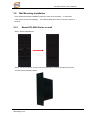
Wall Mounting Installation ................................................................................................................ 5
2.2.1
Mount IPS-2000 Series on wall....................................................................................................... 5
Hardware Overview............................................................................................................................................ 7
3.1
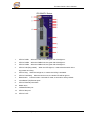
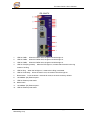
Front Panel......................................................................................................................................... 7
3.2
Front Panel LEDs ............................................................................................................................ 10
3.3
Bottom Panel ....................................................................................................................................11
3.4
Rear Panel ........................................................................................................................................11
Cables ................................................................................................................................................................. 12
4.1
Ethernet Cables............................................................................................................................... 12
4.1.1
4.2
100BASE-TX/10BASE-T Pin Assignments ................................................................................. 12
Fibers ................................................................................................................................................ 13
WEB Management............................................................................................................................................ 14
5.1
Configuration by Web Browser...................................................................................................... 14
5.1.1
About Web-based Management .................................................................................................... 14
5.1.2
Basic Setting.................................................................................................................................. 15
5.1.2.1
Switch setting ...................................................................................................................... 15
5.1.2.2
Admin Password.................................................................................................................. 16
5.1.2.3
IP configuration ................................................................................................................... 17
5.1.2.4
SNTP Configuration ............................................................................................................ 18
5.1.2.5
Backup & Restore................................................................................................................ 21
1