1
Security
System
User's Manual
VISTA-40
®
www.PDF-Zoo.com
N7003V1 6/97
TABLE OF CONTENTS
VIEWING CENTRAL STATION MESSAGES............24
USING THE 2-WAY VOICE FEATURE .....................24
PANIC KEYS ...........................................................25
SECURITY CODES & AUTHORITY LEVELS............26
General Information .................................................26
Duress Code...........................................................26
Quick Arming ..........................................................26
Authority Levels ......................................................27
To Add A User .........................................................29
To Change A User's Code ..........................................31
To Delete A User......................................................31
ACCESSING OTHER PARTITIONS (GOTO)............32
GOTO Command .....................................................32
Global Arming .........................................................32
USING #70 RELAY MENU MODE ............................33
TESTING THE SYSTEM...........................................34
TROUBLE CONDITIONS..........................................36
Servicing Information ...............................................46
FIRE ALARM SYSTEM.............................................38
NFPA RECOMMENDATIONS ...................................39
EMERGENCY EVACUATION ...................................40
MAINTAINING YOUR SYSTEM................................41
QUICK GUIDE TO SYSTEM FUNCTIONS ................43
SUMMARY OF AUDIBLE NOTIFICATIONS..............45
Alpha Keypads........................................................45
Fixed-Word Keypads ................................................46
G L O S S A R Y .............................................................47
INSURANCE CREDIT REQUEST FORM...................53
ADEMCO WARRANTY..............................................55
– 2 –
www.PDF-Zoo.com
SYSTEM OVERVIEW ................................................ 3
General................................................................... 3
A Partitioned System ................................................. 3
Zones ..................................................................... 3
Burglary Protection ................................................... 4
Fire Protection.......................................................... 4
Alarms .................................................................... 5
Emergency (Panic) Alarms & Duress Code ..................... 5
Memory of Alarm ....................................................... 5
Phone Access & Voice Response Capability .................. 6
2-Way Voice Feature ................................................. 6
Access Door Control.................................................. 6
Self-Help Feature ...................................................... 6
ABOUT THE KEYPADS ............................................. 7
FUNCTIONS OF THE KEYPADS ............................. 10
ENTRY/EXIT DELAYS ............................................ 12
CHECKING FOR OPEN ZONES .............................. 13
DISPLAYING ALL ZONE DESCRIPTORS ............... 14
BYPASSING PROTECTION ZONES ....................... 15
Quick Bypass ........................................................ 16
Displaying Bypassed Protection Zones ....................... 16
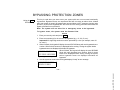
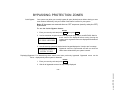
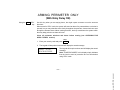
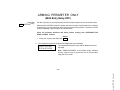
ARMING PERIMETER ONLY (STAY) ...................... 17
ARMING PERIMETER ONLY (INSTANT) ................ 18
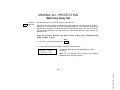
ARMING ALL PROTECTION (AWAY)...................... 19
ARMING ALL PROTECTION (MAXIMUM) ............... 20
DISARMING AND SILENCING ALARMS ................. 21
Memory of Alarm ..................................................... 21
USING THE KEYSWITCH........................................ 22
CHIME MODE.......................................................... 23
SYSTEM OVERVIEW
General
Congratulations on your ownership of an Ademco Partitioned Security System. You've made
a wise decision in choosing it, for it represents the latest in security protection technology
today. Ademco is the world's largest manufacturer of security systems and millions of
premises are protected by Ademco systems.
Your system offers you three forms of protection: burglary, fire and emergency. To realize the
system's full potential, it is important that you feel comfortable in operating it.
The system consists of at least one Keypad which provides full control and display of system
operation, various sensors which provide perimeter and interior burglary protection, plus
strategically placed smoke or combustion detectors designed to provide early warning in case
of fire.
The system uses microcomputer technology to monitor system status and initiate alarms for all
protection zones. Your system may also have been programmed to automatically transmit
alarm or status messages over the phone lines to a central alarm monitoring station, and can
even allow the central station operator to "listen-in" to activity at the premises (if equipped for
2-way voice operation–see USING THE 2-WAY VOICE FEATURE section later in this manual).
A Partitioned System
A partitioned system shares one physical alarm system among different users, each with their
own requirements. For the most part, you as a user need not know about other users of the
system, but from time to time, you may see display messages which indicate the system is in
use by another user. Do not be concerned, this is normal. Refer to the ACCESSING OTHER
PARTITIONS section for additional information.
Zones
Your system's sensing devices have been assigned to various "zones." For example, the
sensing device on your Entry/Exit door may have been assigned to zone 01, sensing devices
on windows in the master bedroom to zone 02, and so on. These numbers will appear on the
display, along with an alpha descriptor for that zone (if programmed), when an alarm or trouble
condition occurs.
www.PDF-Zoo.com
– 3 –
SYSTEM OVERVIEW
The burglary protection portion of your system must be turned on or "armed" before it will
sense burglary alarm conditions. When the system is armed, faulting one or more protection
zones causes an alarm to sound and allows the central station to listen-in to activity at the
premises (if your system is so equipped).
Your system provides four modes of burglary protection: STAY, AWAY, INSTANT and
MAXIMUM, and even allows you to BYPASS selected zones of protection while leaving the
rest of the system armed. The system also provides a CHIME mode, for alerting users to the
opening and closing of doors and windows while the system is disarmed. Refer to the other
sections of this manual for procedures for using these features.
The following table lists the four different arming modes and the results of each.
Arming
Mode
AWAY
STAY
INSTANT
MAXIMUM
Fire Protection
Exit Delay
Yes
Yes
Yes
Yes
Features For Each Arming Mode
Entry Delay
Perimeter Armed
Yes
Yes
Yes
Yes
No
Yes
No
Yes
Interior Armed
Yes
No
No
Yes
The fire protection portion of your security system (if used) is always on and sounds an alarm if
a fire condition is detected*, and allows the central station to listen-in to activity at the premises
(if your system is equipped with the 2-way voice feature). Refer to the FIRE ALARM SYSTEM
section for important information concerning fire protection, smoke detectors and planning
emergency exit routes from your house.
* This control complies with National Fire Protection Association (NFPA) requirements for temporal
pulse sounding of fire notification appliances. Temporal pulse fire alarm sounding occurs only at
external sounders and at 2-way voice keypads (if used), and consists of:
3 pulses – pause – 3 pulses – pause – 3 pulses. . .
– 4 –
www.PDF-Zoo.com
Burglary Protection
SYSTEM OVERVIEW
Alarms
When an alarm occurs, both the keypad and external sounders will sound, and the keypad
displays the zone(s) causing the alarm. To stop the alarm sounding, simply disarm the system.
Emergency (Panic)
Alarms & Duress Code
Your system can provide special emergency key functions, programmed by your installer and
referred to as panic keys. These keys allow you to manually send silent alarms, sound audible
alarms, and sound fire alarms. If your system is connected to a central monitoring station, an
alarm message is sent.
If your system is equipped for the 2-way voice feature, the alarm message also alerts the
central station operator to activate the "listen-in" function. Refer to the USING THE 2-WAY
VOICE FEATURE section later in this manual.
You use panic functions by simply pressing a lettered key (A, B or C) or by pressing
combinations of keys (ex. [3] + [#] ) at the same time at the keypad. Your system may also
provide one or more wireless pushbutton panic transmitters. Refer to the PANIC KEYS
section later in this manual for more information about panic alarms.
Your installer may have also programmed a special duress code. You can use this code in
place of your usual security to arm or disarm the system while under threat. The system acts
normally, but sends a silent alarm message to the central station, alerting them to your
situation. Refer to the SECURITY CODES & AUTHORITY LEVELS section for more
information about the duress code.
When an alarm condition occurs, the keypad displays the number(s) of the zone(s) that
caused the problem, and displays the type of alarm (ex. FIRE, ALARM). It remains displayed
until it is cleared by disarming the system (see DISARMING THE SYSTEM section later in this
manual).
– 5 –
www.PDF-Zoo.com
Memory of Alarm
SYSTEM OVERVIEW
Phone Access & Voice
Response
Capability
Your system may include a phone module that permits you to access the system via a Touchtone phone, either on-premises or by call-in when away. The phone access feature enables
you to hear synthesized voice messages over the telephone regarding the status of the
security system, and allows you to arm and disarm the system and perform most commands via
the telephone, with voice confirmation provided after each command entry. Complete
information regarding the use of this feature is provided separately with the phone module.
2-Way Voice Feature
Your system may include one or more 2-way voice keypads, which have a built-in microphone
and speaker that can allow the central station to listen in to activity at the premises in the event
of an alarm, and to communicate directly with persons at the premises via the keypad. Refer to
the USING THE 2-WAY VOICE FEATURE section later in this manual for additional information
about this feature, and whether it has been included in your system.
Access Door Control
Your system may be set up such that a locked access door (such as in a lobby) can be
unlocked using a keypad command. Ask your installer if you have this feature.
To activate this relay: Enter your security code and press
seconds.
. The door unlocks for 2
Abbreviated user's instructions are built into the system and can be easily viewed on the alpha
keypad's display screen. This feature can prove particularly useful if this manual is not
conveniently accessible when you need to perform a system procedure with which you are
not familiar.
To view the abbreviated instructions:
Simply press and hold down the function key of interest until the description starts to appear
(about 5 seconds) and then release it. Refer to the FUNCTIONS OF THE KEYPAD section for
descriptions of each key function.
– 6 –
www.PDF-Zoo.com
Self-Help Feature
0
ABOUT THE KEYPADS
IMPORTANT: If the
keypad beeps rapidly upon
entering the premises, it
indicates that an alarm has
occurred during your
absence.
LEAVE IMMEDIATELY
and CONTACT THE
POLICE from a nearby
safe location.
Your keypads allow you to control all system functions. The keypads feature a telephone style
(digital) keypad and a Liquid Crystal Display (LCD) which shows the nature and location of all
occurrences. Keypad display backlighting is programmable to always stay on or to light only
when a key is pressed, then turn off a little later.
The keypads also feature a built-in sounder which will sound during alarms and troubles. It will
also "beep" during certain system functions, such as during entry/exit delay times, during
CHIME mode, and when pressing keys to arm and disarm the system (to acknowledge the key
press). These sounds can be optionally suppressed in some of your keypads (so as not to
disturb other users of the system). Ask your installer if this has been done.
There are three types of keypads – an alpha keypad, a 2-way voice/alpha keypad, and a fixedword keypad.
The Alpha Keypad
Alpha keypads feature a 2-line, 32 character alphanumeric Liquid Crystal Display (LCD) which
can display system messages in friendly English. Abbreviated user's instructions can also be
displayed (see Self Help paragraph in the SYSTEM OVERVIEW section). These keypads can
also be programmed with custom zone descriptors, and feature a flip-down cover which can
be removed, if desired.
The screen displays depicted throughout this manual are those that would
typically appear on a 2-line Alpha keypad.
The 2-Way Voice/Alpha
Keypad
2-Way Voice/Alpha keypads are functionally identical to alpha keypads and feature the same
friendly English alpha display, but have a built-in microphone and speaker that can allow the
central station to listen in to activity at the premises in the event of an alarm, and to
communicate directly with persons at the premises via the keypad.
These keypads are available only for systems supporting the 2-way voice feature.
The Fixed-Word
Keypads
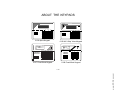
Fixed-Word keypads are functionally identical to alpha keypads, but the LCD display uses predesignated words to identify the nature and location of occurrences. Note that there are two
styles of fixed-word displays, depending on the type of keypad installed (see next page).
– 7 –
www.PDF-Zoo.com
General
ABOUT THE KEYPADS
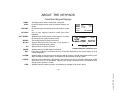
Fixed-Word Keypad Displays
INSTANT:
BYPASS:
NOT READY:
READY:
NO AC:
AC:
CHIME:
BAT:
ALARM:
CHECK:
FIRE:
All burglary zones, interior & perimeter, are armed.
Perimeter burglary zones, such as windows & doors, are
armed.
Perimeter burglary zones armed and entry delay is turned
off.
One or more burglary protection zones have been
bypassed.
Appears when burglary portion of the system is not ready
for arming (due to open protection zones).
The burglary system is ready to be armed.
Appears when AC power has been cut off. System is
operating on backup battery power.
Appears when AC power is present.
00
00
ALARM
CHECK
FIRE
AWAY
STAY
INSTANT
BYPASS
NO AC
CHIME
BAT
NOT READY
STYLE A
AWAY
00
00 STAY
NO AC
BYPASS NOT READY
ALARM
ALARM
FIRE
FIRE CHECK
CHIME BAT
INSTANT
STYLE B
FIXED-WORD KEYPAD DISPLAYS
Appears when the CHIME feature is activated.
Low battery condition in a wireless sensor (if ID number displayed) or low system battery (if no ID
number displayed).
Appears when an intrusion has been detected and the system is armed (also appears during a fire
alarm or audible emergency alarm). Accompanied by the protection zone ID in alarm.
Appears when a malfunction is discovered in the system at any time or if a fault is detected in a FIRE
zone at any time or in a DAY/NIGHT burglary zone during a disarmed period. Accompanied by a
display of zone number in trouble.
Appears when a fire alarm is present. Accompanied by a display of the zone in alarm.
– 8 –
www.PDF-Zoo.com
AWAY:
STAY:
ABOUT THE KEYPADS
ARMED
READY
READY
OFF
AWAY
STAY
1
2
3
MAX
TEST
BYPASS
4
5
6
INSTANT
CODE
CHIME
7
8
9
OFF
3
BYPASS
4
5
6
INSTANT
CODE
CHIME
7
8
9
0
#
READY
0
#
00 AWAY
*
PANIC
6139 Alpha Keypad
NO AC
ARMED
BAT
B
C
ALARM
CHECK
FIRE
READY
OFF
A
AWAY
STAY
1
2
3
MAX
TEST
BYPASS
4
5
6
INSTANT
CODE
CHIME
7
8
9
0
AWAY
STAY
INSTANT
BYPASS
NO AC
CHIME
BAT
ARMED
READY
NOT READY
OFF
AWAY
STAY
1
2
3
MAX
TEST
BYPASS
4
5
6
INSTANT
CODE
CHIME
7
8
9
0
#
READY
READY
*
PANIC
6139 AV 2-Way Voice Keypad
BYPASS NOT READY
ALARM STAY CHIME
FIRE CHECK INSTANT
STAY
2
TEST
READY
*
AWAY
1
MAX
*
#
PANIC
PANIC
6137 Fixed-Word Keypad
6128 Fixed-Word Keypad
– 9 –
www.PDF-Zoo.com
ARMED
FUNCTIONS OF THE KEYPADS
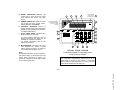
1.
DISPLAY WINDOW: Shown on next page, a 2-line,
Liquid Crystal Display (LCD). Fixed-word keypads are
functionally similar, but use pre-designated words in their
displays (see page 6). Both types display protection point
identification and system status messages.
7.
C H I M E KEY: Turns on and off the CHIME mode. When
on, any entry through a protected delay or perimeter zone
while the system is disarmed will cause a beep to sound at
the Keypad(s).
2.
O F F KEY: Disarms the burglary portion of the system,
silences alarms and audible trouble indicators, and clears
visual alarm trouble after the problem has been corrected.
8.
#
KEY: Permits ARMING of the system without use
of a security code ("Quick Arm", if programmed).
KEYS 0-9: Used to enter individual security access
code(s).
4.
AWAY KEY: Completely arms both perimeter and
interior burglary protection for backup protection by
sensing an intruder's movements through protected
interior areas as well as guarding protected doors,
windows, etc. Late arrivals can enter through an entry
delay zone without causing an alarm if the system is
disarmed before the entry delay time expires.
S T A Y KEY: Arms the perimeter burglary protection,
guarding protected doors, windows and other perimeter
protection points, and sounds an alarm if one is opened.
Interior protection is not armed, which allows movement
within your house without causing an alarm. Late arrivals
can enter through an entry delay zone without causing an
alarm if the system is disarmed before the entry delay time
expires.
5.
T E S T KEY: Tests the system and alarm sounder if
disarmed.
6.
B Y P A S S KEY: Removes individual protection zones
from being monitored by the system. Displays previously
bypassed protection zones.
10.
C O D E KEY: Allows the entry of additional user codes
that can be given to other users of the system.
11.
READY KEY: When depressed prior to arming the
system, the keypad will display all open protection zones
within the keypad's home partition. This key is also used
to display all zone descriptors that have been programmed
for your system, by holding the key down for at least 5
seconds.
12.
INSTANT KEY: INSTANT arms in manner similar to
STAY mode, but turns off the entry delay period, offering
greater security while inside and not expecting any late
arrivals. An alarm will occur immediately upon opening any
perimeter protection point, including entry delay zones.
13.
M A X KEY: MAXIMUM arms in manner similar to
AWAY mode, but eliminates the entry delay period, thus
providing maximum protection. An alarm will occur
immediately upon opening any protection point, including
entry delay zones.
– 10 –
www.PDF-Zoo.com
3.
9.
14. READY INDICATOR: (GREEN) The
system has no open zones if lit, while
unlit indicates the system has open
zones.
16. INTERNAL SOUNDER: Source of
audible internal warning and confirmation
sounds, as well as alarms (see "Summary
of Audible Notifications").
17. A-B-C PANIC KEYS: Individual keys
A, B, and C (key D not used).
On some keypads, these keys are not
present and certain key pairs may be
available for emergency functions.
For further information, refer to the
PANIC KEYS section.
“ARMED” AND “READY”
INDICATORS HERE
ON 2-WAY VOICE
KEYPAD
MICROPHONE
(2-WAY VOICE
KEYPAD ONLY)
3
2
13
19
4
ARMED
READY
5
ARMED
READY
15
OFF
1
2
MAX
TEST
A
14
AWAY
4
B
C
16
STAY
3
5
6
INSTANT
CODE
7
8
9
CHIME
0
#
READY
*
6
BYPASS
PANIC
10
7
8
NOT
USED
19. MICROPHONE: Included with 2-way
voice keypads only, allows a central
station operator to listen-in to activity at
the premises after an alarm occurs.
17
12
11
9
TYPICAL ALPHA KEYPAD
Fixed-Word Keypads are functionally similar
except for screen displays.
Note:
Unless stated otherwise, most procedures in
this manual apply to all keypad types and
styles. Some procedures, however, are
specifically intended for use by alpha and/or
2-way voice keypads only.
IMPORTANT!: When using the keypad to enter codes
and commands, sequential key depressions must be
made within 3 seconds of one another. If 3 seconds
elapses without a key depression, the entry is aborted
and must be repeated from its beginning.
– 11 –
www.PDF-Zoo.com
15. ARMED INDICATOR: (RED) Lit when
the system has been armed (STAY,
AWAY, INSTANT or MAXIMUM).
1
ENTRY/EXIT DELAYS
Your system has preset time delays, known as exit delay and entry delay. Whenever you arm
your system, exit delay gives you time to leave through the designated exit door without
setting off an alarm. Exit delay begins immediately after entering any arming command, and
applies to all modes of arming protection. If programmed, a slow beeping will sound
throughout the exit delay period.
Entry Delay gives you time to disarm the system when you reenter through the designated
entrance door. But the system must be disarmed before the entry delay period ends, or an
alarm will occur. The keypad will beep during the entry delay period, reminding you to disarm
the system. You can also arm the system with no entry delay at all by using either INSTANT or
MAXIMUM arming modes. These modes provide greater security while on the premises or
while away for extended periods of time. See your installer for your delay times.
Partition 1
Exit Delay 1:
seconds
Entry Delay 1:
seconds
Exit Delay 2:
seconds
Entry Delay 2:
seconds
Partition 2
Exit Delay 1:
seconds
Entry Delay 1:
seconds
Exit Delay 2:
seconds
Entry Delay 2:
seconds
– 12 –
www.PDF-Zoo.com
General Information
CHECKING FOR OPEN ZONES
Before arming your system, all protected doors, windows and other protection zones must be
closed or bypassed (see BYPASSING section). Otherwise the keypad will display a "Not
Ready" message. Using the READY key will display all zones that are faulted, making it
easier for you to secure any open zones.
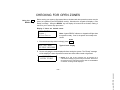
Display if there are faulted zones:
D IS A RM E D –
P RE S S *
TO S H O W F A U L TS
Note: A green READY indicator on keypads will light when
the system is ready. If not lit, the system is not ready to be
armed.
READY
1. Do not enter security code, but simply press
FAULT 05 F RONT
U P S TA I R S B E D R O O M
*
.
Typical fault display
2. Secure or bypass the zones displayed before arming the system. The "Ready" message
will be displayed† when all protection zones have been either closed or bypassed.
DIS ARMED ****
READY TO ARM
****
† NOTE: All or part of this message may be replaced by a
customized message programmed by the installer. Bear this in
mind whenever the instructions indicate that the "DISARMED"
or "READY" message will be displayed.
– 13 –
www.PDF-Zoo.com
Using the *
READY Key
DISPLAYING ALL ZONE DESCRIPTORS
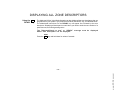
The Alpha and 2-Way Voice/Alpha Keypads can also display all the zone descriptors that are
programmed in your system if you press and hold down the READY key, as indicated below.
The abbreviated instructions for the READY key will appear first, followed by the zone
descriptors. Displaying all descriptors is useful when you need to know the zone number of a
particular zone, as when bypassing zones.
The "Disarmed-Ready to arm" or “READY” message must be displayed
before zone descriptors can be displayed.
READY
Press the
*
key and hold down for at least 5 seconds.
– 14 –
www.PDF-Zoo.com
Using the *
READY Key
BYPASSING PROTECTION ZONES
This key is used when you want to arm your system with one or more zones intentionally
unprotected. Bypassed zones are unprotected and will not cause an alarm when violated
while your system is armed. All bypasses are removed when an OFF sequence (security code
plus OFF) is performed. Bypasses are also removed if the arming procedure that follows the
bypass command is not successful.
Note: The system will not allow fire or emergency zones to be bypassed.
To bypass zones, the system must be disarmed first.
BYPASS
1. Enter your security code and press
6
.
2. Enter zone number(s) for the zones to be bypassed (e.g., 01, 02, 03, etc.).
Important! All single-digit numbers must be preceded by a zero (for example, enter 01
for zone 1).
3. When finished, the keypad will display the word BYPASS along with each bypassed zone
number. Wait for these zones to be displayed before arming. Arming the system before
bypassed zones are displayed eliminates all bypasses.
When finished, the keypad will display the word BYPASS
BYPASS 07 FRONT
along with each bypassed zone number. Wait for these
zones to be displayed before arming. Arming the system
U P S TA I R S B E D R O O M
before bypassed zones are displayed eliminates all
Typical bypass message
bypasses.
4. Arm the system as usual when the keypad displays "ready" to arm message.
DIS ARMED BYPAS S
READY TO ARM
– 15 –
www.PDF-Zoo.com
Using the 6
BYPASS Key
BYPASSING PROTECTION ZONES
Quick Bypass
Your system may allow you to easily bypass all open (faulted) zones without having to enter
zone numbers individually. Ask your installer if this feature is active for your system.
Note: All bypasses are removed when an OFF sequence (security code plus OFF)
is performed.
To use the Quick Bypass feature:
BYPASS
1. Enter your security code and press
6
then press
#
.
2. In a few moments, all open zones will be displayed along with the word BYPASS. Wait for
these zones to be displayed before arming. Arming the
BYPASS 07 FRONT
system before bypassed zones are displayed eliminates all
U P S TA I R S B E D R O O M
bypasses.
Typical bypass message
3. Arm the security system as usual when the keypad displays the "ready to arm” message.
Bypassed zones are unprotected and will not cause an
DIS ARMED BYPAS S
alarm when violated while your system is armed.
READY TO ARM
Displaying Bypassed For determining what zones have been previously bypassed. Bypassed zones can be
Zones displayed only when system is disarmed.
BYPASS
1. Enter your security code and press
6
.
2. Wait for all bypassed zones to be sequentially displayed.
www.PDF-Zoo.com
– 16 –
ARMING PERIMETER ONLY
(With Entry Delay ON)
3
STAY
key
Use this key when you are staying home, but might expect someone to use the entrance
door later.
When armed in STAY mode, the system will sound an alarm if a protected door or window is
opened, but you may otherwise move freely throughout the premises. Late arrivals can enter
through the entrance door without causing an alarm, but they must disarm the system within
the entry delay period or an alarm will occur.
Close all perimeter windows and doors before arming (see CHECKING FOR
OPEN ZONES section)
STAY
1. Enter your security code and press
3
.
2. The keypad will beep three times and will display the armed message.
ARMED ***S TAY ***
ZONE BYPASSED
The keypad will beep three times and will display the armed
message.
Note: "ZONE BYPASSED" in this display simply indicates
that the interior zones of protection are not armed when
using STAY mode.
– 17 –
www.PDF-Zoo.com
Using the
ARMING PERIMETER ONLY
(With Entry Delay OFF)
Using the
INSTANT Key
Use this key when you are staying home and do not expect anyone to use the entrance door.
When armed in INSTANT mode, the system will sound an alarm if a protected door or window
is opened, but you may otherwise move freely throughout the premises. The alarm will also
sound immediately if anyone opens the entrance door.
Close all perimeter windows and doors before arming (see CHECKING FOR
OPEN ZONES section)
INSTANT
1. Enter your security code and press
7
.
2. The keypad will beep three times and will display the armed message.
ARMED *INS TANT*
ZONE BYPASSED
The keypad will beep three times and will display the armed
message.
Note: "ZONE BYPASSED" in this display simply indicates
that the interior zones of protection are not armed when
using the STAY mode.
– 18 –
www.PDF-Zoo.com
7
ARMING ALL PROTECTION
(With Entry Delay ON)
Using the
AWAY Key
Use this key when no one will be staying on the premises.
When armed in AWAY mode, the system will sound an alarm if a protected door or window is
opened, or if any movement is detected inside the premises. You may leave through the
entrance door during the exit delay period without causing an alarm. You may also reenter
through the entrance door, but must disarm the system within the entry delay period or an
alarm will occur.
Close all perimeter windows and doors before arming (see CHECKING FOR
OPEN ZONES section)
AWAY
1. Enter your security code and press
2
.
2. The keypad will beep twice and will display the armed message.
ARMED ***AWAY ***
Y OU M AY E XI T N O W
The keypad will beep twice and will display the armed
message.
Note: The "You May Exit Now" portion of the message
disappears when exit delay expires.
– 19 –
www.PDF-Zoo.com
2
ARMING ALL PROTECTION
(With Entry Delay OFF)
Using the
MAXIMUM Key
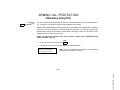
Use this key when the premises will be vacant for extended periods of time such as vacations,
etc., or when no one will be moving through protected interior areas.
When armed in MAXIMUM mode, the system will sound an alarm if a protected door or window
is opened, or if any movement is detected inside the premises. You may leave through the
entrance door during the exit delay period without causing an alarm, but an alarm will be
sounded as soon as someone reenters.
Close all perimeter windows and doors before arming (see CHECKING FOR
OPEN ZONES section)
MAX
1. Enter your security code and press
4
.
2. The keypad will beep twice and will display the armed message.
ARMED *MAX IMUM*
Y OU M AY E XI T N O W
Note: The "You May Exit Now" portion of the message
disappears when exit delay expires.
– 20 –
www.PDF-Zoo.com
4
DISARMING AND SILENCING ALARMS
1
Using the
OFF Key
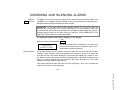
T he OFF key is used to disarm the system and to silence alarm and trouble sounds. See
"SUMMARY OF AUDIBLE NOTIFICATIONS" section for information which will help you to
distinguish between FIRE and BURGLARY alarm sounds.
IMPORTANT: If you return and the main burglary sounder is on, DO NOT enter the
premises, but call the police from a nearby safe location. If you return after an alarm has
occurred and the main sounder has shut itself off, the keypad will beep rapidly upon entering,
indicating that an alarm has occurred during your absence. LEAVE IMMEDIATELY and
CONTACT THE POLICE from a nearby safe location.
To disarm the system and silence burglary or fire alarms:
OFF
Enter your security code and press
DIS ARMED ****
READY TO ARM
****
.
The Ready message will be displayed (if no alarms have
occurred while armed) and the keypad will beep once to
confirm that the system is disarmed.
The keypad displays the zone number and type of alarm for any zone that has an alarm
condition. These messages will remain displayed until cleared by a user. If an alarm has
occurred, note the zone number displayed on the keypad and repeat step 1 above to clear
the "Memory of Alarm" and restore the Ready message display. If the Ready message will not
display, go to the displayed zone and remedy the fault (close windows, etc.). If the fault
cannot be remedied, notify the alarm agency.
If the system was armed when the alarm occurred, repeat step 1 twice: once to disarm the
system, a second time to clear the display.
– 21 –
www.PDF-Zoo.com
Memory of Alarm
1
USING THE KEYSWITCH
Your system may be equipped with a keyswitch for use when arming and disarming. A red and
green light on the keyswitch plate indicate the status of your system as follows:
Green Light:
Red Light:
Arming
Lights when the system is disarmed and ready to be armed (no
open zones). If the system is disarmed and the green light is off,
it indicates the system is not ready (one or more zones are
open).
Lights when system is armed or memory of alarm exists.
Lit Steady: System is armed in AWAY mode.
Slow Flashing: System is armed in STAY mode.
Rapid Flashing: Memory of alarm, indicating an alarm has
occurred .
To arm in the AWAY mode, turn the
key to the right for 1/2 second and
release. Keypads will beep twice and the
red light will stay on steady.
To arm in the STAY mode, turn the
key to the right and hold for longer than 1
second, then release. Keypads will beep
three times and the red light will flash
slowly.
Disarming
GREEN
RED
To disarm the system, turn the key
to the right and release. If an alarm has
occurred, the red light will be flashing
rapidly (memory of alarm).
– 22 –
www.PDF-Zoo.com
General
CHIME MODE
9
Key
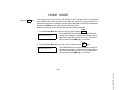
Your system can be set to alert you to the opening of a door or window while it is disarmed by
using CHIME mode. When activated, three beeps will sound at the Keypad whenever a
protected perimeter door or window is opened, and the Not Ready message will be displayed.
Pressing the READY key will display the open protection points.
Note that Chime mode can be activated only when the system is disarmed.
CHIME
1. To turn Chime Mode on, enter the security code and press
9 .
The CHIME MODE ON message will appear for about two
CHIME MODE ON
seconds then disappear. To display this message again (to
determine whether chime mode is on or off), simply press
and hold down the CHIME key for 5 seconds.
CHIME
2. To turn Chime Mode off, enter the security code and press
CHIME MODE OF F
9
again.
The CHIME MODE OFF message will appear for about two
seconds then disappear. To display this message again (to
determine whether chime mode is on or off), simply press
and hold down the CHIME key for 5 seconds.
– 23 –
www.PDF-Zoo.com
Using the
VIEWING CENTRAL STATION MESSAGES
General Information
Users of the system may periodically receive messages on their display screens from their
monitoring agency or installer. When a message is waiting to be viewed, the message shown
below will appear.
M E SS AG E . P RE S S *
FOR 5 S E C S.
Press and hold down 0 key for 5 seconds.
The message could take up to four screens to display all the
information available.
USING THE 2-WAY VOICE FEATURE
Not all systems include
the 2-way Voice feature.
Check with your installer.
† If programmed to do so.
Your system may include a 2-way voice feature which can allow your central station to listen in
to activity at the premises after an alarm occurs. It can also allow you to communicate directly
with the central station personnel during alarm conditions. This feature is automatically
activated upon alarms, but is then controlled by the central station personnel.
When active, the 2-way keypad displays† the 2-way voice mode of operation selected by the
central station. These modes include "LISTEN MODE," "TALK MODE," and "VOX MODE”
(see below). Normally, the monitoring agency simply listens to the activity at the premises
during an alarm to help determine the appropriate emergency action to be taken (alert police,
fire department, etc.). Under some circumstances the monitoring agency may speak to you
through the 2-way keypad. Simply answer the monitoring agency operator vocally at the 2-way
keypad as appropriate, and follow the operator's instructions .
LISTEN Mode: The operator at the monitoring agency can listen to activity at the premises.
TALK Mode:
The operator can speak to someone on the premises.
VOX Mode:
The operator can both speak and listen to persons on the premises.
– 24 –
www.PDF-Zoo.com
General Information
PANIC KEYS
(FOR MANUALLY ACTIVATING SILENT AND/OR AUDIBLE ALARMS)
Your system may have been programmed to use special keys or key pairs to manually activate
panic functions. The functions that might be programmed are Silent Emergency, Audible
Emergency, Personal Emergency, and Fire. See your installer for the function(s) that may
have been programmed for your system.
ACTIVE PANIC FUNCTIONS
(your installer should note which functions are
active in your system)
Keys
1 and *
3 and #
* and #
A*
B*
C*
Zone
95
96
99
95
99
96
Function
* May not be present on your keypad(s).
To use a paired key panic function,
simply press both keys of the assigned
pair at the same time.
If your keypad(s) have lettered keys (A,
B, or C) for panic functions, press the
designated key and hold down for at
least 2 seconds to activate the panic
function.
A Silent Emergency will send a
silent alarm signal to the central station,
but there will be no audible alarms or
visual displays.
An Audible Emergency will send
an emergency message to the central
station (if connected) and will sound a
loud, steady alarm at your keypad and
at any external sounders that may be
connected (A L A R M plus a zone
number would also be displayed).
A Personal Emergency alarm will
send an emergency message to the
central station (if connected) and will
sound at Keypads, but not at external
bells or sirens. (ALARM plus a zone
number would also be displayed)
A Fire Alarm will send a fire alarm
message to the central station and will
uniquely sound external bells and
sirens (FIRE & ALARM plus a zone
number would also be displayed).
– 25 –
www.PDF-Zoo.com
Using
Panic Keys
SECURITY CODES & AUTHORITY LEVELS
General Information
At the time of installation, you were assigned an authority level and a personal four-digit
security code, known only to you and yours. The security code must be entered when arming
and disarming the system. The authority level defines the system functions that you can
perform.
As an additional safety feature, other users that do not have a need to know your code can be
assigned different security codes, and each user can be given a different authority level.
Users are identified by "user numbers", which are assigned when assigning a user's security
code.
All codes can be used interchangeably when performing system functions within the limits of
each code's authority level (a system armed with one user's code can be disarmed by another
user's code), with the exception of the Operator Level C code. See AUTHORITY LEVELS
section on the following page for detailed information regarding user authority levels.
Duress Code
This feature is intended for use when you are forced to disarm or arm the system under threat.
When used, the system will act normally, but can silently notify the central station of your
situation, if that service has been provided. The duress code is pre-assigned by the installer
during installation (authority level 6).
Important: This code is useful only when the system is connected to a central station.
Note that if "Quick Arming" was programmed by the installer, the # key can be pressed in
place of the security code when arming the system. The security code must always be used to
disarm the system, however.
– 26 –
www.PDF-Zoo.com
Quick Arming
SECURITY CODES & AUTHORITY LEVELS
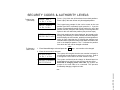
Authority levels define the system functions a particular user can perform. Depending on your
authority, there are certain system functions you may be prohibited from performing. There
are six authority levels, each having certain system restrictions.
Level 1 Master:
Can perform all system functions in assigned partitions, and
can add, delete or change Manager and Operator level users.
Master codes are added by the Installer.
Level 2 Manager:
Can perform system functions in assigned partitions, and can
add, delete or change Operator level users.
Level 3 Operator A:
Can perform system functions in assigned partitions, but
cannot add or delete other users.
Level 4 Operator B:
Same as Operator A, except Operator B cannot bypass zones
of protection.
Level 5 Operator C:
Can arm the system in assigned partitions, but cannot disarm
the system unless the system was armed with this code.
Typically assigned to someone who has a need to arm/disarm
the system only at certain times (such as a baby-sitter).
Level 6 Duress:
Can arm and disarm the system, but also sends a silent panic
alarm to the central station, if that service is connected.
To view your authority level and system capabilities:
Enter your Code + * + *
The keypad will display the partition(s) that you are authorized to operate, and your user
number and authority level in each partition.
– 27 –
www.PDF-Zoo.com
Authority Levels
SECURITY CODES & AUTHORITY LEVELS
General Rules on
Authority Levels and
Changes
• A user may not delete or change the user code of the SAME or HIGHER authority than
which he is assigned.
• A user may only ADD users to a LOWER authority level.
• A user may assign access codes only to those partitions to which the user adding the code
has access. (ex. a user with access to only partition 1 cannot assign codes in partition 2.)
• The only way to assign a user's authority level is by using the "Add A User" procedure. To
change a user's authority level, that user must first be deleted, then added again.
• A user can only be DELETED or CHANGED from within the partition he is assigned.
• User numbers must be entered as 2-digit entries. Single digit user numbers must be
preceded by a "0" (example, 03, 04, etc.). Security codes are entered as 4-digit numbers.
• Before assigning a security code, be sure it does not conflict with any DURESS code.
Note: When adding, changing or deleting users, all other alpha keypads in that partition will
display "User Edit Mode – Please Stand By", and key depressions (except Panic) at those
keypads will be ignored. Panic key depressions will cause an alarm and terminate user entry.
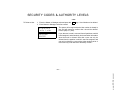
You can exit any of the user edit modes described on the following pages at any time by doing
the following:
Press either
*
or
#
, or don't press any key for 10 seconds.
– 28 –
www.PDF-Zoo.com
To Exit User Edit Mode
SECURITY CODES & AUTHORITY LEVELS
NOTE: Adding/deleting
security codes can only
be done from an alpha
keypad.
IMPORTANT: Temporary users should not be shown how to use any system function they
do not need to know (e.g. bypassing protection zones).
CODE
1. Enter Master or Manager code and press the
8
key.
2. Enter the new user's 2-digit User Number (01-69).
3. Enter 4-digit security code for that user. The following prompts will appear.
ADD NEW USER ?
0=NO, 1 =YES
Enter 1 to add a new user code. Entering 0 will change the
existing user's code to the code entered in step 3. See
Changing A User's Code section.
USER NUMBE R = 3
ENTER AUTH. LEVE L
Enter the authority level, 1–6, for this user within this partition.
1 = master
3 = operator A
5 = operator C
2 = manager
4 = operator B
6 = duress code
RF BUTTON ?
0 = NO , 1 =YES
This prompt will appear if a 5800 series button transmitter has
been supplied and has not yet been assigned to a user.
Press 1 if a button transmitter will be assigned to this user.
Otherwise press 0.
ENTER BUTTON ZN #
(01– 6 4 )
If assigning a button transmitter, this prompt will appear.
Enter the button's zone number (see your installer for zone
number).
M U LT I -A C C E S S ?
0 = NO, 1 =YE S
If you as a user have access to other partitions, the keypad
will prompt for ability of this new user to access (GOTO) those
partitions. Press 0 (NO) or 1 (YES). If no, the system activates
this user code and exits “Add a User” mode. If yes, the
keypad prompts for the Global Arm option for this user.
– 29 –
www.PDF-Zoo.com
To Add a User
SECURITY CODES & AUTHORITY LEVELS
To Add a User
(continued)
G LO B A L A R M ?
0 = N O, 1 = Y E S
Press 1 (Yes) if this user will be allowed to arm both partitions.
Press 0 (No) if this user will arm only his assigned partition.
P A R T. 2 - S H O P ?
0 = N O, 1 =Y E S
The keypad now prompts for the user’s access to the next
partition (see GOTO command). Again, press 0 or 1. If yes, the
system will automatically assign a user number for use in that
partition and will prompt for the authority level and global arm
option for this user within the partition (see previous steps).
P A R T. 1 * W H S E
USER 03 AUTH =3G
When both partitions have been displayed, the keypad scrolls
through the partition(s) to which access has been assigned,
and will display the user number, authority level and global arm
option for each. Note that the “G” following the authority level
indicates that the global arm feature has been selected for this
user in the displayed partition. The "*" indicates the partition
from which the user can be changed or deleted.
CODE
1. Enter Master/Manager code and press the
8
key + user number to be changed.
2. Enter the new code for that user.
The system will recognize that the user number is already in
ADD NEW USER?
use and will prompt whether or not this is a new user. Enter 0
0 = N O, 1 = Y E S
to change the user's code to the code entered in step 2.
USER 02 C HANGED
S U C C E S S F U L LY
The system confirms that the change is allowed based on
authorization level, and if so, puts the new code into effect.
Note that if changing one’s own code, the system will
prompt for the new code to be re-entered. This prevents
accidentally changing a high level code.
– 30 –
www.PDF-Zoo.com
To Change a
User's Code
SECURITY CODES & AUTHORITY LEVELS
CODE
1. Enter the Master or Manager code and press the
8
key + User Number to be deleted.
2. Enter Master or Manager code first entered.
OK TO DELETE
0 = N O, 1 = Y E S
The system will recognize that the User number is already in
use and will prompt to confirm that it should be deleted.
Press 0 (NO) or 1 (YES).
USER C ODE
DELETED
If yes, that user's code is removed from all partitions to which
it was assigned, and all authority levels and other information
about that user is deleted. Note that a user can only be
deleted from the partition in which it was first assigned, and
can only be deleted by a user with a higher authority level. A
User's security code cannot be deleted by oneself.
– 31 –
www.PDF-Zoo.com
To Delete a User
ACCESSING OTHER PARTITIONS
(GOTO Command and Global Arming)
To Access Another
Partition
NOTE: Accessing
another partition and
Global arming requires
the use of an alpha
keypad.
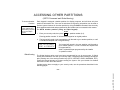
Each keypad is assigned a default partition for display purposes, and will show only that
partition's information. But, if the user is authorized, a keypad in one partition can be used to
perform system functions in the other partition by using the GOTO command. Note that only
those partitions authorized and programmed by the installer can be accessed in this manner.
To GOTO another partition (using an alpha keypad):
READY
1. Enter your security code, then press
*
+ partition number (0–2).
Entering partition number “0” will return the keypad to its original partition.
2. The keypad will remain in the new partition until directed to go to another partition, or until
2 minutes has elapsed with no keypad activity.
LO G - O N T O A A A A
P A R T. X C O M P L E T E
The Global Arming option may have been programmed for use by some users. If Global
Arming was enabled for use with your security code, a keypad prompt (message) will appear
after pressing one of the arming function keys (STAY, INSTANT, AWAY, MAXIMUM, OFF).
Follow the keypad prompts to continue arming the system. See your installer for detailed
instructions on the use of this feature.
If global arming does not apply to your security code, use the procedures described in the
following pages.
– 32 –
www.PDF-Zoo.com
Global Arming
The keypad will remain in the new partition until directed to
go to another partition, or until 2 minutes has elapsed with
no keypad activity.
AAAA = alpha descriptor programmed by the installer
X = partition number
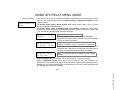
USING #70 RELAY MENU MODE
Ask your installer if this
feature is active in your
system.
Your system may be set up so that certain lights or other devices can be turned on or off by
using the #70 command from either an Alpha keypad or a telephone keypad (if voice
module is used).
To activate relays from an Alpha keypad, enter 4-digit security code + [#] +70. Follow
the keypad prompts described below.
To activate relays using a telephone and voice module, first dial the 2-digit phone
access code. When the system acknowledges the access, enter 4-digit security code + [#]
+ 70. The following prompts/voice responses will begin.
ENT E R D E VI C E N O .
0 0 =QUI T
01
Voice: "ENTER DEVICE CODE NOW"
NN DEVI CE IS OF F
H IT 0 = O F F , 1 = O N
Voice: "voice descriptor DEVICE nn ON/OFF. FOR voice
descriptor ON, ENTER 1, FOR voice descriptor OFF, ENTER 0"
N N D E V IC E I S O F F
H IT T HE * K E Y
Voice: "voice descriptor DEVICE nn ON/OFF. TO EXIT ENTER
00 NOW"
Enter the 2-digit number of the device to be activated.
Note that if an invalid number is entered, the system will simply
ask you to reenter the number.
Press 0 or 1 to turn the device off or on respectively. "nn"
represents the 2-digit device number and voice descriptor is
the relay voice descriptor programmed by the installer.
From a keypad, press * to continue. The “Enter Device No.” prompt will appear.
From a telephone keypad, enter “00” to exit, or enter the next relay number to be
programmed. The current on/off state of that relay will be annunciated as described above.
Alternatively, if 6 seconds elapses with no key depression, the voice module will annunciate
the "Enter Device Code Now" message.
– 33 –
www.PDF-Zoo.com
General Information
TESTING THE SYSTEM
(TO BE CONDUCTED WEEKLY)
5
Using the
TEST Key
The TEST key puts your system into Test mode, which allows each protection point to be
checked for proper operation.
1. Disarm the system and close all protected windows, doors, etc. The “Ready” message
should be displayed on the keypad.
TEST
2. Enter your security code and press the
5
key.
3. The external sounder should sound for 3 seconds and then turn off. If the sounder does
not sound, it may be due to dialer communication activity. Wait a few minutes and try
again. If the sounder still does not sound, CALL FOR SERVICE IMMEDIATELY.
4. The keypad will sound a single beep every 15 seconds as a reminder that the system is in
Test mode. Each time a protection zone is faulted (opened), the keypad should beep
three times. If the sounder does not sound, CALL FOR SERVICE IMMEDIATELY.
Each time a protection zone is faulted, the keypad sounds 3 beeps.
5. Open and close each protected door and window in turn and listen for three beeps from
the keypad(s). The identification of each faulted protection point should also appear on
the keypad display.
6. Walk in front of any interior motion detectors (if used) and listen for three beeps from the
keypad(s) as movement is detected. The identification of the detector should appear on
the display when it is activated.
N o t e : Wireless motion detectors (Passive Infrared units) will send signals out only if they
have been inactive for 3 minutes.
– 34 –
www.PDF-Zoo.com
Note that no alarm reports
will be sent to the central
monitoring station while
the system is in the Test
mode.
TESTING THE SYSTEM (Continued)
7
Follow the manufacturer's instructions to test all smoke detectors, to ensure that all are
functioning properly. The identification of each detector should appear on the display
when each is activated.
8. After all protection points have been checked and restored, there should be no zone
identification numbers displayed. If a problem is experienced with any
protection point (no confirming sounds, no display), CALL FOR SERVICE
IMMEDIATELY.
9. Turn off the Test mode by entering the security code and pressing the OFF key.
www.PDF-Zoo.com
– 35 –
TROUBLE CONDITIONS
Typical "Check"
Displays
The word CHECK on the Keypad's display, accompanied by a rapid "beeping" at the
Keypad, indicates that there is a trouble condition in the system.
To silence the beeping sound for "check" conditions, press any key.
Note: Messages displayed by fixed-word keypads are shown in parentheses ( ) after the
alpha trouble message displays listed below.
1. A display of "CHECK" accompanied by a display of "CALL SERVICE" (97) indicates
that a problem exists with the system that eliminates some of the protection. CALL FOR
SERVICE IMMEDIATELY.
bers 87, 88–91, 93 and
97 represent problems
with system components, which are not
user serviceable.
CALL FOR SERVICE
IMMEDIATELY.
** Not all systems employ
wireless transmitters.
2. A display of "CHECK" accompanied by a display of one or more zone descriptors
indicates that a problem exists with those zone(s)*. First, determine if the zone(s)
displayed are intact and make them so if they are not. If the problem has been corrected,
the display of the zone descriptor(s) and CHECK should disappear. If not, key an OFF
sequence (Code plus OFF) to clear the display. If the display persists, CALL FOR
SERVICE IMMEDIATELY.
3. A display of "COMM. FAILURE" (FC) at the Keypad indicates that a failure has
occurred in the telephone communication portion of your system. CALL FOR SERVICE
IMMEDIATELY.
4. A display of "SYSTEM LO BAT" (BAT), accompanied by a once per minute "beeping"
at the Keypad indicates that a low system battery condition exists. CALL FOR SERVICE.
5. A display of "LO BAT" (BAT) and a zone descriptor, accompanied by a once per minute
"beeping" at the Keypad indicates that a low battery condition exists in the wireless
transmitter** displayed. CALL FOR SERVICE.
6. A display of "MODEM COMM" (CC) indicates that the control is on-line with the central
station's remote computer. The control will not operate while on-line.
– 36 –
www.PDF-Zoo.com
* Note that zone num-
TROUBLE CONDITIONS
Power Failure
If the READY indicator is off and their are no keypad displays, operating power for the system
has stopped and is inoperative. CALL FOR SERVICE IMMEDIATELY.
If the READY indicator is on, but the message "AC LOSS" (NO AC) is displayed, the
Keypad is operating on battery power only. If only some lights are out on the premises, check
circuit breakers and fuses and reset or replace as necessary. If AC power cannot be restored,
CALL FOR SERVICE.
SERVICING INFORMATION
Your local Ademco dealer is the person best qualified to service your alarm system. Arranging
some kind of regular service program with him is advisable.
Your local Ademco dealer is:
Name:
Address:
Phone:
www.PDF-Zoo.com
– 37 –
FIRE ALARM SYSTEM (IF INSTALLED)
General
Your fire alarm system (if installed) is on 24 hours a day, providing continuous protection. In the
event of an emergency, the installed smoke and heat detectors will automatically send signals to
your control, triggering a loud, “beeping” from keypads. A pulsed sound will also be produced
by optional exterior sounders and by any 2-way voice keypads in your system. A FIRE message
will also appear at your Keypad and remain on until you silence the alarm. In addition, a fire
message will be sent to your central monitoring station (if you have this service).
In Case Of Fire
1. Should you become aware of a fire emergency before your detectors sense the problem,
go to your nearest Keypad and manually initiate an alarm by pressing the panic key (or key
pair) assigned as FIRE emergency (if programmed by the installer) and hold down for at least
2 seconds (see PANIC KEYS section).
2. Evacuate all occupants from the premises.
3. If flames and/or smoke are present, leave the premises and notify your local Fire Department
immediately.
4. If no flames or smoke are apparent, investigate the cause of the alarm. The zone descriptor
of the zone(s) in an alarm condition will appear at the Keypad.
Silencing A Fire Alarm
1. Silence the alarm by entering your code and pressing the OFF key. To clear the display,
enter your code and press the OFF key again.
2. If the Keypad does not indicate a READY condition after the second OFF sequence, press
the READY key to display the zone(s) that are faulted. Be sure to check that smoke
detectors are not responding to smoke or heat producing objects in their vicinity. If this is
the case, eliminate the source of heat or smoke.
3. If this does not remedy the problem, there may still be smoke in the detector. Clear it by
fanning the detector for about 30 seconds.
4. When the problem has been corrected, clear the display by entering your code and
pressing the OFF key.
www.PDF-Zoo.com
– 38 –
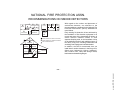
NATIONAL FIRE PROTECTION ASSN.
RECOMMENDATIONS ON SMOKE DETECTORS
✪
KITCHEN
▲
DINING
✪
✪
✪
BEDROOM BEDROOM
TV ROOM
▲
KITCHEN
✪
DINING
LIVING ROOM
■
■
✪
✪
LIVING ROOM
BEDROOM
■
✪
✪
BDRM
BDRM
✪
BEDROOM
✪
▲
■ Smoke Detectors for Minimum Protection
✪ Smoke Detectors for Additional Protection
▲ Heat-Activated Detectors
■
BEDROOM
✪
■
✪
BEDROOM
TO
BR
BEDROOM
■
▲
▲
KTCHN
.
LVNG RM
■
CLOSED
DOOR
GARAGE
With regard to the number and placement of
smoke/heat detectors, we subscribe to the
recommendations contained in the National Fire
Protection Association's (NFPA) Standard #74
noted below.
Early warning fire detection is best achieved by
the installation of fire detection equipment in all
rooms and areas of the household as follows: A
smoke detector installed outside of each
separate sleeping area, in the immediate vicinity
of the bedrooms and on each additional story of
the family living unit, including basements and
excluding crawl spaces and unfinished attics.
In addition, the NFPA recommends that you
install heat or smoke detectors in the living room,
dining room, bedroom(s), kitchen, hallway(s),
attic, furnace room, utility and storage rooms,
basements and attached garages.
BASEMENT
www.PDF-Zoo.com
– 39 –
EMERGENCY EVACUATION
Steps
to
Safety
M
M
OO
OO
TH
DR
DR
BA
BE
BE
2ND FLOOR
EN
CH
KIT
BACK DOOR
M
OO
DR
BE
M
OO
TH
DR
BA
E
B
1ST FLOOR
•
•
1. Plan on your detector or your interior and/or exterior sounders warning all occupants.
2. Determine two means of escape from each room. One path of escape should lead to
the door that permits normal exit from the building. The other may be a window,
should your path be unpassable. Station an escape ladder at such windows if there is
a long drop to the ground.
3. Sketch a floor plan of the building. Show windows, doors, stairs and rooftops that can
be used to escape. Indicate escape routes for each room. Keep these routes free
from obstruction and post copies of the escape routes in every room.
4. Assure that all bedroom doors are shut while you are asleep. This will prevent deadly
smoke from entering while you escape.
5. Try the door. If the door is hot, check your alternate escape route. If the door is cool,
open it cautiously. Be prepared to slam the door if smoke or heat rushes in.
6. Crawl in the smoke.
BACK
7. Escape quickly; don't panic.
•
8. Establish a common meeting place outdoors, away from your house, where everyone
can meet and then take steps to contact the authorities and account for those
missing. Choose someone to ensure that nobody returns to the house — many die
going back.
FRONT
– 40 –
www.PDF-Zoo.com
PORCH
M
ET
OO
OS
DR
CL
BE
Establish and regularly practice a plan of escape in the event of fire. The following steps
are recommended by the National Fire Protection Association:
MAINTAINING YOUR SYSTEM
Taking Care
of Your System
The components of your security system are designed to be as free of maintenance as
possible. However, there are some things you can do to make sure that your system is in
reliable working condition.
1. Test your system weekly.
2. Test the system after any alarm occurs (see TESTING THE SYSTEM).
Replacing Batteries in
Wireless Sensors
Each wireless sensor in your system has a 9-volt or a 3-volt battery. The system detects a
low battery in any wireless sensor, including smoke detectors, the optional personal
emergency transmitter, and the optional portable wireless keypad. A low battery in a
portable wireless keypad is detected as soon as one of its keys is pressed, and the wired
keypad will display 64.
Alkaline batteries provide a minimum of 1 year of operation, and in most units and
applications, provide 2–4 years of service (4–7 years in units using 3-volt lithium batteries).
Actual battery life will depend on the environment in which the sensor is used, the number
of signals that the transmitter in the sensor has had to send, and the specific type of sensor.
Factors such as humidity, high or low temperatures or large swings in temperature, may all
lead to the reduction of actual battery life in an installation.
If you have a low battery in a wireless sensor, a low battery message is displayed on the keypads.
In addition, a battery-operated smoke detector with a low battery also emits a single "chirp"
sound once approximately every 20-30 seconds, identifying itself as the smoke detector
with the weak battery. If you do not replace a smoke detector's low battery, the smoke
detector may sound continuously, as if there were a fire alarm.
Note: The low battery message comes on as a warning that battery replacement in
indicated sensor(s) is due within 30 days. In the meantime, the sensor(s) causing the low
battery indication are still fully operational.
Important: Use only batteries recommended by your installer as replacement.
– 41 –
www.PDF-Zoo.com
Wireless sensors may
not have been used in
your security system
MAINTAINING YOUR SYSTEM
Silencing Low Battery
Warning Beeps at the
Keypad
The keypad’s warning beeps can be silenced by performing an OFF sequence (code plus
OFF key), but the Keypad's low battery message display will remain on as a reminder that you
have a low battery condition in one or more of your sensors. When you replace the weak
battery with a fresh one, the sensor will send a "good battery" signal to the control as soon as
the sensor is activated (opening/closing of door, window, etc.), causing the low battery
display to turn off. If the sensor is not activated, the display will automatically clear within
approximately 1 hour.
Routine Care
• Treat the components of your security system as you would any other electrical equipment.
Do not slam sensor-protected doors or windows.
• Keep dust from accumulating on the keypad and all protective sensors, particularly on
motion sensors and smoke detectors.
• The keypad and sensors should be cleaned carefully with a dry soft cloth. Do not spray
water or any other fluid on the units.
www.PDF-Zoo.com
– 42 –
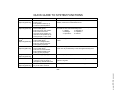
QUICK GUIDE TO SYSTEM FUNCTIONS
FUNCTION
PROCEDURE
Check Zones
Press [*].
To view faulted zones when system not ready.
Display All
Descriptors
(Alpha Keypads only)
Press and hold [*]
for 5 seconds
Displays all alpha descriptors programmed by installer.
Arm System
Enter code.
Press arming key desired.
(AWAY, STAY, INSTANT,
MAXIMUM)
Arms system in mode selected.
Disarm System
Enter code.
Press OFF [1].
Disarms system and silences alarms.
Bypass zones
Enter code.
Press BYPASS [6].
Enter zone numbers to be
bypassed (use 2-digit entries).
Bypassed zones are unprotected and will not cause an alarm
if violated.
Quick Bypass
Enter code.
Press BYPASS [6] + [#].
To turn ON or OFF: Enter code,
press CHIME [9] key.
Bypasses all faulted zones automatically.
To turn ON: Enter code and
press TEST [5] key.
To turn OFF: Enter code and
press OFF key
Press and hold [0] for at least
5 seconds.
Enter user's code.
Press [*] + [*].
Sounds alarm sounder momentarily, and allows sensors to be
tested.
Test Mode
View Messages
(Alpha Keypads only)
View User Capabilities
(Alpha Keypads only)
Keypad will sound if doors or windows are violated while the
system is disarmed.
Message from the central station will appear.
Displays partitions & authority levels assigned to the user.
– 43 –
www.PDF-Zoo.com
Chime Mode
COMMENTS
QUICK GUIDE TO SYSTEM FUNCTIONS
FUNCTION
GOTO Partition
(Alpha Keypads only)
PROCEDURE
Enter security code.
Press [*] key.
Enter partition number (1-2).
0 returns to default partition.
COMMENTS
Allows a user at one keypad to perform functions in another
partition, if that user is authorized to do so.
Add a User
(Alpha Keypads only)
Enter master/manager code.
Press CODE [8] key.
Enter new user's user number.
Enter code for that user.
At prompt, enter authority for
that user in this partition (2–6)
Follow prompts, 1=Yes, 0=No.
Master & Manager level users can add users to the system,
each with its own code and authority level.
1 = Master
4 = Operator B
2 = Manager
5 = Operator C
3 = Operator A
6 = Duress
Change a User's
Code
(Alpha Keypads only)
Enter master/manager code.
Press CODE [8] key.
Enter user's 2-digit number.
Enter new code for that user.
Press [0] (No) at prompt.
Master & Manager level users can change their own or other users’
codes.
Delete a User
(Alpha Keypads only)
Enter master/manager code.
Press CODE [8] key.
Enter user no. to be deleted.
Enter master/manager code.
Press [1] (Yes) at prompt.
Master & Manager level users can delete users.
A user can only be deleted by a user with higher authority level.
Relay Menu Mode
(Alpha Keypads only)
Enter code + [#] + [7] + [0].
Follow the prompts displayed.
Panic Alarms
Press keys A, B, or C if present,
or press [1] & [T], [T] & [#], or
[3] & [#] keys, both at same time.
See PANIC KEYS section for panic functions programmed for your
system’s keypads.
Self-Help
(Alpha Keypads only)
Press and hold any function
key for at least 5 seconds.
Will display abbreviated instructions for the key pressed.
www.PDF-Zoo.com
– 44 –
SUMMARY OF AUDIBLE NOTIFICATIONS
(ALPHA DISPLAY KEYPADS)
SOUND
CAUSE
DISPLAY
LOUD “BEEPING” (keypads)
Temporal pulsed sound from
external sounders* & 2-Way
Voice keypad(s)
LOUD, CONTINUOUS
Keypad & External sounders
ONE SHORT BEEP
(not repeated)
Keypad only
FIRE ALARM
FIRE is displayed; descriptor of zone in alarm is displayed.
BURGLARY/AUDIBLE
EMERGENCY ALARM
a. SYSTEM DISARM
b. SYSTEM ARMING ATTEMPT
WITH AN OPEN ZONE.
c. BYPASS VERIFY
ALARM is displayed; descriptor of zone in alarm is also displayed.
ONE SHORT BEEP
(once every 15 seconds)
Keypad only
ONE BEEP every 60 sec.
Keypad only
TWO SHORT BEEPS
Keypad only
THREE SHORT BEEPS
Keypad only
RAPID BEEPING
Keypad only
SLOW BEEPING
Keypad only
a. DISARMED/READY TO ARM is displayed.
b. The number and descriptor of the open protection zone is displayed.
SYSTEM IS IN TEST MODE
c. Numbers and descriptors of the bypassed protection zones are displayed (one
beep is heard for each zone displayed). Subsequently, the following is displayed:
DISARMED BYPASS Ready to Arm
Opened Zone identifications will appear.
LOW BATTERY AT A TRANSMITTER
LO BAT displayed with description of transmitter.
ARM AWAY OR MAXIMUM
ARMED AWAY or ARMED MAXIMUM is displayed. Red ARMED indicator is
lit.
a. ARMED STAY or ARMED INSTANT is displayed. Red ARMED indicator is
lit.
b. CHIME displayed, descriptor of open protection zone will be displayed if the [*]
key is pressed.
a. CHECK displayed. Descriptor of troubled protection zone is displayed.
b. FIRE or ALARM is displayed; descriptor of zone in alarm is displayed.
a. ARMED AWAY or ARMED MAXIMUM is displayed along with You May
Exit Now
b. DISARM SYSTEM OR ALARM WILL OCCUR is displayed. Exceeding the
delay time without disarming causes alarm.
a. ARM STAY OR INSTANT
b. ZONE OPENED WHILE SYSTEM
IS IN CHIME MODE.
a. TROUBLE
b. MEMORY OF ALARM
a. EXIT DELAY WARNING (if
programmed)
b. ENTRY DELAY WARNING
* If bell is used as external sounder, fire alarm is temporal pulsed ring; burglary/audible emergency is steady ring.
* * Entry warning may consist of three short beeps or slow continuous beeping, as programmed by your installer.
*** Loss of system battery power is not indicated or annunciated by the keypad (warnings are for loss of AC power only).
www.PDF-Zoo.com
– 45 –
SUMMARY OF AUDIBLE NOTIFICATIONS
(FIXED-WORD DISPLAY KEYPADS)
SOUND
CAUSE
DISPLAY
LOUD “BEEPING” (keypads)
Temporal pulsed sound from
external sounder* & keypad(s)
LOUD, CONTINUOUS
Keypad & External
ONE SHORT BEEP
(not repeated)
Keypad only
FIRE ALARM
FIRE & ALARM is displayed; zone number of zone in alarm is displayed.
BURGLARY/AUDIBLE
EMERGENCY ALARM
a. SYSTEM DISARM
b. SYSTEM ARMING ATTEMPT
WITH AN OPEN ZONE.
c. BYPASS VERIFY
ALARM is displayed; zone number of zone in alarm is also displayed.
ONE SHORT BEEP
(once every 15 seconds)
Keypad only
ONE BEEP every 40 sec.
Keypad only
TWO SHORT BEEPS
Keypad only
THREE SHORT BEEPS
Keypad only
RAPID BEEPING
Keypad only
SLOW BEEPING
Keypad only
a. READY is displayed.
b. The number of the open protection zone is displayed.
SYSTEM IS IN TEST MODE
c. Zone numbers of the bypassed protection zones are displayed (one beep is
heard for each zone displayed). Subsequently, the following is displayed:
BYPASS and READY
Opened zone numbers will appear.
LOW BATTERY AT A TRANSMITTER
BAT displayed with zone number of transmitter.
ARM AWAY OR MAXIMUM
AWAY or AWAY & INSTANT is displayed. Red ARMED indicator is lit.
a. ARM STAY OR INSTANT
a. STAY or INSTANT is displayed. Red ARMED indicator is lit.
b. ZONE OPENED WHILE SYSTEM
IS IN CHIME MODE.
a. TROUBLE
b. MEMORY OF ALARM
a. EXIT DELAY WARNING (if
programmed)
b. ENTRY DELAY WARNING
b. CHIME displayed; zone number of open protection zone will be displayed if the
[*] key is pressed.
a. CHECK displayed. Zone number of troubled protection zone is displayed.
b. FIRE or ALARM is displayed; zone number of zone in alarm is displayed.
a. AWAY or AWAY & INSTANT is displayed.
b. Exceeding the entry delay time without disarming causes alarm.
* If bell is used as external sounder, fire alarm is temporal pulsed ring; burglary/audible emergency is steady ring.
* * Entry warning may consist of three short beeps or slow continuous beeping, as programmed by your installer.
*** Loss of system battery power is not indicated or annunciated by the keypad (warnings are for loss of AC power only).
www.PDF-Zoo.com
– 46 –
GLOSSARY
The following glossary of terms are used throughout the manual.
ARM/DISARM:
"Armed" simply means that the burglary portion of your system is turned ON and is in a state of
readiness. "Disarmed" means that the burglary system is turned OFF, and must be rearmed to
become operational. However, even in a "disarmed" state, "emergency" and "fire" portions of
your system are still operational.
KEYPAD:
This is the area on your Keypad containing numbered pushbuttons similar to those on
telephones or calculators. These keys control the arming or disarming of the system, and
perform other functions which were previously described in this manual.
PARTITION:
BYPASS:
A specific area of protection.
An independent group of zones that can be armed and disarmed without affecting other
zones or users.
To disarm a specific area of burglary protection while leaving other areas operational.
DELAY ZONE:
An area of protection containing doors most frequently used to enter or exit (typically, a front
door, back door, or door from the garage into the building). The delay zone allows sufficient
time for authorized entry or exit without causing an alarm. Consult your installer for the entry
and exit delay times that have been set for your system during installation and record them on
the separate sheet provided in this manual.
DAY/NIGHT ZONE:
An area of protection whose violation causes a trouble indication during the disarmed (DAY)
mode and an alarm during the armed (NIGHT) mode.
– 47 –
www.PDF-Zoo.com
ZONE:
UL NOTICE: This is a "GRADE A" system.
FEDERAL COMMUNICATIONS COMMISSION (FCC) Part 15 STATEMENT
This equipment has been tested to FCC requirements and has been found acceptable for use. The FCC requires the following
statement for your information:
This equipment generates and uses radio frequency energy and if not installed and used properly, that is, in strict accordance with
the manufacturer's instructions, may cause interference to radio and television reception. It has been type tested and found to
comply with the limits for a Class B computing device in accordance with the specifications in Part 15 of FCC Rules, which are
designed to provide reasonable protection against such interference in a residential installation. However, there is no guarantee
that interference will not occur in a particular installation. If this equipment does cause interference to radio or television reception,
which can be determined by turning the equipment off and on, the user is encouraged to try to correct the interference by one or
more of the following measures:
• If using an indoor antenna, have a quality outdoor antenna installed.
• Reorient the receiving antenna until interference is reduced or eliminated.
• Move the receiver away from the control/communicator.
• Move the antenna leads away from any wire runs to the control/communicator.
• Plug the control/communicator into a different outlet so that it and the receiver are on different branch circuits.
If necessary, the user should consult the dealer or an experienced radio/television technician for additional suggestions.
The user or installer may find the following booklet prepared by the Federal Communications Commission helpful: "Interference
Handbook". This booklet is available from the U.S. Government Printing Office, Washington, DC 20402.
The user shall not make any changes or modifications to the equipment unless authorized by the Installation Instructions or User's
Manual. Unauthorized changes or modifications could void the user's authority to operate the equipment.
IN THE EVENT OF TELEPHONE OPERATIONAL PROBLEMS
In the event of telephone operational problems, disconnect the control by removing the plug from the RJ31X (CA38A in Canada)
telephone wall jack. We recommend that your certified installer demonstrate disconnecting the phones on installation of the
system. Do not disconnect the phone connection inside the control/communicator. Doing so will result in the loss of your phone
lines. If the regular phone works correctly after the control/communicator has been disconnected from the phone lines, the
control/communicator has a problem and should be returned for repair. If upon disconnection of the control/communicator, there is
still a problem on the line, notify the telephone company that they have a problem and request prompt repair service. The user may
not under any circumstances (in or out of warranty) attempt any service or repairs to the system. It must be returned to the factory
or an authorized service agency for all repairs.
www.PDF-Zoo.com
– 48 –
FEDERAL COMMUNICATIONS COMMISSION (FCC) Part 68 NOTICE
This equipment complies with Part 68 of the FCC rules. On the front cover of this equipment is a label that contains, among other
information, the FCC registration number and ringer equivalence number (REN) for this equipment. If requested, this information
must be provided to the telephone company.
This equipment uses the following jacks:
An RJ31X is used to connect this equipment to the telephone network.
The REN is used to determine the quantity of devices which may be connected to the telephone line. Excessive RENs on the
telephone line may result in the devices not ringing in response to an incoming call. In most, but not all areas, the sum of the RENs
should not exceed five (5.0). To be certain of the number of devices that may be connected to the line, as determined by the total
RENs, contact the telephone company to determine the maximum REN for the calling area.
If this equipment causes harm to the telephone network, the telephone company will notify you in advance that temporary
discontinuance of service may be required. If advance notice is not practical, the telephone company will notify the customer as
soon as possible. Also, you will be advised of your right to file a complaint with the FCC if you believe necessary.
The telephone company may make changes in its facilities, equipment, operations, or procedures that could affect the operation of
the equipment. If this happens, the telephone company will provide advance notice in order for you to make the necessary
modifications in order to maintain uninterrupted service.
If trouble is experienced with this equipment, please contact the manufacturer for repair and warranty information. If the trou ble is
causing harm to the telephone network, the telephone company may request you remove the equipment from the network until the
problem is resolved.
There are no user serviceable components in this product, and all necessary repairs must be made by the manufacturer. Other
repair methods may invalidate the FCC registration on this product.
This equipment cannot be used on telephone company-provided coin service. Connection to Party Line Service is subject to state
tariffs.
This equipment is hearing-aid compatible.
When programming or making test calls to an emergency number, briefly explain to the dispatcher the reason for the call. Perform
such activities in the off-peak hours; such as early morning or late evening.
www.PDF-Zoo.com
– 49 –
CANADIAN DEPARTMENT OF COMMUNICATIONS (DOC) STATEMENT
NOTICE
AVIS
The Canadian Department of Communications label identifies certified
equipment. This certification means that the equipment meets certain
telecommunications network protective, operational and safety
requirements. The Department does not guarantee the equipment will
operate to the user's satisfaction.
Before installing this equipment, users should ensure that it is permissible
to be connected to the facilities of the local telecommunications company.
The equipment must also be installed using an acceptable method of
connection. In some cases, the company's inside wiring associated with a
single line individual service may be extended by means of certified
connector assembly (telephone extension cord). The customer should be
aware that compliance with the above conditions may not prevent
degradation of service in some situations.
Repairs to certified equipment should be made by an authorized Canadian
maintenance facility designated by the supplier. Any repairs or alterations
made by the user to this equipment, or equipment malfunctions, may give
the telecommunications company cause to request the user to disconnect
the equipment.
Users should ensure for their own protection that the electrical ground
connections of the power utility, telephone lines and internal metallic water
pipe system, if present, are connected together. This precaution may be
particularly important in rural areas.
Caution: User should not attempt to make such connections themselves,
but should contact the appropriate electric inspection authority, or
electrician, as appropriate.
The Load Number (LN) assigned to each terminal device denotes the
percentage of the total load to be connected to a telephone loop which is
used by the device, to prevent overloading. The termination on a loop may
consist of any combination of devices subject only to the requirement that
the total of the Load Numbers of all the devices does not exceed 100.
L'étiquette du ministère des Communications du Canada identifie le matériel
homologué. Cette étiquette certifie que le matériel est conforme à certaines
normes de protection, d'exploitation et de sécurité des réseaux de
télécommunications. Le ministère n'assure toutefois pas que le matériel
fonctionnera à la satisfaction de l'utilisateur.
Avant d'installer ce matériel, l'utilisateur doit s'assurer qu'il est permis de le
raccorder aux installations de l'entreprise locale de télécommunications. Le
matériel doit également être installé en suivant une méthode acceptée de
raccordement. Dans certains cas, les fils intérieurs de l'entreprise utilisés
pour un service individuel à la ligne unique peuvent être prolongés au moyen
d'un dispositif homologué de raccordement (cordon prolongateur
téléphonique interne). L'abonné ne doit pas oublier qu'il est possible que la
conformité aux conditions énoncées ci-dessus n'empèchet pas la
dégradation du service dans certaines situations. Actuellement, les
entreprises de télécommunications ne permettent pas que l'on raccorde leur
matériel aux prises d'abonnés, sauf dans les cas precis prévus par les tarifs
particuliers de ces entreprises.
Les réparations du matériel homologué doivent être effectuées pas un centre
d'entretien canadien autorisé désigné par le fournisseur. La compagnie de
télécommunications peut demander à l'utilisateur de débrancher un appareil
à la suite de réparations ou de modifications effectuées par l'utilisateur ou à
cause de mauvais fonctionnement.
Pour sa propre protection, l'utilisateur doit s'assurer que tous les fils de mise
en terre de la source d'énergie électrique, des lignes téléphoniques de
réseau de conduites d'eau s'il y en a, soient raccordés ensemble. Cette
précaution est particulièrement importante dans les régions rurales.
Avertissement: L'utilisateur ne doit pas tenter de faire ces raccordements
lui-même; il doit avoir recours à un service d'inspection des installations
électriques, ou à un électricien, selon le cas.
L'indice de charge (IC) assigné à chaque dispositif terminal pour éviter toute
surcharge indique le pourcentage de la charge totale qui peut être raccordé à
un circuit téléphonique bouclé utilisé par ce dispositif. La terminaison du
circuit bouclé peut être constituée de n'importe quelle combinaison de
dispositifs, pourvu que la somme des indices de charge de l'ensemble des
dispositifs ne dépasse pas 100.
www.PDF-Zoo.com
– 50 –
WARNING!
THE LIMITATIONS OF THIS ALARM SYSTEM
While this system is an advanced design security system, it does not offer guaranteed protection against burglary or fire or other
emergency. Any alarm system, whether commercial or residential, is subject to compromise or failure to warn for a variety of
reasons. For example:
• Intruders may gain access through unprotected openings or have the technical sophistication to bypass an alarm sensor or
disconnect an alarm warning device.
• Intrusion detectors (e.g. passive infrared detectors), smoke detectors, and many other sensing devices will not work without
power. Battery operated devices will not work without batteries, with dead batteries, or if the batteries are not put in properly.
Devices powered solely by AC will not work if their AC power supply is cut off for any reason, however briefly.
• Signals sent by wireless transmitters may be blocked or reflected by metal before they reach the alarm receiver. Even if the
signal path has been recently checked during a weekly test, blockage can occur if a metal object is moved into the path.
• A user may not be able to reach a panic or emergency button quickly enough.
• While smoke detectors have played a key role in reducing residential fire deaths in the United States, they may not activate or
provide early warning for a variety of reasons in as many as 35% of all fires, according to data published by the Federal
Emergency Management Agency. Some of the reasons smoke detectors used in conjunction with this System may not work are
as follows. Smoke detectors may have been improperly installed and positioned. Smoke detectors may not sense fires that start
where smoke cannot reach the detectors, such as in chimneys, in walls, or roofs, or on the other side of closed doors. Smoke
detectors also may not sense a fire on another level of a residence or building. A second floor detector, for example, may not
sense a first floor or basement fire. Moreover, smoke detectors have sensing limitations. No smoke detector can sense every
kind of fire every time. In general, detectors may not always warn about fires caused by carelessness and safety hazards like
smoking in bed, violent explosions, escaping gas, improper storage of flammable materials, overloaded electrical circuits,
children playing with matches, or arson. Depending upon the nature of the fire and/or the locations of the smoke detectors, the
detector, even if it operates as anticipated, may not provide sufficient warning to allow all occupants to escape in time to prevent
injury or death.
• Passive Infrared Motion Detectors can only detect intrusion within the designed ranges as diagrammed in their installation
manual. Passive Infrared Detectors do not provide volumetric area protection. They do create multiple beams of protection, and
intrusion can only be detected in unobstructed areas covered by those beams. They cannot detect motion or intrusion that
takes place behind walls, ceilings, floors, closed doors, glass partitions, glass doors, or windows. Mechanical tampering,
masking, painting or spraying of any material on the mirrors, windows or any part of the optical system can reduce their detection
ability. Passive Infrared Detectors sense changes in temperature; however, as the ambient temperature of protected area
approaches the temperature range of 90° to 105°F, the detection performance can decrease.
(Continued on next page)
www.PDF-Zoo.com
– 51 –
WARNING!
THE LIMITATIONS OF THIS ALARM SYSTEM
(continued)
• Alarm warning devices such as sirens, bells or horns may not alert people or wake up sleepers if they are located on the other
side of closed or partly open doors. If warning devices sound on a different level of the residence from the bedrooms, then they
are less likely to waken or alert people inside the bedrooms. Even persons who are awake may not hear the warning if the alarm
is muffled from a stereo, radio, air conditioner or other appliance, or by passing traffic. Finally, alarm warning devices, however
loud, may not warn hearing-impaired people or waken deep sleepers.
• Telephone lines needed to transmit alarm signals from a premises to a central monitoring station may be out of service or
temporarily out of service. Telephone lines are also subject to compromise by sophisticated intruders.
• Even if the system responds to the emergency as intended, however, occupants may have insufficient time to protect
themselves from the emergency situation. In the case of a monitored alarm system, authorities may not respond appropriately.
• This equipment, like other electrical devices, is subject to component failure. Even though this equipment is designed to last as
long as 10 years, the electronic components could fail at any time.
The most common cause of an alarm system not functioning when an intrusion or fire occurs is inadequate maintenance. This
alarm system should be tested weekly to make sure all sensors and transmitters are working properly.
Installing an alarm system may make one eligible for lower insurance rates, but an alarm system is not a substitute for insurance.
Homeowners, property owners and renters should continue to act prudently in protecting themselves and continue to insure their
lives and property.
We continue to develop new and improved protection devices. Users of alarm systems owe it to themselves and their loved ones to
learn about these developments.
www.PDF-Zoo.com
– 52 –
OWNER'S INSURANCE PREMIUM CREDIT REQUEST
This form should be completed and forwarded to your homeowner's insurance carrier for possible premium credit.
A. GENERAL INFORMATION:
Insured's Name and Address:
Insurance Company:
Policy No.:
ADEMCO VISTA-40
Other
Type of Alarm:
Burglary
Fire
Installed by:
Both
Serviced by:
Name
Name
Address
Address
B. NOTIFIES (Insert B = Burglary, F = Fire)
Local Sounding Device
Police Dept.
Central Station
Fire Dept.
Name: _______________________________________________________________________
Address:
Phone:
C. POWERED BY: A.C. With Rechargeable Power Supply
Quarterly
Monthly
Weekly
Other
continued on other side
– 53 –
www.PDF-Zoo.com
D. TESTING:
OWNER'S INSURANCE PREMIUM CREDIT REQUEST (cont.)
E. SMOKE DETECTOR LOCATIONS
Furnace Room
Kitchen
Basement
Living Room
F. BURGLARY DETECTING DEVICE LOCATIONS:
Front Door
Basement Door
1st Floor Windows
All windows
Bedrooms
Attic
Dining Room
Hall
Rear Door
All Exterior Doors
Interior locations
All Accessible Openings, Including Skylights, Air Conditioners and Vents
G. ADDITIONAL PERTINENT INFORMATION:
Signature:
Date:
www.PDF-Zoo.com
– 54 –
ADEMCO ONE YEAR LIMITED WARRANTY
Alarm Device Manufacturing Company, a Division of Pittway Corporation, and its divisions, subsidiaries and affiliates
("Seller"), 165 Eileen Way, Syosset, New York 11791, warrants its security equipment (the "product") to be free from defects in
materials and workmanship for one year from date of original purchase, under normal use and service. Seller's obligation is
limited to repairing or replacing, at its option, free of charge for parts, labor, or transportation, any product proven to be defective in materials or workmanship under normal use and service. Seller shall have no obligation under this warranty or otherwise
if the product is altered or improperly repaired or serviced by anyone other than the Seller. In case of defect, contact the security professional who installed and maintains your security equipment or the Seller for product repair.
This one year Limited Warranty is in lieu of all other express warranties, obligations or liabilities. THERE ARE NO EXPRESS
WARRANTIES, WHICH EXTEND BEYOND THE FACE HEREOF. ANY IMPLIED WARRANTIES, OBLIGATIONS OR LIABILITIES MADE BY SELLER IN CONNECTION WITH THIS PRODUCT, INCLUDING ANY IMPLIED WARRANTY OF MERCHANTABILITY, OR FITNESS FOR A PARTICULAR PURPOSE OR OTHERWISE, ARE LIMITED IN DURATION TO A PERIOD
OF ONE YEAR FROM THE DATE OF ORIGINAL PURCHASE. ANY ACTION FOR BREACH OF ANY WARRANTY, INCLUDING
BUT NOT LIMITED TO ANY IMPLIED WARRANTY OF MERCHANTABILITY, MUST BE BROUGHT WITHIN 12 MONTHS FROM
DATE OF ORIGINAL PURCHASE. IN NO CASE SHALL SELLER BE LIABLE TO ANYONE FOR ANY CONSEQUENTIAL OR INCIDENTAL DAMAGES FOR BREACH OF THIS OR ANY OTHER WARRANTY, EXPRESS OR IMPLIED, OR UPON ANY OTHER
BASIS OF LIABILITY WHATSOEVER, EVEN IF THE LOSS OR DAMAGE IS CAUSED BY THE SELLER'S OWN NEGLIGENCE
OR FAULT. Some states do not allow limitation on how long an implied warranty lasts or the exclusion or limitation of incidental
or consequential damages, so the above limitation or exclusion may not apply to you.
Seller does not represent that the product may not be compromised or circumvented; that the product will prevent any personal injury or property loss by burglary, robbery, fire or otherwise; or that the product will in all cases provide adequate warning or protection. Buyer understands that a properly installed and maintained alarm may only reduce the risk of a burglary,
robbery, fire or other events occurring without providing an alarm, but it is not insurance or a guarantee that such will not occur
or that there will be no personal injury or property loss as a result. CONSEQUENTLY, SELLER SHALL HAVE NO LIABILITY
FOR ANY PERSONAL INJURY, PROPERTY DAMAGE OR OTHER LOSS BASED ON A CLAIM THE PRODUCT FAILED TO
GIVE WARNING. HOWEVER, IF SELLER IS HELD LIABLE, WHETHER DIRECTLY OR INDIRECTLY, FOR ANY LOSS OR
DAMAGE ARISING UNDER THIS LIMITED WARRANTY OR OTHERWISE, REGARDLESS OF CAUSE OR ORIGIN, SELLER'S
MAXIMUM LIABILITY SHALL NOT IN ANY CASE EXCEED THE PURCHASE PRICE OF THE PRODUCT, WHICH SHALL BE THE
COMPLETE AND EXCLUSIVE REMEDY AGAINST SELLER. This warranty gives you specific legal rights, and you may also
have other rights which vary from state to state. No increase or alteration, written or verbal, to this warranty is authorized.
www.PDF-Zoo.com
– 55 –
®
ALARM DEVICE MANUFACTURING CO.
A DIVISION OF PITTWAY CORPORATION
165 Eileen Way, Syosset, New York 11791
Copyright © 1997 PITTWAY CORPORATION
www.PDF-Zoo.com
N7003V1 6/97
VISTA-40 EVENT LOGGING PROCEDURES
General Information
The system has the ability to record various events in a
history log wherein each event is recorded in one of five
categories (listed below), with the time and date of its
occurrence. The Event Log holds up to 100 events, with
the oldest event being replaced by the logging of any
new event after the log is full. Using an alpha keypad, the
Event Log can be viewed one category at a time, or can
display all events, regardless of category (ALL EVENT
LOG). The system also allows selection of displaying the
COMPLETE log, or only those events occurring since
the last installer service (RECENT). In addition, events in
the other partition can be viewed by users authorized to
access that partition. Note that events are displayed in
chronological order, from most recent to oldest.
To Display The Event Log
1. Enter CODE + [#] + [6] + [0]
2. Select the display mode.
RECENT: Displays only those events occurring
since last installer service.
COMPLETE: Displays complete event log (up to 100
events).
Press the desired key, 0 or 1.
ENT E R 0 = R E C E N T
1 = C OM PL E TE
3. Select the partition, 0-2.
Enter the partition number for the partition whose
events are to be displayed.
Entering 0 (NO) will display all partitions' events.
S C AN L OG B Y P AR T
0 = N O 1– 2 = P A RT #
(OVER)
www.PDF-Zoo.com
Side A, Part of N7003V1
VISTA-40 EVENT LOGGING PROCEDURES (continued)
4 Use the [3] & [1] keys (for next and previous
categories respectively) to display the categories of
events.
Press [8] to select a category and display the
first event. Press [8] again for each subsequent
event.
Shows burglary alarm occurred in zone 3 (C03) of
partition 1 (P1), at 12:02AM on January 1.
P 1 0 1 /0 1 1 2 : 0 2 A M
B UR GL AR Y C0 3
Typical Event
Log Display
After the last event has been displayed, the END
OF EVENT LOG message appears for a few seconds,
then the system automatically displays the
RECENT/COMPLETE mode select screen again (see
step 2).
5. To EXIT the Event Log:
Press [*] at any time.
A LA RM EV E NT L OG
TY P E
CCC UUU
Typical Category
Select Screen
Any or all of the following categories may be
active. Check with your installer.
ALARM EVENT LOG
Displays time and date for zones that have either
caused an alarm or have been restored in the selected
partition.
CHECK EVENT LOG
Displays time and date for zones that have caused a
trouble or supervisory condition in the selected
partition.
BYPASS EVENT LOG
Displays time and date for zones that have been
bypassed in the partition.
OPEN EVENT LOG
Displays time, date and user number for each arming
and disarming of the system for the partition selected.
SYSTEM EVENT LOG
Displays time and date for system problems, such as AC
Loss, low battery, etc., regardless of partition.
ALL EVENT LOG
Displays all categories of events in chronological order.
See your Installer for additional information concerning the event log.
www.PDF-Zoo.com
Side B, Part of N7003V1
www.PDF-Zoo.com
Side B