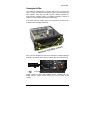
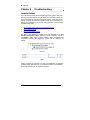
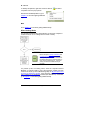
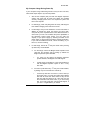
1
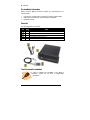
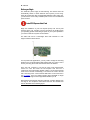
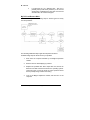
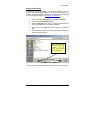
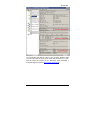
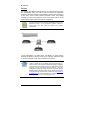
PCI Expansion System User's Manual 6 Slot PCI Express® to PCI-X Model: PE6R4-I Model: PE6RR-I Copyright © 2010 Mission Technology Group, Inc. - DBA Magma This publication is protected by Federal Copyright Law, with all rights reserved. No part of this publication may be copied, photocopied, reproduced, stored in a retrieval system, translated, transmitted or transcribed, in any form or by any means manual, electric, electronic, electro-magnetic, mechanical, optical or otherwise, in whole or in part without prior written consent from Magma. Limitation of Liability Information presented by Magma in this guide is believed to be accurate and reliable. However, Magma assumes no responsibility for its use. No license is granted by implication or otherwise to any rights of Magma. Product specifications and prices are subject to change without notice. Trademark References Trademarks and registered trademarks are proprietary to their respective manufacturers. M A G M A Table of Contents PREFACE ............................................................................................. III Advisories .............................................................................................. iii Safety Instructions..................................................................................iv When Working Inside a Computer .........................................................iv Protecting Against Electrostatic Discharge ............................................ v Rack-Mount Instructions ........................................................................vi CHAPTER 1 INTRODUCTION .......................................................... 1 General Specifications ........................................................................... 1 Pre-Installation Information .................................................................... 2 Parts List ................................................................................................ 2 Tools Required for Installation................................................................ 2 CHAPTER 2 HARDWARE INSTALLATION ..................................... 3 Before you Begin.................................................................................... 4 Install PCI Express Host Card ................................................................ 4 Attach Power and Expansion Cables ..................................................... 5 Recheck the Installation ......................................................................... 6 Applying Power Correctly ....................................................................... 7 Starting Up: ................................................................................................... 7 Shutting Down:.............................................................................................. 8 Rack Installations ................................................................................... 8 CHAPTER 3 VERIFY INSTALLATION .............................................. 9 Windows ................................................................................................ 9 Mac OS X ............................................................................................. 10 Expansion Slot Utility .................................................................................. 10 Apple System Profiler ........................................................................... 11 CHAPTER 4 INSTALL CARDS AND DRIVES ................................ 13 Remove PCI Expansion Chassis Cover ............................................... 13 Install 3rd Party PCI Cards or Hard Drives ............................................ 14 Installing Third Party PCI Cards.................................................................. 15 Installing Hard Drives .................................................................................. 16 System Should Be Up and Running ..................................................... 16 Finishing Touches ................................................................................ 17 CHAPTER 5 CHASSIS MAINTENANCE ........................................ 18 General Chassis Cleaning ................................................................... 18 “Hot-Swappable” Power Supply ........................................................... 20 Cleaning the Air Filter........................................................................... 21 CHAPTER 6 TROUBLESHOOTING ............................................... 22 Locate the Problem .............................................................................. 22 My Computer Can’t Find the PCI Expansion System ................................. 23 Table of Contents i M A G M A When Nothing Works .................................................................................. 24 My Computer Hangs During Power Up ............................................... 25 My PCI Card Doesn’t Work ......................................................................... 26 rd Support for 3P P Party PCI Cards .......................................................... 27 Windows Error Codes ......................................................................... 27 CHAPTER 7 HOW TO GET MORE HELP ....................................... 30 Frequently Asked Questions (FAQ) ...................................................... 30 Contacting Technical Support .............................................................. 30 Magma Debug Utility ................................................................................... 31 PCIScope Software Utility ........................................................................... 32 Returning Merchandise to MAGMA ...................................................... 34 APPENDIX A BUS HIERARCHY ..................................................... 35 Bus Hierarchy ....................................................................................... 35 APPENDIX B NEED MORE SLOTS? ............................................... 36 Multiple PCI Expansion System Configurations ................................... 36 Fan-Out ....................................................................................................... 38 Verify your configuration ..................................................................... 39 Daisy-Chaining ............................................................................................ 40 Verify your configuration ..................................................................... 40 Combination Configurations ........................................................................ 41 PCI Card Conflicts ................................................................................ 42 Power-On Sequence for Advanced Configurations .............................. 42 Troubleshooting Advanced Configurations ........................................... 42 Finding the Problem Card ................................................................... 44 APPENDIX C COMPLIANCE ............................................................ 1 FCC ........................................................................................................ 1 Industry Canada ..................................................................................... 1 CE .......................................................................................................... 1 Underwriters Laboratory (UL) ................................................................. 1 ii Table of Contents M A G M A Preface Advisories Five types of advisories are used throughout this manual to provide helpful information, or to alert you to the potential for hardware damage or personal injury. They are Note, Important, Caution, Warning, and Danger. The following is an example of each type of advisory. NOTE Used to amplify or explain a comment related to procedural steps or text. IMPORTANT Used to indicate an important piece of information or special “tip” to help you CAUTION Used to indicate and prevent the following procedure or step from causing damage to the equipment. WARNING Used to indicate and prevent the following step from causing injury. DANGER or STOP Used to indicate and prevent the following step from causing serious injury or significant data loss. Disclaimer: We have attempted to identify most situations that may pose a danger, warning, or caution condition in this manual. However, Magma. does not claim to have covered all situations that might require the use of a Caution, Warning, or Danger indicator. Preface iii M A G M A Safety Instructions Always use caution when servicing any electrical component. Before handling the Magma PCI-X Expansion chassis, read the following instructions and safety guidelines to prevent damage to the product and to ensure your own personal safety. Refer to the “Advisories” section for advisory conventions used in this manual, including the distinction between Danger, Warning, Caution, Important, and Note. ♦ Always use caution when handling/operating the computer. Only qualified, experienced, authorized electronics personnel should access the interior of the computer. The power supplies produce high voltages and energy hazards, which can cause bodily harm. ♦ Use extreme caution when installing or removing components. Refer to the installation instructions in this manual for precautions and procedures. If you have any questions, please contact Magma Technical Support. WARNING High voltages are present inside the expansion chassis when the unit’s power cord is plugged into an electrical outlet. Disconnect the power cord from its source before removing the system cover. Never modify or remove the radio frequency interference shielding from your workstation or expansion unit. To do so may cause your installation to produce emissions that could interfere with other electronic equipment in the area of your system. When Working Inside a Computer Before taking covers off a computer, perform the following steps: iv 1. Turn off the computer and any peripheral devices. 2. Disconnect the computer and peripherals from their power sources to prevent electric shock or system board damage. 3. Disconnect any telephone or telecommunications lines from the computer. Preface M A G M A In addition, take note of these safety guidelines when appropriate: ♦ To help avoid possible damage to systems boards, wait five seconds after turning off the computer before removing a component, removing a system board, or disconnecting a peripheral device from the computer. ♦ When you disconnect a cable, pull on its connector or on its strain-relief loop, not on the cable itself. Some cables have a connector with locking tabs. If you are disconnecting this type of cable, press in on the locking tabs before disconnecting the cable. As you pull connectors apart, keep them evenly aligned to avoid bending any connector pins. Also, before connecting a cable, make sure both connectors are correctly oriented and aligned. CAUTION Do not attempt to service the system yourself except as explained in this manual. Follow installation instructions closely. Protecting Against Electrostatic Discharge Electrostatic Discharge (ESD) Warning Electrostatic Discharge (ESD) is the enemy of semiconductor devices. You should always take precautions to eliminate any electrostatic charge from your body and clothing before touching any semiconductor device or card by using an electrostatic wrist strap and/or rubber mat. Static electricity can harm system boards. Perform service at an ESD workstation and follow proper ESD procedures to reduce the risk of damage to components. Magma strongly encourages you to follow proper ESD procedures, which can include wrist straps and smocks, when servicing equipment. You can also take the following steps to prevent damage from electrostatic discharge (ESD): ♦ When unpacking a static-sensitive component from its shipping carton, do not remove the component’s anti-static packaging material until you are ready to install the component in a computer. Just before unwrapping the anti-static packaging, be sure you are at an ESD workstation or are grounded. ♦ When transporting a sensitive component, first place it in an anti-static container or packaging. Preface v M A G M A ♦ Handle all sensitive components at an ESD workstation. If possible, use anti-static floor pads and workbench pads. ♦ Handle components and boards with care. Don’t touch the components or contacts on a board. Hold a board by its edges or by its metal mounting bracket. Rack-Mount Instructions Elevated Operating Ambient - If installed in a closed or multi-unit rack assembly, the operating ambient temperature of the rack environment may be greater than room ambient. Therefore, consideration should be given to installing the equipment compatible with the maximum ambient temperature (Tma) Specified by the manufacturer. Reduced Air Flow - Installation of the equipment in a rack should be such that the amount of air flow required for safe operation of the equipment is not compromised. Mechanical Loading - Mounting of the equipment in the rack should be such that a hazardous condition is not achieved due to uneven mechanical loading. Circuit Overloading - Consideration should be given to the connection of the equipment to the supply circuit and the effect that overloading of the circuits might have on overcurrent protection and supply writing. Appropriate consideration of equipment nameplate ratings should be used when addressing this concern. Reliable Earthing - Reliable earthing of rack-mounted equipment should be maintained. Particular attention should be given to supply connections other than direct connections to the branch circuit (e.g. use of power strips). vi Preface M A G M A Chapter 1 Introduction General Specifications The Magma 6 Slot PCI Express® to PCI-X Expansion System (Model PE6R4) is a general-purpose PCI bus expansion chassis. The expansion chassis is fully compliant with the PCI Local Bus Specification. Because PCI-X is backward compatible with PCI, both card types can be used with PE6R4-I. Therefore, to keep things simple, the terms PCI and PCI-X will be used interchangeably throughout this manual. PE6R4-I consists of a PCI Express host card, a 1–meter iPass™ cable, a rack-mount enclosure containing a 6 slot PCI-X backplane, a power supply, and cooling fans. Item Description Host Card: Backplane: Enclosure: Dimensions: Weight: Standard Cable Length: PCI Express Bus Specification PCI Local Bus Specification: PCI Bridge Architecture Spec: Interconnect Bandwidth: Cooling: Power Supply: MTBF: Operating Environment: Operating Systems: Warranty: Available Options: Low Profile PCI Express Host (x4 /x8-capable) 6 PCI-X slots (66MHz) 4U Black Rack-mount (All Steel) 19" W x 7" H x 17.7" D 24 lb or 11.804 kg 3-meter iPass cable Manufacturer: Molex PN: 74546-4083 UL 94 VW-1 Per File Number E72548 Vol 1. Revision 1.1 Revision 2.3 Revision 1.2 512 MB/sec (Theoretical Max. of PCI-X 64/66) One 85.2 CFM fan One fan in power supply Model PE6R4 includes 400W Model PE6RR includes 400W Redundant, hot swappable 53,000 hours 0º to 50º C Operating Temperature -20º to 60º C Storage Temperature 5% to 85% Relative Humidity, Non-condensing Windows XP/2000/Server 2003 Mac OS X version 10.4.x + Red Hat Linux 9 1 Year Return to Factory 1-meter cable (PN: SUBCBL1IF) Disk Drive Cage for up to seven 3.5” internal disk drives (PN: RDRIVECAGE) PCI card hold down kit (PN: RCHD7) Rack-mount slide kit (PN: RSLIDES-XX) Chapter 1 Introduction 1 M A G M A Pre-Installation Information Before using the Magma expansion chassis you should perform the following steps: • • • Inventory the shipping carton contents for all of the required parts Gather all of the necessary tools required for installation Read this manual Parts List The following parts are provided: Item Qty Item 1 6 slot rack-mount expansion chassis, PE6R4-I 1 1 1-meter shielded iPass™ cable with different end-connectors Half-height PCI Express host card 1 1 U.S. Standard 115V power cord Quick Start Guide Tools Required for Installation In order to complete the installation of the Magma expansion system you will need a Phillips-head screwdriver. 2 Chapter 1 Introduction M A G M A Chapter 2 Hardware Installation The following steps will guide you through the installation of your Magma expansion system. Electrostatic Discharge (ESD) Warning All PCI cards are susceptible to electrostatic discharge. When moving PCI cards, it is best to carry the cards in anti-static packaging. If you need to set a PCIe card down, be sure to place it inside or on top of an anti-static surface. For more information, see “Protecting Against Electrostatic Discharge” in the Preface. WARNING High voltages are present inside the expansion chassis when the unit’s power cord is plugged into an electrical outlet. Disconnect the power cord from its source before removing the enclosure cover. Turning the system power off at the power on/off switch does not remove power to components. High voltage is still present. CAUTION Before touching anything inside the enclosure, move to an ESD station and follow proper ESD procedures. Failure to do so may result in electrostatic discharge, damaging the computer or its components. For more information, see “Protecting Against Electrostatic Discharge” in the Preface. STOP If your Magma expansion chassis was not purchased directly from Magma, you must check to ensure that it doesn’t contain any preinstalled PCI cards. Check the rear side of the chassis to see if any PCI cards are visible in the slots. If you see a PCI card, you should continue installation using instructions provided by your dealer. If no separate instructions are available, remove the cover by using instructions in Chapter 4 Install Cards and Drives. Then remove the card(s) as normal. If no PCI card is visible, then continue with the cable installation. Chapter 2 Hardware Installation 3 M A G M A Before you Begin The 400W AC power supply is auto-switching. This means that it will automatically switch to match whatever source power you are using. Since all products ship with a US/Canadian Standard 125V power cord, you will need to use a locally available power cord for non-US Standard power sources. Install PCI Express Host Card Begin the installation of your PCI Express (PCIe) host card by first powering down your computer. Use the procedures for shutting down your operating system and shutting off power to your system provided in your owner’s manual or system documentation. The PCIe host card is a “half-height” PCIe card mounted to a “fullheight” bracket as shown below: For low profile case applications, you may need to change the mounting bracket to the low profile bracket that shipped with your system. This is done by removing the screws that hold the card to the bracket. Once the host computer is off and all power cords disconnected, remove its cover and insert the PCI Express host card into a vacant PCIe slot mechanically capable of fitting a x8 or larger card (the PCIe Host is x8 wide mechanically). Then secure the card to the slot with a mounting screw. Ensure that the DIP switch on the card is set in the x4 position, since the chassis supports PCIe bandwidth no larger than x4, even though the host supports bandwidths up to x8 Notice that the PCI Express slots are located at a greater distance from the edge of the computer’s mother-board than are the standard PCI slots as illustrated in the following figure. 4 Chapter 2 Hardware Installation M A G M A STOP YOU MUST ONLY INSTALL THE PCIe HOST CARD INTO A PCI EXPRESS SLOT. Only use cards WITH brackets. This will ensure that your PCIe host card can only be inserted into a PCIe slot. Although PCI Express cards without brackets may fit into conventional PCI slots, you run the risk of damaging the PCI Express host card if you insert it into a PCI slot. Please ensure that your host computer has PCI Express slots and install the host card only into a PCI Express slot. For more information on using PCIe cards, please refer to your computer’s user manual or system documentation. Attach Power and Expansion Cables The included iPass cable features non-interchangeable end connectors; end B being wider than end A, as can be seen below: Chapter 2 Hardware Installation 5 M A G M A Carefully position the expansion chassis so that the supplied expansion cable will conveniently reach from the host computer to the connectors on the back of the chassis. Connect end A of the cable to the chassis and end B to the host card as follows: Connect End A to the chassis along with the power cord. Connect End B to the host card. CAUTION All cables attached to the expansion chassis must be securely fastened. When you hear a “click,” it is properly secured. If not securely connected, the connectors may cause intermittent or lost connections. NOTE If at all possible, plug all power cords from the expansion chassis and your host computer into a shared power strip, preferably one that has surge and noise suppression circuitry built into it. Recheck the Installation Check your installation before powering up the Magma expansion chassis for the first time. Although the power supply has an over voltage protection device built into it, it may not "trip" in time to fully protect a device that has been improperly connected, or whose power cable has been damaged. 6 Chapter 2 Hardware Installation M A G M A CAUTION This product is provided with a power supply that automatically adjusts to input voltages between 100 to 240 Vac. A U.S. and Canadian 125 V power supply cord is provided with this product. If using this product outside of the U.S. or Canada, please use locally available power supply cords Applying Power Correctly Starting Up: You must apply power to the Magma expansion chassis BEFORE you power up your computer. This will allow the higher numbered PCI buses in the PCI bus hierarchy to be at a stable state when the host system issues its master power-on bus reset. This will also allow the configuration code to recognize the PCI bus hierarchy and any attached devices. U U There is an On/Off switch on the front panel, as well as an LED indicator to indicate power status. Verify that the green power indicator is ON after pressing the button. Windows Start Up As your Windows computer starts up, you will see a small message box pop-up in the lower-right corner of the screen to alert you that Windows has found new hardware. Now you are all set. The system does not require any Magma drivers in order to operate, unless you require Hot-Plug/Hot-Swap support (see Chapter 4 for more details). You may now proceed to Chapter 3 Verify Installation. MAC Start Up Apple MAC OS computers will boot up without any visible indicators that the Expansion System is connected. Go to Chapter 3 Verify Installation. Chapter 2 Hardware Installation 7 M A G M A Shutting Down: STOP DO NOT TURN OFF THE MAGMA EXPANSION CHASSIS UNTIL YOU HAVE SHUT DOWN YOUR COMPUTER COMPLETELY! It can cause a system lockup and loss of any unsaved data. When shutting your system down, it is recommended that you first shut down the computer correctly, and then power down the Magma expansion chassis to avoid ‘computer lock-up’ and potential data loss. Rack Installations Installing the Magma chassis into an equipment rack has never been easier. Simply attach one of Magma's optional Rack-mount slide kits (PN: RSLIDES-XX) to allow you to mount the chassis in a computer rack and then simply slide the chassis in and out whenever you need to do work on, or in, it. These sets come in various lengths to accommodate various racks. Contact Magma for more information, or to order a set. When ordering, replace the “XX” in the part number with your required kit size (18, 24, 26, or 28 inches). 8 Chapter 2 Hardware Installation M A G M A CHAPTER 3 Verify Installation Windows To verify a successful installation on Windows, find the ‘My Computer’ icon and “right-click” on it. Then select ‘Manage’ from the pop-up menu. Next, click on ‘Device Manager’ in the leftmost Computer Management window. Finally, click on the View Menu and select View Devices by Connection. Open ACPI (BIOS) Æ Open PCI BusÆ Click the ‘+’ sign several times until your reach a PCI Express Root Port with a PCI Standard PCI-toPCI Bridge beneath it. When installed correctly, you will see two “PCI to PCI Bridges” below your system’s PCIe Controller. Any 3rd Party PCI cards installed in the chassis will appear below one of the PCI-to-PCI bridges. Chapter 3 Verify Installation 9 M A G M A If everything is OK, then the Magma expansion system installation is rd complete. You can now proceed to Chapter 4 and install your 3 Party PCI Cards and/or auxiliary hard drives. P P If, however, the installation was unsuccessful, you may not see the PCI to PCI Bridge, or it will have a small yellow in front of it. Proceed to Chapter 6 for Troubleshooting installation problems. Mac OS X When using Mac OS X no additional software or drivers are needed. The operating system should automatically recognize the Magma host card and expansion chassis. Expansion Slot Utility The following screen maybe displayed the first time you turn on your computer with the Magma PE6R4 installed. Choose OK. MacOS X is prompting you to choose a PCI Express profile that maximizes the performance of your attached devices. The Magma host card can communicate up to a bandwidth of x4 to and from the expansion chassis and devices. You should choose a profile that matches the configuration of all the cards installed in your Mac. Magma recommends that you install the system host card into a x4 slot in order to maximize throughput. 10 Chapter 3 Verify Installation M A G M A In this example, the Magma host card is installed in slot 4 and appears as “Intel PCI-to-PCI Bridge Card”. If your computer did not automatically prompt you to choose a PCI Express profile, you can locate this utility under System Æ Library Æ CoreServices Æ Expansion Slot Utility.app. Apple System Profiler When using Mac OS X no additional software or drivers are needed. As long as you are using Mac OS X Version 10.4 or newer, the operating system should automatically recognize the Magma expansion chassis. Select “About This Mac” under the Apple Icon Chapter 3 Verify Installation 11 M A G M A Then click the “More Info” button Æ click on the Devices tabÆ you should see a pci-bridge device listed under PCI as shown below: Any PCI Cards you install in the expansion chassis will appear behind the pci-bridge device. Mac OS 10.4.x If any of these devices are not displayed as shown above, you should shut down your system (computer first, then the expansion chassis) and reconnect the cables and the PCIe expansion host card to ensure that you have a solid connection. Then restart the Magma expansion chassis followed by the computer. Next, try to verify the installation again, as shown above. If you are still having problems, contact Magma Technical Support at (858) 530-2511. 12 Chapter 3 Verify Installation M A G M A Chapter 4 Install Cards and Drives This chapter provides information on how to install 3rd Party PCI cards or hard drives into your Magma expansion chassis. More details on the installation of individual cards are provided by the card’s manufacturer. This chapter is provided as a simple guide to help you install your PCI cards, or hard drives, in the chassis. P P For the purpose of installation, the Magma expansion chassis functions exactly as a standard desktop computer chassis. Always follow the manufacturer’s instructions for installing their card or hard drive on a desktop computer. IMPORTANT rd We will provide reasonable technical support with 3 Party PCI cards or hard drives. However, if you have verified a successful installation of the Magma expansion system (as defined in Chapter rd 3), but experience difficulty installing your 3 Party PCI cards or hard drive, the card or drive manufacturer should be able to provide the best support. P P P P Remove PCI Expansion Chassis Cover Four (4) screws retain the cover on the expansion chassis. Remove all of these screws to open the enclosure. Chapter 4 Install Cards and Drives 13 M A G M A Slide the enclosure cover backward to disengage it from the guides at the front of the enclosure by firmly grasping the edges of the cover lip and pulling the cover backward about 1” until it clears the front hold-down, and then lift the cover off. Be careful to store the cover to avoid damage while you are working inside the chassis. CAUTION When replacing the enclosure cover, be sure that the front edge of the cover slides completely under the front lip of the enclosure. Install 3rd Party PCI Cards or Hard Drives CAUTION When installing PCI cards or hard drives, please ensure that the input current rating specified on the AC input label is not exceeded. Six (6) PCI-X slots One (1) non-operational slot – DO NOT USE Daughter card with iPass connector interface on top of main backplane Fan assembly with slot holders for full-length cards 400W, 100-240V/6.3A, 50-60HZ Power Supply 14 Chapter 4 Install Cards and Drives M A G M A Drive bay – used to mount up to seven (7) 3.5” internal hard drives using 1 or 2 optional Disk Drive Cages (PN: RDRIVECAGE) 5V load resistor – to be removed if optional hard drives are installed Installing Third Party PCI Cards Slot ordering in the PE6R4-I chassis should begin with the slot farthest away from the power supply – labeled SLOT 4. Generally, when installing 3rd Party PCI cards in the Magma expansion chassis, it should make no difference which PCI slot you place your cards in, unless specified by the card manufacturer. P P Install PCI cards following PCI card manufacturer’s recommendations. Some PCI card manufacturers recommend that you install their software driver(s) prior to installing the hardware. If this is the case, you should install their driver before you connect and power up the expansion chassis. Make sure that all PCI cards are fully seated in their connectors. When correctly seated in its connector, you will notice a firm resistance when you pull up gently on the card. To keep the cards in place, secure them in the enclosure with their retaining screws (supplied with the Magma expansion chassis). IMPORTANT The sheer number of PCI cards and device drivers available makes it impossible for Magma to fully test and certify all available PCI cards for use in the Magma expansion chassis. Our best advice to you in this regard is to insist on full PCI Specification compliance from your card and system vendors. Cards and systems should be at least PCI Specification Revision 2.0 compliant or better. Compliance in your system motherboard, PCI cards, and console firmware (or BIOS) is your best assurance that everything will install and operate smoothly. Not all PCI cards are as "well-behaved" as they should be. Sometimes simply moving a PCI card that is having a problem to a different slot, or reordering your cards in their slots, will alleviate "behavior" problems. Chapter 4 Install Cards and Drives 15 M A G M A Installing Hard Drives Installing up to eight (8) hard drives into your chassis is simple using one or two optional Drive Cages (PN: RDRIVECAGE), available from MAGMA. Each cage can hold up to four (4) 3.5” hard drives. The cages mount into the hard drive area in the chassis identified in the previous graphic. If you want to by a install a hard drive in your system, a PCI hard drive controller card must also be installed into one of the available PCI slots. You will also have to remove a 5V Load Resistor from the hard drive area before installing any hard drive cages. DANGER The Load Resistor is and must NOT BE TOUCHED unless the system has been shut off for at least 2530 minutes. Use caution when touching the Load Resistor. System Should Be Up and Running Apply power to the Magma expansion chassis first, then power up the computer. Use the procedures detailed in Chapter 3 to confirm the card installation(s) in the Windows Device Manager or Apple System Profiler. When everything is functioning correctly, your Windows Device Manager should look something like this: 16 Chapter 4 Install Cards and Drives M A G M A If you discover that any of your 3rd Party PCI cards contain s a (exclamation) you have a problem with that card. Refer to Chapter 6 Troubleshooting for further guidance. Finishing Touches After your system is working properly, replace any empty slots with slot covers, and replace the host computer and the expansion chassis covers. Last, if you previously installed the rack slides (PN RSLIDES-XX), simple insert the chassis rails into the rack rail, slide into the rack, and snap-lock into position. Chapter 4 Install Cards and Drives 17 M A G M A Chapter 5 Chassis Maintenance Like all computer systems, you will need to perform some routine maintenance tasks. Some of these include making sure that the air vents in the chassis are clear of obstructions and that the cooling air from the fans flows freely. You will also need to check the foam filter behind the front panel to ensure it is clean, thus allowing for unrestricted air flow to the fans. You should always keep an eye on all cables to make sure they are not damaged and are securely connected. Occasionally, you should remove the chassis cover and check for loose cards, and remove any dust build-up. Always to remember to power down your computer and then the expansion system BEFORE you attempt to perform any maintenance tasks. General Chassis Cleaning The environment where your Magma chassis is operating is a key element to how often you will need to perform a general cleaning of your Magma Expansion chassis. To perform a routine general cleaning of your chassis, you will need the following: 1. 2. 3. 4. 5. 6. Can of compressed air (proper distance, 6 inches) Cotton Swabs Isopropyl (alcohol) Anti static wipes Warm water (for filter) Dish soap (for filter) Do not use a vacuum because vacuums create ESD. First, remove the four cover screws with your Phillips screwdriver and open the cover. 18 Chapter 5 Chassis Maintenance M A G M A Next, use a can of compressed air from your local computer store to blow out any dust that may have accumulated in the chassis fans. Be sure to keep the can of compressed air about six inches from the parts being sprayed with air. Pay particular attention to the fans in the and power supply because they are critical to air chassis movement to keeping your chassis cool. Also spray the PCI-X slots , and . If you have the backplane , and the chassis bay areas mounted hard drive cages in one or both of these areas, be sure to check for dust that can collect in the space between the drives. Next, you can use anti static wipes to wipe down any open areas inside and outside of the chassis to remove any remaining dust or dirt. If you have dust or dirt remaining in any “hard to reach area”, such as corners of a fan blade, you can use the cotton swabs, dipped in the isopropyl (alcohol), to gently rub the area clean. Lastly, if the chassis was extremely dirty, you can remove any installed 3rd Party cards and wipe the PCI-X slots with a soft bristle brush (like a toothbrush), dipped in the isopropyl (alcohol), to gently clean each slot. When finished, blow the slots with compressed air from about six inches away until dry. If your chassis is extremely dirty and you would like professional help with getting it clean, you can contact Magma Support for instructions and costs on shipping the chassis back for cleaning. Finally, clean the air filter following the instructions later in this chapter. When finished, replace the cover and turn on power to the system. Chapter 5 Chassis Maintenance 19 M A G M A “Hot-Swappable” Power Supply In spite of regular performance of routine maintenance tasks, some computer systems can experience hardware failures. Fortunately, your investment in a PE6RR-I provides you with the ability to easily replace the power supply in the event of power supply failure. The redundant power supply includes two hot-swappable modules that share the power load requirements during normal operations. Should one module fail for any reason, the power load will be shifted to the other module and sound an audible alarm. If a power supply fails, an alarm will sound to alert you of the problem. Press the square red button adjacent to the power supply to stop the audible alert. To replace a failed power supply, simply grab the handle, press down on the release lever at the top of the module, and pull. Replace the failed module with a new one and turn on the power to the module using the power switch at the bottom of the module. The power load will again be shared between these two modules. In order to ensure the safety and efficiency of your expansion system, it is recommended that you keep a spare power supply module on hand – just in case. Protect yourself, keep a spare. Order your spare power supply module from Magma – PN 40-00005-03. 20 Chapter 5 Chassis Maintenance M A G M A Cleaning the Air Filter The chassis is equipped with an air filter that is easy to remove and clean. To keep your chassis running at its coolest, you should clean this filter regularly. How often the filter requires cleaning depends on environmental conditions where your Magma Expansion chassis is located. To clean this filter, follow these simple steps. First, power down the chassis and then remove the four screws on the front panel with a Phillips screwdriver. Next, open the faceplate and remove the foam filter, located behind the faceplate, and clean it with a solution of warm water and mild dish soap. Finally, replace the filter and faceplate. Secure faceplate with four Phillips screws. Tighten screws until snug. Turn on power to the chassis. Chapter 5 Chassis Maintenance 21 M A G M A Chapter 6 Troubleshooting Locate the Problem If you are having trouble with the Magma expansion system, verify that all cards are seated properly and all cables are connected properly. Be sure you followed the instructions in earlier sections of this User Guide. Always remember to power On and Off correctly when rechecking and testing your installation. If you are still having problems, try these simple troubleshooting steps. My Computer Can’t Find the PCI Expansion System When Nothing Works My PCI Card Doesn’t Work The PCIe to PCI Expansion System is correctly displayed as a “PCI standard PCI-to-PCI bridge” (Windows Device Manager) and as a “pci-bridge” (MAC Apple System Profiler). When connected and functioning correctly, this Expansion System will be displayed as follows: Windows MAC If this is not what you see when you verify your installation, the following troubleshooting steps may help you locate and resolve your installation issues without having to call Technical Support. 22 Chapter 6 Troubleshooting M A G M A My Computer Can’t Find the PCI Expansion System If the expansion system is not visible in your Windows Device Manager or your Apple System Profiler at all, you will need to turn off your computer (first) and then the Magma expansion chassis (second) and test all cords and cables to ensure you have everything connected correctly. If everything seems to be connected correctly, and you are sure you have applied power correctly (power up expansion chassis first and then the computer), then try these additional troubleshooting steps: Double-check that the PCIe host card is seated correctly in the right PCIe slot. Verify the default DIP switch settings on the Host Card: The DIP switch must be set to the x4 position as shown in the above photo for the chassis to work correctly, since the PE6R6-I system supports only PCIe bandwidths up to x4. Try moving the PCIe host card to a different PCIe slot. If the expansion system is still not visible after trying all of the above steps, go to Chapter 7 to see about getting additional help. Windows If the PCI to PCI Bridge is now visible, but contains a in front of it, it has a problem that must be fixed. Chapter 6 (exclamation) Troubleshooting 23 M A G M A To identify this problem, right-click on the line with the “Properties” from the pop-up menu. and select Resolve the identified problem or go to Chapter 7 to see about getting additional help. MAC Go to Chapter 7 to see about getting additional help. When Nothing Works The following troubleshooting steps will help you when the computer or chassis won’t turn on or “nothing seems to work” correctly: NOTE Review Chapters 3 (Verify Installation) and 4 (Install Cards and Drives) as necessary to verify that you have a valid installation of the Magma expansion system and that you rd have correctly installed your 3 Party PCI card(s) and their associated drivers (as required). P P If it powers up OK, but nothing works, check the computer’s Device Manager or System Profiler to see if the expansion system has been found. If not found, try the troubleshooting steps for My Computer Can’t Find the PCI Expansion System. If the expansion system is visible, but has a problem, try to resolve the problem (See Note above). If that fails, go to Chapter 7 to see about getting additional help. 24 Chapter 6 Troubleshooting M A G M A My Computer Hangs During Power Up If your computer “hangs” while being turned on and you can’t even start, follow these simple steps to try to fix this problem: 1. Shut off the computer (first) and then the Magma expansion system and verify that all cards and cables are installed correctly. Reapply power first to the expansion system and then to the computer. 2. If it still hangs, power everything back off and try switching the PCIe cables. Reapply power and see if it works. 3. If it still hangs, and you have added one or more hard drives in addition to several PCI cards, get ready to do some math. Compute the power requirements for each attached device to ensure that you have not exceeded the power capabilities of the expansion system power supply. You can verify the capacity of your power supply by checking the label on the power supply. It will provide all necessary capacity information. If you have exceeded these limits, remove something. If you have not, continue checking. 4. rd If it still hangs, remove all 3 Party PCI cards and try booting up without any cards installed. P a. P If it still hangs, remove the Magma PCIe expansion host card from the computer and try booting up without the Magma expansion system attached. i. If it boots up OK without the Magma expansion system attached, call Magma Technical Support. ii. If it still hangs, the problem is in the computer and not with the Magma expansion system or the 3rd Party PCI cards. rd If it boots up OK without any 3 Party PCI cards installed, try adding only one card and see if it boots up. b. i. If it boots up OK with one card in it, shut it down (in the proper order, of course) and swap cards. Repeat this until all cards have been tested. If they all test OK, then add them back one at a time until you find the combination that doesn’t work, or you are running fine. If you find a bad card, call Technical Support. If you don’t – congratulations, you fixed it! Chapter 6 Troubleshooting 25 M A G M A ii. If it still hangs up, try a different card – this one is probably bad (or has driver problems). If the second cards works, troubleshoot the first card. If the second card also fails, call Technical Support. My PCI Card Doesn’t Work Follow these simple troubleshooting steps to resolve typical 3rd Party PCI card problems: The following additional steps might also help when the above troubleshooting steps for fail to resolve your problem: 26 1. Shut down the computer followed by the Magma expansion chassis 2. Remove the PCI card displaying a problem 3. Replace the “problem card” with a simple PCI card, such as an Ethernet card that has drivers built into the operating system. (Using this “type of card” will avoid any future questions about drivers possibly being installed incorrectly.) 4. Turn on the Magma expansion chassis, and then turn on the computer. Chapter 6 Troubleshooting M A G M A Windows 5. Next, open the Device Manager (View by Connection selection). If the is gone, the problem is with the 3rd Party PCI card or the card drivers. You should go to the Windows Error Codes section of this chapter to learn how to troubleshoot using error codes. P P is still visible, the problem may be with the Magma If the expansion system. Please contact Magma Technical Support for further guidance and/or a replacement product. If an error shows on any of the PCIe to PCI Bridge Connections, call Magma Technical Support immediately. MAC U 5. Next, open the Apple System Profiler and if the PCIe to PCI Bridge Connections and the 3rd Party PCI card(s) are now correctly visible. P P Support for 3rd Party PCI Cards P P Magma will provide reasonable technical support to with 3rd Party PCI cards. However, if you have verified a successful installation of the Magma PCI Expansion System (as defined in Chapter 4), but rd experience difficulty installing your 3 Party PCI cards, the PCI card manufacturer may be able to provide the best support. P P P P IMPORTANT The Magma PCI Expansion System is designed to function exactly like your desktop computer. This means that you should follow the PCI card maker’s instructions for installation on a Windows or Mac computer as if the expansion chassis WAS the desktop computer. When correctly installed, there is no difference to the operating system, removable cards, or most software. Windows Error Codes If you are having a problem with one of your devices, and the Device status box shows a Windows Error Code, refer to the following list of error codes for guidance: Chapter 6 Troubleshooting 27 M A G M A Error Code Description/Action rd This code indicates that there is a problem with the 3 Party PCI Card driver. 10 If necessary, contact the PCI Card’s manufacturer for updated PNP compatible drivers. If all else fails, contact Magma Technical Support for further assistance. On the Bridge: If you receive error code 12 on the first PCI to PCI Bridge, call Magma Technical Support. 12 28 On the PCI Card: This usually means the memory, I/O, or prefetch is more than has been allocated. Call Magma Technical Support. Chapter 6 Troubleshooting M A G M A Error Code 28 (PCI Card) 1 Description/Action The driver for the PCI Card is not installed on your system. Reinstall the PCI Card driver following the manufacturer’s instructions. If that fails to fix the problem, call the card manufacturer for new drivers. The PCI host card or expansion chassis are not working correctly. Reinstall the PCI host card into the computer’s PCI slot and recheck all cable connections. If the error code remains, try another PCI slot. If you still have the error, call Magma Technical Support. For all other error codes, call: On the PCI to PCI Bridge: Magma Technical Support Other Codes On the PCI Card: Card Manufacturer’s Technical Support, after first verifying that the Magma expansion system is installed properly. If you are still having problems, contact Magma Technical Support for more help. Chapter 6 Troubleshooting 29 M A G M A Chapter 7 How to Get More Help Frequently Asked Questions (FAQ) You can visit the Magma Technical Support FAQ pages on the Internet at: www.magma.com/support/ HT TH Contacting Technical Support Our support department can be reached by fax at (858) 530-2733 or by phone at (858) 530-2511. Support is available Monday through Friday, 8:00 AM to 5:00 PM PT. When contacting Magma Technical Support, please be sure to include the following information: 1) Name 7) Serial Number 2) Company Name 8) Computer Make 3) Phone Number 9) Computer Model 4) Fax Number 10) Operating System and Version 5) Email Address 11) Make/Model of PCI cards in expansion chassis 6) Model Number 12) Detailed description of the problem You can also visit our web site at: HT www.magma.com/support/ TH For a quick response, use the Technical Support and RMA Request Form available in the Support Section of the website. Simply complete the form with all required information. Please make sure that your problem description is sufficiently detailed to help us understand your problem. For example: Don’t say “Won’t boot up.” Do say “Tried all the steps in the Troubleshooting Section and it still won’t boot up.” For faster diagnosis of your problem, please run the two utility programs described in the following sections and include the diagnostic files they generate with your email. 30 Chapter 7 How to Get More Help M A G M A Magma Debug Utility Occasionally, Technical Support may request Windows users to produce and email a Magma debug log file to help them resolve your problem. This file should be included as an attachment when submitting a Technical Support request at www.magma.com/support. H 1. 2. 3. 4. 5. TU UT H Locate a file called dbgview.exe on the Magma CDROM. Double-click on the file dbgview.exe While the dbgview screen is open, locate and double-click on a file called dump.exe on the Magma CDROM. Switch back to the dbgview screen, which is now filled with data. Save the file and include it as an attachment when submitting a Technical Support request. Include your Name and the Date the log was created in the file name. Then email it to Technical Support. Use the “Save as type” drop-down arrow to select a file type of (*.LOG). Chapter 7 How to Get More Help 31 M A G M A PCIScope Software Utility PCIScope is a powerful tool for Windows users. It was designed by a Germany company called APSoft. This software utility is a valuable resource to explore, examine and debug the PCI subsystem of your computer. It was made to fit the requirements of the most demanding users, especially engineers, programmers, and system administrators, and to integrate all advanced functions and tools into one product. Please visit www.tssc.de for more information about the capabilities of PCIScope and other utilities offered by APSoft. HT TH An evaluation version of PCIScope is available for download at www.tssc.de. (You can purchase an inexpensive license from APSoft for use beyond the evaluation period.) HT TH PCIScope has proven to be extremely useful when verifying and debugging configurations involving the Magma PCI Expansion Systems under any Windows platform. PCIScope can provide information to you and our Technical Support Group such as PCI Bus Numbering, Resource Allocation, and other information that may prove useful when debugging expansion chassis or PCI card problems. If you are experiencing problems setting up your system, you should run PCIScope before contacting the Magma Technical Support Group. With the Magma expansion chassis powered up and connected to your computer, load and launch the PCIScope application. The PCIScope Program will be installed on your computer and a window similar to the one shown below will appear. (The example was taken from a Compaq Armada 7400) 32 Chapter 7 How to Get More Help M A G M A You should save this data as a file on your computer. Please include your name and date as part of the file name with an extension of “.bpd.” This file should be included as an attachment when submitting a Technical Support request at www.magma.com/support. H TU Chapter 7 UT H How to Get More Help 33 M A G M A Returning Merchandise to MAGMA If factory service is required, a Service Representative will give you a Return Merchandise Authorization (RMA) number. Put this number and your return address on the shipping label when you return the item(s) for service. Magma will return any product that is not accompanied by an RMA number. Please note that Magma WILL NOT accept COD packages, so be sure to return the product freight and duties-paid. Ship the well-packaged product to the address below: MAGMA RETURNS DEPT. RMA # ________ 9918 Via Pasar San Diego, CA 92126 USA It is not required, though highly recommended, that you keep the packaging from the original shipment of your Magma product. However, if you return a product to Magma for warranty repair/ replacement or take advantage of the 30-day money back guarantee, you will need to package the product in a manner similar to the manner in which it was received from our plant. Magma cannot be responsible for any physical damage to the product or component pieces of the product (such as the host or expansion interfaces for PCI expansion chassis) that are damaged due to inadequate packing. Physical damage sustained in such a situation will be repaired at the owner’s expense in accordance with Out of Warranty Procedures. Please, protect your investment, a bit more padding in a good box will go a long way to insuring the device is returned to use in the same condition you shipped it in. Please call for an RMA number first. 34 Chapter 7 How to Get More Help M A G M A Appendix A Bus Hierarchy Bus Hierarchy The following figure is representative of the Magma PE6R4-I. This figure pictorially conveys the overall PCI bus topology of the system. 6 Slot PCIe to PCI Topology In general, we do not know what the actual Bus numbers are. We only know how they increment starting from the PCI expansion host card. NOTE All PCI cards installed in the PCI-X Expansion chassis will appear on a PCI standard PCI-to-PCI bridge behind the PCIe Root Port that the PCIe host card is installed on. If you need to know the actual Bus number, right-click on the Bus and select Properties. Appendix A Bus Hierarchy 35 M A G M A Appendix B Need More Slots? Multiple PCI Expansion System Configurations The PCI Local Bus Specification defines the PCI bus as a hierarchical bus, where PCI to PCI Bridges (PPBs) may be used to add "levels" to the PCI bus hierarchy. Because hierarchies are organized systems arranged into different levels, you can take advantage of this automatic organizing and layering to expand the number of available PCI slots beyond the number available in your computer’s motherboard. You can easily add two or more Magma expansion systems to your current system in either a "fan-out" or "daisy-chain" configuration. Each of these configurations has advantages and uses. To determine which type of configuration you wish to use, you should first understand a few basic facts: 1. In a desktop computer, the bios enumerates automatically behind PCI bridges. In the Magma configuration, the bios finds the Magma host card in a PCI Express slot. The bios configures it, and then looks beyond it to find any PCI cards installed in the expansion chassis. The bios then configures the cards and allocates resources. Empty PCI slots are ignored during configuration. In theory, your computer “should” be able to travel across up to 255 PCI buses to identify and configure all installed PCI cards. Unfortunately, not all computers are created equal. The 255 PCI bus limit is actually a theoretical maximum. The practical limit is somewhat lower, but should still be a fairly large number. In a desktop computer the bus numbers tend to be lower (0, 1, 2, etc.). Once the bios is finished configuring everything and assigning resources, the Operating System starts loading and activates the PCI cards found. When adding more Expansion Systems to an existing system, be sure to connect and test them “one-at-a-time.” This will allow you to quickly resolve any connectivity, or other, issues right at rd the start. DO NOT INSTALL any 3 Party PCI cards into any system until ALL attached systems are working correctly. 36 Appendix B Need More Slots? M A G M A 2. Most computers allow multiple bridges (and thus PCI buses) to be correctly configured. Some computers, unfortunately, place an arbitrary limit on the number of bridge levels that can be traveled during power-on configuration. Your computer “poweron-software” should be PCI Specification 2.1 compliant in order to effectively use a Magma PCI Expansion System. For "fanout" and "daisy chained" system configurations, where more than one PCI expansion system is being used, you should count all of the bridge levels to your most deeply nested PCI bus to determine the maximum number of bridge levels that must be traveled. 3. For easier understanding, the PCI Local Bus should be viewed as a “Resource Toll road” that runs from the computer CPU (resource home), through the “Toll Booths” (the PCI bridges), to the “Resource Users” (PCI Cards). As in the case of a real Toll Road, the more Toll Booths you have to slow down a “nanosecond” for, the longer it will take you (your data) to get from the PCI Card to the CPU and back again. Under most circumstances the effect cannot even be detected. However, under other conditions, it can be important to know about. Appendix B Need More Slots? 37 M A G M A Fan-Out For reasons described in bullet #3 above, we recommend using a fanout configuration when you need to add successive PCI expansion systems to the host computer. This addition to the PCI bus hierarchy is at the "peer" level of other existing expansion buses, thus adding "breadth" to the PCI bus hierarchy, since these buses will be at the same hierarchical level within the system configuration. You must ensure that you have the corresponding PCIe to PCI Expansion System, or PCI Expansion System, chassis to connect with your host card and support your desired configuration. In this configuration, you have fewer “Toll Booths” to pass through; therefore the latency is shorter, however you “sacrifice” more PCIe slots on the host computer, which may not always be an option. For clarification, it is necessary to understand that the amount rd of latency caused by any PCI Bridge (even those built into a 3 Party PCI card or the computer motherboard itself) is negligible (“nanoseconds”) and will not produce any visible effect on most systems. It is only mentioned here because on a few rare configurations which use some unique PCI cards with special software drivers, the total number of PCI buses that the data must pass through COULD make a difference. See Chapter 6 Troubleshooting for more information if you suspect this could be an issue with one of your specialty PCI cards. 38 Appendix B Need More Slots? M A G M A Verify your configuration Before you start installing your PCI cards (refer to Chapter 4 Install Cards and Drives for more information), you should confirm that everything is in proper working order. Refer to Chapter 3 Verify Installation for guidance in verifying the proper installation of your Expansion System. The following image shows the Windows Device Manager display when a Windows PC has 2 Expansion Systems connected in a “Fan-Out” configuration. Windows Device Manager with 2 PCIe to PCI Expansion Systems Installed in a “Fan-Out Configuration. The following image shows the Apple Profiler display when a MAC has 2 Expansion Systems connected in a “Fan-Out” configuration MAC System Profiler with 2 PCIe to PCI Expansion Systems Installed in a “Fan-Out Configuration. Appendix B Need More Slots? 39 M A G M A Daisy-Chaining Recognizing the typical insignificance of the performance variance between the “Fan-Out” and “Daisy-Chaining” configurations, the primary reason for using this one would be limitations on physical space. This could be the number of available slots on the computer motherboard, or a lack of desk or rack space. In the daisy-chain configuration, successive PCI expansion systems are added to the "end" of the PCI bus hierarchy, which adds "depth" to the PCI Local Bus by increasing the number of PCI Local Bus levels active in the system configuration. Verify your configuration Before you start installing your PCI cards (refer to Chapter 4 Install Cards and Drives for more information), you should confirm that everything is in proper working order. Refer to Chapter 3 Verify Installation for guidance in verifying the proper installation of your Expansion System. NOTE Notice that each Daisy-Chained unit appears in the Device Manager in the reverse order of its place in the configuration. 40 Appendix B Need More Slots? M A G M A Combination Configurations Depending on your business requirements, and your physical space limitations, you can add additional Expansion System in multiple configurations, such as these. These combinations are only limited by the available slot types: PCIe or PCI. F a n -O u t D a is y -C h a in C o m b in a tio n C o n fig u ra tio n W o rk sta tio n D a is y -C h a in F a n -O u t C o m b in a tio n C o n fig u ra tio n W o rk sta tio n Obviously, you will need to keep an eye on your system performance and make any adjustments that may be required, either to PCI card location or to Expansion System configuration, to obtain maximum performance. Appendix B Need More Slots? 41 M A G M A PCI Card Conflicts If you determine that one PCI card is interfering with the operation of another card, first try reorganizing the cards on the motherboard. Moving the cards around can change the order in which the cards are configured by the system during power-on. This will go a long way toward resolving module conflicts. Power-On Sequence for Advanced Configurations As previously stated in Chapter 2 Hardware Installation, it remains necessary to power up ALL Expansions Systems BEFORE you turn on the computer. This will ensure that your power-on software can read all available PCI buses and properly configure all installed PCI cards. Obviously, the reverse also remains true for shutting your system down. The computer must be shut off BEFORE you attempt to turn off your Expansion System(s). Troubleshooting Advanced Configurations When trying to troubleshoot problems with PCI cards in a multiple expansion system configuration, it is vital to correctly determine the nature of the problem. Therefore, the first task is to identify the card or chassis having a problem by using the Windows Device Manager, or Apple System Profiler. Refer to the first part of this Appendix for more information on identifying hierarchical levels in multiple expansion system configurations. Remember, Fan-Out configurations can consist of both PCIe to PCI Expansion Systems and PCI to PCI Expansion Systems. Whereas, Daisy-Chain configurations will consist of a PCIe to PCI Expansion System, followed by one or more PCI to PCI Expansion Systems. Only after you have all expansion systems working without any 3rd Party PCI cards should you attempt to install any 3rd Party PCI cards. 42 Appendix B Need More Slots? M A G M A rd Problems with 3 Party cards might only be trackable once you have identified the expansion system containing the problem card. Remember, it may be necessary to identify the PCIe/PCI Slot that the Host Interface Card is in before you can properly identify the correct expansion chassis and ultimately the card. Obviously, this is only an issue if you have multiples of the same type of card installed. Appendix B Need More Slots? 43 M A G M A Finding the Problem Card Windows If you need help to determine which PCI card, or which expansion chassis, has the problem, you can “right-click” on the card with the and check the information contained in the “Location:” field. Look for the “Error Code” in the box in the center of the Properties Window and then go to the Windows Error Code section for information on how to resolve this issue. MAC If you have already reinstalled and reseated everything according to instructions in Chapter 2, and the PCI to PCI Bridge is still not visible in the Apple System Profiler, call Magma Technical Support. 44 Appendix B Need More Slots? M A G M A APPENDIX C Compliance FCC NOTE: This equipment has been tested and found to comply with the limits for a Class A digital device, pursuant to part 15 of the FCC Rules. These limits are designed to provide reasonable protection against harmful interference when the equipment is operated in a commercial environment. This equipment generates, uses, and can radiate radio frequency energy and, if not installed and used in accordance with the instruction manual, may cause harmful interference to radio communications. Operation of this equipment in a residential area is likely to cause harmful interference in which case the user will be required to correct the interference at his own expense. This device complies with Part 15 of the FCC Rules. Operation is subject to the following two conditions: (1) this device may not cause harmful interference, and (2) this device must accept any interference received including interference that may cause undesired operation. Changes or modifications not expressly approved by the party responsible for compliance could void the user’s authority to operate the equipment. NOTE The assembler of a personal computer system may be required to test the system and/or make necessary modifications if a system is found to cause harmful interferences or to be noncompliant with the appropriate standards for its intended use. Industry Canada This Class A digital apparatus complies with Canadian ICES-003. Cet appareil numériqué de la classe A est conformé à la norme NMB-003 du Canada CE The product(s) described in this manual complies with all applicable European Union (CE) directives. Magma will not retest or recertify systems or components that have been reconfigured by customers. Underwriters Laboratory (UL) Magma PE6R4 is UL Listed under file number E211209. Magma 9918 Via Pasar, San Diego, CA 92126, USA Phone (858) 530-2511 • Fax (858) 530-2733 www.magma.com Manual P/N 09-09943-01-A2