1
American Weigh Scales, Inc.
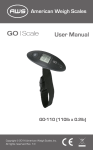
LS-110
Digital Luggage Scale
LS-110 (110x0.2lb)
User Manual
LS-110 Manual
Thank you for purchasing the American Weigh LS110 digital luggage scale. Please read all operating
instructions carefully before use. Scales are precision
instruments and should always be handled with proper
care. To ensure years of reliable service, keep these
simple tips in mind:
• Do not exceed the scales maximum capacity.
Overloading your scale can permanently damage it!
• Avoid exposure to extreme heat or cold. Scales
perform best at normal room temperature. If
temperatures have changed dramatically, recalibration
may be necessary.
• Allow your scale to warm up for 30-60 seconds
before performing calibration (if available).
• Store your scale in a clean, dry location. Dust, dirt,
and moisture can accumulate on the weighing sensors
and electronics causing innacuracy or malfunction.
• Avoid using your scale in close proximity to strong
radio wave emitting devices such as computers, cash
registers, and cordless phones.
• Hold the hanging scale steady when obtaining weight
measurements.
• Gently apply all items to be weighed.
• Avoid dropping your scale. The warranty does not
cover damage due to rough treatment or overload.
I. SCALE OPERATION
Before weighing, set the lock-out switch on the top of
the scale to ON. This switch prevents the scale from
turning on accidentally when stored away. Hold the
scale steady when weighing.
1. Press the [
] key.
2. If you would like to change the weighing unit,
continue to tap the [
] key while the display starts up
(while 8888 is still displayed). Skip this step otherwise.
2. Wait until “0.0” is displayed.
3. Place the strap around your luggage handle and
secure the plastic buckle.
4. Using the scale, lift the luggage and hold it as still as
possible. After 3 seconds of stability, the red light will
turn on, and HOLD will be displayed below the weight.
5. After you have observed the weight, you can
Remove the object(s) from the hook and tap the
[
] key to re-zero the scale.
6. To turn the scale off, press and hold the [
] key.
7. You can now return the lock-out switch to the OFF
position.
II. CHANGING MODES
This scale can read in KG or LB. To change the
weighing mode, follow these instructions:
1. Press the [
] key to turn the scale on, then
immediatedly press the [
] key again and hold it for
2-3 seconds until the weighing unit is displayed, then
release.
2. Now press the [
] key to change the weighing unit
between KG or LB.
3. Once you have chosen the desired weighing unit,
the scale will enter normal weighing mode.
III. TARE WEIGHING
1. Turn on the scale as described above.
2. Attach your tare item / empty container using
the strap and wait for it to stabilize (HOLD will be
displayed).
3. Tap the [
] button. “0.00” will be displayed.
4. You can now add items to the container to obtain
just the weight of the contents.
5. When the container is removed, a negative number
will be displayed. Press [
] again to zero the scale.
IV. CALIBRATION
This scale has come pre-calibrated at the factory. Only
re-calibrate if you are experiencing trouble weighing.
LS-110 uses a 20kg calibration weight
1.Press the [
] key to turn the scale on.
2. Once the LCD shows “8888” press the [
] key
several times until the inner code displays (~2680)
3. Press [
] again. The display will flash “CAL”
followed by the required calibration weight (20kg).
4. Add the required weight. The display will show pass
and return to normal weighing mode.
5. Remove the weigh and press the [
] key to turn
the scale off. Calibration is complete.
V. TROUBLESHOOTING
The primary reasons for inaccuracy or malfunction
are low batteries, incorrect calibration, overload or
operating on an unstable surface. Please keep this in
mind and maintain and operate your scale properly.
This scale is a precise instrument and must be
handled with the utmost care and caution.
[Display] Elimination of errors
[Lo] Change the batteries.
[OUE2] Recalibrate the scale as shown above.
[EEEE] You are overloading the scale. Remove the
excessive load immediately!
Specifications
Model
Capacity
Resolution
Weighing Units
Calibration Weight (not Included)
Scale Dimensions (inches)
Power
Warranty
LS-110
0.2lb / 100g
110lb / 50kg
20kg
lb. kg
6.0 x 1.4 x 2.0 ”
10 Year Warranty
2 x CR2032 Batteries (included)