1
– Quick Setup Guide
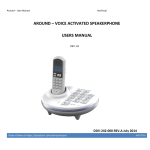
Follow these steps to install Around
1. Unpack all items from the box.
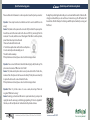
2. Position the base unit on a solid, dry flat surface.
A bedside stool or desk is an idle location.
3. Connect the phone cable from your wall line jack to
Around ‘Line’ marked jack.
4. Place the cordless handset into its cradle on the base
unit.
5. Connect the power supply to Around base unit. This
should be connected to the power marked jack on one
end and to the mains wall outlet on the other. Once
connected, Around will greet you.
First time Wizard:
Once all installation steps above are complete, Around will run the automatic test and
introduction wizard which will test Around for you and help you get to know Around.
Charging the batteries:
Both the base unit and the cordless handset contain rechargeable batteries that will
need to be charged before you can use the phone. Please allow up to 4 hours for the
batteries to fully charge for the first time before using the phone
Warning! ActiVocal products are not authorized for use as critical components in life
support devices or systems and not intended for use in emergency situations.
Note: Around voice recognition will perform best up to a distance of 15 feet indoors.
Manually placing a call:
From the Handset:
Remove the handset from its cradle or press the talk button. Listen to make sure you
have a line. Dial the number using the handset’s keypad. When done, press the talk
button to end the call or place the handset back to its cradle.
From the Base:
Press the lit speakerphone button. Make sure you have a line. Dial the number using
the base’s keypad. When done, press the speakerphone button to end the call.
If the dialed number is busy, Around will automatically end the call for you after about
two seconds. If the call was placed from the base, Around will also ask you if you want
it to redial the number for you. Say yes if you do.
Manually answering a call:
From the Handset:
Remove the handset from its cradle or press the talk button. The call is now answered.
When done, press the talk button to end the call or place the handset back to its
cradle.
From the Base:
Press the flashing speakerphone button. The call is now answered. When done, press
the speakerphone button to end the call.
When an incoming call is present, the base will also let you know verbally that a call is
present and if Caller ID is active on your line, it will read the calling party’s number and
even name, if stored. Around will also ask you if you wish to answer the call. Saying yes
will answer the call. Read more below for other exciting voice recognition features of
Around!