1
SEB Divisione Elettronica e Sistemi
4.2
PROGRAMMING AND TEST
How to modify a visualized parameter
When the parameter to be modified is visualized on front panel display do the following
sequence:
1)
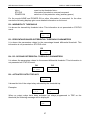
PRESS [ENTER] to activate the parameter modification session
If one or more parameters are modifiable, on the first of them will appear a blinking cursor.
If no parameters are modifiable, no blinking cursor will appear.
2)
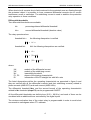
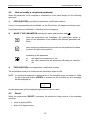
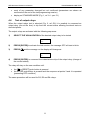
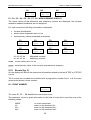
MODIFY THE PARAMETER pressing the arrow push-buttons and.
when two parameters are modifiable, the push-button allows to
point-out the parameter to be modified (the selected parameter will
blink)
when numerical parameters are pointed-out the push-button allows
to select the digit to be modified
increasing of the parameter
a)
b)
3)
the digits are increased by 1 unit
the other parameters are presented following the selection
list
PRESS [ENTER] to end parameter modification session
The modification session is ended and the parameter stops to blink
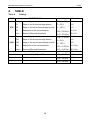
NOTE if a numerical parameter is selected out of the accepted range (as shown in Table
A) when the push-button [ENTER] is pressed for few seconds an error message
will be displayed as:
Data
Error
and the parameter will be displayed again with the former value.
4.3
Reset
When the push-button [RESET] is pressed, the protection relays returns to the standard
condition:
•
reset of glowing LEDs
•
drop-off of tripped relays
10