1
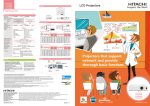
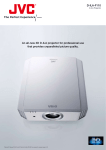
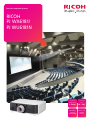
Impress audiences with higher quality images
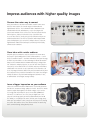
Discover the easier way to connect
Keep your audience’s attention with reliable network connections
that offer more options for a wider range of multimedia and
high-definition devices. The PJ WX6181N and PJ WU6181N come
standard with Ethernet and USB ports, so you can plug in and
present with minimal effort. Connect to a wired or optional wireless
LAN via your PC, laptop or other device. Or, if you don’t have
access to those devices, simply carry your presentation with you on
a USB-compliant device for PC-free operation. With multiple HDMI
ports and DisplayPort, you can connect multiple devices to present
high-definition audio and visual output conveniently with virtually
unlimited color variations.
Share ideas with a wider audience
Why limit your presentation to only the people in the room? Or to
the people in your building? Share it with a wider audience — even if
they’re at another location — and make information, and your message,
as mobile as your audience is. Take advantage of Advanced Network
Utility on the PJ WX6181N and PJ WU6181N and project images from
one computer to multiple projectors, so you can reach more people in
more places, such as branch offices or satellite campuses, and enhance
collaboration. You can also set up a password, so the attendees can
access key images and other details from your presentation directly from
their computers if they need the information in the future. Presenting in
multiple locations is easy with PJLink Management Software. In fact,
an administrator can configure settings remotely.
Leave a bigger impression on your audience
Choose the PJ WX6181N and PJ WU6181N for eco-friendly operation
that doesn’t compromise image quality for viewers. Use the Eco Mode
option to adjust lamp brightness for darker images so you can use
less energy and extend lamp life up to an incredible 4,000 hours.
You won’t see a difference on screen, but you might hear it. The
projector hums along quietly at 39 db (Standard Mode) and 33 dB
(Eco Mode), so everybody in the room can hear your message easily.
When your presentation is done, simply turn the projector off, unplug
the power cable and the device shuts down without the distracting
drone common during cooling down periods.