1
Chapter 13. RS-232 Commands
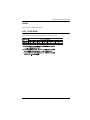
Set Command
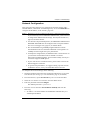
The Set command allows you to configure the properties of a device. Some
settings require that both the device and Matrix Manger are online or the
command will fail. For a list of available “values” see the section of the Matrix
Manager that the setting relates to.
The formula for the Set command is as follows:
Command + Output + Input + Number + Control + Value + [Enter]
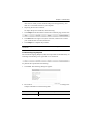
1. For example, to set the name of the local User Station to KE6940TX1,
type the following:
set Name=KE6940TX1 [Enter]
2. For example, to set the description of Transmitter (192.168.0.33) to KE
Room B, type the following:
set o192.168.0.19 Description=KE Room B [Enter]
3. For example, to set the DHCP settings of Transmitter (192.168.0.28) to
static, type the following:
set i192.168.0.28 dhcpFlag=STATIC [Enter]
4. For example, to set the IP settings of the local User Station to 192.168.0.2,
type the following:
set ipAddr=192.168.0.2 [Enter]
5. For example, to set the Transmitter Video IP setting to 192.168.0.44 for
User Station (192.168.0.56), type the following:
set o192.168.0.56 TxVideoIP=192.168.0.44 [Enter]
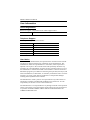
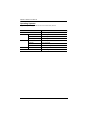
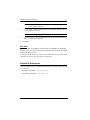
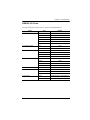
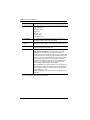
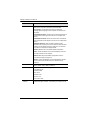
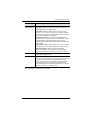
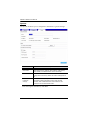
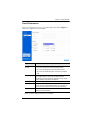
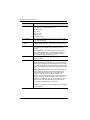
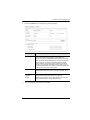
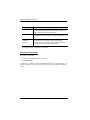
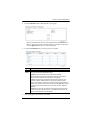
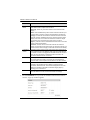
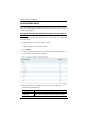
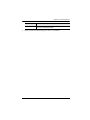
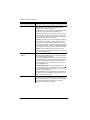
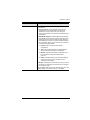
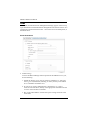
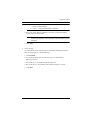
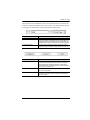
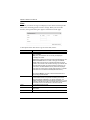
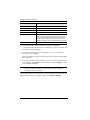
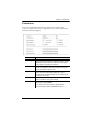
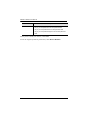
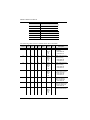
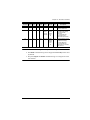
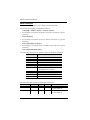
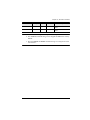
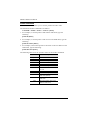
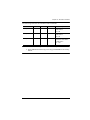
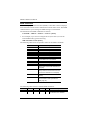
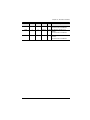
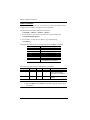
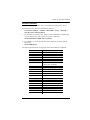
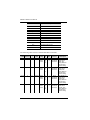
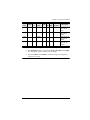
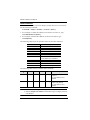
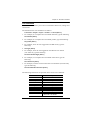
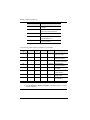
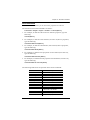
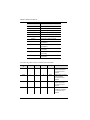
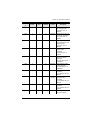
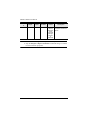
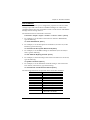
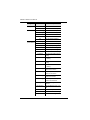
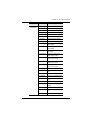
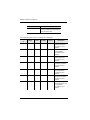
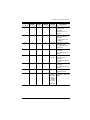
The following tables show the possible values for the Set command:
Command
set
Output
o
Input
i
Number
xx
Description
List command
Description
Output command
Description
Input command
Description
Output or Input number
xx: Device ID or IP address
171