1
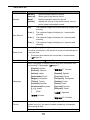
Setting the Display Language / Date & Time
When using the camera for the first time after purchasing, be sure to choose a language
and set the date & time before using the camera.
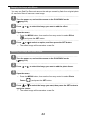
Setting the Display Language
1
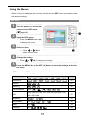
Turn the power on, and set the camera
to the Setup Menu (
2
Select [
y Press
page 17).
Language].
or
to select
[LANGUAGE] then press
or the
SET button to launch the submenu.
3
Select a language.
y
Press
or
to select a language and press
or the SET button to
apply the setting.
4
Press the MENU button to close the menu.
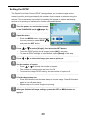
Setting the Date & Time
1
Turn the power on, and set the camera
to the Setup Menu (
2
Select [
y Press
page 17).
Date & Time].
or
to select [Date &
Time] then press
or the SET
button to launch the submenu.
3
Set date and time.
y
Press
or
to change the value of the cursor located. Press
to move the cursor between settings.
Tips
y
Holding down
y
For date stamp setting (
or
changes the values continuously.
page 34).
7
or