1
Note:
The Continuous Shooting function will not be cancelled until “ Single" is selected.
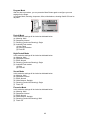
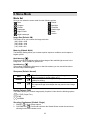
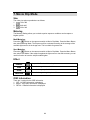
Effect (Default: Normal)
NORMAL
B&W
SEPIA
NEGATIVE
No special effect is added to the picture.
Turns the image black and white.
Gives the image a yellowish brown tone.
Gives the image a negative photo effect.
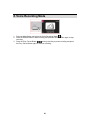
OSD Information (Default: Detail)
There are 5 options for the OSD information.
1. OFF: No OSD information is displayed.
2. BASIC: Only basic information is displayed.
3. DETAIL: Detailed information is displayed.
4. GRID 3X3: Grid lines for 9 grids will show on the LCD display for you to compose an
image.
5. GRID 6X4: Grid lines for 24 grids will show on the LCD display for you to compose an
image.
Note:
Select "OFF" to cancel the grid lines if you prefer not to use them for the next image.
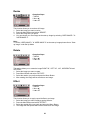
Face Detection (Default: On)
What You Should Know Before Using Face Detection
Face Detection allows you to focus on human faces. It is effective with the camera held
horizontally or vertically.
• Face Detection can only be used for still images.
• Face Detection is effective within a range of 2.5m.
Subjects not suitable for Face Detection:
1. A face that is obscured by glasses, a hat or hair.
2. A person who is turned sideways, or who has their head turned.
3. A subject who is too far away to distinguish a face.
18