1
How to correct the odometer
Cluster Adjusting
Operation:
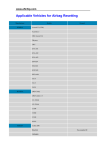
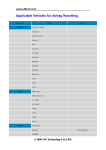
1. Types available please refer to Pictures and Charts Collection . If you have a car or
cluster not listed to do, please contact the manufacturer. Do not try it yourself or use
other type instead to adjust. Or the cluster may be damaged.
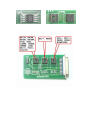
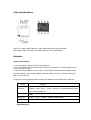
2. For some special clusters (say, with 2 chips), please refer to the pictures shown in
Pictures and Charts Collection .
3. Some clusters whose hands cannot be pull out. Do read the appendix Attention for
Cluster Adjusting first.
4. Save the data before any adjusting to avoid any data lost caused by chip damaged or
mis-selecting the type. If data is not correct, it may cause car no start, cluster no
displays, and cluster running incorrectly and cluster hand moving in disorder.
5. The instrument will auto-read the original kilometer when adjusting. If similar to the
actual Km (difference should less than 100Km), it can be adjusted; otherwise, please
contact the manufacturer for solution.
6. It has some original data except that the user saved. When data lost or using a new
chip, the original data should be written into before adjusting, or the odometer cannot
work properly. You can resume the original data you saved or select “Resume Data”
operation to resume the data it has.