1
AXIS M5013 PTZ Dome Network Camera
Detectors
Detectors
Motion Detection
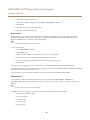
Motion detection is used to generate an alarm whenever movement starts or stops in the camera view.
Motion detection is configured by defining up to 10 Include and Exclude windows:
•
Include windows — define areas where motion should be detected
•
Exclude windows — define areas within an Include window that should be ignored (areas outside Include windows
are automatically ignored).
For instructions, see Set Up Motion Detection Windows on page 26.
To control the number of motion detection alarms, the parameters Object Size, History and Sensitivity can be adjusted. See
Motion Detection Parameters on page 26.
Once motion detection windows are configured, the Axis product can be configured to perform actions when motion is detected.
Possible actions include uploading images and start recording. For more information, see Set Up Action Rules on page 30.
Note
• Using the motion detection feature may decrease the product’s overall performance.
• The position of the Motion Detection Window is relative to the orientation of the Camera. Changing the orientation of the
camera will also change the position of the Motion Detection Window.
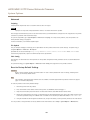
Set Up Motion Detection Windows
To set up a motion detection Include Window, follow these instructions:
1. Go to Detectors > Motion Detection.
2. Select the Configure Included Windows option and click New. Select the new window in the list of windows and
enter a descriptive name.
3. Adjust the size (drag the bottom right-hand corner) and the position (click on the text at the top and drag to the desired
position) of the window.
4. Adjust the Object Size, History and Sensitivity profile sliders (see Motion Detection Parameters for details). Any detected
motion within an active window is indicated by red peaks in the Activity window.
5. Click Save.
To exclude parts of the include window, select the Configure Excluded Windows and position the exclude window within the
include window.
To delete an include or exclude window, select the window in the list of windows and click Del.
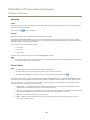
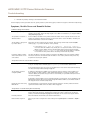
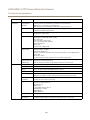
Motion Detection Parameters
The parameters controlling motion detection are described in the table below:
Parameter
Object Size
History
Sensitivity
Description
Object size relative to window
size.
Object memory length.
Difference in luminance
between background and
object.
26