1
Controller Operation
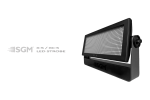
This section describes how to operate the X-5/XC-5 with a DMX controller.
Data Connection
The X-5/XC-5 provided 5-pin XLR sockets for data connection. The pin-out on all sockets is pin 1 to shield, pin
2 to cold (-), and pin 3 to hot (+). There is no connection to pins 4 and 5. The sockets are wired in parallel: both
inputs connect to both outputs. For reliable data transmission use one input and one output!
To connect the data link
1. Connect the DMX data input from the controller to the fixture 5-pin input (male) socket.
2. Connect up to 31 additional fixtures output-to-input.
3. Insert a termination plug in the output of the last fixture on the link.
Data Connection Tips
• Use shielded twisted-pair cable designed for DMX devices: standard microphone cable cannot transmit control
data reliably over long distance. 24 AWG cable is suitable for distances up to 300 meters (1000 ft.). Use heavier
gauge cable and/or a DMX splitter/amp for longer distances.
• Do not overload the link. Up to 32 devices may be connected on a serial link.
• Terminate the link by installing a termination plug in the output socket of the last fixture. The termination plug,
which is a male XLR plug with a 120 ohm, 0.25 watt resistor soldered between pins 2 and 3, absorb the control
signal so it does not reflect and cause interference.
9