1
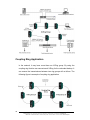
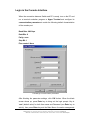
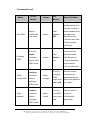
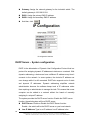
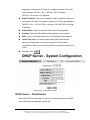
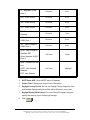
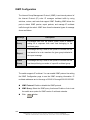
IGMP Configuration The Internet Group Management Protocol (IGMP) is an internal protocol of the Internet Protocol (IP) suite. IP manages multicast traffic by using switches, routers, and hosts that support IGMP. Enabling IGMP allows the ports to detect IGMP queries, report packets, and manage IP multicast traffic through the switch. IGMP have three fundamental types of message shown as follows: Message Description A message sent from the querier (IGMP router or switch) asking for a response from each host belonging to the multicast group. Query A message sent by a host to the querier to indicate that the host wants to be or is a member of a given group indicated in Report the report message. Leave A message sent by a host to the querier to indicate that the Group host has quit being a member of a specific multicast group. The switch supports IP multicast. You can enable IGMP protocol via setting the IGMP Configuration page to see the IGMP snooping information. IP multicast addresses are in the range of 224.0.0.0 through 239.255.255.255. IGMP Protocol: Enable or disable the IGMP protocol. IGMP Query: Select the IGMP query function as Enable or Auto to set the switch as a querier for IGMP version 2 multicast networks. 106 Click Apply button. Manual Documentation Number: EIR618-2SFP-T_0708m B&B Electronics Mfg Co Inc – 707 Dayton Rd - PO Box 1040 - Ottawa IL 61350 - Ph 815-433-5100 - Fax 815-433-5104 – www.bb-elec.com B&B Electronics – Westlink Commercial Park – Oranmore, Galway, Ireland – Ph +353 91-792444 – Fax +353 91-792445 – www.bb-europe.com