1
ServersMaster v1.0.8
User Manual
TCP Port Range
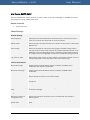
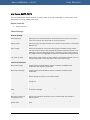
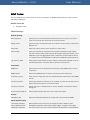
This Check Method is used to monitor the status on a range of ports (open/closed) on the target
device.
Result channels
1.
None
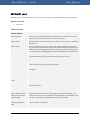
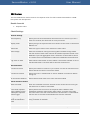
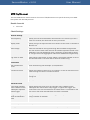
Check Settings
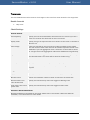
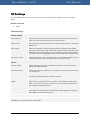
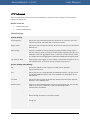
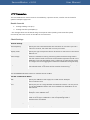
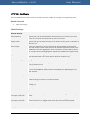
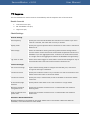
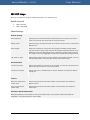
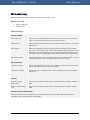
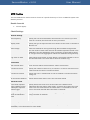
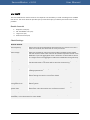
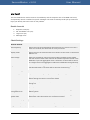
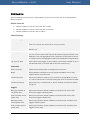
General settings
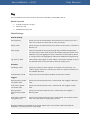
Scan frequency
Specify the time interval between two executions of a Check. If you use a
value of 5 minutes, the Check will run every 5 minutes.
Display result
Specify the type of response value to be shown on the screen in the Device
Monitor List.
Data storage
Select the method for storing monitoring data. Full data storage means
that the results of each Check scan will be saved as separate records in the
database. If you use aggregation then a collection of results will be saved
as a single record. The aggregation reduces the database size significantly.
Log event on state
Select which states trigger an event. When a Check state changes to any of
the selected states a new event will be saved in the Event log.
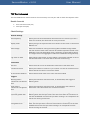
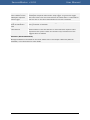
Execute
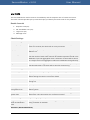
TCP port range
Specify the TCP ports to be scanned for connectivity on the target host.
Example: 80,9000-9010,143
Connection retries
Specify the number of times to try to connect in a case of connection error
to a single port.
Connection timeout
Specify the time, in milliseconds, to wait to establish a connection before
timing out and setting the port status to Closed.
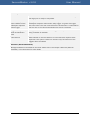
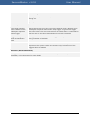
If any port is open
trigger
Specify which state to set in case if any port in the specified range is open.
Select "Down" state if you want to monitor if the firewall is working fine.
Select "Up" state if you want to monitor if the host accepts connection on
ports used by important services.
Port scan delay
Specify the time to wait before scanning another port from the specified
port range. Increase this value if the Firewall on the target host treats the
port range scan as malicious activity.
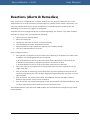
Reactions (Alerts & Remedies)
Manage the Reactions activated for the Check. Please refer to the chapter "Reactions (Alerts &
Remedies)" in this document for more details.
31