1
Understanding this User Manual
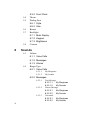
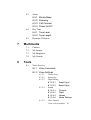
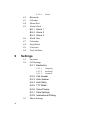
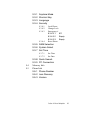
The chapters of this guide generally follow the same order as the menus and submenus in your phone. A robust index for quick reference to most features begins on
page 165.
Also included is important safety information that you should know before using your
phone. Most of this information is near the back of the guide, beginning on page
143.
Notes and tips
Throughout this guide are icons and text that are set apart from the rest. These are
intended to point out important information, quick methods for activating features, to
define terms, and more. The definitions for these methods are as follows:
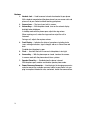
• Notes: Explain alternative options within the current feature, menu, or sub menu.
• Tips: Provide quick or innovative methods for performing functions related to the
subject at hand.
• Fast Facts: Are like snippets from a glossary. Fast facts provide definitions in
context and proximity to the menu or feature in question.
• Important: Points out important information about the current feature that could
affect performance, or even damage your phone.
Activating Your Phone
Contact your U.S. Cellular and follow their instructions for obtaining service, if
necessary. We suggest that you read this guide to fully understand the services your
phone supports.
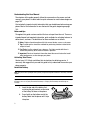
Install the Battery
Note: Your phone comes packaged with a partially charged rechargeable standard Li-Ion battery and travel
adapter.
Important: You must fully charge the battery the first time you use your phone, otherwise you could damage
the battery. You can use your phone while the battery is charging, but the battery will take longer to
recharge.
8
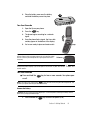
1.
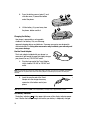
Insert the top end of the battery first,
matching the gold contacts on the inside
of the battery to those on the phone.
2.
Press lightly on the bottom end of the
battery down into the phone until it slips
into place.