1
2.2 Requirements when Using Microsoft Visual Studio
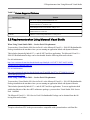
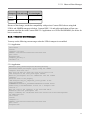
Table 2.2 Custom Supported Platforms
Operating System
Version
Linux 3.8.13 on QorIQ or P4040/P4080/P4081 CPU
NI Linux Real-Time 3.2a on ARMv7 CPU
Linux
Red Hat Enterprise Linux 5.2 on x86 CPU with gcc 4.2.1
RedHawk Linux 6.0 on x64 CPU
VxWorks
VxWorks 6.7 and 6.8 using JamaicaVM 6.2.1 with gcc 4.1.2
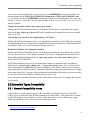
2.2 Requirements when Using Microsoft Visual Studio
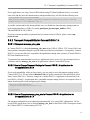
When Using Visual Studio 2008 — Service Pack 1 Requirement
You must have Visual Studio 2008 Service Pack 1 or the Microsoft Visual C++ 2008 SP1 Redistributable
Package installed on the machine where you are running an application linked with dynamic libraries.
This includes dynamically linked C/C++ and all .NET and Java applications. The Microsoft Visual C++
2008 SP1 Redistribution Package can be downloaded from the following Microsoft websites:
For x86 architectures:
http://www.microsoft.com/downloads/details.aspx?familyid=A5C84275-3B97-4AB7-A40D3802B2AF5FC2&displaylang=en
For x64 architectures:
http://www.microsoft.com/downloads/details.aspx?FamilyID=ba9257ca-337f-4b40-8c14-157cfdffee4e&displaylang=en
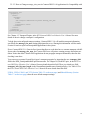
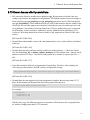
When Using Visual Studio 2010 — Service Pack 1 Requirement
You must have Visual Studio 2010 Service Pack 1 or the Microsoft Visual C++ 2010 SP1 Redistributable
Package installed on the machine where you are running an application linked with dynamic libraries.
This includes dynamically linked C/C++ and all .NET and Java applications. To run an application built
with debug libraries of the above RTI architecture packages, you must have Visual Studio 2010 Service
Pack 1 installed.
The Microsoft Visual C++ 2010 Service Pack 1 Redistributable Package can be obtained from the following Microsoft websites:
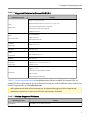
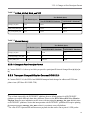
aRequires a hardware FPU in the processor and are compatible with systems that have soft-float libc.
3