1
Operating manual
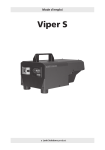
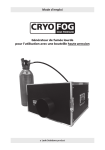
Viper S
1
a Look Solutions
product
Set of Equipment supplied
– 1 Viper S
– 1 750 ml (25.3 oz) tank incl. lid with Quick Connector
– 1 manual
Please check whether all the products you ordered are supplied.
2
Contents
1. Introduction
4
2. Safety instructions
5
3. Description of the parts
6
4. Fluid
4.1 General Notes
4.2 Filling the fluid container
8
5. Operating the Viper S
5.1 Selecting the location
5.2 Putting into operation
5.3 Switching the device off
5.4 Control choices
5.4.1 Control via DMX 512
5.4.1.1 Adjusting the DMX start address
5.4.2 Control via 0 - 10 Volt (+) DC
5.4.3 Stand alone mode
5.4.4 Control via Radio remote
5.5 Operating with internal timer
5.5.1 Auto start
5.6 Wiring of the connectors
8
6. Cleaning, Care and Maintenance
15
7. Troubleshooting
16
8. Specifications
17
9. Warranty Conditions
18
3
1. Introduction
The Viper S is the perfect addition to the established Viper series.
The fog output of the machine is amazing, although the machine has „only“ 650
Watt.
Coincidental, the Viper S features a low current consumption and also little fluid
consumption. Thus, the cost of operation is low and the machine is energy-saving.
Due to the handy dimensions and the low weight the machine can be transported
very easy and can be used nearly everywhere.
Original manual, version 01/2014
4
2. Safety instructions
A fog machine is not a toy!
• Very hot steam escapes from the nozzle. Danger of getting burnt.
• Occasionally very hot droplets of fluid may escape when in operation.
Thus never aim at persons directly and keep a minimum distance of 3 m (9.8 ft) to
the nozzle.
• Never touch the nozzle when in operation. Danger of getting burnt.
• The location for the machine must be non-flammable, non-combustible and not
sensitive to heat. It has to be twice as big as the machine.
• Keep a minimum distance of 60 cm (1.9 ft) to all flammable, combustible objects
and objects sensitive to heat.
• Glycol is alcohol and burns with a slightly bluish, almost invisible flame. Never point
the fog at strong sources of ignition like fire or pyrotechnic effects.
• Never open the machine and leave the machine unattended when connected to a
power supply.
• The visibility has to be more than 2 m (6.5 ft) in rooms where people walk around.
• Do not swallow the fog fluid. Keep it away from children. In case of eye contact,
rinse with a lot of water. Consult a doctor should you have accidentally swallowed
some fluid.
• Spilled fluid or splashed fluid droplets can cause slip hazard. Mop up the fluid and
dispose of it according to regulations.
• Fog may activate smoke detectors.
Artificially-made fog can be produced in many different ways. The method used here
to produce fog, with a device which works according to the vaporizer principle, is the
most harmless one.
No case has so far been reported in which a sound human being has been harmed because of using our device to produce artificial fog. However, this can only be guaranteed
if the professional fog generators are used accordingly, i.e. at the correct vaporization
temperatures as well as with the correctly mixed fog fluid.
We, however, recommend: People with health problems or problems of the respiratory
tract or with an inclination for allergies should avoid any contact with artificially-made
fog.
5
3. Description of the parts
Front view
1
1: · Nozzle
Rear view
2
3
4
2: · Control panel for adjusting the DMX start address and
the output
3: · XLR socket for 0-10 V (+) DC
4: · DMX in/out
5: · Brass collar for fluid tube
5
6
3. Description of the parts
Tank lid
6: · Brass coupling
7: · Brass collar
8: · Tank lid
9: · Check valve
10: · Fluid filter
6
7
8
9
10
7
4. Fluid
4.1 General Notes
The Viper S has been designed to be used with Look fog fluids.
The following Look fog fluids are available:
Quick-Fog
Regular-Fog
Slow-Fog
thick, quick disappearing fog fluid
thick, long lasting fog fluid
thick, extremely long lasting fog fluid
If fluids have been used other than Look fog fluids we can‘t grant warranty on parts
that have been in contact with the fluid.
PLEASE NOTE: The vaporizer of our machines does not have to be cleaned! Cleaners,
available on the market, can damage the vaporizer! We cannot grant warranty in this
case.
4.2 Filling the fluid container
– Disconnect the fluid tube from the lid by retracting the brass collar [7] and removing
the coupling [6].
– Remove the container from the tank housing of the Viper S.
– Unscrew the lid [8] of the empty container, fill the container with fluid and screw
the lid back on.
– Place the full container into the tank housing.
– Push the brass coupling [6] into the brass collar [7] until you hear a click.The brass
collar is now locked firmly.
5. Operating the Viper S
5.1 Selecting the location
The location in which the Viper S is to be operated must
– be dry,
– be free from dusty or polluted air,
– be free from vibrations,
– be an non-flammable place or surface,
– be well-ventilated with fog-free air keeping the ambient operating temperature
between 5° C and 45° C and the relative air humidity below 80%.
8
5. Operating the Viper S
The Viper S is a powerful fog generator, producing every desired effect from a tiny
puff of smoke to the thickest fog.
Digital technology makes fine adjustments of the pump possible. In steps of 1% the
output can be adjusted from 1-99%.
5.2 Putting into operation
a. Connect to the mains supply. Make sure the correct voltage is selected (230 V/50 Hz).
A „P” and two figures appear on the display.
P 2 5
b. After a warm up time of approx. seven minutes the Viper S is ready to start. The
green Ready-Led [20] blinks if the working temperature is reached. As soon as the
final temperature is reached, the LED illumates permanently.
c. Adjust the required output via the control panel and press the Enter-button [16]
once to start the fogging process (see point 5.4). Press the Enter-button again to
stop the fogging process.
5.3 Switching the device off
a. Press the Mode-button [14] til „OFF” appears on the display. After 15 seconds the
machine will switch off automatically. On the right bottom edge of the display a red
decimal point appear.
You can also switch off the machine within these 15 seconds by pressing the Enterbutton [16].
.
b. When you switch off the DMX signal, the machine will be switched off automatically
after 15 seconds.
9
5. Operating the Viper S
Control panel (Standard-Menu)
P15
17: DMX-LED, yellow
20: Ready-LED, green
19: Timer-LED, red
18: LED display
15: Up/Down-buttons
16: Enter-button
14: Mode-button
Fig. 1:
Display shown at adjusting the pump output
275
Fig. 2:
Display shown at adjusting the DMX start address
OFF
Fig. 3:
Display shown at switching off the device
10
5. Operating the Viper S
5.4 control choices
Please note: You can‘t use the Mode-button for scrolling through the Menu. The Mode-button has to be pressed momentarily. If the Mode-button is pressed and hold more
than two seconds, the machine will change into the Timer-Mode (see point 5.5).
You may control the Viper S externally through the XLR sockets [3 and 4].
Please note: DMX takes priority. That means: when the machine is controlled via DMX
512 this data takes priority over 0-10 V (+) DC and Stand alone operation.
5.4.1 Operating via DMX 512
Connecting the Viper S to a DMX-desk using the 5pin XLR socket [4] on the back of
the machine. As soon as the machine receives a correct DMX signal, the yellow DMXLED [17] shines.
5.4.1.1 Adjusting the DMX start address
a) Press the Mode-button [14] at the control panel, until three figures will appear on
the LED display [18].
b)Adjust the requested start address by pressing the Up/Down-buttons [15].
c) Save the start address by pressing the Enter-button [16] once. The start address will
also be saved when you disconnect the machine from the mains supply.
5.4.2 0 - 10 Volt (+) DC control
Connect the Viper S to an analog desk or with the cable remote (available as an
optional extra), using the 3pin XLR socket [3] at the back of the machine.
a) Connect the cable from the desk or the cable remote into the XLR socket at the back
of the machine [3].
b)Put the pump up to 99% by pressing the Up-button.
c) The knob on the cable remote or the fader on the analog desk will control the level
of the pump.
d)Pressing the On/Off switch at the cable remote starts the fog process, the green
On-LED [18] illuminates.
11
5. Operating the Viper S
5.4.3 Stand alone
The Viper S can be used in the Stand alone mode. In this mode the control of the
pump must be adjusted at the machine.
a) Press and release the Mode-button [14] until a „P” and two figures appear on the
display [18].
b) Adjust the pump output with the Up/Down-buttons [15] and press the Enter-button
[16] once to start the fogging process.
The machine now produces fog until the Enter-button is pressed again.
The output can be changed during the fogging process.
5.4.4 Control via Radio remote
A radio remote is available as an option. It will be delivered with a 3pin XLR plug.
Connect the receiver of the radio remote to the machine, using the 3pin XLR socket
[3] on the back of the machine.
Adjust the requested pump output at the machine (see point 5.4.3).
Press and hold the first button at the transmitter of the radio remote as long as you
want fog to be produced (see manual „Radio remote“).
Control panel Timer-Menu (the red Timer-LED [19] shines)
P. 0 .1
P15
Adjusting of the output/pump
in steps of 1% (1-99%)
Adjusting of the wait time
in minutes (0.1-99)
12
5. Operating the Viper S
F. 1 2
ESC
Adjusting of the fog time
in seconds (1-99)
Escape to switch back to the
Standard-Menue with the Enter-button
5.5 Operating the internal timer
With the internal timer the „fog time” and ”wait time” as well as the output can be
adjusted.
To start the Timer-Mode, press and hold the Mode-button [14] for more than 2
seconds. The red Timer-LED [19] shines as soon as the machine has switched to the
Timer-Mode. As long as the timer is in operation, the red Timer-LED blinks.
The adjusting of the output, fog time or wait time is the same as in the StandardMenu. That means you have to press the Mode-button until you reach the required
function.
With the Up/Down-buttons you can adjust the output (Pxx), fog time (F.xx) and wait
time (P.xx), then press the Enter-button to start the timer.
The timer cycle starts with the time last shown on the display (i. e. P.xx = Starts with
wait time, F.xx = Starts with fog time).
You can switch back to the Standard-Menu by pressing the Mode-button [14] for
more than 2 seconds or by switching to „ESC” (Escape) in the Timer-Mode and then
press the Enter-button.
5.5.1 Auto start
If the timer is in operation and you disconnect the machine from the mains cable, the
Viper S will re-start in the Timer-Mode as soon as it‘s reconnected to the mains. To stop
this press and hold the Mode-button [14] for more than 2 seconds or switch to „ESC“
in the Timer-Mode and then press the Enter-button.
13
5. Operating the Viper S
5.6 Wiring of the connectors
5pin XLR (DMX):
Pin 1 = Ground, Pin 2 = DMX –, Pin 3 = DMX +
3pin XLR (analog):
Pin 1 = Ground, Pin 2 = 0-10 V + DC in, Pin 3 = 12 V + DC out, max. 50 mA
14
6. Cleaning, Care and Maintenance
– Ensure the air vents are not clogged by dust. If necessary remove the dust.
– Take care that the machine can not get overheated.
– Do not run the Viper S without any fluid, as the pump will run dry.
– Wipe up spiled Fluid immediately. Moisture – also fluid – can destroy the electric
parts of the machine.
– Check the state of the air valve filter from time to time and clean or replace it when
necessary. Always replace the whole fluid canister rather than pouring new fluid
into the old tank. This reduces the changes of the machine clogging up.
– If you install the Viper S make 100% sure that a permanent fog-free air supply for
the unit is guaranteed. Cooling air with too high fog concentration (very often in
Clubs and Discos) can condense inside the machine and cause moisture damage.
– For cleaning the surface of the device use a suitable, solvent-free cleaner.
– PLEASE NOTE: The vaporizer of our machines does not have to be cleaned! Cleaners,
available on the market, can damage the vaporizer! We cannot grant warranty in
this case.
15
7. Troubleshooting
The fog machine does not fog
•
•
•
•
•
•
•
Check external control signals
Check mains supply
Check fluid tank (empty?)
Check for correct connections at the fluid bottle
Check for fluid in the fluid tube
Check if fluid filter is clogged
Check that pump setting on the machine is >1
The fog machine fogs uncontrollably
• Check mains supply
• Check unit for moisture (moisture inside the machine, especially on the PCB can cause
fogging)
The fog machine switches off suddenly
• The „Temperature cutout“ has switched off due to overheating.
Remove external heat source (for instance projector shining right onto the housing)
and/or make sure sufficient fresh air supply. After 15 to 30 minutes the unit should
switch back to „on“ again.
Loud droning sound during fogging
• The pump is running dry. Avoid this absolutely!
• Refill (or better: replace) fluid bottle
• Double check connection fluid tube and fluid bottle.
E-4 appears on the LED display
• The machine is getting too hot. The heating switches off
and the machine cools down.
Solution: Disconnect the machine from the main supply
for a moment and then re-connect it.
E-1 appears on the LED display
• Please send the machine to the service-station
or your local dealer.
16
E – 4
E – 1
8. Specifications
Procedure:
Power requirement:
Voltage:
Warm up time:
Fluid consumption:
Fluid tank capacity:
Fog output:
Output projection:
Fogging time:
Control:
Temperature control:
Overheating protection:
Dimensions (L x W x H):
Weight without tank:
vaporizing fog generator
650 Watt
230 V/ 50 Hz or 120 V/ 60 Hz
approx. 7 min.
60 ml (2.0 oz)/min at max. output
15 ml (0.5 oz)/min at continuous output
750 ml (25.3 oz)
adjustable in 99 steps, steps à 1%
max. 8 m (26.2 ft)
at 100% output: approx. 22 sec.
at < 25% output: continuous output
DMX 512
0 - 10 V analogue
Timer
Stand alone mode
Radio remote (option)
XLR-remote (option)
Microprocessor controlled
Heater block with thermostat
Pumpe with temperature switch
35 x 18 x 19 cm (13.7 x 7 x 7.5 in)
5,4 kg (11.9 lb)
Manufactured for: Look Solutions - Fog machines made in Germany · Bünteweg 33 · DE - 30989 Gehrden
17
9. Warranty Conditions
For the fog machine Viper S Look‘ guarantee is:
1. Free of charge, subject to the following conditions (No. 2 - 6) we will repair any defect or fault
in the unit if it is caused by a proven factory fault and has been advised immediately after
appearance and within 24 months of delivery to the end user. Insignificant deviations of the
regular production quality does not guarantee replacement rights, nor do faults or defects
caused by water, wrong fog fluid, by generally abnormal environment conditions or Force
Majeure.
2. Guarantee Service will be done in the following way: Faulty parts will be repaired or replaced
(our choice) with correct parts. Faulty units have to be brought to us or our service centres or to
be sent to us or our service centres at customer‘s expense. The invoice and/or receipt showing
the purchase date and the serial number has to come with the faulty unit, otherwise this will
not be guarantee service. Replaced parts become our property.
3. The customer loses all rights for guarantee services, if any repairs or adjustments are done to
the units by unauthorized persons and/or if spare parts are used which are not approved by us.
The right of guarantee service is also lost if fluids other than original Look fog fluids have been
used or if units are sent to us with full fluid bottles. Also non compliance with the instructions
in this manual or mistakes by incorrect handling/treating of the machine will lead to a loss of
guarantee and also any faults and damages caused by undue force.
4. Certain parts of the machine are „consumable parts“ and are not covered by the warranty.
5. Guarantee services do not cause an extension of the guarantee time or the start of a new
guarantee time. The warranty for replaced parts ends with the guarantee time of the whole
unit.
6. If a defect/fault can not be repaired by us in a satisfactory time, we will, within 6 months after
sale of the unit, on choice of the customer, either:
• replace the whole unit for free or
• refund the lesser value or
• take back the whole unit and refund the purchase price, but not more than the usual
market price at the time of the refund.
7. Further claims, especially for damages, losses etc. outside the unit are excluded.
Other guarantee regulations may be valid outside Germany. Please check with your dealer!
If you should send the unit for service, do not forget to remove any liquid from the fluid
bottle.
18
19
a Look Solutions
product
20