1
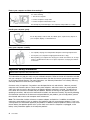
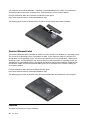
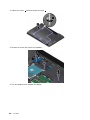
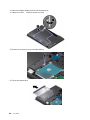
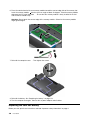
5. If a tool is provided with the new card to help you disconnect cables, use the tool to disconnect the
cables from the old card. If no such a tool is provided, hold the cable connector with your fingers and
gently disconnect each cable from the old card.
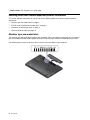
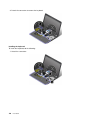
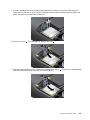
6. Remove the screw 1 . The card pops up. Remove the card 2 .
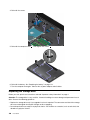
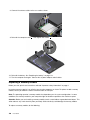
7. Align the contact edge of the new card with the corresponding socket 1 . Pivot the new card downward
and then install the screw to secure the new card into place 2 .
Chapter 10. Replacing devices
127