1
Git Magic
Ben Lynn
Git Magic
by Ben Lynn
Table of Contents
Preface ........................................................................................................................................................v
1. Thanks!...........................................................................................................................................v
2. License ...........................................................................................................................................v
3. Free Git hosting.............................................................................................................................vi
1. Introduction............................................................................................................................................1
1.1. Work is Play ................................................................................................................................1
1.2. Version Control ...........................................................................................................................1
1.3. Distributed Control......................................................................................................................1
1.3.1. A Silly Superstition ........................................................................................................2
1.4. Merge Conflicts...........................................................................................................................3
2. Basic Tricks ............................................................................................................................................4
2.1. Saving State.................................................................................................................................4
2.1.1. Add, Delete, Rename......................................................................................................4
2.2. Advanced Undo/Redo .................................................................................................................4
2.2.1. Reverting ........................................................................................................................6
2.3. Downloading Files ......................................................................................................................6
2.4. The Bleeding Edge......................................................................................................................6
2.5. Instant Publishing........................................................................................................................6
2.6. What Have I Done? .....................................................................................................................7
2.7. Exercise .......................................................................................................................................8
3. Cloning Around .....................................................................................................................................9
3.1. Sync Computers ..........................................................................................................................9
3.2. Classic Source Control................................................................................................................9
3.3. Forking a Project .......................................................................................................................10
3.4. Ultimate Backups ......................................................................................................................10
3.5. Light-Speed Multitask...............................................................................................................11
3.6. Guerilla Version Control ...........................................................................................................11
4. Branch Wizardry .................................................................................................................................13
4.1. The Boss Key ............................................................................................................................13
4.2. Dirty Work ................................................................................................................................14
4.3. Quick Fixes ...............................................................................................................................14
4.4. Uninterrupted Workflow ...........................................................................................................15
4.5. Reorganizing a Medley .............................................................................................................16
4.6. Managing Branches...................................................................................................................16
4.7. Temporary Branches .................................................................................................................17
4.8. Work How You Want ................................................................................................................17
5. Lessons of History................................................................................................................................19
5.1. I Stand Corrected ......................................................................................................................19
5.2. . . . And Then Some...................................................................................................................19
5.3. Local Changes Last ...................................................................................................................20
5.4. Rewriting History......................................................................................................................20
5.5. Making History .........................................................................................................................21
5.6. Where Did It All Go Wrong?....................................................................................................22
5.7. Who Made It All Go Wrong? ...................................................................................................23
iii
5.8. Personal Experience ..................................................................................................................23
6. Git Grandmastery................................................................................................................................25
6.1. Source Releases.........................................................................................................................25
6.2. Changelog Generation...............................................................................................................25
6.3. Git Over SSH, HTTP ................................................................................................................25
6.4. Git Over Anything.....................................................................................................................26
6.5. Patches: The Global Currency ..................................................................................................26
6.6. Commit What Changed.............................................................................................................27
6.7. My Commit Is Too Big! ............................................................................................................28
6.7.1. Staged Changes ............................................................................................................28
6.8. Don’t Lose Your HEAD............................................................................................................29
6.9. HEAD-hunting ..........................................................................................................................29
6.10. Building On Git.......................................................................................................................30
6.11. Daring Stunts...........................................................................................................................31
7. Secrets Revealed...................................................................................................................................33
7.1. Invisibility .................................................................................................................................33
7.2. Integrity .....................................................................................................................................33
7.3. Intelligence................................................................................................................................34
7.4. Indexing.....................................................................................................................................34
7.5. Bare Repositories ......................................................................................................................34
7.6. Git’s Origins ..............................................................................................................................34
7.7. The Object Database .................................................................................................................34
7.7.1. Blobs.............................................................................................................................35
7.7.2. Trees .............................................................................................................................36
7.7.3. Commits .......................................................................................................................37
7.7.4. Indistinguishable From Magic......................................................................................37
8. Git Shortcomings .................................................................................................................................39
8.1. Microsoft Windows...................................................................................................................39
8.2. Unrelated Files ..........................................................................................................................39
8.3. Who’s Editing What? ................................................................................................................39
8.4. File History ...............................................................................................................................39
8.5. Initial Clone...............................................................................................................................40
8.6. Volatile Projects ........................................................................................................................40
8.7. Global Counter ..........................................................................................................................41
8.8. Empty Subdirectories ................................................................................................................41
8.9. Initial Commit ...........................................................................................................................41
iv
Preface
Git (http://git.or.cz/) is a version control Swiss army knife. A reliable versatile multipurpose revision
control tool whose extraordinary flexibility makes it tricky to learn, let alone master. I’m recording what
I’ve figured out so far in these pages, because I initially had difficulty understanding the Git user manual
(http://www.kernel.org/pub/software/scm/git/docs/user-manual.html).
As Arthur C. Clarke observed, any sufficiently advanced technology is indistinguishable from magic.
This is a great way to approach Git: newbies can ignore its inner workings and view Git as a gizmo that
can amaze friends and infuriate enemies with its wondrous abilities.
Rather than go into details, we provide rough instructions for particular effects. After repeated use,
gradually you will understand how each trick works, and how to tailor the recipes for your needs.
Other Editions
•
Chinese translation (http://docs.google.com/View?id=dfwthj68_675gz3bw8kj): by JunJie, Meng and
JiangWei.
•
Single webpage (book.html): barebones HTML, with no CSS.
•
PDF file (book.pdf): printer-friendly.
•
Debian gitmagic package (http://packages.debian.org/search?searchon=names&keywords=gitmagic):
get a fast and local copy of this site. Ubuntu package (Jaunty Jackalope)
(http://packages.ubuntu.com/jaunty/gitmagic) also available. Handy when this server is offline for
maintenance (http://csdcf.stanford.edu/status/).
1. Thanks!
Kudos to Dustin Sallings, Alberto Bertogli, James Cameron, Douglas Livingstone, Michael Budde,
Richard Albury, Tarmigan, Derek Mahar and Frode Aannevik for suggestions and improvements. Thanks
to Daniel Baumann for creating and maintaining the Debian package. Thanks also to JunJie, Meng and
JiangWei for the Chinese translation. [If I’ve left you out, please tell me because I often forget to update
this section.]
My gratitute goes to many others for your support and praise. I wish this were a real physical book, so I
could quote your generous words on the cover to promote it! In seriousness, I greatly appreciate each
message. Reading one always brightens my mood.
2. License
This guide is released under the GNU General Public License version 3
(http://www.gnu.org/licenses/gpl-3.0.html). Naturally, the source is kept in a Git repository, and can be
v
Preface
obtained by typing:
$ git clone git://repo.or.cz/gitmagic.git
# Creates "gitmagic" directory.
See below for other mirrors.
3. Free Git hosting
•
http://repo.or.cz/ hosts free projects, including this guide (http://repo.or.cz/w/gitmagic.git).
•
http://gitorious.org/ is another Git hosting site aimed at open-source projects.
•
http://github.com/ hosts open-source projects for free, including this guide
(http://github.com/blynn/gitmagic/tree/master), and private projects for a fee.
vi
Chapter 1. Introduction
I’ll use an analogy to introduce version control. See the Wikipedia entry on revision control
(http://en.wikipedia.org/wiki/Revision_control) for a saner explanation.
1.1. Work is Play
I’ve played computer games almost all my life. In contrast, I only started using version control systems
as an adult. I suspect I’m not alone, and comparing the two may make these concepts easier to explain
and understand.
Think of editing your code or document, or whatever, as playing a game. Once you’ve made a lot of
progress, you’d like to save. To do so, you click on the "Save" button in your trusty editor.
But this will overwrite the old version. It’s like those old school games which only had one save slot:
sure you could save, but you could never go back to an older state. Which was a shame, because your
previous save might have been right at an exceptionally fun part of the game that you’d like to revisit one
day. Or worse still, your current save is in an unwinnable state, and you have to start again.
1.2. Version Control
When editing, you can "Save As. . . " a different file, or copy the file somewhere first before saving if you
want to savour old versions. You can compress them too to save space. This is a primitive and
labour-intensive form of version control. Computer games improved on this long ago, many of them
providing multiple automatically timestamped save slots.
Let’s make the problem slightly tougher. Say you have a bunch of files that go together, such as source
code for a project, or files for a website. Now if you want to keep an old version you have to archive a
whole directory. Keeping many versions around by hand is inconvenient, and quickly becomes expensive.
With some computer games, a saved game really does consist of a directory full of files. These games
hide this detail from the player and present a convenient interface to manage different versions of this
directory.
Version control systems are no different. They all have nice interfaces to manage a directory of stuff. You
can save the state of the directory every so often, and you can load any one of the saved states later on.
Unlike most computer games, they’re usually smart about conserving space. Typically, only a few files
change between version to version, and not by much. Storing the differences instead of entire new copies
saves room.
1
Chapter 1. Introduction
1.3. Distributed Control
Now imagine a very difficult computer game. So difficult to finish that many experienced gamers all over
the world decide to team up and share their saved games to try to beat it. Speedruns are real-life
examples: players specializing in different levels of the same game collaborate to produce amazing
results.
How would you set up a system so they can get at each other’s saves easily? And upload new ones?
In the old days, every project used centralized version control. A server somewhere held all the saved
games. Nobody else did. Every player kept at most a few saved games on their machine. When a player
wanted to make progress, they’d download the latest save from the main server, play a while, save and
upload back to the server for everyone else to use.
What if a player wanted to get an older saved game for some reason? Maybe the current saved game is in
an unwinnable state because somebody forgot to pick up an object back in level three, and they want to
find the latest saved game where the game can still be completed. Or maybe they want to compare two
older saved games to see how much work a particular player did.
There could be many reasons to want to see an older revision, but the outcome is the same. They have to
ask the central server for that old saved game. The more saved games they want, the more they need to
communicate.
The new generation of version control systems, of which Git is a member, are known as distributed
systems, and can be thought of as a generalization of centralized systems. When players download from
the main server they get every saved game, not just the latest one. It’s as if they’re mirroring the central
server.
This initial cloning operation can be expensive, especially if there’s a long history, but it pays off in the
long run. One immediate benefit is that when an old save is desired for any reason, communication with
the central server is unnecessary.
1.3.1. A Silly Superstition
A popular misconception is that distributed systems are ill-suited for projects requiring an official central
repository. Nothing could be further from the truth. Photographing someone does not cause their soul to
be stolen. Similarly, cloning the master repository does not diminish its importance.
A good first approximation is that anything a centralized version control system can do, a well-designed
distributed system can do better. Network resources are simply costlier than local resources. While we
shall later see there are drawbacks to a distributed approach, one is less likely to make erroneous
comparisons with this rule of thumb.
2
Chapter 1. Introduction
A small project may only need a fraction of the features offered by such a system. But would you use
Roman numerals when calculating with small numbers? Moreover, your project may grow beyond your
original expectations. Using Git from the outset is like carrying a Swiss army knife even though you
mostly use it to open bottles. On the day you desperately need a screwdriver you’ll be glad you have
more than a plain bottle-opener.
1.4. Merge Conflicts
For this topic, our computer game analogy becomes too thinly stretched. Instead, let us again consider
editing a document.
Suppose Alice inserts a line at the beginning of a file, and Bob appends one at the end of his copy. They
both upload their changes. Most systems will automatically deduce a reasonable course of action: accept
and merge their changes, so both Alice’s and Bob’s edits are applied.
Now suppose both Alice and Bob have made distinct edits to the same line. Then it is impossible to
resolve the conflict without human intervention. The second person to upload is informed of a merge
conflict, and they must either choose one edit over another, or revise the line entirely.
More complex situations can arise. Version control systems handle the simpler cases themselves, and
leave the difficult cases for humans. Usually their behaviour is configurable.
3
Chapter 2. Basic Tricks
Rather than diving into a sea of Git commands, use these elementary examples to get your feet wet.
Despite their simplicity, each of them are useful. Indeed, in my first months with Git I never ventured
beyond the material in this chapter.
2.1. Saving State
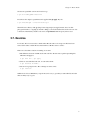
About to attempt something drastic? Before you do, take a snapshot of all files in the current directory
with:
$ git init
$ git add .
$ git commit -m "My first backup"
Now if your new edits go awry, run:
$ git reset --hard
to go back to where you were. To save the state again:
$ git commit -a -m "Another backup"
2.1.1. Add, Delete, Rename
The above will only keep track of the files that were present when you first ran git add. If you add new
files or subdirectories, you’ll have to tell Git:
$ git add NEWFILES...
Similarly, if you want Git to forget about certain files, maybe because you’ve deleted them:
$ git rm OLDFILES...
Renaming a file is the same as removing the old name and adding the new name. There’s also the
shortcut git mv which has the same syntax as the mv command. For example:
$ git mv OLDFILE NEWFILE
4
Chapter 2. Basic Tricks
2.2. Advanced Undo/Redo
Sometimes you just want to go back and forget about every change past a certain point because they’re
all wrong. Then:
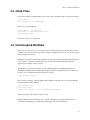
$ git log
shows you a list of recent commits, and their SHA1 hashes. Next, type:
$ git reset --hard SHA1_HASH
to restore the state to a given commit and erase all newer commits from the record permanently.
Other times you want to hop to an old state briefly. In this case, type:
$ git checkout SHA1_HASH
This takes you back in time, while preserving newer commits. However, like time travel in a
science-fiction movie, if you now edit and commit, you will be in an alternate reality, because your
actions are different to what they were the first time around.
This alternate reality is called a branch, and we’ll have more to say about this later. For now, just
remember that
$ git checkout master
will take you back to the present. Also, to stop Git complaining, always commit or reset your changes
before running checkout.
To take the computer game analogy again:
• git reset --hard:
load an old save and delete all saved games newer than the one just loaded.
• git checkout:
load an old game, but if you play on, the game state will deviate from the newer
saves you made the first time around. Any saved games you make now will end up in a separate
branch representing the alternate reality you have entered. We deal with this later.
You can choose only to restore particular files and subdirectories by appending them after the command:
$ git checkout SHA1_HASH some.file another.file
Take care, as this form of checkout can silently overwrite files. To prevent accidents, commit before
running any checkout command, especially when first learning Git. In general, whenever you feel unsure
of the outcome of an operation, Git command or not, first run git commit -a.
5
Chapter 2. Basic Tricks
Don’t like cutting and pasting hashes? Then use:
$ git checkout :/"My first b"
to jump to the commit that starts with a given message. You can also ask for the 5th-last saved state:
$ git checkout master~5
2.2.1. Reverting
In a court of law, events can be stricken from the record. Likewise, you can pick specific commits to
undo.
$ git commit -a
$ git revert SHA1_HASH
will undo just the commit with the given hash. Running git log reveals the revert is recorded as a new
commit.
2.3. Downloading Files
Get a copy of a project managed with Git by typing:
$ git clone git://server/path/to/files
For example, to get all the files I used to create this site:
$ git clone git://git.or.cz/gitmagic.git
We’ll have much to say about the clone command soon.
2.4. The Bleeding Edge
If you’ve already downloaded a copy of a project using git clone, you can upgrade to the latest version
with:
$ git pull
6
Chapter 2. Basic Tricks
2.5. Instant Publishing
Suppose you’ve written a script you’d like to share with others. You could just tell them to download
from your computer, but if they do so while you’re improving the script or making experimental changes,
they could wind up in trouble. Of course, this is why release cycles exist. Developers may work on a
project frequently, but they only make the code available when they feel it is presentable.
To do this with Git, in the directory where your script resides:
$ git init
$ git add .
$ git commit -m "First release"
Then tell your users to run:
$ git clone your.computer:/path/to/script
to download your script. This assumes they have ssh access. If not, run git daemon and tell your users to
instead run:
$ git clone git://your.computer/path/to/script
From now on, every time your script is ready for release, execute:
$ git commit -a -m "Next release"
and your users can upgrade their version by changing to the directory containing your script and typing:
$ git pull
Your users will never end up with a version of your script you don’t want them to see. Obviously this
trick works for anything, not just scripts.
2.6. What Have I Done?
Find out what changes you’ve made since the last commit with:
$ git diff
Or since yesterday:
$ git diff "@{yesterday}"
7
Chapter 2. Basic Tricks
Or between a particular version and 2 versions ago:
$ git diff SHA1_HASH "master~2"
In each case the output is a patch that can be applied with git apply. Try also:
$ git whatchanged --since="2 weeks ago"
Often I’ll browse history with qgit (http://sourceforge.net/projects/qgit) instead, due to its slick
photogenic interface, or tig (http://jonas.nitro.dk/tig/), a text-mode interface that works well over slow
connections. Alternatively, install a web server, run git instaweb and fire up any web browser.
2.7. Exercise
Let A, B, C, D be four successive commits where B is the same as A except some files have been
removed. We want to add the files back at D and not at B. How can we do this?
There are at least three solutions. Assuming we are at D:
1. The difference between A and B are the removed files. We can create a patch representing this
difference and apply it:
$ git diff B A | git apply
2. Since we saved the files back at A, we can retrieve them:
$ git checkout A FILES...
3. We can view going from A to B as a change we want to undo:
$ git revert B
Which choice is best? Whichever you prefer most. It is easy to get what you want with Git, and often
there are many ways to get it.
8
Chapter 3. Cloning Around
In older version control systems, checkout is the standard operation to get files. You retrieve a bunch of
files in the requested saved state.
In Git and other distributed version control systems, cloning is the standard operation. To get files you
create a clone of the entire repository. In other words, you practically mirror the central server. Anything
the main repository can do, you can do.
3.1. Sync Computers
This is the reason I first used Git. I can tolerate making tarballs or using rsync for backups and basic
syncing. But sometimes I edit on my laptop, other times on my desktop, and the two may not have talked
to each other in between.
Initialize a Git repository and commit your files on one machine. Then on the other:
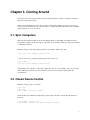
$ git clone other.computer:/path/to/files
to create a second copy of the files and Git repository. From now on,
$ git commit -a
$ git pull other.computer:/path/to/files
will pull in the state of the files on the other computer into the one you’re working on. If you’ve recently
made conflicting edits in the same file, Git will let you know and you should commit again after
resolving them.
3.2. Classic Source Control
Initialize a Git repository for your files:
$ git init
$ git add .
$ git commit -m "Initial commit"
On the central server, initialize an empty Git repository with some name, and start the Git daemon if
necessary:
$ GIT_DIR=proj.git git init
$ git daemon --detach # it might already be running
9
Chapter 3. Cloning Around
Some public hosts, such as repo.or.cz (http://repo.or.cz), will have a different method for setting up the
initially empty Git repository, such as filling in a form on a webpage.
Push your project to the central server with:
$ git push git://central.server/path/to/proj.git HEAD
We’re ready. To check out source, a developer types
$ git clone git://central.server/path/to/proj.git
After making changes, the code is checked in to the main server by:
$ git commit -a
$ git push
If the main server has been updated, the latest version needs to be checked out before the push. To sync
to the latest version:
$ git commit -a
$ git pull
3.3. Forking a Project
Sick of the way a project is being run? Think you could do a better job? Then on your server:
$ git clone git://main.server/path/to/files
Next tell everyone about your fork of the project at your server.
At any later time, you can merge in the changes from the original project with:
$ git pull
3.4. Ultimate Backups
Want numerous tamper-proof geographically diverse redundant archives? If your project has many
developers, don’t do anything! Every clone of your code is effectively a backup. Not just of the current
state, but of your project’s entire history. Thanks to cryptographic hashing, if anyone’s clone becomes
corrupted, it will be spotted as soon as they try to communicate with others.
10
Chapter 3. Cloning Around
If your project is not so popular, find as many servers as you can to host clones.
The truly paranoid should always write down the latest 20-byte SHA1 hash of the HEAD somewhere
safe. It has to be safe, not private. For example, publishing it in a newspaper would work well, because
it’s hard for an attacker to alter every copy of a newspaper.
3.5. Light-Speed Multitask
Say you want to work on several features in parallel. Then commit your project and run:
$ git clone . /some/new/directory
Git exploits hard links and file sharing as much as safely possible to create this clone, so it will be ready
in a flash, and you can now work on two independent features simultaneously. For example, you can edit
one clone while the other is compiling.
At any time, you can commit and pull changes from the other clone.
$ git pull /the/other/clone
3.6. Guerilla Version Control
Are you working on a project that uses some other version control system, and you sorely miss Git?
Then initialize a Git repository in your working directory:
$ git init
$ git add .
$ git commit -m "Initial commit"
then clone it:
$ git clone . /some/new/directory
Now go to the new directory and work here instead, using Git to your heart’s content. Once in a while,
you’ll want to sync with everyone else, in which case go to the original directory, sync using the other
version control system, and type:
$ git add .
$ git commit -m "Sync with everyone else"
Then go to the new directory and run:
11
Chapter 3. Cloning Around
$ git commit -a -m "Description of my changes"
$ git pull
The procedure for giving your changes to everyone else depends on the other version control system. The
new directory contains the files with your changes. Run whatever commands of the other version control
system are needed to upload them to the central repository.
The git svn command automates the above for Subversion repositories, and can also be used to export a
Git project to a Subversion repository
(http://google-opensource.blogspot.com/2008/05/export-git-project-to-google-code.html).
12
Chapter 4. Branch Wizardry
Instant branching and merging are the most lethal of Git’s killer features.
Problem: External factors inevitably necessitate context switching. A severe bug manifests in the
released version without warning. The deadline for a certain feature is moved closer. A developer whose
help you need for a key section of the project is about to leave. In all cases, you must abruptly drop what
you are doing and focus on a completely different task.
Interrupting your train of thought can be detrimental to your productivity, and the more cumbersome it is
to switch contexts, the greater the loss. With centralized version control we must download a fresh
working copy from the central server. Distributed systems fare better, as we can clone the desired version
locally.
But cloning still entails copying the whole working directory as well as the entire history up to the given
point. Even though Git reduces the cost of this with file sharing and hard links, the project files
themselves must be recreated in their entirety in the new working directory.
Solution: Git has a better tool for these situations that is much faster and more space-efficient than
cloning: git branch.
With this magic word, the files in your directory suddenly shapeshift from one version to another. This
transformation can do more than merely go back or forward in history. Your files can morph from the last
release to the experimental version to the current development version to your friend’s version and so on.
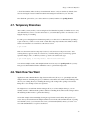
4.1. The Boss Key
Ever play one of those games where at the push of a button ("the boss key"), the screen would instantly
display a spreadsheet or something? So if the boss walked in the office while you were playing the game
you could quickly hide it away?
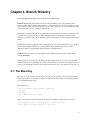
In some directory:
$
$
$
$
echo "I’m smarter than my boss" > myfile.txt
git init
git add .
git commit -m "Initial commit"
We have created a Git repository that tracks one text file containing a certain message. Now type:
$ git checkout -b boss # nothing seems to change after this
$ echo "My boss is smarter than me" > myfile.txt
13
Chapter 4. Branch Wizardry
$ git commit -a -m "Another commit"
It looks like we’ve just overwritten our file and committed it. But it’s an illusion. Type:
$ git checkout master
# switch to original version of the file
and hey presto! The text file is restored. And if the boss decides to snoop around this directory, type:
$ git checkout boss
# switch to version suitable for boss’ eyes
You can switch between the two versions of the file as much as you like, and commit to each
independently.
4.2. Dirty Work
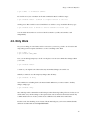
Say you’re working on some feature, and for some reason, you need to go back to an old version and
temporarily put in a few prints statements to see how something works. Then:
$ git commit -a
$ git checkout SHA1_HASH
Now you can add ugly temporary code all over the place. You can even commit these changes. When
you’re done,
$ git checkout master
to return to your original work. Observe that any uncommitted changes are carried over.
What if you wanted to save the temporary changes after all? Easy:
$ git checkout -b dirty
and commit before switching back to the master branch. Whenever you want to return to the dirty
changes, simply type
$ git checkout dirty
We touched upon this command in an earlier chapter, when discussing loading old states. At last we can
tell the whole story: the files change to the requested state, but we must leave the master branch. Any
commits made from now on take your files down a different road, which can be named later.
In other words, after checking out an old state, Git automatically puts you in a new, unnamed branch,
which can be named and saved with git checkout -b.
14
Chapter 4. Branch Wizardry
4.3. Quick Fixes
You’re in the middle of something when you are told to drop everything and fix a newly discovered bug:
$ git commit -a
$ git checkout -b fixes SHA1_HASH
Then once you’ve fixed the bug:
$ git commit -a -m "Bug fixed"
$ git push # to the central repository
$ git checkout master
and resume work on your original task.
4.4. Uninterrupted Workflow
Some projects require your code to be reviewed before you may submit it. To make life easier for those
reviewing your code, if you have a big change to make you might break it into two or more parts, and get
each part separately reviewed.
What if the second part cannot be written until the first part is approved and checked in? In many version
control systems, you’d have to send the first part to the reviewers, and then wait until it has been
approved before starting on the second part.
Actually that’s not quite true, but in these systems editing Part II before submitting Part I involves
suffering and hardship. In Git, branching and merging are painless (a technical term for fast and local).
So after you’ve committed the first part and sent it for review:
$ git checkout -b part2
Next, code the second part of the big change without waiting for the first part to be accepted. When the
first part is approved and submitted,
$ git checkout master
$ git merge part2
$ git branch -d part2
# don’t need this branch anymore
and the second part of the change is ready to review.
But wait! What if it wasn’t that simple? Say you made a mistake in the first part, which you have to
correct before submitting. No problem! First, switch back to the master branch with
15
Chapter 4. Branch Wizardry
$ git checkout master
Fix the issue with the first part of the change and hope it gets approved. If not we simply repeat this step.
You’ll probably want to merge the fixed version of Part I into Part II as well:
$ git checkout part2
$ git merge master
Now it’s the same as before. Once the first part has been approved and submitted:
$ git checkout master
$ git merge part2
$ git branch -d part2
and again, the second part is ready to be reviewed.
It’s easy to extend this trick for any number of parts.
4.5. Reorganizing a Medley
Perhaps you like to work on all aspects of a project in the same branch. You want to keep
works-in-progress to yourself and want others to see your commits only when they have been neatly
organized. Start a couple of branches:
$ git checkout -b sanitized
$ git checkout -b medley
Next, work on anything: fix bugs, add features, add temporary code, and so forth, committing often along
the way. Then:
$ git checkout sanitized
$ git cherry-pick SHA1_HASH
applies a given commit to the "sanitized" branch. With appropriate cherry-picks you can construct a
branch that contains only permanent code, and has related commits grouped together.
4.6. Managing Branches
Type:
$ git branch
16
Chapter 4. Branch Wizardry
to list all the branches. There is always a branch named "master", and you start here by default. Some
advocate leaving the "master" branch untouched and creating new branches for your own edits.
The -d and -m options allow you to delete and move (rename) branches. See git help branch.
4.7. Temporary Branches
After a while you may realize you are creating short-lived branches frequently for similar reasons: every
other branch merely serves to save the current state so you can briefly hop back to an older state to fix a
high-priority bug or something.
It’s analogous to changing the TV channel temporarily to see what else is on. But instead of pushing a
couple of buttons, you have to create, check out and delete temporary branches and commits. Luckily,
Git has a shorcut that is as convenient as a TV remote control:
$ git stash
This saves the current state in a temporary location (a stash) and restores the previous state. Your
working directory appears exactly as it was before you started editing, and you can fix bugs, pull in
upstream changes, and so on. When you want to go back to the stashed state, type:
$ git stash apply
# You may need to resolve some conflicts.
You can have multiple stashes, and manipulate them in various ways. See git help stash. As you may
have guessed, Git maintains branches behind the scenes to perform this magic trick.
4.8. Work How You Want
Applications such as Mozilla Firefox (http://www.mozilla.com/) allow you to open multiple tabs and
multiple windows. Switching tabs gives you different content in the same window. Git branching is like
tabs for your working directory. Continuing this analogy, Git cloning is like opening a new window.
Being able to do both improves the user experience.
On a higher level, several Linux window managers allow you to have multiple desktops: you can
instantly switch to a different desktop. This is similar to branching in Git, whereas Git cloning would be
like attaching another monitor to gain another desktop.
Yet another example is the screen (http://www.gnu.org/software/screen/) utility. This gem lets you
create, destroy and switch between multiple terminal sessions in the same terminal. Instead of opening
new terminals (clone), you can use the same one if you run screen (branch). In fact, you can do a lot
more with screen but that’s a topic for another text.
17
Chapter 4. Branch Wizardry
Cloning, branching, and merging are fast and local in Git, encouraging you to use the combination that
best suits you. Git lets you work exactly how you want.
18
Chapter 5. Lessons of History
A consequence of Git’s distributed nature is that history can be edited easily. But if you tamper with the
past, take care: only rewrite that part of history which you alone possess. Just as nations forever argue
over who committed what atrocity, if someone else has a clone whose version of history differs to yours,
you will have trouble reconciling when your trees interact.
Of course, if you control all the other trees too, then there is no problem since you can overwrite them.
Some developers strongly feel history should be immutable, warts and all. Others feel trees should be
made presentable before they are unleashed in public. Git accommodates both viewpoints. Like cloning,
branching and merging, rewriting history is simply another power Git gives you. It is up to you to use it
wisely.
5.1. I Stand Corrected
Did you just commit, but wish you had typed a different message? Then run:
$ git commit --amend
to change the last message. Realized you forgot to add a file? Run git add to add it, and then run the
above command.
Want to include a few more edits in that last commit? Then make those edits and run:
$ git commit --amend -a
5.2. . . . And Then Some
Let’s suppose the previous problem is ten times worse. After a lengthy session you’ve made a bunch of
commits. But you’re not quite happy with the way they’re organized, and some of those commit
messages could use rewording. Then type:
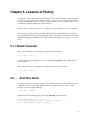
$ git rebase -i HEAD~10
and the last 10 commits will appear in your favourite $EDITOR. A sample excerpt:
pick 5c6eb73 Added repo.or.cz link
pick a311a64 Reordered analogies in "Work How You Want"
pick 100834f Added push target to Makefile
19
Chapter 5. Lessons of History
Then:
•
Remove commits by deleting lines.
•
Reorder commits by reordering lines.
•
Replace "pick" with "edit" to mark a commit for amending.
•
Replace "pick" with "squash" to merge a commit with the previous one.
If you marked a commit for editing, then run:
$ git commit --amend
Otherwise, run:
$ git rebase --continue
So commit early and commit often: you can easily tidy up later with rebase.
5.3. Local Changes Last
You’re working on an active project. You make some local commits over time, and then you sync with
the official tree with a merge. This cycle repeats itself a few times before you’re ready to push to the
central tree.
But now the history in your local Git clone is a messy jumble of your changes and the official changes.
You’d prefer to see all your changes in one contiguous section, and after all the official changes.
This is a job for git rebase as described above. In many cases you can use the --onto flag and avoid
interaction.
Also see git help rebase for detailed examples of this amazing command. You can split commits. You
can even rearrange branches of a tree.
5.4. Rewriting History
Occasionally, you need the source control equivalent of airbrushing people out of official photos, erasing
them from history in a Stalinesque fashion. For example, suppose we intend to release a project, but it
involves a file that should be kept private for some reason. Perhaps I left my credit card number in a text
file and accidentally added it to the project. Deleting the file is insufficient, for the file can be accessed
from older commits. We must remove the file from all commits:
$ git filter-branch --tree-filter ’rm top/secret/file’ HEAD
20
Chapter 5. Lessons of History
See git help filter-branch, which discusses this example and gives a faster method. In general,
filter-branch lets you alter large sections of history with a single command.
Afterwards, the .git/refs/original directory describes the state of affairs before the operation.
Check the filter-branch command did what you wanted, then delete this directory if you wish to run more
filter-branch commands.
Lastly, replace clones of your project with your revised version if you want to interact with them later.
5.5. Making History
Want to migrate a project to Git? If it’s managed with one of the more well-known systems, then chances
are someone has already written a script to export the whole history to Git.
Otherwise, look up git fast-import, which reads text input in a specific format to create Git history from
scratch. Typically a script using this command is hastily cobbled together and run once, migrating the
project in a single shot.
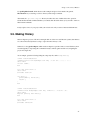
As an example, paste the following listing into temporary file, such as /tmp/history:
commit refs/heads/master
committer Alice <[email protected]> Thu, 01 Jan 1970 00:00:00 +0000
data <<EOT
Initial commit.
EOT
M 100644 inline hello.c
data <<EOT
#include <stdio.h>
int main() {
printf("Hello, world!\n");
return 0;
}
EOT
commit refs/heads/master
committer Bob <[email protected]> Tue, 14 Mar 2000 01:59:26 -0800
data <<EOT
Replace printf() with write().
EOT
M 100644 inline hello.c
data <<EOT
#include <unistd.h>
21
Chapter 5. Lessons of History
int main() {
write(1, "Hello, world!\n", 14);
return 0;
}
EOT
Then create a Git repository from this temporary file by typing:
$ mkdir project; cd project; git init
$ git fast-import < /tmp/history
You can checkout the latest version of the project with:
$ git checkout master .
The git fast-export command converts any git repository to the git fast-import format, whose output
you can study for writing exporters, and also to transport git repositories in a human-readable format.
Indeed, these commands can send repositories of text files over text-only channels.
5.6. Where Did It All Go Wrong?
You’ve just discovered a broken feature in your program which you know for sure was working a few
months ago. Argh! Where did this bug come from? If only you had been testing the feature as you
developed.
It’s too late for that now. However, provided you’ve been committing often, Git can pinpoint the problem:
$ git bisect start
$ git bisect bad SHA1_OF_BAD_VERSION
$ git bisect good SHA1_OF_GOOD_VERSION
Git checks out a state halfway in between. Test the feature, and if it’s still broken:
$ git bisect bad
If not, replace "bad" with "good". Git again transports you to a state halfway between the known good
and bad versions, narrowing down the possibilities. After a few iterations, this binary search will lead
you to the commit that caused the trouble. Once you’ve finished your investigation, return to your
original state by typing:
$ git bisect reset
Instead of testing every change by hand, automate the search by running:
22
Chapter 5. Lessons of History
$ git bisect run COMMAND
Git uses the return value of the given command, typically a one-off script, to decide whether a change is
good or bad: the command should exit with code 0 when good, 125 when the change should be skipped,
and anything else between 1 and 127 if it is bad. A negative return value aborts the bisect.
You can do much more: the help page explains how to visualize bisects, examine or replay the bisect log,
and eliminate known innocent changes for a speedier search.
5.7. Who Made It All Go Wrong?
Like many other version control systems, Git has a blame command:
$ git blame FILE
which annotates every line in the given file showing who last changed it, and when. Unlike many other
version control systems, this operation works offline, reading only from local disk.
5.8. Personal Experience
In a centralized version control system, history modification is a difficult operation, and only available to
administrators. Cloning, branching, and merging are impossible without network communication. So are
basic operations such as browsing history, or committing a change. In some systems, users require
network connectivity just to view their own changes or open a file for editing.
Centralized systems preclude working offline, and need more expensive network infrastructure,
especially as the number of developers grows. Most importantly, all operations are slower to some
degree, usually to the point where users shun advanced commands unless absolutely necessary. In
extreme cases this is true of even the most basic commands. When users must run slow commands,
productivity suffers because of an interrupted work flow.
I experienced these phenomena first-hand. Git was the first version control system I used. I quickly grew
accustomed to it, taking many features for granted. I simply assumed other systems were similar:
choosing a version control system ought to be no different from choosing a text editor or web browser.
I was shocked when later forced to use a centralized system. My often flaky internet connection matters
little with Git, but makes development unbearable when it needs to be as reliable as local disk.
Additionally, I found myself conditioned to avoid certain commands because of the latencies involved,
which ultimately prevented me from following my desired work flow.
23
Chapter 5. Lessons of History
When I had to run a slow command, the interruption to my train of thought dealt a disproportionate
amount of damage. While waiting for server communication to complete, I’d do something else to pass
the time, such as check email or write documentation. By the time I returned to the original task, the
command had finished long ago, and I would waste more time trying to remember what I was doing.
Humans are bad at context switching.
There was also an interesting tragedy-of-the-commons effect: anticipating network congestion,
individuals would consume more bandwidth than necessary on various operations in an attempt to reduce
future delays. The combined efforts intensified congestion, encouraging individuals to consume even
more bandwidth next time to avoid even longer delays.
24
Chapter 6. Git Grandmastery
This pretentiously named page is my dumping ground for uncategorized Git tricks.
6.1. Source Releases
For my projects, Git tracks exactly the files I’d like to archive and release to users. To create a tarball of
the source code, I run:
$ git archive --format=tar --prefix=proj-1.2.3/ HEAD
6.2. Changelog Generation
It’s good practice to keep a changelog (http://en.wikipedia.org/wiki/Changelog), and some projects even
require it. If you’ve been committing frequently, which you should, generate a Changelog by typing:
$ git log > ChangeLog
6.3. Git Over SSH, HTTP
Suppose you have ssh access to a web server, but Git is not installed. Though less efficient than its native
protocol, Git can communicate over HTTP.
Download, compile and install Git in your account, and create a repository in your web directory:
$ GIT_DIR=proj.git git init
In the "proj.git" directory, run:
$ git --bare update-server-info
$ chmod a+x hooks/post-update
From your computer, push via ssh:
$ git push web.server:/path/to/proj.git master
and others get your project via:
$ git clone http://web.server/proj.git
25
Chapter 6. Git Grandmastery
6.4. Git Over Anything
Want to synchronize repositories without servers, or even a network connection? Need to improvise
during an emergency? We’ve seen git fast-export and git fast-import can convert repositories to a
single file and back. We could shuttle such files back and forth to transport git repositories over any
medium, but a more efficient tool is git bundle.
The sender creates a bundle:
$ git bundle create somefile HEAD
then transports the bundle, somefile, to the other party somehow: email, thumb drive, floppy disk, an
xxd printout and an OCR machine, reading bits over the phone, smoke signals, etc. The receiver retrieves
commits from the bundle by typing:
$ git pull somefile
The receiver can even do this from an empty repository. Despite its size, somefile contains the entire
original git repository.
In larger projects, eliminate waste by bundling only changes the other repository lacks:
$ git bundle create somefile HEAD ^COMMON_SHA1
If done frequently, one could easily forget which commit was last sent. The help page suggests using tags
to solve this. Namely, after you send a bundle, type:
$ git tag -f lastbundle HEAD
and create new refresher bundles with:
$ git bundle create newbundle HEAD ^lastbundle
6.5. Patches: The Global Currency
Patches are text representations of your changes that can be easily understood by computers and humans
alike. This gives them universal appeal. You can email a patch to developers no matter what version
control system they’re using. As long as your audience can read their email, they can see your edits.
Similarly, on your side, all you require is an email account: there’s no need to setup an online Git
repository.
Recall from the first chapter:
26
Chapter 6. Git Grandmastery
$ git diff COMMIT
outputs a patch which can be pasted into an email for discussion. In a Git repository, type:
$ git apply < FILE
to apply the patch.
In more formal settings, when author names and perhaps signatures should be recorded, generate the
corresponding patches past a certain point by typing:
$ git format-patch START_COMMIT
The resulting files can be given to git-send-email, or sent by hand. You can also specify a range of
commits:
$ git format-patch START_COMMIT..END_COMMIT
On the receving end, save an email to a file, then type:
$ git am < FILE
This applies the incoming patch and also creates a commit, including information such as the author.
With a browser email client, you may need to click a button to see the email in its raw original form
before saving the patch to a file.
There are slight differences for mbox-based email clients, but if you use one of these, you’re probably
the sort of person who can figure them out easily without reading tutorials!
6.6. Commit What Changed
Telling Git when you’ve added, deleted and renamed files is troublesome for certain projects. Instead,
you can type:
$ git add .
$ git add -u
Git will look at the files in the current directory and work out the details by itself. Instead of the second
add command, run git commit -a if you also intend to commit at this time.
You can perform the above in a single pass with:
27
Chapter 6. Git Grandmastery
$ git ls-files -d -m -o -z | xargs -0 git update-index --add --remove
The -z and -0 options prevent ill side-effects from filenames containing strange characters. Note this
command adds ignored files. You may want to use the -x or -X option.
6.7. My Commit Is Too Big!
Have you neglected to commit for too long? Been coding furiously and forgotten about source control
until now? Made a series of unrelated changes, because that’s your style?
No worries. Run:
$ git add -p
For each edit you made, Git will show you the hunk of code that was changed, and ask if it should be part
of the next commit. Answer with "y" or "n". You have other options, such as postponing the decision;
type "?" to learn more.
Once you’re satisfied, type
$ git commit
to commit precisely the changes you selected (the staged changes). Make sure you omit the -a option,
otherwise Git will commit all the edits.
What if you’ve edited many files in many places? Reviewing each change one by one becomes
frustratingly mind-numbing. In this case, use git add -i, whose interface is less straightforward, but more
flexible. With a few keystrokes, you can stage or unstage several files at a time, or review and select
changes in particular files only. Alternatively, run git commit --interactive which automatically commits
after you’re done.
6.7.1. Staged Changes
So far I have deliberately avoided mentioning Git’s famous index, but we must now confront it to explain
the above. The index is a temporary staging area. Git seldom shuttles data directly between your project
and its history. Rather, Git first writes data to the index, and then copies the data in the index to its final
destination.
For example, commit -a is really a two-step process. The first step places a snapshot of the current state
of every tracked file into the index. The second step permanently records the snapshot now in the index.
28
Chapter 6. Git Grandmastery
Committing without the -a option only performs the second step, and only makes sense after running
commands that somehow change the index, such as git add.
Usually we can ignore the index and pretend we are reading straight from and writing straight to the
history. On this occasion, we want finer control on what gets written to history, and are forced to
manipulate the index. We place a snapshot of some, but not all, of our changes into the index, and then
permanently record this carefully rigged snapshot.
6.8. Don’t Lose Your HEAD
The HEAD tag is like a cursor that normally points at the latest commit, advancing with each new
commit. Some Git commands let you move it. For example:
$ git reset HEAD~3
will move the HEAD three commits back. Thus all Git commands now act as if you hadn’t made those
last three commits, while your files remain in the present. See the help page for some applications.
But how can you go back to the future? The past commits know nothing of the future.
If you have the SHA1 of the original HEAD then:
$ git reset SHA1
But suppose you never took it down? Don’t worry, for commands like these, Git saves the original
HEAD as a tag called ORIG_HEAD, and you can return safe and sound with:
$ git reset ORIG_HEAD
6.9. HEAD-hunting
Perhaps ORIG_HEAD isn’t enough. Perhaps you’ve just realized you made a monumental mistake and
you need to go back to an ancient commit in a long-forgotten branch.
By default, Git keeps a commit for at least two weeks, even if you ordered Git to destroy the branch
containing it. The trouble is finding the appropriate hash. You could look at all the hash values in
.git/objects and use trial and error to find the one you want. But there’s a much easier way.
29
Chapter 6. Git Grandmastery
Git records every hash of a commit it computes in .git/logs. The subdirectory refs contains the
history of all activity on all branches, while the file HEAD shows every hash value it has ever taken. The
latter can be used to find hashes of commits on branches that have been accidentally lopped off.
The reflog command provides a friendly interface to these log files. Try
$ git reflog
Instead of cutting and pasting hashes from the reflog, try:
$ git checkout "@{10 minutes ago}"
Or checkout the 5th-last visited commit via:
$ git checkout "@{5}"
See the “Specifying Revisions” section of git help rev-parse for more.
You may wish to configure a longer grace period for doomed commits. For example:
$ git config gc.pruneexpire "30 days"
means a deleted commit will only be permanently lost once 30 days have passed and git gc is run.
You may also wish to disable automatic invocations of git gc:
$ git conifg gc.auto 0
in which case commits will only be deleted when you run git gc manually.
6.10. Building On Git
In true UNIX fashion, Git’s design allows it to be easily used as a low-level component of other
programs, such as GUI and web interfaces, alternative command-line interfaces, patch managements
tools, importing and conversion tools and so on. In fact, some Git commands are themselves scripts
standing on the shoulders of giants. With a little tinkering, you can customize Git to suit your
preferences.
One easy trick is to use built-in Git aliases to shorten your most frequently used commands:
$ git config --global alias.co checkout
$ git config --global --get-regexp alias
alias.co checkout
# display current aliases
30
Chapter 6. Git Grandmastery
$ git co foo
# same as ’git checkout foo’
Another is to print the current branch in the prompt, or window title. Invoking
$ git symbolic-ref HEAD
shows the current branch name. In practice, you most likely want to remove the "refs/heads/" and ignore
errors:
$ git symbolic-ref HEAD 2> /dev/null | cut -b 12-
The contrib subdirectory is a treasure trove of tools built on basic commands (which in time may be
promoted to official commands). On Debian and Ubuntu, this directory lives at
/usr/share/doc/git-core/contrib.
One popular resident is workdir/git-new-workdir. Via clever symlinking, this script creates a new
working directory whose history is shared with the original respository:
$ git-new-workdir an/existing/repo new/directory
The new directory and files within can be thought of as a clone, except since the history is shared, the
two trees automatically stay in sync. There’s no need to merge, push or pull.
6.11. Daring Stunts
Recent versions of Git make it difficult for the user to accidentally destroy data. This is perhaps the most
compelling reason to upgrade. Nonetheless, there are times you truly want to destroy data. We show how
to override the safeguards for common commands. Only use them if you know what you are doing.
Checkout: Uncommitted changes cause checkout to fail. To destroy your changes, and checkout a given
commit anyway, use the force flag:
$ git checkout -f COMMIT
On the other hand, if you specify particular paths for checkout, then there are no safety checks. The
supplied paths are quietly overwritten. Take care if you use checkout in this manner.
Reset: Reset also fails in the presence of uncommitted changes. To force it through, run:
$ git reset --hard [COMMIT]
Branch: Deleting branches fails if this causes changes to be lost. To force a deletion, type:
31
Chapter 6. Git Grandmastery
$ git branch -D BRANCH
# instead of -d
Similarly, attempting to overwrite a branch via a move fails if data loss would ensue. To force a branch
move, type:
$ git branch -M [SOURCE] TARGET
# instead of -m
Unlike checkout and reset, these two commands defer data destruction. The changes are still stored in the
.git subdirectory, and can be retrieved by recovering the appropriate hash from .git/logs (see
"HEAD-hunting" above). By default, they will be kept for at least two weeks.
Clean: Some git commands refuse to proceed because they’re worried about clobbering untracked files.
If you’re certain that all untracked files and directories are expendable, then delete them mercilessly with:
$ git clean -f -d
Next time, that pesky command will work!
32
Chapter 7. Secrets Revealed
We take a peek under the hood and explain how Git performs its miracles. I will skimp over details. For
in-depth descriptions refer to the user manual
(http://www.kernel.org/pub/software/scm/git/docs/user-manual.html).
7.1. Invisibility
How can Git be so unobtrusive? Aside from occasional commits and merges, you can work as if you
were unaware that version control exists. That is, until you need it, and that’s when you’re glad Git was
watching over you the whole time.
Other version control systems don’t let you forget about them. Permissions of files may be read-only
unless you explicitly tell the server which files you intend to edit. The central server might be keeping
track of who’s checked out which code, and when. When the network goes down, you’ll soon suffer.
Developers constantly struggle with virtual red tape and bureaucracy.
The secret is the .git directory in your working directory. Git keeps the history of your project here.
The initial "." stops it showing up in ls listings. Except when you’re pushing and pulling changes, all
version control operations operate within this directory.
You have total control over the fate of your files because Git doesn’t care what you do to them. Git can
easily recreate a saved state from .git at any time.
7.2. Integrity
Most people associate cryptography with keeping information secret, but another equally important goal
is keeping information safe. Proper use of cryptographic hash functions can prevent accidental or
malicious data corruption.
A SHA1 hash can be thought of as a unique 160-bit ID number for every string of bytes you’ll encounter
in your life. Actually more than that: every string of bytes that any human will ever use over many
lifetimes.
As a SHA1 hash is itself a string of bytes, we can hash strings of bytes containing other hashes. This
simple observation is surprisingly useful: look up hash chains. We’ll later see how Git uses it to
efficiently guarantee data integrity.
33
Chapter 7. Secrets Revealed
Briefly, Git keeps your data in the ".git/objects" subdirectory, where instead of normal filenames, you’ll
find only IDs. By using IDs as filenames, as well as a few lockfiles and timestamping tricks, Git
transforms any humble filesystem into an efficient and robust database.
7.3. Intelligence
How does Git know you renamed a file, even though you never mentioned the fact explicitly? Sure, you
may have run git mv, but that is exactly the same as a git rm followed by a git add.
Git heuristically ferrets out renames and copies between successive versions. In fact, it can detect chunks
of code being moved or copied around between files! Though it cannot cover all cases, it does a decent
job, and this feature is always improving. If it fails to work for you, try options enabling more expensive
copy detection, and consider upgrading.
7.4. Indexing
For every tracked file, Git records information such as its size, creation time and last modification time in
a file known as the index. To determine whether a file has changed, Git compares its current stats with
that held the index. If they match, then Git can skip reading the file again.
Since stat calls are considerably faster than file reads, if you only edit a few files, Git can update its state
in almost no time.
7.5. Bare Repositories
You may have been wondering what format those online Git repositories use. They’re plain Git
repositories, just like your .git directory, except they’ve got names like proj.git, and they have no
working directory associated with them.
Most Git commands expect the Git index to live in .git, and will fail on these bare repositories. Fix this
by setting the GIT_DIR environment variable to the path of the bare repository, or running Git within the
directory itself with the --bare option.
7.6. Git’s Origins
This Linux Kernel Mailing List post (http://lkml.org/lkml/2005/4/6/121) describes the chain of events
that led to Git. The entire thread is a fascinating archaeological site for Git historians.
34
Chapter 7. Secrets Revealed
7.7. The Object Database
Here’s how to write a Git-like system from scratch in a few hours.
7.7.1. Blobs
First, a magic trick. Pick a filename, any filename. In an empty directory:
$
$
$
$
echo sweet > YOUR_FILENAME
git init
git add .
find .git/objects -type f
You’ll see .git/objects/aa/823728ea7d592acc69b36875a482cdf3fd5c8d.
How do I know this despite not knowing the filename you chose? It’s because the SHA1 hash of:
"blob" SP "6" NUL "sweet" LF
is aa823728ea7d592acc69b36875a482cdf3fd5c8d, where SP is a space, NUL is a zero byte and LF is a
linefeed. You can verify this by typing:
$ echo "blob 6"$’\001’"sweet" | tr ’\001’ ’\000’ | sha1sum
This is written with the bash shell in mind; other shells may be able to handle NUL on the command line,
obviating the need for the tr workaround.
Git is content-addressable: files are not stored according to their filename, but rather by the hash of the
data they contain, in a file we call a blob object. We can think of the hash as a unique ID for a file’s
contents, so in a sense we are addressing files by their content.
The initial "blob 6" is a just a header denoting the type of the object and the length of its contents in
bytes, to simplify internal bookkeeping. This is how I knew what you would see. The file’s name is
irrelevant: only the data inside is used to construct the blob object.
You may be wondering what happens to identical files. Try adding copies of your file, with any filenames
whatsoever. The contents of .git/objects stay the same no matter how many copies you add. Git only
stores the data once.
By the way, the files within .git/objects are compressed with zlib so you should not stare at them
directly. Filter them through zpipe -d (http://www.zlib.net/zpipe.c), or type:
$ git cat-file -p aa823728ea7d592acc69b36875a482cdf3fd5c8d
35
Chapter 7. Secrets Revealed
which pretty-prints the given object.
7.7.2. Trees
But where are the filenames? They must be stored somewhere at some stage. Git gets around to the
filenames during a commit:
$ git commit
$ find .git/objects -type f
You should now see 3 objects. This time I cannot tell you what the 2 new files are, as it partly depends on
the filename you picked. We’ll proceed assuming you chose "rose". If you didn’t, you can rewrite history
to make it look like you did:
$ git filter-branch --tree-filter ’mv YOUR_FILENAME rose’
$ find .git/objects -type f
Now you should see the file .git/objects/05/b217bb859794d08bb9e4f7f04cbda4b207fbe9,
because this is the SHA1 hash of its contents:
"tree" SP "32" NUL "100644 rose" NUL 0xaa823728ea7d592acc69b36875a482cdf3fd5c8d
Check this file does indeed contain the above by typing:
$ echo 05b217bb859794d08bb9e4f7f04cbda4b207fbe9 | git cat-file --batch
With zpipe, it’s easy to verify the hash:
$ zpipe -d < .git/objects/05/b217bb859794d08bb9e4f7f04cbda4b207fbe9 | sha1sum
Hash verification is trickier via cat-file because its output contains more than the raw uncompressed
object file.
This file is a tree object: a list of tuples consisting of a file type, a filename, and a hash. In our example,
the file type is "100644", which means "rose" is a normal file, and the hash is the blob object that
contains the contents of "rose". Other possible file types are executables, symlinks or directories. In the
last case, the hash points to a tree object.
If you ran filter-branch, you’ll have old objects you no longer need. Although they will be jettisoned
automatically once the grace period expires, we’ll delete them now to make our toy example easier to
follow:
$ rm -r .git/refs/original
$ git reflog expire --expire=now --all
$ git prune
36
Chapter 7. Secrets Revealed
For real projects you should typically avoid commands like this, as you are destroying backups. If you
want a clean repository, it is usually best to make a fresh clone. Also, take care when directly
manipulating .git: what if a Git command is running at the same time, or a sudden power outage
occurs? In general, refs should be deleted with git update-ref -d, though usually it’s safe to remove
refs/original by hand.
7.7.3. Commits
We’ve explained 2 of the 3 objects. The third is a commit object. Its contents depend on the commit
message as well as the date and time it was created. To match what we have here, we’ll have to tweak it a
little:
$ git commit --amend -m Shakespeare # Change the commit message.
$ git filter-branch --env-filter ’export
GIT_AUTHOR_DATE="Fri 13 Feb 2009 15:31:30 -0800"
GIT_AUTHOR_NAME="Alice"
GIT_AUTHOR_EMAIL="[email protected]"
GIT_COMMITTER_DATE="Fri, 13 Feb 2009 15:31:30 -0800"
GIT_COMMITTER_NAME="Bob"
GIT_COMMITTER_EMAIL="[email protected]"’ # Rig timestamps and authors.
$ find .git/objects -type f
You should now see .git/objects/49/993fe130c4b3bf24857a15d7969c396b7bc187 which is
the SHA1 hash of its contents:
"commit 158" NUL
"tree 05b217bb859794d08bb9e4f7f04cbda4b207fbe9" LF
"author Alice <[email protected]> 1234567890 -0800" LF
"committer Bob <[email protected]> 1234567890 -0800" LF
LF
"Shakespeare" LF
As before, you can run zpipe or cat-file to see for yourself.
This is the first commit, so there are no parent commits, but later commits will always have at least one
parent.
7.7.4. Indistinguishable From Magic
There’s little else to say. We have just exposed the secret behind Git’s powers. It seems too simple: it
looks like you could mix together a few shell scripts and add a dash of C code to cook up the above in a
matter of hours. In fact, this accurately describes the earliest versions of Git. Nonetheless, apart from
ingenious packing tricks to save space, and ingenious indexing tricks to save time, we now know how Git
deftly changes a filesystem into a database perfect for version control.
37
Chapter 7. Secrets Revealed
For example, if any file within the object database is corrupted by a disk error, then its hash will no longer
match, alerting us to the problem. By hashing hashes of other objects, we maintain integrity at all levels.
Commits are atomic, that is, a commit can never only partially record changes: we can only compute the
hash of a commit and store it in the database after we already have stored all relevant trees, blobs and
parent commits. The object database is immune to unexpected interruptions such as power outages.
We defeat even the most devious adversaries. Suppose somebody attempts to stealthily modify the
contents of a file in an ancient version of a project. To keep the object database looking healthy, they
must also change the hash of the corresponding blob object since it’s now a different string of bytes. This
means they’ll have to change the hash of any tree object referencing the file, and in turn change the hash
of all commit objects involving such a tree, in addition to the hashes of all the descendants of these
commits. This implies the hash of the official head differs to that of the bad repository. By following the
trail of mismatching hashes we can pinpoint the mutilated file, as well as the commit where it was first
corrupted.
In short, so long as the 20 bytes representing the last commit are safe, it’s impossible to tamper with a
Git repository.
What about Git’s famous features? Branching? Merging? Tags?
Mere details. The current head is kept in the file .git/HEAD, which contains a hash of a commit object.
The hash gets updated during a commit as well as many other commands. Branches are almost the same:
they are files in .git/refs/heads. Tags too: they live in .git/refs/tags but they are updated by a
different set of commands.
38
Chapter 8. Git Shortcomings
There are some Git issues I’ve swept under the carpet. Some can be handled easily with scripts and
hooks, some require reorganizing or redefining the project, and for the few remaining annoyances, one
will just have to wait. Or better yet, pitch in and help!
8.1. Microsoft Windows
Git on Microsoft Windows can be cumbersome:
•
Cygwin (http://cygwin.com/), a Linux-like environment for Windows, contains a Windows port of Git
(http://cygwin.com/packages/git/).
•
Git on MSys (http://code.google.com/p/msysgit/) is an alternative requiring minimal runtime support,
though a few of the commands need some work.
8.2. Unrelated Files
If your project is very large and contains many unrelated files that are constantly being changed, Git may
be disadvantaged more than other systems because single files are not tracked. Git tracks changes to the
whole project, which is usually beneficial.
A solution is to break up your project into pieces, each consisting of related files. Use git submodule if
you still want to keep everything in a single repository.
8.3. Who’s Editing What?
Some version control systems force you to explicitly mark a file in some way before editing. While this
is especially annoying when this involves talking to a central server, it does have two benefits:
1. Diffs are quick because only the marked files need be examined.
2. One can discover who else is working on the file by asking the central server who has marked it for
editing.
With appropriate scripting, you can achieve the same with Git. This requires cooperation from the
programmer, who should execute particular scripts when editing a file.
39
Chapter 8. Git Shortcomings
8.4. File History
Since Git records project-wide changes, reconstructing the history of a single file requires more work
than in version control systems that track individual files.
The penalty is typically slight, and well worth having as other operations are incredibly efficient. For
example, git checkout is faster than cp -a, and project-wide deltas compress better than collections
of file-based deltas.
8.5. Initial Clone
Creating a clone is more expensive than checking out code in other version control systems when there is
a lengthy history.
The initial cost is worth paying in the long run, as most future operations will then be fast and offline.
However, in some situations, it may be preferable to create a shallow clone with the --depth option.
This is much faster, but the resulting clone has reduced functionality.
8.6. Volatile Projects
Git was written to be fast with respect to the size of the changes. Humans make small edits from version
to version. A one-liner bugfix here, a new feature there, emended comments, and so forth. But if your
files are radically different in successive revisions, then on each commit, your history necessarily grows
by the size of your whole project.
There is nothing any version control system can do about this, but standard Git users will suffer more
since normally histories are cloned.
The reasons why the changes are so great should be examined. Perhaps file formats should be changed.
Minor edits should only cause minor changes to at most a few files.
Or perhaps a database or backup/archival solution is what is actually being sought, not a version control
system. For example, version control may be ill-suited for managing photos periodically taken from a
webcam.
If the files really must be constantly morphing and they really must be versioned, a possibility is to use
Git in a centralized fashion. One can create shallow clones, which checks out little or no history of the
project. Of course, many Git tools will be unavailable, and fixes must be submitted as patches. This is
probably fine as it’s unclear why anyone would want the history of wildly unstable files.
40
Chapter 8. Git Shortcomings
Another example is a project depending on firmware, which takes the form of a huge binary file. The
history of the firmware is uninteresting to users, and updates compress poorly, so firmware revisions
would unnecessarily blow up the size of the repository.
In this case, the source code should be stored in a Git repository, and the binary file should be kept
separately. To make life easier, one could distribute a script that uses Git to clone the code, and rsync or a
Git shallow clone for the firmware.
8.7. Global Counter
Some centralized version control systems maintain a positive integer that increases when a new commit
is accepted. Git refers to changes by their hash, which is better in many circumstances.
But some people like having this integer around. Luckily, it’s easy to write scripts so that with every
update, the central Git repository increments an integer, perhaps in a tag, and associates it with the hash
of the latest commit.
Every clone could maintain such a counter, but this would probably be useless, since only the central
repository and its counter matters to everyone.
8.8. Empty Subdirectories
Empty subdirectories cannot be tracked. Create dummy files to work around this problem.
The current implementation of Git, rather than its design, is to blame for this drawback. With luck, once
Git gains more traction, more users will clamour for this feature and it will be implemented.
8.9. Initial Commit
A stereotypical computer scientist counts from 0, rather than 1. Unfortunately, with respect to commits,
git does not adhere to this convention. Many commands are unfriendly before the initial commit.
Additionally, some corner cases must be handled specially, such as rebasing a branch with a different
initial commit.
Git would benefit from defining the zero commit: as soon as a repository is constructed, HEAD would be
set to the string consisting of 20 zero bytes. This special commit represents an empty tree, with no
parent, at some time predating all Git repositories.
41
Chapter 8. Git Shortcomings
Then running git log, for example, would inform the user that no commits have been made yet, instead of
exiting with a fatal error. Similarly for other tools.
Every initial commit is implicitly a descendant of this zero commit. For example, rebasing an unrelated
branch would cause the whole branch to be grafted on to the target. Currently, all but the initial commit is
applied, resulting in a merge conflict. One workaround is to use git checkout followed by git
commit -C on the initial commit, then rebase the rest.
There are worse cases unfortunately. If several branches with different initial commits are merged
together, then rebasing the result requires substantial manual intervention.
42