1
Recording From CDs
Recording From CDs
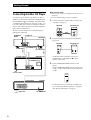
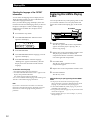
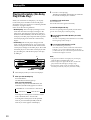
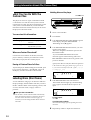
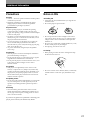
Recording Your Own Program
You can record the program you’ve created on a tape,
etc. The program can contain up to 32 steps.
By inserting a pause during programming, you can
divide the program into two for recording on both
sides of a tape.
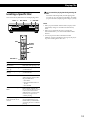
PROGRAM
DISC 1 – 5
·P
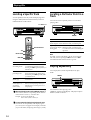
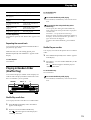
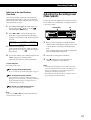
Recording a CD by Specifying
Tape Length (Time Edit)
The player automatically creates a program that will fit
the length of the tape, keeping the original order of the
disc.
The program can contain up to 32 steps (a pause
inserted between steps is counted as one step).
Note that tracks numbered over 20 cannot be
programmed automatically.
· P DISC SKIP
≠ AMS ±
1
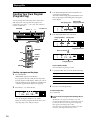
Create your program (for side A when recording
on a tape) while checking the total playing time
indicated in the display.
Follow Steps 1 through 5 in “Creating a program
on the player” on page 16.
The
indication appears in the display.
0/)
EDIT/TIME FADE
1
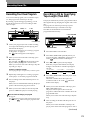
Press DISC SKIP to select the disc.
2
Press EDIT/TIME FADE repeatedly before you
start playing until “TIME EDIT” appears and “A”
in the
indication flashes in the display.
A
2
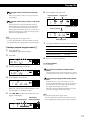
When you record on both sides of the tape, press
P to insert a pause.
indications appear in the
The “PAUSE” and
display and the playing time is reset to “0.00.”
When you record on one side of the tape, skip this
step and go to Step 4.
A
A
B
3
A pause is counted as one step
Press 0 or ) to specify the tape length.
Each time you press these buttons, the display
changes as shown below with the tape length of
one side.
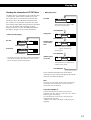
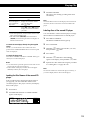
n C-46 23.00 N
You can program up to 31 steps when you insert a pause.
n - -. - - N
3
Repeat Steps 2 through 5 in “Creating a program
on the player” to create the program for side B.
4
Start recording on the deck and then press · on
the player.
When you record on both sides of the tape, the player
pauses at the end of the program for side A.
5
4
n C-90 45.00 N
n C-60 30.00 N
n C-74 37.00 N
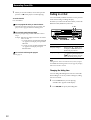
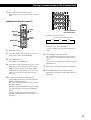
Press EDIT/TIME FADE to have the player create
the program.
The music calendar shows the tracks to be
recorded for side A. “B” in the
indication
flashes in the display.
B
5
When you record on both sides of the tape, press
EDIT/TIME FADE again.
The player inserts a pause, then creates the
program for side B. The music calendar shows the
programmed tracks.
When you record on one side of the tape, skip this
step.
6
Start recording on the deck and then press · on
the player.
When you record on both sides of the tape, the
player pauses at the end of the program for side A.
When you record on side B, reverse the tape and
press · or P on the player to resume playing.
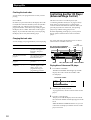
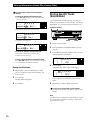
You can check and change your program
See page 18.
A
The
indication appears while checking the program
B
for side A and
while checking the program for side
B.
n C-54 27.00 N
(Continued)
21