1
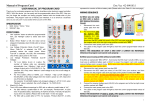
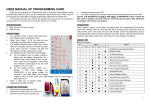
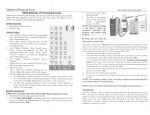
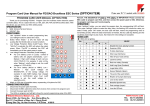
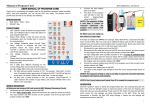
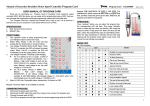
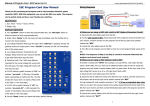
Manual of Program Card USER MANUAL OF PROGRAM CARD Thank you for purchasing program card for brushless motor electronic speed controller (ESC). With this device, you can easily set the programmable value of ESC. Now you can just forget the complicated and boring programming method with the throttle stick of your transmitter. This program card has a friendly user interface and very easy to use. It is as small as a business card, so you can put it in your pocket when you are on field. SPECIFICATION: 1. 2. 3. SIZE: 92.0mm * 52.5mm * 6.3mm WEIGHT: 26g ACCESSORY: A “Y” cable for connecting program card with ESC FRONT PANEL: 1. 2. 3. 4. 5. Use “up/down” button to select programmable item, use “left/right” button to select each item value; Brake: When “Brake” is ON, the motor will be stopped immediately when throttle stick is moved to bottom; Low Voltage Protection Mode (Cutoff Type):When “Soft-Cut” is selected, the ESC will gradually reduce the output power. When “Cut-Off” is selected, the ESC will immediately cut off the output power to motor. Low Voltage Protection Threshold (Cutoff Voltage): For Li-xx battery (Li-ion or Li-poly),number of battery cells are calculated automatically,Low / Medium / High cutoff voltage of each cell are: 2.6V/2.85V/3.1V. For example: 3 cells Li-Poly, when “Medium” cutoff voltage is set, the cutoff voltage is: 2.85*3=8.55V. For Ni-xx battery (NiCd or NiMH), Low / Medium / High cutoff voltages are 0%/45%/60% of the initial voltage when the model is power on. (0% means the cutoff function is disabled) For example: 10 cells NiMH battery, fully charged voltage is 1.44*10=14.4V, when “Medium” value is selected, the cutoff voltage is : 14.4*45%=6.5V。 Music/Li-Po Cells: The 4 LEDs have different meanings for ESC with or without a postfix letter of “HV”. For ESC without a postfix letter of “HV”, for example, “Pentium-60A”, 4 LEDs have 16 possible states, representing 16 rhythms for ESC. (Please read Table 1) For ESC with a postfix letter of “HV”, for example, “Pentium-90A-HV”, 4 LEDs represent the lithium battery cells number. (Please read Table 2) CONNET SEQUENCE: 1. 2. Disconnect the power pack from ESC; Disconnect the BEC cable of ESC (trio wires) from receiver, then connect it to program card; 3. Connect the power pack to ESC; 4. The LEDs on program card will light, showing the current programmable value of the ESC; Remark: THE SEQUENCE OF STEP 2 AND STEP 3 CANNOT BE REVERSED! Please connect the BEC cable to program card firstly, and then connect the power pack to ESC. Otherwise, the program card cannot work properly. MUSIC LIST: Table 1: Music list No. D ● LED = LED is lighting MUSIC C B A 1 ○ ○ ○ ○ Disable the music playing function 2 ○ ○ ○ ● Susanna (USA) 3 ○ ○ ● ○ To Alice (Germany) 4 ○ ○ ● ● Ode to joy (Germany) 5 ○ ● ○ ○ Take off your hood (China) 6 ○ ● ○ ● Jasmine (China) 7 ○ ● ● ○ Red river valley (Canada) 8 ○ ● ● ● Auld Lang Syne (Scotland) 9 ● ○ ○ ○ Jingle Bells (USA) 10 ● ○ ○ ● Song of matador (Spain) 11 ● ○ ● ○ The end of the world (USA) 12 ● ○ ● ● Rhythm of triumph (Germany) 13 ● ● ○ ○ Love is blue (USA) 14 ● ● ○ ● Beautiful Spanish lady (Italy) 15 ● ● ● ○ Post carriage (Japan) 16 ● ● ● ● Love bird (China) 1 Manual of Program Card LI-POLY CELLS NUMBER LIST USE A PROGRAM CARD TO SET ESC OF “OPTO” TYPE Table 2: Li-Poly cells number list No. LED ● = LED is lighting Li-Poly Cells Number D C B A 1 ○ ○ ○ ○ Auto detect 2 ○ ○ ○ ● 2 CELLS (7.4V) 3 ○ ○ ● ○ 3 CELLS (11.1V) 4 ○ ○ ● ● 4 CELLS (14.8V) 5 ○ ● ○ ○ 5 CELLS (18.5V) 6 ○ ● ○ ● 6 CELLS (22.2V) 7 ○ ● ● ○ 7 CELLS (25.9V) 8 ○ ● ● ● 8 CELLS (29.6V) 9 ● ○ ○ ○ 9 CELLS (33.3V) 10 ● ○ ○ ● 10 CELLS (37.0V) 11 ● ○ ● ○ 11 CELLS (40.7V) 12 ● ○ ● ● 12 CELLS (44.4V) 13 ● ● ○ ○ Auto detect 14 ● ● ○ ● Auto detect 15 ● ● ● ○ Auto detect 16 ● ● ● ● Auto detect We strongly suggest you using manually setting method to set the cells number of your lithium battery pack. Please be careful to use “Auto detect” method. If the ESC is marked with “BEC OPTO”, that means this ESC hasn’t a built-in BEC (Battery Elimination Circuit), so you should use an additional battery pack to power the program card, and usually a receiver battery pack is a good choice. In such a case, a “Y” cable is needed. You can find the “Y” cable in the package. Remark: You must firstly connect the receiver battery pack before connecting the source battery pack. Receiver battery pack ESC Y cable Pentium-60A-OPTO Source power DECLARATION This program card is ONLY suitable for the ESC of the same manufacturer. Please ask your retailer for detail product information. OPERATION: Press “up/down” button, you can select the programmable item, the corresponding LED will flash. Then press “left/right” button to select the item value, the flashing LED shows the value you are just selecting. Finally, press “OK” button, the blue LED will flash, means the programmable value is being transmitted to ESC. When the data transmission is finished, the blue LED will stop flashing, it means the new settings are accepted and stored in ESC. 2