1
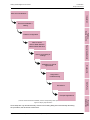
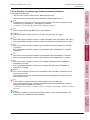
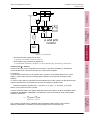
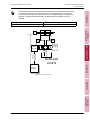
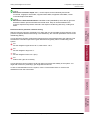
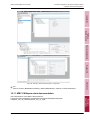
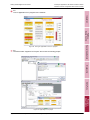
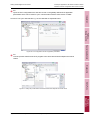
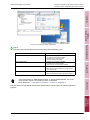
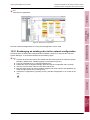
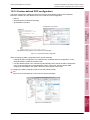
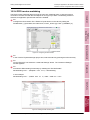
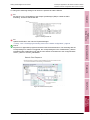
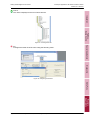
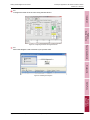
Getting Started Digital Control Valves 10 Example applications with different network masters EtherCAT network configuration with TwinCAT master 10.2 EtherCAT network configuration with TwinCAT master Installation Do: The model specific ESI configuration file for the valve with certain model number (e.g. D672-E5704-0001.xml), and the corresponding CANopen eds file must be copied to the following directories. This has to be done before starting the TwinCAT System Manager: • ESI file: e.g. D672-E5704-0001.xml C:\TwinCAT\Io\EtherCAT\ • EDS file: e.g. D672-E5704-0001.eds C:\TwinCAT\Io\CANopen\ Fieldbus, Device Control Do not confuse the model-specific ESI configuration file, which has an XML format with the MoVaCo-B9922x-DV0xx-211.xml configuration file which also has an XML format. Do: The model specific ESI configuration file for the valve with certain model number (e.g. D672-E5704-0001.xml), and the corresponding CANopen eds file must be copied to the following directories. This has to be done before starting the TwinCAT System Manager: • ESI file: e.g. D672-E5704-0001.xml C:\TwinCAT\Io\EtherCAT\ Special Applications • EDS file: e.g. D672-E5704-0001.eds C:\TwinCAT\Io\CANopen\ Do: Connect the valve with the fieldbus master using the fieldbus cable. Do: Start the TwinCAT System Manager. Do: Open a new network configuration by selecting the menu 'File | New' or open an existing one. Diagnostics Do: Append a network card by opening the "Append Devices" window: MoVaPuCo Figure 29: Appending a network card Example Applications Application Instruction DCV (CDS45379-en; Version -, August 2015) 71