1
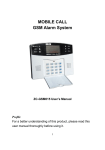
Wireless intelligent security alarm SECURITY ALARM SYSTEM before power cut after the reset upon power cut or shut down. Functions Event Log Query: console automatically records 45 pieces of all information concerning defense, withdrawal and alarm events. 100 wireless and 8 wire defense zones. At most 8 wireless remote control codes. alarm in case of the alarm during ongoing call, no matter incoming or outgoing Blue backlighting graphic display for clear information. call. 6 groups of voice alarm phones (mobile phone), and 2 groups of phones in alarm receipt center. Built-in perpetual calendar and clock; automatic logging of alarm cases by time disconnection, for anti-sabotage of telephone lines. Message recording playback: human recording, synchronous playback for console in the remote control form. More defense modes: remote defense, keypad defense, and non-local remote Compatible with internationally accepted protocol of alarm receipt center: Ademco Contact ID alarm communication protocol. Programming of defense zone type: all zones could be programmed via keypad for immediate, delayed, 24-hour and bypass alarm modes. Console is equipped with battery box, with optional AAA NI-HM rechargeable battery. Console meets 3C safety standards and national standard GB12663-2001 zones. Remote control: through remote phone (cell phone) dial-up, many operations could be realized, like defense, withdrawal and on-site monitoring by the defense by telephone; stay-in defense, timing defense, and individual defense in Phone disconnection detection: automatic detection and alarm warning in line sequence. recording effect in audition. Line priority alarm: the console will cut the busy call and switch to priority Alarm Position Programming: Intelligent automatic speech recognition: SOS Technical parameters alarm, fire alarm, gas leak, magnetic contact alarm, hall alarm, window alarm, Input Voltage: DC12V 500mA balcony alarm, and perimeter alarm Standby Current: 50mA Timing defense and withdrawal: console features automatic timing defense and Alarm Current: 450mA max withdrawal. Output current: DC12V 150mA Intelligent Music Alarm: full voice prompt. During defense at home, console Wireless Frequency: 433 MHz music and voice alarm, external siren mute; during defense in the absence, Coding Method: 2262 IC / 4.7MΩ console voice alarm, loud external siren alarm. Alarm noise: 110dB Password Recovery: Whether the console is in defense or withdrawal, the lost Back-up Battery: AAA 7.2V password can be recovered. Environment Temperature: -20℃ ~ +55℃ Intelligent learning code: intelligent learning code, newly added with detector Relative Humidity: 40% ~ 80% which is prompt and efficient, and convenient and simple. Console status memory: automatic console memory for defense and withdrawal, which could enable the console to automatically recover defense or withdrawal 1 Installation and debugging 2 Wireless intelligent security alarm SECURITY ALARM SYSTEM Console Installation The console shall be installed in the centre of the prevent site which could realize best receiving effect from all wireless detectors. Please note 固定孔位 Fixed hole 电话外线 that keep the console away from large-sized metallic objects and home External appliances producing high-frequency interference, and avoid steel-reinforced 电 话 phone line concrete and fire-proof doors. Power light Defense light Stay-in light TEL LINE DC12 IN Phone set Lead Control panel: 机 引线孔槽 Cable defense zone 有线防区 hole Battery box slot PCB 板 Signal light DC 12V DC12V输 入 input 电 池 盒 PCB plate SET light Alarm light Installation: Numeric Defense key keyboard Stay-in key Recording Alarm speaker microphone detector protection of alarm system. Emergency key Set key The console is positioned for installation so that it locates in the range of Fix hold size by console rear screw, and tighten screws in installation position. Open console battery cover, put dedicated rechargeable battery pack into the box, align power cable pin and finally cover battery box. Display: Line connection: LINE is connected with the incoming telephone; TEL is connected with telephone set. Please note that Do not connect the line Alarm icon improperly, otherwise no outgoing alarm calls are available. Status icon Clock/defense zone Loud alarm connection: the console alarm output (SP +) is connected with loud alarm positive (white line); the negative (black line) is connected with Position info. Defense/withdr the console grounding (GND). Please note that Do not connect positive awal and negative improperly, otherwise the alarm does not sound and will be damaged. Fire alarm SOS alarm Gas leak Hall alarm Window alarm Balcony alarm Magnetic contact alarm Perimeter alarm Installation method for cable detector: please follow cable zone connection instructions in the next. Rear installation: Power Access: power output head (elbow) with power adapter will be directly inserted into the power input hole (DC12V IN) on the console. 1 Detailed examination will be performed to check whether all the 2 Wireless intelligent security alarm SECURITY ALARM SYSTEM connections are correct, and cable access is fixed and reliable. connection into one zone. Regardless of which detector is triggered, the All connecting lines will be included into the console's rear lead hole slot. console will alarm, but the alarm is just the same zone. Then the alarm console will be firmly installed in the fixed position, and the screws are tightened. Wireless remote control Structure chart: Finally walk test is performed. Defense during absence Cable defense zone: 警 号输 出 输出 DC 12Vl 八 防区 七 防区 六 防区 五 防区 四 防区 三 防区 二 防区 一 防区 Withdrawal key Emergency alarm Defense during stay-in Remote rear SP+ 地 GND Z8 GND Z7 地 Z6 GND Z5 地 Z4 GND Z3 地 Z2 GND Z1 地 12V OUT DZ 1 Grounding DZ 2 DZ 3 Grounding DZ 4 DZ 5 Grounding DZ 6 DZ 7 Grounding DZ 8 DC12V output Grounding Alarm output (DZ = Defense zone) Magnetic Contact Detector Installation Wireless magnetic contact detector with multi-functions: emergency button, vibration detection and magnetic contact switch. It is suitable for outdoor or door and window installation, with reliable performance and no false alarm, which is most Wiring: common. Once the door or window is opened, the sender is separated from magnet Four-core signal lines will be laid in advance between the console and bar, and then wireless alarm signal will be activated and sent (magnetic contact installation location of cable detector. alarm lights). Open the shell of cable detector, and connect four-core signal lines by Structure chart: colors respectively into detector terminals. Power input (red line for power Antenna positive while black line for negative), and signal output (white for NO / Vibration NC while blue for GND). Fix and install cable detector. Alarm light switch Loosen the screw terminals of console cable defense zones with a Sender Reed switch screwdriver, and then connect four-core detector signal lines respectively to Magnet bar Emergency button the defense port (white for Z1 while blue for GND), and power port (red Coding for DC12V output while black for GND); it is tightened. Battery Other detectors will be subject to the same connection, and note that the Installation: power supply is aligned to the power supply while the signal is aligned to then code the console. the signal. 1 First, install batteries of wireless magnetic contact detector, and The alarm system has 8 cable defense zones, respectively for 8 different Choose a sturdy door or window with a clean surface. types of cable detectors. Trigger repeatedly wireless magnetic contact detector in the If you access more than 8 cable detectors, detector signal lines in the installation position to check whether the console is able to receive adjacent position with the same type can be installed subject to series the signal normally; to identify the console can be sensitive to 2 Wireless intelligent security alarm SECURITY ALARM SYSTEM receive the alarm prior to continuous installation. Otherwise, the position for magnetic contact detector or console shall be adjusted. The double-sided adhesive will respectively be stuck to the rear of Detection range: sender and magnet bar. Overhead detection range: Fix the sender in the door (window) frame, and tighten it with Side detection range: Horizontal screws if required. Vertical Detection Fix magnet bar on the door (window) leaf, and tighten it with distance screws if required. Installation of the sender and magnet bar shall be leveled with the spacing less than 3 ~ 5mm. When installed in metal doors and windows, if the wireless is Detection range of infrared detector covers the tetragonal pyramid ineffective, it is recommended to elevate and fix the sender and space with horizontal 110 º, Vertical 70 º, and effective distance of 8-12 magnet bar, or wireless iron magnetic contact detector is selected. meters. Infrared installation Installation: To avoid false alarms, wireless infrared detector must be installed indoors, Open the battery cover of wireless infrared detector, insert the battery in the correct direction and code the console. Companied and outdoor use is strictly prohibited. Wireless infrared detector is the most common indoor detector in alarm system. The carbon batteries, perhaps because of too long leaving from the detection range covers the space with horizontal 110 º, Vertical 70 º, and detection factory, can only be used to test machine; during installation, it is range of 12 meters. Infrared radiation light of mobile body will be focused and recommended to install AAA alkaline batteries, in order to transmitted through the Fresnel lens to the sensor, and then wireless infrared detector guarantee long term stability of wireless infrared detector. will launch a wireless alarm signal outsides (alarm light on lens flashes). Select installation location, and then fix the bracket of wireless infrared detector to installation point with screws; the installation Structure chart: height must be 2.20 ~ 2.50 meters. Antenna Fresnel lens In this position repeatedly trigger wireless infrared detector to check whether the console is able to receive the signal; to identify LED light PIR sensor the console could be sensitive and sound alarm, and then install it. Power switch Otherwise, the distance or location of wireless infrared detector or Oscillation resistance Data code/address code the console shall be adjusted. Note that the direction tangency between detection and body movement must be achieved (90 degrees from the vertical direction), with the most sensitive and best detection effect. Otherwise, the detection is ineffective. 1 2 Wireless intelligent security alarm SECURITY ALARM SYSTEM Overhead view of infrared detector shall be adjusted higher, with 30cm above the ground avoided in case of pet; meanwhile, cause false alarms. Vibration source near infrared detector can also attention shall be paid to avoid the mice crawling in front of cause false alarms. infrared detector; this can prevent false alarms caused by pets. Direct light on Fresnel lens of infrared detector will be likely to Indoor wireless infrared detectors shall keep away from appliances Repeated walk tests: to constantly adjust the detection direction and angle, with strong electromagnetic interference (such as computers, and test all locations to be protected; in all three steps sensitive detection televisions, air conditioners, microwave ovens etc); otherwise, and alarm must be realized. there may be false alarms. Special attention shall be paid to prevent dirt or scratch from Fresnel lens. Indoor infrared detectors shall keep away from mice crawling to prevent false alarms caused by the mice. System installation Overhead view of infrared detector shall be adjusted higher, with The detector for alarm apparatus, in order to guarantee the detection results, shall 30cm above the ground avoided in case of pet; this can prevent provide relatively high sensitivity; Because of this, the detector, if installed properly, false alarms caused by pets. will easily lead to false alarm. Therefore, the installation must be subject to the following details: examined, to prevent the battery under-voltage from false alarms. Outdoor (balcony) defense must be subject to special detector for AAA alkaline battery must be selected for battery replacement. magnetic contact, vibration, correlation, fence or outdoor use; it is Installation diagram: prohibited to install wireless infrared detectors outdoors. The battery of wireless infrared detector shall be regularly Magnetic contact detector Console Horizontal detection Infrared detector angle Doors and windows defense shall be subject to magnetic contact Door frame Door leaf and vibration detectors, other than infrared detectors. Because of Magnet bar constraints, if infrared detector must be used to replace magnetic contact, curtain detector with direction can be selected and must be Magnetic contact sender installed in the inside of doors and windows. follow installation method for infrared detectors. Wireless infrared detector must be installed in the interior hidden Anti pet height Walk direction backlight place; it is necessary to avoid facing the doors and Magnetic contact detector Installation height of infrared curtain detector. It is recommended to, during installation, strictly detector Indoor defense shall be generally subject to infrared detector or 2.2-2.5m Window frame Window leaf Magnet bar Magnetic contact sender windows, air conditioning, heating apparatus, and ventilation etc., which due to obvious change of temperature and air flow will caused false alarms of infrared detector. 1 Walk test After alarm system is installed, each installed accessory must be tested to fully 2 Wireless intelligent security alarm understand the alarm performance. If the result is not satisfactory, please adjust the SECURITY ALARM SYSTEM 4.7M oscillation resistance). Connect the console with telephone lines, telephone, cable detector and external device in the following ways: siren according to the console installation diagram. Electrify DC 12 V power adapter. Signal emission of wireless remote control: check whether all remotes And LCD display and all LED lights on the console are on and the speaker sounds a could normally operate the console; and each button of remote control can long beep; after 2 seconds all LED lights go off except power indicator; LCD display work. the withdrawal and standby status… LCD display: Signal emission of wireless magnetic contact detector: wireless magnetic contact detector is repeatedly triggered to ensure that in each trigger, the console can properly receive the signal and sound alarm. Signal emission of wireless infrared detector: wireless infrared detector is repeatedly triggered to ensure that in each trigger, the console can properly receive the signal and sound alarm. Detection range of wireless infrared detector: in the effective range of wireless infrared detector, select a different location in different directions, During operation, the console will sound different tones, representing different with walk test method for testing. In three steps, it must be guaranteed that operating information: wireless infrared detectors can be sensitive and sound alarm. Prompt tone Prompt tone Walk test would be used to constantly adjust the left and right directions One short “beep” Valid button (0.5 second) and overhead view of wireless infrared detector to achieve maximum One long “beep” Recover factory settings, correct and valid Check front space of wireless infrared detectors and make sure there is no “beep, beep” Withdrawal prompt tone (1 second) object (curtain) or glass wall. Otherwise, it will reduce the detection effect Three short “beep” Invalid and wrong operation and settings (0.5 detection range, and the most sensitive detection results. settings (1.5 seconds) of the detector. One short “beep” for Absence defense or delay defense (0.5 in alarm system, and can not easily be able to destroy and shut down them. one second second) Preparation The batteries for remote control, wireless magnetic contact detector and wireless infrared detector shall be respectively installed and then corresponding parameters shall be adjusted for use (the machine features 315MHz frequency, 2262 coding and 1 second) Alarm console and all accessories must be in the range of effective warning Set Functions Information Withdrawal after startup If the console is electrified and in defense (LCD display locked icon, ARM]or ]on the remote control to withdraw; or through the console keyboard, enter [Password] (original factory password: [1234]), and then press [#] to confirm withdrawal. Console voice prompt: the system is withdrawing. [Home]lights), alarm console must be first withdrawn: press[ 2 Wireless intelligent security alarm Remote withdrawal: Press【 SECURITY ALARM SYSTEM In Settings mode, directly enter [95175308246] with key pad, and then press [#] to 】on the remote control. confirm; and all LED lights on the console are on for 2 seconds and the speaker Console withdrawal:【Password】【#】 sounds a long beep. All settings on the console are cleared and resume original factory Password recovery state. If the password is lost or forgotten, please use the [Recover password] Settings:【95175308246】【#】 command to recover password to original state. In defense or withdrawal, direct enter [95175308245] number keys through console keyboard, and finally press [#] key to confirm; console [Signal] indicator flashes once, Remote coding All remote controls must be coded with the console for normal remote and the speaker sound a long "beep". User password on the console is cleared, and it is control of alarm console. recovered to the original [1234]. In Settings, first enter the address code [20] by console keypad, then select remote Settings:【95175308245】【#】 number [1]~[8] and finally press [#] to confirm; [Signal] lights, LCD displays coding icon and press any key to send a wireless signal on remote control to be coded; after Enter Setting the console receives the signal, [Signal] goes off, and voice prompts: coding Only in setting state, function settings and operations could be performed successfully, please enter command. on the console. Settings:【20】【A】【#】 In withdrawal, enter four-digit [Password] with key pad and then press [ ] key to confirm; Console voice prompt: please enter command, and [Set] light will light up, A: [1]~[8] remote serial numbers; code at most 8 remote controls on the console. indicting it has entered the system setting status. Console’s original factory password Example: code first remote control on No. 1 position is [1234]. Operation:【20】【1】【#】 Settings:【Password】 【 】 LCD display: Exit Setting When the function is set up, or it is in the setting state ([SET] lights), press [*], [#] keys to exit setting mode, [SET] light is off, and the console returns to withdrawal state. In the settings, all functions could be continuously set. Just press [#] in case of Delete remote control input error or command skipping. However, if in setting operation, the key is idle for more than 30 seconds, the console will automatically exit the settings, and return to Once remote control is deleted, no operation could be performed on alarm withdrawal state. console. Settings:【*】 + 【#】 In Settings, first enter [21] by console keypad, then select remote serial number to be deleted and finally press [#] to confirm; [Signal] flashes once, and voice prompts: 1 Resume Factory Settings delete successfully, please enter command. 2 Wireless intelligent security alarm SECURITY ALARM SYSTEM Settings:【21】【A】【#】 XX: [01]~[99] respectively corresponds defense 01 to 99. A: [1]~[8] remote serial numbers; code at most 8 remote controls on Example: delete wireless magnetic contact in defense 1 from the console the console. Example: delete No. 3 remote control from alarm console Operation:【24】【01】【#】 Operation:【21】【3】【#】 Modify password Defense coding Password shall be requisite key entering alarm system during settings and All wireless detectors must be coded with corresponding zones on the console to trigger console alarm. In Settings, first enter address code [23] by console keypad, then select appropriate defense zone number [01] ~ [99] and finally press [#] to confirm; the indicator of defense zone lights up, LCD displays the corresponding defense zone remote control operations by the console. In Settings, first enter address code [30] by console keypad, then enter new four-digit password and finally press [#] to confirm; voice prompts: set successfully, please enter command. Settings:【30】【XXXX】【#】 number, and trigger and send a wireless signal on wireless detector to be coded; after XXXX: new four-digit password. the console receives the signal, the indicator of defense zone goes off, and voice Example: specific operation of modifying password into 1012. prompts: coding successfully, please enter command. Operation:【30】【1012】【#】 Settings:【23】【XX】【#】 XX: [01]~[99] respectively corresponds defense 01 to 99. Example: coding of wireless magnetic contact in defense 1. User code User code refers to ID number for each user identified online computer Operation:【23】【01】【#】 center for alarm. LCD display: In Settings, first enter address code [32] by console keypad, then enter four-digit user code and finally press [#] to confirm; voice prompts: set successfully, please enter command. Settings:【32】【XXXX】【#】 XXXXX: four-digit user code: ID number. Delete defense zone Example: specific operation: user code of Mr. Smith is 0005 Once wireless detector is deleted in the zone, it never triggers the console for Operation:【32】【0005】【#】 the alarm. In Settings, first enter address code [23] by console keypad, then select defense zone number [01] ~ [99] to be deleted and finally press [#] to confirm; voice prompts: delete successfully, please enter command. Settings:【24】【XX】【#】 1 Date and time settings Year, month, day, hour and minute must be set up in the correct way; otherwise, leap year and month will run an error! In Settings, first enter address code [34] by console keypad, then enter later two 2 Wireless intelligent security alarm SECURITY ALARM SYSTEM digits in current year and current day of week and finally press [#] to confirm; voice two-digit hour (24h) and the minute with two digits and finally press [#] to confirm; prompts: set successfully, please enter command. voice prompts: set successfully, please enter command. Settings:【34】【XX】【Y】【#】 Settings:【36】【XX】【YY】【#】 XX: later two digits in current year. Y: current day of week (0 for Sunday). XX: two-digit hour; YY: two-digit minute. Example: time settings for current 4:35 pm Example: year settings, October 1, 2009 Operation:【36】【16】【35】【#】 “16”: 4 pm (16:00). Operation:【34】【09】【0】【#】 “09”: the year 2009. “0”: Sunday, October 1, 2009. “35”: 35 mins. LCD display: LCD display: Month and day settings Timing defense In Settings, first enter address code [35] by console keypad, then enter current In Settings, first enter address code [37] by console keypad, then enter two-digit two-digit month and the day with two digits and finally press [#] to confirm; voice hour for automatic defense per day (24h) and minutes with two digits and finally press prompts: set successfully, please enter command. [#] to confirm; voice prompts: set successfully, please enter command. Settings:【35】【XX】【YY】【#】 Settings:【37】【XX】【YY】【#】 XX: two-digit month; YY: two-digit day. XX: two-digit hour; YY: two-digit minute. Example: day settings on October 1, 2009 Example: automatic timing defense settings at 6:55 pm per day Operation:【35】【10】【01】【#】 Operation:【37】【18】【55】【#】 “10”: October. “18”: 6 pm (18:00). “01”: Day 1. “55”: 55 mins. LCD display: Timing withdrawal In Settings, first enter address code [38] by console keypad, then enter two-digit hour for automatic withdrawal per day (24h) and minutes with two digits and finally press [#] to confirm; voice prompts: set successfully, please enter command. Hour and minute settings In Settings, first enter address code [36] by console keypad, then enter current 1 Settings:【38】【XX】【YY】【#】 XX: two-digit hour; 2 Wireless intelligent security alarm SECURITY ALARM SYSTEM XX: [51]~[56] for address codes from 1-6 alarm phone numbers. YY: two-digit minute. Example: automatic timing withdrawal settings at 8:30 am per day Example: delete third alarm number from the console Operation:【38】【08】【30】【#】 Operation:【53】【#】 “08”: 8:00 am. “30”: 30mins. Extension If the console is connected to the telephone line extension through the telephone Timing ON and OFF exchange; in phone number settings, external outgoing line number would be required Timing ON: valid timing defense and withdrawal; timing OFF: invalid (external outgoing line number: refers to additional figure, generally 0 or 9 in timing defense and withdrawal! exchange, selected for external outgoing dialing through telephone extension). In Settings, first enter address code [39] by console keypad, then select timing In Settings, first enter address code [51] -[56] by console keypad, enter external ON or OFF [0/1] and finally press [#] to confirm; voice prompts: set successfully, please enter command. outgoing line number and [*], then enter phone (mobile) number and finally press [#] Settings:【39】【0/1】【#】 to confirm; voice prompts: set successfully, please enter command. “1”: Enable timing defense and withdrawal (ON). Settings:【XX】【A】【*】【YY…YY】【#】 “0”: Disable timing defense and withdrawal. A: external outgoing line number of phone exchange extension. YY…YY: phone number, without digit limit, even applicable to long Alarm phone number In Settings, first enter address code [51] -[56] by console keypad, then enter desirable alarm phone number (mobile) and finally press [#] to confirm; voice prompts: set successfully, please enter command. distance. Example: on extension, dial up another “9” in external outgoing calls with alarm phone number of 88111111 Operation:【51】【9】【*】【88111111】【#】 Settings:【XX】【YY…YY】【#】 XX: [51]~[56] for address codes from 1-6 alarm phone numbers. YY…YY: set phone (mobile) number. Center phone number For online console alarm, it is necessary to set the telephone number of Example: set 13811111111 as first alarm phone number computer alarm receipt center to upload data communications. Operation:【51】【13811111111】【#】 In Settings, first enter address code [57] -[58] by console keypad, enter telephone number of computer alarm receipt center and finally press [#] to confirm; voice Delete phone number prompts: set successfully, please enter command. In Settings, first enter address code [51] -[56] by console keypad, and then Settings:【XX】【YY…YY】【#】 directly press [#] to delete phone number; voice prompts: delete successfully, please enter command. In console alarm, such number will be no longer dialed. Settings:【XX】【#】 1 XX: address code [57] or [58] for first or second telephone number of computer alarm receipt center. YY…YY: telephone number of computer alarm receipt center. 2 Wireless intelligent security alarm Example: set 88000000 as telephone number of first computer alarm receipt center SECURITY ALARM SYSTEM Operation:【57】【88000000】【#】 Stay-in defense zone Home (stay-in) defense: some defense zones of the alarm are valid while others are invalid. In Settings, first enter address code [61] by console keypad, select corresponding Delete alarm center number In Settings, first enter address code [57] -[58] by console keypad, and directly defense zone number [01] - [99], and whether to choose alarm [0/1] in [stay-in press [#] to confirm; telephone number of alarm receipt center is deleted from the defense] and finally press [#] to confirm; voice prompts: set successfully, please enter console. Voice prompts: delete successfully, please enter command. command. Factory settings: [0]: no alarm for home (stay-in) defense zone. Settings:【XX】【#】 Settings:【61】【XX】【A】【#】 Example: delete telephone numbers of first and second computer alarm receipt XX: [01]~[99] corresponds to defense 01 to 99. centers; A: [0] for no alarm during stay-in defense while [1] for alarm during Operation:【57】【#】 stay-in defense. Example: set 10 defense zones as home (stay-in) defense alarm. 【58】【#】 Operation:【61】【10】【1】【#】 Example: modify 55 defense zones as no alarm of home (stay-in) defense. Defense zone type In Settings, first enter address code [60] by console keypad, select corresponding Operation:【61】【10】【0】【#】 defense zone number [01] - [99], enter defense zone type [1~4] and alarm type of defense zone [1~8], select whether to enable/disable alarm [0/1] in defense alarm and finally press [#] to confirm; voice prompts: set successfully, please enter command. Factory settings: In Settings, first enter address code [70] by console keypad, select human recording [1] immediate defense zone [1], SOS alarm [1] and alarm enabling [1]. and finally press [#] to confirm; [Recoding] icon flashes, and the recording starts; Settings:【60】【XX】【A】【B】【C】【#】 30cm to the console, with moderate tone, recording user information by standard XX for defense zone number: [01]~[99] corresponds to defense 01 to Human Recording mandarin; after 10 seconds, “beep” sounds. Settings:【70】【1】【#】 99. A for defense zone type: [1]immediate defense zone,[2]defense delay 40 seconds,[3]24h defense zone,[4]bypass defense zone. Recording playback B for alarm type: [1] SOS alarm,[2]Fire alarm,[3]Gas leak,[4] In Settings, first enter address code [70] by console keypad, select recording playback Magnetic contact alarm,[5]Hall alarm,[6]window [2] and finally press [#] to confirm; console speaker will immediately play last alarm,[7]balcony alarm,[8]perimeter alarm. recording information; after 10 seconds, “beep” sounds. C for alarm switch: [0] for OFF while [1] for ON. Settings:【70】【2】【#】 Example: set 10 defense zones as 24h, fire alarm, and sound alarm Operation:【60】【10】【3】【2】【1】【#】 Remote control In Settings, first enter address code [71] by console keypad, select whether to 1 2 Wireless intelligent security alarm SECURITY ALARM SYSTEM enable/disable [0/1] for remote control and press [#] to confirm; voice prompts: set press [#] to confirm; voice prompts: set successfully, please enter command. Factory successfully, please enter command. Factory settings: [0]: disabled remote control. settings: [0]: not report to the center. Settings:【71】【0/1】【#】 Settings:【74】【0/1】【#】 “1”: enable remote control. “1”: report defense/withdrawal to online computer center. “0”: disable remote control. “0”: not report defense/withdrawal to online computer center. Ringing number In Settings, first enter address code [72] by console keypad, select ringing number [1] Alarm warning Conduct defense/withdrawal operations to the console; whether to sound - [9] in pickup of alarm console and press [#] to confirm; voice prompts: set prompt from external alarm; enable or disable. successfully, please enter command. Factory settings: [2]: two ringing pickup. In Settings, first enter address code [75] by console keypad, select [0/1] to check Settings:【72】【A】【#】 whether to enable or disable external alarm prompt in defense and withdrawal and A: ringing number 1-9 for incoming call. press [#] to confirm; voice prompts: set successfully, please enter command. Factory Example: set tone 8 as ringing number. settings: [0]: disable alarm prompt. Operation:【72】【8】【#】 Settings:【75】【0/1】【#】 “1”: enable alarm prompt in defense and withdrawal. “0”: disable alarm prompt in defense and withdrawal. Online enabling This enables/disables online communication to identify whether to connect online communication with computer alarm receipt. In Settings, first enter address code [73] by console keypad, select Enable/Disable [0/1] Disconnection detection In Settings, first enter address code [78] by console keypad, select [0/1] to check between the console and online computer alarm receipt and press [#] to confirm; voice whether to enable or disable disconnection alarm and press [#] to confirm; voice prompts: prompts: set successfully, please enter command. Factory settings: [0]: disable online set successfully, please enter command. If user alarm console is not connected with phone computer communication. line, please set this function as [0] with no alarm detection due to line disconnection. Settings:【73】【0/1】【#】 Factory settings: [0]: no detection due to phone disconnection. “1”: enable online computer communication. Operation:【78】【0/1】【#】 “0”: disable online computer communication. “1”: enable disconnection detection and sound alarm. “0”: disable disconnection detection and sound no alarm. Operation reporting For security, whether to report computer center from the console with respect of defense/withdrawal. 1 Information inquiry In Settings, first enter address code [74] by console keypad, select [0/1] to check In Withdrawal, directly enter [*], [0] and [#] by console keypad in the whether to report to computer alarm receipt with respect of defense/withdrawal and information inquiry. And press [*] and [#] to page up/down to review all alarm logs 2 Wireless intelligent security alarm SECURITY ALARM SYSTEM (at most 45 pieces of information), and finally press [Password] + [#] to exit information inquiry. Keypad operation:【*】【0】【#】 Operating Instructions Defense during absence Defense during absence means that full round detection monitoring shall be set LCD display: on site when no one is at home; all detectors are in working conditions; in case alarm source triggers the detector (thief inbreak, fire, gas leak etc.), the alarm system sounds. After the defense, [ARM] lights up. Keypad operation: press【 Screen I: Screen II: “01”: serial number of alarm log 】, with console defense delayed for 100 seconds. Remote operation: press remote control【 】for defense. Alarm time: October 1, 2009 “12”: Alarm defense zone, SOS alarm 8:35 pm Defense display: Defense during Stay-in Defense during stay-in refers to: it is necessary to enable the operations of door, window, balcony and perimeter detectors outside of alarm system for the sake of safety in case one is at home, without false alarm triggered by indoor detector; stay-in defense is selected: some detectors work while others do not work. After the defense, Defense status. [Home] lights up. Keypad operation: press【 Withdrawal display: 】with immediate defense during stay-in for the console. Remote operation: press remote control【 Withdrawal status. 】. Individual defense Console’s random combination of 100 defense zones could be used for defense through individual defense function. First press [#] on console keypad and clear the Alarm display: keypad. Press [01~99] in defense zone and press [ ]. The buzzer sounds “beep”, and meanwhile defense zone light is on for one second indicating successful individual defense. Repeat the said operations for the defense in other zones. Keypad operation: 【01~99】 + 【 】 Alarm status. Exit information inquiry:【Password】 + 【#】 Withdraw operation Withdrawal refers to that the alarm is stopped during console alarm; or the alarm console is enabled in non-warning status. In detector triggering after withdrawal, the 1 2 Wireless intelligent security alarm SECURITY ALARM SYSTEM alarm console sounds no alarm (except for 24h defense and emergency alarm button). correct password, the telephone receiver prompts “press After withdrawal, [AEM] and [Home] go off. withdrawal and press for defense, press for for monitoring”. And after it is accessed, phone button could be used for remote control. Remote operation: press remote control【 Press【1】: the console enters defense and voice prompts “System defense”. 】. Keypad operation:【Password】 + 【#】 Press【2】: the console enters withdrawal and voice prompts “System withdrawal”. Press【3】: the console enters monitoring status for 30 seconds and press 【3】 Telephone alarm receipt Alarm console in defense status, once the alarm signal is received, will for 30 seconds delay repeatedly in case of continuous monitoring. immediately enable and sound the alarm; meanwhile all pre-set phone (mobile) numbers will be automatically dialed for alarm. The console will automatically dial up next phone group in case of no answering of dialed phone number, and then all preset Some special cases occur in the family: sudden illness for the elderly or children phone numbers will be dialed in repeated form for three times respectively. If alarm results in first aid; in case of sudden fire, help is needed; in case of housebreaking, the phone is answered, alarm information is heard from telephone receiver, such as alarm is required; in emergency alarm, the time is not enough time or the words are th SOS “Alarm for the balcony in 5 defense zone, and this is …”. And the keypad of phone not ambiguous because of tension. Console alarm button, static alarm key of remote (mobile) is pressed to perform remote control of the console. control or emergency button alarm will be only pressed. Alarm system will Press【1】: Stop console alarm and perform defense; console no longer dials up next phone number. immediately sound loudly and automatically call the police. Remote operation: press remote control【 】. Press【2】: Stop console alarm and perform withdrawal; console no longer dials up next phone number. Keypad operation: press console keypad【 】button. Press【3】: console disables alarm and monitors 30 seconds on site, with delayed monitoring and then【3】is pressed continuously. After alarm phone is answered, press only [3] to monitor and hang up, other than [1] and [2]. The console will no longer dial up such phone number, but will continuously dial up other preset alarm phone numbers. Maintenance and Care System detection Although the alarm system is used everyday, it still needs regular care and maintenance and detection to ensure that the alarm system will be stable, reliable and safe. Normally the console needs a thorough inspection every 3 months and the Remote control The telephone (mobile) is connected to alarm console number, and after ringing times, the telephone receiver prompts computer-generated voice: “Please enter password”. 1 detectors need to be checked once a month, at least once every 3 months in case of no conditions. Console detection: The password is entered via telephone (mobile). The console will in case of wrong 1 Whether the console normally performs defense or withdrawal. password give prompt: “wrong password, please enter password again”. In case of 2 Whether the console normally dials up the telephone numbers. 2 Wireless intelligent security alarm 3 SECURITY ALARM SYSTEM Whether the detector signal is received or backup battery works. Sensor detection: 1 Manually trigger the detector to check whether it sounds normal alarm. 2 Check batteries of all detectors to make sure whether it is under-voltage. 3 Check whether wireless detector is communicated with the console during emission testing. Notices Alarm equipment, for explosion-proof design, shall not directly be used in hazardous location with Grade I, II and III (flammable and explosive places), otherwise it is very dangerous. Do not dismantle, repair and modify products privately, or accidents and failures may be caused. Do not drop the product on the ground or hard objects to avoid strong impact for failure and damage. Without permit and consent from relevant department, do not directly set "110", "119" or alarm phone number of police station as alarm phone number of the console. 1 2