1
Table of Contents (continued)
Setting System In YPbPr Mode ...........................................................................................................................26
Adjusting Phase .....................................................................................................................................................26
Adjusting Screen Aspect ........................................................................................................................................26
Reducing Picture Noise..........................................................................................................................................26
Loading Default Values ..........................................................................................................................................26
Setting System In DVI Mode ..................................................................................................................................27
Adjusting Screen Aspect ........................................................................................................................................27
Displaying Resolution Information..........................................................................................................................27
Setting Sound ...................................................................................................................................................................28
Customizing the Sound ..........................................................................................................................................28
Using the Preset Sound Mode ...............................................................................................................................28
Setting SRS effect ..................................................................................................................................................28
Adjusting On-Screen Display............................................................................................................................................29
Adjusting OSD Position..........................................................................................................................................29
Adjusting OSD Transparence.................................................................................................................................29
Zooming OSD Menu...............................................................................................................................................29
Setting OSD Off Time.............................................................................................................................................29
Loading default values ...........................................................................................................................................29
TVPC Operations .............................................................................................................................................................30
Viewing the TVPC ..................................................................................................................................................30
Selecting the Signal Source for the TVPC Frame ..................................................................................................30
Changing Channels for the TVPC Frame...............................................................................................................30
Changing the Position of the TVPC Frame ............................................................................................................31
Adjusting the Size of TVPC Frame.........................................................................................................................31
Viewing Picture-by-Picture .....................................................................................................................................31
Using Hotkeys ..................................................................................................................................................................32
Setting Sleep Timer................................................................................................................................................32
Setting Audio Mode ................................................................................................................................................32
To pause Picture.....................................................................................................................................................32
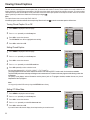
Viewing Closed Captions..................................................................................................................................................33
Turning Closed Caption On or Off..........................................................................................................................33
Setting Closed Caption...........................................................................................................................................33
Setting CC When Mute...........................................................................................................................................33
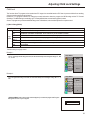
Adjusting Child Lock Settings ...........................................................................................................................................34
Child Lock...............................................................................................................................................................34
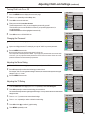
Turning Child Lock On or Off..................................................................................................................................36
Changing the Password .........................................................................................................................................36
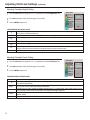
Adjusting the Movie Rating.....................................................................................................................................36
Adjusting the TV Rating..........................................................................................................................................36
Adjusting Canadian English Rating........................................................................................................................37
Adjusting Canadian French Rating.........................................................................................................................37
Troubleshooting ................................................................................................................................................................38
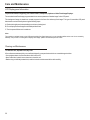
Care and Maintenance .....................................................................................................................................................39
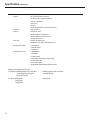
Specification .....................................................................................................................................................................40
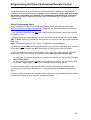
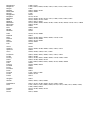
Programming the Universal Remote Control ....................................................................................................................42