1
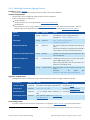
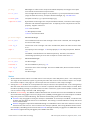
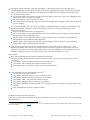
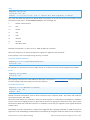
Printing Allowed:
None ()
Low Resolution (ePermPrint)
High Resolution (ePermPrint + ePermDigitalPrint)
Changes Allowed:
None ()
Inserting, deleting and rotating pages (ePermModify)
Filling in form fields and signing existing signature fields (ePermAnnotate)
Commenting, filling in form fields, and signing existing signature fields (ePermAnnotate +
ePermFillForms)
Any except extracting pages (ePermModify + ePermAnnotate + ePermFillForms)
Enable copying of text, images and other content (ePermCopy + ePermSupportDisabilities)
Enable text access for screen reader devices for the visually impaired (ePermSupportDisabilities)
These flags can be combined. For example to grant permission which are equal to Acrobat’s 7 “Printing Allowed:
High Resolution” and “Enable copying of text, images and other content”, set the flags ePermPrint + ePermCopy
+ ePermSupportDisabilities + ePermDigitalPrint.
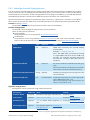
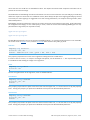
SaveInMemory
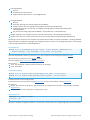
Method Boolean SaveInMemory ( String UserPw , String OwnerPw , TPDFPermission
PermissionFlags , Long KeyLength , String StrF , String StmF)
Save the output PDF in memory. After the Close call it can be accessed using the method GetPDF.
All parameters are identical to the SaveAs method.
See also chapter How to use the in-Memory Functions.
Return value:
True: The document could be saved in memory successfully.
False: Otherwise
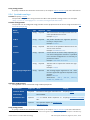
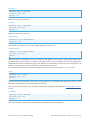
SetSessionProperty
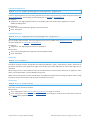
Method Boolean SetSessionPropertyString ( String Name , String Value )
Method Boolean SetSessionPropertyBytes ( String Name , Variant Value )
Provider-specific session configuration.
Properties have to be set before calling BeginSession and are deleted when calling EndSession.
Parameters:
Name: The name of the property. The names that are supported are specific to the provider used with
BeginSession.
Value: The value of the property as string or byte array.
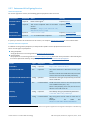
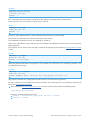
SignatureCount
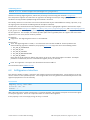
Property Long SignatureCount
Accessors : Get
Return the number of signature fields. If 0 is returned, it means there is no digital signature in the document.
© PDF Tools AG – Premium PDF Technology
PDF Security API, Version 4.5, August 26, 2015 | 60/71