1
✱49
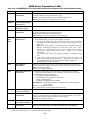
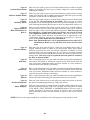
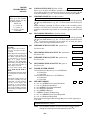
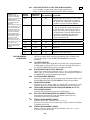
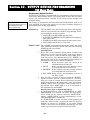
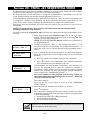
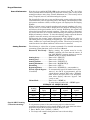
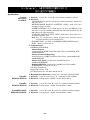
SPLIT/DUAL REPORTING
Ê ÊÊ0ÊÊ
Use options 0 - 5 when reporting to standard telephone receivers
TO PRIMARY
TO SECONDARY
0=
All reports
none, unless primary fails, then all
1=
Alarms, Restore, Cancel
Others
2=
All except Open/Close, Test
Open/Close, Test
3=
Alarms, Restore, Cancel
All
4=
All except Open/Close, Test
All
5=
All reports
All
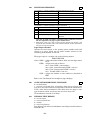
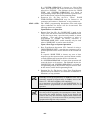
Use options 6 - 9 when reporting to a pager is desired
6 =
7=
8=
TO PRIMARY
All reports except Open/Close
All reports
All reports
9 =
All reports except Open/Close
TO PAGING No.
Alarms, Open/Close, Troubles
Alarms, Troubles
Alarms, Open/Close, Troubles
Alarms, Open/Close for users 5-25à ,
Troubles
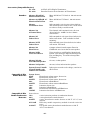
Can only be used is primary reporting format is Ademco Contact
ID. See explanation of pager report format below.
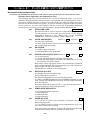
à Will report users 5-16, and, if using wireless button-type devices, will
report the zone number of the arm or disarm button (10-25). Open/Close
for users 1-4 are not reported.
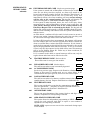
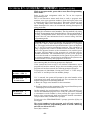
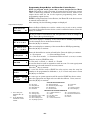
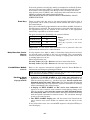
Pager Report Format
Options 6-9 send reports to the primary phone number and send
reports to a pager, which has its phone number entered as the
secondary phone number in field *42.
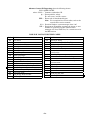
The pager report is a 10-digit code in the following format:
SSSSÐEEEÐNNN
where: SSSS = 4-digit subscriber number (field *43; first digit cannot
be 0)
EEE = 3-digit event code as follows:
911 = alarm (NNN = zone number)
001 = Open, system disarmed (NNN = user no.)
002 = Close, system armed (NNN = user no.)
811 = Trouble (NNN = zone no.)
NNN = 3-digit user number or zone number as described in
EEE
Refer to the User Manual for examples of pager displays.
✱50
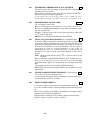
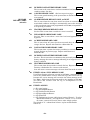
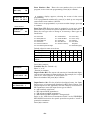
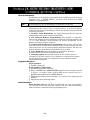
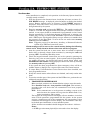
15-SECOND DIALER DELAY (BURGLARY)
Ê ÊÊ0ÊÊ
0 = no dialer delay
1 = provide 15-second delay of burglary alarm report (except zone
type 24) to the central station, which allows time for the subscriber to
avoid a false alarm transmission. This delay does not apply to zone
type 24 alarms, which are always sent as soon as they occur.
UL installations: must be 0 (no delay)
✱51
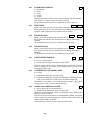
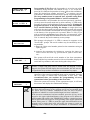
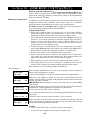
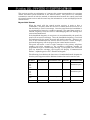
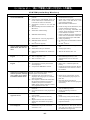
PERIODIC TEST REPORT
Ê ÊÊ0ÊÊ
0 = no test report
1 = once every 24 hours
2 = weekly
3 = once every 30 days
Test Report Code entered in field ✱64 is sent. Reports with Partition 1
Subscriber No.
–51–