1
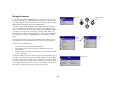
Advanced menu
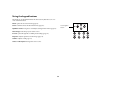
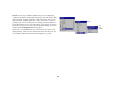
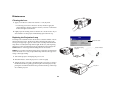
Sharpness: (video sources only) changes the clarity of the edges of a video
image. Select a sharpness setting.
Advanced menu
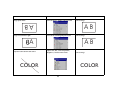
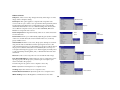
Color Space: This option applies to computer and component video
sources. It allows you to select a color space that has been specifically tuned
for the input signal. When Auto is selected, the projector automatically
determines the standard. To choose a different setting, turn off Auto, then
choose RGB for computer sources, choose either SMPTE240, REC709 or
REC601 for component video sources.
Sharpness
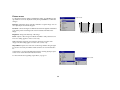
Color Temperature: changes the intensity of the colors. Select a listed relative warmth value.
Color
Space
Color
Temperature
Color Control: allows you to individually adjust the gain (relative warmth
of the color) and the offset (the amount of black in the color) of the red,
green, and blue colors.
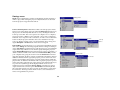
Video Standard: when it is set to Auto, the projector attempts to automatically pick the video standard based on the input signal it receives. (The
video standard options may vary depending on your region of the world.) If
the projector is unable to detect the correct standard, the colors may not
look right or the image may appear “torn.” If this happens, manually select
a video standard by selecting NTSC, PAL, or SECAM from the Video Standard menu.
Overscan: (video sources only) removes noise around the video image.
Color Control
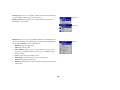
Sync Threshold Adjust: If a hardware device, such as a DVD player, is not
syncing properly with the projector, select this option to help it to sync
when connected to the projector.
The following four (4) options are for computer sources only.
Phase: adjusts the horizontal phase of a computer source.
Tracking: adjusts the vertical scan of a computer source.
Video Standard
Horizontal/Vertical Position: adjusts the position of a computer source.
White Peaking: increases the brightness of whites that are near 100%.
38