1
Polycom RMX 1500/2000/4000 Administrator’s Guide
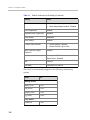
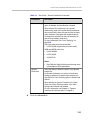
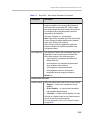
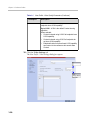
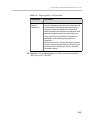
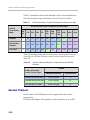
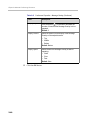
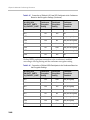
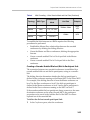
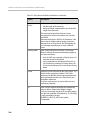
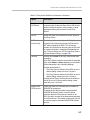
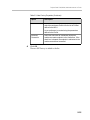
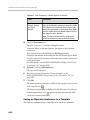
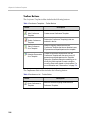
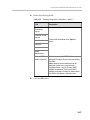
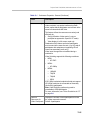
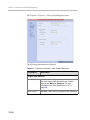
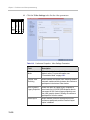
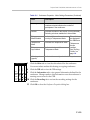
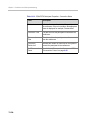
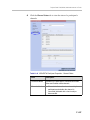
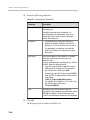
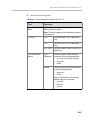
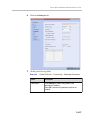
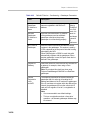
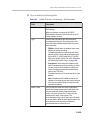
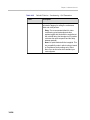
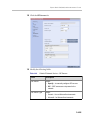
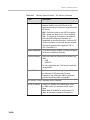
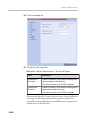
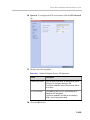
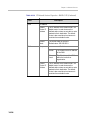
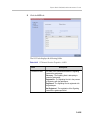
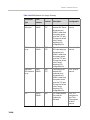
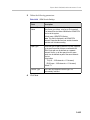
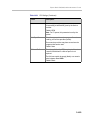
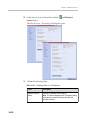
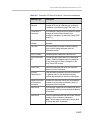
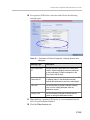
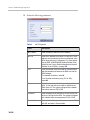
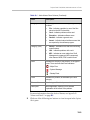
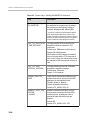
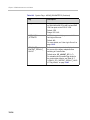
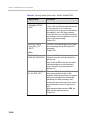
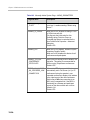
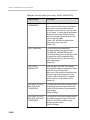
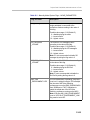
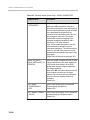
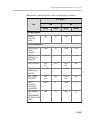
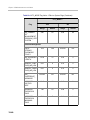
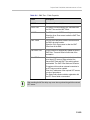
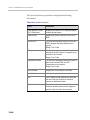
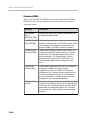
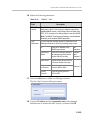
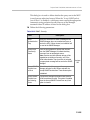
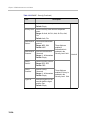
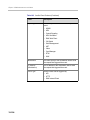
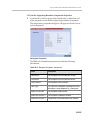
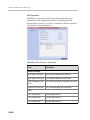
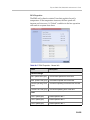
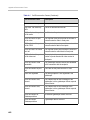
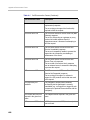
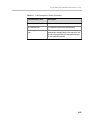
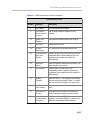
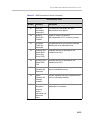
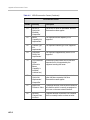
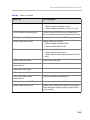
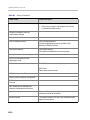
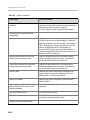
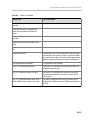
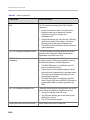
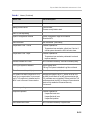
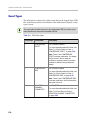
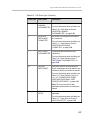
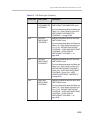
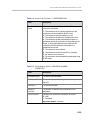
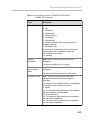
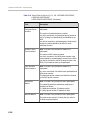
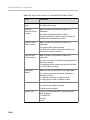
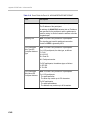
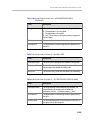
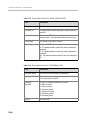
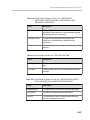
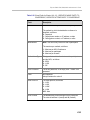
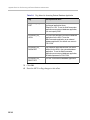
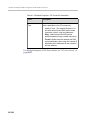
Table 14-7
Default IP Service – Conferencing – Ports Parameters
Field
Description
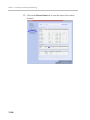
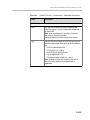
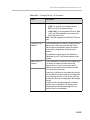
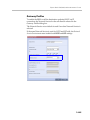
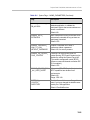
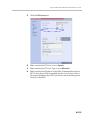
Fixed Ports
Leave this check box cleared if you are defining a
Network Service for local calls that do not require
configuring the firewall to accept calls from external
entities. When cleared, the system uses the default
port range and allocates 4 RTP and 4 RTCP ports
for media channels (Audio, Video, Content and
FECC).
Note: When ICE Environment is enabled, 8
additional ports are allocated to each call.
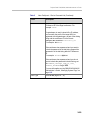
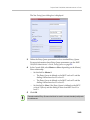
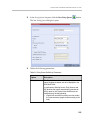
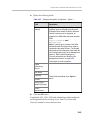
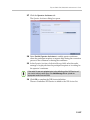
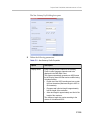
Click this check box to manually define the port
ranges or to limit the number of ports to be left open.
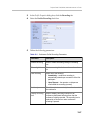
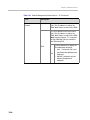
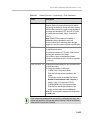
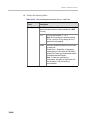
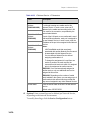
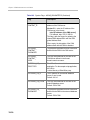
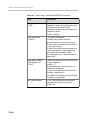
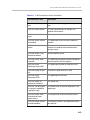
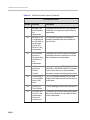
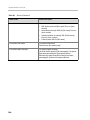
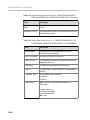
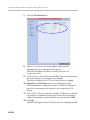
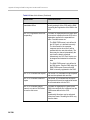
TCP Port from - to
Displays the default settings for port numbers used
for signaling and control.
To modify the number of TCP ports, enter the first
and last port numbers in the range.
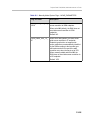
The number of ports is calculated as follows:
Number of simultaneous calls x 2 ports (1 signaling
+ 1 control).
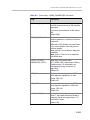
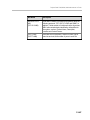
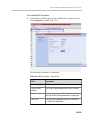
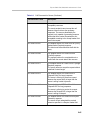
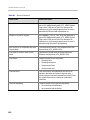
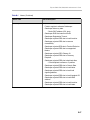
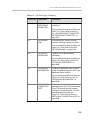
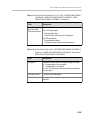
UDP Port from - to
Displays the default settings for port numbers used
for audio and video.
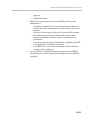
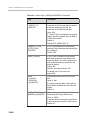
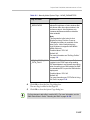
To modify the number of UDP ports:
• In MPM Card Configuration Mode:
Enter the first and last port numbers in the
range.
The number of ports is calculated as follows:
Number of simultaneous calls x 8 ports (2
audio, 2 video, 2 Content and 2 FECC).
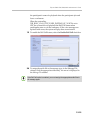
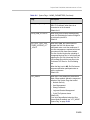
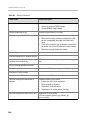
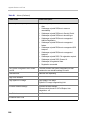
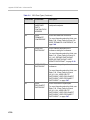
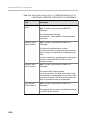
•
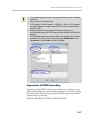
In MPM+/MPMx Card Configuration Mode:
Enter the first and last port numbers in the
range, and the range must be 1024 ports.
When ICE environment is enabled, the range must
be 2048 ports.
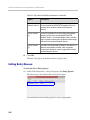
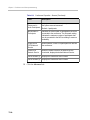
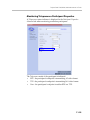
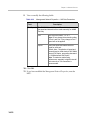
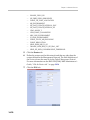
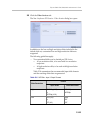
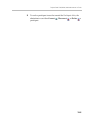
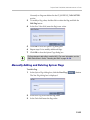
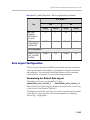
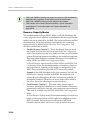
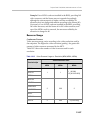
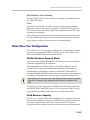
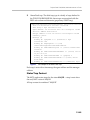
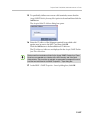
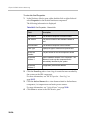
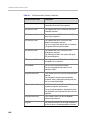
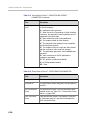
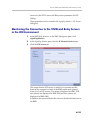
If the network administrator does not specify an adequate port range, the
system will accept the settings and issue a warning. Calls will be rejected
when the MCU’s ports are exceeded.
14-21