1
User’s manual
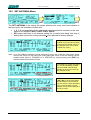
b) CAT
EXPERT 1K-FA
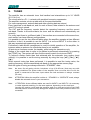
Allows you to program the amplifier to accept control commands from
specific transceiver types.
You may need to refer to your transceiver user manual to ensure that
it is correctly programmed to handle such a link.
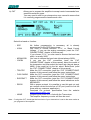
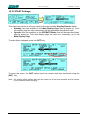
Select the brand or function:
- SPE
- ICOM
- KENWOOD
- YAESU
- TEN-TEC
- FLEX-RADIO
- ELECRAFT
- RS232
- NONE
No further programming is necessary, all is already
programmed for the SPE transceivers.
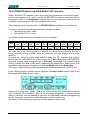
You need to choose between “CI-V“, or “Band Control
Voltage “ if you use the analog connection (read the “CAT
CONNECTIONS” chapter of this manual).
If you choose “CI-V“, you also need to choose the baud rate
which is usually 9600.
You have to choose the baud rate (almost always 9600).
If you use the CAT connection (read the “CAT
CONNECTIONS” chapter of this manual), select the model of
the transceiver and than select the baud rate (almost always
4800). If the model isn’t in the list, select “Band Data“ (read
the “CAT CONNECTIONS” chapter of this manual).
Make the CAT connection (read the “CAT CONNECTIONS”
chapter of this manual) and follow the menu instructions.
Make the CAT connection (read the “CAT CONNECTIONS”
chapter of this manual) and follow the menu instructions.
Make the CAT connection (read the “CAT CONNECTIONS”
chapter of this manual) and follow the same indications as for
KENWOOD.
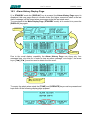
With a proper protocol it is possible to use this port not only
as a remote control but also as a CAT port (useful to link the
linear with any customer application).
Download the protocol specification from the website
www.linear-amplifier.com
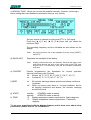
Program when there isn’t a link with the Transceiver.
The amplifier frequency counter will then be used .
Note: if using the CAT, check that the baud rate of your transceiver is set to the same value as
you program to the amplifier.
Pag. 24 of 24