1
DC Load Mode Setting
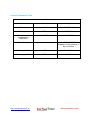
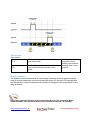
1.Manual Control (default)
Mode
Introductions
ON
Load is on all the time if battery
capacity is enough and no abnormal
conditions happen.
OFF
Load is OFF all the time
Notes
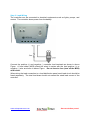
Control the load ON/OFF:
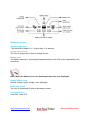
1. By load button on
controller.
2. By the “OK”button
when displaying
animation page on
MT50.
3. By PC software.
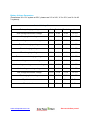
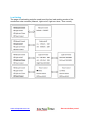
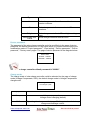
2.Light mode (Via Remote Meter or Monitoring Software only)
Light ON Voltage (Night
When input voltage of solar module is lower than light ON
threshold)
voltage, it automatically turns ON load output if the battery
capacity is enough and no abnormal condition happen.
Light OFF voltage (Day
threshold)
When input voltage of solar module is higher than light
OFF voltage, it automatically turns off load output.
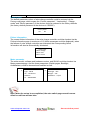
Delay Time
The confirmation time for Light signal. During the period, if
light signal voltage continues matching Light ON/OFF
voltage, it will carry out corresponding actions (0 ~ 99MM)
www.solarpower-mart.com
Harvest the Sun power!