1
Overview
TapSpeak Button 2.0 brings a whole new set of features and capabilities to help kids
learn to communicate and overcome visual and motor skill disabilities. In this update
we’ve added these features:
• DynaVox/Mayer-Johnson PCS 4500 symbol core library included in the purchase
price.
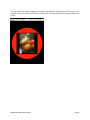
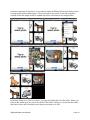
• Photos can be used for button images.
• An expanded set of geometric symbols can be used as button images.
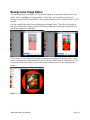
• PCS symbols and photos can use a geometric symbol as a background image. You
can now “place” a photo on top of a button.
• Folders have been added to organize your buttons. Create folders for each student
you have or for various situations.
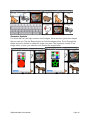
• The button list has button thumbnail images to help identify a button in the button list.
• In portrait orientation, the toolbar completely disappears leaving a clutter-free button
image. Bring up the tool bar by swiping down and dismiss it by swiping up
• Touch/Tap configuration. Adjust the screen response to allow for a variable finger drift/
dwell on the iPad surface.
• External switch support via RJ Cooper’s iPad switch interfaces
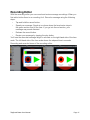
• Shrink and move around the screen a button image to work with target acquisition and
eye-hand coordination.
• Use just the button image or the whole iPad surface to activate messages.
• Optional button border
TapSpeak Button User Manual!
Page 1