1
UM-B-014
Company confidential
DA14580 Development Kit
URTS
19
P0_3
USB DONGLE
Signal Name
ATMEL AVR32 Pin Number
DA14580 GPIO
UTX
D10
P0_4
URX
D9
P0_5
Table 7: Default UART Connections for D/B & USB Dongle
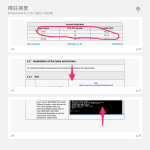
4.2 Installation of the tools and drivers
To install the Software development environment please follow the steps below.
4.2.1
4.2.1.1
Keil
Keil:
https://www.keil.com/download/product/
Download and install Keil MDKARM uVision IDE. uVision ver.4.0
and ver. 5.0 are supported.
Starters Guide:
http://www.keil.com/uvision/ide_ov_starting.asp
4.2.2
SEGGER Jlink driver
Download and install the Jlink
software & documentation pack for
Windows.
Please note that your SEGGER Jlink
serial number is required for
downloading.
This can be found on the plugin module
as shown below
4.2.2.1
.
User manual
CFR0012-00 Rev 1
http://www.segger.com/jlink-software.html
Revision 1.0
21 of 28
18-Mar-2014
© 2014 Dialog Semiconductor GmbH