1
iwTrader User Manual(2014) - Internet Stock Trading
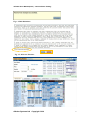
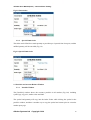
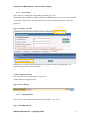
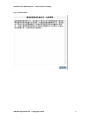
Figure 2.2 Fast Input Tips Window
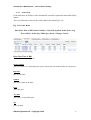
User can also use keyboard to place order using the following sequence:
Key sequence for SELL order: Symbol <enter>à Price <enter>àQuantity
<tab>àBUY <tab>àSELL <enter>àPLACE ORDER
Key sequence for BUY order: Symbol <enter>à Price <enter>àQuantity
<tab>àBUY <enter>àPLACE ORDER
2.2.1
1.
Limit Order
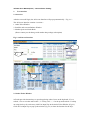
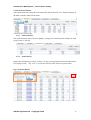
To place order, enter the stock symbol, the quantity and the price. Then, press the Buy
or Sell button according to order type (Fig. 2.3).
2.
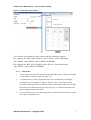
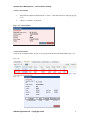
A confirmation box will pop up and the order can be confirmed by entering the
password (Fig. 2.4) and press “Confirm”. Should “Close” is pressed or invalid
password is entered, the order would not be placed. If the order is placed successfully,
the order sent confirmation message will pop up (Fig. 2.5) and the order detail will
then be displayed in the order book.
3.
For user to make a clear view of the transaction, Commission & Fee details are shown
in the order confirmation box.
eBroker Systems Ltd Copyright 2014
7