1
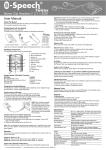
4. Pairing / Connect (Tutorial online)
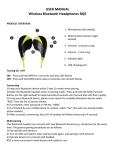
1). It is important to pair the headset with your Bluetooth device for first time use.
2). Pairing procedure:
A. Ensure the headset is off.
B. Press and hold the multi-function button for about 5 seconds until LED
blinks blue and red alternately – you will hear a beep.
C. Search the device from your phone / PC.
D. Once the “i-Watch BT’’ is found, click “i-Watch BT’’ automatic connect or
follow the steps and enter pin code 0000 to pair.
E. Connect the headset to the device.
F. Headset is ready for use now.
3). Once paired and connected, the headset will automatically connect to your
phone whenever you turn the headset on again, provided it is in range.
4). The headset will automatically switch itself off if disconnected for 10 minutes.
Note: We found most problems are caused by improper pairing between the
headset and the Bluetooth device. Please follow the online tutorial step-by-step.