1
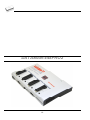
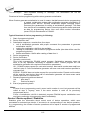
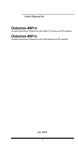
Diagnostic POD for ISP connectors #2 is used for testing 20 pins ISP connector of
programmers. Diagnostic POD for ISP connector #2 is available as standard accessory for
DATAMAN-448PRO2, DATAMAN-48PRO2 and DATAMAN-48PRO2C.
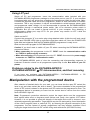
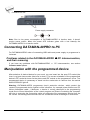
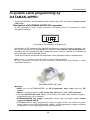
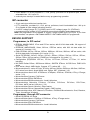
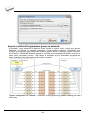
Schematics of Diagnostic POD for ISP connectors #2 (if you are in hurry):
Sequence for testing 20 pins ISP connector:
1. Insert Diagnostic POD for ISP connectors #2 into ZIF socket of the programmer.
Diagnostic POD for ISP connectors #2 must be inserted as 48 pins device.
2. Interconnect 20 pins connector of Diagnostic POD for ISP connectors #2 with an ISP
connector of the programmer with an ISP cable, included in delivery programmer
package. Be sure that pins are interconnected properly (i.e. 1-1, 2-2, ..., 20-20).
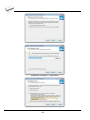
3. Run selftest of ISP connector in PG4UW (Programmer / Selftest ISP connector…).
We recommend run this test every 6 months.
Options
The Options menu contains commands that let you view and change various default settings.
Options / General options
General options dialog allows user to control and set variety of PG4UW program options. The
options can be saved to PG4UW configuration file when closing PG4UW application, or
anytime by command Options / Save options.
File options
File options page allows you to set options for erase buffer before loading, auto-reload of
current file and recognition method of file formats for loaded files.
Erase buffer before loading option sets erasing buffer (with desired value) automatically
before loading of data file.
126